
Popular MSI Mouse Options for Gamers
Showing 1 to 3 of 3 (1 Pages)

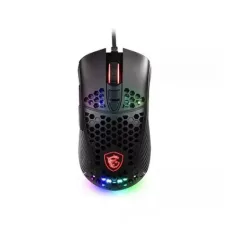
MSI mice are designed for gaming, office work, programming, creative applications, and everyday computer use. MSI offers gaming-focused mouse models with different sensor technologies, DPI ranges, button configurations, shapes, connection options, and customization features.
Unix Network offers MSI mouse products in Bangladesh for gamers, professionals, students, and general computer users. Depending on the model, an MSI mouse can feature a high-precision optical sensor, adjustable DPI, programmable buttons, RGB lighting, lightweight construction, ergonomic design, wired USB connectivity, or wireless connectivity.
MSI Mouse
An MSI mouse is a computer pointing device designed to provide accurate cursor control and comfortable operation. MSI gaming mice are developed with features intended for fast and precise movement, making them suitable for competitive gaming as well as everyday computer use.
The ideal MSI mouse depends on hand size, grip style, gaming genre, sensitivity preference, connection type, button requirements, weight, and budget.
MSI Mouse Categories
- MSI Gaming Mouse
- MSI Wireless Mouse
- MSI Wired Mouse
- MSI USB Mouse
- MSI RGB Mouse
- MSI Optical Mouse
- MSI Lightweight Gaming Mouse
- MSI Ergonomic Mouse
- MSI Programmable Mouse
- MSI FPS Gaming Mouse
- MSI MMO Gaming Mouse
- MSI Mouse for PC
- MSI Mouse for Laptop
- MSI Mouse for Office
- MSI Mouse for Gaming
MSI Gaming Mouse
MSI gaming mice are designed for users who need accurate tracking, responsive buttons, smooth movement, and consistent performance. Depending on the model, gaming features can include high-resolution optical sensors, adjustable DPI, programmable buttons, RGB lighting, and customizable profiles.
MSI Wireless Mouse
Wireless MSI mice can reduce cable clutter and provide greater freedom of movement. Depending on the model, wireless connectivity may use a dedicated 2.4GHz receiver, Bluetooth, or another supported wireless technology.
Wireless gaming mice should be evaluated for connection stability, latency, battery life, charging method, receiver design, and compatibility.
MSI Wired Mouse
Wired MSI mice connect directly to a computer, generally through USB. They do not require battery charging and provide a consistent physical connection, making them popular among gamers and desktop users.
MSI USB Mouse
USB MSI mice are designed for computers with compatible USB ports. Most standard USB mice can be used with modern operating systems without complicated installation.
MSI RGB Mouse
Selected MSI gaming mice include RGB lighting to complement gaming setups. RGB lighting is primarily an aesthetic feature and does not directly improve tracking accuracy or gaming performance.
MSI Optical Mouse
Optical sensors use light to track movement across a surface. Sensor performance can vary between models, and users should consider tracking accuracy, DPI range, lift-off behavior, and surface compatibility when selecting a gaming mouse.
MSI Lightweight Gaming Mouse
Lightweight mice can be easier to move rapidly and may reduce fatigue during extended gaming sessions. Whether a lightweight design is preferable depends on personal preference and gaming style.
MSI Ergonomic Mouse
Ergonomic mouse designs are shaped to provide comfortable hand positioning during extended use. The best shape depends on hand size, grip style, and whether the user prefers palm, claw, or fingertip grip.
MSI Programmable Mouse
Some MSI gaming mice provide programmable buttons that can be assigned to commands or shortcuts through supported software. This can be useful for gaming, productivity, editing, and other applications.
MSI Mouse Sensor
The sensor is one of the most important components of a gaming mouse. It determines how accurately physical movement is translated into cursor movement. Sensor specifications can include maximum DPI, tracking speed, acceleration, and other technical characteristics.
MSI Mouse DPI
DPI, or dots per inch, indicates the sensitivity setting of a mouse. A higher DPI moves the cursor farther for the same physical movement. Many MSI gaming mice allow users to adjust DPI according to their preferences.
Higher DPI is not automatically better. Many competitive gamers prefer lower sensitivity settings for precise aiming, while high DPI can be convenient for desktop navigation and certain applications.
MSI Mouse Polling Rate
Polling rate indicates how frequently the mouse reports its position to the computer. Higher polling rates can reduce input-reporting intervals, although the practical benefit depends on the complete system and workload.
MSI Mouse Response Time
Response time describes how quickly mouse input is registered and communicated to the computer. Low-latency performance can be particularly important for competitive gaming.
MSI Mouse Tracking Accuracy
Accurate tracking allows the cursor or crosshair to follow physical mouse movement consistently. Sensor quality, surface type, DPI setting, polling rate, and software configuration can all affect the experience.
MSI Mouse Buttons
Different MSI mouse models offer different numbers of buttons. Basic gaming mice may use a standard left-click, right-click, scroll wheel, and side-button configuration, while MMO-oriented models may include substantially more programmable buttons.
MSI Mouse Side Buttons
Side buttons can be useful for gaming commands, browser navigation, application shortcuts, and productivity functions. Their placement and number should be considered based on the user's hand size and grip style.
MSI Mouse Scroll Wheel
The scroll wheel is used for navigating documents, web pages, applications, and game interfaces. Some gaming mice provide a textured or customizable scroll wheel designed for precise scrolling and comfortable operation.
MSI Mouse Grip Style
Mouse grip is an important consideration when selecting a comfortable gaming mouse.
- Palm grip uses most of the palm and fingers against the mouse.
- Claw grip raises part of the palm and creates an arched finger position.
- Fingertip grip uses mainly the fingertips to control the mouse.
Mouse shape and size should be matched to the user's preferred grip and hand dimensions.
MSI Mouse for FPS Gaming
FPS gamers often prioritize accurate tracking, responsive buttons, low weight, consistent sensor behavior, and a comfortable shape. A mouse with adjustable DPI and a suitable grip design can help players find their preferred sensitivity.
MSI Mouse for MMO Gaming
MMO games can involve many commands and abilities. A mouse with multiple programmable buttons can provide convenient access to frequently used actions.
MSI Mouse for MOBA Gaming
MOBA players may benefit from accurate tracking, responsive buttons, and programmable controls. The preferred mouse configuration depends on the game and individual control scheme.
MSI Mouse for Esports
Competitive gamers may prioritize low latency, accurate sensors, lightweight construction, reliable buttons, and a shape that remains comfortable during long sessions.
MSI Mouse for Office
An MSI mouse can also be used for office productivity, browsing, spreadsheets, document preparation, and general computer tasks. Office users may prioritize comfort, quiet clicks, wireless connectivity, and battery life over advanced gaming specifications.
MSI Mouse for Programming
Programmers can use an MSI mouse for coding, development environments, web browsing, documentation, and general productivity. Ergonomics and long-term comfort are particularly important for users who spend many hours at a computer.
MSI Mouse for Graphic Design
Graphic designers can benefit from a mouse with accurate tracking, adjustable sensitivity, comfortable ergonomics, and programmable buttons. However, the preferred input device can vary according to the design application and workflow.
MSI Mouse for Video Editing
Video editors can use a precise MSI mouse for timeline navigation, editing controls, media organization, and general desktop operation. Programmable buttons can provide shortcuts for frequently used commands on compatible models.
MSI Mouse for Laptop
An MSI mouse can be used with laptops that provide compatible USB or wireless connectivity. A wireless mouse can be particularly convenient for laptop users who frequently move between locations.
MSI Mouse for Desktop
MSI mice can complement desktop computers, gaming PCs, workstations, and office systems. Users can select a wired or wireless model according to their workspace and performance requirements.
MSI Mouse Compatibility
Most USB MSI mice are broadly compatible with modern computers. Wireless models may require a USB receiver or Bluetooth support, depending on the specific product.
MSI Mouse Software
Compatible MSI gaming mice may provide software support for configuring DPI, button assignments, macros, lighting, profiles, and other settings. Available features depend on the exact mouse model.
MSI Mouse RGB Lighting
RGB lighting allows users to customize the appearance of supported MSI gaming mice. Some models may provide synchronization with other compatible gaming components.
MSI Mouse Weight
Mouse weight affects how quickly and easily the mouse can be moved. Lightweight mice are often preferred for fast FPS movements, while some users prefer heavier mice for a more substantial feel.
MSI Mouse Weight Adjustment
Some gaming mice provide adjustable weight systems, although this feature is model-specific. Users can choose the weight configuration according to their preferred control and movement style.
MSI Mouse Cable
Wired MSI gaming mice may use flexible cables designed to minimize resistance during movement. Cable design can be particularly noticeable when making rapid movements during gaming.
MSI Mouse Battery
Wireless MSI mice use rechargeable or replaceable batteries depending on the model. Battery life depends on wireless technology, polling rate, lighting, usage intensity, and battery capacity.
MSI Mouse Charging
Rechargeable wireless MSI mice can typically be charged through a compatible cable or charging system depending on the model. Users should check the manufacturer's specifications for charging requirements.
MSI Mouse Specifications
| Specification | What to Check |
|---|---|
| Sensor | Optical sensor and tracking specifications |
| DPI | Maximum and adjustable sensitivity range |
| Polling Rate | Mouse reporting frequency |
| Buttons | Total number and programmable buttons |
| Connection | Wired, 2.4GHz wireless, or Bluetooth |
| Lighting | RGB or other lighting features |
| Weight | Total mouse weight |
| Grip | Shape suitable for palm, claw, or fingertip grip |
| Software | Supported customization and configuration features |
| Compatibility | Supported operating systems and devices |
How to Choose an MSI Mouse
- Determine whether you need a gaming or productivity mouse.
- Choose wired or wireless connectivity.
- Select a mouse shape suitable for your hand.
- Consider your preferred palm, claw, or fingertip grip.
- Check sensor performance.
- Choose an appropriate DPI range.
- Consider polling rate for gaming.
- Check the number and placement of buttons.
- Consider programmable controls.
- Check RGB requirements.
- Consider mouse weight.
- Check battery life for wireless models.
- Consider software compatibility.
- Compare warranty and after-sales support.
- Check current price and stock availability.
MSI Mouse for Gaming PC
An MSI gaming mouse can complement a gaming PC by providing precise tracking and responsive controls. The best model depends on gaming genre, sensitivity preference, grip style, hand size, weight preference, and budget.
MSI Mouse for Competitive Gaming
Competitive gaming places greater emphasis on consistent tracking, low latency, reliable switches, comfortable ergonomics, and fast movement. A lightweight wired or low-latency wireless MSI mouse can be suitable for players who prioritize competitive performance.
MSI Mouse for Casual Gaming
Casual gamers do not necessarily need the highest DPI or polling rate. A comfortable MSI mouse with a reliable sensor, responsive buttons, and a suitable price can provide an excellent gaming experience.
MSI Mouse for Work and Gaming
A gaming mouse can also be used for everyday work. Users who switch between productivity and gaming may benefit from programmable buttons, adjustable sensitivity, comfortable ergonomics, and multiple software profiles.
MSI Wired Mouse vs Wireless Mouse
| Feature | MSI Wired Mouse | MSI Wireless Mouse |
|---|---|---|
| Connection | USB cable | Wireless receiver or Bluetooth, depending on model |
| Battery | Not required | Required |
| Cable | Yes | No during wireless operation |
| Mobility | Limited by cable | Greater freedom of movement |
| Charging | Not required | Required for rechargeable models |
| Gaming | Excellent for consistent wired connectivity | Modern low-latency models can also be suitable |
MSI Optical Mouse vs Laser Mouse
Modern gaming mice commonly use optical sensors. Sensor quality is more important than simply choosing between optical and laser technology. Users should consider tracking consistency, surface compatibility, DPI range, and real-world performance.
MSI Mouse Price in Bangladesh
MSI mouse prices in Bangladesh vary according to sensor technology, DPI range, polling rate, connectivity, button count, RGB lighting, weight, construction, and gaming features. Basic models are generally less expensive than advanced wireless or high-performance gaming mice.
When comparing prices, customers should consider sensor performance, ergonomics, switches, wireless technology, software features, warranty, and intended use rather than choosing only by DPI or RGB lighting.
Buy MSI Mouse in Bangladesh
Customers looking to buy an MSI mouse in Bangladesh can choose from wired, wireless, gaming, RGB, optical, ergonomic, lightweight, and programmable models. The right mouse depends on hand size, grip style, gaming requirements, connectivity preferences, and budget.
Unix Network provides mice and other computer accessories for customers building gaming PCs, upgrading desktops, setting up workstations, or improving their everyday computing setup.
MSI Mouse in Jashore
Unix Network provides MSI mice and computer accessories for customers in Jashore and across Bangladesh. MSI mouse products can be used with gaming PCs, desktops, laptops, office computers, workstations, and other compatible systems.
Frequently Asked Questions About MSI Mouse
What is an MSI mouse?
An MSI mouse is a computer pointing device designed for gaming, productivity, and general computer use. MSI offers different mouse models with varying sensor, connectivity, button, weight, and customization features.
Is MSI mouse good for gaming?
MSI offers gaming mice designed for accurate tracking, responsive controls, and customizable gaming features. The suitability of a particular model depends on its sensor, shape, weight, buttons, connection, and the user's preferences.
Is MSI mouse wireless?
MSI offers both wired and wireless mouse models. Wireless connectivity can vary by model and may include a dedicated wireless receiver or Bluetooth.
Does MSI mouse have RGB?
Selected MSI gaming mice include RGB lighting. The lighting design and customization features vary by model.
What DPI should I use on an MSI gaming mouse?
There is no single ideal DPI setting. The preferred DPI depends on the game, mouse sensitivity, screen resolution, and personal preference. Competitive FPS players often use lower sensitivity, while higher DPI can be convenient for general desktop navigation.
Is a lightweight MSI mouse better for gaming?
A lightweight mouse can make rapid movements easier, but the ideal weight is a matter of personal preference. Some gamers prefer a heavier mouse for additional stability.
Is MSI mouse good for office work?
Yes. MSI mice can be used for office work, browsing, documents, programming, and general productivity. Ergonomics, button placement, connection type, and comfort may be more important than gaming specifications for office users.
Can I use MSI mouse with a laptop?
Yes. Compatible MSI wired mice can connect through USB, while wireless models can use a wireless receiver or Bluetooth depending on the model and laptop capabilities.
Why Buy MSI Mouse from Unix Network?
Unix Network provides mice and computer accessories for gaming, office work, programming, education, and general computing. Customers can compare MSI mouse models based on sensor technology, DPI, polling rate, buttons, grip, weight, connectivity, RGB features, warranty, price, and intended use.
Before purchasing an MSI mouse, verify the exact model, sensor specifications, connection method, button configuration, software support, operating-system compatibility, battery requirements for wireless models, warranty, price, and stock availability. Product specifications and market availability may change without prior notice.