
Canon Printer Price in Bangladesh
Showing 1 to 24 of 53 (3 Pages)
Popular


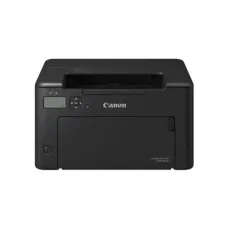


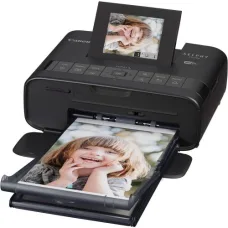
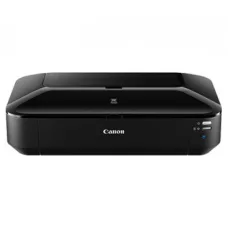


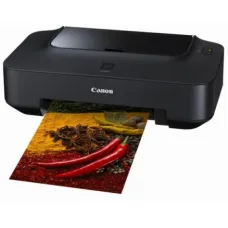
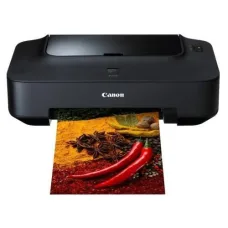
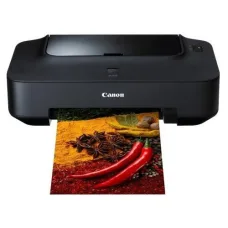
Find the Right Canon for Your Budget and Needs
These are the latest in-stock Canon at Unix Network, with the current price in Bangladesh. Open a model for specifications.
Latest Canon Price List in BD 2026

Canon Printer is a popular printing solution for homes, offices, businesses, schools, educational institutions, retail shops, and professional users. Canon offers printers designed for different printing requirements, including everyday document printing, high-volume office printing, photo printing, color printing, and multifunction document management.
Depending on the model, a Canon Printer can provide features such as monochrome or color printing, wireless connectivity, USB connectivity, automatic duplex printing, scanning, copying, mobile printing, and high-capacity ink or toner systems. Choosing the right Canon printer depends on printing volume, document type, color requirements, speed, connectivity, and operating cost.
Canon Printer in Bangladesh
Canon Printers are suitable for a wide range of users in Bangladesh. Home users can use compact printers for assignments, forms, personal documents, and occasional printing. Businesses and offices can choose higher-performance models for invoices, reports, quotations, contracts, and other professional documents.
Canon also offers printing solutions for users who need high-quality color output or photo printing. Before purchasing, users should consider the printer's technology, print speed, resolution, paper capacity, connectivity, consumable cost, and expected monthly workload.
Canon Printer Price in Bangladesh
The price of a Canon Printer in Bangladesh varies according to the printer type, model, printing technology, speed, features, connectivity, and intended workload.
Entry-level inkjet printers are generally designed for home and light-duty use, while office-oriented laser printers can provide faster document printing and are better suited to higher workloads. Multifunction printers may cost more than single-function printers because they combine printing with scanning and copying.
When comparing Canon printer prices, customers should consider the total cost of ownership, including ink or toner, maintenance, replacement components, paper consumption, and electricity.
Canon Inkjet Printer
Canon Inkjet Printers are suitable for home users, students, small offices, and users who require color printing. Inkjet technology can produce detailed color documents and photographs, depending on the printer model and ink system.
Inkjet printers can be a practical choice for users who print documents, graphics, images, and photographs regularly but do not require the high-volume performance of a commercial office printer.
Canon Laser Printer
Canon Laser Printers are designed primarily for fast and efficient document printing. Laser printers can be suitable for offices, businesses, educational institutions, and other environments where users regularly print text documents.
Monochrome laser printers are particularly useful for high-volume black-and-white document printing, while color laser models are suitable for organizations that require professional color documents.
Canon Black and White Printer
A Canon black and white printer is designed for monochrome document printing. It can be useful for invoices, reports, forms, contracts, notices, office documents, and other text-heavy workloads.
For businesses that primarily print text documents, a monochrome laser printer can provide a practical combination of speed, reliability, and economical operation.
Canon Color Printer
A Canon Color Printer is suitable for users who need color documents, presentations, marketing materials, graphics, charts, or photographs. Depending on the model, Canon color printers can use inkjet or laser printing technology.
Users should compare color print quality, speed, ink or toner cost, paper compatibility, and expected printing volume before choosing a color printer.
Canon Multifunction Printer
A Canon Multifunction Printer combines several office functions in one device. Depending on the model, multifunction printers can provide printing, scanning, copying, and other document-management capabilities.
A multifunction printer can save space and reduce the need to purchase separate devices for common office tasks.
Canon All-in-One Printer
A Canon All-in-One Printer is designed to provide multiple functions from a single machine. Users may be able to print documents, scan paperwork, and make copies depending on the model.
All-in-one printers are especially useful for home offices, small businesses, schools, and organizations that need several basic document functions without purchasing separate equipment.
Canon WiFi Printer
A Canon WiFi Printer allows compatible computers, smartphones, tablets, and other devices to communicate with the printer over a wireless network. Wireless printing can make it easier for multiple users to share a printer without installing a separate USB connection for every computer.
Before purchasing a wireless Canon printer, users should check supported wireless standards, mobile printing compatibility, and network requirements.
Canon Wireless Printer
Wireless Canon Printers are useful for modern homes and offices where users need convenient printing from multiple devices. Wireless connectivity can reduce cable clutter and allow the printer to be positioned in a convenient location within the network's coverage area.
Canon USB Printer
A Canon USB Printer can connect directly to a computer using a USB cable. USB connectivity can be useful when wireless networking is unavailable or when a dedicated connection is preferred.
Many Canon printers provide both USB and wireless or network connectivity, depending on the model.
Canon Duplex Printer
A Canon Duplex Printer can print on both sides of a sheet automatically when automatic duplex printing is supported. Duplex printing can reduce paper consumption and is useful for reports, manuals, assignments, business documents, and multi-page paperwork.
Businesses that print large quantities of documents should consider automatic duplex functionality when selecting a printer.
Canon Printer for Home
A Canon Printer for home use can be suitable for students, families, remote workers, and users who occasionally need to print documents, assignments, forms, images, and photographs.
For home use, important factors include compact size, ease of operation, wireless connectivity, print quality, ink cost, and the ability to print from smartphones and computers.
Canon Printer for Office
A Canon Printer for office use should be selected according to the number of users and expected monthly print volume. Offices that print primarily text documents may prefer monochrome laser printers, while organizations that require professional color documents may choose a color printer.
For shared office environments, network connectivity, automatic duplex printing, paper capacity, print speed, and security features can be important considerations.
Canon Printer for Business
Businesses use printers for invoices, quotations, reports, contracts, customer documents, product information, forms, labels, and internal paperwork. The right Canon printer can help employees handle these documents efficiently.
Businesses should evaluate both initial purchase price and ongoing consumable costs before choosing a printer for regular commercial use.
Canon Printer for School
Schools can use Canon Printers for assignments, examination materials, worksheets, notices, student records, administrative documents, and educational resources.
For schools with frequent printing requirements, print speed, paper capacity, duplex printing, network connectivity, and economical consumables can be particularly important.
Canon Printer for College and University
Colleges and universities often require printers for academic materials, examination documents, administrative forms, reports, student records, and research documents.
A network-enabled Canon multifunction printer can allow multiple users or departments to share printing and scanning resources.
Canon Printer for Photocopy Shop
Photocopy and printing businesses require printers capable of handling frequent workloads. When selecting a Canon printer for commercial use, users should pay particular attention to print speed, duty cycle, paper capacity, consumable cost, print quality, and service availability.
Canon Printer for Photo Printing
Canon offers printers designed for users who require high-quality image and photo output. Photo printing performance depends on the printer model, ink system, paper type, resolution, and image source.
Users who regularly print photographs should choose a model specifically designed for photo printing and use suitable photo paper and compatible consumables.
Canon Photo Printer
A Canon Photo Printer is designed for users who prioritize image quality. Photo-oriented printers can be useful for photographers, designers, creative professionals, students, and home users who want to print photographs.
When selecting a photo printer, users should compare supported paper sizes, color technology, ink configuration, resolution, borderless printing capability, and long-term ink cost.
Canon Printer for Graphic Design
Graphic designers and creative professionals may require accurate color reproduction and high-quality output. A suitable Canon color printer can be used for proofs, presentations, marketing materials, graphics, and other visual documents.
Color accuracy can vary depending on the printer, paper, ink, software, and color-management workflow, so professional users should evaluate the complete printing system rather than relying only on resolution specifications.
Canon Printer for Business Documents
Business documents typically require clear text, consistent output, reliable paper handling, and reasonable operating costs. Canon laser printers can be particularly suitable for organizations that produce large quantities of text-based documents.
Automatic duplex printing and network connectivity can further improve productivity in shared office environments.
Canon Printer Toner
Canon laser printers use toner cartridges or toner systems designed for laser printing. Toner yield and replacement cost are important factors when calculating the long-term operating cost of a printer.
Users should always select toner that is compatible with the exact Canon printer model. Using unsuitable consumables can negatively affect print quality and machine reliability.
Canon Printer Ink
Canon Inkjet Printers use ink cartridges or ink-tank systems depending on the model. Ink cost can have a significant impact on the total cost of ownership, particularly for users who print frequently.
Users should check the expected page yield and availability of replacement ink before purchasing a Canon inkjet printer.
Canon Ink Tank Printer
Canon Ink Tank Printers are designed for users who require economical high-volume inkjet printing. Instead of relying only on conventional small cartridges, compatible ink-tank systems can provide larger ink capacity and lower running costs for suitable workloads.
Ink-tank printers can be particularly attractive to homes, small businesses, educational institutions, and users who regularly print both black-and-white and color documents.
Canon Printer with Scanner
A Canon printer with a scanner combines printing and scanning in one device. Multifunction models can also provide copying functionality.
This type of printer is useful for offices and homes where users frequently need to digitize physical documents or make copies.
Canon Printer with Copier
A Canon multifunction printer with copying capability allows users to reproduce physical documents without connecting the machine to a computer. This can be useful for forms, identity documents, reports, receipts, and other paperwork.
Canon Printer with ADF
An automatic document feeder allows users to place multiple pages into a multifunction printer for scanning or copying. ADF functionality can save considerable time when processing multi-page documents.
Office users should check the ADF capacity and supported document sizes when selecting a Canon multifunction printer.
Canon Printer Network Connectivity
Network connectivity allows multiple computers and users to share a printer. This is particularly useful in offices, schools, businesses, and other environments with several connected devices.
Depending on the model, Canon printers may support wired network connections, wireless connectivity, or both.
Canon Mobile Printing
Modern Canon printers can provide mobile printing capabilities on supported models. Mobile connectivity can allow users to print documents and images from compatible smartphones or tablets.
Users should verify compatibility with their operating system and preferred mobile printing method before purchasing.
Canon Printer Maintenance
Regular printer maintenance can help maintain print quality and reduce operational problems. The appropriate maintenance procedure depends on whether the printer is an inkjet, laser, multifunction, or specialized model.
- Keep the printer in a clean environment.
- Use suitable paper.
- Keep paper trays free from dust and debris.
- Replace ink or toner when necessary.
- Clean accessible components according to the manufacturer's instructions.
- Do not overload paper trays.
- Remove paper jams carefully.
- Keep the printer firmware and drivers appropriately maintained.
- Use compatible consumables.
- Arrange professional service when persistent problems occur.
Canon Printer Common Problems
Common Canon Printer problems can include paper jams, paper-feeding errors, faded printing, streaks, missing colors, blurry output, cartridge recognition problems, wireless connectivity issues, slow printing, scanner problems, and error messages.
The correct solution depends on the exact printer model and the symptoms being experienced.
Canon Printer Paper Jam
Paper jams can occur because of unsuitable paper, damaged sheets, incorrect paper loading, overloaded trays, worn rollers, or debris inside the paper path.
Users should follow the printer's instructions when removing jammed paper. If the same paper-jam problem repeatedly occurs, professional inspection may be required.
Canon Printer Paper Feeding Problem
If a Canon printer does not pick up paper correctly, possible causes can include paper quality, incorrect tray loading, pickup roller wear, separation problems, or debris in the paper path.
Checking the paper type and loading procedure can resolve some simple problems. Persistent feeding issues may require servicing.
Canon Printer Faded Printing
Faded printing can result from low ink or toner, clogged ink nozzles, incorrect print settings, an aging drum, or other hardware issues depending on the printer technology.
Users should check consumable levels and perform the appropriate maintenance procedure before arranging professional repair.
Canon Printer Color Problem
Color printing problems may appear as missing colors, incorrect color balance, streaks, or uneven output. Inkjet printers can experience clogged print nozzles, while laser printers may develop toner or imaging-system issues.
Print-head maintenance, cartridge inspection, correct paper selection, and appropriate printer settings can help resolve some color-output problems.
Canon Printer Not Printing
A Canon printer may fail to print because of connectivity problems, incorrect printer selection, driver issues, paper errors, low consumables, print queue problems, or hardware faults.
Users should first check the printer's power, paper, consumables, connection, and computer print queue. Persistent problems may require technical diagnosis.
Canon Printer Offline Problem
A printer may appear offline when the computer cannot communicate with it. Possible causes include network connectivity problems, disconnected cables, wireless configuration issues, incorrect IP settings, or computer-side configuration problems.
Checking the network connection and printer status can help identify the source of the problem.
Canon Printer WiFi Problem
Wireless connectivity problems can occur because of incorrect WiFi configuration, changed network credentials, weak wireless coverage, router issues, IP conflicts, or computer configuration problems.
Reconnecting the printer to the correct wireless network and checking the network configuration can resolve many basic connectivity issues.
Canon Printer Driver
A printer driver allows a computer's operating system to communicate correctly with the printer. Using the appropriate driver for the exact Canon printer model and operating system is important for reliable printing.
Users should obtain drivers from trusted sources and ensure that the selected driver matches the printer model and operating system.
Canon Printer Repair Service
Professional Canon Printer Repair Service can help diagnose hardware and operational problems such as paper jams, paper-feed failures, print-quality issues, scanner faults, network problems, unusual noise, and persistent error messages.
Unix Network provides technology and office-equipment services for businesses and professional users and can assist with printer-related service requirements depending on the model and problem.
Canon Printer Parts
Printer components can wear or fail after extended use. Depending on the model, service parts can include pickup rollers, separation rollers, fusers, drums, imaging units, print heads, maintenance components, sensors, gears, and other mechanical or electronic parts.
The correct replacement component should always be selected according to the exact Canon printer model.
Canon Printer Running Cost
The purchase price of a printer does not represent its complete ownership cost. Ink, toner, drums, print heads, maintenance parts, paper, electricity, and servicing can contribute to long-term expenses.
Users who print frequently should calculate the estimated cost per page before selecting a printer. A printer with a slightly higher purchase price may provide better long-term value if its consumable costs are lower.
Canon Printer Buying Guide
| Requirement | Recommended Printer Type |
|---|---|
| Home Printing | Compact inkjet or multifunction printer |
| Student Use | Economical inkjet or ink-tank printer |
| Small Office | Multifunction inkjet or laser printer |
| Large Office | High-speed network laser printer |
| High-Volume Text Printing | Monochrome laser printer |
| Color Documents | Color inkjet or color laser printer |
| Photo Printing | Photo-oriented inkjet printer |
| Scanning and Copying | Multifunction printer |
| Low Running Cost | Suitable ink-tank or high-yield toner system |
| Shared Office Printing | Network-enabled printer |
How to Choose the Best Canon Printer
The best Canon Printer depends on how and where it will be used. A home user who prints a few pages each week has different requirements from a business that prints thousands of pages every month.
- Determine your monthly printing volume.
- Choose inkjet or laser technology according to your workload.
- Decide between monochrome and color printing.
- Check print speed.
- Check print resolution and output quality.
- Consider automatic duplex printing.
- Check paper capacity.
- Consider WiFi or network connectivity.
- Check mobile printing compatibility.
- Compare ink or toner costs.
- Consider multifunction features if scanning and copying are required.
- Check warranty and service support.
- Consider availability of replacement consumables and parts.
New Canon Printer
A new Canon Printer can provide the latest available features, manufacturer support, and a predictable service history. New printers are generally appropriate for users who want warranty coverage and do not want to take the risks associated with used equipment.
Customers should compare specifications and total operating costs rather than selecting a printer based solely on its purchase price.
Used Canon Printer
A used Canon Printer can be an economical option for customers with a limited budget. However, the condition of used printers can vary considerably.
Before purchasing a used printer, customers should check print quality, page count where available, ink or toner condition, paper-feeding performance, scanner functionality, connectivity, error history, physical condition, and availability of replacement consumables.
Refurbished Canon Printer
A refurbished Canon Printer may have undergone inspection, cleaning, testing, repair, and replacement of selected components before resale. The actual refurbishment process depends on the seller and specific machine.
Customers should ask about the service history, replaced components, warranty, print-test results, and after-sales support before purchasing a refurbished printer.
Canon Printer for Small Business
Small businesses often need printers for invoices, quotations, receipts, reports, forms, customer documents, and administrative paperwork. A multifunction Canon printer can provide printing, scanning, and copying from one device.
Businesses should prioritize reliable operation and low running costs when selecting a printer for regular daily use.
Canon Printer for Large Business
Large organizations may require network-enabled printers capable of handling significant print volumes. High-speed laser printers with larger paper capacities, automatic duplex printing, and centralized management features can be suitable for shared office environments.
Canon Printer for E-Commerce Business
E-commerce businesses may use printers for invoices, packing documents, shipping paperwork, product labels, reports, and administrative records. The ideal Canon printer depends on whether the business needs standard documents, color materials, or specialized label printing.
Canon Printer for Home Office
A home office printer should provide convenient connectivity, reliable document printing, reasonable operating costs, and an appropriate footprint. A compact Canon multifunction printer can be useful for users who need printing, scanning, and copying in a limited workspace.
Canon Printer Security
Network-connected printers can process business and personal documents, so security should be considered in professional environments. Depending on the model, security capabilities may include user authentication, access control, secure printing, and network-management functions.
Organizations should configure network printers carefully and restrict access to authorized users when sensitive documents are involved.
Why Buy Canon Printer from Unix Network?
Unix Network provides computers, laptops, printers, office equipment, networking products, CCTV and security solutions, and other technology products for businesses and professional users in Bangladesh.
Customers looking for a Canon Printer can select a suitable solution based on printing volume, color requirements, print speed, connectivity, multifunction needs, consumable costs, warranty, service support, and budget.
Frequently Asked Questions About Canon Printer
What is a Canon Printer?
A Canon Printer is a printing device designed for producing documents, images, photographs, or other printed materials. Canon offers inkjet, laser, multifunction, photo, and other printer solutions.
What is the price of a Canon Printer in Bangladesh?
The price depends on the printer type, model, features, printing technology, and intended workload. Ink, toner, maintenance, and other operating costs should also be considered.
Is Canon Printer good for office use?
Canon offers printers for different office workloads, including compact multifunction models and high-speed professional laser printers. The appropriate model depends on monthly print volume and required features.
Which Canon printer is best for home use?
A compact multifunction inkjet or ink-tank printer can be suitable for many home users who need document printing, scanning, copying, and occasional color printing.
Which Canon printer is best for office use?
A network-enabled laser or multifunction printer can be suitable for offices that require reliable and frequent document printing. The ideal model depends on print volume and document requirements.
Which Canon printer is best for high-volume printing?
A high-speed laser printer designed for the expected monthly workload is generally more appropriate for high-volume document printing.
Is Canon inkjet printer suitable for photo printing?
Canon offers inkjet printers designed for high-quality image and photo printing. The exact photo quality depends on the printer model, ink system, paper, and print settings.
Is a Canon ink-tank printer economical?
Ink-tank printers can provide economical printing for users with regular color and monochrome printing needs because they are designed around higher-capacity ink systems. Actual running costs depend on usage and ink consumption.
Does Canon make wireless printers?
Yes. Canon offers printer models with wireless connectivity, depending on the product series and model.
Does Canon make multifunction printers?
Yes. Canon offers multifunction printers that can combine printing, scanning, and copying functions, depending on the model.
How often should a Canon Printer be serviced?
Service requirements depend on the printer type, workload, operating environment, and manufacturer recommendations. High-volume printers generally require more attention than lightly used home printers.
Where can I buy a Canon Printer in Bangladesh?
Canon Printers are available through computer and office-equipment retailers in Bangladesh. Unix Network provides printers and technology solutions for home users, businesses, offices, and professional customers, subject to current stock and availability.