
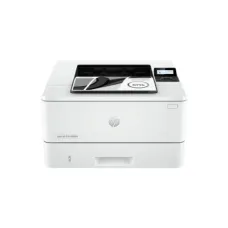
HP Laser Printers: Ultimate Guide to Usage, Features, and Benefits
Showing 1 to 24 of 53 (3 Pages)


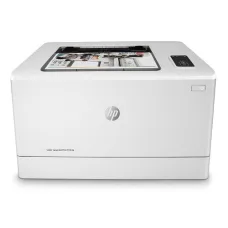

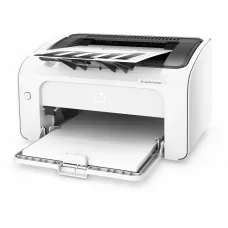

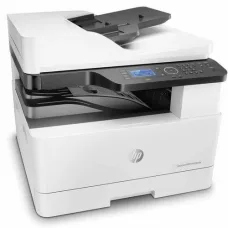


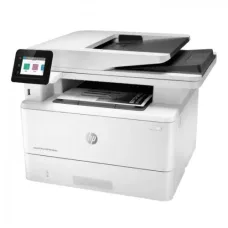


HP LaserJet Pro MFP M28w Printer
৳12,800
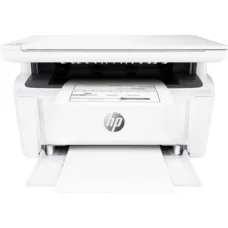
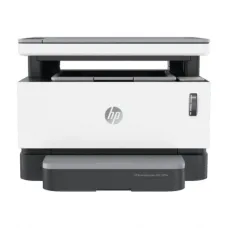
HP LaserJet Pro MFP M28a Printer
৳16,300


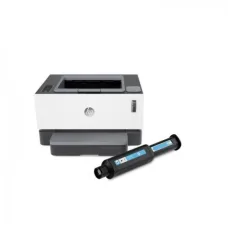
HP LaserJet Pro M706n A3 Printer
৳73,900

HP LaserJet Pro M501DN Printer
৳61,100
Find the Right HP Laser Printer for Your Budget and Needs
These are the latest in-stock HP Laser Printer at Unix Network, with the current price in Bangladesh. Open a model for specifications.
Latest HP Laser Printer Price List in BD 2026
| HP Laser Printer List | Price in BD |
|---|---|
| HP LaserJet Pro 4003dn Single Function Mono Laser Printer | ৳27,500 |
HP Laser Printers are designed for fast, reliable, and cost-effective document printing in homes, offices, businesses, educational institutions, and professional environments. HP offers laser printers in different configurations, including monochrome and color models, single-function printers, and multifunction printers with printing, scanning, copying, and other features.
HP Laser Printer
Unix Network offers HP Laser Printers for customers looking for dependable printing solutions for home, office, business, and professional use. HP laser printers are widely used for documents, invoices, reports, forms, business correspondence, educational materials, and other everyday printing requirements.
When choosing an HP Laser Printer, customers should consider print speed, print resolution, monthly duty cycle, connectivity, paper capacity, automatic duplex printing, toner cost, multifunction features, and the expected printing volume.
HP Laser Printer Categories
- HP Monochrome Laser Printer
- HP Color Laser Printer
- HP Laser Multifunction Printer
- HP LaserJet Printer
- HP LaserJet Pro Printer
- HP LaserJet Enterprise Printer
- HP Wireless Laser Printer
- HP Duplex Laser Printer
- HP Laser Printer with Scanner
- HP Laser Printer with Copier
- HP Network Laser Printer
- HP Small Office Laser Printer
- HP Business Laser Printer
HP Monochrome Laser Printer
HP monochrome laser printers are designed primarily for black-and-white document printing. They are suitable for offices, businesses, schools, shops, and home users who mainly print text documents and forms.
Monochrome laser printers can be an efficient choice for users who prioritize fast text printing and economical operation over color output.
HP Color Laser Printer
HP color laser printers are designed to produce color documents, presentations, marketing materials, charts, graphics, and other business content. They are suitable for offices and businesses where professional-looking color output is required.
Color laser printing generally requires multiple toner cartridges, so customers should consider both the printer price and long-term toner costs before purchasing.
HP LaserJet Printer
HP LaserJet is a well-known HP printer family designed around laser and related electrophotographic printing technologies. LaserJet models are available for different workloads, from compact home and small-office printers to higher-capacity business devices.
HP LaserJet Pro Printer
HP LaserJet Pro printers are designed for small offices, home offices, workgroups, and professional users who need dependable document printing. Depending on the model, features can include wireless connectivity, automatic duplex printing, mobile printing, scanning, copying, and network connectivity.
HP LaserJet Enterprise Printer
HP LaserJet Enterprise printers are designed for higher-volume business and organizational printing environments. They can provide higher paper capacity, advanced management features, stronger security functions, faster printing, and support for larger workgroups depending on the model.
HP Laser Printer for Home
An HP laser printer can be a practical choice for home users who frequently print documents, assignments, invoices, forms, or study materials. A compact monochrome model may be appropriate when color printing is not required.
HP Laser Printer for Office
Office users often need a printer that can handle regular document workloads with consistent speed and reliability. Depending on the number of users, an HP laser printer with network connectivity, automatic duplex printing, larger paper capacity, and multifunction capabilities can be a suitable option.
HP Laser Printer for Business
Businesses can choose HP laser printers according to monthly printing volume, number of users, required speed, document type, and connectivity requirements. Larger businesses may benefit from network-ready models with advanced administration and security features.
HP Laser Printer for School
Schools, coaching centers, and educational institutions can use HP laser printers for worksheets, examination documents, notices, reports, forms, and administrative documents. A high-speed monochrome laser printer can be useful where large volumes of text documents are printed regularly.
HP Laser Printer for Shop
Retail stores and small businesses can use laser printers for invoices, receipts, quotations, purchase documents, inventory paperwork, and other business records. A compact HP printer can provide a convenient solution where printing volume is moderate.
HP Laser Printer with Scanner
HP laser multifunction printers combine printing with scanning and often copying. These all-in-one devices can save workspace and reduce the need to purchase separate office equipment.
HP Laser Printer with Copier
An HP laser multifunction printer with copying capability can reproduce documents without requiring a separate photocopier for smaller workloads. The appropriate model depends on copy speed, paper size, automatic document feeder requirements, and expected volume.
HP Laser Printer with Scanner and Copier
For offices that need several document functions, an HP laser multifunction printer can provide printing, scanning, and copying in one device. Some models may also support faxing, automatic document feeding, duplex scanning, and advanced network features.
HP Wireless Laser Printer
Wireless HP laser printers can connect to compatible Wi-Fi networks, allowing users to print from computers and supported mobile devices without requiring a direct USB connection for every device.
Wireless printing is particularly useful in homes, small offices, and workgroups where several users need access to the same printer.
HP Wi-Fi Laser Printer
A Wi-Fi-enabled HP laser printer can be connected to a wireless network for shared printing. Before purchasing, users should verify supported Wi-Fi standards, mobile printing compatibility, operating-system support, and network requirements.
HP USB Laser Printer
USB connectivity provides a direct connection between the printer and a compatible computer. USB laser printers can be useful for individual users or environments where network printing is not required.
HP Network Laser Printer
Network-enabled HP laser printers allow multiple authorized computers to access a printer through a local network. Ethernet connectivity can be particularly useful for offices with several users and a fixed network infrastructure.
HP Duplex Laser Printer
Automatic duplex printing allows a compatible printer to print on both sides of a sheet without requiring users to manually turn the paper. Duplex printing can reduce paper consumption and is useful for reports, documents, manuals, and other multi-page materials.
HP Automatic Duplex Printer
Automatic duplex functionality varies by model. Customers should check the exact specification before purchase because some printers support automatic two-sided printing while others require manual duplex operation.
HP High Speed Laser Printer
High-speed HP laser printers are designed for users who regularly print larger volumes of documents. Print speed is generally measured in pages per minute, but actual performance can vary depending on document complexity, connectivity, print settings, and other factors.
HP Compact Laser Printer
Compact laser printers are suitable for users with limited desk space. Small models can be useful for home offices, small shops, reception desks, and individual workstations.
HP A4 Laser Printer
A4 laser printers are designed for the widely used A4 paper size and are suitable for most everyday office and home document printing. Customers should check whether the printer also supports other paper sizes if their work requires them.
HP A3 Laser Printer
A3-capable HP laser printers are designed for users who need to print larger documents such as spreadsheets, posters, diagrams, architectural drawings, or business materials. A3 printers are generally larger and more expensive than standard A4 models.
HP Laser Printer Resolution
Print resolution affects the level of detail produced by a printer. HP laser printers are available with different resolution specifications. For normal office text, a standard laser resolution can provide sharp and readable output, while higher-resolution models may be useful for graphics and detailed business documents.
HP Laser Printer Toner
Toner is the consumable used by laser printers to produce printed documents. HP laser printers use model-specific toner cartridges, and customers should confirm cartridge compatibility before purchasing replacement toner.
Some HP printer models use standard and high-yield cartridge options. A high-yield cartridge can provide more printed pages and may be useful for users with higher printing volumes.
HP Laser Printer Toner Cost
Long-term printing cost is an important consideration when choosing a laser printer. Customers should compare the printer's compatible toner price, estimated page yield, replacement frequency, and total cost per page rather than comparing the initial printer price alone.
HP Original Toner
Original HP toner cartridges are designed for compatible HP printers. Using the correct toner helps maintain printer compatibility and expected print quality. Customers should verify the exact toner model recommended for their printer.
HP Laser Printer Drum
Some laser printers use a separate imaging drum, while other models integrate the imaging components into the toner cartridge. Drum replacement requirements therefore vary by printer model.
HP Laser Printer Paper Capacity
Paper capacity determines how many sheets can be loaded into the printer at one time. Users with higher printing volumes may benefit from a larger input tray or additional paper trays.
HP Laser Printer Duty Cycle
The monthly duty cycle indicates the maximum number of pages a printer is designed to handle under specified conditions. The recommended monthly print volume may be lower than the maximum duty cycle and should be considered when selecting a printer for regular business use.
HP Laser Printer for Heavy Printing
Users with high monthly printing requirements should choose a model designed for the intended workload. Important factors include print speed, recommended monthly volume, duty cycle, paper capacity, toner yield, optional trays, and maintenance requirements.
HP Laser Printer Mobile Printing
Compatible HP laser printers may support mobile printing technologies that allow users to print from smartphones and tablets. Supported features depend on the specific printer model, operating system, network configuration, and available HP software or services.
HP Laser Printer Connectivity
Depending on the model, HP laser printers may support USB, Ethernet, Wi-Fi, Wi-Fi Direct, or other connectivity options. Customers should select connectivity based on how many users need access to the printer and how the printer will be installed.
HP Laser Printer Security
Business-oriented HP laser printers may include security and management features designed to protect documents, devices, and network connections. Organizations should consider user authentication, secure network configuration, firmware updates, and administrative controls when deploying printers in professional environments.
HP Laser Printer Features
- Fast monochrome printing
- Color laser printing on supported models
- Automatic duplex printing on selected models
- Wireless connectivity on supported models
- Ethernet network connectivity on supported models
- USB connectivity
- Mobile printing support on selected models
- Scanning on multifunction models
- Copying on multifunction models
- Automatic document feeder on selected models
- High-yield toner support on selected models
- Large paper capacity on selected models
- Business security features on selected models
HP Laser Printer vs Inkjet Printer
| Feature | HP Laser Printer | Inkjet Printer |
|---|---|---|
| Technology | Laser-based electrophotographic printing | Liquid ink printing |
| Text printing | Generally excellent for documents | Good to excellent depending on model |
| High-volume documents | Often well suited | Depends on model and workload |
| Color printing | Available on color models | Widely available |
| Consumable | Toner | Ink |
| Typical strength | Fast document printing | Color and photo-oriented printing on suitable models |
How to Choose an HP Laser Printer
- Determine whether you need monochrome or color printing.
- Estimate your monthly printing volume.
- Check the printer's recommended monthly volume.
- Compare print speed.
- Check automatic duplex printing.
- Consider wireless and Ethernet connectivity.
- Check supported paper sizes.
- Compare paper input capacity.
- Check toner cartridge availability and page yield.
- Consider a multifunction printer if scanning or copying is required.
- Check mobile printing support.
- Consider security and administration features for business use.
- Check warranty and after-sales service.
HP Laser Printer for Small Business
Small businesses generally benefit from a printer that offers dependable performance without unnecessary complexity. A compact monochrome model may be appropriate for text-heavy workloads, while a multifunction model can reduce the need for separate scanning and copying equipment.
HP Laser Printer for Corporate Office
Corporate offices may require network printing, higher print speeds, larger paper capacity, automatic duplexing, user management, and security features. A business-class HP LaserJet model can be considered according to the organization's workload and IT infrastructure.
HP Multifunction Laser Printer
HP multifunction laser printers combine multiple office functions into a single device. Depending on the model, users may receive printing, scanning, copying, faxing, duplexing, automatic document feeding, wireless connectivity, and network management features.
HP Laser Printer Maintenance
Regular maintenance helps maintain print quality and reliable operation. Maintenance requirements vary by model but may include replacing toner, cleaning appropriate components, removing paper jams, updating firmware, and following HP's recommended maintenance procedures.
HP Laser Printer Troubleshooting
Common printer issues can include paper jams, faded prints, connectivity problems, toner-related warnings, printing delays, and driver or software issues. Users should first check paper loading, toner status, cable or network connectivity, printer settings, and driver compatibility.
If a problem continues, consult the printer's official documentation or obtain assistance from an authorized service provider.
HP Laser Printer Price in Bangladesh
HP Laser Printer prices in Bangladesh vary according to printer type, print speed, color capability, multifunction features, connectivity, paper capacity, duty cycle, and other specifications. Entry-level monochrome printers generally cost less than high-performance color or enterprise multifunction systems.
The total cost of ownership should also include toner, replacement parts, paper, maintenance, and electricity. A printer with a higher purchase price may provide better long-term value if it offers lower operating costs and is better suited to the user's workload.
Buy HP Laser Printer in Bangladesh
Customers looking to buy an HP Laser Printer in Bangladesh can choose from compact home printers, small-office models, multifunction devices, wireless printers, color laser printers, and business-oriented LaserJet systems according to their requirements.
Unix Network provides printers, computer products, networking equipment, office equipment, accessories, and IT solutions for customers in Bangladesh. Customers can compare printer specifications, connectivity, toner requirements, print speed, and intended workload before selecting a suitable HP laser printer.
HP Laser Printer in Jashore
Unix Network serves customers in Jashore with computer, printer, networking, office equipment, CCTV, and IT products. HP laser printers can be suitable for homes, shops, offices, educational institutions, businesses, and professional environments.
Frequently Asked Questions About HP Laser Printers
What is an HP Laser Printer?
An HP Laser Printer is a printer that uses laser-based electrophotographic technology to produce printed documents. HP offers monochrome, color, single-function, multifunction, home-office, and business laser printers.
Is an HP Laser Printer good for office use?
Yes. HP laser printers are widely used for office document printing. The appropriate model depends on printing volume, required speed, connectivity, paper capacity, duplex printing, and multifunction requirements.
Which is better, an HP laser printer or inkjet printer?
The better option depends on the intended use. Laser printers are often well suited to fast, text-heavy document printing, while inkjet printers can be attractive for users who prioritize certain types of color and photo printing.
Does an HP Laser Printer use ink?
No. HP laser printers use toner rather than liquid ink. The specific toner cartridge required depends on the printer model.
Can an HP Laser Printer print in color?
Yes. HP offers both monochrome and color laser printers. A monochrome model prints black-and-white documents, while a color laser model uses color toner cartridges.
Can an HP Laser Printer scan documents?
Some HP laser printers are multifunction models that include scanning and copying. A single-function laser printer does not necessarily include a scanner.
Can I print from my mobile phone?
Many compatible HP laser printers support mobile printing through wireless networking and supported mobile applications or services. The available functionality depends on the specific printer model.
Does every HP Laser Printer support Wi-Fi?
No. Connectivity varies by model. Some HP laser printers provide Wi-Fi, while others may provide USB, Ethernet, or a combination of connection options.
What should I check before buying an HP Laser Printer?
Check print type, speed, recommended monthly volume, paper capacity, duplex printing, connectivity, toner availability, page yield, multifunction features, supported paper sizes, warranty, and long-term operating costs.
Why Buy HP Laser Printers from Unix Network?
Unix Network provides HP printers and other computer and office equipment for home, business, educational, and professional applications. Customers can select an HP laser printer according to their printing volume, required features, connectivity, budget, and long-term operating requirements.
Before purchasing, always verify the exact model number and specifications because features such as Wi-Fi, automatic duplex printing, scanning, copying, Ethernet, toner capacity, and paper handling can differ significantly between HP laser printer models.