

Deli POS Printer Solutions
Showing 1 to 9 of 9 (1 Pages)
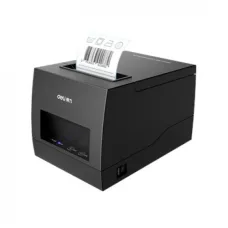
Deli E886BW Label Printer
৳9,200
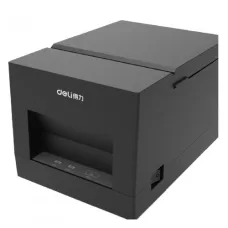

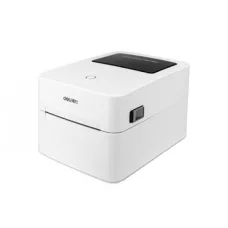
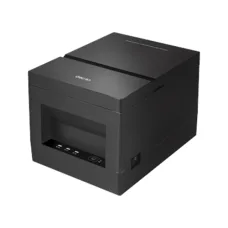
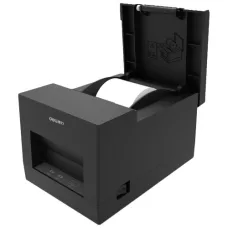

Find the Right Deli for Your Budget and Needs
These are the latest in-stock Deli at Unix Network, with the current price in Bangladesh. Open a model for specifications.
Latest Deli Price List in BD 2026
| Deli List | Price in BD |
|---|---|
| Deli E886BW Label Printer | ৳9,200 |
| Deli E740C Thermal Label Printer | ৳8,500 |
| Deli E581PW Thermal Receipt Printer | ৳4,200 |
| Deli DL-581PWS Receipt Printer | ৳4,400 |
Deli POS Printer is a practical thermal receipt printing solution for retail shops, restaurants, supermarkets, pharmacies, cafés, grocery stores, and other businesses that need fast and reliable point-of-sale printing. Deli offers compact receipt printers as well as higher-speed models for businesses with different printing requirements.
Unix Network offers Deli POS Printer models in Bangladesh for businesses looking for efficient and affordable receipt-printing solutions. Depending on the model, Deli POS printers may offer USB, Bluetooth, or network connectivity, different printing speeds, various paper widths, cash-drawer support, and other features designed for POS environments.
Deli POS Printer in Bangladesh
Deli POS Printers are designed to simplify receipt printing at retail and business counters. These printers use thermal printing technology, allowing businesses to print receipts without traditional ink cartridges or toner.
Deli POS printers are available in different configurations, making it possible to choose a model based on transaction volume, receipt size, printing speed, connectivity, and budget.
Deli POS Printer Price in Bangladesh
The price of a Deli POS Printer in Bangladesh depends on the specific model and its features. Printing speed, paper width, connectivity, cash-drawer support, automatic cutter, printing resolution, and overall capacity can all affect the price.
Entry-level Deli POS printers are suitable for small businesses and basic receipt printing, while higher-speed models are better suited to busy retail stores, restaurants, supermarkets, and other high-volume environments.
Because prices and stock can change, customers should check the current price and availability of the selected Deli POS Printer before purchasing.
Deli Thermal POS Printer
Deli thermal POS printers use heat-sensitive thermal paper to produce receipts. This eliminates the need for conventional ink cartridges and makes thermal printing particularly convenient for point-of-sale applications.
Thermal printing is fast, compact, and suitable for continuous receipt printing. Businesses can choose a Deli thermal printer according to their required receipt width and printing speed.
Deli Receipt Printer
A Deli receipt printer is designed to print transaction receipts, customer bills, order information, invoices, and other point-of-sale documents. Compact receipt printers are especially useful where counter space is limited.
Deli offers receipt printers with different paper widths and connectivity options, allowing businesses to select a model that fits their existing POS system.
Deli 2 Inch POS Printer
Deli 2-inch POS printers are compact thermal receipt printers designed for smaller receipts. They are suitable for small retail shops, cafés, pharmacies, food counters, mobile POS applications, and businesses with limited counter space.
A compact 2-inch printer can be a good choice when the business does not require wide receipts or extensive transaction information on each receipt.
Deli 3 Inch POS Printer
Deli 3-inch POS printers provide a wider printing area and are suitable for businesses that require larger receipts. They can be useful for supermarkets, restaurants, retail stores, and busy checkout counters.
The wider receipt format provides additional space for product information, prices, taxes, discounts, contact details, barcodes, QR codes, and other information supported by the POS software.
Deli POS Printer for Retail Shop
Retail shops can use Deli POS Printers to print customer receipts quickly after completing sales transactions. A suitable printer can help streamline checkout operations and provide customers with printed transaction records.
Small shops can choose a compact model, while larger stores with higher transaction volumes may benefit from a faster printer with a larger paper roll and automatic cutter.
Deli POS Printer for Supermarket
Supermarkets often process a large number of transactions throughout the day. A high-speed Deli POS Printer can help reduce receipt-printing time at checkout counters.
When choosing a printer for a supermarket, businesses should consider printing speed, duty cycle, paper-roll capacity, cutter reliability, connectivity, and compatibility with the supermarket's POS software.
Deli POS Printer for Restaurant
Restaurants can use Deli POS Printers to print customer receipts, bills, order information, and other transaction documents. A reliable thermal printer can help restaurants maintain an efficient billing process during busy periods.
Restaurants should consider whether they need USB, Bluetooth, or network connectivity and whether the printer needs to support a cash drawer.
Deli POS Printer for Pharmacy
Pharmacies can use Deli POS Printers to print customer receipts and transaction records. Compact thermal printers are often suitable for pharmacy counters because they require relatively little space.
Deli POS Printer for Grocery Store
Grocery stores can use Deli POS Printers for fast receipt printing at checkout counters. The ideal model depends on the daily transaction volume, receipt format, POS software, and available counter space.
Deli POS Printer for Café
Cafés can use compact Deli thermal receipt printers to print customer bills and transaction records. Bluetooth-enabled models can provide additional flexibility when compatible POS software and mobile devices are used.
Deli POS Printer for Small Business
Small businesses generally need a reliable printer that is affordable, compact, and easy to operate. A basic Deli thermal POS printer can provide an effective receipt-printing solution without requiring a large amount of counter space.
Deli POS Printer for High Volume Business
High-volume businesses should choose a POS printer based on printing speed, duty cycle, paper capacity, cutter mechanism, connectivity, and long-term reliability. A faster printer can help reduce queues when many customers are waiting for receipts.
Deli POS Printer with USB
USB connectivity allows a Deli POS Printer to connect directly to a desktop computer, laptop, POS terminal, or other compatible device. USB is a practical option for businesses using computer-based billing software.
Before purchasing a USB POS printer, businesses should confirm that the printer driver and POS software are compatible with their operating system.
Deli POS Printer with Bluetooth
Bluetooth-enabled Deli POS Printers can provide wireless connectivity with compatible computers, tablets, smartphones, and POS systems. This can be useful for mobile or flexible checkout environments.
Bluetooth compatibility depends on the specific printer and POS software, so users should confirm compatibility before purchase.
Deli POS Printer with Network Connectivity
Network-enabled POS printers can be useful in businesses where multiple computers or POS terminals need to access the same printer. A network printer can simplify receipt printing in larger retail stores, restaurants, and offices.
Businesses should choose a network-enabled Deli POS Printer when shared access is required across multiple POS terminals.
Deli POS Printer with Cash Drawer Support
Some Deli POS Printers support cash-drawer connectivity. This allows a compatible POS system to control the opening of the cash drawer during a sales transaction.
Cash-drawer support can help create a more integrated checkout system by connecting the receipt printer, POS software, and cash drawer.
Deli POS Printer Paper
Deli POS Printers use thermal receipt paper. The correct paper width depends on the particular printer model. Compact printers generally use narrower paper, while 3-inch printers support wider receipt paper.
Users should always check the recommended paper width and maximum roll diameter before purchasing thermal paper for a Deli POS Printer.
Deli Thermal Paper Roll
Thermal paper rolls are an essential consumable for Deli POS Printers. Businesses should purchase good-quality thermal paper that matches the printer's supported specifications.
Using the correct paper can help maintain print quality and reduce paper-feeding problems.
Deli POS Printer Print Speed
Printing speed is an important consideration for businesses that process many transactions. Entry-level printers may have lower printing speeds, while professional POS printers can print receipts considerably faster.
For a busy supermarket or restaurant, choosing a higher-speed Deli POS Printer can help improve checkout efficiency.
Deli POS Printer Resolution
Many Deli thermal POS printers use 203dpi resolution. This is generally suitable for printing receipt text, logos, barcodes, QR codes, prices, transaction details, and other typical POS information when supported by the software.
Deli POS Printer Barcode Printing
Deli POS Printers can be used with POS software to print barcode information on receipts when the printer and software support the required format. Barcodes can be useful for product information, transaction records, and inventory-related applications.
Deli POS Printer QR Code Printing
Many modern businesses include QR codes on receipts for digital payments, online ordering, customer feedback, loyalty programs, or digital receipt services. Whether a specific Deli printer can print a particular QR-code format depends on the POS software and printer compatibility.
Deli POS Printer Auto Cutter
An automatic cutter can separate receipts after printing without requiring the operator to tear the paper manually. This feature can be particularly useful in restaurants, supermarkets, and other high-volume environments.
Businesses that print many receipts should consider whether an automatic cutter is required for their workflow.
Deli POS Printer Manual Cutter
Some compact POS printers use a manual tear bar instead of an automatic cutter. This design can be simple and practical for small businesses with lower transaction volumes.
Deli POS Printer Installation
Installing a Deli POS Printer generally involves connecting the printer to the power supply, loading thermal paper, connecting it to the POS device, installing the required driver if necessary, and configuring the POS software.
- Place the printer on a stable and dry surface.
- Connect the correct power adapter.
- Install the compatible thermal paper roll.
- Connect the USB, Bluetooth, or network connection.
- Install the required printer driver if applicable.
- Select the printer in the POS software.
- Configure the correct paper size.
- Perform a test print.
- Check receipt alignment and formatting.
Deli POS Printer Maintenance
Regular maintenance can help maintain consistent print quality and reliable paper feeding. Thermal printers should be protected from excessive dust, moisture, heat, and physical damage.
- Keep the paper compartment clean.
- Remove accumulated paper dust.
- Clean the thermal print head according to manufacturer recommendations.
- Use suitable thermal paper.
- Keep liquids away from the printer.
- Do not force paper through the paper path.
- Keep the printer properly ventilated.
- Use the correct power adapter.
Deli POS Printer Common Problems
Common Deli POS Printer problems can include blank receipts, faded printing, paper jams, incorrect paper alignment, connection problems, driver errors, incorrect paper-size settings, and communication problems with POS software.
Many basic issues can be resolved by checking the paper installation, connection, driver, printer settings, and POS software configuration.
Deli POS Printer Not Printing
If a Deli POS Printer is not printing, first check whether the printer is receiving power and whether the thermal paper is installed correctly. Then check the USB, Bluetooth, or network connection and confirm that the correct printer is selected in the POS software.
If the printer is connected but does not respond, reinstalling or updating the appropriate driver may help, provided the driver is compatible with the printer model and operating system.
Deli POS Printer Printing Blank Paper
If the printer feeds paper but produces a blank receipt, the thermal paper may be installed in the wrong direction. Thermal paper has a printable thermal side that must face the print head.
Users should also confirm that the paper is genuine thermal receipt paper and compatible with the printer.
Deli POS Printer Paper Jam
Paper jams can occur when the paper roll is incorrectly installed, damaged, folded, or misaligned. Turn off the printer when necessary and carefully remove the jammed paper according to the manufacturer's instructions.
Do not use excessive force because it may damage the printer mechanism or cutter.
Deli POS Printer Advantages
- Thermal printing does not require traditional ink cartridges.
- Compact models are suitable for small counters.
- Different paper widths are available.
- Different printing speeds are available.
- Selected models support Bluetooth connectivity.
- Selected models support network connectivity.
- Selected models support cash-drawer integration.
- Suitable options are available for small businesses.
- Higher-speed models are available for busy businesses.
- Thermal printing is well suited to receipt-printing applications.
Deli POS Printer vs Regular Printer
| Feature | Deli POS Printer | Regular Printer |
|---|---|---|
| Primary Purpose | Receipts and POS documents | General documents and images |
| Printing Technology | Thermal | Inkjet or laser |
| Ink or Toner | Not normally required for thermal receipt printing | Required |
| Paper | Thermal receipt paper | Standard printing paper |
| Typical Usage | Retail, restaurant, pharmacy and POS counters | Home, office and general printing |
| Size | Usually compact | Varies by printer type |
How to Choose the Best Deli POS Printer
The best Deli POS Printer depends on the business type, transaction volume, receipt format, required printing speed, connectivity requirements, available counter space, and POS software.
- Choose a compact printer for small counters.
- Choose a wider printer when larger receipts are required.
- Choose a high-speed model for busy checkout counters.
- Choose Bluetooth connectivity for compatible wireless POS applications.
- Choose network connectivity when multiple terminals need shared access.
- Choose cash-drawer support when required by the POS system.
- Consider an automatic cutter for high-volume receipt printing.
- Confirm compatibility with the existing POS software.
- Check warranty and after-sales service.
- Verify current price and stock before ordering.
Deli POS Printer Buying Guide
| Business Requirement | Recommended Consideration |
|---|---|
| Small Retail Shop | Compact thermal receipt printer |
| Café | Compact USB or Bluetooth model |
| Pharmacy | Small thermal receipt printer |
| Restaurant | Fast printer with suitable connectivity |
| Supermarket | High-speed printer with reliable operation |
| Large Receipts | 3-inch thermal POS printer |
| Mobile POS | Bluetooth-enabled model |
| Multiple POS Terminals | Network-enabled model |
| Cash Counter | Printer with cash-drawer support |
Why Buy Deli POS Printer from Unix Network?
Unix Network provides Deli POS Printers and other office equipment for businesses and professional users in Bangladesh. Customers can select a suitable model according to printing speed, paper width, connectivity, POS compatibility, cash-drawer support, cutter type, warranty, budget, and business requirements.
Unix Network also provides computers, laptops, printers, networking products, CCTV and security solutions, office equipment, and other technology products for business and personal use.
Frequently Asked Questions About Deli POS Printer
What is a Deli POS Printer?
A Deli POS Printer is a thermal receipt printer designed for point-of-sale applications such as retail stores, restaurants, supermarkets, pharmacies, cafés, and other businesses.
Does Deli POS Printer use ink?
Deli thermal POS Printers generally do not require conventional ink cartridges or toner because they print using heat-sensitive thermal paper.
Is Deli POS Printer suitable for small shops?
Yes. Compact Deli POS Printer models can be suitable for small shops, cafés, pharmacies, and other businesses that need basic receipt printing.
Is Deli POS Printer suitable for restaurants?
Yes. Deli POS Printers can be used in restaurants for printing receipts, bills, and transaction records. A higher-speed model may be preferable for restaurants with high transaction volumes.
Can Deli POS Printer connect to a computer?
Yes. Depending on the model, Deli POS Printers can connect to computers through USB and may also support Bluetooth or network connectivity.
Does Deli POS Printer support Bluetooth?
Selected Deli POS Printer models support Bluetooth. Customers should check the exact specifications of the model before purchasing.
Does Deli POS Printer support a cash drawer?
Selected Deli POS Printer models support cash-drawer connectivity. The printer and POS software must both support the required configuration.
What type of paper does a Deli POS Printer use?
Deli POS Printers use thermal receipt paper. The required paper width and roll diameter vary according to the specific printer model.
Can Deli POS Printer print barcodes?
A compatible Deli POS Printer can print barcode information when the POS software and printer support the required barcode format.
Can Deli POS Printer print QR codes?
QR-code printing can be supported through compatible POS software and printer functions. Users should confirm compatibility with the specific Deli model and software.
What is the best Deli POS Printer for a small business?
A compact thermal model with the required connectivity and compatible POS software is generally suitable for a small business. The final choice should depend on receipt size, daily transaction volume, and budget.
What is the best Deli POS Printer for a busy business?
A higher-speed Deli POS Printer with an appropriate duty cycle, reliable connectivity, suitable paper capacity, and automatic cutter can be a better choice for businesses with high transaction volumes.
Where can I buy Deli POS Printer in Bangladesh?
Deli POS Printers are available from technology and office-equipment retailers in Bangladesh. Unix Network offers Deli POS printing solutions for retail stores, restaurants, pharmacies, cafés, supermarkets, offices, and other businesses, subject to current stock and availability.