

RONGTA POS Printer Price in Bangladesh
Showing 1 to 21 of 21 (1 Pages)


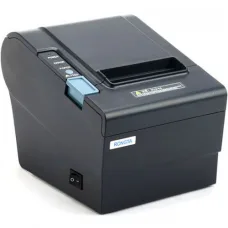


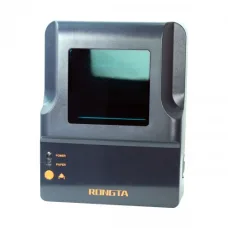
-12%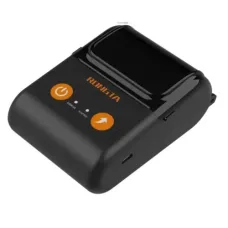
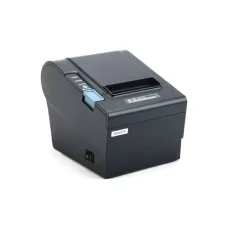
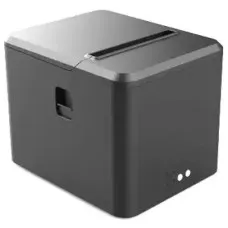
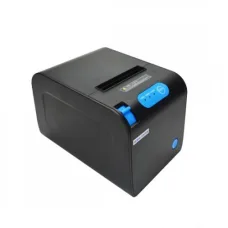
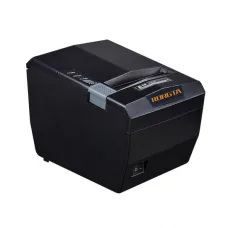
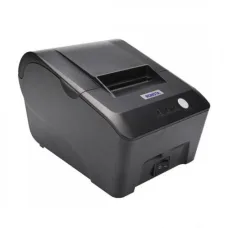
Rongta RPP02C 58mm Mobile POS Printer
৳3,500৳4,000
Ends in --:--:--
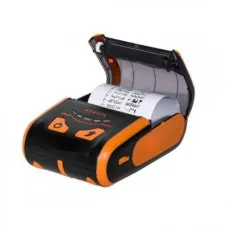


-15%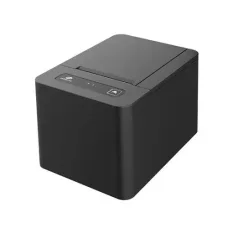
Rongta RP582 58mm Thermal Receipt Printer
৳3,400৳4,000
Ends in --:--:--

Find the Right RONGTA for Your Budget and Needs
These are the latest in-stock RONGTA at Unix Network, with the current price in Bangladesh. Open a model for specifications.
Latest RONGTA Price List in BD 2026
RONGTA POS Printer Price in Bangladesh
Looking for the latest RONGTA POS Printer price in Bangladesh? Unix Network offers RONGTA POS and thermal receipt printing solutions for retail shops, restaurants, supermarkets, pharmacies, grocery stores, electronics shops, clothing stores, e-commerce businesses, and other businesses that need fast and reliable receipt printing.
A RONGTA POS Printer is designed for point-of-sale environments where businesses need to print customer receipts, invoices, transaction records, order tickets, and other documents. Depending on the model, RONGTA POS printers may support different paper widths, printing speeds, connection interfaces, and software environments.
RONGTA offers both compact 58mm receipt printers and larger 80mm-class POS printers. Some models support USB, Bluetooth, Serial, Ethernet, or combinations of these interfaces. Always check the exact model before purchasing because features vary between models.
RONGTA POS Printer Price in Bangladesh
| RONGTA POS Printer Type | Paper Size | Best For |
|---|---|---|
| RONGTA 58mm POS Printer | 58mm Class | Small Shops, Counters, Mobile POS |
| RONGTA 80mm POS Printer | 80mm Class | Retail Shops & Restaurants |
| RONGTA Thermal Receipt Printer | 58mm / 80mm | Receipts & Invoices |
| RONGTA USB POS Printer | Model Dependent | Computer-Based POS |
| RONGTA Bluetooth POS Printer | Model Dependent | Mobile POS |
| RONGTA Ethernet POS Printer | Model Dependent | Network POS Systems |
| RONGTA Mobile POS Printer | 58mm Class | Portable Sales & Delivery |
Important: RONGTA POS Printer prices can change according to model, connectivity, print speed, paper width, warranty, stock availability, and market conditions. Confirm the exact model and current price before purchasing.
What Is a RONGTA POS Printer?
A RONGTA POS Printer is a point-of-sale receipt printer used to print transaction information from a POS system.
It can be used to print customer receipts, sales records, invoices, restaurant orders, and other POS documents depending on the software and printer model.
Most RONGTA POS receipt printers use thermal printing technology, which is particularly convenient for businesses because compatible direct thermal printing does not require conventional ink cartridges.
Why Choose a RONGTA POS Printer?
- Suitable for retail POS systems.
- Useful for restaurants and food businesses.
- Suitable for grocery and supermarket counters.
- Useful for pharmacies.
- Suitable for electronics and computer shops.
- Useful for printing customer receipts.
- Thermal printing reduces the need for conventional ink cartridges in compatible models.
- Different paper-width options are available.
- Different connectivity options are available depending on the model.
- Suitable for small and medium business environments.
- Some models support network-based POS environments.
- Portable models can be useful for mobile businesses.
RONGTA Thermal POS Printer
A RONGTA Thermal POS Printer uses a thermal print head to print on compatible thermal paper.
This type of printer is widely used for receipts because it can print quickly without using traditional ink cartridges.
For example, RONGTA's RP58 documentation specifies thermal-line printing, 203 dpi resolution, a 57.5±0.5mm paper width, and a maximum printing speed of 90mm/s for the RP58 series.
RONGTA 58mm POS Printer
A RONGTA 58mm POS Printer is suitable for businesses that need compact receipt printing and do not require a wider receipt format.
58mm printers can be a practical choice for:
- Small retail shops
- Mobile POS systems
- Small restaurants
- Food counters
- Pharmacies
- Small grocery stores
- Online sellers
- Service counters
The exact supported paper width and roll size depend on the model. For example, the RP58 series uses approximately 57.5mm paper.
RONGTA 80mm POS Printer
An 80mm RONGTA POS Printer provides a wider receipt format and can be a better choice for businesses that print more information on each receipt.
80mm POS printers are commonly considered for:
- Supermarkets
- Busy retail stores
- Restaurants
- Electronics shops
- Department stores
- Pharmacies
- Large POS counters
Some RONGTA 80mm models offer higher printing speeds and multiple interfaces. The exact specifications vary by model.
RONGTA POS Printer for Retail Shop
Retail shops can use a RONGTA POS printer to print receipts after completing customer transactions.
When choosing a printer for a retail counter, consider:
- Print speed
- Paper width
- Daily transaction volume
- POS software compatibility
- USB or network connectivity
- Cash drawer compatibility
- Paper availability
- Warranty and after-sales support
RONGTA POS Printer for Restaurant
Restaurants can use compatible RONGTA printers for customer receipts, order tickets, and other POS documents.
For restaurant use, choose the printer according to your POS software and whether you need printing at the cashier counter, kitchen, bar, or another location.
RONGTA POS Printer for Supermarket
Supermarkets often require fast receipt printing because many transactions can be processed during busy periods.
For supermarket use, consider a printer with suitable print speed, reliable connectivity, compatible paper width, and software support for your POS system.
RONGTA POS Printer for Pharmacy
A RONGTA POS printer can be used by pharmacies for printing customer receipts and transaction records.
If the pharmacy also requires barcode labels or product labels, consider whether a separate RONGTA label or barcode printer would be more appropriate.
RONGTA POS Printer for Grocery Shop
A compact thermal POS printer can be a practical solution for grocery shops that need quick receipt printing without taking up much counter space.
RONGTA POS Printer for Electronics Shop
Electronics and computer shops can use POS printers for customer invoices, sales receipts, warranty-related transaction records, and other printed documents supported by their POS software.
RONGTA POS Printer for E-commerce Business
E-commerce businesses may use POS and thermal printers for invoices, receipts, order documents, and other business paperwork.
If your primary requirement is shipping-label printing, however, a dedicated label printer may be a better choice than a receipt printer.
RONGTA USB POS Printer
A RONGTA USB POS Printer connects directly to a compatible computer through USB.
USB is a convenient choice for businesses where a single computer controls the POS system.
Before buying, check the exact USB interface and whether your POS software supports the printer.
RONGTA Bluetooth POS Printer
A RONGTA Bluetooth POS Printer can provide wireless printing from compatible smartphones, tablets, computers, or POS devices.
This can be useful for mobile POS applications and businesses that want fewer cables around the checkout area.
Bluetooth availability and supported devices vary by model.
RONGTA Ethernet POS Printer
An Ethernet-enabled POS printer can be useful when the printer needs to communicate through a local business network.
This can be helpful when multiple computers or POS terminals need access to a shared printer.
RONGTA Serial POS Printer
Some RONGTA POS printer models offer Serial connectivity.
Serial interfaces can be useful with certain legacy POS systems and specialized business equipment. Always confirm the interface requirements of your existing POS system before purchasing.
RONGTA Mobile POS Printer
A RONGTA Mobile POS Printer is designed for portable printing applications.
For example, RONGTA's RPP02C is listed as a 58mm mobile POS printer with USB and Bluetooth connectivity and a rechargeable battery.
Mobile POS printers can be useful for:
- Delivery businesses
- Mobile sellers
- Field sales teams
- Small events
- Outdoor sales
- Mobile receipt printing
RONGTA POS Printer with Cash Drawer
A POS printer can be part of a larger checkout system that includes a cash drawer, barcode scanner, POS computer, monitor, and POS software.
Some RONGTA thermal printer models provide a cashbox output. For example, the RP58 documentation specifies a cashbox output connection.
Check the exact printer and cash drawer connector before purchasing.
RONGTA POS Printer for Cashier
Cashiers need a printer that can quickly produce customer receipts after a transaction.
For busy counters, consider:
- Fast print speed
- Easy paper replacement
- Reliable connectivity
- Suitable paper capacity
- Easy-to-use controls
- Compatible POS software
- Suitable daily workload
RONGTA POS Printer Paper
Using the correct thermal paper is essential for good printing performance.
Before purchasing replacement paper, check:
- Paper width
- Roll diameter
- Paper thickness
- Thermal coating
- Printer compatibility
For example, the RONGTA RP58 documentation specifies 57.5±0.5mm paper width and 0.06–0.08mm paper thickness.
RONGTA POS Printer Print Speed
Print speed is particularly important for busy businesses.
Some RONGTA models are designed for higher-speed receipt printing. Current Bangladesh listings include models advertised at speeds around 90mm/s for the RP582 and up to 250mm/s for certain RP80 models.
Actual printing performance can vary depending on receipt content, graphics, software, connection method, and printer settings.
RONGTA POS Printer Resolution
Print resolution affects the clarity of text, graphics, and barcodes.
Many RONGTA thermal receipt models use approximately 203 dpi-class printing. For example, the RP58 series is specified at 203 dpi.
RONGTA POS Printer Barcode Printing
Some RONGTA thermal receipt printers support barcode and QR-code printing. The RP58 series documentation, for example, lists support for several 1D barcode formats and QR code printing.
If your business requires dedicated product-label printing, consider whether a barcode or label printer would be more suitable than a receipt printer.
RONGTA POS Printer Compatibility
Compatibility should be checked before purchasing a POS printer.
Consider compatibility with:
- Windows
- macOS
- Linux
- Android
- POS software
- Accounting software
- Retail management software
- Restaurant management software
- Barcode software
- Cash drawer
RONGTA provides drivers and tools for many of its receipt printer models across Windows, Mac, Linux, Android, and other supported environments.
RONGTA POS Printer Driver
The printer driver allows your computer and supported software to communicate with the POS printer.
RONGTA provides model-specific driver downloads and lists supported printer families on its official support resources.
Always use the appropriate driver for your exact printer model and operating system.
How to Install a RONGTA POS Printer
- Place the printer on a stable counter.
- Connect the correct power adapter.
- Load compatible thermal paper.
- Connect the printer using USB, Ethernet, Bluetooth, or another supported interface.
- Install the appropriate driver if required.
- Open your POS software.
- Select the RONGTA printer.
- Configure the receipt paper width.
- Configure the receipt layout.
- Print a test receipt.
How to Connect RONGTA POS Printer to a Computer
For USB models, connect the printer to a compatible USB port and install the appropriate driver if required.
For Ethernet models, connect the printer to the local network and configure the printer's network settings according to the model and software requirements.
For Bluetooth models, pair the printer with a supported device and select it inside the compatible printing application.
How to Connect RONGTA POS Printer to POS Software
- Install the correct printer driver.
- Open the POS software.
- Go to printer settings.
- Add the RONGTA printer.
- Select the correct connection or printer port.
- Choose the correct paper width.
- Configure receipt formatting.
- Run a test print.
- Save the configuration.
Exact steps vary according to the POS software being used.
RONGTA POS Printer Maintenance
Proper maintenance can help maintain reliable printing performance.
- Keep the printer free from excessive dust.
- Use compatible thermal paper.
- Keep the paper path clean.
- Clean the print head according to manufacturer recommendations.
- Do not force paper into the printer.
- Keep liquids away from the printer.
- Use the correct power adapter.
- Check the cable and connection periodically.
Common RONGTA POS Printer Problems
RONGTA POS Printer Not Printing
Check the power connection, paper supply, printer status, cable, driver, and selected printer in your POS software.
RONGTA POS Printer Not Detected
Check the USB, Ethernet, or Bluetooth connection and confirm that the correct driver and printer port are configured.
RONGTA POS Printer Printing Blank
If you are using a thermal printer, check that the thermal paper is installed in the correct direction and that the paper is compatible with the printer.
RONGTA POS Printer Printing Light
Light printing may be caused by poor-quality thermal paper, incorrect settings, a dirty print head, or print-head wear.
RONGTA POS Printer Paper Jam
Stop the printing process and carefully remove the paper. Check for incorrect paper size, damaged paper, or debris inside the paper path.
RONGTA POS Printer Not Connecting to Bluetooth
Make sure Bluetooth is enabled, the printer has power, the device is paired correctly, and your POS application supports the printer.
RONGTA POS Printer Not Working with POS Software
Check the printer driver, printer port, paper width, ESC/POS compatibility, and printer configuration inside the POS software.
How to Choose the Best RONGTA POS Printer
1. Choose 58mm or 80mm
Choose the paper width based on the receipt format required by your business.
2. Check Printing Speed
For high-volume businesses, a faster printer can reduce customer waiting time.
3. Check Connectivity
Choose USB, Bluetooth, Ethernet, Serial, or another interface according to your POS setup.
4. Check POS Software Compatibility
Confirm that your existing POS software supports the printer.
5. Check Cash Drawer Support
If you plan to connect a cash drawer, verify the printer's cash-drawer interface and compatibility.
6. Check Paper Availability
Choose a printer that uses thermal paper that is easy to purchase locally.
7. Consider Your Daily Workload
A busy supermarket may require a different printer than a small retail counter.
8. Check Warranty
Business printers should ideally be purchased with appropriate warranty and after-sales support.
9. Consider Your Workspace
Compact 58mm printers can be convenient when counter space is limited, while larger models may be more suitable for wider receipts.
Which RONGTA POS Printer Is Best for You?
| Business Type | Recommended Consideration |
|---|---|
| Small Retail Shop | Compact 58mm Thermal POS Printer |
| Supermarket | High-Speed 80mm POS Printer |
| Restaurant | Fast Thermal Receipt / POS Printer |
| Pharmacy | 58mm or 80mm POS Printer |
| Electronics Shop | 80mm POS Printer |
| E-commerce Seller | POS Printer or Dedicated Label Printer |
| Mobile Seller | Bluetooth Mobile POS Printer |
| Network POS | Ethernet POS Printer |
RONGTA POS Printer Buying Checklist
- Exact model number
- 58mm or 80mm paper width
- Thermal printing technology
- Print speed
- Print resolution
- USB connectivity
- Bluetooth connectivity
- Ethernet connectivity
- Serial connectivity
- Cash drawer support
- POS software compatibility
- Operating-system support
- Driver availability
- Thermal paper availability
- Daily printing workload
- Warranty
- Current price
- Stock availability
RONGTA POS Printer Price in Jessore
If you are searching for RONGTA POS Printer price in Jessore, Unix Network can help you choose a suitable POS printer according to your business type, POS software, receipt size, printing volume, connectivity requirements, and budget.
Before visiting the showroom, confirm the exact RONGTA model, current price, warranty, and stock availability.
RONGTA POS Printer Online Price in Bangladesh
When buying a RONGTA POS printer online, do not compare products based only on price. Check the complete specifications and your POS requirements.
Compare:
- Paper width
- Print speed
- Resolution
- Connectivity
- Cash drawer support
- POS software compatibility
- Driver support
- Thermal paper cost
- Warranty
- Delivery options
- Current stock
Why Buy RONGTA POS Printer from Unix Network?
Unix Network helps customers choose computer, POS, printing, networking, and business equipment according to their actual requirements and budget.
- RONGTA POS Printers
- RONGTA Thermal Receipt Printers
- RONGTA 58mm POS Printers
- RONGTA 80mm POS Printers
- RONGTA USB POS Printers
- RONGTA Bluetooth POS Printers
- RONGTA Ethernet POS Printers
- RONGTA Mobile POS Printers
- POS Cash Drawers
- Thermal Paper
- Barcode & Label Printers
- POS Accessories
- Showroom Support in Jessore
- Delivery Options Across Bangladesh
Frequently Asked Questions About RONGTA POS Printers
What is the RONGTA POS Printer price in Bangladesh?
The price depends on the exact model, paper width, print speed, connectivity, features, warranty, and current stock.
What is a RONGTA POS Printer used for?
It is primarily used for printing receipts, invoices, transaction records, restaurant orders, and other POS-related documents.
Is RONGTA POS Printer a thermal printer?
Many RONGTA POS and receipt printers use thermal printing technology. Always check the exact model before purchasing.
Which is better, 58mm or 80mm RONGTA POS Printer?
A 58mm printer is compact and suitable for smaller receipts, while an 80mm printer provides a wider printing area and can be more suitable for detailed receipts and busy retail environments.
Does RONGTA POS Printer need ink?
Compatible direct thermal RONGTA printers generally do not require conventional ink cartridges because they print using heat-sensitive thermal paper.
Can RONGTA POS Printer print QR codes?
Compatible models can support QR-code printing. The exact supported barcode and QR formats depend on the model.
Can I connect RONGTA POS Printer to a computer?
Yes, compatible models can connect through USB, Ethernet, Serial, Bluetooth, or other supported interfaces depending on the model.
Can I use RONGTA POS Printer with Windows?
Many RONGTA receipt printer models have Windows driver support. Check the exact model and driver before installation.
Can I use RONGTA POS Printer with Android?
Compatible RONGTA models can be used with Android devices through supported connection methods and applications.
Can RONGTA POS Printer connect to a cash drawer?
Compatible models can provide a cash-drawer connection. Check the exact printer specification before purchasing.
Why is my RONGTA POS Printer printing blank?
Check whether the thermal paper is installed correctly and whether you are using compatible thermal paper.
Why is my RONGTA POS Printer printing light?
Check the thermal paper, print-head condition, printer settings, and print-head cleanliness.
Why is my RONGTA POS Printer not detected?
Check the cable or wireless connection, driver, printer port, power, and POS software configuration.
Where can I buy RONGTA POS Printer in Bangladesh?
You can compare RONGTA POS printer models from computer and POS equipment retailers in Bangladesh. Always confirm the exact model, current price, warranty, and stock before purchasing.
Where can I buy RONGTA POS Printer in Jessore?
Customers searching for RONGTA POS printers in Jessore can check Unix Network's current availability and confirm the exact model and price before visiting the showroom.
Final Guide to RONGTA POS Printers in Bangladesh
A RONGTA POS Printer can be an important part of a modern checkout system. From small retail shops and pharmacies to supermarkets, restaurants, electronics stores, and other businesses, the right POS printer can make receipt printing faster and more convenient.
Choose a compact 58mm model when space and smaller receipts are your priority. Consider an 80mm model when you need wider receipts or more information per receipt. For mobile applications, consider Bluetooth-enabled portable models, while network-based businesses may benefit from Ethernet connectivity.
Before purchasing, always check the exact RONGTA model, paper width, print speed, resolution, connection type, POS software compatibility, operating-system support, cash-drawer compatibility, thermal paper availability, warranty, current price, and stock status.
If you are searching for RONGTA POS Printer price in Bangladesh, RONGTA POS Printer price in Jessore, RONGTA POS Printer BD, RONGTA POS Printer Bangladesh, RONGTA Thermal POS Printer, RONGTA Receipt Printer, RONGTA 58mm POS Printer, RONGTA 80mm POS Printer, RONGTA USB POS Printer, RONGTA Bluetooth POS Printer, RONGTA Ethernet POS Printer, RONGTA Mobile POS Printer, RONGTA Thermal Receipt Printer Price in Bangladesh, RONGTA POS Printer Price in Jessore, RONGTA Receipt Printer Price in Bangladesh, RONGTA POS Printer Online, RONGTA POS Printer Shop in Jessore, or RONGTA POS Printer Supplier in Bangladesh, Unix Network can help you choose a suitable POS printing solution according to your business requirements and budget.