

Rongta
Showing 1 to 24 of 31 (2 Pages)

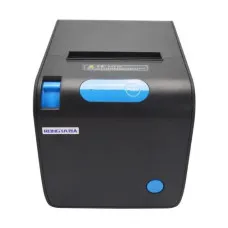


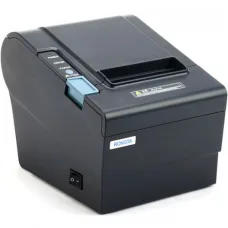


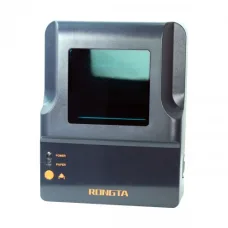
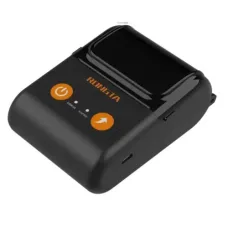
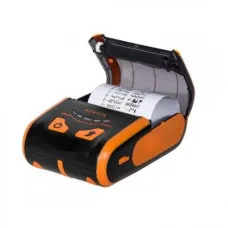
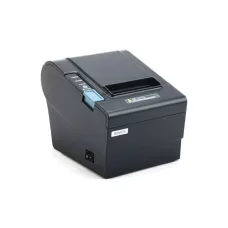

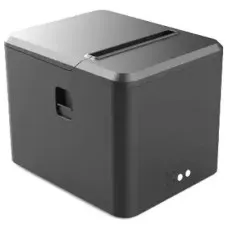
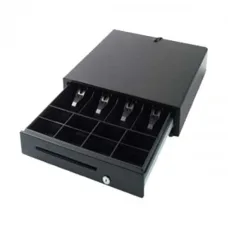
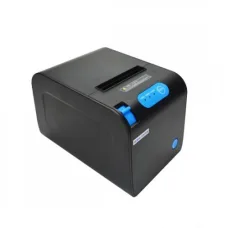
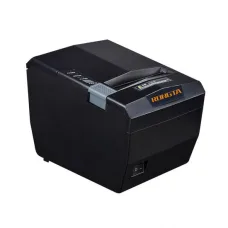
Rongta Price in Bangladesh
Looking for the latest Rongta price in Bangladesh? Unix Network offers Rongta printing and business equipment for customers looking for reliable solutions for retail shops, restaurants, offices, warehouses, e-commerce businesses, pharmacies, supermarkets, and other commercial environments.
Rongta is well known for products used in POS, receipt printing, barcode printing, label printing, and business automation. Depending on the model, Rongta products can be used for sales receipts, invoices, product labels, shipping labels, inventory management, barcode printing, and other day-to-day business tasks.
When choosing a Rongta product, customers should consider the printing technology, paper or label size, print width, print speed, connectivity, operating-system compatibility, duty cycle, software support, consumable availability, warranty, and intended workload.
Rongta Price in Bangladesh
| Rongta Product Type | Best For | Common Use |
|---|---|---|
| Rongta Thermal Printer | Retail & POS | Receipt and Invoice Printing |
| Rongta Receipt Printer | Shops & Restaurants | POS Receipts |
| Rongta Barcode Printer | Retail & Inventory | Barcode Label Printing |
| Rongta Label Printer | E-commerce & Business | Product and Shipping Labels |
| Rongta POS Printer | Retail & Restaurants | Sales Receipts |
| Rongta Bluetooth Printer | Mobile POS | Wireless Printing |
| Rongta USB Printer | Computer POS Systems | Direct PC Printing |
Price note: Rongta prices in Bangladesh vary according to the exact model, printing technology, connectivity, print speed, supported paper or label size, warranty, stock availability, and market conditions. Always confirm the current model and price before purchasing.
What Is Rongta?
Rongta is a brand associated with printing and POS equipment used in retail, restaurants, offices, warehouses, logistics, and other business environments.
Rongta products are commonly used for receipt printing, thermal printing, barcode printing, label printing, and business-related printing applications.
Why Choose Rongta Printers?
- Suitable for retail businesses.
- Useful for POS systems.
- Suitable for restaurants and food businesses.
- Useful for barcode and label printing.
- Thermal printing can reduce the need for traditional ink cartridges in compatible applications.
- Different connectivity options may be available depending on the model.
- Suitable for small shops and commercial environments.
- Useful for e-commerce order and shipping labels.
- Compact printer options are available for limited workspaces.
- Designed for business-oriented printing applications.
Rongta Thermal Printer
A Rongta thermal printer uses heat-based printing technology to produce text, graphics, receipts, or labels on compatible thermal media.
Thermal printers are widely used in POS environments because they can provide fast receipt printing without requiring conventional ink cartridges.
Before purchasing, make sure you select the correct thermal paper or label media for your specific printer.
Rongta Receipt Printer
A Rongta receipt printer can be used for printing sales receipts, invoices, transaction records, kitchen orders, and other POS documents depending on the model.
Receipt printers are commonly used in:
- Retail shops
- Restaurants
- Supermarkets
- Pharmacies
- Department stores
- Fast-food shops
- Clothing stores
- Electronics shops
- Grocery stores
Rongta POS Printer
A POS printer is designed to work as part of a point-of-sale system.
For a POS setup, compatibility between the printer, POS software, computer, cash drawer, operating system, and paper size is important.
Before buying a Rongta POS printer, check whether your existing POS software supports the specific printer model and connection interface.
Rongta Barcode Printer
A Rongta barcode printer can be used to produce barcode labels for products, inventory, shelves, packages, and other business applications.
Barcode printing is useful for businesses that want to improve product identification and inventory management.
Rongta Label Printer
Rongta label printers can be useful for printing product labels, shipping labels, inventory labels, price labels, and other adhesive labels, depending on the model.
For e-commerce businesses, a label printer can simplify the process of preparing parcels and shipping documentation.
Rongta Shipping Label Printer
Online sellers and e-commerce businesses can use compatible Rongta label printers for shipping and parcel labels.
Before purchasing, check the label dimensions required by your courier or delivery service and make sure they match the printer's supported media size.
Rongta Printer for E-commerce Business
E-commerce sellers often need to print shipping labels, product labels, order information, invoices, or receipts.
A suitable Rongta thermal or label printer can help reduce manual paperwork and speed up order processing.
Rongta Printer for Retail Shop
Retail shops can use Rongta printers for sales receipts, price labels, barcode labels, inventory management, and other POS-related tasks.
For a busy retail environment, consider print speed, reliability, paper capacity, connectivity, and compatibility with your POS software.
Rongta Printer for Restaurant
Restaurants can use compatible Rongta receipt or POS printers for customer receipts, order tickets, and other printed documents.
Depending on the POS setup, printers may be positioned at the cashier counter or other operational areas.
Rongta Kitchen Printer
A compatible thermal printer can be used in restaurant environments for printing kitchen orders.
For kitchen use, consider the printer's operating environment, connectivity, paper type, installation position, and resistance to the conditions where it will be installed.
Rongta Printer for Pharmacy
Pharmacies can use receipt and barcode printing solutions for customer transactions, product identification, inventory management, and labeling.
The exact printer should be selected according to the pharmacy's POS software and printing requirements.
Rongta Printer for Supermarket
Supermarkets can use POS and barcode printing equipment for checkout receipts, product labels, price labels, and inventory management.
For high-volume environments, choose a model appropriate for your expected daily printing workload.
Rongta Bluetooth Printer
Bluetooth-enabled Rongta printers can provide wireless printing from compatible devices.
They can be particularly convenient for mobile POS applications, smartphones, tablets, and portable business setups when supported by the specific model and software.
Rongta USB Printer
USB connectivity is common in computer-based POS systems because it provides a straightforward connection between the printer and computer.
Check the exact model's USB interface and operating-system compatibility before purchasing.
Rongta Ethernet Printer
Network-enabled Rongta printers can be useful in businesses where multiple computers or POS terminals need access to a shared printer.
For network printing, confirm that the printer supports the required network interface and that your POS software can communicate with it correctly.
Rongta Wi-Fi Printer
Where supported, Wi-Fi connectivity can provide flexible placement without requiring a direct USB connection to a computer.
However, wireless connectivity depends on the exact model, network configuration, software, and operating system.
Rongta Portable Printer
Portable thermal printers can be useful for mobile sales, delivery operations, field services, mobile receipts, and other situations where a fixed desktop printer is inconvenient.
For portable use, consider battery life, connection method, paper size, portability, charging method, and software compatibility.
Rongta Printer Paper
Using the correct paper is essential for reliable thermal printing.
Before purchasing replacement paper, check:
- Paper width
- Roll diameter
- Core size
- Paper type
- Thermal coating
- Printer compatibility
Using incorrect paper dimensions can cause feeding problems or poor print quality.
Rongta Thermal Paper
Thermal paper is specially coated to react to heat from the thermal print head.
Unlike traditional inkjet printing, compatible direct thermal printers generally do not require ink cartridges for printing on thermal paper.
Rongta Barcode Label
Barcode labels should be selected according to the printer, label size, adhesive requirement, and application.
For inventory and retail applications, make sure the barcode remains clear and readable by your barcode scanner.
Rongta Printer for Barcode Printing
Barcode printers are useful for businesses that need large quantities of product or inventory labels.
Before choosing a model, consider barcode size, label dimensions, printing volume, print resolution, connectivity, and software compatibility.
Rongta Printer for Invoice Printing
Receipt and thermal printers can be used for invoices and transaction records when the POS or accounting software supports the printer.
Check the required paper width and print format before purchasing.
Rongta Printer for Cashier
A reliable receipt printer is an important part of many cashier and POS systems.
Cashiers may print receipts continuously throughout the business day, so print speed, paper loading, connectivity, and reliability should be considered when selecting a model.
Rongta Printer Compatibility
Before purchasing a Rongta printer, check compatibility with your existing hardware and software.
Important compatibility considerations include:
- Windows version
- POS software
- Accounting software
- Barcode software
- USB interface
- Ethernet or network support
- Bluetooth support where applicable
- Paper or label dimensions
- Printer driver
Rongta Printer Driver
The printer driver allows your computer or software to communicate correctly with the printer.
If your Rongta printer is not recognized correctly, check that the appropriate driver is installed for the exact model and operating system.
Do not install a driver intended for a different printer model unless the manufacturer specifically indicates compatibility.
How to Install a Rongta Printer
- Place the printer on a stable surface.
- Connect the appropriate power supply.
- Load compatible paper or labels.
- Connect the printer to your computer or network.
- Install the appropriate printer driver if required.
- Open your POS or printing software.
- Select the Rongta printer.
- Configure the paper or label size.
- Print a test page or receipt.
- Confirm that the output is correctly aligned.
How to Set Up Rongta POS Printer
- Connect the printer to power.
- Connect USB, Ethernet, Bluetooth, or another supported interface.
- Install the required driver.
- Open the POS software.
- Add or select the Rongta printer.
- Choose the correct paper size.
- Configure receipt layout.
- Test print a receipt.
- Check the print alignment.
- Connect the cash drawer if supported by your POS setup.
Rongta Printer and Cash Drawer
Some POS printers can be integrated with a cash drawer through a compatible cash-drawer interface.
Before purchasing, confirm that the printer and cash drawer use compatible connectors and that your POS software supports the required configuration.
Rongta Printer Print Speed
Print speed is important for businesses that process many transactions.
A faster printer can reduce customer waiting time at busy checkout counters.
However, actual performance can depend on receipt content, graphics, software, connection type, paper, and printer configuration.
Rongta Printer Print Quality
Print quality depends on the printer's print technology, resolution, paper or label quality, print-head condition, settings, and media compatibility.
For barcode printing, clarity is particularly important because scanners need to read the printed barcode reliably.
Rongta Printer Maintenance
Regular maintenance can help maintain reliable printing performance.
- Keep the printer clean.
- Use compatible paper and labels.
- Keep dust away from the print mechanism.
- Clean the print head according to manufacturer guidance.
- Keep the paper path clear.
- Do not force paper through the printer.
- Use the correct power adapter.
- Keep firmware and drivers updated where applicable.
Common Rongta Printer Problems
Rongta Printer Not Printing
Check power, paper, connection, printer status, driver installation, and the selected printer in your POS or computer software.
Rongta Printer Not Detected
Check the USB or network connection and confirm that the appropriate driver is installed.
Rongta Printer Prints Blank Paper
For thermal printers, check that the thermal paper is loaded in the correct direction. Also check paper compatibility and print-head condition.
Rongta Printer Printing Light
Light printing can be caused by unsuitable paper, dirty print heads, incorrect settings, or print-head wear.
Rongta Printer Paper Jam
Turn off the printer where appropriate and carefully remove the jammed paper. Check for damaged paper, incorrect paper size, or debris in the paper path.
Rongta Printer Not Cutting Paper
If your model includes an automatic cutter, check for paper obstruction, correct paper loading, and cutter configuration.
Rongta Printer Driver Problem
Remove incompatible drivers if necessary and install the correct driver for your exact Rongta model and operating system.
Rongta Bluetooth Printer Not Connecting
Check Bluetooth availability, pairing status, device permissions, printer battery or power, and whether the printing application supports the printer.
Rongta Network Printer Not Working
Check network connectivity, IP configuration, firewall settings, printer network settings, and whether the POS software is configured with the correct printer.
How to Choose the Best Rongta Printer
1. Identify Your Printing Requirement
First decide whether you need receipt printing, barcode printing, label printing, shipping labels, or portable printing.
2. Choose the Correct Paper Size
Paper and label dimensions are among the most important considerations. Make sure the printer supports the media size you use.
3. Check Print Speed
Busy retail and restaurant environments may benefit from faster print speeds.
4. Check Connectivity
Choose USB, Ethernet, Bluetooth, Wi-Fi, or another connection according to your POS environment.
5. Check Software Compatibility
Make sure your POS, accounting, inventory, or barcode software supports the printer.
6. Consider Daily Workload
Choose a printer suitable for your expected daily printing volume.
7. Check Consumables
Confirm that compatible thermal paper or labels are readily available in your area.
8. Check Warranty
Warranty and after-sales service are important for business equipment.
9. Consider Installation
Choose a model that fits your available workspace and connectivity requirements.
10. Compare Total Cost
Don't compare only the initial printer price. Consider paper, labels, maintenance, accessories, and long-term operating costs.
Which Rongta Printer Is Best for You?
| Business/User | Recommended Rongta Type |
|---|---|
| Retail Shop | POS / Receipt Printer |
| Restaurant | Receipt / Kitchen Printer |
| Supermarket | POS / Barcode Printer |
| Pharmacy | Receipt / Barcode Printer |
| E-commerce Seller | Label / Shipping Label Printer |
| Warehouse | Barcode / Label Printer |
| Small Business | Compact Thermal Printer |
| Mobile Seller | Portable / Bluetooth Printer |
| Office | Receipt / Label Printer Depending on Need |
Rongta Printer Buying Checklist
- Exact model number
- Printer type
- Thermal technology
- Print width
- Print speed
- Print resolution
- Paper size
- Label size
- USB connectivity
- Ethernet connectivity
- Bluetooth connectivity
- Wi-Fi connectivity where available
- Operating-system compatibility
- POS software compatibility
- Barcode software compatibility
- Automatic cutter where required
- Cash drawer support where required
- Consumable availability
- Warranty
- Current price
- Stock availability
Rongta Price in Jessore
If you are searching for Rongta printer price in Jessore, Unix Network can help you select a suitable Rongta printer according to your business type, POS software, paper size, printing volume, connectivity requirements, and budget.
Before visiting the showroom, confirm the exact Rongta model, current price, warranty, and stock availability.
Rongta Printer Online Price in Bangladesh
When buying a Rongta printer online, compare the complete specifications rather than selecting only the lowest-priced option.
Check:
- Printer type
- Paper or label size
- Print speed
- Print resolution
- Connectivity
- Software compatibility
- Driver availability
- Daily workload suitability
- Consumable availability
- Warranty
- Delivery options
- Current stock
Why Buy Rongta from Unix Network?
Unix Network helps businesses and individual customers choose suitable printing, POS, barcode, and computer accessories based on their actual requirements and budget.
- Rongta Thermal Printers
- Rongta Receipt Printers
- Rongta POS Printers
- Rongta Barcode Printers
- Rongta Label Printers
- Rongta Shipping Label Printers
- Rongta Portable Printers
- Thermal Paper and Printing Accessories
- POS Accessories
- Barcode and Label Solutions
- Showroom Support in Jessore
- Delivery Options Across Bangladesh
Frequently Asked Questions About Rongta
What is the Rongta printer price in Bangladesh?
The price depends on the exact Rongta model, printer type, print speed, connectivity, supported media, warranty, stock availability, and current market conditions.
What is Rongta used for?
Rongta products are commonly used for receipt printing, POS applications, barcode printing, label printing, shipping labels, and other business printing requirements.
Is Rongta a thermal printer brand?
Rongta offers thermal printing products among its range of business printing and POS solutions. The exact printing technology depends on the model.
Is Rongta printer good for POS?
Compatible Rongta receipt and POS printers can be suitable for retail shops, restaurants, pharmacies, supermarkets, and other businesses.
Can I use Rongta printer for barcode printing?
Yes, compatible Rongta barcode and label printers can be used for barcode printing.
Can Rongta print shipping labels?
Compatible Rongta label printers can be used for shipping labels when the label dimensions and software are supported by the printer.
Does Rongta printer need ink?
Compatible direct thermal printers generally print on thermal media without conventional ink cartridges. The exact technology depends on the model.
What paper does a Rongta thermal printer use?
The required paper depends on the printer model. Check the supported paper width, roll diameter, and thermal-media specifications before buying.
Can Rongta printer connect by USB?
Many models offer USB connectivity, but the available interfaces depend on the specific model.
Does Rongta support Bluetooth?
Some Rongta models offer Bluetooth connectivity. Check the exact model specification before purchasing.
Can I use Rongta printer with Windows?
Compatibility depends on the model and available drivers. Check the exact model's Windows support before purchasing.
Why is my Rongta printer printing blank?
For thermal printers, check whether the thermal paper is loaded correctly and whether the paper is compatible with the printer.
Why is my Rongta printer printing light?
Check thermal paper quality, print-head cleanliness, printer settings, and print-head condition.
Why is my Rongta printer not detected?
Check the connection, power, driver, operating-system settings, and whether the correct printer is selected in your POS or printing software.
Where can I buy Rongta printer in Bangladesh?
Customers can check Rongta printer availability from computer and POS equipment retailers and compare the exact model, price, warranty, and compatibility before purchasing.
Where can I buy Rongta printer in Jessore?
Customers searching for Rongta printers in Jessore can check Unix Network's current stock and confirm the exact model and price before visiting the showroom.
Final Guide to Rongta Printers in Bangladesh
Rongta printing solutions can be useful for businesses that need reliable receipt, POS, barcode, label, or shipping-label printing.
Retail stores may benefit from receipt and POS printers, restaurants can consider receipt or kitchen printing solutions, while e-commerce sellers and warehouses may need dedicated label or barcode printers.
Before purchasing, always check the exact Rongta model, printing technology, paper or label size, print speed, connectivity, software compatibility, driver support, consumable availability, warranty, current price, and stock availability.
If you are searching for Rongta price in Bangladesh, Rongta printer price in Bangladesh, Rongta printer price in Jessore, Rongta BD, Rongta Bangladesh, Rongta Thermal Printer, Rongta Receipt Printer, Rongta POS Printer, Rongta Barcode Printer, Rongta Label Printer, Rongta Shipping Label Printer, Rongta Bluetooth Printer, Rongta USB Printer, Rongta Ethernet Printer, Rongta Wi-Fi Printer, Rongta Portable Printer, Rongta Barcode Label Printer, Rongta Thermal Printer Price in Bangladesh, Rongta POS Printer Price in Bangladesh, Rongta Receipt Printer Price in Bangladesh, Rongta Label Printer Price in Bangladesh, Rongta Printer Online, Rongta Printer Shop in Jessore, or Rongta Printer Supplier in Bangladesh, Unix Network can help you choose a suitable Rongta printing solution according to your business requirements and budget.