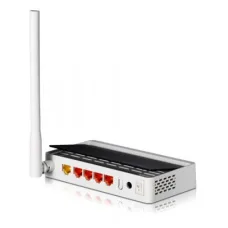
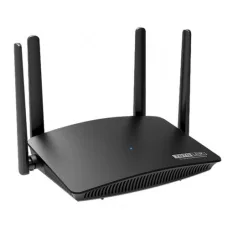
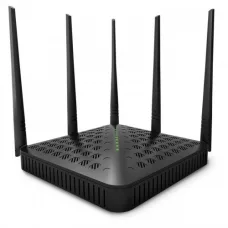
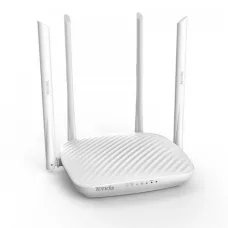
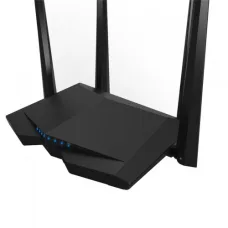
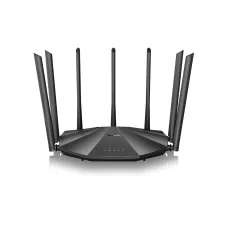
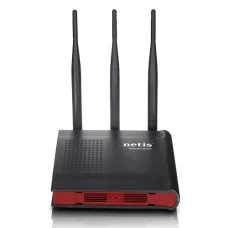
.png)

Showing 1 to 24 of 457 (20 Pages)
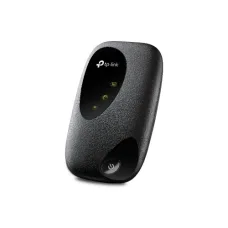
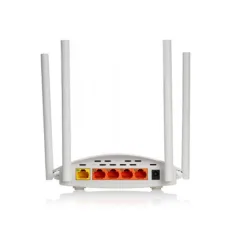
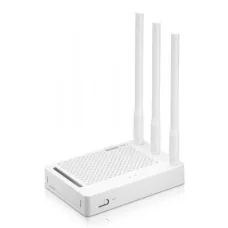
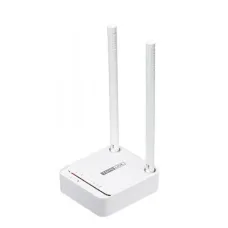
These are the latest in-stock router home delivery in jashore at Unix Network, with the current price in Bangladesh. Open a model for specifications.
A reliable router is the heart of your home or office network. Whether you use the internet for Facebook, YouTube, online classes, remote work, CCTV cameras, streaming, online gaming, or running a business, choosing the right router can make a noticeable difference in your network experience.
Many customers focus only on the Mbps number printed on a router box. However, a router's advertised speed is only one part of its performance. Wi-Fi standard, frequency band, coverage, Ethernet port speed, number of connected devices, processor performance, security, antenna technology, and your internet package all affect how well a router performs.
At Unix Network, customers can find routers for different requirements and budgets, from affordable home routers to Wi-Fi 6, Wi-Fi 7, mesh, 4G, gaming, and professional networking solutions.
This guide explains the most important router features in simple terms so you can choose the right router for your home, office, gaming setup, or business.
A router is a networking device that connects your local devices to the internet and manages traffic between them.
For example, when your smartphone opens YouTube, your laptop downloads a file, and your smart TV streams a movie at the same time, the router manages these connections and directs data to the appropriate devices.
A typical home network looks like this:
Internet Service Provider → ONU/ONT/Modem → Router → Wi-Fi & Wired Devices
Depending on your internet connection, the modem or ONU/ONT may be separate from the router, or some devices may combine several networking functions into one unit.
Before buying a router, don't simply choose the model with the highest advertised Mbps. Consider the following features.
One of the first things to check is the Wi-Fi standard supported by the router.
Common Wi-Fi generations include:
Wi-Fi 4 – Older 802.11n technology
Wi-Fi 5 – 802.11ac
Wi-Fi 6 – 802.11ax
Wi-Fi 6E – Wi-Fi 6 extended to the 6 GHz band
Wi-Fi 7 – 802.11be, the latest generation
For basic internet use, an affordable Wi-Fi 5 router can still be sufficient. However, Wi-Fi 6 is a strong choice for modern homes with many connected devices, while Wi-Fi 7 is aimed at users who want newer technology, higher capacity, lower latency, and multi-gigabit networking.
Unix Network currently lists products such as the Dahua AX1500 Wi-Fi 6 router, Dahua AX3000 router, and TP-Link Wi-Fi 7 models.
The frequency bands supported by a router have a major impact on wireless performance.
The 2.4 GHz band generally provides:
Longer range
Better wall penetration
Compatibility with many older devices
Better performance at greater distances
However, it is more susceptible to congestion because many wireless and household devices use this frequency range.
The 5 GHz band generally provides:
Higher wireless speeds
Lower congestion
Better performance for streaming and gaming
Lower latency in suitable conditions
The main disadvantage is shorter range compared with 2.4 GHz.
The 6 GHz band is available with Wi-Fi 6E and Wi-Fi 7 equipment.
It can provide access to wider channels and less congested spectrum, making it particularly useful for high-performance wireless networking. However, 6 GHz has shorter practical range and requires compatible devices.
For a typical home:
2.4 GHz = longer range
5 GHz = higher performance
6 GHz = newer high-performance wireless networking
A dual-band router can automatically provide both 2.4 GHz and 5 GHz networks, while more advanced systems may support three or more bands.
Router speed numbers can be confusing.
For example, a router advertised as AC1200 does not necessarily provide 1,200 Mbps to a single smartphone or laptop.
The number usually represents the combined theoretical maximum of multiple wireless bands.
For example:
AC1200 = approximately 300 Mbps on 2.4 GHz + 867 Mbps on 5 GHz
Similarly:
AX3000 represents a combined theoretical wireless class rather than a guaranteed 3,000 Mbps connection to one device.
Actual speed depends on:
Your ISP package
Router hardware
Wi-Fi generation
Client device
Distance from router
Walls and obstacles
Channel congestion
Channel width
Number of connected devices
Ethernet port speed
Therefore, don't buy a router based only on the largest Mbps number printed on the box.
Wi-Fi coverage is one of the most important considerations when buying a router.
The actual coverage of a router depends on:
Home or office size
Number of floors
Wall thickness
Concrete and metal structures
Router placement
Antenna design
Wireless interference
Frequency band
Client device
A router advertised for a large area may not cover every room equally well, particularly in buildings with reinforced concrete walls.
For better coverage:
Place the router near the center of your home.
Keep it elevated rather than placing it on the floor.
Avoid placing it inside a cabinet.
Keep it away from large metal objects.
Avoid unnecessary physical obstructions.
Use 5 GHz near the router for higher speed.
Use 2.4 GHz when greater range is required.
Consider a mesh system for large or multi-floor buildings.
If your home has multiple dead zones, buying a more powerful single router is not always the best solution. A mesh Wi-Fi system or additional access point may provide better coverage.
Router antennas help distribute wireless signals, but more antennas do not automatically mean better Wi-Fi.
Modern routers may use technologies such as:
MIMO
MU-MIMO
OFDMA
Beamforming
Multiple spatial streams
These technologies help routers communicate more efficiently with multiple devices.
For example, MU-MIMO can allow a compatible router to communicate with multiple compatible devices more efficiently instead of handling every device sequentially.
Beamforming can help focus wireless transmission toward compatible connected devices, potentially improving signal quality.
Therefore, when comparing two routers, don't look only at whether one has four antennas and another has six. Check the Wi-Fi standard, chipset, wireless streams, channel width, Ethernet ports, and other supported technologies.
A router's Ethernet ports are extremely important if you use wired devices.
Common Ethernet speeds include:
| Ethernet Type | Maximum Theoretical Speed |
|---|---|
| Fast Ethernet | 100 Mbps |
| Gigabit Ethernet | 1 Gbps |
| 2.5GbE | 2.5 Gbps |
| 5GbE | 5 Gbps |
| 10GbE | 10 Gbps |
For ordinary home internet, Gigabit Ethernet is often sufficient.
However, if you have:
1 Gbps+ internet
High-speed NAS
Gaming PC
Multiple access points
Large local file transfers
High-performance workstation
then a router with 2.5GbE or faster ports may be worth considering.
Don't forget to check the WAN port.
The WAN port is normally where your internet connection enters the router.
For example, if you purchase a router with a 100 Mbps WAN port but your internet package is faster than 100 Mbps, the router's WAN port can become a bottleneck.
For high-speed internet packages, consider a router with:
Gigabit WAN → suitable for up to 1 Gbps-class connections
2.5GbE WAN → suitable for higher-speed connections
Always check the actual specifications of the particular router before purchasing.
Modern homes can have far more connected devices than they did a few years ago.
You may have:
Smartphones
Laptops
Desktop PCs
Smart TVs
IP cameras
Smart bulbs
Smart speakers
Gaming consoles
Printers
Tablets
IoT devices
A basic router may be sufficient for a small family with a few devices, while a busy household may benefit from Wi-Fi 6 or Wi-Fi 7.
If many devices connect simultaneously, look for features such as OFDMA, MU-MIMO, stronger hardware, and better wireless capacity.
A router is essentially a small computer dedicated to networking.
Its processor and memory can affect how well it handles:
Multiple users
VPN connections
QoS
Firewall rules
NAT
USB services
Traffic management
Multiple simultaneous connections
For basic browsing, you don't need an extremely powerful processor.
However, advanced users, businesses, gamers, and users with many devices may benefit from stronger router hardware.
Network security should never be ignored.
A good modern router may include:
WPA2 security
WPA3 security
Firewall
Guest Wi-Fi
Parental controls
VPN support
Automatic firmware updates
Access control
Network monitoring
If your router supports WPA3, use it where your devices are compatible.
Also:
Change the default administrator password.
Use a strong Wi-Fi password.
Keep firmware updated.
Disable unnecessary remote administration.
Use a guest network for visitors and untrusted devices.
There is no single router that is best for everyone. Different router types are designed for different networking requirements.
A wireless router provides both routing and Wi-Fi connectivity.
It is the most common choice for:
Homes
Apartments
Small offices
Shops
Small businesses
For a normal household, a dual-band wireless router is usually a practical starting point.
Unix Network carries routers from brands including TP-Link, Tenda, Xiaomi, ASUS, Cudy, D-Link, Netis, TOTOLINK, and others.
A wired router primarily uses Ethernet connections.
It can be useful for:
Offices
Gaming setups
Businesses
Server environments
Networks where Wi-Fi is handled by separate access points
Wired connections generally provide stable performance and low latency.
A Gigabit router supports up to 1 Gbps Ethernet on compatible ports.
It is a good choice for:
High-speed broadband
Gaming PCs
Smart TVs
NAS devices
Office networks
Wired access points
If you are purchasing a new router, Gigabit Ethernet is generally preferable to 100 Mbps Ethernet when the budget allows.
A 4G or 5G router uses a SIM card and mobile network instead of a conventional fixed broadband connection.
This can be useful for:
Areas without fiber broadband
Temporary internet
Backup internet
Rural locations
Travel
Small offices
Remote work
Unix Network's current router range includes SIM-supported products such as Cudy and Tenda mobile routers.
Before purchasing, check whether the router supports the mobile network bands used by your operator.
A pocket router is a compact portable networking device.
Depending on the model, it may have:
Built-in battery
SIM support
4G LTE or 5G connectivity
USB charging
Portable Wi-Fi
Multiple connected-device support
It is useful for students, travellers, freelancers, and people who need internet connectivity outside their home or office.
A mesh system uses multiple nodes to provide broader Wi-Fi coverage.
For example:
Main Mesh Unit → Secondary Mesh Unit → Third Mesh Unit
The units work together to create a unified network.
Mesh Wi-Fi is especially useful for:
Large houses
Duplexes
Multi-floor buildings
Large offices
Homes with dead zones
Unix Network currently offers mesh options from brands such as TP-Link and Cudy.
Choose mesh when:
Your house is large.
You have multiple floors.
Some rooms have weak signals.
You want better roaming between rooms.
One router cannot provide consistent coverage.
A dual-band router normally provides:
2.4 GHz + 5 GHz
It is suitable for most homes and small offices.
A tri-band router provides three wireless bands.
This can increase available wireless capacity and can be useful for:
Many connected devices
Mesh networks
4K/8K streaming
Busy households
High-performance wireless networking
Wi-Fi 7 is the newest generation of mainstream Wi-Fi technology.
Depending on the model, Wi-Fi 7 can support:
320 MHz channels
4096-QAM
Multi-Link Operation
Higher throughput
Improved latency
Better wireless efficiency
However, to experience the full benefits of Wi-Fi 7, your phone, laptop, PC, or other client device also needs Wi-Fi 7 support.
Unix Network currently lists Wi-Fi 7 routers such as the TP-Link Archer BE230 BE3600.
The best router depends on how you use the internet.
If you mainly use:
YouTube
Web browsing
Online classes
Video calls
an affordable dual-band router may be sufficient.
You don't necessarily need an expensive gaming or Wi-Fi 7 router.
If several family members use the internet simultaneously, consider:
Dual-band Wi-Fi
Gigabit Ethernet
MU-MIMO
OFDMA
Wi-Fi 6
Good coverage
Wi-Fi 6 can be particularly useful when many devices are connected at the same time.
Gamers should prioritize:
Low latency
Stable connection
Gigabit or multi-gigabit Ethernet
QoS
Good CPU performance
Wi-Fi 6/6E/7
Strong wireless capacity
For competitive gaming, Ethernet is still preferable when possible because it avoids many of the interference and signal-quality issues associated with wireless connections.
Unix Network carries high-performance ASUS gaming routers, including ROG models.
If multiple people stream HD or 4K content simultaneously, consider:
Dual-band or tri-band Wi-Fi
Wi-Fi 6 or newer
Gigabit Ethernet
Good 5 GHz performance
Sufficient coverage
Remember that streaming performance also depends on your internet package and the streaming service.
If you have a large home or multiple floors, consider a mesh Wi-Fi system rather than relying on one router.
Mesh is particularly useful when the main router cannot provide strong coverage to bedrooms, upper floors, or distant rooms.
For a small office, look for:
Gigabit Ethernet
Multiple LAN ports
Guest Wi-Fi
VLAN support if required
VPN capability
Firewall
Good device capacity
Stable firmware support
Businesses may require much more than a normal home router.
Depending on the network, consider:
VLAN
Multiple WAN
VPN
Firewall
Traffic management
User authentication
Centralized management
Monitoring
Load balancing
Failover
Professional networking products from manufacturers such as MikroTik can be suitable for advanced network environments. Unix Network currently lists MikroTik routers ranging from compact home networking equipment to higher-end rackmount models.
A simple way to think about router selection is:
| User Type | Recommended Direction |
|---|---|
| Basic user | Affordable 2.4 GHz or dual-band |
| Small family | Dual-band AC/AX router |
| Large family | Wi-Fi 6 with good coverage |
| Gamer | Wi-Fi 6/7 + Gigabit/multi-gigabit Ethernet |
| Large house | Mesh Wi-Fi |
| 1 Gbps internet | Gigabit WAN/LAN minimum |
| Above 1 Gbps | 2.5GbE or faster |
| Travel | Pocket/4G/5G router |
| No fiber available | 4G/5G SIM router |
| Small office | Gigabit business-capable router |
| Advanced business | MikroTik/enterprise networking solution |
A router advertised as AX3000 does not mean your phone will download at 3,000 Mbps.
If you have a high-speed internet package, a 100 Mbps WAN port can limit your connection.
If your home has several floors and thick concrete walls, a mesh system may be more effective than purchasing one extremely expensive router.
A Wi-Fi 7 router cannot magically make a Wi-Fi 5 laptop operate at Wi-Fi 7 speeds.
An entry-level router may struggle when dozens of devices connect simultaneously.
Security and stability depend partly on manufacturer firmware support.
Even an excellent router can perform poorly if it is hidden inside a cabinet or placed behind large obstacles.
These devices are often confused.
A modem connects certain types of broadband services to your network.
For fiber internet, an ONU/ONT commonly converts the optical fiber connection into an Ethernet/network connection.
The router creates and manages your local network and distributes the internet connection to multiple devices.
A common fiber setup is:
Fiber → ONU/ONT → Router → Wi-Fi Devices
Some ISP-provided devices combine the ONU/ONT and router functions.
Before purchasing a router from Unix Network, check these points:
Internet package speed
Number of users
Number of connected devices
Required coverage area
Number of floors
2.4 GHz support
5 GHz support
6 GHz support if required
Wi-Fi generation
WAN port speed
LAN port speed
Number of Ethernet ports
MU-MIMO
OFDMA
WPA3
QoS
VPN support
Mesh compatibility
4G/5G SIM support if required
Budget
Unix Network provides networking products for different types of users, from affordable home routers to advanced Wi-Fi 6, Wi-Fi 7, mesh, gaming, 4G, and professional networking solutions.
The current Unix Network catalog includes products from brands such as TP-Link, Tenda, Xiaomi, ASUS, Cudy, MikroTik, Netis, TOTOLINK, D-Link, and others.
Unix Network is based in Jashore and also serves customers looking for computer and networking products in Bangladesh. The store currently lists router products across a wide range of price points and networking requirements.
If you're unsure which router to buy, don't simply choose the router with the highest Mbps rating. Consider your internet speed, home size, number of devices, coverage requirements, gaming or business needs, and budget first.
For most customers, the decision can be simplified:
Basic internet use: Choose an affordable dual-band router.
Multiple users: Choose a Wi-Fi 6 router with good device capacity.
Large home: Consider a mesh Wi-Fi system.
Gaming: Choose a low-latency Wi-Fi 6/7 router with Gigabit or multi-gigabit Ethernet.
High-speed broadband: Make sure the router's WAN and LAN ports support your internet speed.
Travel: Choose a portable 4G/5G router.
No wired broadband: Consider a SIM-supported 4G/5G router.
Business/advanced networking: Consider a router with VLAN, VPN, firewall, multi-WAN, and advanced management features.
The most expensive router is not always the best router for you. The right router is the one that matches your internet connection, coverage area, connected devices, performance requirements, and budget.