

TP-Link CCTV Price in Bangladesh
Showing 1 to 6 of 6 (1 Pages)


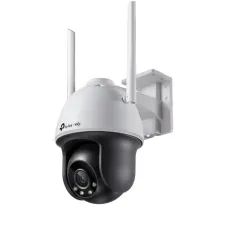


Find the Right TP-Link CCTV Camera for Your Budget and Needs
These are the latest in-stock TP-Link CCTV Camera at Unix Network, with the current price in Bangladesh. Open a model for specifications.
Latest TP-Link CCTV Camera Price List in BD 2026
TP-Link CCTV Camera Price in Bangladesh
TP-Link CCTV cameras provide smart surveillance solutions for homes, offices, retail shops, warehouses and commercial properties. The TP-Link security camera range includes Tapo smart Wi-Fi cameras for convenient home and small-business monitoring, alongside VIGI professional IP cameras designed for more structured surveillance installations. With options for indoor and outdoor monitoring, high-resolution video, night vision, intelligent detection and remote access, TP-Link offers security cameras for different environments and budgets.
At Unix Network, customers can explore TP-Link CCTV camera prices in Bangladesh and compare available Tapo and VIGI models according to resolution, connectivity, night vision, camera movement, storage options and intelligent security features. Whether you need a compact indoor Wi-Fi camera, an outdoor smart camera or a professional IP surveillance system with an NVR, choosing the right model depends on your property, monitoring requirements and network infrastructure.
TP-Link Tapo and VIGI Security Camera Series
TP-Link offers two distinct security camera product families for different surveillance applications. Tapo cameras focus on accessible smart home monitoring, while VIGI cameras provide professional network surveillance options for businesses and larger installations.
Tapo cameras commonly offer convenient smartphone management, motion alerts and flexible indoor or outdoor installation options. VIGI cameras are designed for integration with compatible network video recorders, PoE infrastructure and professional surveillance management systems.
Both product families include multiple models with different capabilities. Buyers should compare individual specifications rather than assuming every camera supports the same features.
TP-Link Tapo Wi-Fi Camera for Smart Home Security
TP-Link Tapo smart Wi-Fi cameras are suitable for monitoring homes, apartments, small offices and other residential or light-commercial environments. They connect through compatible wireless networks and can be managed using the Tapo mobile application.
Depending on the model, Tapo cameras may support motion detection, person detection, two-way audio, pan-and-tilt movement and local microSD card recording.
These features make Tapo cameras useful for checking entrances, living spaces and other important areas. Camera functions, storage options and wireless requirements vary by model.
TP-Link VIGI IP Camera for Professional Surveillance
TP-Link VIGI IP cameras are designed for network-based CCTV installations in offices, shops, warehouses, educational institutions and commercial buildings. They can be connected to compatible network infrastructure and recording equipment for centralised video management.
The VIGI range includes fixed bullet, turret, dome and selected pan-tilt-zoom cameras with different resolutions and intelligent surveillance capabilities.
For professional installations, buyers should consider PoE connectivity, camera resolution, recording bandwidth, weather protection and compatibility with the selected VIGI NVR or management system.
TP-Link 2MP and 3MP CCTV Cameras
TP-Link offers selected security cameras with 2MP and 3MP video resolution for everyday surveillance requirements. These cameras can be suitable for monitoring home entrances, offices, reception areas and other spaces where general video coverage is needed.
Higher pixel counts can provide additional image detail, although overall clarity also depends on the camera sensor, lens and lighting conditions.
When choosing a camera, consider the distance to the monitored area and whether the required image quality is suitable for your intended purpose.
TP-Link 4MP and 5MP Security Cameras
Selected TP-Link Tapo and VIGI cameras offer 4MP or 5MP resolution, providing greater image detail than basic Full HD models. These cameras are useful for locations where users want clearer footage across entrances, retail spaces, parking areas and commercial environments.
Higher-resolution video can improve the amount of detail captured within a scene when supported by suitable optics and lighting.
Actual recording performance depends on the camera model, video compression settings, storage system and network conditions.
TP-Link 4KCCTV Camera for High-Resolution Monitoring
Selected TP-Link security cameras support 8MP or 4K Ultra HD video, offering detailed surveillance footage for compatible installations. These cameras may be suitable for larger spaces or locations where additional image detail is important.
Higher-resolution recording can be useful for reviewing events, but clear identification of faces or vehicle registration plates is not guaranteed by resolution alone.
Camera placement, lens selection, movement, lighting and recording settings all influence the usefulness of captured footage.
TP-Link Indoor CCTV Camera
TP-Link indoor security cameras are designed for monitoring living rooms, entrances, offices, reception areas and other protected indoor spaces. Compact Tapo models are particularly useful for customers seeking straightforward smartphone-based monitoring.
Selected indoor cameras include pan-and-tilt movement, two-way communication and intelligent motion alerts.
Before purchasing, check the camera's Wi-Fi compatibility, power requirements, recording options and available detection features.
TP-Link Outdoor CCTV Camera
TP-Link outdoor security cameras are designed for monitoring gates, driveways, building entrances, parking areas and other exposed locations. Selected Tapo and VIGI models feature weather-resistant enclosures suitable for outdoor installation.
Depending on the model, outdoor cameras may include infrared night vision, colour night vision, intelligent detection and fixed or motorised viewing options.
Weather resistance varies between products. Always verify the specific IP rating, operating temperature range and installation instructions before mounting a camera outdoors.
TP-Link 360-Degree Pan and Tilt Camera
Selected TP-Link Tapo and VIGI cameras feature motorised pan-and-tilt movement, allowing users to adjust the viewing direction through supported controls. This can be useful for monitoring rooms, shop interiors, entrances and other areas where a fixed camera angle may be restrictive.
Some models offer approximately 360-degree horizontal rotation, while vertical movement ranges differ by product.
A pan-and-tilt camera does not necessarily record every direction simultaneously. Coverage depends on its current viewing position, field of view and any supported patrol or tracking functions.
TP-Link Night VisionCCTV Camera
Night vision is an important feature for surveillance in low-light environments. Many TP-Link security cameras include infrared illumination to capture video when ambient lighting is limited.
Infrared night vision typically produces monochrome footage, while selected cameras provide additional low-light or colour imaging capabilities.
Night vision distance and image quality depend on the camera model, lighting conditions and monitored environment. Buyers should check the specified illumination range before purchasing.
TP-Link Color Night Vision Camera
Selected TP-Link Tapo and VIGI security cameras support colour night vision using suitable sensors, lenses and illumination technology. Some models include built-in spotlights that help capture colour footage when natural lighting is insufficient.
Colour footage can provide additional visual information, such as clothing or vehicle colours, when reviewing recorded events.
Performance depends on the camera's hardware and available illumination. Not every colour night vision camera can capture full-colour footage in complete darkness without supplemental light.
TP-Link Smart AI Detection Camera
Selected TP-Link security cameras include intelligent detection features designed to identify specific types of activity. Depending on the model, these may include person detection, vehicle detection, pet detection, line-crossing detection or other supported event categories.
Intelligent detection can help users focus on relevant activity and reduce certain unnecessary notifications compared with basic motion detection.
AI features differ between Tapo and VIGI models, and some functions may require specific firmware, recording equipment or subscription services.
TP-Link Motion Detection and Mobile Alerts
Motion detection allows compatible TP-Link cameras to identify activity within a monitored area and trigger supported recording or notification functions.
Through the appropriate mobile application, users may receive alerts when selected events occur, provided the camera is online and notifications are configured correctly.
Alert accuracy depends on lighting, camera placement, detection settings and the available intelligent features. Notifications may be delayed by network or mobile service conditions.
TP-Link CCTV Camera with Two-Way Audio
Selected TP-Link Tapo cameras and certain VIGI models support two-way audio through built-in microphones and speakers. This allows authorised users to listen and communicate through the camera using compatible software.
Two-way communication can be useful for speaking with visitors, checking on household activity or communicating with people near a camera.
Not every TP-Link CCTV camera includes a speaker or microphone. Audio capabilities and supported applications should be confirmed for the specific model.
TP-Link Camera with Sound and Light Alarm
Some TP-Link security cameras include audible alarms, flashing lights or integrated spotlights that can activate in response to supported events.
These features may help draw attention to activity around entrances, driveways and other monitored areas.
Alarm functions, trigger conditions and configuration options vary by model. They should be considered supplementary security features rather than a guarantee against unauthorised access.
TP-Link PoE IP Camera for Wired CCTV Installation
Selected TP-Link VIGI IP cameras support Power over Ethernet, allowing compatible network equipment to deliver electrical power and video data through a single Ethernet cable.
PoE connectivity can simplify installation in offices, warehouses and commercial buildings where multiple cameras need to connect to a central network or NVR.
Before purchasing, verify the camera's PoE standard, power consumption and compatibility with the selected PoE switch or recorder.
TP-Link Wi-Fi CCTV Camera for Flexible Installation
TP-Link Tapo Wi-Fi cameras offer convenient wireless network connectivity for compatible home and small-business installations. Selected VIGI models also support wireless networking, depending on the product series.
Wi-Fi connectivity can reduce the need for Ethernet data cabling, although most conventional wireless cameras still require a suitable electrical power source.
For reliable operation, ensure the installation location has sufficient wireless signal strength and compatible network security settings.
TP-Link CCTV Camera with microSD Card Storage
Many TP-Link Tapo cameras support local video recording through compatible microSD cards. This provides an option for storing footage without relying entirely on cloud storage.
Maximum supported card capacity varies by model, with selected cameras supporting cards up to 512GB or other specified capacities.
Memory cards may be sold separately. Recording duration depends on card capacity, video resolution, compression settings and recording activity.
TP-Link Tapo Care Cloud Storage
Selected TP-Link Tapo cameras support Tapo Care, a cloud-based service offering compatible features such as cloud video recording and additional notification capabilities.
Cloud services can provide an alternative or supplementary option to local storage, depending on the camera and subscription plan.
Service availability, supported features, retention periods and subscription fees may vary by country and product. Cloud recording should not be assumed to be included free with every camera.
TP-Link VIGI NVR Recording Support
TP-Link VIGI IP cameras can be integrated with compatible VIGI Network Video Recorders for centralised recording and surveillance management. An NVR allows users to manage multiple cameras and store footage on supported recording drives.
This approach is useful for offices, retail businesses and larger properties where continuous multi-camera recording is required.
Camera compatibility, supported resolutions, recording bandwidth and intelligent functions should be checked against the selected NVR model.
TP-Link Tapo App for Remote Camera Monitoring
The TP-Link Tapo mobile application allows users to manage compatible Tapo cameras through a smartphone. Depending on the model, supported functions may include live viewing, camera movement, motion notifications, two-way communication and recorded video access.
Remote access is useful for homeowners and small-business operators who need to check their premises while away.
Available functions depend on the camera model, network connection, firmware and any applicable service requirements.
TP-Link VIGI App and Professional Camera Management
TP-Link VIGI cameras support compatible professional surveillance management tools, including the VIGI mobile application and selected VIGI management platforms.
These tools can help authorised users view live camera feeds, review supported recordings and manage compatible surveillance equipment.
For larger installations, supported VIGI systems may provide centralised camera administration and recording management. Features vary according to the camera, NVR and software configuration.
TP-Link CCTV Camera for Home Security
TP-Link Tapo cameras are popular options for residential monitoring because of their smartphone integration and range of indoor and outdoor designs. Homeowners can use compatible cameras to monitor entrances, living spaces, gates and other important areas.
For simple installations, a Wi-Fi camera with local storage may be sufficient. Larger homes may require several cameras positioned strategically for suitable coverage.
Consider wireless signal strength, power availability, night vision performance and storage requirements when planning a home security system.
TP-Link CCTV Camera for Offices and Shops
Offices, shops and showrooms often require surveillance across entrances, reception desks, customer areas, cash counters and stockrooms. TP-Link Tapo and VIGI cameras offer different options for these environments.
Tapo cameras may suit smaller businesses seeking straightforward smartphone-based monitoring, while VIGI cameras are generally more appropriate for structured multi-camera installations using compatible NVRs and wired networking infrastructure.
The right choice depends on the number of cameras, recording requirements and available network equipment.
TP-Link CCTV Camera for Warehouses and Commercial Buildings
Warehouses, factories and larger commercial buildings may require surveillance across loading zones, storage areas, corridors, entrances and parking facilities.
TP-Link VIGI cameras offer professional IP surveillance options for these applications, including selected outdoor bullet, turret and PTZ models.
For larger installations, consider camera placement, PoE switching capacity, NVR compatibility, recording storage and network reliability.
TP-Link Tapo vs VIGI Camera: Which Is Better?
TP-Link Tapo and VIGI cameras are designed for different surveillance priorities. Tapo focuses on accessible smart camera features for homes and smaller installations, while VIGI is oriented towards professional IP surveillance and centralised recording systems.
A Tapo camera may be suitable if you want convenient Wi-Fi setup, smartphone monitoring and local recording on a compatible microSD card. A VIGI camera may be preferable when you need several cameras connected through PoE infrastructure and a dedicated NVR.
Some capabilities overlap between the product families, so compare the exact model specifications before making a decision.
How to Choose the Best TP-Link CCTV Camera
When comparing TP-Link CCTV cameras in Bangladesh, start by deciding whether you need a Tapo smart Wi-Fi camera or a VIGI professional IP camera. Consider the size of the property, the number of cameras required and whether you prefer local microSD recording or a centralised NVR.
Next, compare camera resolution, viewing angle, night vision performance and indoor or outdoor suitability. If you need flexible coverage, look for a supported pan-and-tilt model. For commercial installations, check PoE compatibility, recording bandwidth and network infrastructure.
Finally, consider intelligent detection, two-way audio, storage capacity, remote access and applicable warranty terms. The best camera is the one that matches your actual monitoring requirements.
TP-Link CCTV Camera Price in BD
The TP-Link CCTV camera price in Bangladesh varies according to product series, resolution, connectivity, night vision technology, intelligent features and recording capabilities. Entry-level Tapo indoor cameras are generally positioned for affordable home monitoring, while advanced outdoor Tapo models and professional VIGI IP cameras may offer additional features at different price points.
To find the latest TP-Link CCTV camera price in BD, visit Unix Network or browse unixnetworkbd.com to compare available Tapo and VIGI models, specifications and current prices. Product availability and pricing may change according to supplier stock and market conditions.
Buy TP-Link Tapo and VIGI CCTV Cameras from Unix Network in Jashore
Looking for a TP-Link CCTV camera in Jashore? Unix Network helps customers explore Tapo smart Wi-Fi cameras and VIGI professional IP surveillance solutions for homes, offices, shops and commercial properties. Whether you need an indoor Tapo camera, an outdoor Wi-Fi security camera, a pan-and-tilt model or a VIGI PoE IP camera, you can compare available products according to your requirements.
Visit Unix Network in Jashore or browse unixnetworkbd.com to check TP-Link CCTV camera models, current prices, availability and applicable warranty information. Customers in Khulna, Jhenaidah, Magura, Narail, Satkhira and other parts of Bangladesh can also enquire about delivery, compatible VIGI NVRs, PoE switches, memory cards and CCTV accessories.