

Netgear IP Camera Price in Bangladesh
Showing 1 to 2 of 2 (1 Pages)
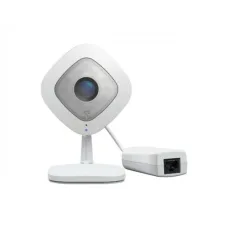
Netgear IP Camera Price in Bangladesh
Looking for the latest Netgear IP Camera price in Bangladesh? Unix Network provides networking and surveillance solutions for homes, offices, shops, businesses, warehouses, educational institutions, and other locations that require network-based monitoring.
A Netgear IP Camera can be part of a modern network surveillance system where cameras communicate over an IP network. Depending on the specific camera and system configuration, IP cameras can be connected through Ethernet or wireless networking and viewed from compatible computers, smartphones, NVR systems, or other supported devices.
When selecting an IP camera, customers should consider much more than camera resolution. Important factors include camera type, resolution, night vision, field of view, connectivity, PoE support, storage, weather resistance, motion detection, audio, installation location, network bandwidth, and compatibility with the recording system.
Netgear IP Camera Price List in Bangladesh
| IP Camera Type | Best For | Important Features to Check |
|---|---|---|
| Indoor IP Camera | Home, Office, Shop | Resolution, Night Vision, Audio, Motion Detection |
| Outdoor IP Camera | Building Exterior, Parking, Warehouse | Weather Resistance, Night Vision, IR Range |
| PoE IP Camera | Professional CCTV Installation | PoE Standard, Network Cable, Switch/NVR Compatibility |
| WirelessIP Camera | Home & Small Installations | Wi-Fi Standard, Signal Strength, Power Requirement |
| Full HD IP Camera | General Surveillance | 1080p Resolution, Lens, Night Vision |
| 4MP/5MP IP Camera | Detailed Surveillance | Resolution, Storage, Bandwidth |
| 4KIP Camera | High-Detail Surveillance | 4KResolution, Storage, Network Capacity |
| PTZ IP Camera | Large Areas & Active Monitoring | Pan, Tilt, Zoom, Presets |
Note: The actual price of a Netgear IP camera depends on the exact model, specifications, availability, warranty, and current market conditions. Always confirm the current price and stock before ordering.
What Is an IP Camera?
An IP camera, or Internet Protocol camera, is a network-connected camera that sends video and other data over an IP network. Unlike traditional analog CCTV cameras that normally require a dedicated DVR-based video system, IP cameras can communicate through Ethernet or Wi-Fi networks depending on the model.
This makes IP surveillance flexible for homes, offices, shops, factories, warehouses, schools, and businesses.
Netgear IP Camera for Home Security
An IP camera can help homeowners monitor entrances, rooms, garages, driveways, shops, or other areas of a property. Depending on the camera, useful features can include motion detection, night vision, two-way audio, remote viewing, and event notifications.
For home surveillance, camera placement is extremely important. A high-resolution camera will not provide useful footage if it is installed in the wrong position, exposed to excessive glare, or unable to adequately cover the desired area.
Netgear IP Camera for Office
Businesses can use network cameras to monitor entrances, reception areas, workspaces, storage rooms, server rooms, and other authorized areas.
For an office installation, consider the number of cameras, network bandwidth, PoE requirements, recording storage, viewing requirements, privacy considerations, and retention period.
Netgear IP Camera for Shop
Retail shops can use IP cameras to monitor entrances, checkout areas, aisles, storage rooms, and other important locations.
For a shop, camera placement should provide useful views of important areas while minimizing blind spots. Cameras should also be positioned to avoid excessive backlighting and obstructions.
Netgear IP Camera for Warehouse
Warehouses often require cameras capable of monitoring large areas, entrances, loading zones, storage aisles, and outdoor spaces.
For large installations, customers should consider camera resolution, lens selection, mounting height, night visibility, network infrastructure, PoE switching, recording capacity, and the number of cameras required.
Netgear PoE IP Camera
Power over Ethernet (PoE) allows compatible network equipment to provide both network connectivity and electrical power over a suitable Ethernet cable.
A PoE IP camera can simplify installation because one Ethernet cable can carry both data and power when the camera, PoE switch or injector, and cabling are compatible.
Benefits of PoE IP Cameras
- One Ethernet cable can carry power and network data.
- Installation can be cleaner than using separate power and data cables.
- Suitable for structured CCTV installations.
- Centralized power through a compatible PoE switch can simplify management.
- Wired networking can provide a stable connection.
Netgear IP Camera with PoE Switch
For a multi-camera installation, a compatible PoE switch can provide network connectivity and power to multiple cameras.
When choosing a PoE switch, check the PoE standard, number of PoE ports, total PoE power budget, port speed, uplink capacity, and camera power requirements.
Do not assume that every PoE switch can power every IP camera. The camera and switch must support compatible PoE requirements.
Netgear IP Camera and NVR
An NVR (Network Video Recorder) can record video from compatible IP cameras. For a multi-camera surveillance system, customers should check whether the selected cameras and NVR support the required protocols and recording features.
Before purchasing, confirm camera resolution support, number of supported channels, storage capacity, PoE availability, codec compatibility, and network requirements.
Netgear IP Camera Storage
Surveillance footage requires storage space. Storage requirements depend on the number of cameras, resolution, frame rate, compression, recording schedule, motion events, and required retention period.
Continuous recording from several high-resolution cameras can require substantially more storage than motion-based recording.
How Much Storage Does an IP Camera Need?
There is no single storage requirement for every camera. For example, a system recording multiple high-resolution cameras continuously for several weeks will require considerably more storage than a small system recording motion events only.
When planning a surveillance system, calculate storage based on:
- Number of cameras
- Camera resolution
- Frame rate
- Video compression
- Continuous or motion recording
- Hours of recording per day
- Required retention period
- Available NVR or storage capacity
Netgear IP CameraNight Vision
Night vision is important when cameras need to monitor areas during low-light conditions. Many surveillance cameras use infrared illumination to provide visibility in darkness.
When comparing cameras, look at the actual night-vision capability rather than assuming that all cameras with “IR night vision” will perform equally well.
Netgear IP Camera Outdoor Use
For outdoor installation, customers should check the camera's environmental protection rating, operating temperature range, mounting method, and night-vision performance.
Outdoor cameras should be installed in locations protected from unnecessary physical damage and positioned so that rain, sunlight, reflections, and other environmental factors do not significantly reduce image quality.
Netgear IP Camera for Indoor Use
Indoor cameras generally do not require the same level of weather protection as outdoor models. They can be suitable for offices, bedrooms, living rooms, reception areas, shops, classrooms, and other indoor environments.
For indoor applications, customers may prioritize compact design, wide-angle coverage, audio, motion detection, and easy installation.
Netgear WirelessIP Camera
Wireless IP cameras can be convenient where running Ethernet cables is difficult. However, the camera still requires a reliable power source unless it is specifically designed for battery operation.
Wi-Fi performance depends on distance, walls, interference, router placement, and network congestion. For critical surveillance applications, wired Ethernet can often provide a more consistent connection.
Wired vs WirelessIP Camera
| Feature | Wired IP Camera | WirelessIP Camera |
|---|---|---|
| Network Connection | Ethernet | Wi-Fi |
| Installation | Requires Network Cable | Less Network Cabling |
| Connection Stability | Generally More Consistent | Depends on Wi-Fi Environment |
| Power | Can Support PoE on Compatible Models | Usually Requires Separate Power |
| Large CCTV Systems | Often Preferred | May Require Careful Wireless Planning |
Netgear IP CameraResolution
Camera resolution determines the amount of detail captured by the image sensor. Common surveillance resolutions include Full HD, 4MP, 5MP, and 4K.
Higher resolution can provide more detail, but it can also increase network bandwidth and storage requirements.
Full HD IP Camera
Full HD cameras can be suitable for general home, office, and shop surveillance where moderate image detail is sufficient.
4MP and 5MP IP Camera
Higher-resolution cameras can provide additional detail for areas where identifying people, objects, or activities is important.
4KIP Camera
4K cameras provide significantly more image detail than Full HD cameras, but they require more storage and network capacity. Make sure your NVR, network, and storage system can handle the selected resolution.
Netgear IP Camera Lens and Field of View
Camera resolution is only one part of image quality. The lens and field of view determine how much of an area the camera can see.
A wide-angle lens can cover a larger area but may show more perspective distortion. A narrower lens can provide a more focused view of a distant or specific area.
Netgear PTZ IP Camera
PTZ stands for Pan, Tilt, and Zoom. PTZ cameras can move horizontally and vertically and can zoom into specific areas, depending on the model.
PTZ cameras can be useful for large areas where operators need to change the viewing direction or zoom into specific locations.
Netgear IP Camera with Motion Detection
Motion detection can help identify activity and reduce unnecessary recording or notifications. Depending on the system, motion detection may be performed by the camera, NVR, software, or a combination of these.
Correct sensitivity and detection-zone configuration can help reduce false alerts caused by moving trees, shadows, animals, changing light, or other environmental activity.
Netgear IP Camera with Audio
Some network cameras support microphones and/or speakers for audio monitoring or two-way communication. Customers should check the exact model specifications because audio features vary.
For offices and businesses, customers should also consider applicable privacy and workplace policies before enabling audio recording.
Netgear IP Camera Remote Viewing
Depending on the camera and surveillance system, users may be able to view cameras remotely through a compatible application or network system.
Remote access should always be configured securely. Use strong passwords, keep firmware updated, and avoid exposing network devices directly to the internet unless the configuration is properly secured.
Netgear IP Camera Security
A surveillance camera is itself a network device, so cybersecurity is important.
- Change default credentials immediately.
- Use strong, unique passwords.
- Keep supported firmware updated.
- Use secure Wi-Fi encryption.
- Disable unnecessary services.
- Use a separate network or VLAN where appropriate.
- Limit remote access to trusted users.
- Review connected devices regularly.
Netgear IP Camera Bandwidth Requirements
IP camera bandwidth depends on resolution, frame rate, compression, scene complexity, and the number of cameras transmitting simultaneously.
A multi-camera 4K system can require substantially more network capacity than a small Full HD installation. The network switch, uplink, router, NVR, and storage system should therefore be planned together.
Netgear IP Camera Installation Guide
Proper installation is essential for getting useful surveillance footage. Before mounting the camera permanently, test the camera position and viewing angle.
- Identify the area that needs monitoring.
- Choose an appropriate camera type and lens.
- Check power and network requirements.
- Plan the Ethernet cable route if using a wired camera.
- Install a compatible PoE switch or injector if required.
- Connect the camera to the network.
- Configure the camera or NVR.
- Set the correct time and recording settings.
- Adjust motion detection and notification settings.
- Test day and night image quality.
- Secure the camera and cables.
Best Camera Placement Tips
- Place cameras where important entry and exit points are visible.
- Avoid pointing cameras directly toward strong light sources.
- Keep the lens clean.
- Minimize blind spots.
- Install outdoor cameras at a suitable height.
- Protect cables from unnecessary exposure and physical damage.
- Test the camera at both daytime and nighttime.
- Ensure the camera has a stable network connection.
Netgear IP Camera for CCTV System
IP cameras can form part of a complete CCTV system consisting of cameras, PoE switches, NVRs, storage drives, routers, network cables, monitors, and remote-viewing software.
For a reliable installation, all components should be selected as a complete system. A high-quality camera cannot compensate for an unsuitable switch, insufficient storage, poor cabling, or an unreliable network.
How Many IP Cameras Do You Need?
The number of cameras depends on the property layout and surveillance objectives. Start by identifying critical areas such as:
- Main entrance
- Back entrance
- Parking area
- Reception
- Cash counter
- Warehouse entrance
- Storage area
- Important corridors
- Outdoor perimeter
After identifying important areas, determine whether each location requires a wide-angle camera, a focused camera, or PTZ functionality.
Netgear IP Camera for Business Security
Businesses can use IP surveillance to monitor authorized areas, improve situational awareness, review incidents, and maintain records where appropriate.
For business installations, plan camera locations, storage retention, user access, network segmentation, backup requirements, and maintenance procedures before installation.
Netgear IP Camera for School and Education
Network cameras can be used in educational environments for monitoring entrances, corridors, laboratories, offices, and other authorized areas.
Schools and institutions should establish appropriate policies regarding privacy, access to footage, storage duration, and authorized users.
Netgear IP Camera for Factory
Factories may require surveillance across production areas, entrances, storage locations, loading zones, and outdoor spaces. Large facilities generally require careful network planning and sufficient storage.
Netgear IP Camera for Apartment Building
Apartment buildings can use network cameras for common areas such as entrances, parking spaces, corridors, elevators, and building perimeters where permitted.
IP Camera Network Requirements
Before installing multiple IP cameras, check the complete network infrastructure:
| Network Component | What to Check |
|---|---|
| Camera | Resolution, bitrate, PoE/Wi-Fi, codec |
| PoE Switch | Port count, PoE budget, port speed |
| Ethernet Cable | Category, length, installation quality |
| NVR | Channel count, resolution, storage support |
| Router | Network capacity, remote-access requirements |
| Storage | Capacity, surveillance suitability, retention period |
| Internet | Required only for internet-based remote access or cloud services |
Does an IP Camera Need Internet?
No. An IP camera can operate on a local network without internet access when the surveillance system is designed for local viewing and recording.
Internet access may be required for features such as remote viewing from outside the local network, cloud services, notifications, firmware downloads, or other online functionality depending on the system.
Does an IP Camera Need a Router?
A router is not always required for a completely isolated camera network, but it is commonly used when cameras need to communicate with other network devices or access the internet.
For a typical home or business system, the router, PoE switch, cameras, NVR, and client devices can work together as part of the local network.
IP Camera vs Analog CCTV Camera
| Feature | IP Camera | Traditional Analog CCTV |
|---|---|---|
| Network Communication | Yes | Typically uses coaxial infrastructure |
| Resolution Options | Wide Range | Depends on Technology |
| Power/Data | PoE Possible | Usually Separate/Coax-Based Infrastructure |
| Remote Network Access | Network-Based | Usually Requires DVR/NVR Infrastructure |
| Scalability | Flexible Network-Based Expansion | Depends on DVR and Cabling |
Common IP Camera Problems and Solutions
Camera Is Offline
Check the Ethernet cable, PoE power, switch port, camera power status, IP configuration, and network connection.
Camera Has No Power
If using PoE, check whether the PoE switch or injector provides sufficient power and supports the required PoE standard.
Video Is Blurry
Clean the lens, check focus if adjustable, inspect the lens for damage, and verify the camera's resolution and stream settings.
Night Vision Is Poor
Check the camera's IR capability, installation angle, nearby reflective surfaces, lighting conditions, and lens cleanliness.
Video Is Lagging
Check network bandwidth, Wi-Fi signal strength, camera bitrate, switch uplink capacity, NVR performance, and the number of simultaneous streams.
Recording Stops
Check storage health, available disk space, NVR configuration, recording schedule, camera connection, and storage compatibility.
Remote Viewing Does Not Work
Check internet connectivity, remote-access configuration, application settings, firewall rules, and account permissions.
How to Choose the Best Netgear IP Camera
1. Decide Where the Camera Will Be Installed
Indoor and outdoor environments have different requirements. Outdoor locations require appropriate environmental protection.
2. Determine the Required Detail
Choose the resolution based on how much detail you need to capture.
3. Choose Wired or Wireless
Wired Ethernet is generally preferable for permanent, high-reliability installations, while Wi-Fi can be convenient where cable installation is difficult.
4. Check PoE Requirements
If you want a single-cable Ethernet and power installation, confirm that the camera and network equipment support compatible PoE standards.
5. Consider Night Monitoring
If the camera will operate in darkness, pay close attention to night-vision performance and installation conditions.
6. Plan Storage
Determine how long you need recordings to be retained and calculate the required storage based on camera count and recording settings.
7. Check Network Capacity
Make sure your switches, cables, router, NVR, and uplinks can handle the combined traffic generated by all cameras.
8. Check Compatibility
Confirm compatibility between the camera, NVR, PoE switch, network infrastructure, and viewing software before purchasing.
9. Check Warranty
Always verify the applicable warranty and after-sales service conditions before purchasing.
Why Buy IP Camera Products from Unix Network?
Unix Network helps customers choose networking and surveillance products according to their actual requirements. Whether you need a camera for a home, shop, office, warehouse, or larger business installation, choosing the right combination of cameras, switches, NVRs, storage, cables, and networking equipment is important.
- Networking and surveillance products
- Solutions for home and business environments
- PoE networking equipment
- Routers and network switches
- IP camera accessories
- PC and networking hardware
- Local showroom support in Jessore
- Delivery options across Bangladesh
- Assistance with selecting compatible networking equipment
Value of Professional CCTV Planning
For a small home installation, customers may be able to install a few cameras themselves. For larger offices, shops, warehouses, factories, or multi-floor buildings, professional planning can help prevent problems such as blind spots, insufficient storage, poor cable routing, inadequate PoE capacity, and network congestion.
Before purchasing a large number of cameras, prepare a simple site plan showing camera locations, cable routes, network equipment, recording location, and power requirements.
Netgear IP Camera Buying Checklist
- Confirm the exact camera model.
- Decide indoor or outdoor installation.
- Check resolution.
- Check lens and field of view.
- Check night-vision capability.
- Check PoE or Wi-Fi support.
- Check power requirements.
- Check NVR compatibility.
- Check recording requirements.
- Calculate required storage.
- Check network bandwidth.
- Check Ethernet switch capacity.
- Check remote-viewing requirements.
- Check security features.
- Check warranty.
- Confirm current price and availability.
Frequently Asked Questions About Netgear IP Camera
What is the Netgear IP Camera price in Bangladesh?
The price depends on the exact model and specifications. Resolution, camera type, connectivity, features, and availability can all affect the price.
Can I use a Netgear IP Camera at home?
Yes, an appropriate network camera can be used for home surveillance. Select the camera according to the area you want to monitor and the required features.
Can I use an IP camera without internet?
Yes. Local network recording and viewing can work without internet. Internet access is generally needed for internet-based remote access and certain cloud features.
What is PoE in an IP camera?
PoE means Power over Ethernet. It allows compatible Ethernet equipment to provide power and network connectivity through the same cable.
Do all IP cameras support PoE?
No. PoE support depends on the exact camera model.
Do IP cameras need an NVR?
Not necessarily. Some cameras can provide direct viewing or use other storage methods, depending on the model. However, an NVR is commonly used for centralized recording in multi-camera surveillance systems.
Can I connect an IP camera directly to a router?
Some IP cameras can connect directly to a router through Ethernet or Wi-Fi, provided the camera's power requirements are also met. PoE cameras may require a compatible PoE switch or injector unless the router or network equipment specifically provides suitable PoE.
Can I connect multiple IP cameras to one router?
Yes, but the network infrastructure must have sufficient ports, bandwidth, and power. For multiple PoE cameras, a PoE switch is commonly used.
Is 4K IP camera better than Full HD?
4K can provide significantly more image detail, but it also requires more storage and network bandwidth. Full HD can be sufficient for many everyday surveillance applications.
Is wired IP camera better than wireless?
For permanent surveillance installations, wired Ethernet can provide a more consistent network connection and can support PoE on compatible cameras. Wireless cameras can be more convenient where cabling is difficult.
Can I use an IP camera for CCTV?
Yes. IP cameras are widely used as part of network-based CCTV and surveillance systems.
Can I view IP cameras from my phone?
Remote or local mobile viewing depends on the camera, NVR, application, and network configuration. Check whether the specific system supports mobile viewing before purchasing.
Can IP cameras record at night?
Models with appropriate night-vision capabilities can record during low-light or dark conditions. Actual performance depends on the camera and installation environment.
What cable is used for an IP camera?
Ethernet network cable is commonly used for wired IP cameras. The appropriate cable category and installation method depend on the network speed, distance, environment, and installation requirements.
Can I use an IP camera for a shop?
Yes. IP cameras can be used to monitor entrances, counters, aisles, storage areas, and other authorized locations in shops.
Can I use IP cameras for a warehouse?
Yes. Warehouses can benefit from IP cameras, especially when the network and storage system are properly planned for multiple cameras and large coverage areas.
Where can I buy Netgear IP Camera in Bangladesh?
Customers can check computer networking and surveillance retailers in Bangladesh for current models, prices, warranty, and availability.
Where can I buy Netgear IP Camera in Jessore?
Customers looking for Netgear networking and surveillance products in Jessore can check Unix Network's current availability and contact the showroom before visiting.
Final Guide to Netgear IP Camera in Bangladesh
Choosing an IP camera should be based on the complete surveillance requirement rather than camera resolution alone. Consider the installation location, field of view, image detail, night vision, wired or wireless connectivity, PoE, network bandwidth, recording method, storage capacity, NVR compatibility, security, and future expansion.
For a small home system, a simple network camera may be sufficient. Shops and offices may require multiple cameras and centralized recording. Warehouses, factories, and larger businesses may need carefully planned PoE networking, multiple switches, NVR storage, structured cabling, and professional installation.
At Unix Network, customers can compare networking and surveillance products according to their budget and requirements. Before purchasing, confirm the exact model, current price, availability, warranty, compatibility, power requirements, network requirements, and recording options.
If you are searching for Netgear IP Camera price in Bangladesh, Netgear IP Camera price in Jessore, Netgear Network Camera, Netgear CCTV Camera, Netgear PoE IP Camera, Netgear WirelessIP Camera, Netgear Indoor IP Camera, Netgear Outdoor IP Camera, Netgear Security Camera, Netgear Camera for Home, Netgear Camera for Office, Netgear Camera for Shop, Netgear Camera for Business, or Netgear Camera with NVR, Unix Network can help you select a suitable networking and surveillance solution based on your requirements.