
৳100 Cashback RGB KEYBOARD AULA F2058
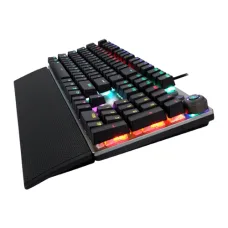
RGB KEYBOARD AULA F2058
৳3,000
Showing 1 to 24 of 96 (4 Pages)
৳3,000


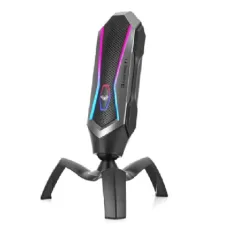


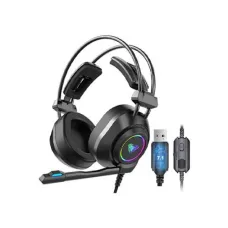
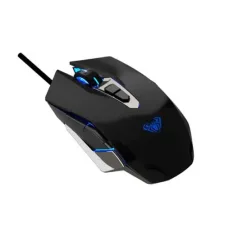
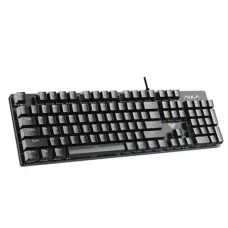


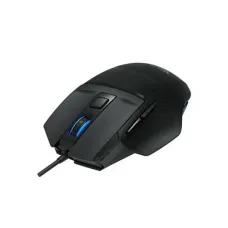

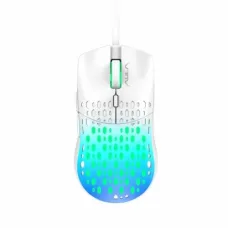

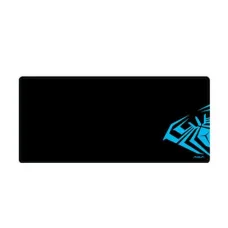

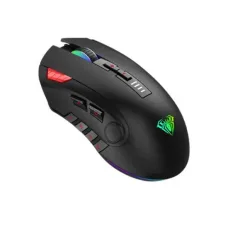


AULA is a computer peripherals brand best known for gaming keyboards, mechanical keyboards, mice, mouse pads, headsets and other accessories designed for gamers and everyday PC users. For customers shopping in Bangladesh, AULA products can be particularly interesting when the goal is to get a gaming-focused feature set without immediately moving into the highest-priced peripheral categories.
At Unix Network, AULA products can be considered by gamers, students, PC builders, office users, streamers, content creators and anyone looking for practical computer accessories. The brand's range includes different types of keyboards and gaming peripherals, so the right choice depends on how the product will be used, the preferred typing or gaming experience, connectivity requirements and available budget.
Rather than choosing an AULA product simply because it is labelled as a gaming accessory, customers should compare the features that actually affect daily use. For a keyboard, this may include switch type, layout, connection method, key feel and software support. For a mouse, sensor behaviour, shape, weight, connection and button arrangement can matter more. This guide explains the practical considerations customers should make before buying AULA products from Unix Network.
The price of AULA products in Bangladesh varies according to the exact model, product category, features, connectivity, construction and current market availability. Gaming keyboards with additional connectivity options or more advanced features may cost more than basic wired models, while mice and other accessories can cover a wide range of price points.
Prices can also change because of exchange-rate movements, import costs, supplier availability and changing stock. Customers should therefore check the current Unix Network product listing for the exact AULA model rather than relying on an old price found elsewhere.
| AULA Product Category | Suitable For |
|---|---|
| AULA Gaming Keyboard | PC gaming, general typing and everyday computer use. |
| AULA Mechanical Keyboard | Gamers, programmers, writers and users who prefer mechanical key switches. |
| AULA Wireless Keyboard | Users who want a cleaner desk setup and greater freedom from cables. |
| AULA Gaming Mouse | Gaming, productivity and general PC navigation. |
| AULA Mouse Pad | Gaming and smooth everyday mouse movement. |
| AULA Gaming Headset | Gaming communication, voice chat and general audio use. |
| AULA Gaming Accessories | Users building or upgrading a gaming and PC setup. |
AULA is a peripheral brand associated with gaming-oriented computer accessories. Its product range is particularly relevant to customers looking for keyboards, mice and other desktop peripherals with a gaming aesthetic and practical features.
The AULA name covers many individual products rather than one standard specification. This means customers should not assume that every AULA keyboard has the same switches, connection options or construction. Similarly, gaming mice can differ substantially in sensor technology, shape, weight and connectivity.
For this reason, the exact model should always be checked before purchase. Unix Network recommends comparing the actual product specification with your requirements rather than making a buying decision based only on the AULA brand or product category.
Gaming peripherals have become useful beyond gaming. A mechanical keyboard, for example, may appeal to programmers and writers because of its tactile feedback and key feel. A gaming mouse can also be useful for graphic work, browsing and productivity if its shape and controls suit the user.
AULA gaming keyboards are designed primarily for PC users who want a keyboard that works well for gaming while remaining practical for normal typing. The experience can vary substantially between models, so customers should examine the switch type, layout, keycaps, connectivity and available features of the exact keyboard.
A gaming keyboard is not automatically better for every user. Someone who spends most of the day writing may care more about typing comfort and sound than gaming features. A competitive gamer may prioritise responsiveness, key rollover, layout and switch characteristics.
Customers should therefore choose an AULA keyboard according to how they divide their time between gaming, work, study and general computer use.
Mechanical keyboards use individual mechanical switches beneath the keys. Compared with many conventional membrane keyboards, mechanical switches can provide a more defined and consistent key press. The exact experience depends on the switch design.
Some users prefer a tactile response that provides noticeable feedback during typing. Others prefer a smoother key press with less interruption. Gaming preferences also vary, so there is no universally best mechanical switch.
When choosing an AULA mechanical keyboard, customers should consider whether they want a quieter or louder typing experience, how much tactile feedback they prefer and whether the keyboard will be used in a shared environment.
For gaming, the keyboard should match the type of games being played. Competitive games can benefit from a responsive keyboard with a comfortable layout and reliable key registration. Strategy and role-playing games may place greater importance on shortcut accessibility and additional keys.
Casual gamers may not need the most advanced keyboard features. If the same keyboard will also be used for university assignments or office work, typing comfort becomes equally important.
Customers should remember that a good keyboard cannot compensate for a poor overall gaming system. Game performance is also influenced by the PC's processor, graphics hardware, memory, storage, monitor and network connection.
Students can use an AULA keyboard for assignments, programming, research, presentations and gaming. Mechanical keyboards may be particularly appealing to students who spend substantial time typing.
However, students should consider the environment in which the keyboard will be used. A loud mechanical switch can disturb roommates, classmates or family members. A quieter switch or alternative keyboard may be more suitable for shared spaces.
Students with limited desk space should also consider the keyboard layout. A compact keyboard can leave more room for a mouse, notebook or other study materials.
Programmers often spend many hours typing code, so keyboard comfort can be more important than decorative gaming features. AULA mechanical keyboards may appeal to developers who prefer physical key feedback and a consistent typing experience.
Keyboard layout should be considered carefully by programmers. Compact keyboards can save desk space but may remove dedicated navigation or function keys. If your workflow relies heavily on function keys, arrows, navigation keys or a number pad, check the exact layout before buying.
Developers should also consider whether the keyboard will be used with multiple computers. If so, a model with appropriate multi-device connectivity can be more convenient when available.
An AULA keyboard can be used for office productivity when the layout and typing characteristics suit the user. Word processing, spreadsheet work, email and browser-based applications can all benefit from a comfortable keyboard.
Office customers should think carefully about noise. A mechanical keyboard can produce more audible sound than some low-profile or membrane keyboards. If several employees share an office, a quieter keyboard may be a better choice.
For spreadsheet-heavy work, a full-size layout with a dedicated number pad can be particularly useful. Customers who rarely use numerical data may prefer a more compact design.
Home users may want a single keyboard for work, study, entertainment and gaming. AULA can provide options for customers who want gaming styling while still needing a practical everyday typing device.
Before buying, consider where the keyboard will be used. A wired keyboard is straightforward for a fixed desktop, while wireless connectivity can provide a cleaner setup for users who regularly move the keyboard or prefer fewer cables.
Wireless keyboards can provide greater flexibility and help reduce cable clutter. Depending on the model, wireless connectivity may be provided through a dedicated receiver, Bluetooth or another connection method.
Customers should check the exact connection options before buying because wireless capability is not identical across all products. If the keyboard needs to work with a particular laptop, desktop or other device, compatibility should be confirmed first.
Wireless keyboards also introduce battery management. Customers who want uninterrupted use should consider battery capacity, charging arrangements and whether the keyboard can continue operating while connected to power, if supported by the specific model.
Wired keyboards are often preferred by gamers who want a simple connection without worrying about battery charging. A wired setup can also be convenient for desktop PCs that remain in one location.
AULA wired mechanical keyboards may appeal to users who want mechanical key switches and gaming-focused features while keeping the connection straightforward. Cable length and cable routing should be considered when arranging a desk.
Keyboard size and layout have a direct effect on usability. Full-size keyboards normally include a dedicated number pad, while compact layouts reduce physical size by removing or combining certain keys.
| Keyboard Type | Best For |
|---|---|
| Full-size | Office work, accounting, gaming and users who need a dedicated number pad. |
| Tenkeyless | Gaming and general use where a smaller desk footprint is preferred. |
| Compact | Small desks, portable setups and users comfortable with function-layer shortcuts. |
| Very compact | Minimalist setups and users prioritising desk space. |
There is no universally best keyboard size. An accountant may benefit greatly from a number pad, while a competitive FPS gamer may prefer the extra mouse movement space created by a compact keyboard.
Switch choice is one of the most important factors when buying a mechanical keyboard. Switches influence how the keys feel and sound.
Tactile switches generally provide physical feedback during a key press. Linear switches typically provide a smoother movement without a pronounced tactile bump. Clicky switches are designed to provide both tactile feedback and a more distinct audible click.
Customers should consider their environment and personal preference. A switch that feels excellent to one user may feel uncomfortable to another. If possible, trying a similar switch before purchase can help.
RGB lighting is a popular feature among gaming keyboards and can enhance the appearance of a desktop setup. Depending on the model, lighting may offer different effects, brightness settings or customisation options.
Lighting is primarily an aesthetic and usability feature rather than a measure of keyboard performance. Customers should not pay a large premium for lighting if their main priority is typing feel or gaming responsiveness.
Some gaming peripherals provide software for configuring lighting, buttons, profiles or other settings. Software functionality can vary by model.
Customers who specifically need programmable keys or custom profiles should confirm that the exact AULA model supports the required feature and that the relevant software is compatible with their operating system.
AULA gaming mice are designed for users who want a mouse suitable for gaming and general PC operation. The best mouse depends heavily on hand size, grip style, weight preference and the games being played.
Customers should not choose a gaming mouse solely because it has a high advertised DPI number. Sensor quality, shape, tracking behaviour and physical comfort are more important to the actual user experience.
Start with the way you hold the mouse. Common grip styles include palm, claw and fingertip grips. A mouse that feels comfortable in one grip may feel awkward in another.
Hand size also matters. A large mouse can be comfortable for some users but difficult to control for someone with smaller hands. A very small mouse can create discomfort for users with larger hands during long gaming sessions.
Weight is another consideration. Some gamers prefer a lightweight mouse for fast movement, while others prefer a heavier feel. There is no universally correct weight.
First-person shooter players often make rapid and precise mouse movements. A comfortable shape, consistent sensor behaviour and suitable weight can therefore be more important than having a long list of additional buttons.
Players should choose a mouse that allows them to move naturally without excessive wrist or finger tension. Mouse sensitivity should be adjusted in the game and operating system according to personal preference.
A gaming mouse can also be useful for office work, graphic applications, browsing and general productivity. Programmable buttons can provide shortcuts in some workflows, while adjustable sensitivity can be convenient for different tasks.
However, additional buttons can also make a mouse feel more complicated. Office users who simply need a comfortable pointing device may prefer a simpler design.
AULA mice may use wired or wireless connectivity depending on the model. Wired mice are straightforward and do not require battery charging. Wireless mice can reduce cable clutter and provide greater freedom of movement.
Customers should check the exact wireless technology and compatibility before buying. If the mouse will be used with a laptop, desktop and other devices, confirm that the connection method supports the intended setup.
A gaming headset can be useful for game audio, voice communication, online classes and general media consumption. The most important factors include comfort, microphone quality, audio characteristics, connection method and compatibility.
For long gaming sessions, ear-cup comfort and headband pressure can be more important than decorative lighting. Customers should choose a headset that can be worn comfortably for their normal session length.
In multiplayer gaming, clear communication can be important. A headset with a suitable microphone can make communication with teammates easier.
Customers should check whether the headset uses USB, a 3.5 mm connection or another interface and confirm compatibility with their gaming platform. Not every headset works identically with PCs, consoles and mobile devices.
A mouse pad provides a consistent surface for mouse movement and can be particularly useful for gaming. The appropriate size depends on desk space and sensitivity settings.
Large mouse pads can accommodate both a keyboard and mouse, creating a consistent surface across a larger part of the desk. Smaller pads may be more practical for compact workspaces.
AULA peripherals can be combined to create a consistent gaming setup. A keyboard, mouse, mouse pad and headset can each contribute to comfort and usability.
However, customers do not need to buy every peripheral from the same brand. The best setup is the combination of products that works comfortably with the user's PC, budget and preferences.
A combined keyboard and mouse solution can be convenient for customers building a new desktop setup. It can also help maintain a consistent appearance across a gaming desk.
Before buying a combo, check whether the keyboard and mouse individually meet your requirements. A bundle is only good value if both products are suitable for the user.
PC gamers often spend significant amounts of time using keyboards and mice, so comfort and reliability should be considered alongside appearance. AULA products can be relevant to gamers building budget-conscious or mid-range setups.
The overall gaming experience still depends on the PC itself. A high-end gaming mouse will not increase game frame rates, and RGB lighting does not make a computer faster. Customers should therefore allocate their budget according to their priorities.
Casual gamers may not need premium peripherals. A comfortable keyboard and mouse with dependable controls can be sufficient for occasional gaming.
AULA can be considered by customers who want gaming styling and mechanical-keyboard options without necessarily buying the most expensive gaming equipment.
Competitive players should focus on consistency and comfort. The shape of the mouse, keyboard layout, switch behaviour and connection reliability can influence how naturally the player performs.
Competitive gamers should avoid selecting products purely because of marketing numbers. Practical testing and personal comfort are more useful indicators of whether a peripheral is right for an individual player.
Streamers can use gaming keyboards, mice and headsets as part of their setup. Keyboard shortcuts can help with software control, while a suitable headset can support communication during live streams.
Streamers should prioritise microphone quality if voice communication is central to their content. They should also check whether the keyboard or mouse supports the shortcuts required by their streaming software.
Content creators may use gaming peripherals for video editing, image editing, writing, browsing and production work. A mechanical keyboard can be useful for long periods of typing, while a programmable mouse can provide convenient shortcuts where supported.
Creators should nevertheless prioritise the main performance components of their computer. A keyboard or mouse upgrade will not replace the need for adequate processor, RAM, storage and graphics performance when editing demanding media.
Students who also enjoy gaming may benefit from a single keyboard and mouse setup that serves both purposes. This can be more economical than maintaining separate equipment for study and entertainment.
A full-size keyboard may be useful for assignments and spreadsheets, while a compact keyboard can provide additional mouse space for gaming. The best option depends on which activity is more important and how much desk space is available.
Many customers want one keyboard that works for both professional tasks and gaming. An AULA mechanical keyboard can be a practical option when the typing feel, sound level and layout are suitable for the workplace.
Users sharing an office should consider keyboard noise. Users working from home have more flexibility but should still consider whether family members may be disturbed by loud switches.
Keyboard durability depends on the switches, keycaps, construction, usage pattern and maintenance. Mechanical keyboards are often chosen by users who expect a consistent key feel over extended use, but the actual lifespan varies by model and component.
Customers should avoid spilling liquids onto the keyboard and should keep dust and debris under control. If a key begins behaving abnormally, investigate the problem rather than repeatedly forcing it.
Mouse lifespan depends on usage intensity, switches, cable condition, sensor performance and physical handling. Competitive gamers may use a mouse much more heavily than an occasional user.
Keeping the mouse surface clean and avoiding excessive force on buttons can help maintain reliable operation. The cable should also be routed so that it is not repeatedly bent sharply.
The choice between wired and wireless depends on convenience, desk setup and personal preference.
| Connection | Advantages | Considerations |
|---|---|---|
| Wired | Simple connection, no battery charging and suitable for fixed desktop setups. | Cable management is required. |
| Wireless | Cleaner desk and greater freedom of movement. | Battery or charging management may be required. |
For a desktop PC that remains in one location, wired peripherals can be perfectly practical. Wireless peripherals can be more attractive to users who value a clean workspace or frequently move their equipment.
Keyboard sound is an important consideration that is sometimes overlooked. Mechanical switches can produce different levels and types of noise depending on their design and keycap construction.
If the keyboard will be used in a bedroom, shared office, library or other quiet environment, customers should consider a quieter configuration. Users who enjoy the audible feedback of a mechanical keyboard may have different preferences.
Long typing sessions require attention to ergonomics. Keyboard height, wrist position, key feel and desk height can all affect comfort.
Customers should position the keyboard so that the wrists are not held in an unnecessarily awkward position. Regular breaks are also useful during extended computer sessions.
Compact keyboards can be particularly useful for customers with limited desk space. Removing the dedicated number pad can create additional room for mouse movement.
Before choosing a compact AULA keyboard, confirm that you are comfortable using secondary functions for keys that are not physically dedicated. This is especially important for programmers and office users who frequently use navigation keys or the number pad.
Accountants and spreadsheet users should think carefully about keyboard layout. A dedicated number pad can make entering numerical information faster and more convenient.
A compact keyboard may save desk space but can be less convenient for users who enter large amounts of numerical data. If accounting is your primary use, a full-size AULA keyboard may be more appropriate where the exact model provides the required layout.
Web developers frequently use symbols, brackets, shortcuts and function keys. A comfortable and familiar keyboard layout can therefore improve productivity.
Customers should consider the placement of modifier keys, arrow keys and function keys when choosing a compact keyboard. The ideal layout is the one that supports your existing workflow without requiring constant adaptation.
A dual-purpose keyboard can be a sensible choice for students who want to study and game on the same computer. AULA's gaming-oriented designs can provide a visually distinctive setup while still supporting ordinary typing tasks.
The best choice will depend on switch preference, keyboard size and connectivity. Customers should select the layout that is comfortable for both activities rather than choosing solely for appearance.
Before purchasing an AULA peripheral, confirm compatibility with the device you plan to use. PCs and laptops may support different ports and connection methods, while consoles can have their own compatibility requirements.
Customers should check whether the required drivers or configuration software are supported by their operating system. If a peripheral is being purchased for professional use, confirm that all required features work with the software environment before relying on it.
Basic maintenance can help keep computer peripherals working reliably. Keyboards and mice collect dust and debris through normal use, especially in busy environments.
Start by deciding whether you prefer wired or wireless operation. Then choose the keyboard size according to your desk and work. After that, consider the switch type, key feel, sound, lighting and software features.
If you work with spreadsheets, a number pad may be important. If you play competitive FPS games, additional desk space for mouse movement may be more valuable. If you write or code for many hours, typing comfort should be a major priority.
Choose the mouse according to hand size, grip style, preferred weight and gaming requirements. Avoid selecting based only on DPI or the number of buttons.
A mouse should feel natural in your hand and allow accurate movement without excessive strain. If possible, testing a similar shape before buying can help you make a better decision.
For a headset, consider comfort, microphone quality, connection type, audio characteristics and compatibility. If you play multiplayer games, microphone performance should be prioritised. If you primarily listen to music, audio characteristics may matter more.
For long sessions, choose a headset that does not create excessive pressure around the ears or head. Comfort can become much more important after several hours of continuous use.
Customers searching for AULA products in Jessore or Jashore can check Unix Network for currently available models and pricing. Availability can change as new shipments arrive and existing stock is sold, so customers should confirm availability before travelling to the showroom.
Common searches include AULA keyboard price in Jessore, AULA mechanical keyboard price in Jessore, AULA gaming keyboard price in Jashore, AULA gaming mouse price in Jessore, AULA keyboard shop in Jessore, AULA gaming keyboard Bangladesh and AULA mechanical keyboard Bangladesh.
Customers outside Jessore can also check Unix Network for AULA product availability and delivery options. When purchasing remotely, confirm the exact model, connection type, included accessories, warranty and current price.
This is especially important for gaming keyboards because similar-looking models can have different switch types, layouts and connectivity options. The exact model number should always be verified before ordering.
PC builders often spend considerable attention on the processor, motherboard, graphics card, RAM and storage but may overlook peripherals. AULA products can provide an opportunity to complete a gaming-focused setup with a matching keyboard, mouse and other accessories.
Customers should allocate the peripheral budget according to how frequently they use the computer. Someone who games for several hours every day may benefit more from a comfortable mouse and keyboard than someone who plays only occasionally.
You do not need to replace an entire computer to improve your gaming setup. Upgrading the keyboard, mouse or headset can change the everyday experience even when the PC itself remains unchanged.
Customers should identify the weakest part of their current setup. If the mouse causes discomfort, prioritise the mouse. If the keyboard feels inconsistent, consider a keyboard upgrade. If communication is poor during multiplayer gaming, a suitable headset may provide greater benefit.
Budget-conscious gamers should focus on the products that provide practical benefits rather than paying extra for features they will not use. A dependable keyboard and comfortable mouse can provide a better experience than a setup filled with unnecessary decorative features.
Customers should also remember that peripherals should not consume the entire gaming budget. If the PC itself needs a graphics upgrade to run the desired games, that upgrade may have a greater impact on gaming performance.
New PC gamers often do not need an expensive professional-grade peripheral setup. A comfortable keyboard, responsive mouse and suitable headset can provide a strong starting point.
As gaming preferences develop, users can later upgrade individual peripherals according to what they find most important. This approach avoids spending heavily before discovering which keyboard switch, mouse shape or headset style is actually comfortable.
Gaming-inspired peripherals are increasingly used in professional home-office setups. An AULA keyboard can combine a distinctive appearance with practical typing functionality.
Professionals should prioritise comfort and noise level over appearance. If the keyboard will be used for long workdays, switch feel and ergonomic positioning can have a greater impact than RGB lighting.
Wired peripherals can be easy to use but may create cable clutter if several devices are connected. Good cable routing can keep a gaming desk organised and reduce unnecessary strain on cables.
Wireless peripherals can provide a cleaner appearance, but customers should plan for charging and battery management. The right option depends on the user's priorities rather than a universal rule.
Good value does not necessarily mean buying the cheapest AULA product. A peripheral provides good value when its comfort, features, reliability and performance justify its price for the intended use.
A customer who types for eight hours a day may receive more value from a comfortable mechanical keyboard than from a cheaper basic model. A casual gamer may not benefit from paying extra for advanced customisation that will never be used.
Customers should compare the exact features they need instead of paying for specifications that have little practical effect on their daily experience.
Warranty coverage can vary according to the exact product and applicable seller terms. Customers should review the warranty information associated with the specific AULA product before purchasing.
Keep the invoice and warranty information after purchase. If a peripheral develops a fault, providing the exact model and purchase details can make troubleshooting or service easier.
Availability of AULA models can change over time. A keyboard or mouse that is available today may become temporarily unavailable when stock is sold, while new models can appear later.
Customers should check the current Unix Network listing before travelling to the showroom or placing an order. If a specific model is unavailable, an alternative AULA model with similar features may provide a suitable solution.
AULA has a diverse range of products, and specifications can differ substantially between models. Two mechanical keyboards can have different switch types, layouts, connection methods and software support even if both are marketed as gaming keyboards.
The same principle applies to mice and headsets. Customers should identify the exact model before comparing prices or features.
If you plan to use a keyboard for several years, comfort and build quality should be considered carefully. A keyboard that feels good during a five-minute test may not be equally comfortable after several hours of typing.
Customers should choose a layout that fits their workflow and a switch type that suits their environment. Proper cleaning and careful handling can also help preserve the keyboard over time.
Mouse comfort becomes increasingly important during extended gaming or work. An unsuitable shape can create discomfort even when the sensor performs well.
Customers should consider grip style, hand size, mouse weight and button placement. The ideal mouse allows natural movement without requiring excessive pressure or awkward wrist positioning.
Headset comfort is important when playing for several hours. Ear-cup size, padding, headband pressure and overall weight can influence the experience.
Microphone positioning also matters for multiplayer communication. Customers should consider whether the microphone can be positioned comfortably and whether the connection method is compatible with their computer.
Unix Network aims to provide customers with practical information so they can compare computer accessories according to real-world requirements. AULA offers a variety of gaming peripherals, which means the best product depends on what the customer actually needs.
Instead of choosing only by appearance, customers should compare keyboard layout, switch type, connection method, mouse shape, headset comfort and software support. This approach helps reduce the risk of purchasing a product that looks impressive but does not suit the user's workflow.
AULA products can be worth considering for gamers, students, programmers, office users, PC builders, streamers and home users who want gaming-oriented computer peripherals. Mechanical keyboards can be particularly appealing to people who enjoy a more defined typing experience, while gaming mice can suit users who want additional controls or gaming-focused ergonomics.
Customers who simply need a basic office keyboard or mouse may not need gaming-specific features. In that case, a simpler peripheral may provide better value.
AULA is not necessarily the perfect choice for every customer. Users who need specialised ergonomic keyboards, professional studio audio equipment, enterprise-focused peripherals or particular accessibility features should compare products specifically designed around those requirements.
Likewise, a customer who needs a very quiet keyboard for a shared office may prefer a quieter non-mechanical or low-noise mechanical solution. The correct choice should be based on the environment and workload.
If you are purchasing your first gaming peripheral, avoid being influenced solely by RGB lighting, large marketing numbers or the word “gaming”. Start with comfort and compatibility.
For a keyboard, choose the layout and switch feel that suit your work. For a mouse, choose the correct shape and size. For a headset, prioritise comfort and microphone quality. Then compare additional features and price.
This approach is particularly useful for students and budget-conscious customers because it places money towards features that will actually be used.
Gaming in Bangladesh continues to include a wide variety of users, from casual players and students to competitive PC gamers and content creators. AULA peripherals can be considered by customers who want gaming-oriented equipment for their desktop setup.
Local conditions should also be considered. Dust, heat and long usage sessions can affect computer accessories over time. Keeping the keyboard, mouse and desk surface clean can help maintain a better user experience.
Regular care is especially useful in environments where dust accumulates quickly. Keyboards can collect dust between keycaps, while mouse sensors can be affected by debris on unsuitable surfaces.
When comparing two AULA keyboards, create a simple list of the features that matter to you. Compare layout, switches, connectivity, keycap design, software support and warranty rather than simply comparing prices.
For mice, compare shape, dimensions, weight, sensor behaviour, buttons and connection. For headsets, compare comfort, microphone, connection and compatibility.
This makes product selection more objective and reduces the chance of choosing a product based purely on appearance.
Students should consider how often they will use the peripheral. If the keyboard is used for both assignments and gaming every day, spending more on a comfortable and versatile model may make sense. If gaming is occasional, a simpler keyboard may provide better value.
Desk space is also important for students. A compact keyboard can leave more room for books and a mouse, while a full-size keyboard can be preferable for spreadsheet-heavy coursework.
Office professionals should focus on typing comfort, layout and noise. RGB lighting may be enjoyable, but it is not normally essential to productivity.
If you work with large spreadsheets or accounting software, a full-size keyboard can be useful because of the dedicated number pad. If you primarily write documents, a compact layout may provide enough functionality while saving desk space.
Programmers should consider key placement, shortcut accessibility, switch feel and long-session comfort. A keyboard that makes commonly used symbols and function keys easy to access can improve workflow.
Developers should also consider whether they regularly switch between multiple computers. If so, the available connection options can influence the best choice.
Gamers and streamers may benefit from peripherals that combine gaming functionality with practical controls. Programmable keys can be useful for shortcuts where supported, while a comfortable headset can assist with communication.
Streamers should also remember that a gaming headset microphone is not automatically a substitute for a dedicated professional microphone. Audio requirements depend on the quality expected from the content.
For customers looking for AULA keyboard price in Jessore, AULA mechanical keyboard price in Jessore, AULA gaming mouse price in Jessore or AULA gaming accessories in Jashore, Unix Network provides a local option for checking current product availability.
Because stock and prices can change, customers should confirm the current product status before visiting the showroom. The exact model should also be checked because different AULA products can have substantially different features even within the same category.
Customers throughout Bangladesh can check Unix Network's available AULA products and confirm delivery arrangements where applicable. Remote buyers should pay particular attention to the exact model number, included accessories, connection type and warranty information.
For keyboards, customers should verify layout and switch type. For wireless products, confirm the included receiver or charging accessories where applicable. This helps ensure that the product received matches the intended setup.
Choosing an AULA product should begin with your actual use. If you are a gamer, think about the games you play and the controls you need. If you are a programmer or writer, focus on typing comfort and layout. If you are an office user, consider noise and productivity. If you are building a clean wireless desk, prioritise connection and battery management.
For gaming keyboards, compare switch type, layout, connectivity, key feel and software support. For mice, compare shape, grip, weight and sensor behaviour. For headsets, compare comfort, microphone and compatibility. These practical factors are generally more useful than choosing based on RGB lighting or marketing claims alone.
AULA can be a useful option for customers looking for gaming keyboards, mechanical keyboards, gaming mice, headsets and related PC accessories. Its products can serve both gamers and everyday users, provided the selected model matches the customer's needs.
The best AULA product is not necessarily the most expensive one. A student may need a compact and comfortable keyboard, an accountant may benefit from a full-size layout, a competitive gamer may prioritise mouse shape and tracking consistency, and an office worker may need quieter switches. These are different requirements, so there is no single AULA peripheral that is best for everyone.
At Unix Network, customers can compare available AULA products according to intended use, features and budget. Always verify the exact model, current price, stock status, compatibility and warranty information before purchasing. If you are unsure which AULA product fits your setup, describe the computer, games or applications you use and choose the peripheral based on those real requirements rather than specifications alone.
Customers may search for AULA price in Bangladesh, AULA keyboard price in Bangladesh, AULA gaming keyboard price in Bangladesh, AULA mechanical keyboard price in Bangladesh, AULA wireless keyboard price in Bangladesh, AULA gaming mouse price in Bangladesh, AULA gaming headset price in Bangladesh, AULA keyboard price in Jessore, AULA mechanical keyboard price in Jessore, AULA gaming keyboard price in Jashore, AULA gaming mouse price in Jessore, AULA keyboard shop in Jessore, AULA gaming accessories Bangladesh and AULA mechanical keyboard Bangladesh. Whatever search phrase you use, confirm the exact model and current availability before placing an order.