

Casing Cooler Best Price in Jessore
Showing 1 to 24 of 78 (4 Pages)
Refine Search
- Antec
- Arctic casing cooler
- Asus casing cooler
- Cooler Master
- Corsair
- Deepcool
- EKWB Casing Coolers
- FanTech casing cooler
- Gamdias
- Lian Li
- Montech
- Noctua
- NZXT
- Orico Casing Cooler
- PC Power
- Phanteks
- Redragon Casing Coolers
- Thermalright casing cooler
- Thermaltake Casing Cooler
- Value-Top casing cooler
- Xigmatek casing cooler
- Xtreme casing cooler
- Yeston casing cooler




৳100 Cashback



-5%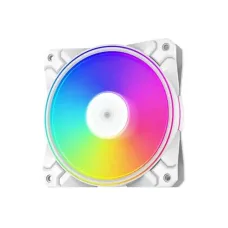
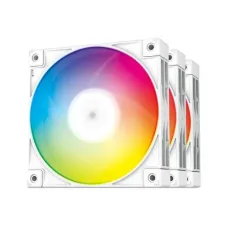
DeepCool CF120 PLUS WH ARGB Case Fan (3 Pack)
৳3,600৳3,800
-9%

-7%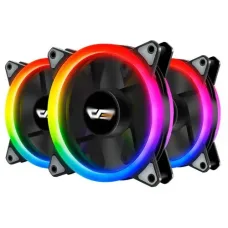
Aigo DarkFlash DR12 Pro 3-in-1 RGB Case Fan
৳2,600৳2,800
-3%2% Cashback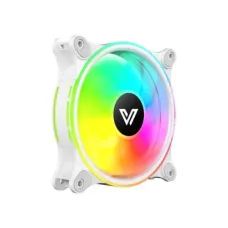
Ends in --:--:--


-3%2% Cashback
Ends in --:--:--

-8%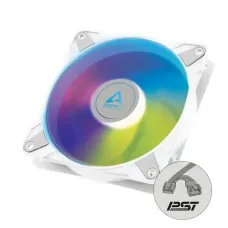
Arctic P14 PWM PST ARGB 140mm Casing Fan White
৳2,200৳2,400
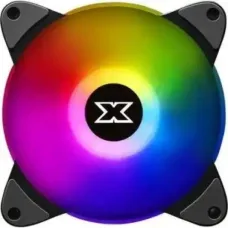
Find the Right Casing Cooler for Your Budget and Needs
These are the latest in-stock Casing Cooler at Unix Network, with the current price in Bangladesh. Open a model for specifications.
Latest Casing Cooler Price List in BD 2026

Casing Cooler
Casing Cooler Price in Bangladesh
A casing cooler, commonly called a PC case fan or computer case fan, helps move air through a computer casing to control the temperature of internal components. Proper airflow can help remove heat generated by the processor, graphics card, motherboard, storage drives, and other hardware. The casing cooler price in Bangladesh depends on fan size, bearing type, airflow, static pressure, noise level, RGB lighting, speed control, and the number of fans included.
If you are building a new desktop, upgrading a gaming PC, or experiencing high temperatures inside your computer case, installing suitable casing coolers can improve airflow and overall thermal management.
Buy Casing Cooler in Bangladesh
Before you buy a casing cooler in Bangladesh, check the supported fan size, mounting position, connector type, motherboard compatibility, airflow requirements, and available space inside your computer case.
For a standard office PC, a basic case fan may be sufficient. Gaming PCs with high-performance CPUs and GPUs can benefit from multiple intake and exhaust fans with better airflow characteristics.
What is a Casing Cooler?
A casing cooler is a fan installed inside a computer case to circulate air. It normally works as either an intake or exhaust fan. Intake fans bring relatively cooler air into the case, while exhaust fans remove warm air.
Case fans work together with the CPU cooler and GPU cooling system. They do not replace the CPU or GPU cooler; instead, they help maintain an appropriate airflow environment inside the case.
Types of Casing Cooler
120mm Casing Cooler
120mm is one of the most common PC case fan sizes. These fans are widely supported by gaming and standard computer cases and provide a good balance between airflow, noise, and physical size.
140mm Casing Cooler
140mm fans have larger blades than 120mm models and can move a significant amount of air at relatively low rotational speeds. They are commonly used in larger computer cases.
80mm Casing Cooler
80mm case fans are smaller and are often used in compact or older computer cases where larger fans cannot be installed.
92mm Casing Cooler
92mm fans provide an option between smaller 80mm fans and standard 120mm models. Compatibility depends on the case's mounting positions.
RGB Casing Cooler
RGB casing coolers add customizable lighting to the computer. They are popular for gaming PCs and showcase builds. RGB lighting does not directly increase cooling performance, so airflow and fan quality should remain the primary considerations.
ARGB Casing Cooler
ARGB fans provide individually addressable lighting that can create more advanced lighting effects than traditional RGB fans. The required connector and motherboard/controller compatibility should be checked before purchase.
PWM Casing Cooler
PWM case fans use a four-pin connector and allow compatible motherboards or fan controllers to adjust fan speed according to temperature or user settings.
DC Casing Cooler
DC-controlled fans commonly use a three-pin connection. Their speed can be controlled through compatible motherboard fan headers, although the control method differs from PWM fans.
Casing Cooler Airflow
Intake Fan
An intake casing cooler draws air from outside the computer case and brings it into the internal chamber. Front, bottom, or side fan positions are commonly used for intake depending on the case design.
Exhaust Fan
An exhaust fan removes warm air from inside the case. Rear and top mounting positions are commonly used for exhaust airflow.
Positive Air Pressure
A case has positive air pressure when more air is being pushed into the case than exhausted through its fans. This configuration can help reduce uncontrolled air entering through gaps when intake fans are equipped with appropriate dust filtration.
Negative Air Pressure
Negative air pressure occurs when exhaust airflow exceeds intake airflow. This can remove warm air effectively, but unfiltered openings may allow more dust to enter the case.
Balanced Airflow
A balanced airflow setup uses an appropriate combination of intake and exhaust fans. The ideal configuration depends on the case design and the heat generated by the installed components.
Casing Cooler Size
120mm vs 140mm Casing Cooler
Both 120mm and 140mm fans are popular for desktop PCs. A 140mm fan can move substantial air at lower speeds, while 120mm fans are often easier to fit because they are supported by a wider range of cases and cooling products.
The better choice depends on the mounting support and airflow design of your specific computer case.
Casing Cooler Airflow and Static Pressure
Airflow-Focused Case Fan
Airflow-focused fans are designed to move air efficiently through relatively open areas. They are commonly used as front or bottom intake fans where there is less restriction.
High Static Pressure Fan
High-static-pressure fans are designed to push air through resistance. They can be useful when airflow must pass through radiator fins, restrictive filters, or other confined spaces.
For PC builds using liquid cooling radiators, choosing fans with appropriate static-pressure characteristics can improve radiator airflow.
Casing Cooler Bearing Types
Sleeve Bearing Fan
Sleeve-bearing fans are commonly found in affordable PC cooling products. They can provide reasonable performance for budget systems, although their expected lifespan and operating characteristics vary by design and manufacturer.
Hydraulic Bearing Fan
Hydraulic-bearing fans are designed to provide smoother operation and reduced friction compared with basic bearing designs. They are commonly used in modern computer cooling products.
Fluid Dynamic Bearing Fan
Fluid dynamic bearing fans are designed for smooth and relatively quiet operation and are often found in higher-quality cooling products.
Casing Cooler Speed
Fan speed is generally measured in revolutions per minute, or RPM. Higher RPM can increase airflow and cooling potential, but it can also increase noise.
A fan with automatic speed control can adjust its speed based on system temperature, providing a balance between cooling performance and acoustic comfort.
Casing Cooler Noise Level
Noise is an important consideration when choosing a case fan for an office PC, home computer, or gaming setup. Fan noise depends on motor design, bearing type, blade design, RPM, airflow resistance, and vibration.
A larger fan operating at a lower speed can sometimes provide substantial airflow with less perceived noise than a smaller fan operating at a higher speed.
Casing Cooler Connector
3-Pin Casing Cooler
Three-pin fans generally use a power connection with a tachometer signal and can support DC-based speed control when connected to a compatible motherboard header.
4-Pin PWM Casing Cooler
Four-pin PWM fans provide more precise speed-control capabilities when connected to a compatible PWM fan header.
RGB Connector
RGB and ARGB lighting connectors are separate from the basic fan power connection in many products. RGB standards and connector types are not universally interchangeable, so check compatibility carefully.
Casing Cooler for Gaming PC
Gaming PCs can generate substantial heat, especially when equipped with high-performance processors and graphics cards. A suitable case cooling configuration can help move hot air away from these components.
A gaming PC may use front intake fans, bottom intake fans, rear exhaust fans, and top exhaust fans depending on the case design. The exact configuration should be planned around the internal airflow path.
Casing Cooler for Office PC
Office computers generally generate less heat than high-end gaming systems. A small number of reliable case fans can provide adequate airflow while keeping noise and power consumption reasonable.
Casing Cooler for Workstation
Workstations used for video editing, 3D rendering, software development, engineering applications, and other intensive workloads can benefit from strong and consistent case airflow. The cooling configuration should be matched to the processor, graphics card, storage devices, and workload.
Casing Cooler for RGB PC Build
RGB and ARGB case fans are popular for visually customized computers. When choosing illuminated fans, consider both lighting compatibility and cooling performance.
For ARGB systems, confirm that the motherboard or RGB controller supports the required addressable RGB standard before purchasing.
How Many Casing Coolers Do You Need?
There is no universal number of case fans that is ideal for every PC. The required number depends on the case, component heat output, fan size, radiator configuration, and desired noise level.
A basic desktop can operate with a relatively simple airflow setup, while a high-performance gaming PC may require several intake and exhaust fans.
Recommended Casing Cooler Setup
Basic PC
A basic office or home PC may need only a front intake and rear exhaust configuration, depending on the case and existing CPU cooling.
Gaming PC
A gaming system can benefit from multiple front or bottom intake fans combined with rear or top exhaust fans. The goal is to establish a consistent airflow path through the case.
Liquid-Cooled PC
For an AIO liquid-cooled system, radiator placement affects airflow. Fans installed on radiators should be selected according to the radiator's airflow resistance and the case's overall cooling design.
Casing Cooler Installation
Choose the Fan Position
Check the case manual or mounting locations to determine where the fan can be installed. Common positions include front, rear, top, bottom, and side.
Determine Airflow Direction
Check the markings on the fan frame or blade orientation to identify the intake and exhaust direction. Install the fans according to your planned airflow path.
Connect the Fan
Connect the fan to an appropriate motherboard fan header or compatible fan hub. Make sure the connector matches the header and that the cable is routed safely away from moving fan blades.
Connect RGB or ARGB Lighting
If the fan includes lighting, connect its RGB or ARGB cable to a compatible motherboard header or controller. Do not connect incompatible RGB standards together.
Casing Cooler Maintenance
Clean Dust Regularly
Dust accumulation can restrict airflow and reduce cooling efficiency. Clean the fan blades, filters, and ventilation areas periodically.
Check Fan Noise
Unusual rattling, grinding, or vibration may indicate bearing wear, dust buildup, mounting problems, or fan damage.
Check Fan Speed
If a fan suddenly runs slower than normal or stops intermittently, inspect the connection, fan header, software settings, and fan itself.
Clean Dust Filters
Dust filters should be cleaned regularly because a heavily blocked filter can significantly reduce intake airflow.
Signs You Need a New Casing Cooler
Fan Not Spinning
A case fan that does not spin after checking the connection may need replacement.
Abnormal Noise
Persistent grinding, clicking, rattling, or excessive vibration can indicate mechanical wear or a damaged fan.
Insufficient Airflow
If the fan is operating but moving significantly less air than expected, dust buildup, worn bearings, or fan degradation may be responsible.
High PC Temperature
Increasing temperatures can be caused by many factors, including blocked airflow, inadequate fan configuration, dust, CPU or GPU cooler problems, thermal paste condition, or excessive ambient temperature. A case fan is only one possible cause.
Things to Consider Before Buying a Casing Cooler
Check Fan Size
Make sure the case supports the selected fan size. Do not assume that every case supports 120mm or 140mm fans at every mounting position.
Check Fan Thickness
Most case fans use a standard thickness, but some specialized fans can be thicker. Check clearance if space is limited.
Check Airflow
Compare airflow specifications when choosing intake and exhaust fans, especially for gaming and performance-oriented systems.
Check Static Pressure
If the fan will be installed on a radiator or behind a restrictive filter, static pressure can be more important than maximum free-airflow performance.
Check Noise Level
If you want a quiet PC, compare noise ratings and consider fans with PWM speed control.
Check Connector Compatibility
Check whether the fan uses a 3-pin or 4-pin power connector and whether the RGB or ARGB connector is compatible with your motherboard or controller.
Check Fan Controller Support
If your motherboard does not have enough fan headers, a compatible fan hub or controller may be required.
Casing Cooler Price in BD
The casing cooler price in BD depends on fan size, motor and bearing quality, airflow performance, speed control, RGB or ARGB lighting, construction quality, and the number of fans included in a pack.
Basic non-RGB fans are generally suitable for budget builds, while premium PWM, ARGB, high-airflow, and high-static-pressure fans can cost more.
Casing Cooler Price in Jessore
If you are searching for casing cooler price in Jessore, identify your computer case and determine which fan sizes and mounting positions it supports. This makes it easier to choose a compatible cooler without purchasing an unsuitable fan.
Unix Network customers can compare casing coolers according to size, airflow, noise, connector type, lighting features, and budget.
Frequently Asked Questions About Casing Cooler
What is a casing cooler?
A casing cooler is a fan installed inside a computer case to circulate air and help remove heat from the internal components.
Is a casing cooler necessary?
Most desktop PCs benefit from appropriate case airflow. The number of fans required depends on the case, components, cooling system, and workload.
Which casing cooler size is best?
120mm and 140mm fans are common choices. The best size is the largest compatible fan that fits the case's mounting position and meets the cooling requirements.
Are RGB casing coolers better?
RGB lighting is primarily an aesthetic feature. Cooling performance depends on factors such as airflow, fan design, RPM, static pressure, and overall case configuration.
Are PWM casing coolers better?
PWM fans provide more precise automatic speed control on compatible systems. They can be useful when you want to balance cooling performance and noise.
How many fans should a gaming PC have?
The number depends on the case and hardware. A gaming PC generally benefits from a planned intake and exhaust configuration rather than simply installing the maximum possible number of fans.
Can casing coolers reduce CPU temperature?
Better case airflow can help reduce the temperature of the air surrounding the CPU cooler, which may improve CPU cooling. However, CPU temperature also depends on the CPU cooler, processor workload, thermal interface, and ambient temperature.
Can I use a 140mm fan instead of a 120mm fan?
Only if the case has a compatible 140mm mounting position. Fan sizes are not interchangeable simply because they perform similar functions.
Can I connect multiple casing coolers to one motherboard header?
Multiple fans can sometimes be connected through a compatible fan hub or splitter, but the total electrical load must remain within the motherboard header's specifications.
Do more casing coolers always mean better cooling?
No. Poorly arranged fans can create inefficient airflow, unnecessary noise, and turbulence. Proper intake and exhaust positioning is more important than simply increasing the number of fans.
Final Casing Cooler Buying Guide
A good casing cooler helps establish effective airflow inside a desktop PC and can contribute to stable operating temperatures. When choosing a case fan, consider fan size, airflow, static pressure, RPM, noise, bearing type, connector, PWM support, RGB or ARGB compatibility, and the airflow requirements of your PC.
If you are searching for casing cooler price in Bangladesh, casing cooler price in BD, PC case fan, computer case cooler, 120mm casing cooler, 140mm casing cooler, RGB casing cooler, ARGB casing cooler, PWM casing fan, gaming PC cooler, or casing cooler price in Jessore, compare the available options based on your computer case and cooling requirements before making a purchase.
Casing Cooler (Case Fans) for PC Cooling, Airflow Optimization, and RGB Gaming Builds
The Casing Cooler category under Component > Casing Cooler at Unix Network is designed for users who want to improve airflow, reduce system temperature, and enhance cooling performance inside a desktop PC case. Casing coolers (also called case fans) are one of the most important parts of a gaming or high-performance PC because they directly control air circulation and heat management inside the system.
These cooling fans are widely used for:
- Gaming PC airflow optimization
- RGB gaming setups
- CPU and GPU temperature control support
- Custom PC builds and upgrades
- Workstation cooling stability
- Silent and high-performance PC builds
Search demand is strong for terms like “PC casing fan price in Bangladesh”, “RGB case fan kit 120mm”, and “best airflow cooling fans for gaming PC”.
What is a Casing Cooler?
A casing cooler is a fan installed inside the PC case that:
- Pulls cool air into the system
- Pushes hot air out of the system
- Maintains stable internal temperature
- Helps improve performance and component lifespan
Good airflow inside the casing is essential for preventing overheating of CPU, GPU, and motherboard components.
Types of Casing Coolers
Standard Case Fans
- Basic airflow fans
- Used for budget and office PCs
- Focus on cooling, not lighting
RGB Case Fans
- Built-in lighting effects
- Popular for gaming setups
- Balance between airflow and aesthetics
ARGB (Addressable RGB) Fans
- Advanced lighting control
- Sync with motherboard software
- Used in premium gaming builds
High Airflow Performance Fans
- Strong airflow for gaming systems
- Designed for heat-intensive setups
Silent / Low-Noise Fans
- Optimized for quiet operation
- Used in office or studio environments
Key Features of Modern Casing Coolers
High Airflow Design
Efficient blade design ensures maximum air movement inside the PC case.
PWM Speed Control
Automatically adjusts fan speed based on temperature for better efficiency.
RGB Lighting Effects
Enhances gaming aesthetics with customizable lighting patterns.
Low Noise Operation
Modern fans are designed to reduce vibration and sound levels.
Standard 120mm / 140mm Size Support
Compatible with most PC casing layouts and mounting points.
Example of Popular Cooling Fan Kits
Many users choose multi-fan kits such as triple RGB fan packs, which often include:
- 3× 120mm fans
- Controller hub
- Remote or motherboard sync support
- RGB lighting effects for gaming builds
These kits are widely used in mid-range gaming PCs for balanced airflow and aesthetics.
How to Choose the Right Casing Cooler
Choosing the right fan depends on your PC usage:
For gaming PCs → choose high airflow RGB or ARGB fans
For budget builds → standard 120mm case fans are enough
For silent builds → low-noise PWM fans
For aesthetic builds → RGB/ARGB fan kits
Before buying, consider:
- Fan size (120mm or 140mm)
- Airflow strength (CFM rating)
- Noise level
- RGB vs non-RGB preference
- PWM control support
- Number of fans needed for your case
Why Casing Coolers Matter in a PC Build
Casing coolers are not just accessories—they directly affect:
- CPU temperature stability
- GPU performance under load
- Overall system lifespan
- Noise levels during gaming
- Airflow balance inside the case
A poorly cooled system can reduce performance due to thermal throttling, especially in gaming or heavy workloads.
Why Buy Casing Coolers from Unix Network
At Unix Network, we provide reliable cooling solutions for gaming and custom PC builds across Bangladesh.
Wide Range of Cooling Fans
From basic case fans to RGB and ARGB high-performance cooling kits.
Gaming-Optimized Selection
Products chosen for airflow efficiency and stable cooling performance.
Build Compatibility Support
We help users match fans with their casing and motherboard setup.
Fast Delivery Across Bangladesh
Quick and reliable delivery for PC components.
Better Cooling Means Better Performance
As gaming and high-performance computing continue to grow in Bangladesh, proper cooling has become essential for stable and efficient PC performance. Casing coolers help maintain optimal temperatures, reduce hardware stress, and improve overall system reliability.
The Casing Cooler category at Unix Network offers practical and performance-focused cooling solutions for all types of PC builds. Whether you are building a budget system or a high-end gaming rig, the right case fans ensure better airflow, quieter operation, and improved long-term performance.