
MSI Notebook Price in Bangladesh
Showing 1 to 24 of 40 (2 Pages)


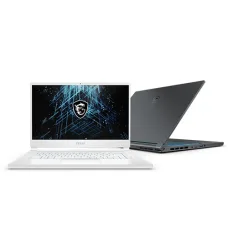


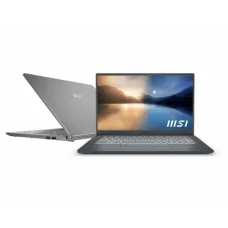


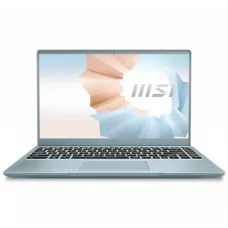


MSI Notebook computers are designed for users who need a combination of performance, portability, modern features, and reliable everyday computing. MSI offers notebooks across gaming, content creation, business, productivity, and AI-focused categories, with different processors, graphics solutions, memory configurations, storage capacities, display technologies, and screen sizes.
Unix Network offers MSI notebooks in Bangladesh for students, professionals, gamers, business users, content creators, and everyday computer users. MSI's current laptop lineup includes gaming families such as Titan, Raider, Stealth, Vector, Crosshair, Katana, and Cyborg, while business and productivity options include Summit, Prestige, and Venture series.
MSI Notebook
An MSI notebook is a portable computer designed for computing, productivity, entertainment, gaming, professional applications, content creation, and business use. MSI notebooks are available with different combinations of Intel and AMD processors, NVIDIA GeForce graphics, integrated graphics, DDR5 memory, NVMe SSD storage, high-resolution displays, OLED panels, and modern wireless connectivity.
MSI Notebook Categories
- MSI Notebook
- MSI Laptop
- MSI Gaming Notebook
- MSI Business Notebook
- MSI Professional Notebook
- MSI Creator Notebook
- MSI Productivity Notebook
- MSI AI Notebook
- MSI OLED Notebook
- MSI 4K Notebook
- MSI Thin and Light Notebook
- MSI High Performance Notebook
- MSI Notebook with NVIDIA GeForce Graphics
- MSI Notebook with AMD Ryzen Processor
- MSI Notebook with Intel Core Processor
- MSI Notebook with NVMe SSD
- MSI Notebook with DDR5 RAM
MSI Gaming Notebook
MSI gaming notebooks are designed for users who want portable gaming performance. Current MSI gaming families include Titan, Raider, Stealth, Vector, Crosshair, Pulse, Sword, Katana, and Cyborg, with different levels of processor, graphics, display, cooling, and overall performance.
MSI Titan Notebook
The MSI Titan series is positioned toward extreme-performance gaming. These notebooks are designed for users who want powerful processors, dedicated NVIDIA GeForce graphics, high-performance displays, advanced cooling, and premium gaming features. Current MSI listings include Titan models using Intel Core Ultra processors and GeForce RTX 50 Series graphics.
MSI Raider Notebook
MSI Raider notebooks are high-performance gaming systems designed for demanding games and intensive workloads. Current models include Intel-based and AMD Ryzen-based configurations paired with NVIDIA GeForce RTX graphics.
MSI Stealth Notebook
MSI Stealth notebooks combine gaming hardware with a relatively portable design. They are suitable for users who want gaming performance while also carrying the notebook to work, university, travel, or other locations.
MSI Vector Notebook
MSI Vector notebooks are performance-focused gaming systems designed for demanding applications and modern PC games. They can be suitable for users who need a powerful processor, dedicated graphics, fast storage, and high-performance memory.
MSI Crosshair Notebook
MSI Crosshair notebooks are gaming-oriented systems designed for users who want strong gaming performance and modern display technology. Current MSI models include Intel and AMD processor configurations with NVIDIA GeForce RTX graphics.
MSI Katana Notebook
MSI Katana notebooks are designed to provide gaming-focused hardware in a more accessible product segment. Depending on the model, users can find dedicated NVIDIA GeForce graphics, high-refresh-rate displays, modern processors, and NVMe SSD storage.
MSI Cyborg Notebook
MSI Cyborg notebooks are designed for everyday gaming and portable use. MSI introduced the Cyborg family as an option for everyday gaming, combining gaming hardware with a distinctive lightweight-oriented design.
MSI Business Notebook
MSI business notebooks are designed for professionals, business users, executives, remote workers, and organizations that require portability and productivity. MSI's current business and productivity lineup includes Summit, Prestige, and Venture families.
MSI Summit Notebook
MSI Summit notebooks are designed for business professionals who require a premium portable computer for productivity, communication, presentations, office applications, and professional workloads.
MSI Prestige Notebook
MSI Prestige notebooks are designed for productivity and professional users who want a balance of performance, portability, and design. They can be suitable for office work, business applications, education, programming, and creative tasks depending on the configuration.
MSI Venture Notebook
MSI Venture notebooks are part of MSI's current business and productivity range. Some current Venture configurations combine AMD Ryzen AI processors, NVIDIA GeForce RTX graphics, DDR5 memory, NVMe SSD storage, Wi-Fi 6E, and professional-oriented security features.
MSI Creator Notebook
MSI creator notebooks are designed for content creators, designers, photographers, video editors, architects, programmers, and other professionals who need more performance than a basic productivity notebook can provide. MSI identifies Creator as part of its content-creation laptop category.
MSI Notebook for Content Creation
A content-creation notebook should provide an appropriate processor, sufficient RAM, fast SSD storage, suitable graphics performance, and a display capable of meeting the user's color and resolution requirements. MSI offers creator-oriented systems for demanding creative workloads.
MSI Notebook for Video Editing
Video editing can require a powerful CPU, dedicated GPU, sufficient memory, and fast storage. MSI notebooks with NVIDIA GeForce RTX graphics and higher-capacity RAM can be suitable for professional video editing, depending on the software and workload.
MSI Notebook for Graphic Design
Graphic designers should consider display resolution, panel technology, color gamut, color accuracy, processor performance, RAM, SSD capacity, and graphics capability. MSI creator and professional notebook models can be considered for design-focused workflows.
MSI Notebook for Programming
Programming users can choose an MSI notebook based on processor performance, RAM capacity, SSD speed, display resolution, keyboard comfort, battery requirements, and portability. Developers working with virtual machines, containers, emulators, or large development environments may benefit from higher memory capacity and stronger processors.
MSI Notebook for Business
Business users generally need reliable performance, portability, security, connectivity, long battery life, and comfortable productivity features. MSI's business and productivity notebook families are designed for different professional requirements.
MSI Notebook for Students
Students can choose an MSI notebook according to their study requirements, software needs, portability, battery expectations, and budget. A mainstream MSI notebook can be suitable for web browsing, online classes, Microsoft Office, programming, presentations, research, and multimedia.
MSI Notebook for Office Work
For office work, users can prioritize a comfortable display, responsive processor, sufficient RAM, fast NVMe SSD storage, reliable Wi-Fi, webcam functionality, and a suitable keyboard. Business and productivity-oriented MSI models can be suitable for these requirements.
MSI Notebook for Gaming
Gaming notebooks require more powerful hardware than conventional office notebooks. MSI gaming models can include dedicated NVIDIA GeForce RTX graphics, high-refresh-rate displays, powerful processors, advanced cooling systems, and high-speed memory and storage depending on the model.
MSI Notebook with NVIDIA GeForce RTX Graphics
Many MSI gaming and creator notebooks use NVIDIA GeForce RTX Laptop GPUs. Current MSI notebook listings include GeForce RTX 50 Series and RTX 40 Series graphics options.
The exact graphics performance depends on the GPU model, power configuration, cooling system, CPU, memory, display resolution, and individual application or game.
MSI Notebook with AMD Radeon Graphics
Selected MSI notebooks use AMD Radeon integrated graphics or other AMD graphics solutions. MSI's current laptop listings include AMD Radeon graphics among available graphics options.
MSI Notebook with Intel Processor
MSI notebooks are available with different generations and classes of Intel processors. Current MSI listings include Intel Core Ultra processors as well as selected earlier Intel Core processor configurations.
MSI Notebook with AMD Ryzen Processor
MSI also offers notebooks powered by AMD Ryzen processors. Current models include AMD Ryzen 9000 Series and other AMD Ryzen-based configurations depending on the product family.
MSI AI Notebook
MSI's current laptop lineup includes AI PCs and Copilot+ PC options. Some models use AMD Ryzen AI processors, while other systems use Intel Core Ultra platforms.
AI-capable notebooks can be useful for users who work with supported AI applications, productivity tools, content creation software, and other workloads that can take advantage of local AI processing.
MSI OLED Notebook
MSI offers notebooks with OLED displays. OLED models can provide deep black levels, strong contrast, and vibrant image quality, making them attractive for entertainment, creative work, and premium computing experiences. MSI's current laptop filters include UHD OLED 4K display options.
MSI 4K Notebook
MSI notebooks are available with high-resolution displays, including UHD and UHD 4K configurations. A 4K notebook can provide a detailed workspace for photo editing, video production, design, professional applications, and multimedia.
MSI QHD Notebook
QHD displays provide 2560 x 1440 resolution and can offer a useful balance between image detail and graphics performance. QHD notebooks can be suitable for gaming, productivity, programming, design, and entertainment.
MSI FHD Notebook
FHD displays provide 1920 x 1080 resolution and remain practical for office work, education, general computing, gaming, and everyday use.
MSI Notebook Screen Size
MSI's current laptop range includes screen sizes such as 13.3-inch, 13.4-inch, 14-inch, 15.6-inch, 16-inch, 17-inch, 17.3-inch, and 18-inch configurations, depending on the model.
MSI 14 Inch Notebook
A 14-inch MSI notebook can provide a good balance between portability and screen workspace. It can be suitable for students, professionals, business users, programmers, and people who frequently travel.
MSI 15.6 Inch Notebook
A 15.6-inch MSI notebook provides a practical screen size for gaming, office work, education, programming, multimedia, and general computing. It is one of the common sizes found in gaming and productivity notebooks.
MSI 16 Inch Notebook
A 16-inch MSI notebook can provide a larger working area while maintaining a portable notebook form factor. MSI offers 16-inch systems across gaming, professional, and productivity categories.
MSI 17.3 Inch Notebook
A 17.3-inch MSI notebook provides a large display for gaming, content creation, video editing, and productivity. The larger screen can be useful for users who prioritize workspace over portability.
MSI 18 Inch Notebook
MSI offers large 18-inch gaming notebooks for users who want a desktop-like viewing experience in a portable computer. Large-screen gaming notebooks can provide additional workspace for games, creative applications, and multimedia.
MSI Notebook RAM
MSI notebooks are available with different memory configurations. Current MSI laptop listings include 16GB, 32GB, 64GB, and up to 96GB memory options depending on the model.
Users who work with large projects, virtual machines, professional software, video editing, or demanding games may benefit from higher RAM capacity.
MSI Notebook DDR5 RAM
Many modern MSI notebooks use DDR5 memory. DDR5 can provide higher memory bandwidth and improved platform capabilities compared with older memory generations, although actual performance depends on the complete notebook configuration.
MSI Notebook SSD
MSI notebooks commonly use NVMe SSD storage for fast boot times, application loading, file access, and overall system responsiveness. Current MSI laptop listings include storage options ranging from 512GB to several terabytes depending on the model.
MSI Notebook 512GB SSD
A 512GB NVMe SSD can be suitable for office work, education, browsing, programming, and general computing. Users with large games, video files, design projects, or professional applications may require additional storage.
MSI Notebook 1TB SSD
A 1TB NVMe SSD provides more space for applications, games, documents, photos, and videos. It is a practical storage capacity for many gaming and professional notebooks.
MSI Notebook 2TB SSD
A 2TB SSD can be useful for gaming libraries, video editing projects, large datasets, creative applications, and professional workloads that require substantial local storage.
MSI Notebook Wi-Fi
Modern MSI notebooks provide wireless networking for internet access, online meetings, file transfers, streaming, and other connected applications. Selected current models include Wi-Fi 6E connectivity.
MSI Notebook Bluetooth
Bluetooth allows compatible MSI notebooks to connect wirelessly with headphones, speakers, mice, keyboards, smartphones, controllers, and other peripherals. The exact Bluetooth version depends on the notebook model.
MSI Notebook USB Ports
MSI notebooks provide USB connectivity for external storage, keyboards, mice, smartphones, printers, gaming peripherals, and other devices. The number and type of ports vary by model.
MSI Notebook USB Type-C
Many modern MSI notebooks include USB Type-C ports. Depending on the model, USB Type-C may support data transfer, display output, charging, or other functions. Users should check the exact specification of the selected notebook.
MSI Notebook HDMI
HDMI connectivity allows compatible MSI notebooks to connect to external monitors, TVs, projectors, and other displays. Supported resolution and refresh rate depend on the notebook hardware and HDMI implementation.
MSI Notebook DisplayPort
Some MSI notebooks can provide DisplayPort functionality through USB Type-C or other compatible interfaces. Users should check the exact model specification when connecting high-resolution or high-refresh-rate external monitors.
MSI Notebook Webcam
A built-in webcam can be useful for online meetings, video calls, remote learning, interviews, and business communication. Webcam resolution and features vary across MSI notebook models.
MSI Notebook Keyboard
Keyboard design varies according to the MSI notebook family. Gaming models may include RGB backlighting and gaming-oriented keyboard features, while business and productivity models can prioritize a comfortable typing experience.
MSI Gaming Notebook Keyboard
Gaming-oriented MSI notebooks can include RGB keyboard lighting and gaming-specific features depending on the model. Some higher-end systems offer more advanced per-key or multi-zone lighting capabilities.
MSI Notebook Cooling
Cooling is particularly important in high-performance gaming and creator notebooks. MSI gaming systems use model-specific thermal designs to manage processor and graphics temperatures under demanding workloads.
MSI Notebook Performance
Notebook performance depends on the processor, graphics processor, RAM, SSD, cooling system, display resolution, power configuration, and software. A high-end processor alone does not determine the complete performance of a notebook.
MSI Notebook Battery
Battery life varies considerably between MSI notebook models. Gaming notebooks with powerful processors and dedicated graphics generally have different battery characteristics from thin business and productivity notebooks.
Battery runtime also depends on screen brightness, refresh rate, wireless connectivity, applications, processor workload, graphics mode, and power settings.
MSI Thin and Light Notebook
Thin and light MSI notebooks are designed for users who prioritize portability. They can be useful for students, professionals, business users, travelers, and people who frequently carry their computers between locations.
MSI Notebook for Travel
For frequent travel, users should consider weight, dimensions, battery life, charger size, screen size, durability, connectivity, and performance. A compact 14-inch model may be more convenient to carry than a large gaming notebook.
MSI Notebook for Remote Work
Remote workers can benefit from a notebook with a good webcam, microphone, Wi-Fi, comfortable keyboard, sufficient RAM, fast SSD storage, and a display suitable for long productivity sessions.
MSI Notebook for Students
Students can choose an MSI notebook based on their field of study. General students may need a balanced processor and sufficient RAM, while engineering, architecture, computer science, design, and multimedia students may require stronger CPU and GPU performance.
MSI Notebook for Engineering Students
Engineering applications can require substantial processing power and sometimes dedicated graphics. Students should check the hardware requirements of their CAD, simulation, engineering, programming, and analysis software before selecting an MSI notebook.
MSI Notebook for Architecture Students
Architecture workflows can involve CAD, 3D modeling, rendering, visualization, and large project files. An MSI notebook with a powerful processor, dedicated graphics, sufficient RAM, and fast SSD can be appropriate for these workloads.
MSI Notebook for Computer Science Students
Computer science students may use development environments, databases, virtual machines, containers, emulators, and programming tools. A notebook with adequate RAM, a modern processor, and fast NVMe storage can provide a comfortable development environment.
MSI Notebook for Business Professionals
Business professionals can prioritize portability, security, battery life, communication features, office application performance, and connectivity. MSI Summit, Prestige, and Venture families provide business and productivity-oriented options.
MSI Notebook for Developers
Developers working with large projects or demanding development environments should consider processor performance, RAM capacity, SSD capacity, display resolution, keyboard quality, and external-monitor support.
MSI Notebook for AI Workloads
AI-capable MSI notebooks can include modern processors with dedicated neural processing capabilities and dedicated graphics. Current MSI listings include AI PCs and Copilot+ PC options, including AMD Ryzen AI-based systems.
MSI Notebook Price in Bangladesh
MSI notebook prices in Bangladesh vary according to processor, graphics card, RAM, SSD capacity, display resolution, refresh rate, panel technology, screen size, cooling system, battery, chassis design, and other features.
Gaming notebooks with dedicated NVIDIA GeForce RTX graphics generally occupy a different price range from entry-level productivity notebooks. Premium OLED, high-refresh-rate, large-screen, and high-performance models can also cost more because of their hardware and display specifications.
Buy MSI Notebook in Bangladesh
Customers looking to buy an MSI notebook in Bangladesh can choose from gaming, business, productivity, creator, AI, and portable notebook categories. MSI's current product structure covers gaming, content creation, and business and productivity requirements.
Unix Network offers MSI notebooks together with laptop accessories, monitors, SSDs, RAM, docking solutions, cooling products, keyboards, mice, headsets, and other computer products.
MSI Notebook in Jashore
Unix Network provides MSI notebooks for customers in Jashore and across Bangladesh. Customers can choose a model according to processor, GPU, RAM, SSD, screen size, display resolution, refresh rate, battery requirements, portability, budget, warranty, and availability.
How to Choose an MSI Notebook
Start by identifying the primary purpose of the notebook. For gaming, focus on the CPU, dedicated GPU, display refresh rate, cooling, RAM, and SSD. For business use, prioritize portability, battery life, security, connectivity, and productivity features. For content creation, consider CPU performance, GPU performance, RAM capacity, SSD storage, display resolution, and color performance.
Next, check the exact processor and graphics model rather than relying only on the product family name. Two notebooks from the same MSI series can have significantly different hardware configurations.
MSI Notebook Buying Checklist
| Feature | What to Check |
|---|---|
| Processor | Intel Core Ultra, Intel Core, AMD Ryzen, or AMD Ryzen AI platform |
| Graphics | NVIDIA GeForce RTX, AMD Radeon, or integrated graphics |
| RAM | Capacity, memory type, speed, and upgradeability |
| Storage | NVMe SSD capacity and expansion options |
| Display | Screen size, resolution, refresh rate, panel type, and color features |
| Battery | Battery capacity and expected usage requirements |
| Connectivity | Wi-Fi, Bluetooth, USB, USB Type-C, HDMI, and other ports |
| Keyboard | Layout, backlighting, RGB features, and typing comfort |
| Cooling | Thermal design appropriate for the intended workload |
| Operating System | Windows version or other included software configuration |
| Warranty | Warranty coverage and service terms |
Frequently Asked Questions About MSI Notebook
Is MSI a good notebook brand?
MSI offers notebooks across gaming, content creation, business, productivity, and AI-oriented categories. The suitability of a particular MSI notebook depends on its exact hardware configuration and the user's requirements.
Is MSI notebook good for gaming?
Yes. MSI has a broad gaming notebook lineup that includes high-performance families such as Titan, Raider, Stealth, Vector, Crosshair, Katana, and Cyborg.
Does MSI make business notebooks?
Yes. MSI offers business and productivity notebooks through families such as Summit, Prestige, and Venture.
Does MSI make creator notebooks?
Yes. MSI offers a dedicated content-creation category with Creator notebooks designed for professional and creative workloads.
Does MSI make OLED notebooks?
Yes. MSI's current laptop range includes OLED display options, including UHD OLED 4K configurations on selected models.
Does MSI make AI notebooks?
Yes. MSI currently offers AI PCs and Copilot+ PC options, including models using modern Intel and AMD AI-capable processors.
Does MSI notebook support NVIDIA RTX graphics?
Yes. MSI offers notebooks with NVIDIA GeForce RTX graphics, including current RTX 50 Series and RTX 40 Series options depending on the model.
Does MSI notebook support AMD Ryzen?
Yes. MSI offers AMD Ryzen-powered notebooks, including current models based on AMD Ryzen 9000 Series and AMD Ryzen AI platforms.}
What RAM does MSI notebook use?
Modern MSI notebooks commonly use DDR5 memory, while the exact memory technology, capacity, speed, and upgrade options vary by model. Current MSI listings include configurations from 16GB through higher-capacity options such as 96GB.
What SSD does MSI notebook use?
Many MSI notebooks use NVMe SSD storage. Available capacities vary by model, with current MSI listings including 512GB, 1TB, 2TB, 4TB, and larger configurations.
Which MSI notebook is best for gaming?
The best MSI gaming notebook depends on the desired performance and budget. Titan and Raider models target very high performance, while Stealth, Vector, Crosshair, Katana, and Cyborg models provide different combinations of portability, performance, and price.
Which MSI notebook is best for business?
Business users can consider MSI Summit, Prestige, and Venture families. The appropriate model depends on portability, security, processor performance, display requirements, battery expectations, and budget.
Which MSI notebook is best for content creation?
MSI Creator notebooks are designed specifically for content-creation workflows. Users should choose the exact configuration based on their applications, GPU requirements, RAM, storage, display resolution, and color needs.
Which MSI notebook is best for students?
The best MSI notebook for a student depends on the subject and software requirements. General students can use a mainstream productivity notebook, while engineering, architecture, computer science, design, and multimedia students may need a more powerful configuration.
Which MSI notebook is best for programming?
A suitable programming notebook should have a modern processor, sufficient RAM, fast SSD storage, a comfortable keyboard, and a display appropriate for coding. Developers using virtual machines or other demanding tools may benefit from higher RAM and processor performance.
How much does an MSI notebook cost in Bangladesh?
MSI notebook prices in Bangladesh vary significantly according to the exact model and hardware configuration. Gaming, creator, business, AI, OLED, and high-performance models can occupy different price segments.
Where can I buy MSI Notebook in Bangladesh?
Customers can buy MSI notebooks from computer retailers and online stores in Bangladesh. Unix Network provides MSI notebooks and related computer products for customers in Jashore and across Bangladesh.
Why Buy MSI Notebook from Unix Network?
Unix Network provides MSI notebooks for gaming, business, education, programming, content creation, professional work, and everyday computing. Customers can compare available MSI models according to processor, graphics, RAM, SSD, display, screen size, battery, connectivity, warranty, price, and stock availability.
Before purchasing an MSI notebook, verify the exact model number and complete specification, including processor, GPU, RAM, SSD, display size, resolution, refresh rate, panel technology, operating system, wireless connectivity, ports, battery, charger, warranty, price, and stock status. Notebook specifications, pricing, warranty terms, and availability can vary by model, configuration, market, and time.
Hourly Deals