
-3%2% Cashback
Ends in --:--:--
Showing 1 to 11 of 11 (1 Pages)
Ends in --:--:--

Ends in --:--:--

Ends in --:--:--

Ends in --:--:--

Ends in --:--:--
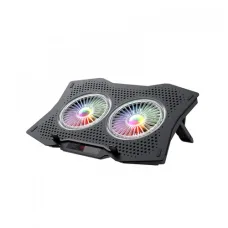
Ends in --:--:--

Ends in --:--:--

৳1,358৳1,400
Ends in --:--:--

৳1,100৳1,190

৳1,090৳1,190

৳11,446৳11,800
Ends in --:--:--
These are the latest in-stock Havit Laptop Cooler at Unix Network, with the current price in Bangladesh. Open a model for specifications.
Looking for the Havit Laptop Cooler price in Bangladesh? Unix Network provides laptop cooling accessories for users who want to improve airflow around their laptop during gaming, office work, study, video editing, programming, browsing, and other demanding workloads.
A laptop cooler, also known as a laptop cooling pad or laptop cooling stand, is designed to help move air around the underside of a laptop. It can be especially useful when the laptop's built-in cooling system needs additional airflow during longer or heavier workloads.
Choosing the right laptop cooler is not simply about buying the model with the most fans. Laptop size, cooling-pad design, fan placement, airflow, noise level, height adjustment, USB connectivity, build quality, portability, and compatibility can all affect your experience.
| Havit Laptop Cooler Type | Best For | Important Features to Consider |
|---|---|---|
| Basic Laptop Cooling Pad | Study, Office & Browsing | Fan, USB Power, Comfortable Angle |
| Multi-Fan Laptop Cooler | Gaming & Heavy Workloads | Multiple Fans & Wider Airflow |
| RGB Laptop Cooling Pad | Gaming Setup | Cooling, RGB Lighting & Design |
| Adjustable Laptop Cooler | Long Work Sessions | Height & Viewing-Angle Adjustment |
| Portable Laptop Cooler | Students & Travelers | Lightweight Design & USB Power |
| Large Laptop Cooling Pad | 15.6"–17.3" Laptops | Large Surface & Strong Airflow |
Price note: Laptop cooler prices vary according to model, fan configuration, size, features, build quality, warranty, and stock availability. Confirm the exact Havit model and current price before purchasing.
A Havit laptop cooler is a cooling accessory designed to provide additional airflow beneath a compatible laptop.
Most laptop cooling pads use one or more fans powered through USB. The laptop sits on top of the cooling pad, while the fans help move air around the bottom panel.
A laptop cooler can be useful when a laptop becomes noticeably warm during extended use, particularly during gaming, video rendering, programming, multitasking, or other CPU/GPU-intensive workloads.
Gaming laptops can generate considerably more heat than lightweight office laptops because their processors and graphics hardware can operate at higher power levels.
A laptop cooling pad can provide additional airflow beneath the laptop during gaming sessions.
For gaming, consider:
A cooling pad cannot replace a laptop's internal heatsink, thermal paste, heat pipes, or internal fans. It is an additional cooling accessory rather than a replacement for the laptop's built-in cooling system.
Havit laptop cooling pads can be suitable for compatible HP laptops as long as the laptop dimensions and cooling-pad design are appropriate.
Before purchasing, measure your HP laptop or check its screen-size category. A cooling pad designed for a 15.6-inch laptop may not be the ideal fit for a smaller 13-inch or 14-inch device.
Dell laptops come in many different sizes and designs. Choose a cooling pad based on the actual laptop dimensions rather than relying only on the Dell brand name.
For Dell gaming laptops, workstation laptops, or other performance-oriented models, pay particular attention to airflow and fan positioning.
Havit laptop cooling pads can be used with compatible Lenovo laptops when the physical size and underside ventilation arrangement are suitable.
ThinkPad, IdeaPad, Legion, Yoga, and other Lenovo families have different designs, so check the laptop dimensions and bottom ventilation before selecting a cooling pad.
ASUS produces both thin everyday laptops and high-performance gaming laptops. A cooling pad can be particularly useful for users who regularly run demanding applications or games for extended periods.
For ASUS gaming laptops, choose a cooling pad with a suitable surface area and airflow arrangement.
Acer laptops are available in several sizes, including gaming and productivity-oriented models.
When choosing a Havit laptop cooler for Acer, check the laptop size, bottom ventilation, cooler dimensions, and fan placement.
MacBooks have different thermal designs from many Windows laptops. A cooling pad may still provide an elevated surface and additional airflow around the underside, but the cooling effect depends heavily on the specific MacBook model and its ventilation design.
Do not assume that a cooling pad will produce the same temperature reduction on every laptop.
A 14-inch laptop generally benefits from a compact cooling pad that does not unnecessarily extend far beyond the laptop body.
For office work, browsing, study, programming, and light workloads, a basic cooling stand may be sufficient.
15.6-inch laptops are among the most common laptop sizes, so a medium or large cooling pad can be a practical choice.
For gaming laptops, look for a cooling pad with adequate surface coverage and fan positioning that works with the laptop's bottom air intake.
Large gaming and workstation laptops require a cooling pad with sufficient width and depth.
Before purchasing a cooler for a 17-inch laptop, check the maximum supported laptop size and the physical dimensions of the cooling pad.
A laptop cooling pad normally works by moving air underneath the laptop.
The effectiveness depends heavily on the location of the laptop's intake vents. If the cooling pad's fans do not align well with the laptop's air intake areas, the improvement may be limited.
A laptop cooling pad can reduce temperatures in some laptops, but the result is not identical for every device.
The improvement depends on:
Some laptops may show a noticeable improvement, while others may see only a small change.
Laptop coolers can use different fan configurations.
| Fan Configuration | Typical Advantage | Suitable For |
|---|---|---|
| Single Fan | Simple & Compact | Office & Everyday Use |
| Dual Fan | Broader Airflow | General & Performance Use |
| Multi-Fan | Wider Cooling Coverage | Gaming & Heavy Workloads |
More fans do not automatically mean better cooling. Fan placement, airflow, fan size, noise, and compatibility with the laptop's intake vents are equally important.
Some laptop cooling pads allow fan-speed adjustment. Variable fan speed can help users balance cooling performance and noise.
Higher fan speed generally produces more airflow but may also increase acoustic noise.
Noise is an important consideration if you work, study, record audio, or watch videos while using the cooling pad.
A cooler with extremely high fan speed may provide strong airflow but may also become more noticeable acoustically.
For office and study environments, a quieter cooler may be preferable. Gamers may be more willing to accept additional fan noise for increased airflow.
Gaming-oriented laptop cooling pads may include RGB lighting.
RGB lighting does not directly improve cooling performance. It is primarily an aesthetic feature designed to complement a gaming setup.
If cooling performance is your main priority, focus on airflow, fan design, compatibility, and build quality rather than RGB lighting.
An adjustable cooling stand can provide two benefits: additional airflow and improved ergonomics.
Raising the rear of the laptop can create a more comfortable viewing angle and may improve desk posture depending on your setup.
When using an adjustable cooler, make sure the laptop remains stable and does not slide during typing or gaming.
Most laptop cooling pads are designed to receive power through USB.
USB-powered cooling is convenient because the cooler can normally draw power directly from the laptop.
Some models may include additional USB ports. If available, check whether those ports support data, charging, or simply USB pass-through functionality.
Office users may not require an aggressive multi-fan gaming cooler.
A comfortable stand with moderate airflow can be useful for long periods of typing, browsing, video conferencing, spreadsheets, and other productivity work.
An adjustable design can also help improve the laptop's screen height and viewing angle.
Students can benefit from a portable laptop cooler when using their laptop for long study sessions, online classes, programming, research, and entertainment.
For students, portability, low noise, USB power, comfortable height, and reasonable price are often more important than maximum fan performance.
Programming can involve anything from lightweight text editing to demanding workloads such as compiling large projects, running virtual machines, containers, databases, and development environments.
If your laptop regularly becomes warm during development workloads, a cooling pad can provide additional airflow underneath the device.
Video editing and rendering can place sustained loads on the CPU and GPU.
A suitable cooling pad can help provide additional airflow during extended rendering sessions. However, internal laptop cooling remains the primary mechanism for managing processor and graphics temperatures.
Photo editing applications can produce different levels of hardware load depending on image size, filters, layers, batch processing, and other tasks.
For users who spend many hours editing photos, a cooling stand can also provide a more comfortable elevated working position.
During extended gaming, laptop components can remain under sustained load for long periods.
A suitable cooling pad may help improve airflow and reduce thermal buildup in some configurations.
For the best results, keep the laptop's air vents unobstructed and periodically clean dust from the laptop's internal cooling system.
| Feature | Laptop Cooler | Passive Laptop Stand |
|---|---|---|
| Active Fans | Usually Yes | No |
| Additional Airflow | Yes | Depends on Design |
| Cooling Focus | High | Secondary |
| Ergonomics | Often Available | Often Available |
| Noise | Possible Fan Noise | Silent |
| Power Required | Usually USB | No |
The terms are often used interchangeably. A laptop cooling pad usually refers to a platform with integrated fans on which the laptop rests.
A standalone cooling fan may be a different accessory designed to blow air toward a device or ventilation area.
First check your laptop's screen size and physical dimensions. Make sure the cooling pad can safely support your laptop.
Look underneath your laptop and identify where the air intake vents are located.
Choose a cooling pad whose airflow area works well with your laptop's ventilation design.
If you study or work in a quiet environment, choose a model with reasonable acoustic performance.
An adjustable stand can improve viewing angle and ergonomics.
If you regularly carry your laptop between home, university, office, and other locations, consider a lightweight cooling pad.
Make sure your laptop has a suitable USB port for powering the cooling pad.
The cooler should provide stable support without excessive flexing or wobbling.
Fan count alone does not determine cooling performance. Consider airflow, fan size, placement, noise, and laptop compatibility.
Confirm the exact model, current price, warranty, and stock before purchasing.
| User Type | Recommended Cooling Pad Characteristics |
|---|---|
| Student | Lightweight, Quiet & USB Powered |
| Office User | Quiet, Comfortable & Adjustable |
| Gamer | Strong Airflow & Stable Design |
| Video Editor | Good Airflow & Large Surface |
| Programmer | Quiet & Ergonomic |
| Traveler | Compact & Lightweight |
| 17-Inch Laptop User | Large Cooling Surface |
| Gaming Setup User | Multi-Fan & Optional RGB |
Soft surfaces such as beds, blankets, and pillows can obstruct the laptop's air intake and exhaust vents.
This can restrict airflow and contribute to higher temperatures. A laptop cooling pad placed on a firm surface can provide a more suitable platform for extended use.
A cooling pad does not directly make the processor or graphics card faster.
However, if a laptop is reducing performance because of thermal limits, improving cooling may help it maintain performance more consistently during sustained workloads.
The actual improvement depends on the laptop's thermal design and workload.
A cooling pad may help reduce heat, but it cannot guarantee that a laptop will never overheat.
If a laptop has severe overheating caused by blocked vents, excessive dust, a failing internal fan, degraded thermal paste, or another hardware problem, the laptop itself may require maintenance.
Check the USB connection, cable, laptop USB port, and cooler power switch if available. Try another compatible USB port.
Some fan noise is normal. Excessive noise can result from dust, fan wear, vibration, or an uneven surface.
Check whether the cooling-pad fans align with the laptop's intake vents. Also check whether the laptop's internal fans and vents are clean.
Make sure the anti-slip pads and laptop support are positioned correctly. Avoid using a cooling pad that is too large or too small for the laptop.
Try another suitable USB port and check the cooler's power requirements. If the cooler uses more power than the available port can provide, performance may be affected.
A cooling pad provides additional airflow but does not replace the laptop's internal cooling system. Persistent high temperatures may require internal cleaning, fan inspection, thermal-paste service, or other technical maintenance.
If you are searching for Havit Laptop Cooler price in Jessore, Unix Network can help you choose a suitable laptop cooling solution based on your laptop size, workload, budget, and cooling requirements.
Before visiting the showroom, confirm the exact model, current price, warranty, and stock availability.
When buying a laptop cooling pad online, don't select a product simply because it has more fans or a lower price.
Check:
Unix Network helps customers select computer accessories according to their actual requirements, laptop type, workload, and budget.
A Havit laptop cooler is a cooling accessory designed to provide additional airflow beneath a compatible laptop.
The price depends on the exact model, size, fan configuration, features, build quality, warranty, and availability.
It can help improve cooling in suitable laptop designs. The actual temperature reduction varies according to the laptop's internal cooling system, bottom vents, fan placement, workload, and room temperature.
For gaming, look for a cooling pad with suitable airflow, stable support, appropriate laptop-size compatibility, and reasonable fan noise. Fan count alone should not determine your choice.
Choose a cooling pad designed to support 15.6-inch laptops and check its actual dimensions and fan placement before purchasing.
Yes. Gaming laptops can benefit from additional airflow during sustained workloads, provided the cooling pad is compatible with the laptop's size and ventilation design.
It can potentially reduce CPU temperature by improving airflow, but the result depends on the laptop's thermal design and workload.
Additional airflow can potentially help GPU cooling on suitable laptop designs, particularly when the laptop draws intake air through its bottom panel.
No. Fan placement, airflow, fan size, laptop ventilation, surface design, and noise are also important.
No. RGB lighting is primarily a visual feature and does not directly improve cooling performance.
A properly sized and correctly used cooling pad should normally function as an external accessory. Make sure the laptop is stable and that the cooler does not obstruct or interfere with the laptop's ventilation.
Most USB-powered cooling pads require a suitable USB power source. If your laptop does not have a compatible port, an appropriate external USB power source may be possible depending on the cooler's requirements.
It is better to use a laptop and cooling pad on a hard, stable surface. Soft surfaces can restrict airflow and reduce cooling effectiveness.
Check the current Havit-compatible laptop cooling products available from computer accessory retailers and confirm model, price, warranty, and stock before ordering.
Customers searching for laptop cooling pads in Jessore can check Unix Network's current stock and confirm availability before visiting the showroom.
A good Havit Laptop Cooler should match your laptop's size, ventilation design, workload, and daily usage. For students and office users, a quiet and comfortable cooling stand may be sufficient. For gaming and heavy workloads, prioritize airflow, fan design, surface coverage, stability, and compatibility.
Remember that a cooling pad is an additional cooling solution, not a replacement for proper laptop maintenance. Keeping internal fans and vents clean, using the laptop on a hard surface, and maintaining unobstructed airflow are equally important.
If you are searching for Havit Laptop Cooler price in Bangladesh, Havit Laptop Cooler price in Jessore, Havit Laptop Cooling Pad, Havit Laptop Cooling Stand, HavitGaming Laptop Cooler, Havit Laptop Cooler for Gaming, Havit Laptop Cooler for HP, Havit Laptop Cooler for Dell, Havit Laptop Cooler for Lenovo, Havit Laptop Cooler for ASUS, Havit Laptop Cooler for Acer, Havit 15.6 Inch Laptop Cooler, Havit 17 Inch Laptop Cooler, Havit RGB Laptop Cooler, Havit USB Laptop Cooler, or Havit Laptop Cooling Pad for Gaming, Unix Network can help you find a suitable laptop cooling solution for your needs.