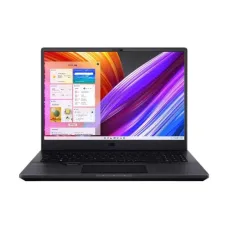
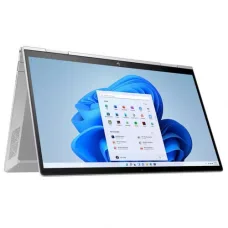
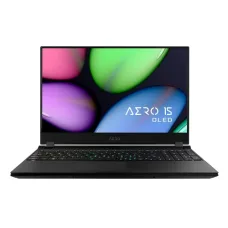
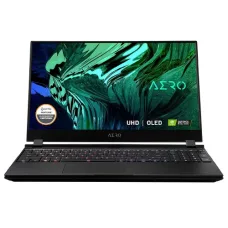
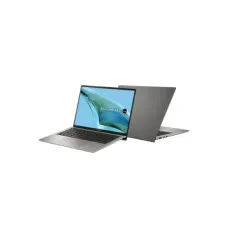
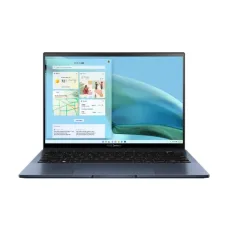
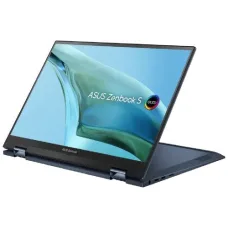
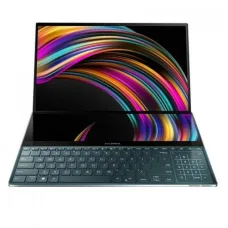
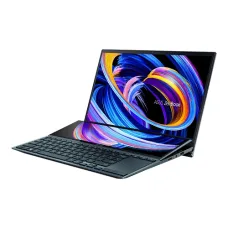
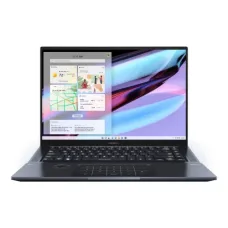
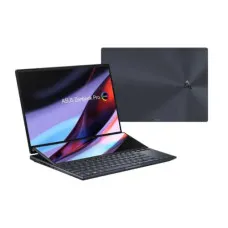
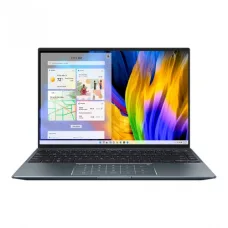
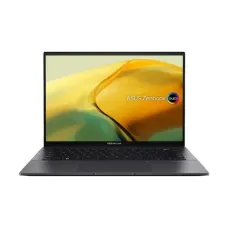
OLED laptops are premium portable computers that use OLED display technology to deliver deep blacks, high contrast, vibrant colors, and excellent image quality. OLED laptop displays are popular among professionals, content creators, designers, photographers, video editors, students, and users who want a premium visual experience for work and entertainment.
Unix Network offers OLED laptops from leading laptop brands and provides options for users looking for high-quality displays, powerful processors, fast SSD storage, ample RAM, and modern connectivity in a portable computer.
An OLED laptop uses an Organic Light-Emitting Diode display in which individual pixels produce their own light. Unlike traditional LCD panels that use a separate backlight, OLED pixels can switch off individually to produce very deep blacks and high contrast.
This technology makes OLED laptops particularly attractive for watching movies, editing photos and videos, graphic design, creative work, and everyday computing where display quality is important.
The best OLED laptop depends on the user's requirements rather than display technology alone. Processor performance, RAM, SSD capacity, GPU, display resolution, refresh rate, battery life, build quality, weight, ports, operating system, warranty, and price should all be considered.
The display is the primary attraction of an OLED laptop. OLED technology can provide excellent contrast because individual pixels can turn off when displaying black content. This can produce a visually impressive experience for movies, photographs, creative applications, and dark-themed interfaces.
OLED vs LCD Laptop Display
| Feature |
OLED Display |
LCD Display |
| Black level |
Can produce very deep blacks |
Depends on backlight and panel technology |
| Contrast |
Extremely high on suitable OLED panels |
Varies by LCD panel |
| Pixel illumination |
Individual pixels emit light |
Uses a backlight |
| Color |
Can provide a wide color gamut on suitable panels |
Varies significantly by panel |
| Response time |
Generally very fast |
Varies by panel |
| HDR experience |
Can be excellent on suitable high-brightness panels |
Varies significantly by model |
2.8K OLED laptops offer higher resolution than Full HD and can provide a sharp and detailed image while maintaining a balance between visual quality and system performance. They are popular in premium laptops designed for productivity and creative work.
3K OLED displays provide high pixel density and detailed images. They can be particularly useful for professional creative work, multimedia consumption, and users who want a premium display experience.
4K OLED laptops provide very high display resolution and can deliver exceptional image detail. They are particularly attractive to photographers, video editors, designers, and professionals working with high-resolution visual content.
QHD OLED laptops offer a resolution higher than Full HD while requiring less graphics processing power than 4K in many workloads. A QHD OLED display can provide a strong combination of sharpness, contrast, and performance.
Full HD OLED laptops provide the advantages of OLED technology at a lower resolution. They can offer excellent contrast and color quality while requiring less GPU power than higher-resolution displays.
A 120Hz OLED laptop display can provide smoother motion than a standard 60Hz display. It can be useful for gaming, scrolling, animation, multimedia, and other applications where motion clarity is important.
A 90Hz OLED display provides smoother motion than a conventional 60Hz display while maintaining a balance between refresh rate and power consumption depending on the laptop design.
Touchscreen OLED laptops combine OLED image quality with touch interaction. They can be useful for creative work, presentations, note-taking, browsing, and convertible laptop designs.
OLED 2-in-1 Laptop
An OLED 2-in-1 laptop combines a high-quality OLED display with a convertible hinge that allows different usage modes. Depending on the design, the laptop can be used as a conventional notebook, tablet, tent, or stand configuration.
OLED laptops can provide students with excellent displays for studying, multimedia, presentations, programming, design, and entertainment. Students should also consider battery life, weight, durability, keyboard quality, storage, and price.
An OLED laptop can be an attractive option for office professionals who value premium display quality. It can be used for documents, spreadsheets, presentations, browsing, communication, and multimedia.
Business users may choose OLED laptops when display quality, portability, premium design, and productivity are important. Security features, battery life, connectivity, durability, and warranty support should also be evaluated.
OLED laptops are particularly popular among content creators because suitable OLED panels can provide wide color gamut, high contrast, and excellent image quality. Photographers, video editors, graphic designers, and digital artists can benefit from a high-quality display.
Video editors can benefit from OLED displays with accurate colors, high contrast, and suitable resolution. However, display specifications should be checked carefully because not every OLED panel has identical color accuracy, brightness, or factory calibration.
Graphic designers can benefit from the strong contrast and wide color capabilities available on suitable OLED panels. Color gamut, color accuracy, calibration, resolution, and brightness are important specifications when selecting an OLED laptop for professional design work.
OLED displays can provide excellent visual contrast and rich colors for photo editing. Professional photographers should look beyond the OLED label and check the panel's color gamut, color accuracy, calibration, brightness, and software workflow requirements.
OLED gaming laptops combine OLED display technology with powerful gaming hardware. The fast pixel response of OLED panels can provide sharp motion, while high refresh rates can improve the experience in fast-paced games.
OLED Gaming Laptop with High Refresh Rate
High-refresh-rate OLED gaming laptops can provide smooth motion and fast pixel response. Users should match the display refresh rate with the performance of the laptop's CPU and GPU to take full advantage of the panel.
OLED laptops with dedicated NVIDIA or AMD graphics can provide additional GPU performance for gaming, video editing, 3D applications, rendering, and other demanding workloads. The appropriate GPU depends on the software and performance requirements.
OLED laptops with integrated graphics can be suitable for office work, browsing, education, programming, multimedia, and general productivity. They are often designed with portability and battery efficiency in mind.
OLED laptops are available with processors from Intel and AMD across different performance categories. The appropriate processor depends on the intended workload, including office applications, programming, content creation, gaming, and professional software.
Intel-powered OLED laptops are available in different performance levels. Core processors can provide strong performance for productivity, creative work, multitasking, and gaming depending on the specific configuration.
AMD Ryzen OLED laptops combine Ryzen processors with high-quality OLED displays. They are available across different performance levels and can be suitable for productivity, creative applications, multitasking, and entertainment.
RAM capacity is important for multitasking and demanding applications. OLED laptops are available with different memory configurations, commonly ranging from entry-level capacities to 16GB, 32GB, and higher on premium systems.
For general productivity, 16GB can provide a comfortable experience for many users. Content creators, developers, and professionals running demanding applications may benefit from 32GB or more.
Fast SSD storage complements a premium OLED laptop by providing quick system startup, application loading, and file access. NVMe SSDs are common in modern laptops.
A 512GB SSD can be sufficient for everyday productivity, study, office work, and a moderate number of applications. Users working with large video, photo, design, or game libraries may prefer more storage.
A 1TB SSD provides more space for applications, games, photos, videos, documents, and professional projects. It is a practical storage capacity for many premium OLED laptops.
Battery life varies considerably between OLED laptops. Display resolution, refresh rate, brightness, processor, battery capacity, software settings, and workload all influence battery performance.
OLED displays can be efficient when displaying darker content because individual pixels can reduce or stop light emission, but overall battery consumption depends on the complete laptop design and usage pattern.
Brightness is an important specification when choosing an OLED laptop. A brighter panel can be more suitable for rooms with strong ambient light and outdoor use. HDR brightness and sustained full-screen brightness can differ from peak brightness specifications.
Color accuracy is important for professional creative work. A high-quality OLED panel can offer a wide color gamut, but users who work professionally with color should check measured or manufacturer-specified color accuracy and calibration information for the exact laptop model.
Many premium OLED laptop displays offer wide color gamut coverage. Depending on the model, a panel may target standards such as DCI-P3, sRGB, or other color spaces. The appropriate gamut depends on the intended creative workflow.
OLED technology can provide strong contrast that benefits HDR content. However, HDR performance depends on panel brightness, HDR certification, tone mapping, color capability, and the laptop's overall display implementation.
OLED pixels can transition between states very quickly, which can reduce motion blur caused by slow pixel response. This characteristic can be particularly beneficial for gaming and fast-moving visual content.
OLED displays can be susceptible to image retention or burn-in under certain long-term usage conditions, particularly when static elements are displayed continuously for extended periods. Modern OLED laptop manufacturers may use protective technologies such as pixel shifting, screen savers, brightness management, and panel care features.
Users can reduce the risk by avoiding unnecessary static images at maximum brightness for prolonged periods and using the display protection features provided by the laptop manufacturer.
Eye comfort depends on many factors, including brightness, viewing distance, ambient lighting, panel characteristics, and usage duration. Some OLED laptop displays use high-frequency PWM or other dimming technologies, while others may use DC-like dimming at certain brightness levels. Users who are sensitive to display flicker should check the specifications and independent testing of the exact model.
OLED displays are frequently used in premium thin-and-light laptops because manufacturers can integrate high-quality panels into relatively compact designs. Build materials vary from plastic to aluminum and other premium materials depending on the laptop series.
Weight varies according to screen size, battery capacity, cooling system, chassis construction, and hardware configuration. Thin OLED ultrabooks can be very portable, while powerful OLED gaming laptops can be substantially heavier.
Modern OLED laptops may include USB Type-C, USB-A, HDMI, audio, microSD or SD card readers, Ethernet through an adapter or docking station, Wi-Fi, and Bluetooth. Available ports vary by model.
USB Type-C ports can support different functions depending on the laptop. Some ports support data transfer only, while others can support charging, external displays, Thunderbolt, USB4, or other advanced capabilities.
HDMI connectivity allows compatible OLED laptops to connect to external monitors, televisions, projectors, and other display devices. Supported resolution and refresh rate depend on the laptop's graphics hardware and HDMI implementation.
Modern OLED laptops generally provide wireless networking through Wi-Fi. Wireless capability can vary by model and may include newer Wi-Fi standards for improved speed, efficiency, and connectivity.
Bluetooth connectivity allows compatible laptops to connect wireless mice, keyboards, headphones, speakers, controllers, and other peripherals.
Cooling requirements depend more on the laptop's CPU and GPU than on the OLED display itself. High-performance OLED laptops with dedicated graphics require effective thermal management to maintain sustained performance during demanding workloads.
Professional users should evaluate the complete system rather than choosing a laptop solely because it has an OLED display. Processor performance, RAM, storage, color accuracy, connectivity, battery life, keyboard, warranty, software compatibility, and security features are all important.
- Choose the required screen size.
- Check OLED display resolution.
- Compare refresh rates.
- Check brightness and HDR capabilities.
- Review color gamut and color accuracy.
- Choose an appropriate processor.
- Select sufficient RAM for your workload.
- Choose suitable SSD capacity.
- Determine whether a dedicated GPU is required.
- Check battery capacity and expected battery life.
- Review available ports and wireless connectivity.
- Consider laptop weight and portability.
- Check upgrade options where applicable.
- Review warranty and after-sales service.
| Specification |
What to Consider |
| Display Type |
OLED or AMOLED panel technology |
| Resolution |
Full HD, QHD, 2.8K, 3K, 4K, or other resolutions |
| Refresh Rate |
60Hz, 90Hz, 120Hz, 144Hz, or higher depending on model |
| Color Gamut |
sRGB, DCI-P3, and other supported color spaces |
| Brightness |
Important for indoor and bright-environment use |
| CPU |
Determines processing and multitasking performance |
| GPU |
Important for gaming and graphics-intensive applications |
| RAM |
Affects multitasking and demanding software performance |
| SSD |
Provides fast storage and application loading |
| Battery |
Affects portability and unplugged operation |
OLED laptop prices in Bangladesh vary according to display resolution, processor, RAM, SSD, dedicated graphics, build quality, brand, battery capacity, and other specifications. Premium OLED laptops can cost more than comparable LCD models because of their display technology and overall configuration.
Customers should compare the complete specification and intended use rather than choosing an OLED laptop based only on screen technology. A less expensive OLED laptop may have a lower brightness, lower refresh rate, weaker processor, or smaller storage capacity than a more expensive model.
Customers looking to buy an OLED laptop in Bangladesh can choose from premium ultrabooks, business laptops, creator laptops, 2-in-1 devices, and gaming laptops with OLED displays.
Unix Network offers laptops, gaming laptops, computer accessories, storage devices, monitors, networking products, and other IT products. Customers can compare OLED laptop specifications according to their requirements, budget, and preferred brand.
Unix Network provides OLED laptops and other computer products for customers in Jashore and across Bangladesh. Students, professionals, business users, designers, content creators, and gamers can choose an OLED laptop according to their performance and display requirements.
Frequently Asked Questions About OLED Laptops
What is an OLED laptop?
An OLED laptop is a laptop equipped with an OLED display. OLED pixels emit their own light, allowing the display to produce deep blacks and very high contrast.
Is an OLED laptop better than an LCD laptop?
OLED displays can offer superior contrast, deep blacks, fast response times, and excellent color reproduction. However, LCD laptops can offer advantages in areas such as sustained brightness, cost, and suitability for certain long-term static-content workflows. The best option depends on the user's priorities.
Are OLED laptops good for gaming?
Yes. OLED laptops can be excellent for gaming because of their fast pixel response, high contrast, and availability of high-refresh-rate panels. Gaming performance still depends primarily on the CPU, GPU, cooling system, RAM, and game settings.
Are OLED laptops good for video editing?
Yes. A suitable OLED laptop can be excellent for video editing because of its contrast, color capabilities, and image quality. Professional users should verify color accuracy, gamut coverage, brightness, resolution, and calibration.
Are OLED laptops good for graphic design?
OLED laptops can be very suitable for graphic design. Designers should check the exact panel's color accuracy, color gamut, resolution, brightness, and calibration before purchasing.
Do OLED laptops have burn-in?
OLED panels can experience image retention or burn-in under certain long-term usage conditions. Modern laptops may include panel-care technologies to reduce the risk, and users can also avoid displaying static content at high brightness for extended periods.
Is 2.8K OLED better than Full HD OLED?
A 2.8K OLED display provides higher resolution and greater image detail than Full HD OLED. However, it can also require more graphics processing power and may consume more energy depending on the laptop and display settings.
Is 120Hz OLED better than 60Hz OLED?
A 120Hz OLED display can provide smoother motion than a 60Hz OLED display. It can be particularly useful for gaming, animation, scrolling, and other motion-heavy activities.
How much RAM should an OLED laptop have?
For general productivity, 16GB is a practical capacity for many users. Professionals working with video editing, 3D applications, large creative projects, or heavy multitasking may benefit from 32GB or more.
Is a 1TB SSD enough for an OLED laptop?
A 1TB SSD provides a useful amount of storage for many users. Professionals, gamers, photographers, and video editors with large local libraries may prefer 2TB or more.
Why Buy OLED Laptops from Unix Network?
Unix Network provides laptops and computer products for students, professionals, gamers, content creators, businesses, and home users. Customers can compare OLED laptops based on display quality, processor performance, graphics capability, RAM, SSD storage, battery life, portability, connectivity, and budget.
OLED display specifications can differ substantially between models, even when both laptops are marketed as OLED devices. Before purchasing, check the exact model's resolution, brightness, refresh rate, color gamut, color accuracy, processor, GPU, RAM, SSD, battery, ports, warranty, and current availability.

.png)