

NETGEAR Access Point Price in Bangladesh
Showing 1 to 12 of 12 (1 Pages)

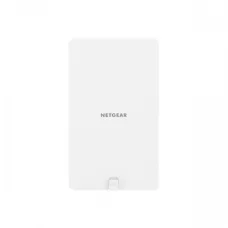
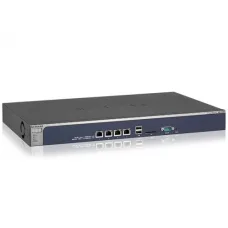

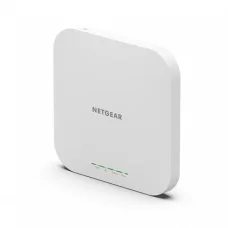


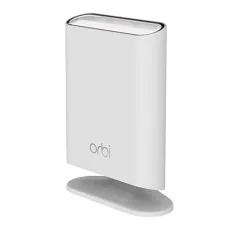

Find the Right NETGEAR Access Point for Your Budget and Needs
These are the latest in-stock NETGEAR Access Point at Unix Network, with the current price in Bangladesh. Open a model for specifications.
Latest NETGEAR Access Point Price List in BD 2026
NETGEAR Access Point Price in Bangladesh
Looking for the latest NETGEAR Access Point price in Bangladesh? Unix Network provides networking solutions for homes, offices, businesses, shops, schools, hotels, warehouses, and other locations that need reliable wireless network coverage.
A NETGEAR Access Point is designed to provide or extend Wi-Fi connectivity through a wired network connection. Access points are commonly used to create wireless coverage in areas where a single router cannot provide sufficient coverage, or where businesses need multiple professionally managed Wi-Fi access points.
NETGEAR offers different types of wireless networking solutions with varying Wi-Fi generations, speeds, antenna configurations, management capabilities, Ethernet connectivity, and installation options. The best model depends on the size of the coverage area, number of users, internet speed, wireless devices, network design, and budget.
NETGEAR Access Point Price List in Bangladesh
| Access Point Type | Best For | Important Features to Check |
|---|---|---|
| Indoor Access Point | Home, Office, Shop | Wi-Fi Standard, Coverage, Client Capacity |
| Outdoor Access Point | Garden, Campus, Warehouse, Outdoor Areas | Weather Protection, Range, Mounting |
| Wi-Fi 5 Access Point | Home & Office | 802.11ac, Speed, Antennas |
| Wi-Fi 6 Access Point | Modern Home & Business | 802.11ax, OFDMA, Capacity |
| Wi-Fi 6E Access Point | High-Performance Networks | 6 GHz Support, Compatible Devices |
| Wi-Fi 7 Access Point | Next-Generation Networking | Multi-Gigabit Ethernet, Compatible Clients |
| PoE Access Point | Professional Installation | PoE Standard, Power Requirement |
| Business Access Point | Office & Enterprise | Management, Security, Capacity |
Note: NETGEAR Access Point prices vary according to the exact model, Wi-Fi generation, Ethernet speed, features, warranty, stock, and current market conditions. Confirm the latest price and availability before ordering.
What Is a NETGEAR Access Point?
A wireless access point (AP) is a networking device that provides Wi-Fi connectivity to wireless devices through a wired network connection.
An access point is different from a basic Wi-Fi router. A router normally performs several functions, such as routing traffic between networks, while an access point primarily provides wireless access to an existing network.
For example, an office may have one router connected to the internet and several Ethernet-connected access points positioned throughout the building. Each access point can provide Wi-Fi coverage to users in its area.
NETGEAR Access Point vs Wi-Fi Router
| Feature | Access Point | Wi-Fi Router |
|---|---|---|
| Wi-Fi | Yes | Yes |
| Wireless Coverage | Provides Wi-Fi in Its Coverage Area | Provides Wi-Fi and Routing |
| Routing | Normally Uses Existing Router/Network | Yes |
| NAT | Usually Not the Primary Function | Commonly Supported |
| Multiple AP Deployment | Designed for Network Expansion | Possible but Model Dependent |
| Business Deployment | Highly Suitable | Depends on Model |
Why Use a NETGEAR Access Point?
A single wireless router may not provide sufficient coverage throughout a large house, office, shop, hotel, school, warehouse, or multi-floor building.
Access points can help distribute Wi-Fi coverage across larger areas while using the existing wired network as the connection between wireless access points and the network infrastructure.
Main Benefits
- Extend Wi-Fi coverage.
- Provide wireless connectivity in additional areas.
- Support more wireless clients with multiple access points.
- Enable centralized wireless network planning.
- Support wired backhaul on compatible models.
- PoE can simplify installation on compatible access points.
- Suitable for home, office, business, and professional networks.
NETGEAR Wi-Fi 5 Access Point
Wi-Fi 5, based on the 802.11ac standard, can provide high-speed wireless connectivity for many home and office applications.
Wi-Fi 5 access points can be suitable where existing client devices primarily support Wi-Fi 5 and there is no immediate requirement for newer wireless technologies.
NETGEAR Wi-Fi 6 Access Point
Wi-Fi 6 is based on the 802.11ax standard and is designed to improve wireless efficiency and performance, particularly in environments with many connected devices.
Wi-Fi 6 can be an excellent option for modern homes, offices, classrooms, hotels, shops, and businesses with many smartphones, laptops, tablets, IoT devices, and other wireless clients.
Benefits of Wi-Fi 6
- Improved efficiency in busy wireless environments.
- Better support for many connected devices.
- OFDMA support on compatible devices.
- Improved wireless scheduling and resource management.
- Better performance with compatible modern clients.
NETGEAR Wi-Fi 6E Access Point
Wi-Fi 6E extends Wi-Fi 6 capabilities into the 6 GHz band where supported by the access point and client devices.
The 6 GHz band can provide additional spectrum for compatible devices, but customers should verify that their smartphones, laptops, adapters, and other wireless devices support Wi-Fi 6E.
NETGEAR Wi-Fi 7 Access Point
Wi-Fi 7 is a newer generation of Wi-Fi technology designed to provide higher performance and improved efficiency with compatible hardware.
When purchasing a Wi-Fi 7 access point, customers should also consider the Ethernet uplink speed because a very high-performance wireless access point may require a multi-gigabit wired connection to avoid an Ethernet bottleneck.
NETGEAR PoE Access Point
Power over Ethernet (PoE) allows compatible access points to receive power and network connectivity through an Ethernet cable.
PoE can be especially useful for ceiling-mounted access points where installing a separate electrical outlet may be inconvenient.
Advantages of PoE Access Points
- One Ethernet cable can carry power and network data.
- Cleaner installation.
- Convenient for ceiling and wall mounting.
- Centralized power through a compatible PoE switch.
- Useful for office and business installations.
Always verify the required PoE standard and power consumption before connecting an access point to a PoE switch.
NETGEAR Access Point with PoE Switch
A compatible PoE switch can provide both network connectivity and electrical power to supported NETGEAR access points.
When planning multiple access points, check:
- Number of PoE ports.
- PoE standard.
- Total PoE power budget.
- Power requirement of each access point.
- Port speed.
- Uplink speed.
The total power requirement of all connected PoE devices should remain within the switch's available PoE budget.
NETGEAR Access Point for Home
A NETGEAR access point can be useful when a home has Wi-Fi dead zones or requires stronger coverage in additional rooms, floors, garages, workspaces, or other areas.
For a home installation, first identify where the Wi-Fi signal becomes weak. An access point should ideally be connected to the main network through Ethernet rather than simply placed in the existing weak-signal area.
NETGEAR Access Point for Office
Offices often have many wireless users and devices. Multiple access points can provide more consistent coverage throughout work areas, meeting rooms, reception areas, and other spaces.
For business Wi-Fi, consider user density, wireless interference, Ethernet backhaul, VLANs, security, guest networks, and centralized management.
NETGEAR Access Point for Business
Business environments may require more than basic Wi-Fi coverage. Important features can include multiple SSIDs, VLAN support, guest access, authentication, centralized management, monitoring, traffic control, and security features depending on the product.
For a professional network, wireless access points should be planned alongside the switches, router/firewall, cabling, VLAN configuration, and internet connection.
NETGEAR Access Point for Shop
Shops can use access points to provide Wi-Fi for employees, POS systems, inventory devices, customers, and other wireless equipment.
For customer Wi-Fi, it is often useful to separate guest traffic from business-critical systems using appropriate network configuration.
NETGEAR Access Point for Hotel
Hotels and guesthouses can require multiple access points to provide Wi-Fi throughout rooms, corridors, reception areas, restaurants, conference rooms, and other spaces.
Because user density can vary significantly between areas, professional Wi-Fi planning is important for larger properties.
NETGEAR Access Point for School
Schools, colleges, and educational institutions can use access points to provide Wi-Fi for classrooms, offices, libraries, laboratories, and common areas.
Large deployments should consider the number of students and devices per area, wireless interference, network segmentation, authentication, and internet bandwidth.
NETGEAR Access Point for Warehouse
Warehouses can use wireless access points for handheld scanners, inventory systems, laptops, tablets, IoT equipment, and employee devices.
Warehouse Wi-Fi planning can be more difficult because metal racks, machinery, walls, and large distances can affect wireless propagation.
NETGEAR Outdoor Access Point
An outdoor access point is designed for wireless coverage in outdoor environments such as gardens, campuses, courtyards, warehouses, restaurants, parking areas, and building surroundings.
Before installing an outdoor AP, check its environmental protection rating, operating temperature, mounting requirements, antenna design, and power requirements.
NETGEAR Access Point Coverage
There is no single coverage distance that applies to every access point. Actual Wi-Fi coverage depends on:
- Access point model
- Antenna design
- Transmit power
- Building materials
- Walls and floors
- Interference from other networks
- Client device capability
- 5 GHz or 6 GHz usage
- Access point placement
- Number of connected clients
A larger advertised coverage area does not guarantee the same real-world performance in every building.
How Many NETGEAR Access Points Do I Need?
The number of access points depends on building size, construction materials, user density, network requirements, and the performance level you want to achieve.
For a small home, one additional access point may be enough. A large office, hotel, school, or warehouse may require multiple access points.
For professional installations, a wireless site survey is the best way to determine access-point locations and coverage requirements.
Best Place to Install a NETGEAR Access Point
Access point placement has a major impact on wireless performance.
- Install the AP in a relatively central location for the target coverage area.
- Place it higher where practical.
- Avoid hiding it inside metal cabinets.
- Avoid unnecessary physical obstructions.
- Keep it away from major sources of interference.
- For multi-floor buildings, plan coverage for each floor.
- Use Ethernet backhaul where possible.
NETGEAR Access Point Ethernet Port Speed
The Ethernet connection between the access point and network switch can become a bottleneck.
For example, a high-performance Wi-Fi access point connected through a 1Gbps Ethernet uplink may not be able to deliver its maximum theoretical wireless capacity to the wired network.
For newer high-speed access points, check whether a 2.5Gbps, 5Gbps, or faster Ethernet connection is appropriate.
NETGEAR Access Point with 2.5G Ethernet
Modern high-performance wireless access points can benefit from multi-gigabit Ethernet uplinks. A 2.5G Ethernet connection can provide more wired capacity than traditional Gigabit Ethernet.
To take advantage of this, the access point, switch port, Ethernet cabling, and other network equipment must support the required speed.
NETGEAR Access Point SSID
An SSID is the name users see when selecting a Wi-Fi network. Depending on the access point and configuration, administrators may create separate SSIDs for employees, guests, IoT devices, or other groups.
Using multiple SSIDs should be planned carefully because excessive SSIDs can create additional wireless management overhead.
NETGEAR Access Point Guest Wi-Fi
Guest Wi-Fi allows visitors to access the internet without giving them direct access to internal business devices.
For businesses, guest Wi-Fi should ideally be separated from internal networks using appropriate VLAN and firewall configuration where supported.
NETGEAR Access Point VLAN
VLANs can separate different types of network traffic while using the same physical network infrastructure.
For example, a business may create separate networks for:
- Employees
- Guests
- IP cameras
- IoT devices
- VoIP phones
- Network administration
VLAN support depends on the exact access point, switch, router, and management platform.
NETGEAR Access Point Security
Wireless security is important because an access point provides entry into the network.
- Use strong Wi-Fi passwords.
- Use modern supported wireless security standards.
- Keep firmware updated.
- Disable unnecessary services.
- Use guest-network isolation where appropriate.
- Separate sensitive devices using VLANs when supported.
- Restrict administrative access.
- Change default administrative credentials.
NETGEAR Access Point for Multiple Users
Wireless performance depends not only on internet speed but also on the number of connected devices and the amount of traffic they generate.
An access point designed for a high-density environment can be more appropriate for offices, classrooms, conference rooms, hotels, and businesses than an entry-level home model.
NETGEAR Access Point for CCTV
Wireless access points can provide network connectivity for compatible IP cameras in locations where Ethernet cabling to every camera is difficult. However, professional CCTV installations often benefit from wired Ethernet and PoE because of their predictable connectivity and power delivery.
For wireless cameras, ensure that the Wi-Fi network can handle the combined video traffic and that signal strength is sufficient at each camera location.
NETGEAR Access Point for Gaming
A suitable access point can provide Wi-Fi connectivity for gaming PCs, consoles, smartphones, and other devices. For competitive gaming, wired Ethernet is still preferable where practical because wireless conditions can vary due to interference and signal quality.
Wi-Fi 6 and newer technologies can provide improved performance in busy wireless environments when compatible devices are used.
NETGEAR Access Point for Smart Home
Modern homes may contain smartphones, laptops, smart TVs, cameras, smart speakers, appliances, sensors, and other IoT devices.
A properly planned access-point network can provide more reliable wireless coverage and can separate IoT devices from primary computers where the network equipment supports VLANs or equivalent isolation features.
Access Point vs Wi-Fi Extender
| Feature | Access Point | Wi-Fi Extender |
|---|---|---|
| Backhaul | Typically Ethernet | Often Wireless |
| Performance | Usually More Consistent with Wired Backhaul | Depends on Wireless Link |
| Installation | Requires Ethernet Connection | Usually Easier |
| Large Business Network | Highly Suitable | Usually Less Ideal |
| Professional Deployment | Preferred | Situation Dependent |
NETGEAR Access Point Installation Guide
- Determine the area that requires Wi-Fi coverage.
- Identify the best AP mounting location.
- Plan the Ethernet cable route.
- Check the access point's power requirements.
- Connect the AP to a suitable switch or router.
- Use a compatible PoE switch if the AP supports PoE.
- Configure the SSID and wireless security.
- Configure VLANs or guest networks if required.
- Update firmware where appropriate.
- Test Wi-Fi coverage throughout the target area.
- Check performance during normal usage.
NETGEAR Access Point Setup Tips
For the best results, do not install multiple access points without considering channel planning and coverage overlap.
In a multi-AP network, access points should be positioned so that users can move around the building while maintaining useful signal strength. Channel configuration should also minimize unnecessary interference between nearby access points.
NETGEAR Access Point Wired Backhaul
A wired backhaul connects the access point to the network through Ethernet. This is generally preferred for professional deployments because the AP does not have to use part of its wireless capacity to communicate back to the network.
For multiple access points, Ethernet backhaul can provide predictable performance and simplify network planning.
NETGEAR Access Point Mesh Networking
Some wireless systems support mesh-style networking, where access points can communicate with one another wirelessly or through wired connections depending on the system.
When Ethernet cabling is available, wired backhaul is often preferable for high-performance deployments.
NETGEAR Access Point Band Steering
Band steering can encourage compatible wireless devices to use an appropriate frequency band. This can help distribute clients across available wireless resources, depending on the network environment and device compatibility.
NETGEAR Access Point Roaming
In a multi-access-point network, roaming allows a wireless client to move between APs while remaining connected to the network.
Effective roaming depends on the client device, access points, network configuration, signal levels, and supported roaming technologies. Simply installing multiple APs does not guarantee seamless roaming.
NETGEAR Access Point Bandwidth
Wireless speed is affected by many factors, including Wi-Fi generation, channel width, signal strength, client capability, interference, distance, and network backhaul.
The maximum advertised Wi-Fi speed is a theoretical link rate and should not be interpreted as guaranteed real-world internet speed.
Does a NETGEAR Access Point Increase Internet Speed?
An access point does not increase the internet speed provided by your ISP. Its primary purpose is to provide or improve wireless network access.
However, replacing a weak or poorly positioned Wi-Fi connection with a properly installed access point can significantly improve the practical wireless experience in areas where coverage or signal quality was previously poor.
Does a NETGEAR Access Point Need a Router?
An access point normally works with an existing network that provides routing and other network services. In a typical home or office setup, the router connects to the internet while the access point provides additional Wi-Fi coverage.
Does a NETGEAR Access Point Need Internet?
No. An access point can provide wireless access to a local network without an internet connection. Internet access depends on whether the network itself has an internet connection.
Can I Connect a NETGEAR Access Point to a Switch?
Yes. Connecting an access point to a network switch is a common installation method. If the AP supports PoE, a compatible PoE switch can provide both power and network connectivity.
Can I Connect a NETGEAR Access Point to a Router?
Yes. An access point can typically be connected to a router or the network switch connected to the router.
Can I Use Multiple NETGEAR Access Points?
Yes. Multiple access points can be used to provide wireless coverage across larger buildings. The APs should be properly positioned and configured to minimize interference and provide useful coverage.
NETGEAR Access Point Troubleshooting
Access Point Has No Power
Check the power adapter or PoE connection, Ethernet cable, PoE switch, and power budget.
Access Point Is Not Connecting
Check the Ethernet cable, switch port, VLAN configuration, IP address, DHCP service, and upstream network connection.
Wi-Fi Signal Is Weak
Check AP placement, building obstructions, interference, antenna orientation, frequency band, and client location.
Wi-Fi Is Slow
Check signal strength, interference, number of connected users, channel utilization, Ethernet uplink speed, internet bandwidth, and client device capability.
Some Devices Cannot Connect
Check wireless security settings, supported Wi-Fi standards, channel configuration, DHCP availability, client compatibility, and access-control settings.
Roaming Between Access Points Is Poor
Check AP placement, signal overlap, transmit-power settings, SSID configuration, client roaming behavior, and supported roaming features.
How to Choose the Best NETGEAR Access Point
1. Identify the Coverage Area
Determine the rooms, floors, outdoor spaces, or business areas that require wireless connectivity.
2. Count Wireless Users and Devices
Consider smartphones, laptops, tablets, IoT devices, cameras, scanners, smart TVs, and other wireless equipment.
3. Choose the Wi-Fi Generation
Wi-Fi 6 is a strong choice for many modern networks. Wi-Fi 6E and Wi-Fi 7 can be considered when compatible client devices and network infrastructure can take advantage of them.
4. Check Ethernet Uplink
For high-performance APs, check whether Gigabit, 2.5G, 5G, or faster Ethernet is required.
5. Check PoE
If you want Ethernet-based power delivery, confirm the AP's PoE requirement and ensure your switch provides compatible PoE.
6. Choose Indoor or Outdoor
Outdoor installations require appropriate environmental protection and mounting considerations.
7. Consider Management Features
For business networks, centralized management, VLANs, guest networking, monitoring, and security features may be important.
8. Plan the Network
Consider the router, firewall, switch, cabling, internet connection, VLANs, and AP locations as one complete network.
9. Consider Future Expansion
If you expect the number of users or devices to grow, select equipment that can support future network expansion.
10. Check Warranty
Always verify warranty coverage and after-sales service before purchasing.
NETGEAR Access Point Buying Checklist
- Indoor or outdoor installation
- Wi-Fi generation
- Supported frequency bands
- Maximum theoretical wireless speed
- Client capacity
- Ethernet port speed
- PoE support
- PoE standard
- Power requirement
- VLAN support
- Guest network support
- Wireless security
- Centralized management
- Roaming support
- Mounting options
- Environmental protection for outdoor models
- Warranty
- Current price and availability
Why Buy NETGEAR Access Point from Unix Network?
Unix Network provides networking products and solutions for customers looking to improve wired and wireless connectivity. Instead of selecting an access point based only on its advertised Wi-Fi speed, customers can consider the complete network requirements, including coverage, user density, PoE, Ethernet uplink, switches, router, and future expansion.
- NETGEAR networking products
- Wireless access points
- Wi-Fi networking solutions
- PoE networking equipment
- Network switches
- Routers and networking accessories
- Solutions for home and business networks
- Solutions for CCTV and professional networking
- Local showroom support in Jessore
- Delivery options across Bangladesh
- Networking product selection assistance
Frequently Asked Questions About NETGEAR Access Point
What is the NETGEAR Access Point price in Bangladesh?
The price depends on the exact model, Wi-Fi generation, Ethernet speed, management features, PoE capability, warranty, and current market availability.
What is a NETGEAR Access Point used for?
It is used to provide Wi-Fi connectivity to an existing wired network and can help expand wireless coverage in homes, offices, businesses, schools, hotels, warehouses, and other locations.
Is a NETGEAR Access Point better than a Wi-Fi extender?
For professional or permanent installations, an access point with Ethernet backhaul can provide a more predictable connection than a wireless extender. An extender can be more convenient where running Ethernet cable is difficult.
Can I use a NETGEAR Access Point at home?
Yes. It can be useful for improving Wi-Fi coverage in areas where the existing router does not provide adequate signal.
Can I use a NETGEAR Access Point in an office?
Yes. Business-class access points can be used to provide wireless coverage for employees, guests, laptops, smartphones, and other devices.
Can I connect a NETGEAR Access Point to a PoE switch?
Yes, if the access point supports compatible PoE. Check the required PoE standard and power consumption before installation.
Does an access point need a network cable?
Most professional access points are designed to use a wired Ethernet connection for network backhaul. Some systems support wireless backhaul, but wired Ethernet is generally preferable when available.
Does an access point provide internet?
An access point itself does not normally provide an internet connection. It provides wireless access to a network that can have internet connectivity through a router or gateway.
How many devices can connect to a NETGEAR Access Point?
The practical number depends on the exact model, wireless generation, client activity, environment, and required performance. A high-density business AP is designed differently from a basic home AP.
Is Wi-Fi 6 better than Wi-Fi 5?
Wi-Fi 6 offers improvements in wireless efficiency and performance in many multi-device environments. The benefit depends on the access point, client devices, network design, and usage.
Should I buy Wi-Fi 6E?
Wi-Fi 6E can be useful if you have compatible 6 GHz client devices and want access to the additional 6 GHz spectrum. Check client compatibility before purchasing.
Should I buy Wi-Fi 7?
Wi-Fi 7 is worth considering for a new high-performance network when compatible devices and multi-gigabit network infrastructure are available. For basic internet usage, a lower-generation AP may provide better value.
Does a faster Wi-Fi access point make my internet faster?
Not automatically. Internet speed is limited by your ISP connection and network infrastructure. A better AP can improve wireless performance when the previous AP was a bottleneck or had poor coverage.
Can I use multiple NETGEAR Access Points?
Yes. Multiple APs can be installed throughout a building to provide wider coverage. Proper placement and channel planning are important.
Can I use NETGEAR Access Point for CCTV?
Yes, where the IP cameras and network design support wireless connectivity. For many professional CCTV installations, wired Ethernet and PoE are preferred for predictable connectivity and power delivery.
Can I use a NETGEAR Access Point for gaming?
Yes. It can provide Wi-Fi connectivity for gaming devices. For competitive gaming, wired Ethernet is generally preferable when practical.
Where can I buy NETGEAR Access Point in Bangladesh?
Customers can check networking retailers in Bangladesh for current NETGEAR models, prices, warranty, and availability.
Where can I buy NETGEAR Access Point in Jessore?
Customers looking for NETGEAR access points in Jessore can check Unix Network's current availability and contact the showroom before visiting.
Final Guide to NETGEAR Access Point in Bangladesh
A good wireless network requires more than simply purchasing an access point with the highest advertised speed. The correct NETGEAR Access Point should match your coverage area, number of users, wireless devices, Wi-Fi generation, Ethernet uplink, PoE requirements, network management needs, and budget.
For a small home, a basic access point may be enough to eliminate a Wi-Fi dead zone. For offices, schools, hotels, warehouses, and businesses, multiple professionally planned access points can provide better coverage and capacity. Wi-Fi 6, Wi-Fi 6E, and Wi-Fi 7 can be considered for modern and high-performance networks, provided the client devices and wired infrastructure can support them.
At Unix Network, customers can compare networking products according to their actual requirements. Before purchasing, confirm the exact model, Wi-Fi standard, frequency bands, Ethernet speed, PoE support, power requirement, management features, coverage requirements, warranty, current price, and availability.
If you are searching for NETGEAR Access Point price in Bangladesh, NETGEAR Access Point price in Jessore, NETGEAR Wi-Fi Access Point, NETGEAR WirelessAccess Point, NETGEAR Wi-Fi 6 Access Point, NETGEAR Wi-Fi 6E Access Point, NETGEAR Wi-Fi 7 Access Point, NETGEAR PoE Access Point, NETGEAR Indoor Access Point, NETGEAR Outdoor Access Point, NETGEAR Business Access Point, NETGEAR Office Access Point, NETGEAR Access Point for Home, NETGEAR Access Point for Business, or NETGEAR Access Point for Wi-Fi Coverage, Unix Network can help you choose a suitable wireless networking solution.