
Access Point Price in Bangladesh
Showing 1 to 24 of 104 (5 Pages)
Refine Search
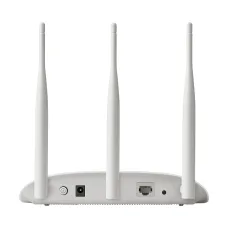




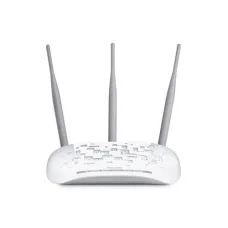
TP-Link TL-WA901ND 450Mbps Wireless N Access Point
৳3,800 ৳3,900
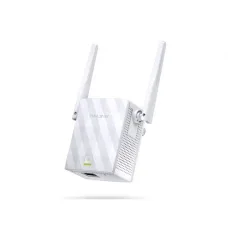
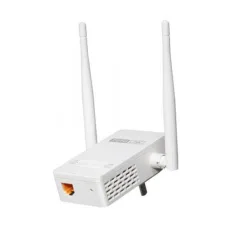
Tp-link TL-WA855RE 300Mbps Wi-Fi Range Extender
৳1,900 ৳2,000


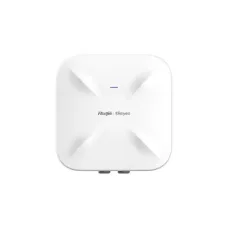


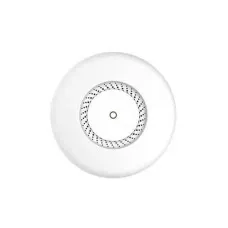
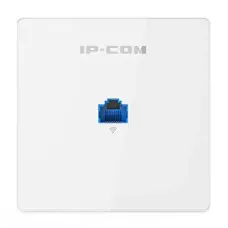


An access point is a networking device that connects wireless devices such as laptops, smartphones, tablets, smart TVs, CCTV equipment, and IoT devices to a wired network using Wi-Fi. A dedicated wireless access point is especially useful when you need wider Wi-Fi coverage, more wireless capacity, multiple access points, or better network management than a single home router can provide. :contentReference[oaicite:0]{index=0}
At Unix Network, the Access Point category is designed for customers in Bangladesh looking for reliable Wi-Fi networking solutions for homes, offices, shops, schools, hotels, restaurants, warehouses, campuses, CCTV networks, and business environments.
What Is an Access Point?
An Access Point, commonly called an AP or Wireless Access Point, bridges a wired Ethernet network and wireless Wi-Fi devices. It normally connects to a router, switch, or other network infrastructure through Ethernet and then provides wireless connectivity to nearby devices. :contentReference[oaicite:1]{index=1}
A typical network can be arranged as:
Internet → Router → Network Switch → Access Point → Wi-Fi Devices
Unlike a conventional wireless router, a dedicated access point is primarily designed to provide wireless network access rather than perform all gateway functions. Enterprise access points can also support centralized management, security, roaming, VLANs, and large numbers of wireless clients. :contentReference[oaicite:2]{index=2}
Why Use a Wi-Fi Access Point?
- Expand Wi-Fi coverage in large areas.
- Provide wireless access in offices and businesses.
- Support more Wi-Fi clients with multiple APs.
- Improve wireless coverage in multi-room buildings.
- Provide dedicated Wi-Fi for hotels, restaurants, schools, and commercial spaces.
- Connect wireless devices to an existing wired LAN.
- Support centralized wireless management on compatible systems.
- Use Ethernet or PoE for reliable network connectivity and installation.
- Create separate wireless networks for staff, guests, and IoT devices on supported systems.
Access Point for Home
A home access point can be useful when a single router cannot provide adequate Wi-Fi coverage throughout the house. Instead of replacing the existing router, a dedicated AP can be connected through Ethernet and installed in another part of the building.
This is particularly useful for large homes, multi-story buildings, concrete structures, and areas where wireless signals have difficulty passing through walls.
Access Point for Office
Office access points provide wireless connectivity for laptops, smartphones, tablets, printers, IP phones, IoT devices, and other business equipment.
Multiple APs can be installed throughout an office to provide broader coverage. Business-grade access points may support centralized management, VLANs, guest networks, user authentication, and wireless roaming depending on the product and platform.
Access Point for Business
Businesses often need Wi-Fi for employees, customers, visitors, POS systems, mobile devices, CCTV equipment, and IoT devices. A dedicated access point allows the wireless network to be designed separately from the routing and switching infrastructure.
For larger businesses, multiple access points can be centrally managed as one wireless system. Modern enterprise Wi-Fi platforms can provide centralized authentication and network segmentation for staff, guest, and IoT traffic. :contentReference[oaicite:3]{index=3}
Indoor Access Point
Indoor access points are designed for homes, offices, classrooms, shops, hotels, restaurants, and other indoor environments. Ceiling-mount and wall-mount models are common in business installations.
Installation location has a major effect on Wi-Fi performance. APs should generally be positioned where they can provide good coverage to the intended users while avoiding unnecessary physical obstructions.
Outdoor Access Point
Outdoor access points are designed for environments such as gardens, warehouses, campuses, parking areas, outdoor seating areas, farms, and industrial locations.
Outdoor APs should be selected according to weather protection, operating temperature, antenna design, coverage requirements, mounting options, and the expected environmental conditions.
Ceiling Mount Access Point
Ceiling-mount access points are commonly used in offices, hotels, schools, hospitals, restaurants, and commercial buildings. Mounting the AP at an appropriate central location can help distribute Wi-Fi coverage across the intended area.
Modern business access points are available in Wi-Fi 5, Wi-Fi 6, Wi-Fi 6E, and Wi-Fi 7 generations, depending on the product. Current TP-Link Omada access point ranges, for example, include Wi-Fi 6 and Wi-Fi 7 ceiling-mount models. :contentReference[oaicite:4]{index=4}
Wall Mount Access Point
Wall-mount access points are useful for hotel rooms, offices, classrooms, apartments, and other environments where ceiling installation is not practical.
Some wall-plate APs also provide additional Ethernet ports for connecting wired devices.
Wi-Fi 5 Access Point
Wi-Fi 5 access points use the 802.11ac generation of Wi-Fi technology. They can provide good wireless performance for homes, offices, and small businesses where Wi-Fi 5 capability is sufficient.
Wi-Fi 5 remains useful for budget-conscious installations, although Wi-Fi 6 and newer technologies can offer advantages for newer devices and higher-density networks.
Wi-Fi 6 Access Point
Wi-Fi 6 is based on the IEEE 802.11ax standard. It is designed to improve wireless efficiency, capacity, and performance, particularly in environments with many connected devices.
Wi-Fi 6 access points are suitable for modern homes, offices, schools, hotels, shops, and business networks.
Wi-Fi 6E Access Point
Wi-Fi 6E extends compatible Wi-Fi 6 operation into the 6 GHz band in regions where that spectrum is available and permitted. The actual channels and availability depend on local regulations and compatible devices.
Wi-Fi 6E can provide access to additional spectrum and can be useful in environments where supported devices and network equipment are available.
Wi-Fi 7 Access Point
Wi-Fi 7 is the newest major Wi-Fi generation and is designed for higher throughput, lower latency, and improved wireless efficiency. Current enterprise AP ranges include Wi-Fi 7 models for high-performance networks. :contentReference[oaicite:5]{index=5}
Wi-Fi 7 access points are particularly relevant for high-speed internet, demanding business applications, high-density wireless environments, and modern devices that support Wi-Fi 7.
Gigabit Access Point
A Gigabit access point uses a Gigabit Ethernet interface to connect to the wired network. This can be important when the wireless network is capable of delivering hundreds of megabits per second or more.
For high-speed Wi-Fi, the wired uplink should not become an unnecessary bottleneck.
2.5G Access Point
Modern Wi-Fi 6 and Wi-Fi 7 access points can provide multi-gigabit wireless performance, making a 2.5 Gigabit Ethernet uplink useful on compatible models.
A 2.5G AP should ideally be connected to a compatible 2.5G switch or router, with appropriate Ethernet cabling and network infrastructure.
PoE Access Point
Power over Ethernet, or PoE, allows compatible access points to receive power and network data through the same Ethernet cable. This can simplify installation because a separate power cable may not be required at the AP location.
PoE is particularly useful for ceiling-mounted and outdoor access points where electrical outlets may not be conveniently located.
PoE+ Access Point
Some higher-performance access points require PoE+ rather than standard PoE. Before installation, check the AP's power requirements and make sure the PoE switch or injector provides the required standard and power budget.
Access Point with Mesh
Some modern access points support mesh networking, allowing multiple compatible APs to work together to provide broader wireless coverage.
However, wired Ethernet backhaul is often preferable when available because it can provide a dedicated wired connection between the AP and the network.
Wireless Access Point vs Router
| Feature | Access Point | Wireless Router |
|---|---|---|
| Provides Wi-Fi | Yes | Yes |
| Connects Wi-Fi devices to LAN | Yes | Yes |
| Internet routing | Usually handled by another router | Yes |
| NAT | Usually not the primary function | Usually supported |
| DHCP server | Usually handled by router | Usually supported |
| Multiple AP deployment | Designed for this use | Possible but less suitable for larger networks |
| Enterprise management | Available on business models | Depends on model |
A wireless router normally combines routing, NAT, firewall, switching, and Wi-Fi functions in one device. A dedicated access point primarily provides wireless connectivity to an existing network. :contentReference[oaicite:6]{index=6}
Access Point vs Wi-Fi Extender
An access point normally connects to the network using Ethernet and creates wireless connectivity from that wired connection. A Wi-Fi extender typically receives an existing wireless signal and retransmits it to expand coverage.
For permanent business installations, Ethernet-connected APs are often preferable because they provide a more predictable wired backhaul. :contentReference[oaicite:7]{index=7}
Access Point vs Mesh Wi-Fi
A multi-AP network and a mesh system can both provide coverage across a large area. The main difference is how the APs are managed and how they connect to the network.
A professionally designed network can use multiple Ethernet-connected APs, while mesh systems may use wireless or wired backhaul depending on the product.
Access Point for Hotel
Hotels often require multiple access points to provide Wi-Fi throughout guest rooms, corridors, reception areas, restaurants, conference rooms, and other facilities.
Business-grade AP systems can support multiple SSIDs, guest networks, VLANs, centralized management, and roaming features depending on the platform.
Access Point for Restaurant
Restaurants can use access points to provide Wi-Fi for customers and staff while keeping business systems such as POS terminals and administrative devices separated from guest traffic.
Guest Wi-Fi can be configured as a separate SSID and network on compatible routing and wireless platforms.
Access Point for School
Schools and educational institutions may require multiple access points to provide wireless coverage across classrooms, offices, laboratories, libraries, and common areas.
High-density APs can be useful where many students and staff members use Wi-Fi simultaneously.
Access Point for Warehouse
Warehouses can benefit from strategically installed access points for barcode scanners, handheld terminals, inventory systems, smartphones, laptops, IoT devices, and other wireless equipment.
For large warehouses, AP selection should consider building materials, ceiling height, shelving, interference, client density, roaming requirements, and environmental conditions.
Access Point for CCTV
Wireless access points can provide network connectivity for compatible IP cameras and other wireless security devices. However, wired Ethernet or fiber connections are generally preferable for fixed high-bandwidth CCTV installations where practical.
A typical network may use:
Internet → Router/Firewall → PoE Switch → Access Point → Wireless Devices
Access Point for Multiple Users
Business access points are designed to handle multiple simultaneous wireless clients. The appropriate AP depends on the number of users, device types, traffic requirements, physical environment, and expected peak usage.
Enterprise APs are designed to scale across larger networks and can support many APs under centralized management. :contentReference[oaicite:8]{index=8}
Multi-SSID Access Point
A multi-SSID access point can broadcast multiple wireless network names. This can be useful for separating employee Wi-Fi, guest Wi-Fi, IoT devices, and other network groups.
SSID separation should be combined with appropriate VLAN and firewall configuration when actual network isolation is required.
VLAN Access Point
Business access points can support VLAN tagging to separate different wireless networks over the same physical network infrastructure.
For example, a business may create separate networks for:
- Employees.
- Guests.
- Management devices.
- IoT equipment.
- CCTV devices.
The exact VLAN capabilities depend on the AP, switch, router, and management platform.
Guest Wi-Fi Access Point
A guest Wi-Fi network allows visitors to access the internet without giving them direct access to sensitive internal network resources.
Business-grade access points can provide guest network features, captive portals, traffic restrictions, and other controls depending on the platform.
Access Point with Captive Portal
A captive portal can require users to interact with a web page before receiving network access. This feature is useful for hotels, restaurants, cafes, schools, offices, and public Wi-Fi environments.
Availability and functionality depend on the access point and network management system.
Access Point with WPA3
Modern access points can support WPA3 security. WPA3 can provide stronger wireless security than older Wi-Fi security methods when compatible clients and network equipment are used.
For business networks, WPA3-Enterprise can be used with compatible authentication infrastructure for individual user authentication. :contentReference[oaicite:9]{index=9}
Access Point for Seamless Roaming
Multiple properly configured access points can provide roaming across a building. Advanced enterprise wireless platforms coordinate APs and client connections to help users move between coverage areas.
Roaming performance depends on the APs, client devices, network configuration, signal levels, and management system.
Centralized Access Point Management
Managing many APs individually can become difficult as a network grows. Centralized management allows administrators to configure, monitor, update, and troubleshoot multiple access points from one interface.
Modern enterprise Wi-Fi platforms are designed to operate multiple APs as a coordinated system rather than as isolated routers. :contentReference[oaicite:10]{index=10}
Cloud Managed Access Point
Cloud-managed access points can be monitored and configured through a cloud-based management platform. This can be useful for businesses operating multiple locations.
Cloud management features vary significantly between manufacturers and product families.
Access Point Brands
Popular access point brands available in different markets include TP-Link, Ubiquiti, MikroTik, Ruijie, Reyee, Tenda, D-Link, Cisco, Aruba, and other networking manufacturers.
The best brand depends on the required Wi-Fi standard, coverage, client capacity, management platform, PoE requirements, security features, budget, and network size.
TP-Link Access Point
TP-Link offers access points for home, small business, and professional networking environments. Its product range includes traditional wireless APs as well as Omada business access points with ceiling-mount, wall-mount, desktop, outdoor, wireless bridge, and other configurations. :contentReference[oaicite:11]{index=11}
Omada Access Point
TP-Link Omada access points are designed for centrally managed business Wi-Fi deployments. The range includes Wi-Fi 6 and Wi-Fi 7 products as well as indoor, outdoor, wall-plate, and other AP designs. :contentReference[oaicite:12]{index=12}
Outdoor Wi-Fi Access Point
Outdoor Wi-Fi access points are useful for extending wireless connectivity to outdoor areas. Depending on the model, they may support weather-resistant enclosures, directional or omnidirectional antennas, PoE, mesh networking, and centralized management.
Long Range Access Point
A long-range AP is designed to provide wireless coverage over larger areas. However, advertised wireless range should not be treated as a guaranteed coverage distance because actual range depends on walls, interference, antenna placement, client devices, regulatory power limits, and environmental conditions.
Access Point for Large Home
Large homes can use multiple access points connected through Ethernet to provide consistent Wi-Fi coverage. This approach is often more scalable than relying on a single router located at one end of the building.
For multi-story homes, AP placement on each floor may provide better coverage than increasing the transmit power of one router.
Access Point for Small Business
A small business can use one or more APs depending on building size and user density. Important features can include dual-band Wi-Fi, Gigabit or 2.5G Ethernet, PoE, guest Wi-Fi, VLAN support, centralized management, and security controls.
How to Choose an Access Point
- Determine the required coverage area.
- Estimate the number of simultaneous users.
- Identify the types of client devices.
- Choose the appropriate Wi-Fi generation.
- Check Ethernet uplink speed.
- Check PoE requirements.
- Consider indoor or outdoor installation.
- Consider VLAN and multiple SSID requirements.
- Consider guest Wi-Fi requirements.
- Consider centralized or cloud management.
- Check security features.
- Consider future expansion.
How Many Access Points Do I Need?
The number of APs required depends on building size, construction materials, floor layout, client density, desired coverage, wireless interference, AP capability, and bandwidth requirements.
Instead of choosing AP quantity only from the manufacturer's advertised range, a professional deployment should consider both coverage and capacity.
Access Point Placement
Correct placement is essential for good Wi-Fi performance. APs should generally be positioned in locations that provide appropriate coverage to users while minimizing obstructions and interference.
- Place indoor APs in suitable central locations.
- Avoid unnecessary physical obstructions.
- Consider walls and reinforced concrete.
- Avoid placing APs next to significant sources of interference.
- Use wired Ethernet backhaul where possible.
- Use multiple APs for large or multi-floor buildings.
Access Point Ethernet Cable
The Ethernet cable connecting an AP to the network should support the speed required by the access point. Gigabit APs can use appropriate Cat5e or better cabling in suitable installations, while multi-gigabit networks may benefit from higher-category cabling depending on distance and required speed.
Access Point PoE Switch
A PoE switch can provide both network connectivity and electrical power to compatible access points through Ethernet. This is especially useful when installing APs on ceilings, walls, poles, or other locations without convenient power outlets.
Before purchasing a PoE switch, verify the AP's PoE standard and power consumption and make sure the switch has sufficient total PoE power budget.
Access Point Installation
A basic wired AP installation generally involves connecting the AP to a router or switch using Ethernet, supplying power through a compatible PoE switch or adapter when required, configuring the wireless network, and testing coverage and performance.
For multi-AP business installations, additional configuration may include VLANs, guest networks, authentication, roaming, channel planning, bandwidth management, and centralized management.
Access Point Configuration
Typical AP configuration includes setting the SSID, wireless security, password, channel, operating mode, VLAN settings, management options, and other network parameters.
The exact configuration interface varies by manufacturer and model.
Access Point Security
- Use WPA2 or WPA3 security as appropriate.
- Use strong wireless passwords.
- Change default administrator credentials.
- Disable unnecessary management services.
- Keep firmware updated.
- Use separate guest networks where appropriate.
- Use VLAN segmentation for business networks where required.
- Restrict management access to trusted devices or networks.
Access Point Price in Bangladesh
Access point prices in Bangladesh vary according to brand, Wi-Fi generation, wireless speed, antenna design, Ethernet speed, PoE support, indoor or outdoor construction, management features, client capacity, and business-oriented capabilities.
Basic wireless access points can be suitable for simple home or small-office applications, while Wi-Fi 6, Wi-Fi 7, outdoor, multi-gigabit, and centrally managed enterprise APs generally cost more.
Prices and stock can change without prior notice because of supplier availability, market conditions, exchange rates, product revisions, and warranty arrangements. Customers should check the current Unix Network product listing for the latest price and availability.
Buy Access Point in Bangladesh
If you are looking to buy an access point in Bangladesh, choose the product according to your coverage requirements, number of users, Wi-Fi generation, Ethernet speed, PoE requirements, indoor or outdoor installation, and management needs.
For a simple home network, a basic dual-band access point may be sufficient. For an office, hotel, school, restaurant, warehouse, or large building, a centrally managed Wi-Fi system with multiple access points may be a better solution.
Unix Network provides computer, networking, CCTV, and IT products and services in Jashore, Bangladesh. Customers can explore access points, routers, switches, Wi-Fi adapters, fiber networking products, PoE equipment, and other networking solutions through the Unix Network eCommerce website.
Best Access Point for Home
The best home access point depends on the size of the property, internet speed, number of connected devices, Wi-Fi requirements, and whether Ethernet cabling is available.
For a modern home, a dual-band Wi-Fi 6 AP with Gigabit Ethernet can be a good starting point. Larger homes may benefit from multiple APs or a managed mesh system.
Best Access Point for Office
For an office, consider a business-grade AP with Wi-Fi 6 or newer, PoE, multiple SSIDs, VLAN support, centralized management, guest networking, and appropriate client capacity.
The correct number of APs should be determined by both coverage and expected client density.
Best Outdoor Access Point
The best outdoor AP should match the installation environment and provide suitable weather protection, wireless coverage, antenna characteristics, Ethernet connectivity, PoE support, and management features.
Frequently Asked Questions About Access Points
What is an access point?
An access point is a networking device that connects wireless Wi-Fi devices to a wired network. :contentReference[oaicite:13]{index=13}
What is the difference between an access point and a router?
A router directs traffic between networks and commonly provides NAT, DHCP, firewall, and routing functions. An access point primarily provides wireless access to an existing network.
Can an access point increase Wi-Fi coverage?
Yes. An AP connected to the wired network can provide Wi-Fi coverage in an area that is poorly served by the existing router.
Does an access point need Ethernet?
A traditional wired access point normally uses Ethernet to connect to the network. Some models also support wireless mesh or bridge modes.
Does an access point need a router?
A typical standalone AP does not normally replace the router. The router usually provides internet routing, DHCP, NAT, and firewall functions, while the AP provides wireless access.
Can I connect multiple access points to one router?
Yes. Multiple APs can be connected to the same wired network to provide broader coverage and greater wireless capacity.
Can an access point use PoE?
Yes. Many business and outdoor APs support Power over Ethernet, allowing network data and power to travel through the same Ethernet cable.
What is the best Wi-Fi access point?
The best AP depends on the installation. Wi-Fi 6 or Wi-Fi 7 models can be suitable for modern high-performance networks, while basic Wi-Fi 5 APs can still be useful for budget-oriented installations.
Is Wi-Fi 6 better than Wi-Fi 5?
Wi-Fi 6 is a newer generation designed to improve efficiency and performance, particularly in networks with many connected devices. However, the actual benefit depends on client-device compatibility and network conditions.
Is Wi-Fi 7 worth buying?
Wi-Fi 7 can be worthwhile for users who have compatible devices, high-speed internet, multi-gigabit networking, or demanding wireless applications. For basic internet use with older devices, a Wi-Fi 6 AP may provide better value.
Can an access point support multiple SSIDs?
Many business access points support multiple SSIDs. This can be used to create separate wireless networks for staff, guests, IoT devices, or other groups.
Can an access point support VLAN?
Many business-grade APs support VLAN tagging and multiple wireless networks. The switch and router must also be configured correctly for VLAN-based network segmentation.
Can an access point be used outdoors?
Yes. Outdoor access points are specifically designed for outdoor installations. Choose a model with appropriate environmental protection and mounting options.
Final Thoughts on Access Points
Access points are an important part of modern Wi-Fi infrastructure. They provide a practical way to connect wireless devices to an existing wired network and can be deployed individually or as part of a multi-AP wireless system.
For homes and small offices, a simple dual-band access point can improve coverage in areas where the main router is insufficient. For businesses, hotels, schools, warehouses, restaurants, and larger buildings, multiple centrally managed Wi-Fi 6 or Wi-Fi 7 access points can provide better scalability, security, capacity, and roaming.
When choosing an access point, do not focus only on advertised Wi-Fi speed. Consider coverage, client capacity, Ethernet uplink speed, PoE support, Wi-Fi generation, VLANs, guest networking, management features, security, installation environment, and future expansion.
Why Buy Access Point from Unix Network?
Unix Network is a computer, networking, CCTV, and IT solutions provider in Jashore, Bangladesh. The business offers networking products and accessories for home users, offices, shops, businesses, educational institutions, CCTV installations, and professional network deployments.
Customers looking for an Access Point can compare available models according to Wi-Fi standard, wireless speed, Ethernet port speed, PoE support, indoor or outdoor design, specifications, price, availability, and warranty through the Unix Network eCommerce website.
Product prices and stock may change without prior notice. Customers should confirm the latest price, availability, exact model, specifications, warranty, and compatibility before placing an order.
Hourly Deals