

MT-Link Router Setup and Login Guide: Everything You Need to Know
Showing 1 to 2 of 2 (1 Pages)
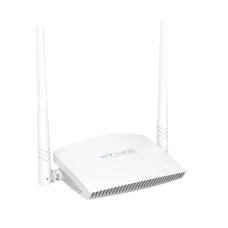
MT Link Router MT-WR850N
৳1,400
MT Link Router Login – Admin Access, Setup & Password Guide
If you are looking for MT Link router login, MT-Link router setup, or the default MT Link login IP address, this guide explains how to access and configure your router step by step. You can use the MT Link router admin panel to change your WiFi name and password, manage connected devices, configure internet settings, update wireless options, and troubleshoot common connection problems.
Unix Network offers MT Link routers in Bangladesh, including popular models such as the MT-WR850N and MT-WR950N. The exact login address, username, password, and available settings can vary depending on the router model and firmware.
Default MT Link Router Login Details
Before logging in, connect your phone, laptop, or computer directly to the MT Link router using WiFi or a LAN cable.
Common MT Link router login information includes:
Common Login IP:
192.168.0.1Alternative Login IP:
192.168.1.1Common Username:
adminCommon Password:
admin
These are common default credentials, but they may not work on every MT Link router. Check the label on the bottom or back of your router, the user manual, or the information supplied with your particular model if the default login details do not work.
Important: Do not confuse the router's admin login password with your WiFi password. They can be different, depending on the router configuration.
How to Login to MT Link Router
Follow these steps to access the MT Link router admin panel:
Connect your device to the MT Link router.
Connect your phone, laptop, desktop computer, or other device to the router through WiFi or an Ethernet/LAN cable.Open a web browser.
You can use Chrome, Firefox, Microsoft Edge, Safari, or another modern browser.Enter the router IP address.
Type 192.168.0.1 into the browser's address bar and press Enter.Try the alternative IP if necessary.
If192.168.0.1does not open the login page, try 192.168.1.1.Enter your login credentials.
Enter the router's administrator username and password.Open the administration panel.
After successful login, you can configure your MT Link router's wireless network, internet connection, security settings, connected devices, and other available options.
MT Link Router Login Not Working?
If 192.168.0.1 or 192.168.1.1 does not open the MT Link login page, try the following troubleshooting steps:
Make sure your device is connected to the MT Link router.
Check that you have entered the IP address correctly.
Enter the IP address directly into the browser's address bar rather than a search box.
Try both
192.168.0.1and192.168.1.1.Disconnect from mobile data and use the router's WiFi connection.
Try connecting a computer using an Ethernet cable.
Restart the MT Link router and try again.
Try another web browser or clear the browser cache.
Check the router label for the correct administration address.
Find your device's default gateway if neither common IP address works.
The router's gateway address is normally the address used to access its administration interface.
How to Change MT Link WiFi Password
You can change the MT Link WiFi password from the router's administration panel.
Connect to your MT Link router.
Open a browser and go to
192.168.0.1.Log in with your administrator credentials.
Open Wireless, WiFi, Wireless Settings, or a similarly named menu.
Find the WiFi Password, Pre-Shared Key, or Security Key option.
Enter your new WiFi password.
Save or apply the changes.
Reconnect your phones, computers, TVs, and other devices using the new password.
The exact menu names can vary between MT Link router models and firmware versions.
How to Change MT Link Router Admin Password
The admin password used to enter the router control panel is separate from the WiFi password on many routers.
After logging in:
Open the Administration, System Tools, Management, or similar settings menu.
Find the administrator password option.
Enter the current password.
Enter and confirm your new administrator password.
Save the settings.
Use the new password the next time you access the MT Link router admin panel.
Use a strong password that is difficult for other people to guess.
What Is the MT Link Router Login IP Address?
The most commonly used MT Link router login address is 192.168.0.1. Some models or configurations may instead use 192.168.1.1.
If neither address opens the login page, check the router label or determine the default gateway address of the device connected to the router.
Can I Login to MT Link Router From My Phone?
Yes. You can access the MT Link router administration page from a smartphone.
First connect your phone to the MT Link router's WiFi network. Then open Chrome, Safari, or another browser and enter:
192.168.0.1
If that does not work, try:
192.168.1.1
You do not normally need a separate app simply to access the router's web-based administration panel.
What Is the Default MT Link Router Username and Password?
Many MT Link routers use admin as the default username and may use admin as the default password.
However, default credentials can differ between models, firmware versions, or previously configured routers. If admin / admin does not work, check the router label or documentation.
If the router has already been configured by an ISP, technician, shop, or previous owner, the default password may also have been changed.
What Should I Do If I Forget My MT Link Router Password?
If you have forgotten the administrator password, first check whether the password is printed on the router label or documentation.
If the administrator password has been changed and cannot be recovered, a factory reset may be required.
Be aware that resetting the router can erase your existing configuration, including:
WiFi name and password
Internet connection settings
Administrator password
Port forwarding settings
Parental controls
Other customized network settings
Make sure you know the internet connection details you need before performing a factory reset.
How to Reset MT Link Router
To restore an MT Link router to its factory settings:
Make sure the router is powered on.
Locate the small Reset button or reset hole.
Use a suitable pointed object if the button is recessed.
Press and hold the reset button for approximately 10–15 seconds, depending on the model.
Release the button when the router's indicator lights respond or the router begins restarting.
Wait for the router to complete the reset process.
Connect to the router again and configure it from the beginning.
The exact reset procedure can vary by model, so check the model-specific instructions when available.
MT Link Router Password Change
If you want to change your MT Link WiFi password, log in to the router administration page and look under the Wireless or WiFi settings.
Choose a strong password containing a combination of letters, numbers, and symbols. After saving the new password, previously connected devices may disconnect and need to be connected again using the new password.
How to Find MT Link Router IP Address
If 192.168.0.1 and 192.168.1.1 do not work, your router may be using a different local gateway address.
On a connected device, look for the Default Gateway, Router, or Gateway address in the network connection information. That address can usually be entered into your browser to access the router's administration page.
Also check the label on your MT Link router for the manufacturer's specified login address.
MT Link Router Setup Guide
After logging into your MT Link router for the first time, you may need to configure the wireless and internet settings.
A typical setup includes:
Connect the router to the internet source.
Connect your phone or computer to the router.
Open the router login page.
Log in to the administration panel.
Configure the internet/WAN connection according to your ISP.
Set your WiFi network name (SSID).
Create a secure WiFi password.
Configure the available wireless security settings.
Save the configuration.
Reconnect your devices to the new WiFi network.
Test the internet connection.
The available configuration options depend on the MT Link router model and firmware.
How to Improve MT Link Router WiFi Speed
If your MT Link router is experiencing slow WiFi performance, try these steps:
Place the router in a central and elevated location.
Keep the router away from large metal objects and sources of interference.
Avoid placing it inside a closed cabinet.
Reduce unnecessary distance between the router and connected devices.
Disconnect devices that are no longer being used.
Use the appropriate WiFi band when your router supports multiple bands.
Restart the router if it has been running continuously for a long period.
Check whether your internet connection itself is causing the slowdown.
Keep router firmware updated when an appropriate update is available.
Remember that WiFi speed and internet speed are not always the same thing. A slow internet connection from your ISP can also result in slow browsing even when the router is functioning correctly.
MT Link Router Connected Devices
The MT Link administration panel may allow you to view devices currently connected to your network.
Depending on the model, you may be able to see information such as:
Connected device name
IP address
MAC address
Connection type
Wireless connection information
If you find an unknown device connected to your network, change your WiFi password and use the router's available security or access-control features.
MT Link Router Login FAQ
What is the MT Link login IP?
The commonly used MT Link login IP is 192.168.0.1. Some models may use 192.168.1.1. Check the router label or network gateway if these addresses do not work.
What is the MT Link default password?
A common default password is admin, but this is not guaranteed for every MT Link model. Check the router label or documentation for the exact credentials.
What is the MT Link default username?
Many MT Link routers use admin as the default administrator username.
How do I access MT Link admin?
Connect your device to the MT Link router, open a browser, enter 192.168.0.1, and log in with the router administrator credentials.
Why is 192.168.0.1 not opening?
Your device may not be connected to the router, the router may use another gateway address, or the IP address may have been changed. Try 192.168.1.1, check your network connection, and verify the router's gateway address.
How do I change my MT Link WiFi password?
Log in to the MT Link administration panel, open the Wireless or WiFi settings, change the password/security key, and save the settings.
How do I change my MT Link router password?
If you mean the administrator password, log in to the router and look under Administration, Management, System Tools, or a similar menu. If you mean the WiFi password, change it under Wireless/WiFi settings.
How do I reset my MT Link router?
Press and hold the physical reset button for approximately 10–15 seconds while the router is powered on. A factory reset removes customized settings, so you may need to configure the router again.
Can I access MT Link router login from mobile?
Yes. Connect your smartphone to the router's WiFi network and enter the router's local IP address, such as 192.168.0.1, in your mobile browser.
Does every MT Link router use 192.168.0.1?
No. 192.168.0.1 is a common address, but different MT Link models or configurations can use another address such as 192.168.1.1. Always check the router label or gateway when necessary.
Why does my MT Link router ask for a username and password?
The router administration panel is protected by administrator authentication. This prevents unauthorized users on the network from changing important router settings.
How can I change my MT Link WiFi name?
Log in to the router administration panel and open Wireless or WiFi settings. Find the SSID or WiFi network name field, enter your preferred name, and save the configuration.
What happens after changing the MT Link WiFi password?
Devices that were connected using the old password will normally disconnect. You must reconnect them using the new WiFi password.
Can I use MT Link router without logging in?
You can use the router with its existing configuration without accessing the administration panel. However, you need administrator access to change settings such as the WiFi name, WiFi password, security configuration, and other network options.
MT Link Router Price in Bangladesh
Looking for an MT Link router in Bangladesh? Unix Network offers MT Link networking products for home, office, and everyday internet connectivity.
Our available MT Link router models can include different wireless speeds, features, and specifications depending on the model. Check the product listings above for the current MT Link router price in Bangladesh, specifications, availability, and purchasing options.
MT Link Router Models
The MT Link router range may include models such as:
MT Link MT-WR850N Router
MT Link MT-WR950N 300 Mbps Router
Compare the available models before purchasing to choose a router that matches your internet connection, coverage requirements, number of connected devices, and budget.
Why Choose an MT Link Router?
MT Link routers can be suitable for users looking for an affordable wireless networking solution for home or small-office environments. Depending on the model, features can include wireless connectivity, multiple LAN ports, router configuration options, and support for multiple connected devices.
Before purchasing, check the individual product specification because wireless standards, speed, antenna configuration, ports, and other features can vary between models.
Buy MT Link Router in Bangladesh
You can browse the available MT Link routers on this page and compare models, prices, specifications, and availability.
If you are specifically searching for MT Link router price, MT Link router login, MT-Link login, 192.168.0.1 MT Link login, MT Link WiFi password change, or MT Link router setup, this page provides both the available products and the information needed to configure your router.