
NETGEAR Switch Price in Bangladesh
Showing 1 to 24 of 44 (2 Pages)
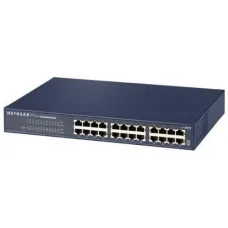


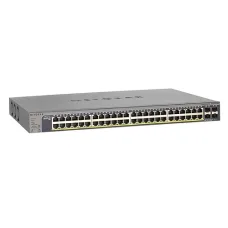
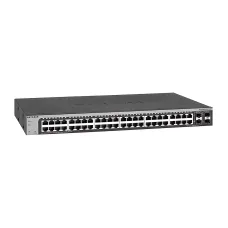
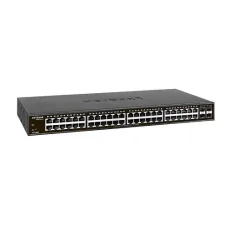
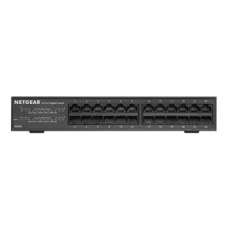


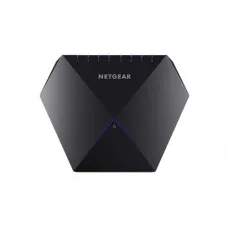
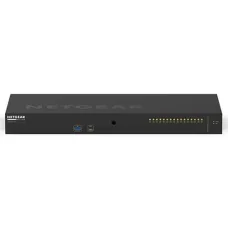


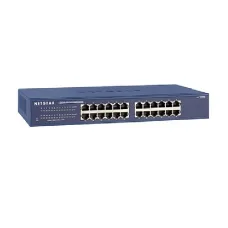
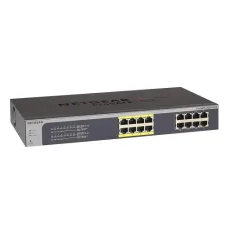


NETGEAR Switch Price in Bangladesh
Looking for the latest NETGEAR Switch price in Bangladesh? Unix Network offers networking solutions for homes, offices, businesses, shops, CCTV installations, gaming setups, server rooms, and professional networks. NETGEAR switches are available in different configurations, including unmanaged, smart managed, managed, PoE, Gigabit, multi-gigabit, and high-speed network switches.
A network switch allows multiple wired devices to communicate over the same local network. You can use a switch to connect computers, laptops, servers, printers, IP cameras, Wi-Fi access points, NAS devices, gaming systems, and other Ethernet-enabled equipment.
The price of a NETGEAR Switch in Bangladesh depends on the number of ports, Ethernet speed, PoE capability, management features, switching capacity, uplink options, and intended use. Before buying, customers should select a switch based on the actual network requirements rather than choosing only by port count or advertised speed.
NETGEAR Switch Price List in Bangladesh
| NETGEAR Switch Type | Best For | Typical Use |
|---|---|---|
| 5-Port Switch | Home & Small Setup | PCs, Printers, TVs, NAS |
| 8-Port Switch | Home & Small Office | Computers & Network Devices |
| 16-Port Switch | Office & Small Business | Multiple Wired Devices |
| 24-Port Switch | Business & CCTV | Large Wired Networks |
| 48-Port Switch | Enterprise & Large Office | High Device Count |
| Gigabit Switch | Fast Wired Networking | Home, Office & Business |
| 2.5G Switch | High-Speed Networking | Modern PCs, NAS & Wi-Fi |
| 10G Switch | Professional Networking | Servers, NAS & Workstations |
| PoE Switch | IP Cameras & Access Points | CCTV & Wi-Fi Infrastructure |
| Managed Switch | Professional Networks | VLAN, Monitoring & Network Control |
| Unmanaged Switch | Simple Plug-and-Play Networks | Home & Small Office |
Important: NETGEAR switch prices and availability can change depending on the exact model, specifications, stock, warranty, and market conditions. Always confirm the current price and availability before purchasing.
What Is a NETGEAR Network Switch?
A NETGEAR network switch is a device used to connect multiple Ethernet devices within a local area network. It receives network traffic and forwards it to the appropriate connected device.
For example, a single router may not provide enough Ethernet ports for all the devices in an office. A NETGEAR switch can expand the number of available wired network connections.
A switch can connect devices such as:
- Desktop computers
- Laptops with Ethernet connectivity
- Servers
- NAS storage
- Network printers
- IP cameras
- NVR systems
- Wi-Fi access points
- Gaming PCs
- Gaming consoles
- Smart TVs
- Other Ethernet-enabled devices
NETGEAR Unmanaged Switch
An unmanaged NETGEAR switch is designed for simple plug-and-play networking. It normally does not require advanced configuration. Connect the switch to the network, connect your Ethernet devices, and the switch handles the basic traffic forwarding.
Unmanaged switches are suitable for customers who simply need additional Ethernet ports without advanced network-management features.
Who Should Buy an Unmanaged Switch?
- Home users
- Small offices
- Small shops
- Basic desktop networks
- Users who need additional LAN ports
- Customers who want simple plug-and-play installation
NETGEAR Managed Switch
A managed switch provides more control over the network. Depending on the model, managed switches can support features such as VLANs, traffic monitoring, link aggregation, Quality of Service, port configuration, security controls, and other advanced networking functions.
Managed switches are generally more suitable for businesses, organizations, server environments, professional CCTV networks, and customers who need detailed network control.
NETGEAR Smart Managed Switch
Smart managed switches provide a balance between basic unmanaged switching and fully managed enterprise networking. Depending on the model, they may offer VLAN, QoS, monitoring, port configuration, and other useful management features through a web-based interface or supported management platform.
They can be a practical choice for small and medium-sized businesses that need more control than an unmanaged switch provides.
NETGEAR PoE Switch
PoE, or Power over Ethernet, allows compatible network devices to receive electrical power and network connectivity through the same Ethernet cable.
A NETGEAR PoE switch can be useful for powering compatible:
- IP cameras
- Wireless access points
- VoIP phones
- Other PoE-enabled network devices
PoE can simplify installation because compatible devices may not require a separate local power adapter.
NETGEAR PoE Switch for IP Camera
A PoE switch is particularly useful for multi-camera CCTV installations. Ethernet cables can connect the cameras to the PoE switch, while the switch supplies power and network connectivity to compatible cameras.
Before purchasing, check the PoE standard, total PoE power budget, number of PoE ports, camera power consumption, port speed, and uplink capacity.
For example, a switch with a high number of PoE ports does not automatically mean it can power every connected camera at maximum power. The total PoE budget must also be sufficient.
NETGEAR PoE Switch for Wi-Fi Access Point
Many professional wireless access points can receive power through PoE. A NETGEAR PoE switch can therefore simplify the installation of ceiling-mounted or wall-mounted access points by carrying both network data and power over Ethernet.
This can be particularly useful in offices, schools, hotels, shops, warehouses, and other larger properties.
NETGEAR Gigabit Switch
A Gigabit Ethernet switch provides wired network connections supporting speeds of up to 1Gbps under appropriate conditions.
Gigabit switches are suitable for many modern home and office networks, especially for connecting desktop computers, NAS devices, printers, access points, IP cameras, and other wired equipment.
NETGEAR 2.5G Switch
A 2.5Gbps Ethernet switch can provide faster wired networking than traditional Gigabit Ethernet. It can be useful for newer PCs, high-speed NAS devices, Wi-Fi access points, and internet connections exceeding 1Gbps where the connected hardware also supports the higher speed.
To achieve 2.5Gbps performance, the relevant network devices and Ethernet connections must support the required speed.
NETGEAR 5G Switch
Multi-gigabit switches can be useful in modern high-performance networks where devices require speeds above 1Gbps. The exact capabilities depend on the switch model and connected hardware.
NETGEAR 10G Switch
A 10GbE switch is designed for high-performance wired networking. It can be useful for servers, workstations, NAS storage, video-production systems, virtualization environments, and other bandwidth-intensive applications.
A 10G switch is only useful when the connected devices, network adapters, cables, and storage systems can take advantage of the higher bandwidth.
NETGEAR Switch for Home
A home user may need a network switch when the router does not provide enough Ethernet ports or when several wired devices need to be connected in one location.
For example, a home office may have a desktop PC, printer, NAS, gaming console, smart TV, and Wi-Fi access point. A suitable Ethernet switch can connect these devices without replacing the entire network.
NETGEAR Switch for Office
Offices often require multiple wired connections for computers, printers, servers, access points, IP phones, and other equipment.
The appropriate switch depends on the number of users, number of devices, required network speed, PoE requirements, VLAN requirements, uplink capacity, and future expansion.
NETGEAR Switch for Business
Businesses may require advanced features such as VLAN segmentation, QoS, link aggregation, monitoring, security controls, and centralized management.
For a business network, selecting the correct switch architecture is more important than simply choosing the cheapest switch with the highest port count.
NETGEAR Switch for Gaming
A wired Ethernet connection can provide a stable network connection for gaming PCs and consoles. A NETGEAR Gigabit or multi-gigabit switch can connect multiple gaming devices, PCs, consoles, and other network equipment.
However, a faster switch does not automatically reduce internet-game latency. Latency is also influenced by the ISP, routing, game server location, connection type, and network congestion.
NETGEAR Switch for CCTV
NETGEAR switches can be used as part of IP surveillance networks. A suitable switch can connect IP cameras, NVRs, routers, and other network equipment.
For PoE cameras, a compatible PoE switch can provide both network connectivity and power.
NETGEAR Switch for NVR
In a network CCTV system, an Ethernet switch can connect multiple IP cameras to an NVR or network infrastructure. When selecting the switch, consider the number of cameras, camera bitrate, PoE requirements, uplink speed, and NVR connectivity.
NETGEAR Switch for Server
Servers often require high-speed and reliable network connections. Depending on the application, a Gigabit, 2.5G, 5G, or 10G switch may be appropriate.
For server and NAS environments, customers should also consider link aggregation, VLANs, redundancy, uplink capacity, and network monitoring where required.
NETGEAR Switch for NAS
Network Attached Storage can generate substantial network traffic when multiple users access large files simultaneously. A higher-speed switch can improve local file-transfer performance when the NAS and client devices also support the required speed.
NETGEAR Switch for Wi-Fi Access Point
Wireless access points can be connected to Ethernet switches to extend wireless coverage throughout a building. For PoE-compatible access points, a PoE switch can simplify power delivery.
When using multiple access points, managed switching and VLAN capabilities may be useful for larger professional networks.
NETGEAR Switch VLAN
VLANs allow a physical network to be divided into separate logical networks. VLANs can be useful for separating different types of traffic.
For example, a business might separate:
- Employee computers
- Guest Wi-Fi
- IP cameras
- VoIP phones
- Servers
- Management devices
VLAN support depends on the exact NETGEAR switch model. Unmanaged switches generally do not provide the same VLAN configuration capabilities as managed switches.
NETGEAR Switch QoS
Quality of Service (QoS) can prioritize certain types of network traffic. This can be useful in networks where voice, video, gaming, business applications, or other traffic competes for bandwidth.
QoS features vary between NETGEAR switch models, so customers should check the exact product before purchasing.
NETGEAR Switch Link Aggregation
Link aggregation can combine multiple physical network links into a logical connection under supported configurations. It can provide additional aggregate bandwidth and/or redundancy for compatible devices.
Both ends of the connection need to support compatible link-aggregation configurations.
NETGEAR Switch Uplink Port
An uplink connects a switch to another network device, such as a router, core switch, server, or another switch.
When many devices are connected to a switch, uplink speed becomes important. A switch with several Gigabit ports but an insufficient uplink can become a bottleneck when large amounts of traffic need to leave the switch.
NETGEAR Switch Port Count
NETGEAR switches are available with different numbers of Ethernet ports. Common options include 5-port, 8-port, 16-port, 24-port, and 48-port configurations, although exact availability varies.
When choosing port count, consider both your current devices and future expansion. Buying a switch with one or two spare ports may prevent the need for an immediate upgrade.
5-Port NETGEAR Switch
A 5-port switch can be suitable for a small home office or desktop setup where only a few additional Ethernet connections are required.
8-Port NETGEAR Switch
An 8-port switch is a popular choice for small offices, home networks, gaming setups, and small CCTV installations.
16-Port NETGEAR Switch
A 16-port switch can provide more flexibility for small businesses, offices, shops, and growing wired networks.
24-Port NETGEAR Switch
A 24-port switch is commonly suited to larger offices, CCTV deployments, schools, businesses, and structured network installations.
48-Port NETGEAR Switch
A 48-port switch can be appropriate for larger network environments where many wired devices must be connected to a centralized network infrastructure.
Managed vs Unmanaged NETGEAR Switch
| Feature | Unmanaged Switch | Managed Switch |
|---|---|---|
| Setup | Plug and Play | Requires Configuration |
| VLAN | Generally Not Available | Available on Supported Models |
| Traffic Management | Limited | Advanced |
| Monitoring | Limited | Advanced Options |
| QoS | Limited/Model Dependent | Available on Supported Models |
| Best For | Simple Networks | Business & Professional Networks |
PoE vs Non-PoE NETGEAR Switch
| Feature | PoE Switch | Non-PoE Switch |
|---|---|---|
| Network Data | Yes | Yes |
| Power over Ethernet | Supported on Compatible Ports | No |
| IP Camera Use | Excellent for Compatible PoE Cameras | Requires Separate Camera Power |
| Access Point Use | Can Power Compatible APs | Requires Separate Power |
| Installation | Can Reduce Separate Power Cabling | More Separate Power Requirements |
NETGEAR Switch Power Consumption
Power consumption depends on the switch model, number of active ports, PoE usage, connected devices, and network traffic.
PoE switches can consume considerably more power because they may also provide power to connected cameras, access points, or other devices.
NETGEAR Switch Cooling and Placement
Switches should be installed in a suitable location with adequate ventilation. Avoid blocking ventilation openings or placing networking equipment in unnecessarily hot or enclosed locations.
For larger business networks, rack-mounted switches should be installed in an appropriately ventilated network cabinet or server rack.
NETGEAR Rack-Mount Switch
Rack-mount switches are useful for structured business networks, server rooms, CCTV control rooms, and data-center-style installations.
Before purchasing, check rack compatibility, switch dimensions, power requirements, port configuration, uplinks, and cable-management requirements.
NETGEAR Switch Installation
Basic unmanaged switch installation is simple:
- Place the switch in a suitable location.
- Connect the power adapter if required.
- Connect an Ethernet cable from the router or upstream switch.
- Connect computers and other wired devices.
- Check the link/activity indicators.
- Test network connectivity.
Managed switches require additional configuration depending on the network design.
How to Connect a NETGEAR Switch to a Router
- Connect the router's LAN port to an Ethernet port on the switch.
- Connect your computers and other wired devices to the remaining switch ports.
- Power on the switch.
- Check the link LEDs.
- Verify that connected devices receive network connectivity.
For an unmanaged switch, no special configuration is normally required for basic operation.
Can a NETGEAR Switch Increase Internet Speed?
A switch does not increase the internet speed supplied by your ISP. However, upgrading from older Ethernet equipment to a Gigabit or multi-gigabit switch can improve local wired-network performance when the previous equipment was limiting the connection.
Can I Connect Two NETGEAR Switches Together?
Yes. Multiple switches can be connected to expand a wired network. When connecting switches, pay attention to the uplink speed and overall network topology to avoid unnecessary bottlenecks or loops.
Can I Connect a Switch to Another Switch?
Yes. This is common in larger networks. For professional installations, consider uplink bandwidth, VLAN configuration, network topology, and redundancy requirements.
Can I Connect an IP Camera to a NETGEAR Switch?
Yes, provided the switch and camera use compatible network connections. If the camera requires PoE, use a compatible PoE switch or another appropriate PoE power source.
Can I Connect an NVR to a NETGEAR Switch?
Yes. An NVR can connect to a network switch through Ethernet. In a multi-camera system, the switch can provide network connectivity between cameras, NVRs, routers, and other network equipment.
Can I Connect a Wi-Fi Router to a NETGEAR Switch?
Yes. Connecting the switch to a LAN port on the router can provide additional wired network ports for computers, printers, cameras, gaming systems, and other devices.
NETGEAR Switch for Bangladesh Users
Customers in Bangladesh should select a NETGEAR switch according to their internet speed, local-network requirements, number of devices, PoE requirements, and budget.
For a small home network, an unmanaged Gigabit switch may be sufficient. For CCTV, PoE capacity becomes important. For business networks, VLANs, QoS, management, and uplink performance may be more important.
NETGEAR Switch for Jessore
If you are searching for NETGEAR Switch price in Jessore, Unix Network provides computer and networking products for customers in Jessore and across Bangladesh.
Customers should confirm the exact model, current price, warranty, and stock availability before visiting the showroom or placing an order.
How to Choose the Best NETGEAR Switch
1. Determine the Number of Devices
Count the computers, cameras, printers, access points, servers, NAS devices, gaming systems, and other Ethernet devices you plan to connect.
2. Choose the Correct Port Count
Select enough ports for current devices while leaving some capacity for future expansion.
3. Decide Between Managed and Unmanaged
Choose an unmanaged switch for simple plug-and-play networking. Choose a managed or smart managed switch when you need VLANs, QoS, monitoring, or advanced network control.
4. Check Ethernet Speed
Gigabit Ethernet is suitable for many networks. Consider 2.5G, 5G, or 10G when your devices and applications can use the additional bandwidth.
5. Check PoE Requirements
If you are connecting IP cameras, wireless access points, or PoE phones, determine whether PoE is required and calculate the total power budget.
6. Check Uplink Speed
For networks with significant traffic, make sure the switch has suitable uplink capacity to connect to the router, core switch, server, or other network infrastructure.
7. Consider VLAN Requirements
Businesses and professional installations may benefit from VLANs for separating users, cameras, guests, servers, and other network traffic.
8. Consider Future Expansion
Buying a switch with additional ports and suitable speed can make future network expansion easier.
9. Check Physical Installation
For server rooms and structured networks, consider rack mounting, ventilation, cable management, and power requirements.
10. Check Warranty
Always confirm the applicable warranty and after-sales service before purchasing.
Common NETGEAR Switch Problems
Switch Has No Power
Check the power adapter, electrical outlet, power cable, and switch power indicator. For PoE models, also check whether the switch is receiving sufficient power for its PoE requirements.
One Device Cannot Connect
Check the Ethernet cable, switch port, network adapter, IP configuration, and device network settings.
All Devices Lose Internet Access
Check the connection between the switch and router. If the router or upstream connection is offline, devices connected through the switch may also lose internet access.
PoE Camera Is Not Working
Check whether the switch port supports PoE, whether PoE is enabled where required, whether the camera's power requirement is within the switch's PoE budget, and whether the Ethernet cable is functioning correctly.
Network Speed Is Slow
Check the negotiated Ethernet speed, cable quality, switch port speed, network adapter, uplink capacity, and whether another component is creating a bottleneck.
Managed Switch Cannot Be Accessed
Check the switch's IP address, network connection, management interface, VLAN configuration, and administrator credentials.
NETGEAR Switch Buying Checklist
- Number of Ethernet ports
- Port speed
- Uplink speed
- PoE support
- Total PoE power budget
- Managed or unmanaged operation
- VLAN support
- QoS support
- Link aggregation support
- Rack-mount or desktop design
- Cooling requirements
- Power consumption
- Network compatibility
- Future expansion requirements
- Warranty
- Current price and availability
Why Buy NETGEAR Switch from Unix Network?
Unix Network helps customers choose networking equipment according to their actual requirements rather than simply selecting products based on advertised specifications.
Whether you need a small switch for a home office, a PoE switch for IP cameras, a managed switch for a business network, or a high-speed switch for servers and NAS devices, the correct switch should be selected according to the complete network design.
- NETGEAR networking products
- Gigabit networking solutions
- PoE switches for compatible IP cameras and access points
- Managed and unmanaged networking options
- Switches for home and office networks
- Networking solutions for CCTV installations
- High-speed networking options
- Local showroom support in Jessore
- Delivery options across Bangladesh
- Networking product selection assistance
Frequently Asked Questions About NETGEAR Switch
What is the NETGEAR Switch price in Bangladesh?
The price varies depending on the exact model, port count, Ethernet speed, PoE support, management features, and current availability.
Which NETGEAR switch is best for home use?
For basic home networking, an unmanaged Gigabit switch with an appropriate number of ports is often sufficient. Customers with faster local-network devices may consider a multi-gigabit model.
Which NETGEAR switch is best for CCTV?
A compatible NETGEAR PoE switch can be suitable for IP camera installations. Select the switch according to camera count, PoE budget, camera power requirements, network speed, and uplink capacity.
Which NETGEAR switch is best for office use?
For a small office, an unmanaged or smart managed switch may be sufficient. Larger businesses may require managed switches with VLAN, QoS, monitoring, security, and higher uplink capacity.
What is a PoE switch?
A PoE switch can provide network connectivity and electrical power to compatible devices through Ethernet cables.
Can a NETGEAR switch connect to a Wi-Fi router?
Yes. A switch can normally connect to a router's LAN network to provide additional wired Ethernet connections.
Can I connect multiple switches together?
Yes. Multiple switches can be interconnected to expand a network. Uplink capacity and network topology should be considered when doing so.
Does a network switch need internet?
No. A switch can operate as part of a local network without an internet connection. Internet access depends on the router and upstream network connection.
Does a NETGEAR switch have Wi-Fi?
No. A network switch provides wired Ethernet connectivity. Wi-Fi is provided by a wireless router or wireless access point.
Can a switch replace a router?
No. A basic network switch and a router perform different functions. A router connects networks and commonly provides internet-sharing functions, while a switch primarily connects devices within a local network.
Do I need a managed switch?
Not always. If you only need additional Ethernet ports, an unmanaged switch may be sufficient. Managed switching becomes useful when you need VLANs, traffic control, monitoring, or other advanced networking features.
Is Gigabit Ethernet enough?
Gigabit Ethernet is sufficient for many home and office networks. If you regularly transfer large files between high-performance PCs, servers, or NAS devices, multi-gigabit Ethernet may provide additional benefits.
Can I use a NETGEAR switch for gaming?
Yes. A suitable Ethernet switch can connect gaming PCs and consoles to your network. A wired connection can provide a consistent local network connection, although internet-game latency also depends on your ISP and other factors.
Can I use a NETGEAR switch for a server?
Yes. Select the switch according to the server's network speed, workload, number of connections, redundancy requirements, and required management features.
Can I use a NETGEAR switch for NAS?
Yes. A suitable Gigabit or multi-gigabit switch can connect NAS devices to PCs and other network clients.
Where can I buy NETGEAR Switch in Bangladesh?
Customers can purchase NETGEAR networking products through computer and networking retailers in Bangladesh. Always verify the exact model, current price, warranty, and stock before purchasing.
Where can I buy NETGEAR Switch in Jessore?
Customers looking for NETGEAR switches in Jessore can check Unix Network's current availability and contact the showroom before visiting.
Final Guide to NETGEAR Switch in Bangladesh
A network switch is an important part of a wired network, but the right model depends on the network's actual requirements. Before purchasing a NETGEAR Switch, consider the number of devices, Ethernet speed, PoE requirements, management features, VLAN support, uplink capacity, physical installation, and future expansion.
An unmanaged Gigabit switch can be an excellent choice for simple home and small-office networks. A PoE switch is useful for compatible IP cameras and wireless access points. Smart managed and managed switches are better suited to customers who need VLANs, QoS, monitoring, traffic control, and professional network management. Multi-gigabit and 10G switches can be considered for high-performance PCs, servers, NAS systems, workstations, and demanding local networks.
At Unix Network, customers can compare networking products based on their network design, budget, and intended use. Before purchasing, confirm the exact model, port count, Ethernet speed, PoE capability, power budget, management features, uplink speed, warranty, current price, and availability.
If you are searching for NETGEAR Switch price in Bangladesh, NETGEAR Switch price in Jessore, NETGEAR Network Switch, NETGEAR Gigabit Switch, NETGEAR PoE Switch, NETGEAR Managed Switch, NETGEAR Unmanaged Switch, NETGEAR Smart Managed Switch, NETGEAR 8 Port Switch, NETGEAR 16 Port Switch, NETGEAR 24 Port Switch, NETGEAR 48 Port Switch, NETGEAR 2.5G Switch, NETGEAR 10G Switch, NETGEAR Switch for CCTV, NETGEAR Switch for Office, NETGEAR Switch for Home, NETGEAR Switch for Gaming, NETGEAR Switch for Server, or NETGEAR Switch for IP Camera, Unix Network can help you choose a suitable networking solution for your requirements.
Hourly Deals