
TP-Link Network Switch Price in Bangladesh
Showing 1 to 24 of 36 (2 Pages)
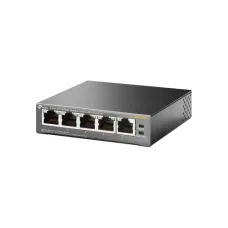


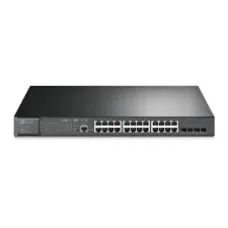


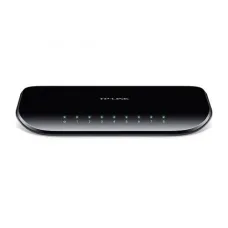
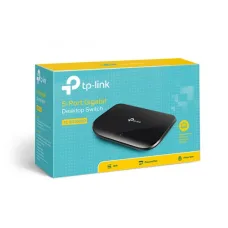


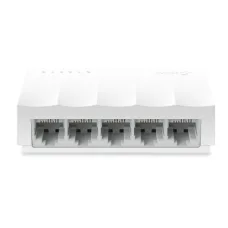

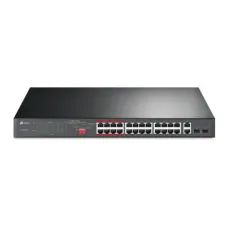
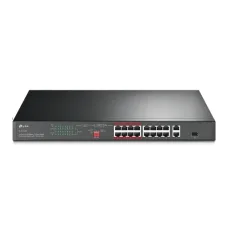
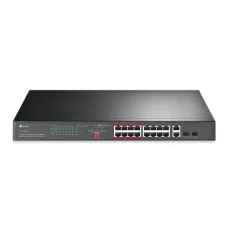


Find the Right Tp-Link Switch for Your Budget and Needs
These are the latest in-stock Tp-Link Switch at Unix Network, with the current price in Bangladesh. Open a model for specifications.
Latest Tp-Link Switch Price List in BD 2026
TP-Link switches are an essential part of modern wired networking, providing a reliable way to connect computers, laptops, printers, IP cameras, access points, servers, NAS devices, and other Ethernet-enabled equipment. From simple home networks to demanding business environments, TP-Link offers different types of network switches designed for different performance, port, management, and power requirements.
What Is a TP-Link Switch?
A TP-Link switch is a networking device that connects multiple Ethernet devices within a local area network. It receives network traffic from connected devices and forwards data to the appropriate destination port.
For example, if a router has only a few LAN ports but you need to connect several computers, printers, access points, or CCTV devices, a TP-Link network switch can expand the number of available Ethernet connections.
A typical network can be arranged as:
Internet → Router → TP-Link Switch → Computers, Access Points, Printers, CCTV Cameras and Other Network Devices
Why Use a TP-Link Network Switch?
- Expand the number of available Ethernet ports.
- Connect multiple wired network devices.
- Build reliable wired office networks.
- Connect Wi-Fi access points through Ethernet.
- Connect compatible IP cameras and CCTV equipment.
- Provide high-speed connections for computers and servers.
- Support network segmentation on compatible managed models.
- Power compatible devices through PoE on supported models.
Types of TP-Link Switches
TP-Link network switches are available in several categories. Choosing the correct type depends on the size and requirements of your network.
- Unmanaged switches.
- Easy Smart switches.
- Smart switches.
- Managed switches.
- PoE switches.
- Gigabit switches.
- Multi-Gigabit switches.
- 10G and higher-performance networking switches on supported product ranges.
TP-Link Unmanaged Switch
An unmanaged TP-Link switch is designed for simple plug-and-play networking. It normally requires little or no configuration.
Connect the switch to your router or existing network, connect Ethernet devices to the available ports, and the devices can communicate through the local network.
Unmanaged switches are suitable for many homes, small offices, shops, classrooms, and basic network installations.
TP-Link Easy Smart Switch
Easy Smart switches provide more configuration options than basic unmanaged switches while remaining relatively simple to manage.
Depending on the model, features may include VLAN configuration, traffic monitoring, port management, loop prevention, and other network controls.
TP-Link Managed Switch
Managed switches provide advanced control over network traffic and configuration.
Depending on the model, features can include VLANs, Quality of Service, link aggregation, access control, monitoring, port security, spanning-tree technologies, and other enterprise networking features.
Managed switches are suitable for organizations that require greater control, segmentation, security, and monitoring.
TP-Link PoE Switch
A TP-Link PoE switch can deliver network connectivity and electrical power to compatible devices through Ethernet.
PoE can simplify installation of devices such as:
- IP cameras.
- Wireless access points.
- VoIP phones.
- Other compatible PoE-powered network devices.
A typical PoE installation can look like:
Router → TP-Link PoE Switch → IP Camera / Access Point / VoIP Phone
Always check the exact PoE standard, power budget, and device requirements before connecting powered devices.
TP-Link Gigabit Switch
A Gigabit Ethernet switch provides Ethernet connectivity at speeds up to 1 Gbps per compatible port under appropriate network conditions.
Gigabit switches are suitable for many modern networks where users need faster file transfers, reliable connections to network storage, high-speed internet sharing, and connections between computers and access points.
TP-Link 10G and Multi-Gigabit Switches
Higher-performance networks may require speeds above standard Gigabit Ethernet. Multi-Gigabit and 10G switches can provide faster connections between compatible computers, servers, NAS systems, access points, and other network infrastructure.
Actual network speed depends on the capabilities of every component in the connection, including network adapters, Ethernet cabling, switch ports, storage devices, and the configuration of the network.
TP-Link Switch Port Count
TP-Link switches are available with different numbers of Ethernet ports. Common configurations can include 5-port, 8-port, 16-port, 24-port, and larger models, depending on the product range.
Choose the port count based on the number of devices you need to connect today and the expected future expansion of your network.
How to Choose the Right TP-Link Switch
- Determine the number of Ethernet devices.
- Choose the required number of ports.
- Decide between Fast Ethernet, Gigabit, Multi-Gigabit, or higher-speed connectivity.
- Determine whether PoE is required.
- Calculate the required PoE power budget.
- Decide whether VLAN support is necessary.
- Consider Quality of Service requirements.
- Check whether centralized management is required.
- Consider rack mounting for larger installations.
- Check uplink port requirements.
- Consider future network expansion.
TP-Link Switch for Home Networking
A small unmanaged TP-Link switch can be useful when a home router does not provide enough LAN ports.
For example:
Router → TP-Link Switch → Desktop PC, Smart TV, Printer, Game Console and NAS
A wired Ethernet connection can provide a stable connection for devices that remain in a fixed location.
TP-Link Switch for Office Networks
Businesses often need more Ethernet connections than a basic router can provide. A TP-Link switch can connect desktop computers, printers, servers, access points, IP phones, CCTV systems, and other network equipment.
For larger offices, managed switches can provide additional features for VLANs, traffic management, network security, monitoring, and network segmentation.
TP-Link Switch for CCTV
Network switches are an important component of IP CCTV systems. A PoE-capable TP-Link switch can simplify installation by providing network connectivity and power to compatible IP cameras.
A basic IP camera network can look like:
IP Cameras → TP-Link PoE Switch → Router or Network Recorder
When choosing a PoE switch for CCTV, consider the number of cameras, camera power requirements, total PoE power budget, Ethernet port speed, uplink capacity, and expected network traffic.
TP-Link Switch for Wi-Fi Access Points
Wireless access points can connect to a TP-Link Ethernet switch to provide wired network backhaul.
A typical installation is:
Router → Switch → TP-Link Access Points
For compatible PoE access points, a PoE switch can also provide power through the Ethernet cable.
TP-Link Switch and VLAN
VLAN technology allows compatible managed switches to divide a physical network into separate logical networks.
| Example VLAN | Purpose |
|---|---|
| VLAN 10 | Office computers |
| VLAN 20 | Guest Wi-Fi |
| VLAN 30 | IP cameras |
| VLAN 40 | VoIP devices |
VLAN configuration requires compatible switches and appropriate configuration on the router, firewall, access points, and other network equipment.
TP-Link Switch and Quality of Service
Quality of Service, commonly known as QoS, can help prioritize certain types of network traffic on compatible managed switches.
QoS can be useful when a network carries multiple traffic types, such as voice calls, video conferencing, business applications, file transfers, and general internet traffic.
TP-Link Switch Link Aggregation
Some managed TP-Link switches support link aggregation. This allows multiple physical network connections to operate as a logical connection between compatible devices.
Link aggregation can increase available aggregate bandwidth and provide redundancy in supported network designs. Both ends of the connection must support compatible configuration.
TP-Link Switch for Gaming
A wired network connection can provide a stable connection for gaming PCs and consoles. A Gigabit or higher-speed TP-Link switch can be useful when several gaming devices, PCs, and other network equipment need Ethernet connectivity.
Network latency depends on many factors, including the internet connection, routing path, network congestion, server location, and local network design. A switch itself does not automatically reduce internet latency in every situation.
TP-Link Switch for NAS and File Sharing
Network-attached storage systems can benefit from high-speed Ethernet connections. A Gigabit or Multi-Gigabit switch can connect computers and NAS devices on the same local network.
For large file transfers, the performance of the storage system, client network adapter, switch, Ethernet cable, and NAS configuration all affect the final transfer speed.
TP-Link Switch Installation
Installing an unmanaged TP-Link switch is usually straightforward.
- Place the switch in a suitable location.
- Connect the power adapter if required.
- Connect an Ethernet cable from the router or upstream network to the switch.
- Connect computers and other network devices to the remaining ports.
- Check the link indicators.
- Test network connectivity.
Managed and PoE switches may require additional configuration depending on the network design.
Does a TP-Link Switch Need an IP Address?
A basic unmanaged Ethernet switch generally does not require an IP address for ordinary switching functions.
Managed and smart switches typically have a management interface and may require an IP address for configuration and monitoring.
How to Access a Managed TP-Link Switch
The exact management method depends on the switch model and product family. Some devices can be configured through a web-based management interface, while others may support additional management methods or centralized management platforms.
Consult the documentation for the exact model to determine its default management procedure and current IP address.
TP-Link Switch IP Address
Managed TP-Link switches can use a static management IP address or obtain one through DHCP, depending on the model and configuration.
If you cannot access a managed switch, check the router's DHCP client list and identify the switch by its hostname or MAC address where possible.
TP-Link Switch vs Hub
A network switch is more efficient than an old-style Ethernet hub because a switch can forward traffic to the appropriate destination port rather than broadcasting every frame to every connected port in the same way a traditional hub does.
Modern networks should generally use switches rather than legacy hubs.
TP-Link Switch vs Router
| Function | Router | Network Switch |
|---|---|---|
| Internet routing | Yes | No |
| NAT | Usually yes | No |
| DHCP | Usually yes | Usually no |
| Expands Ethernet ports | Limited | Yes |
| Connects LAN devices | Yes | Yes |
TP-Link Switch and Ethernet Cable
The Ethernet cable should support the speed required by your network.
- Cat5e can support Gigabit Ethernet under suitable conditions.
- Cat6 can support Gigabit Ethernet and may support higher-speed networking depending on distance and equipment.
- Cat6a is commonly used for higher-speed structured cabling installations.
Cable quality, termination, length, installation conditions, and network hardware all affect actual performance.
TP-Link Switch Power Consumption
Power consumption depends on the model, number of active ports, traffic, PoE usage, and other factors.
PoE switches can consume additional electrical power because they may provide power to connected devices. When selecting a PoE switch, consider both the switch's own power requirements and the total PoE power budget.
TP-Link PoE Power Budget
The PoE power budget represents the amount of power a compatible switch can provide to connected PoE devices within the manufacturer's specified limits.
For example, if multiple IP cameras each require different amounts of power, you must calculate their combined requirements and compare the total with the switch's available PoE budget.
Never assume that every PoE switch can power any number of cameras or access points at their maximum power requirements.
TP-Link Switch for IP Cameras
When using a switch for IP CCTV, consider:
- Number of cameras.
- Camera resolution.
- Video compression.
- Bitrate.
- Recording requirements.
- PoE support.
- Total PoE power budget.
- Uplink speed.
- Network recorder requirements.
TP-Link Switch for Business Networking
Business networks often require reliability, scalability, security, and centralized management. A suitable TP-Link switch can connect computers, servers, printers, access points, IP phones, CCTV cameras, and other network devices.
For a growing business, it is often useful to plan additional ports and uplink capacity for future expansion rather than selecting a switch based only on the number of devices currently installed.
Managed vs Unmanaged TP-Link Switch
| Feature | Unmanaged | Managed |
|---|---|---|
| Plug and play | Yes | Usually requires configuration for advanced features |
| VLAN | Usually no | Often supported |
| Traffic management | Limited | Advanced |
| Monitoring | Limited | Advanced |
| Network segmentation | Limited | Yes on supported models |
| Suitable for enterprise networks | Basic deployments | Yes |
TP-Link Switch Troubleshooting
If a device connected to a TP-Link switch cannot access the network, start by checking the physical connection.
- Check the Ethernet cable.
- Check the switch power.
- Check the port link indicator.
- Try another switch port.
- Test with another Ethernet cable.
- Check the upstream router or switch.
- Check the device's IP configuration.
- Check VLAN configuration on managed switches.
- Check PoE power requirements on PoE installations.
TP-Link Switch Port Not Working
If a particular port does not appear to work, connect a known-good device and Ethernet cable to that port.
If the link still does not appear, check whether the port has been disabled or restricted in a managed switch configuration. On PoE models, also check whether the connected device meets the switch's PoE requirements.
TP-Link Switch No Internet
A switch normally does not provide internet service itself. If devices connected through the switch cannot access the internet, check the upstream router and network connection.
The basic path should normally be:
Internet → Router → Switch → Client Device
If the router has internet access but devices connected through the switch do not, investigate the Ethernet link, IP configuration, VLAN settings, firewall policies, and switch configuration.
TP-Link Switch Network Design
A reliable network should be planned around the number of users, devices, bandwidth requirements, security requirements, physical layout, and future expansion.
A small network may use one unmanaged switch, while a larger organization may require multiple managed switches with VLANs, redundant uplinks, PoE, and centralized monitoring.
TP-Link Switch for Wi-Fi and CCTV Combined Networks
A business may use the same physical switching infrastructure for computers, access points, and IP cameras while separating traffic logically with VLANs where supported.
For example:
Router or Firewall → Managed TP-Link Switch → Staff Devices + Wi-Fi APs + CCTV Cameras
Separate VLANs can be used where the network design requires isolation between different types of traffic.
How to Select a TP-Link PoE Switch for CCTV
- Count the required cameras.
- Check the PoE standard required by the cameras.
- Calculate the total camera power requirements.
- Choose an adequate PoE power budget.
- Check Ethernet port speed.
- Check uplink speed.
- Consider future camera expansion.
- Check the operating environment.
TP-Link Switch for Access Point Installation
If you are installing multiple wireless access points, a switch can provide Ethernet connectivity to each AP.
If the APs support PoE, a compatible PoE switch can simplify installation by providing power and network connectivity over Ethernet.
TP-Link Switch for Bangladesh Businesses
TP-Link switches can be used in a wide range of networking environments in Bangladesh, including computer shops, offices, schools, educational institutions, retail stores, warehouses, hotels, restaurants, factories, and homes.
When selecting a switch, consider the local installation environment, electrical stability, network requirements, number of connected devices, cable infrastructure, and availability of technical support.
TP-Link Switch Price in Bangladesh
The price of a TP-Link switch in Bangladesh depends on the model, port count, Ethernet speed, management features, PoE capability, power budget, and other specifications.
Basic unmanaged switches are generally positioned differently from managed, PoE, Multi-Gigabit, and higher-performance business switches.
Prices and stock can change without prior notice because of supplier availability, market conditions, exchange rates, product revisions, and other factors. Customers should check the latest product listing before placing an order.
Buy TP-Link Switch in Bangladesh
If you are looking for a TP-Link switch in Bangladesh, choose the model based on your actual networking requirements rather than selecting a switch solely by price.
Unix Network is a computer and networking products and services provider in Jashore, Bangladesh. Customers can explore available network switches, access points, routers, CCTV networking products, Ethernet accessories, and other IT equipment through the Unix Network eCommerce website.
Before purchasing, verify the current stock, price, warranty, port configuration, speed, PoE capability, and exact model specifications.
Frequently Asked Questions About TP-Link Switches
What is a TP-Link switch used for?
A TP-Link switch is used to connect multiple wired Ethernet devices within a local network and expand the number of available network ports.
Does a TP-Link switch provide Wi-Fi?
A standard network switch does not provide Wi-Fi. A separate wireless router or access point is required for wireless connectivity.
Does a TP-Link switch need a router?
A switch can connect devices on a local network without performing routing. For internet access, the network normally requires a router or another device that provides the appropriate gateway and internet routing functions.
What is the difference between a TP-Link PoE switch and a normal switch?
A PoE switch can provide both Ethernet connectivity and electrical power to compatible PoE devices. A standard switch generally provides network connectivity without delivering PoE power.
Is a Gigabit TP-Link switch better than a 100 Mbps switch?
A Gigabit switch can provide substantially higher Ethernet capacity than a 100 Mbps switch when the connected devices, cabling, and network infrastructure also support Gigabit speeds.
How many devices can I connect to a TP-Link switch?
The number of directly connected devices depends on the number of available ports. Larger networks can connect multiple switches together, subject to network design and hardware limitations.
Can I connect a TP-Link Access Point to a TP-Link switch?
Yes. An access point can connect to a compatible switch through Ethernet. If the AP supports PoE and the switch provides compatible PoE, the switch may also power the access point.
Can I connect CCTV cameras to a TP-Link switch?
Yes. IP cameras can connect to a compatible Ethernet switch. If the cameras support PoE, a compatible TP-Link PoE switch can provide network connectivity and power.
Does an unmanaged TP-Link switch require configuration?
Most unmanaged switches are designed for plug-and-play operation and require little or no configuration for basic networking.
Does a managed TP-Link switch require an IP address?
Managed switches generally have a management interface and use an IP address or another supported management method for configuration, depending on the model.
Can I use a TP-Link switch with another brand of router?
Yes. Ethernet switches are generally interoperable with network equipment from other manufacturers when compatible networking standards are used.
Can a TP-Link switch increase internet speed?
A switch does not increase the bandwidth provided by your ISP. However, upgrading from slower Ethernet equipment to a Gigabit or higher-speed switch can remove a local network bottleneck when the rest of the network also supports the higher speed.
What Ethernet cable should I use with a TP-Link Gigabit switch?
Cat5e cable can support Gigabit Ethernet under suitable conditions. Cat6 or higher-category cabling can also be used depending on the network requirements.
What should I consider when buying a TP-Link switch?
- Number of Ethernet ports.
- Port speed.
- PoE support.
- PoE power budget.
- Managed or unmanaged operation.
- VLAN support.
- Uplink capacity.
- Rack-mount requirements.
- Network expansion requirements.
- Warranty and local availability.
Final Thoughts on TP-Link Switches
TP-Link switches provide practical networking solutions for homes, offices, shops, educational institutions, CCTV installations, and business networks. The right model depends on the number of devices, required Ethernet speed, management requirements, PoE needs, VLAN requirements, and future expansion plans.
For a basic home or small-office network, an unmanaged Gigabit switch may be sufficient. For IP CCTV and wireless access point installations, a suitable PoE switch can simplify network and power distribution. For larger business networks, managed switches can provide VLANs, traffic management, monitoring, and other advanced features.
Before buying a TP-Link switch, carefully compare the exact model's port count, speed, PoE standard, power budget, management features, uplink capacity, warranty, and current availability.
Why Buy TP-Link Networking Products from Unix Network?
Unix Network is a computer, networking, CCTV, and IT solutions provider in Jashore, Bangladesh. The business offers technology products and services for home users, professionals, offices, shops, and organizations.
Customers looking for a TP-Link switch can check the Unix Network eCommerce website for current product availability, specifications, pricing, and related networking products. Product prices and stock may change without prior notice, so current information should be confirmed before ordering.