
Wi-Fi Adapter Price in Bangladesh
Showing 1 to 6 of 6 (1 Pages)


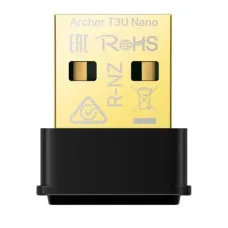
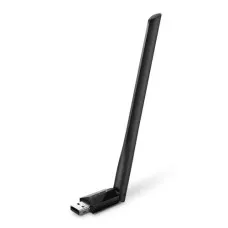
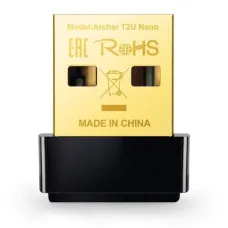

Wi-Fi adapters are essential networking accessories that allow desktop computers, laptops, and other compatible devices to connect to wireless networks. A Wi-Fi adapter can be especially useful when a computer does not have built-in Wi-Fi, when the existing wireless hardware is outdated, or when users need better wireless performance.
At Unix Network, the Wi-Fi Adapter category is designed for customers in Bangladesh looking for wireless networking solutions for desktop PCs, laptops, workstations, gaming computers, and other compatible devices. Customers can choose a Wi-Fi adapter according to connection type, Wi-Fi generation, wireless speed, antenna configuration, operating system compatibility, and budget.
What Is a Wi-Fi Adapter?
A Wi-Fi adapter is a hardware device that enables a compatible computer or other device to connect to a wireless network. It communicates with a wireless router, access point, or other Wi-Fi-enabled networking equipment.
Wi-Fi adapters are available in several physical formats, including USB adapters, PCI Express adapters, and built-in or integrated wireless modules.
Why Use a Wi-Fi Adapter?
- Add Wi-Fi connectivity to a desktop computer.
- Upgrade an older computer's wireless capability.
- Replace a damaged or unreliable wireless adapter.
- Improve wireless connectivity on compatible systems.
- Add modern Wi-Fi standards to supported computers.
- Connect a PC to a wireless router without running Ethernet cable.
- Provide wireless connectivity for selected workstations and other devices.
Types of Wi-Fi Adapters
Wi-Fi adapters are available in different designs to meet different requirements.
- USB Wi-Fi adapters.
- PCIe Wi-Fi adapters.
- Internal laptop Wi-Fi modules.
- Dual-band Wi-Fi adapters.
- Wi-Fi 5 adapters.
- Wi-Fi 6 adapters.
- Wi-Fi 6E adapters.
- Wi-Fi 7 adapters.
- Long-range Wi-Fi adapters.
- Wi-Fi adapters with external antennas.
USB Wi-Fi Adapter
A USB Wi-Fi adapter is one of the easiest ways to add wireless connectivity to a desktop or laptop computer. It connects through a USB port and normally requires the appropriate driver or operating-system support.
USB Wi-Fi adapters are convenient because they can generally be installed without opening the computer case. They are suitable for users who want a simple and portable wireless networking solution.
USB Wi-Fi Adapter for Desktop PC
A desktop computer without built-in Wi-Fi can use a USB Wi-Fi adapter to connect to a wireless router or access point.
This is particularly useful when running Ethernet cable to the desktop is inconvenient. However, users who require maximum wireless performance may prefer a PCIe Wi-Fi adapter with external antennas.
PCIe Wi-Fi Adapter
A PCIe Wi-Fi adapter is installed inside a desktop computer using an available PCI Express slot. Many PCIe wireless adapters include external antennas that can be positioned to improve wireless reception.
PCIe adapters can be a good choice for gaming PCs, workstations, desktop computers, and users who want a permanent internal wireless solution.
Wi-Fi Adapter with Bluetooth
Many modern PCIe wireless adapters combine Wi-Fi and Bluetooth connectivity. This allows a desktop computer to connect wirelessly to compatible keyboards, mice, headphones, speakers, game controllers, smartphones, and other Bluetooth devices.
If Bluetooth is important, check whether the exact adapter includes Bluetooth and whether an internal USB connection is required for Bluetooth functionality.
Dual-Band Wi-Fi Adapter
Dual-band Wi-Fi adapters can operate on both 2.4 GHz and 5 GHz wireless networks when supported by the adapter and router.
| Band | General Characteristics |
|---|---|
| 2.4 GHz | Generally provides longer range and better penetration through obstacles |
| 5 GHz | Can provide higher wireless performance over suitable distances |
Dual-band adapters provide greater flexibility when connecting to modern wireless routers.
Wi-Fi 5 Adapter
Wi-Fi 5 adapters use the 802.11ac standard and can provide significantly higher wireless performance than older 802.11n adapters under suitable conditions.
A Wi-Fi 5 adapter can be a practical choice for browsing, streaming, office work, online meetings, and general internet use when paired with a compatible router.
Wi-Fi 6 Adapter
Wi-Fi 6 adapters use the 802.11ax standard and are designed to improve wireless efficiency and capacity, particularly in networks with many connected devices.
A Wi-Fi 6 adapter can be useful for modern desktop computers, laptops, gaming PCs, workstations, and high-speed internet connections when paired with a Wi-Fi 6 router.
Wi-Fi 6E Adapter
Wi-Fi 6E extends Wi-Fi 6 into the 6 GHz spectrum in countries and regions where the band is available for Wi-Fi use.
Both the wireless adapter and router must support Wi-Fi 6E, and the availability of 6 GHz channels depends on local regulations and supported hardware.
Wi-Fi 7 Adapter
Wi-Fi 7 adapters are designed for newer wireless networks and can support advanced technologies available under the 802.11be standard.
Users considering a Wi-Fi 7 adapter should ensure that their router and computer support the required technologies. Wi-Fi 7 features and performance can vary depending on the client device, router, operating system, driver, and network environment.
Wi-Fi Adapter for Gaming PC
A Wi-Fi adapter can connect a gaming PC to a wireless router without an Ethernet cable. For gaming, a modern dual-band or newer Wi-Fi adapter can provide better capabilities than an older Wireless N adapter.
When possible, Ethernet remains a strong choice for stationary gaming PCs because a wired connection avoids many wireless interference and signal-quality issues.
Wi-Fi Adapter for Desktop Computer
Many desktop computers do not include Wi-Fi, particularly older or entry-level systems. A USB or PCIe Wi-Fi adapter can add wireless networking without replacing the motherboard.
USB adapters are generally easier to install, while PCIe adapters can offer a more permanent solution and may include larger external antennas.
Wi-Fi Adapter for Laptop
Most modern laptops already include built-in Wi-Fi. However, an external USB Wi-Fi adapter can be useful for troubleshooting, replacing incompatible wireless hardware, testing wireless networks, or adding support for a newer Wi-Fi standard.
Wi-Fi Adapter for PC
A Wi-Fi adapter for PC can provide wireless network access for desktops, gaming computers, workstations, and home-office systems.
Before purchasing, check the available USB or PCIe interface, operating system compatibility, driver availability, and desired wireless standard.
Wi-Fi Adapter for Workstation
Professional workstations may require reliable high-speed networking for cloud applications, file transfers, remote work, video conferencing, software development, and other demanding workloads.
For a workstation that requires maximum stability and predictable performance, wired Gigabit or Multi-Gigabit Ethernet may still be preferable. A modern Wi-Fi adapter can be useful where wireless connectivity is necessary.
Long Range Wi-Fi Adapter
Some Wi-Fi adapters use external antennas or multiple antennas to improve wireless reception. However, the actual usable range depends on the router, antenna design, transmit power, building structure, interference, frequency band, and local regulations.
A high-gain antenna does not automatically guarantee a specific wireless distance or internet speed.
Wi-Fi Adapter with External Antenna
External antennas can provide greater flexibility in positioning the wireless antennas. This can be useful for desktop computers located under desks or inside areas where the computer's internal location may reduce signal quality.
For best results, position antennas away from major obstructions and sources of electromagnetic interference.
Wi-Fi Adapter Speed
Wi-Fi adapter speeds are normally advertised as theoretical maximum link rates. Actual internet speed can be significantly lower because of signal strength, channel width, interference, router capability, client hardware, network congestion, protocol overhead, and ISP bandwidth.
| Wi-Fi Generation | IEEE Standard | Typical Use |
|---|---|---|
| Wi-Fi 4 | 802.11n | Basic wireless networking |
| Wi-Fi 5 | 802.11ac | General high-speed home and office Wi-Fi |
| Wi-Fi 6 | 802.11ax | Modern high-capacity wireless networks |
| Wi-Fi 6E | 802.11ax with 6 GHz | Compatible 6 GHz wireless networks |
| Wi-Fi 7 | 802.11be | Newer high-performance wireless networks |
How to Choose a Wi-Fi Adapter
- Check your computer's operating system.
- Check whether you need USB or PCIe connectivity.
- Check your router's Wi-Fi standard.
- Choose a suitable frequency band.
- Consider dual-band support.
- Consider Wi-Fi 6 or Wi-Fi 7 for newer networks.
- Check maximum advertised wireless speed.
- Check antenna configuration.
- Check Bluetooth support if required.
- Verify driver availability.
- Check USB version for USB adapters.
- Consider Ethernet if maximum stability is more important than wireless convenience.
- Compare warranty and price.
Wi-Fi Adapter Features to Compare
| Feature | Why It Matters |
|---|---|
| Wi-Fi Standard | Determines wireless generation and supported technologies |
| Frequency Bands | Determines which wireless bands the adapter can use |
| Wireless Speed | Indicates theoretical maximum link capability |
| USB Interface | Determines compatibility and potential USB throughput |
| PCIe Interface | Required for internal PCIe wireless adapters |
| Antennas | Influences wireless reception and adapter design |
| Bluetooth | Adds Bluetooth connectivity on supported models |
| Driver Support | Required for proper operation with supported operating systems |
| Security Support | Determines supported wireless security technologies |
USB Wi-Fi Adapter vs PCIe Wi-Fi Adapter
| Feature | USB Wi-Fi Adapter | PCIe Wi-Fi Adapter |
|---|---|---|
| Installation | Generally simple | Requires opening the desktop case |
| Portability | Excellent | Designed for permanent desktop installation |
| Antennas | Internal or external depending on model | Often includes external antennas |
| Laptop use | Suitable | Generally not suitable |
| Desktop use | Suitable | Suitable |
| Bluetooth | Available on selected models | Available on selected models |
Wi-Fi Adapter Installation
The installation process depends on whether you are using a USB or PCIe adapter.
How to Install a USB Wi-Fi Adapter
- Connect the adapter to a compatible USB port.
- Allow the operating system to detect the device.
- Install the appropriate driver if required.
- Restart the computer if requested.
- Open the operating system's network settings.
- Select the desired Wi-Fi network.
- Enter the wireless password.
- Test the internet connection.
How to Install a PCIe Wi-Fi Adapter
- Turn off the computer and disconnect the power.
- Open the computer case safely.
- Install the adapter in a compatible PCIe slot.
- Secure the adapter to the case.
- Connect the external antennas if included.
- Reconnect the computer and power it on.
- Install the appropriate drivers.
- Connect to the wireless network.
- Test Wi-Fi and Bluetooth if supported.
Wi-Fi Adapter Driver
A wireless adapter requires a compatible driver so that the operating system can communicate correctly with the hardware.
Before buying an adapter, check whether drivers are available for your version of Windows or other supported operating systems. Driver support can differ between models using different wireless chipsets.
Wi-Fi Adapter for Windows 11
Many modern Wi-Fi adapters support Windows 11, but compatibility depends on the exact model, chipset, driver, and manufacturer support.
Always verify Windows 11 compatibility before purchasing, especially for older adapters.
Wi-Fi Adapter for Windows 10
Many Wi-Fi adapters support Windows 10, but support varies by model and driver version. Check the manufacturer's specifications for the exact adapter.
Wi-Fi Adapter for Linux
Linux compatibility varies considerably between wireless chipsets. If Linux is required, check the chipset and current driver support for your specific Linux distribution before purchasing.
Wi-Fi Adapter Not Working
If a Wi-Fi adapter is not working, first determine whether the operating system detects the hardware.
- Check whether the adapter appears in Device Manager or the operating system's hardware list.
- Reinstall or update the driver.
- Try another USB port for USB adapters.
- Check whether the PCIe adapter is correctly installed.
- Check external antenna connections.
- Restart the computer.
- Test the adapter with another compatible system when possible.
Wi-Fi Adapter Connected but No Internet
If the adapter connects to the Wi-Fi network but the computer has no internet access, the adapter itself may not be the cause.
Check the router, WAN connection, ISP service, DNS configuration, IP address, and other devices on the same network.
Wi-Fi Adapter Slow
Slow wireless performance can be caused by weak signal, interference, distance, router limitations, outdated drivers, channel congestion, an older Wi-Fi standard, or limitations of the connected device.
Test the adapter close to the router and compare its performance with another wireless device on the same network.
Wi-Fi Adapter Disconnecting
Frequent disconnections can be caused by poor signal, interference, power-management settings, driver problems, USB issues, overheating, router compatibility, or network congestion.
Updating the driver and testing another USB port can help identify common problems with USB Wi-Fi adapters.
Wi-Fi Adapter for High-Speed Internet
If your internet connection is very fast, choose a Wi-Fi adapter that supports an appropriate wireless standard and link speed. The router must also support the same or a compatible Wi-Fi generation.
For multi-gigabit internet connections, consider Wi-Fi 6E or Wi-Fi 7 hardware where supported, or use a Multi-Gigabit Ethernet connection when maximum wired performance is required.
Wi-Fi Adapter for Fiber Internet
A Wi-Fi adapter does not connect directly to a standard optical fiber line. The fiber connection normally terminates at an ONT or ONU and then connects to a router or network gateway.
A typical network is:
Fiber → ONT/ONU → Router → Wi-Fi Adapter → Computer
Wi-Fi Adapter for CCTV
Wi-Fi adapters can provide wireless network connectivity for computers used to monitor or manage IP CCTV systems. However, the cameras themselves normally require their own network connection through Wi-Fi, Ethernet, or a compatible wireless bridge.
For professional CCTV installations, wired Ethernet and PoE networking are often preferred where practical because they can provide more predictable connectivity.
Wi-Fi Adapter for Smart TV
USB Wi-Fi adapters are not universally compatible with smart TVs. A TV may only support specific wireless chipsets or may already have built-in Wi-Fi.
Check the television manufacturer's compatibility information before attempting to use an external adapter.
Wi-Fi Adapter for Gaming Console
Gaming consoles normally have built-in wireless networking and may not support generic USB Wi-Fi adapters. External Wi-Fi adapters should only be used when the console manufacturer explicitly supports the device.
Wi-Fi Adapter Security
Wireless security depends on the adapter, operating system, and router. Modern wireless networks should use strong security settings supported by both the router and client adapter.
- Use a strong Wi-Fi password.
- Use modern wireless security where supported.
- Keep drivers updated when appropriate.
- Avoid connecting to unknown unsecured networks.
- Keep your operating system updated.
Wi-Fi Adapter Price in Bangladesh
Wi-Fi adapter prices in Bangladesh vary according to the connection type, wireless generation, advertised speed, antenna configuration, Bluetooth support, chipset, brand, and other specifications.
Basic USB Wireless N adapters are generally positioned at a lower price than modern Wi-Fi 6, Wi-Fi 6E, Wi-Fi 7, or high-performance PCIe adapters.
Prices and stock can change without prior notice because of supplier availability, market conditions, exchange rates, product revisions, and other factors. Customers should check the current product listing for the latest price and availability.
Buy Wi-Fi Adapter in Bangladesh
If you are looking to buy a Wi-Fi adapter in Bangladesh, compare products according to your computer type, available interface, operating system, router capabilities, required wireless speed, antenna requirements, and budget.
Unix Network is a computer, networking, CCTV, and IT products and services provider in Jashore, Bangladesh. Customers can explore Wi-Fi adapters, wireless routers, network switches, access points, Ethernet adapters, Bluetooth adapters, and other networking products through the Unix Network eCommerce website.
Before placing an order, check the exact model number, interface, wireless standard, driver compatibility, current price, stock status, and warranty.
Best Wi-Fi Adapter for Desktop PC
The best Wi-Fi adapter for a desktop PC depends on whether you prefer USB or PCIe, your router's wireless standard, required speed, signal conditions, and whether Bluetooth is needed.
A USB adapter is convenient and easy to install, while a PCIe adapter can be a better choice for a permanent desktop installation with external antennas.
Best Wi-Fi Adapter for Gaming PC
For a gaming PC, choose a modern adapter compatible with your router and internet connection. Wi-Fi 6 or newer technology can be useful for modern wireless networks, while Ethernet remains preferable when a stable wired connection is available.
Best Wi-Fi Adapter for Laptop
For laptops, a compact USB Wi-Fi adapter can be useful when the built-in wireless adapter is damaged, incompatible, or outdated. Before purchasing, check whether the laptop already supports the desired Wi-Fi generation.
Best USB Wi-Fi Adapter
The best USB Wi-Fi adapter depends on the required wireless standard, USB interface, operating system, antenna design, wireless speed, and router capabilities.
For basic browsing, an entry-level dual-band adapter may be sufficient. For high-speed networks, consider a modern Wi-Fi 6 or Wi-Fi 7 adapter with an appropriate USB interface.
Wi-Fi Adapter vs Ethernet Adapter
| Feature | Wi-Fi Adapter | Ethernet Adapter |
|---|---|---|
| Connection | Wireless | Wired |
| Mobility | Excellent | Limited by cable length |
| Interference | Can be affected by wireless interference | Generally less affected by wireless interference |
| Installation | USB or PCIe options | USB, PCIe, or built-in Ethernet |
| Gaming | Convenient where Ethernet is unavailable | Often preferred for stable connectivity |
| Portability | Excellent with USB models | Requires physical network connection |
Frequently Asked Questions About Wi-Fi Adapters
What is a Wi-Fi adapter?
A Wi-Fi adapter is a device that enables a compatible computer or other device to connect to a wireless network.
Can I add Wi-Fi to a desktop PC?
Yes. A desktop PC without built-in Wi-Fi can use a USB Wi-Fi adapter or PCIe Wi-Fi adapter.
Which is better, USB or PCIe Wi-Fi adapter?
USB adapters are easier to install and portable. PCIe adapters are designed for internal desktop installation and often include external antennas. The better option depends on your requirements.
Does a Wi-Fi adapter improve internet speed?
A Wi-Fi adapter cannot increase the bandwidth provided by your ISP. However, replacing an old or limited wireless adapter with a modern compatible adapter can improve the computer's wireless link capability.
Can I use a Wi-Fi 6 adapter with a Wi-Fi 5 router?
Generally, newer Wi-Fi standards are designed to maintain compatibility with appropriate older Wi-Fi standards, but the connection will operate according to the capabilities negotiated between the adapter and router.
Can I use a Wi-Fi 7 adapter with an older router?
A Wi-Fi 7 adapter can connect using compatible older Wi-Fi standards, but advanced Wi-Fi 7 features require a compatible Wi-Fi 7 network.
Can a USB Wi-Fi adapter be used on a laptop?
Yes, provided the laptop's operating system and USB adapter are compatible. A USB adapter can be useful when the internal Wi-Fi hardware is unavailable or needs replacement.
Does a Wi-Fi adapter need a driver?
Most Wi-Fi adapters require operating-system support and an appropriate driver. Some modern devices may be automatically recognized by supported operating systems.
Can a Wi-Fi adapter work without a router?
A Wi-Fi adapter requires a wireless network to connect to. The network can be provided by a wireless router, access point, mobile hotspot, or another compatible wireless device.
Can I use a Wi-Fi adapter for gaming?
Yes. A Wi-Fi adapter can connect a gaming PC to a wireless network. For the most stable connection, wired Ethernet is often preferable when it is practical.
Can I use a Wi-Fi adapter for CCTV?
A Wi-Fi adapter can provide wireless networking for a computer used with IP CCTV software, provided the computer and software support the required network configuration.
What Wi-Fi adapter should I buy?
Choose an adapter based on your computer's interface, operating system, router capability, desired Wi-Fi standard, wireless coverage, required speed, Bluetooth requirements, and budget.
Final Thoughts on Wi-Fi Adapters
A Wi-Fi adapter is a simple and useful way to add or upgrade wireless connectivity on a desktop PC, laptop, workstation, or compatible computer. USB Wi-Fi adapters are convenient and portable, while PCIe Wi-Fi adapters provide a permanent internal solution for desktop computers.
When choosing a Wi-Fi adapter, do not focus only on the advertised wireless speed. Consider the Wi-Fi standard, router compatibility, frequency bands, antenna configuration, interface, operating-system support, driver availability, Bluetooth support, and actual networking environment.
For modern high-speed wireless networks, Wi-Fi 6, Wi-Fi 6E, and Wi-Fi 7 adapters can provide advanced capabilities when paired with compatible routers. For basic internet use, an affordable dual-band adapter may be more than sufficient.
Why Buy Wi-Fi Adapters from Unix Network?
Unix Network is a computer, networking, CCTV, and IT solutions provider in Jashore, Bangladesh. The business offers computer accessories, networking products, wireless routers, Wi-Fi adapters, network switches, access points, CCTV products, and other IT equipment.
Customers looking for a Wi-Fi adapter can explore available products through the Unix Network eCommerce website and compare models according to specifications, price, availability, and warranty.
Product prices and stock may change without prior notice. Customers should confirm the latest price, availability, exact model, specifications, and warranty before placing an order.
Hourly Deals