

Photocopier Price in Bangladesh
Showing 1 to 24 of 71 (3 Pages)

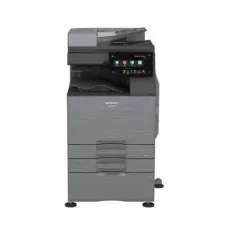


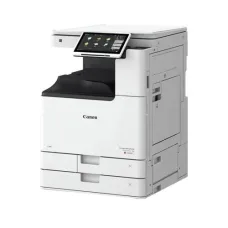
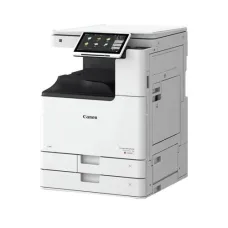


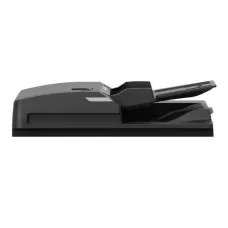


Find the Right Photocopier for Your Budget and Needs
These are the latest in-stock Photocopier at Unix Network, with the current price in Bangladesh. Open a model for specifications.
Latest Photocopier Price List in BD 2026

Photocopier is an essential office machine used to reproduce printed documents quickly and efficiently. It is widely used in offices, schools, colleges, universities, government institutions, businesses, banks, shops, and professional workplaces for copying documents, forms, reports, invoices, certificates, and other printed materials.
Modern photocopiers are available in different sizes and configurations, including compact desktop photocopiers, multifunction photocopiers, digital photocopiers, color photocopiers, and high-volume office photocopiers. Many modern models can also print, scan, copy, and sometimes fax documents from a single machine.
Photocopier in Bangladesh
A photocopier is a practical solution for organizations that need to produce multiple copies of documents regularly. Businesses can use photocopiers for contracts, invoices, quotations, employee records, reports, forms, and administrative paperwork.
Schools and educational institutions can use photocopiers to reproduce examination papers, class materials, notices, assignments, admission forms, and administrative documents. Government offices, banks, hospitals, and other institutions also depend on photocopy machines for routine document processing.
Photocopier Price in Bangladesh
The price of a photocopier in Bangladesh depends on the brand, model, printing technology, paper size, print speed, color capability, monthly duty cycle, automatic document feeder, duplex printing, scanning features, and other specifications.
Entry-level photocopiers are generally designed for lower-volume document copying, while professional and commercial photocopiers are designed for organizations that process hundreds or thousands of pages regularly.
Before purchasing a photocopier, customers should compare the machine price, toner cost, drum life, maintenance requirements, spare-parts availability, warranty, and after-sales service.
Digital Photocopier
A digital photocopier processes documents electronically before producing copies. Digital technology generally provides better control over image quality, copying settings, document handling, and additional functions than older analog photocopiers.
Many digital photocopiers also function as printers and scanners, making them suitable for modern offices that want multiple document-management functions in one machine.
Multifunction Photocopier
A multifunction photocopier combines several office functions into one device. Depending on the model, it may provide copying, printing, scanning, and faxing.
A multifunction photocopier can help save office space and reduce the need to purchase separate machines for printing, scanning, and copying.
Photocopier Machine
A photocopier machine is designed to reproduce physical documents onto paper. Depending on the model, users can copy documents in different paper sizes, adjust image density, enlarge or reduce documents, print multiple copies, and use automatic document feeders for larger jobs.
Commercial photocopier machines are designed for higher workloads and usually offer faster copying speeds, larger paper trays, greater monthly duty cycles, and more advanced document-handling features.
Color Photocopier
A color photocopier reproduces documents using color toner or other color-printing technology. It is useful for businesses that need professional-looking brochures, presentations, reports, marketing materials, certificates, graphics, and color documents.
Color photocopiers are generally more expensive to operate than monochrome machines because they require multiple toner cartridges and may have higher consumable costs.
Black and White Photocopier
A black and white photocopier is designed primarily for monochrome document reproduction. It is commonly used in offices, schools, banks, government organizations, and businesses where most documents contain text rather than color graphics.
Monochrome photocopiers are often preferred for high-volume document processing because they can provide fast output with relatively straightforward consumable requirements.
Laser Photocopier
Laser-based photocopiers use toner and imaging technology to reproduce documents. They are commonly used for professional office applications where fast printing, sharp text, and consistent output are important.
Laser photocopiers can be available in both monochrome and color configurations, depending on the requirements of the organization.
Office Photocopier
An office photocopier should be selected according to the number of users and expected monthly workload. A small office may only require a compact multifunction photocopier, while a large company may need a high-speed floor-standing machine.
Important specifications include copying speed, paper capacity, automatic document feeder capacity, duplex capability, scanning resolution, connectivity, and monthly duty cycle.
Heavy Duty Photocopier
A heavy-duty photocopier is designed for organizations that need to process large volumes of documents. These machines typically provide faster output speeds, larger paper capacities, stronger document feeders, and higher recommended monthly workloads.
Heavy-duty photocopiers can be suitable for large corporate offices, print departments, educational institutions, government organizations, banks, and commercial document centers.
A3 Photocopier
An A3 photocopier can copy documents up to A3 size in addition to smaller paper sizes such as A4. A3 machines are useful for offices that need to reproduce spreadsheets, architectural drawings, posters, charts, presentations, and other larger documents.
Businesses should check the maximum supported paper size before purchasing a photocopier, especially when large-format document copying is required.
A4 Photocopier
An A4 photocopier is suitable for offices and businesses that primarily handle standard A4 documents. These machines are generally more compact than A3 photocopiers and can be appropriate for smaller workplaces.
Photocopier with Printer and Scanner
A photocopier with printing and scanning functionality can provide a complete document-management solution for an office. Users can copy physical documents, print digital files, and scan paper documents into digital formats using one machine.
This type of multifunction device can be particularly useful for offices that need to switch frequently between physical and digital documents.
Photocopier with Automatic Document Feeder
An automatic document feeder allows users to place multiple pages into the machine for copying or scanning without manually positioning each page individually.
An ADF can significantly improve productivity when processing multi-page documents. Offices that frequently copy contracts, reports, forms, or other multi-page documents should consider a machine with an appropriate document-feeder capacity.
Photocopier with Duplex Printing
Duplex functionality allows documents to be printed or copied on both sides of a sheet. Duplex copying can reduce paper consumption and is useful for reports, manuals, forms, and other multi-page documents.
Organizations that regularly produce large documents can benefit from automatic duplex functionality because it reduces manual paper handling.
Photocopier Copy Speed
Copy speed is commonly measured in pages per minute. A higher pages-per-minute rating allows a machine to process large jobs more quickly.
For occasional use, extremely high copy speed may not be necessary. For busy offices or commercial environments, a faster photocopier can reduce waiting time and improve productivity.
Photocopier Paper Capacity
Paper capacity indicates how much paper can be loaded into the machine's trays. A larger paper capacity reduces the frequency of refilling paper during large copying jobs.
Some professional photocopiers also support multiple paper trays, allowing users to keep different paper sizes or types available at the same time.
Photocopier Toner
Toner is one of the most important consumables for a laser photocopier. Toner cartridges or toner systems contain the material used to produce text and images on paper.
Before purchasing a photocopier, customers should check toner availability, estimated page yield, replacement cost, and local availability. A machine with a low purchase price can become expensive to operate if its toner and maintenance costs are high.
Photocopier Drum
The drum is an important component of a laser photocopier's imaging system. It transfers toner to the paper during the image-production process.
Drum life varies according to the model and usage conditions. When the drum reaches the end of its service life, replacement may be required to maintain good print and copy quality.
Photocopier Maintenance
Regular maintenance is important for maintaining consistent copying quality and reliable operation.
- Keep the machine clean and free from excessive dust.
- Use suitable paper recommended for the machine.
- Replace toner when required.
- Replace the drum or other consumables according to service requirements.
- Remove paper jams carefully.
- Keep the scanner glass clean.
- Clean the automatic document feeder when necessary.
- Do not overload paper trays.
- Follow the manufacturer's maintenance instructions.
- Arrange professional servicing when required.
Photocopier Common Problems
Common photocopier problems include paper jams, faded copies, lines or marks on pages, toner leakage, slow operation, paper-feeding problems, scanning errors, and connectivity issues.
Many minor issues can be prevented through proper maintenance and the use of suitable consumables. Persistent problems should be inspected by a qualified technician.
Photocopier Paper Jam
Paper jams are among the most common photocopier problems. They can be caused by incorrect paper loading, unsuitable paper, excessive moisture, damaged paper, overloaded trays, or problems within the paper-feeding mechanism.
When removing a jam, users should follow the manufacturer's instructions and avoid pulling paper aggressively because torn pieces can remain inside the machine.
Photocopier Printing Light or Faded
Faded copies can be caused by low toner, an aging drum, incorrect density settings, unsuitable paper, or other imaging-system problems.
Users should first check toner levels and copy settings. If the problem continues after replacing consumables, professional servicing may be required.
Photocopier Producing Black Lines
Black lines or unwanted marks can occur because of dirty scanner glass, dust, damaged components, or problems with the imaging system. Cleaning the scanner glass may resolve some issues, especially when marks appear during copying from the document glass.
Photocopier for School
Schools require photocopiers for examination papers, worksheets, notices, forms, student documents, admission materials, and administrative paperwork.
A school photocopier should ideally provide reliable paper handling, adequate copy speed, sufficient paper capacity, and affordable consumables.
Photocopier for College and University
Colleges and universities often process large quantities of educational and administrative documents. A high-volume photocopier with automatic document feeding and duplex functionality can improve productivity in departments, administrative offices, libraries, and examination sections.
Photocopier for Business
Businesses use photocopiers for contracts, invoices, quotations, reports, forms, presentations, customer documents, and internal paperwork.
A multifunction photocopier can provide additional printing and scanning functions, making it a practical central document-management device for an office.
Photocopier for Bank
Banks and financial institutions handle a large volume of documents and require reliable document-processing equipment. A professional photocopier can support copying and scanning of forms, reports, customer paperwork, and internal documents.
Organizations handling confidential information should also consider access control, secure printing, user authentication, and appropriate document-handling policies where supported by the selected machine.
Photocopier for Government Office
Government offices process forms, applications, reports, official letters, records, and other documents. A reliable office photocopier can improve document-processing efficiency and reduce delays caused by manual copying.
Photocopier for Printing Shop
Commercial printing and photocopy shops require machines capable of handling frequent and high-volume workloads. Speed, durability, paper capacity, image quality, running cost, and service availability are especially important when choosing a photocopier for commercial use.
How to Choose the Best Photocopier
The best photocopier depends on the user's workload, document type, budget, and required features.
- Determine the expected monthly copy volume.
- Choose A4 or A3 according to document requirements.
- Decide between monochrome and color.
- Check copying speed.
- Check automatic document feeder capacity.
- Consider automatic duplex functionality.
- Check paper tray capacity.
- Check toner cost and page yield.
- Check drum and consumable costs.
- Consider network connectivity.
- Check printing and scanning features.
- Consider warranty and after-sales service.
- Check local availability of spare parts and consumables.
Photocopier Buying Guide
| Requirement | Recommended Features |
|---|---|
| Home or Personal Use | Compact multifunction photocopier |
| Small Office | A4 multifunction photocopier with scanning and printing |
| Medium Office | Higher-speed machine with ADF and duplex |
| Large Office | High-volume multifunction photocopier |
| School | Reliable high-volume machine with affordable running cost |
| Printing Shop | Heavy-duty high-speed photocopier |
| Graphic Documents | Color A3 photocopier |
| Text Documents | Monochrome laser photocopier |
Photocopier vs Printer
| Feature | Photocopier | Printer |
|---|---|---|
| Primary Function | Copying physical documents | Printing digital documents |
| Document Glass | Commonly available | Usually unavailable on basic printers |
| Automatic Document Feeder | Common on office models | Available mainly on multifunction models |
| High-Volume Copying | Designed for this purpose | Depends on the printer model |
| Scanning | Common on multifunction models | Available on multifunction printers |
Photocopier vs Multifunction Printer
A modern multifunction printer can perform many of the same functions as a photocopier, including printing, scanning, and copying. However, dedicated office photocopiers are often designed for higher-volume document processing and may provide larger paper capacities, faster copy speeds, stronger document feeders, and more advanced finishing options.
For a small office, a multifunction printer may be sufficient. For a large office or commercial document center, a dedicated high-volume photocopier may be more appropriate.
Photocopier Connectivity
Modern photocopiers can support different connectivity options depending on the model. Common options include USB, Ethernet, and wireless networking.
Network connectivity allows multiple users to access the same machine from different computers. This is particularly useful in offices where a central photocopier is shared by multiple departments or employees.
Photocopier Network Printing
A network-enabled photocopier can function as a shared office printer. Users can send documents from their computers to the photocopier over the local network.
This can simplify office printing and reduce the need for multiple individual printers.
Photocopier Scanning
Many modern photocopiers include document-scanning functionality. Users can scan physical documents and convert them into digital files for storage, email, document management, or further processing.
Models with automatic document feeders can scan multi-page documents more efficiently than machines that require every page to be placed manually on the scanner glass.
Photocopier Security Features
Office photocopiers can process sensitive business and personal information. Depending on the model, security features may include user authentication, secure printing, access restrictions, data encryption, and secure document handling.
Organizations should evaluate security features when purchasing a photocopier for environments where confidential documents are regularly processed.
Why Buy Photocopier from Unix Network?
Unix Network provides computers, printers, office equipment, networking products, CCTV and security solutions, and other technology products for businesses and professional users in Bangladesh.
Customers looking for a photocopier can select a suitable solution based on printing and copying volume, paper size, color requirements, multifunction features, running cost, warranty, and business requirements.
Frequently Asked Questions About Photocopier
What is a photocopier?
A photocopier is an office machine used to reproduce physical documents onto paper. Modern photocopiers may also include printing, scanning, and faxing functions.
What is the price of a photocopier in Bangladesh?
Photocopier prices vary widely depending on the brand, model, speed, paper size, color capability, duty cycle, and features. Customers should compare the current machine price together with toner and maintenance costs.
Which photocopier is best for an office?
The best photocopier for an office depends on monthly document volume, required paper size, color requirements, copy speed, scanning needs, and budget. A multifunction digital photocopier is suitable for many modern offices.
What is the difference between A4 and A3 photocopier?
An A4 photocopier is designed primarily for standard A4 documents, while an A3 photocopier can handle larger A3 documents as well as smaller paper sizes.
Is a color photocopier better than a black and white photocopier?
Neither is universally better. A color photocopier is suitable when color output is important, while a black and white photocopier can be more economical for organizations that primarily copy text documents.
What is a multifunction photocopier?
A multifunction photocopier combines copying with other functions such as printing and scanning. Some models may also include faxing and advanced document-finishing features.
What is an automatic document feeder?
An automatic document feeder allows multiple pages to be loaded at once for copying or scanning, reducing the need to place each page manually on the document glass.
How can I reduce photocopier running costs?
Choose a machine with economical toner consumption, high-yield consumables, appropriate duty capacity, and good local availability of toner and spare parts. Duplex printing and copying can also help reduce paper consumption.
Where can I buy a photocopier in Bangladesh?
Photocopiers are available from office-equipment and technology retailers throughout Bangladesh. Unix Network offers office equipment and technology solutions for businesses, institutions, and professional users, subject to current stock and availability.