

Canon Photocopier: Powerful and Reliable Printing Solutions for Your Business
Showing 1 to 15 of 38 (3 Pages)
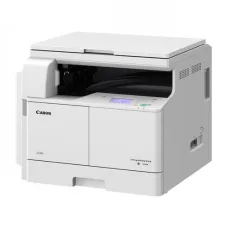


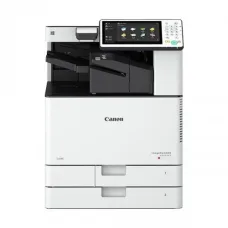


Canon Photocopier is a professional document management solution designed for offices, businesses, schools, banks, government organizations, printing shops, and other workplaces that need reliable document copying, printing, and scanning. Canon offers photocopier and multifunction office systems in different configurations to meet the requirements of small offices as well as high-volume professional environments.
Depending on the model, a Canon Photocopier can provide copying, printing, scanning, automatic document feeding, duplex operation, network connectivity, multiple paper trays, and advanced document-management features. Choosing the right model depends on document volume, paper size, color requirements, speed, budget, and long-term operating costs.
Canon Photocopier in Bangladesh
Canon Photocopiers are suitable for organizations that regularly process printed documents. Offices can use them for contracts, invoices, reports, quotations, forms, applications, customer documents, employee records, and other business paperwork.
Educational institutions can use Canon photocopiers for examination papers, worksheets, notices, assignments, admission forms, and administrative documents. Banks, government offices, hospitals, and commercial organizations can also benefit from professional multifunction photocopiers.
Canon Photocopier Price in Bangladesh
The price of a Canon Photocopier in Bangladesh depends on the model, printing technology, copy speed, paper size, color capability, paper capacity, automatic document feeder, duplex functionality, monthly duty cycle, and additional features.
New, used, and refurbished Canon photocopiers may have significantly different prices. When comparing machines, customers should consider not only the purchase price but also toner cost, drum life, maintenance expenses, spare-parts availability, warranty, and after-sales service.
Canon Multifunction Photocopier
A Canon multifunction photocopier combines multiple office functions into one machine. Depending on the model, it can provide copying, printing, scanning, and other document-management functions.
For offices that need several document-processing functions, a multifunction photocopier can reduce the need for separate machines and provide a centralized solution for employees.
Canon Digital Photocopier
A digital photocopier processes documents electronically before producing the final copy. Canon digital office systems can provide high-quality document reproduction along with printing and scanning functions on supported models.
Digital photocopiers are well suited to modern workplaces where physical documents and digital files need to be processed together.
Canon A3 Photocopier
A Canon A3 Photocopier can handle documents up to A3 size as well as smaller paper formats such as A4. A3 photocopiers are useful for organizations that need to reproduce spreadsheets, charts, diagrams, presentations, posters, drawings, and other large documents.
Businesses should choose an A3 model when larger documents are part of their regular workflow. If all documents are standard A4 size, a more compact A4 machine may be sufficient.
Canon A4 Photocopier
A Canon A4 Photocopier is designed primarily for standard office documents. A4 machines can be suitable for small offices, shops, educational institutions, and businesses that do not require A3 document support.
Compact A4 multifunction models can also help save valuable office space.
Canon Color Photocopier
A Canon Color Photocopier is designed for organizations that need professional color copying and printing. Color output is useful for presentations, brochures, marketing materials, reports, graphics, certificates, and other documents where visual quality is important.
Color photocopiers generally have higher consumable costs than monochrome systems, so businesses should evaluate expected color usage and toner costs before purchasing.
Canon Black and White Photocopier
A Canon black and white photocopier is suitable for offices that primarily process text-based documents. It can be used for invoices, forms, reports, contracts, notices, applications, and administrative paperwork.
For high-volume monochrome document processing, a black and white multifunction photocopier can provide an efficient and practical solution.
Canon Office Photocopier
A Canon Office Photocopier can serve as a central document-processing machine for employees. Depending on the model, users can copy physical documents, print from computers, scan paperwork, and process multi-page documents using an automatic document feeder.
Small offices may need only a compact multifunction machine, while larger organizations can benefit from faster models with greater paper capacity and higher monthly workloads.
Canon Heavy Duty Photocopier
A heavy-duty Canon Photocopier is designed for organizations that regularly process large quantities of documents. High-volume users should evaluate copy speed, monthly duty cycle, paper capacity, toner yield, document-feeder capacity, and optional finishing features.
Heavy-duty systems can be suitable for large corporate offices, banks, government departments, universities, commercial copy centers, and printing businesses.
Canon Photocopier with Printer
A Canon multifunction photocopier with printing functionality allows users to print digital documents and copy physical documents using the same machine.
Network printing can allow multiple employees to share one central office photocopier, reducing the need for individual printers throughout the workplace.
Canon Photocopier with Scanner
Scanning functionality allows users to convert physical documents into digital files. This is useful for document archiving, email communication, digital record keeping, and paper-to-digital workflows.
A photocopier with an automatic document feeder can make scanning multi-page documents much faster than manually placing each page on the document glass.
Canon Photocopier with Automatic Document Feeder
An automatic document feeder allows multiple pages to be loaded into the machine for copying or scanning. This feature can significantly improve productivity when processing reports, contracts, invoices, forms, and other multi-page documents.
When selecting a Canon photocopier, businesses should check both the feeder capacity and whether the ADF supports automatic duplex scanning when required.
Canon Photocopier with Duplex
Duplex functionality allows documents to be copied or printed on both sides of a sheet. It can reduce paper consumption and make large documents more convenient to manage.
Duplex copying is particularly useful for reports, manuals, forms, educational materials, and multi-page business documents.
Canon Photocopier Copy Speed
Copy speed is generally measured in pages per minute. The ideal speed depends on the number of documents processed and the number of people sharing the machine.
A small office with occasional copying may not require a high-speed machine. A busy office or commercial copy center can benefit from a faster Canon photocopier that can process large jobs efficiently.
Canon Photocopier Paper Capacity
Paper capacity determines how much paper can be loaded into the photocopier's trays. Larger paper capacity can reduce the need for frequent refilling during long copying jobs.
Multiple paper trays can also allow users to keep different paper sizes or types available for different jobs.
Canon Photocopier Toner
Toner is one of the most important consumables for a laser photocopier. Canon photocopier toner availability, page yield, and replacement cost should be considered before purchasing a machine.
Using toner that is compatible with the exact photocopier model is important for maintaining output quality and reliable operation.
Canon Photocopier Drum
The drum is an important part of the photocopier imaging system. Over time, the drum or imaging unit can wear and affect copy quality.
Depending on the machine, the drum or imaging unit may require replacement after reaching its expected service life. Professional inspection can help determine whether poor output is caused by the drum or another component.
Canon Photocopier Maintenance
Regular maintenance helps keep a Canon Photocopier operating reliably and can reduce unexpected downtime. Maintenance requirements depend on the model and workload.
- Keep the photocopier clean.
- Clean the document glass regularly.
- Clean the automatic document feeder when necessary.
- Use suitable paper.
- Keep paper trays clean and dry.
- Monitor toner levels.
- Inspect paper-feeding rollers.
- Replace worn consumables when required.
- Follow the recommended service schedule.
- Use qualified technicians for major repairs.
Canon Photocopier Common Problems
Common Canon photocopier problems include paper jams, faded copies, black lines, white lines, toner problems, paper-feeding errors, scanner problems, ADF issues, unusual noise, overheating, error codes, and network connectivity problems.
Regular preventive maintenance and correct operation can reduce the likelihood of many common problems.
Canon Photocopier Paper Jam
Paper jams can occur because of unsuitable paper, damaged paper, incorrect loading, overloaded trays, worn rollers, dust, or problems in the paper path.
Users should follow the machine's instructions when clearing a paper jam. If jams happen repeatedly in the same location, the machine should be inspected by a qualified technician.
Canon Photocopier Faded Copy
Faded copies can result from low toner, drum or imaging-unit wear, incorrect density settings, unsuitable paper, or other imaging-system problems.
Checking toner levels and copy settings is a useful first step. Persistent problems may require professional servicing.
Canon Photocopier Black Line Problem
Black lines on copies may be caused by dirty scanner glass, scratches, drum problems, dust, or other imaging-system faults.
Cleaning the document glass can resolve some problems, particularly when the defect originates from the scanning process. Persistent marks may require inspection of the imaging system.
Canon Photocopier White Line Problem
White lines or missing areas on copies can be caused by toner distribution problems, imaging-unit issues, drum wear, dirty components, or other internal faults.
The correct solution depends on the model and the exact pattern of the defect.
Canon Photocopier Error Code
Canon photocopiers can display error codes when they detect problems involving paper feeding, temperature, imaging, mechanical components, or other systems.
The meaning of an error code depends on the specific model. Users should refer to the appropriate documentation or seek professional technical assistance when an error persists.
Canon Photocopier Repair Service
Professional Canon Photocopier Repair Service can help diagnose problems involving paper jams, poor copy quality, toner, drums, fusers, paper feeders, scanners, automatic document feeders, and network connectivity.
Unix Network provides technology and office-equipment services for businesses and professional users and can assist with photocopier-related service requirements depending on the machine model and problem.
Canon Photocopier Parts
Photocopier components can wear with regular use, particularly in high-volume environments. Depending on the model, service parts may include pickup rollers, separation rollers, drums, imaging units, fusers, gears, sensors, belts, and other mechanical or electronic components.
Replacement parts should be selected according to the exact Canon photocopier model to ensure compatibility.
Canon Photocopier for Business
Businesses can use Canon photocopiers for contracts, invoices, reports, quotations, forms, customer documents, employee records, and internal paperwork.
A multifunction Canon photocopier can provide printing, copying, and scanning from one central device, making it a practical solution for many office environments.
Canon Photocopier for School
Schools can use Canon photocopiers for examination papers, worksheets, notices, admission documents, assignments, student records, and administrative paperwork.
For high-volume school use, a machine with suitable copy speed, paper capacity, automatic document feeding, duplex functionality, and economical consumables can improve productivity.
Canon Photocopier for College and University
Colleges and universities often process large quantities of educational and administrative documents. A professional Canon multifunction photocopier can support copying, printing, and scanning requirements in departments, offices, libraries, and examination sections.
Canon Photocopier for Bank
Banks process financial, customer, and administrative documents on a regular basis. A professional Canon photocopier can support routine copying, printing, and scanning operations.
Organizations handling sensitive information should also consider security functions such as user authentication, secure printing, access control, and other available document-security features.
Canon Photocopier for Government Office
Government offices process applications, forms, reports, official letters, records, and other paperwork. A reliable photocopier can improve document-processing efficiency and reduce delays.
High-volume departments may benefit from faster Canon multifunction systems with large paper capacities and advanced document-handling features.
Canon Photocopier for Printing Shop
Commercial photocopy and printing businesses require machines capable of handling frequent and high-volume workloads. When choosing a Canon photocopier for a printing shop, copy speed, duty cycle, image quality, toner yield, paper capacity, consumable cost, and service availability are important considerations.
Used Canon Photocopier
A used Canon Photocopier can be an option for customers who want to reduce their initial investment. However, used machines can vary significantly in condition and remaining service life.
Before purchasing a used Canon photocopier, customers should check the total page count, machine condition, copy quality, paper-feeding performance, drum and fuser condition, error history, consumable status, spare-parts availability, and service support.
Refurbished Canon Photocopier
A refurbished Canon Photocopier may have been inspected, cleaned, repaired, and fitted with selected replacement components before being offered for sale. The actual refurbishment process depends on the seller and machine.
Customers should ask about the machine's service history, replaced components, page count, warranty, and after-sales support before purchasing a refurbished photocopier.
How to Choose the Best Canon Photocopier
The best Canon Photocopier depends on the organization's workload, document type, paper size, color requirements, budget, and workflow.
- Determine the expected monthly copy volume.
- Choose A4 or A3 according to document requirements.
- Decide between color and monochrome.
- Check copying speed.
- Check automatic document feeder capacity.
- Consider automatic duplex functionality.
- Check paper-tray capacity.
- Compare toner yield and cost.
- Consider drum and imaging-unit costs.
- Check network connectivity.
- Consider printing and scanning capabilities.
- Check warranty and service support.
- Check spare-parts and consumables availability.
Canon Photocopier Buying Guide
| Requirement | Recommended Features |
|---|---|
| Home or Personal Use | Compact multifunction model |
| Small Office | A4 multifunction photocopier |
| Medium Office | A3 multifunction model with ADF and duplex |
| Large Office | High-speed high-volume photocopier |
| School | Reliable model with economical running costs |
| Bank | Professional model with suitable security features |
| Printing Shop | Heavy-duty high-speed model |
| Color Documents | Professional color multifunction photocopier |
| Text Documents | Monochrome multifunction photocopier |
Canon Photocopier Running Cost
The purchase price of a Canon Photocopier is only one part of its total ownership cost. Toner, drums, imaging units, fusers, maintenance, spare parts, electricity, and service can all contribute to long-term expenses.
High-volume users should consider the approximate cost per page when comparing different models. A machine with a higher initial price may offer better long-term value if its consumables and maintenance costs are lower.
Canon Photocopier Connectivity
Depending on the model, Canon multifunction photocopiers can provide USB and network connectivity. Network-enabled machines can be shared by multiple employees and computers within an office.
Businesses should check the exact connectivity features of the selected model before purchase, particularly when network printing or scanning is required.
Canon Photocopier Security Features
Office photocopiers can process sensitive documents and, depending on their configuration, may store document information. Security should therefore be considered when selecting a professional photocopier.
Depending on the model, available security features may include user authentication, secure printing, access restrictions, data protection, and other document-management controls.
Canon Photocopier Productivity Features
Modern Canon photocopiers can provide productivity features such as automatic document feeding, duplex copying, multiple paper trays, network printing, scanning, job management, and document-finishing options.
The availability of these features varies by model, so customers should compare specifications carefully before purchase.
Why Buy Canon Photocopier from Unix Network?
Unix Network provides computers, laptops, printers, office equipment, networking products, CCTV and security solutions, and other technology products for businesses and professional users in Bangladesh.
Customers looking for a Canon Photocopier can select a suitable solution according to document volume, paper size, copy speed, color requirements, multifunction capabilities, running costs, warranty, service support, and budget.
Frequently Asked Questions About Canon Photocopier
What is a Canon Photocopier?
A Canon Photocopier is a professional document-processing machine designed for copying and, depending on the model, printing, scanning, and other office functions.
What is the price of a Canon Photocopier in Bangladesh?
The price varies according to the model, specifications, features, condition, and whether the machine is new, used, or refurbished. Customers should also consider toner, maintenance, and spare-parts costs.
Is Canon Photocopier good for office use?
Canon offers photocopier and multifunction systems designed for professional office environments. The appropriate model depends on the office's document volume, paper size, speed requirements, and workflow.
Does Canon make A3 photocopiers?
Yes. Canon offers multifunction systems designed to support A3 documents, depending on the specific model.
Does Canon make color photocopiers?
Yes. Canon offers color multifunction systems for organizations that require color copying and printing, depending on model and market availability.
Which Canon photocopier is best for a small office?
A compact multifunction model with suitable copying speed, printing, scanning, and document-feeding capabilities can be a practical choice for a small office.
Which Canon photocopier is best for heavy-duty use?
A professional high-speed model with a larger paper capacity, appropriate duty cycle, automatic document feeder, and suitable finishing options is generally more appropriate for heavy workloads.
Is a used Canon photocopier worth buying?
A used Canon photocopier can provide good value when the machine is in good condition and its page count, consumables, service history, spare-parts availability, and repair requirements are satisfactory.
How often should a Canon photocopier be serviced?
Service frequency depends on the model, workload, operating environment, and manufacturer's recommendations. High-volume machines generally require more frequent preventive maintenance.
Where can I buy a Canon Photocopier in Bangladesh?
Canon photocopiers are available through office-equipment and technology retailers in Bangladesh. Unix Network provides office equipment and technology solutions for businesses and professional users, subject to current stock and availability.