
Printer Price in Bangladesh - Page 1
Showing 1 to 24 of 342 (15 Pages)
Refine Search

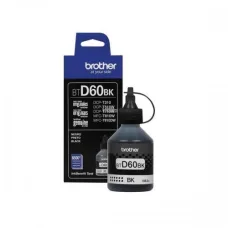

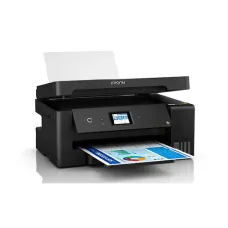
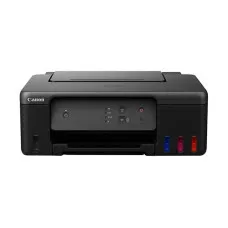
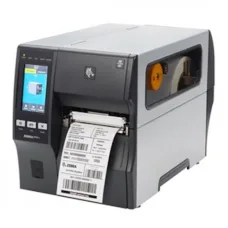


Rongta RP850-USE 300mm/s Thermal Receipt Printer
৳11,000 ৳11,500
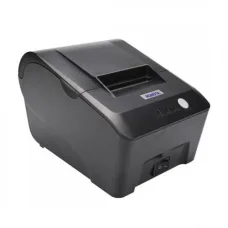
Rongta RP58E-U POS Thermal Receipt Printer
৳4,000 ৳4,200

Rongta RP330-USE Thermal Pos Printer
৳9,000 ৳9,500
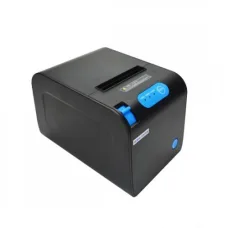

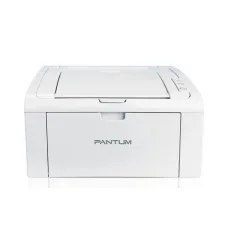
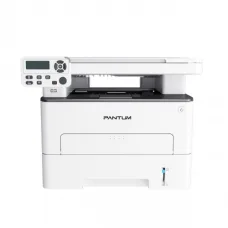
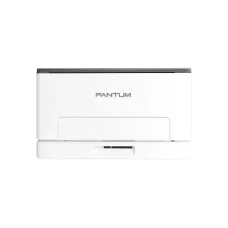
Pantum CP1100DW Color Laser Printer (18 ppm)
৳37,000 ৳39,200
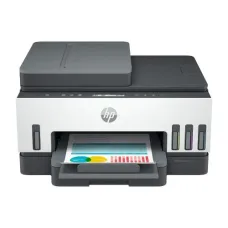
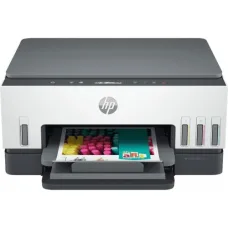

HP LaserJet Pro M706n A3 Single Function Mono Laser Printer
৳61,000 ৳65,000

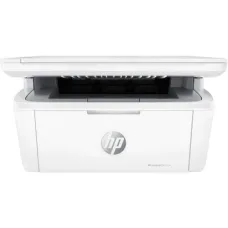
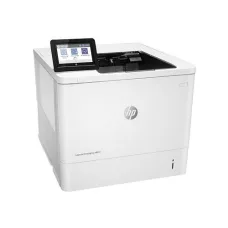
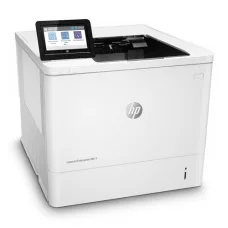
HP LaserJet Enterprise M611dn Single Function Mono Printer
৳88,000 ৳90,000
HP LaserJet Enterprise M610dn Printer
৳82,500 ৳83,000

Printer
Printer Price in Bangladesh
A printer is an essential device for producing physical copies of documents, images, invoices, reports, photos, labels, and other digital content. Printers are widely used in homes, offices, schools, businesses, shops, hospitals, educational institutions, and professional workplaces.
The printer price in Bangladesh varies depending on printing technology, print speed, print quality, paper size, connectivity, monthly duty cycle, duplex printing, scanning and copying functions, ink or toner system, and brand. Choosing the right printer depends mainly on what you print, how frequently you print, and your expected operating cost.
Buy Printer in Bangladesh
If you are planning to buy a printer in Bangladesh, identify your primary printing requirements before choosing a model. An inkjet printer can be suitable for color documents and photos, while a laser printer is often preferred for fast and high-volume document printing.
Businesses may require multifunction printers with printing, scanning, copying, and sometimes fax capabilities. POS printers, barcode printers, photo printers, and other specialized printers are designed for specific applications.
Types of Printer
Inkjet Printer
An inkjet printer produces documents and images by spraying tiny droplets of ink onto paper. Inkjet printers are commonly used for color documents, graphics, photos, school projects, and everyday home printing.
When buying an inkjet printer, consider ink cost, cartridge or ink-tank capacity, print quality, print speed, and the frequency of printing.
Laser Printer
A laser printer uses toner and a laser-based imaging process to produce printed documents. Laser printers are commonly used in offices and businesses because they can provide fast and consistent document printing.
They can be particularly suitable for users who print large quantities of text documents regularly.
Color Printer
A color printer can produce documents, graphics, presentations, marketing materials, and images in multiple colors. Color printers are available in both inkjet and laser technologies.
Black and White Printer
Black and white printers, also known as monochrome printers, are designed primarily for printing text and grayscale documents. They can be a practical choice for offices, schools, businesses, and users who do not require color printing.
Multifunction Printer
A multifunction printer combines multiple functions in one device, commonly including printing, scanning, and copying. Some models also include fax functionality.
A multifunction printer can save office space and reduce the need to purchase separate devices for different document-processing tasks.
Photo Printer
Photo printers are designed to produce high-quality color photographs and images. Depending on the model, they may support specialized photo paper and higher print resolutions.
Thermal Printer
A thermal printer uses heat to produce printed content. Direct thermal printers are commonly used for receipts, tickets, labels, and POS applications, while other thermal technologies are used for specialized printing requirements.
POS Printer
A POS printer is designed to print receipts, bills, transaction records, and order slips. Thermal receipt printers are commonly used in retail shops, restaurants, supermarkets, cafés, pharmacies, and other businesses.
Barcode Printer
A barcode printer is designed to produce product labels, inventory labels, shipping labels, and barcode stickers. These printers are commonly used in warehouses, retail businesses, logistics operations, and manufacturing environments.
Portable Printer
A portable printer is designed for users who need to print while traveling or working away from a fixed office. Portable models are useful for field workers, mobile businesses, delivery services, and professionals who require on-the-go printing.
Dot Matrix Printer
A dot matrix printer creates characters using pins striking an ink ribbon against paper. Although less common for general document printing today, dot matrix printers remain useful for certain business applications involving multipart forms and continuous stationery.
Printer for Home
A home printer can be useful for printing school assignments, documents, forms, bills, travel documents, photos, and other everyday materials.
For occasional color printing, an inkjet printer may be suitable. Users who mainly print black-and-white documents may prefer a monochrome laser printer.
Printer for Office
Office printers need to handle regular document printing efficiently. Businesses should consider print speed, monthly duty cycle, paper capacity, automatic duplex printing, network connectivity, security features, and consumable costs.
A multifunction printer can be particularly useful when employees regularly need to print, scan, and copy documents.
Printer for Business
Businesses should select printers based on their expected daily and monthly printing volume. High-volume environments can benefit from printers with larger paper trays, faster print speeds, efficient consumables, and durable components.
Before purchasing, calculate the estimated cost per page rather than comparing only the initial printer price.
Printer for Students
Students commonly need printers for assignments, notes, projects, forms, and study materials. A compact and affordable printer with reasonable running costs can be a practical option for student use.
Printer for School
Schools may require printers for administrative documents, examination materials, worksheets, notices, reports, and educational resources. Depending on printing volume, a high-speed laser printer or multifunction printer may be appropriate.
Printer for Shop
Shops may require different types of printers depending on their business operations. Receipt printers can be used for customer bills, while barcode printers can produce product labels and inventory tags.
Printer for Restaurant
Restaurants commonly use receipt printers for customer bills and thermal printers for kitchen orders. Network connectivity can be useful when multiple POS terminals need to communicate with printers in different locations.
Printer for Pharmacy
Pharmacies can use printers for customer receipts, invoices, labels, reports, and other business documentation. A compact thermal receipt printer can be useful for billing counters.
Printer for Photo
Photo printers are designed to produce detailed color images. When choosing a photo printer, consider color accuracy, print resolution, supported paper sizes, borderless printing, and the cost of photo ink and paper.
Printer Printing Technology
Ink-Based Printing
Inkjet technology uses liquid ink to create text and images. It can provide excellent color reproduction and is commonly used for photos and mixed color documents.
Toner-Based Printing
Laser printers use toner rather than liquid ink. They are generally designed for fast document printing and can be well suited to offices and high-volume text printing.
Thermal Printing
Thermal printing uses heat to create printed content on suitable media. It is commonly used for receipts, labels, tickets, and other specialized applications.
Printer Speed
Print speed is usually measured in pages per minute. A higher print speed can reduce waiting time when producing large numbers of documents.
When comparing printer speeds, consider whether the manufacturer's rating applies to black-and-white or color printing and whether the measurement reflects typical business documents.
Printer Resolution
Printer resolution indicates the level of detail the printer can reproduce. It is commonly expressed in dots per inch. Higher resolution can be important for photos, graphics, and detailed images, while standard office documents may not require extremely high resolution.
Automatic Duplex Printing
Automatic duplex printing allows the printer to print on both sides of a sheet without requiring the user to manually turn the paper. This can reduce paper usage and make document printing more convenient.
Printer Connectivity
USB Printer
USB connectivity provides a direct connection between a printer and computer. It can be suitable for individual workstations and simple installations.
Wi-Fi Printer
A Wi-Fi printer can connect to a wireless network, allowing compatible computers, smartphones, tablets, and other devices to send print jobs without a direct USB connection.
Ethernet Printer
An Ethernet printer connects to a wired local network. It can be useful in offices where multiple computers need access to a shared printer.
Mobile Printing
Some modern printers support mobile printing technologies that allow users to print from smartphones and tablets. Supported platforms and applications vary by printer model.
Printer Paper Size
Printers support different paper sizes depending on their design. Common office printers support standard document sizes, while specialized printers can support photo paper, labels, envelopes, cards, and other media.
Check supported paper sizes and maximum media thickness before purchasing if you plan to print on specialized materials.
Printer Paper Capacity
Paper tray capacity determines how many sheets can be loaded at once. A larger paper tray can reduce the frequency of paper refilling and can be useful for busy offices and businesses.
Printer Ink
Inkjet printers use liquid ink stored in cartridges or refillable ink tanks. Ink costs can have a significant impact on the long-term cost of operating an inkjet printer.
For frequent printing, consider the page yield and price of replacement ink rather than looking only at the printer's purchase price.
Printer Ink Tank
Ink tank printers use refillable reservoirs instead of conventional small cartridges. They are designed for users who print frequently and want to reduce the cost per page.
When choosing an ink tank printer, consider ink bottle availability, page yield, print quality, refill process, and manufacturer support.
Printer Toner
Laser printers use toner cartridges to produce printed documents. Toner cartridges are available in different page yields and capacities.
Businesses with high printing volumes should compare the cost per page and expected toner yield before selecting a printer.
Printer Cartridge
Printer cartridges contain ink or toner depending on the printer technology. Original and compatible cartridges may differ in price, performance, warranty implications, and reliability.
Always check cartridge compatibility with the exact printer model before purchasing replacement consumables.
Printer Maintenance
Regular maintenance can help maintain print quality and reliable operation. Keep the printer clean, use suitable paper, replace consumables when required, and follow the manufacturer's maintenance instructions.
Inkjet printers may require printhead maintenance, while laser printers may require attention to toner, drums, rollers, and other components depending on the model.
Printer Operating Cost
The total cost of owning a printer includes more than the initial purchase price. Ink, toner, paper, replacement parts, maintenance, electricity, and service can contribute to the long-term cost.
For high-volume printing, calculate the estimated cost per page before making a purchase.
Printer Duty Cycle
The duty cycle indicates the amount of printing a printer is designed to handle within a specified period. It is important for offices and businesses that print frequently.
Choose a printer with an appropriate recommended workload rather than continuously operating a low-volume printer beyond its intended capacity.
Printer Security
Network-connected business printers can store or process sensitive documents. Features such as user authentication, secure printing, access control, encrypted communication, and network security can be important for organizations handling confidential information.
How to Choose the Best Printer
Determine Your Printing Needs
Decide whether you mainly need the printer for documents, photos, receipts, labels, invoices, graphics, or specialized printing.
Choose the Right Technology
Select inkjet, laser, thermal, dot matrix, or another printing technology according to your application.
Check Print Volume
Estimate how many pages you print per day and month. Choose a printer designed to handle your expected workload.
Check Print Speed
Choose an appropriate print speed based on how quickly you need documents or receipts to be produced.
Check Print Quality
Consider resolution and color reproduction when printing photos, graphics, marketing materials, or detailed documents.
Check Duplex Printing
If you regularly print long documents, automatic duplex printing can save paper and improve convenience.
Check Connectivity
Consider USB, Wi-Fi, Ethernet, mobile printing, and other interfaces according to your setup.
Check Consumable Cost
Compare ink, toner, cartridge, paper, and maintenance costs before purchasing.
Check Multifunction Features
If you also need scanning and copying, a multifunction printer can provide several functions in one device.
Check Warranty and Support
Review warranty coverage, service availability, consumable availability, and replacement parts before buying.
Printer Price in BD
The printer price in BD depends on printing technology, brand, print speed, resolution, connectivity, paper capacity, multifunction features, and intended usage. Basic home printers can be relatively affordable, while high-speed business printers, multifunction devices, photo printers, and specialized printers can cost considerably more.
When comparing prices, consider the printer's total operating cost, including ink, toner, paper, maintenance, and replacement components.
Printer Price in Jessore
If you are searching for printer price in Jessore, compare available printers according to printing technology, print speed, print quality, connectivity, paper capacity, monthly workload, consumable cost, warranty, and budget.
For business use, also consider the availability of toner, ink, cartridges, paper rolls, spare parts, and technical service.
Buy Printer from Unix Network
If you are planning to buy a printer in Bangladesh, Unix Network can help customers compare available printing solutions according to their home, office, retail, educational, or business requirements.
Before purchasing, check the exact printer model, printing technology, print speed, resolution, paper size, connectivity, monthly duty cycle, consumable cost, included features, warranty, and availability.
Frequently Asked Questions About Printer
Which printer is best for home use?
The best printer depends on your printing habits. An inkjet printer can be suitable for occasional color and photo printing, while a monochrome laser printer can be a practical choice for frequent black-and-white documents.
Which printer is best for office use?
Laser and multifunction printers are commonly suitable for offices because they can provide fast document printing and additional functions such as scanning and copying.
Which is better, inkjet or laser printer?
Inkjet printers can be advantageous for color images and photos, while laser printers are often preferred for fast, high-volume document printing. The better option depends on your specific requirements.
Is an ink tank printer good for frequent printing?
Ink tank printers can be suitable for users who print frequently because refillable ink systems can provide a lower cost per page compared with some cartridge-based systems.
What is a multifunction printer?
A multifunction printer combines functions such as printing, scanning, and copying in one device. Some models also provide fax functionality.
What printer is suitable for a shop?
A shop may require a standard document printer, POS receipt printer, barcode printer, or a combination of these depending on its business operations.
What should I check before buying a printer?
Check printing technology, print speed, resolution, paper size, connectivity, monthly workload, ink or toner cost, duplex printing, multifunction features, warranty, and availability of consumables.
Final Buying Guide
The right printer depends on what you print, how frequently you print, the required print quality, connectivity, available space, and operating budget. Inkjet printers can be suitable for color and photo printing, laser printers are commonly preferred for fast document printing, and thermal printers are widely used for receipts and specialized applications.
Before buying, compare print speed, resolution, paper capacity, connectivity, duplex printing, ink or toner cost, duty cycle, maintenance requirements, warranty, and after-sales support. Considering the total cost of ownership can help you choose a printer that delivers better long-term value.
If you are searching for printer price in Bangladesh, printer price in BD, or printer price in Jessore, compare the available options at Unix Network and choose a printer that matches your printing requirements and budget.
Hourly Deals