
Monitor Rapier Service Price in Bangladesh
Showing 1 to 1 of 1 (1 Pages)
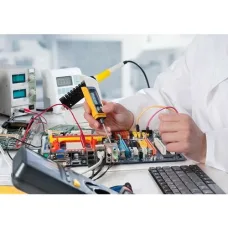
Monitor Repair Service
Monitor Repair Service in Bangladesh
A monitor is an important part of any desktop computer setup, whether it is used for office work, gaming, education, graphic design, video editing, business applications, or everyday computing. When a monitor develops display problems, professional diagnosis and repair can help identify whether the issue is related to the panel, power system, backlight, motherboard, ports, cables, or connected computer.
Unix Network provides monitor repair and servicing support for customers looking for a reliable solution for common monitor problems in Bangladesh. Professional inspection can help determine whether a monitor should be repaired, have a component replaced, or be replaced entirely.
Monitor Repair Service in Jessore
If you are searching for monitor repair service in Jessore, monitor servicing in Jessore, or monitor service center in Jessore, Unix Network can assist with diagnosing common display and hardware problems.
Customers can bring the monitor for inspection and provide the exact model along with details about the problem. This information can help technicians identify the possible cause and determine the appropriate repair solution.
Common Monitor Problems
Monitor Not Turning On
A monitor that does not power on may have an issue with the power cable, adapter, power board, internal circuitry, switch, or another component. The problem may also originate from the electrical connection rather than the monitor itself.
Monitor No Display
A monitor may turn on but show no image. Possible causes include faulty cables, incorrect input selection, graphics output problems, internal monitor faults, or a damaged display panel.
Monitor Black Screen
A black screen can be caused by backlight failure, power-related problems, display circuitry, incorrect input configuration, or a problem with the connected computer.
Monitor Flickering
Screen flickering may result from a damaged cable, incompatible refresh-rate settings, graphics driver problems, unstable power, faulty display components, or an internal hardware issue.
Monitor Lines on Screen
Horizontal or vertical lines may indicate a problem with the display panel, internal connection, display controller, cable, or graphics output. Persistent lines should be professionally diagnosed before attempting further repair.
Monitor Display Distortion
Distorted images, unusual colors, corrupted graphics, or intermittent display problems can be caused by the monitor, cable, graphics card, driver, or connection between the devices.
Monitor Color Problem
If a monitor displays incorrect colors, possible causes include incorrect display settings, damaged cables, graphics configuration, panel problems, or internal circuitry.
Monitor Dim Display
A significantly dim display may be related to brightness settings, backlight problems, power circuitry, or aging components. Proper diagnosis can identify whether the issue can be repaired.
Monitor Brightness Problem
Brightness problems can occur because of incorrect settings, software configuration, backlight issues, or internal hardware faults.
Monitor Dead Pixel
A dead pixel is a pixel that does not display correctly. Whether a panel qualifies for replacement depends on the manufacturer's pixel policy, the number and location of defective pixels, and the warranty terms.
Monitor Ghosting
Ghosting occurs when moving objects leave visible trails behind them. It can be affected by panel characteristics, response-time settings, refresh rate, and the quality of the display.
Monitor Backlight Problem
The backlight illuminates the display so that the image can be seen. A faulty backlight can cause a dim screen, uneven brightness, or a display that becomes difficult to see despite the monitor receiving power.
Monitor HDMI Problem
HDMI connection problems can result from damaged cables, faulty ports, incorrect input selection, graphics output issues, or internal monitor circuitry.
Monitor DisplayPort Problem
DisplayPort problems can be related to cables, ports, graphics-card settings, drivers, or the monitor's internal electronics. Testing with a known-working cable and another compatible device can help isolate the cause.
Monitor VGA Problem
Older monitors and computers may use VGA connections. Display problems can occur because of damaged cables, loose connectors, bent pins, or problems with the VGA input.
Monitor Types We Can Diagnose
LED Monitor Repair
LED monitors are widely used for home and office computing. Common issues include power failure, flickering, backlight problems, display lines, color problems, and damaged ports.
LCD Monitor Repair
LCD monitors can experience problems involving the display panel, backlight, power circuit, controller board, and connection ports. Diagnosis is required to determine the repairability of the issue.
IPS Monitor Repair
IPS monitors are commonly used for office work, creative applications, and gaming. Problems may involve power, display output, backlight, ports, or the panel itself.
Gaming Monitor Repair
Gaming monitors often include high refresh rates, adaptive sync, multiple display inputs, and advanced display electronics. Repair may involve diagnosing power, display output, flickering, refresh-rate, port, or internal hardware problems.
Curved Monitor Repair
Curved monitors require careful handling because their display panels have a curved structure. Professional inspection is recommended for panel damage, display problems, backlight faults, and other hardware issues.
Ultrawide Monitor Repair
Ultrawide monitors have larger panels and specialized display electronics. Common problems can include no display, flickering, lines, power failure, backlight problems, and connectivity issues.
Professional Monitor Repair
Professional monitors can include high-resolution panels, wide color gamuts, HDR support, calibration features, and specialized connectivity. Repair should preserve the display characteristics required for professional work.
Monitor Power Repair
Power-related faults are among the important causes of monitor failure. Symptoms may include no power, repeated restarting, intermittent operation, unusual noises, or a monitor that turns off unexpectedly.
Power cables, adapters, internal power boards, capacitors, connectors, and related components may need inspection depending on the monitor design.
Monitor Panel Repair
The display panel is one of the most important and sensitive parts of a monitor. Physical cracks, severe panel damage, or certain internal panel faults may not be economically repairable.
A technician can inspect the monitor and determine whether the problem is likely related to the panel or another replaceable component.
Monitor Backlight Repair
A backlight fault can make a monitor appear very dark even when the display is producing an image. Depending on the monitor design, the problem may involve LED backlighting, power circuitry, or related components.
Monitor Motherboard Repair
The monitor's main control board manages functions such as video input processing, display control, buttons, and communication between internal components. A faulty board can cause no-display problems, input failures, unstable operation, or other symptoms.
Monitor Port Repair
Repeated plugging and unplugging can eventually damage HDMI, DisplayPort, VGA, DVI, USB, or other ports. A damaged connector may cause intermittent signals or complete loss of connectivity.
Monitor Cable Troubleshooting
Not every monitor problem requires internal repair. Damaged or incompatible display cables are common causes of no signal, flickering, low resolution, and intermittent display problems.
Before opening a monitor, test the system with a known-working cable and compatible device whenever possible.
Monitor Software and Driver Troubleshooting
Display problems can sometimes be caused by operating-system settings, graphics drivers, incorrect resolution, unsupported refresh rates, or graphics-card configuration.
Proper troubleshooting helps determine whether the issue is software-related or requires hardware servicing.
Monitor Repair for Home Users
Home users may experience common problems such as no display, flickering, damaged cables, power failure, color issues, or screen lines. A professional diagnosis can help determine whether the monitor can be repaired economically.
Monitor Repair for Office
Office monitors are often used for long periods every day. Problems with power, display quality, ports, or screen performance can affect productivity.
Businesses using multiple monitors can benefit from maintaining a consistent service and replacement strategy to minimize downtime.
Monitor Repair for Gamers
Gaming monitors require additional attention to refresh rate, adaptive sync, response performance, display ports, and graphics compatibility. A repair should ensure that the monitor's important gaming functions continue to work correctly after servicing.
Monitor Repair for Graphic Designers
Designers and content creators rely on accurate colors and consistent display performance. Any repair should consider color accuracy, brightness uniformity, resolution, and calibration requirements.
Monitor Repair Process
Initial Problem Assessment
Provide the monitor's brand, exact model, and a description of the problem. Information such as when the problem occurs and whether it is permanent or intermittent can be helpful.
Technical Diagnosis
The monitor is inspected to identify whether the problem is related to the power system, display panel, backlight, mainboard, input port, cable, or connected computer.
Repair Evaluation
After diagnosis, the repair requirements can be evaluated. If a replacement component is required, its compatibility and availability should be considered.
Component Replacement or Repair
Depending on the fault, the required component may be repaired or replaced. The appropriate solution depends on the monitor model and the nature of the failure.
Testing After Repair
The monitor should be tested after servicing for power, display output, brightness, input connections, and other relevant functions.
When Should You Repair a Monitor?
Monitor repair can be worth considering when the problem involves a replaceable component such as a power-related part, cable, connector, backlight component, or certain internal electronic components.
If the display panel itself is severely damaged or the repair cost approaches the price of a comparable new monitor, replacement may be a more practical option.
How to Protect Your Monitor
Use a Stable Power Source
Use appropriate power protection and avoid unstable electrical connections. A suitable UPS or surge protection solution can provide additional protection depending on the environment.
Use the Correct Display Cable
Use a compatible HDMI, DisplayPort, USB-C, VGA, or other cable suitable for the monitor and required resolution and refresh rate.
Keep the Monitor Clean
Clean the display carefully using suitable methods recommended for the panel. Avoid applying liquid directly to the screen.
Avoid Physical Pressure
Monitor panels are sensitive to pressure and impact. Avoid touching or pressing the display surface unnecessarily.
Maintain Proper Ventilation
Do not block the monitor's ventilation areas. Proper airflow can help reduce excessive heat around internal electronics.
Monitor Repair Service in BD
If you are searching for monitor repair service in Bangladesh or monitor servicing in BD, choose a service provider based on technical experience, diagnostic capability, availability of suitable replacement components, repair transparency, and after-sales support.
Because monitor designs differ significantly between brands and models, providing the exact model number is important when requesting service.
Monitor Repair Service in Jessore
For customers searching for monitor repair service in Jessore, Unix Network provides monitor diagnosis and servicing support for common display and hardware problems.
Before visiting for service, note the monitor's exact model, the symptoms, any error message, whether the monitor powers on, and which connection is being used. This information can help speed up the diagnostic process.
Frequently Asked Questions About Monitor Repair
Can a monitor with no display be repaired?
It depends on the cause. No-display problems can result from cables, input selection, graphics output, power circuits, backlight components, internal electronics, or the display panel.
Why is my monitor flickering?
Flickering can be caused by cables, refresh-rate settings, graphics drivers, unstable power, incompatible configurations, or internal monitor faults.
Can a cracked monitor screen be repaired?
A physically cracked LCD or OLED panel generally requires panel replacement rather than conventional repair. Whether replacement is economical depends on the monitor model and panel cost.
Why does my monitor have horizontal or vertical lines?
Lines can result from the panel, internal connections, display electronics, graphics output, or cables. Professional diagnosis is recommended to determine the source.
Can HDMI ports on a monitor be repaired?
A damaged HDMI port may be repairable depending on the monitor's internal design and the extent of the damage.
Is it worth repairing an old monitor?
It depends on the fault, repair cost, monitor age, panel condition, availability of replacement components, and the price of a suitable replacement.
What information should I provide for monitor repair?
Provide the brand, exact model number, problem description, visible symptoms, and information about the connected computer or cable. A photo or video of the problem can also help with initial assessment.
Final Monitor Repair Guide
Monitor problems can originate from simple connection issues or from internal hardware components. Before assuming that the panel is damaged, check the power connection, display cable, input source, computer output, resolution, and refresh-rate settings.
If the problem continues, professional diagnosis can help determine whether the issue involves the power system, backlight, mainboard, ports, display electronics, or panel.
If you are looking for monitor repair service in Bangladesh, monitor repair service in BD, or monitor repair service in Jessore, Unix Network can help with monitor diagnosis and servicing according to the specific model and problem.
Monitor Rapier Service - Best Prices in Bangladesh
Looking for high-quality Monitor Rapier Service products in Bangladesh? Look no further than Unix Network! As a proud member of the Bangladesh Computer Samity (BCS) and with our headquarters located in Jessore, we offer a wide range of Monitor Rapier Service options at competitive prices.
Pricing Factors in Bangladesh:
In Bangladesh, pricing for Monitor Rapier Service products can vary based on factors such as brand reputation, product type, connectivity options, and warranty coverage. At Unix Network, we offer genuine products at affordable prices, ensuring you get the best value for your money.
Types of Monitor Rapier Service:
Key Considerations:
- Performance: High refresh rates and low response times for smooth visuals.
- Compatibility: Ensure compatibility with your existing setup.
- Build Quality: Durable construction for long-lasting use.
- Connectivity: Multiple input options for versatile connectivity.
- Warranty: Manufacturer warranty for peace of mind.
- Power Efficiency: Energy-saving features for reduced electricity consumption.
- Brand Reputation: Trustworthy brands known for quality products.
Why Choose Unix Network?
- Genuine Products
- Competitive Prices
- Expert Advice
- Fast Delivery
- Warranty Support
- BCS Member
- Jessore Showroom
- Nationwide Delivery
Frequently Asked Questions:
Q: What is the warranty coverage for Monitor Rapier Service products?
A: Warranty coverage varies by brand, but most products come with a standard manufacturer warranty for peace of mind.
Q: Are the Monitor Rapier Service products at Unix Network genuine?
A: Yes, we only offer genuine products from trusted brands to ensure quality and reliability.
Q: Do you provide expert advice on choosing the right Monitor Rapier Service product?
A: Absolutely! Our team of experts is here to assist you in finding the perfect Monitor Rapier Service product for your needs.
Q: How fast is the delivery service for Monitor Rapier Service products?
A: We offer fast delivery services across Bangladesh to ensure you receive your products in a timely manner.
Experience the Difference with Unix Network
Trust Unix Network for all your Monitor Rapier Service needs in Bangladesh. With our genuine products, competitive prices, expert advice, and fast delivery services, you can shop with confidence. Visit our Jessore showroom or browse our online store for a seamless shopping experience!