
Service Price in Bangladesh
Showing 1 to 12 of 12 (1 Pages)
Refine Search
- Air Conditioner Rapier Service
- CCTV Camera Installation
- Desktop computer Rapier Service
- Graphics Card Rapier Service
- Home Service
- Laptop Service Center
- Monitor Rapier Service
- Motherboard Rapier Service
- Printer Rapier Service
- Projector Rapier Service
- TV Rapier Service
- UPS Rapier Service
- Software Development
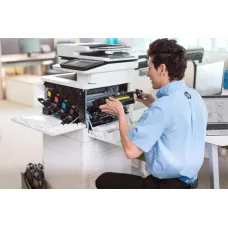
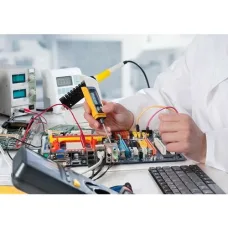
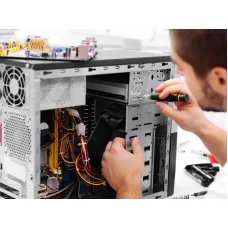
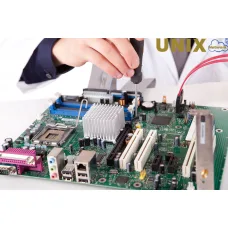


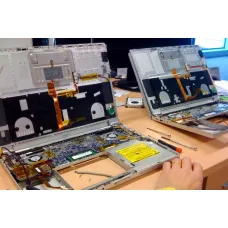



Find the Right Service for Your Budget and Needs
These are the latest in-stock Service at Unix Network, with the current price in Bangladesh. Open a model for specifications.
Latest Service Price List in BD 2026
| Service List | Price in BD |
|---|---|
| VIP Discount Card | ৳500 |
| UPS Repair Service | ৳400 |
| TV Repair Service | ৳500 |
| Projector Repair Service | ৳500 |
| Printer Repair Service | ৳500 |
| Motherboard Repair Service | ৳500 |
| Monitor Repair Service | ৳500 |
| Laptop Repair Service | ৳500 |
| Graphics Card Repair Service | ৳2,500 |
| Desktop Computer Repair Service | ৳500 |
| CC Camera Installation and Repair Service | ৳250 |

Computer Servicing, Repair, Maintenance & Troubleshooting Price in Bangladesh
Computers and laptops are essential tools for work, education, business, communication, gaming and everyday digital activities. However, regular use can eventually lead to hardware faults, software problems, overheating, slow performance, boot issues, storage failures, network problems and many other technical difficulties. Professional computer servicing, repair, maintenance and troubleshooting can help identify the cause of these problems and restore a system to reliable working condition. Unix Network (ইউনিক্স নেটওয়ার্ক), located in Jessore (Jashore), Bangladesh, provides computer-related servicing and technical support for customers who need practical assistance with desktop PCs, laptops, hardware, software and general system maintenance. Whether you are dealing with a slow computer, unexpected shutdowns, overheating, operating system errors, hardware compatibility problems or connectivity issues, proper diagnosis is an important first step before replacing parts unnecessarily.
The computer servicing repair maintenance troubleshooting price in Bangladesh can vary depending on the type of problem, device configuration, required diagnosis time, replacement components, software requirements and complexity of the repair. A simple software issue may require a different level of work compared with motherboard troubleshooting, storage recovery, cooling maintenance or a complete system rebuild. Customers searching for computer servicing and repair should therefore understand the actual cause of the problem before deciding on a solution. Unix Network aims to help customers make informed decisions by providing technical guidance, troubleshooting support and suitable repair or maintenance options based on the condition and requirements of the device.
If you are looking for computer servicing, repair, maintenance or troubleshooting in Jessore, or need computer support from a trusted technology business, Unix Network can assist with a wide range of desktop PC and laptop-related issues. Customers can visit the Jessore showroom or contact Unix Network on 01715143685 for service enquiries, availability and applicable charges. As a business member of Bangladesh Computer Samity (BCS), Unix Network serves customers with a focus on practical technical support, genuine replacement products where required, competitive pricing and service assistance.
Computer Servicing, Repair, Maintenance & Troubleshooting Price in Bangladesh
The price of computer servicing, repair and troubleshooting in Bangladesh depends on the specific issue and the amount of technical work required. Unlike purchasing a standard computer accessory with a fixed specification, service costs can differ because every device may have a different condition, history and underlying problem. Two computers showing the same symptom may require completely different repairs. For example, a computer that does not turn on could have a loose connection, faulty power supply, damaged motherboard component, defective RAM, processor issue or another hardware-related problem. Accurate diagnosis is therefore important before determining the required repair process and cost.
Basic services such as system cleaning, software installation, operating system configuration, virus or malware removal and general optimisation may have relatively straightforward service requirements. More complex work, including motherboard troubleshooting, storage-related diagnosis, power issues, overheating investigation, laptop disassembly, display troubleshooting or multiple-component testing, may require more time and technical expertise.
The computer servicing repair maintenance troubleshooting price in Bangladesh may also change when replacement parts are required. In such cases, the total cost can include both the service work and the price of compatible replacement hardware. Customers should confirm the exact model, compatibility and warranty status before approving replacement components.
Factors That Affect Computer Servicing and Repair Prices in Bangladesh
Several factors can influence the final cost of computer servicing and repair. Understanding these factors can help customers estimate what type of service they may need and avoid making decisions based only on the lowest advertised price.
- Type and complexity of the technical problem.
- Time required for proper diagnosis and testing.
- Desktop PC or laptop construction and accessibility.
- Need for hardware replacement.
- Cost and availability of compatible replacement parts.
- Software installation, configuration or troubleshooting requirements.
- Age and condition of the computer.
- Whether multiple faults are present.
- Data backup or migration requirements.
- Warranty status of the device or component.
- Urgency of the required service.
- Specialised testing or advanced troubleshooting requirements.
A low service price is not necessarily an indicator of the best long-term solution. Proper troubleshooting should identify the actual cause of the problem instead of simply replacing components based on assumptions. For example, replacing RAM without testing may not solve a problem caused by the motherboard, operating system or storage device. Similarly, reinstalling software may temporarily hide a symptom caused by failing hardware. A systematic diagnostic approach can reduce unnecessary expenses and help customers understand what work is actually required.
Major Types of Computer Servicing, Repair, Maintenance & Troubleshooting
Computer service covers a broad range of technical tasks. The correct type of service depends on the symptoms, condition and intended use of the computer. Some problems are related to physical hardware, while others originate from software, operating systems, drivers, malware, configuration errors or network issues. In some situations, several issues may occur at the same time.
General Computer Servicing
General computer servicing focuses on maintaining the overall condition of a desktop or laptop. Regular servicing can help identify dust accumulation, cooling issues, loose connections, storage problems and other conditions that may affect reliability. Computers used for long periods in dusty environments can accumulate dust around fans, heatsinks and ventilation areas, potentially affecting cooling performance.
General servicing may involve inspection, cleaning and testing of relevant components depending on the device and service requirements. The exact work should be appropriate for the product and its condition.
- Physical inspection of the computer.
- Cleaning of accessible dust and debris.
- Cooling system inspection.
- Fan operation testing.
- Connection and cable checks.
- Basic performance assessment.
- Storage and memory checks where applicable.
- General system health review.
Desktop PC Repair
Desktop PCs are generally more accessible for troubleshooting and component replacement because individual parts can often be tested separately. However, diagnosing a desktop computer still requires a systematic approach. Problems can originate from the power supply, motherboard, processor, memory, graphics card, storage device, cooling system or software configuration.
A proper repair process should begin with identifying the symptoms and testing relevant components. Common issues include failure to power on, repeated restarting, no display, system freezing, random shutdowns, unusual noise and poor performance.
- Power supply troubleshooting.
- Motherboard diagnosis.
- RAM testing and replacement.
- Processor and cooling inspection.
- Graphics card troubleshooting.
- Storage diagnosis.
- Display and cable troubleshooting.
- Boot and operating system problems.
Laptop Repair and Servicing
Laptop servicing can be more complex because components are integrated into a compact design. Accessing internal parts may require careful disassembly, and compatibility can vary significantly between models. Laptop problems may involve keyboards, displays, batteries, charging systems, cooling systems, storage, memory, operating systems and internal connections.
Customers should avoid unnecessary disassembly if they do not have appropriate tools or technical experience. Incorrect handling can damage connectors, cables or internal components. Professional diagnosis can help determine whether the issue can be repaired, whether a component needs replacement or whether the repair is economically practical.
- Laptop cleaning and maintenance.
- Overheating troubleshooting.
- Keyboard-related diagnosis.
- Display troubleshooting.
- Charging and power diagnosis.
- SSD and RAM upgrades.
- Operating system troubleshooting.
- Internal component inspection.
Hardware Troubleshooting and Repair
Hardware troubleshooting involves identifying faults related to physical computer components. A computer may display symptoms such as failure to start, random restarts, blue-screen errors, no display, unusual sounds or poor performance. These symptoms can sometimes have more than one possible cause.
Testing components individually can help isolate the issue. Depending on the system, troubleshooting may involve checking memory, storage, power delivery, motherboard functions, cooling, graphics hardware and peripheral connections.
- RAM troubleshooting.
- SSD and HDD diagnosis.
- Power supply testing.
- Motherboard troubleshooting.
- Graphics card diagnosis.
- Cooling system checks.
- Processor-related investigation.
- Peripheral device testing.
Software Troubleshooting
Not every computer problem is caused by faulty hardware. Software conflicts, damaged system files, outdated drivers, malware, incorrect settings and operating system errors can affect performance and stability. Software troubleshooting involves identifying whether the issue is related to the operating system, applications, drivers or configuration.
A systematic approach is important because reinstalling an operating system may not always be the best first solution. In some cases, a specific driver update, configuration change, repair procedure or application adjustment may resolve the issue without requiring a complete system reset.
- Operating system troubleshooting.
- Driver-related issue diagnosis.
- Application problem investigation.
- System configuration assistance.
- Performance optimisation.
- Malware and security-related checks.
- Boot error troubleshooting.
- System update assistance.
Computer Maintenance Services
Preventive maintenance focuses on reducing the risk of future problems rather than waiting for a complete failure. Computers that are regularly maintained may be easier to keep clean, cool and stable. Maintenance requirements depend on usage, environment and hardware configuration.
For example, a computer operating in a dusty environment may require more frequent cleaning than one used in a controlled office environment. Systems used for gaming, rendering or continuous workloads may also require greater attention to cooling and thermal performance.
- Internal and external cleaning.
- Cooling system inspection.
- Fan performance checks.
- Thermal management review.
- Storage health monitoring.
- Software updates where appropriate.
- Security checks.
- Performance evaluation.
Computer Cleaning and Cooling Maintenance
Dust can accumulate inside desktop computers and laptops over time. When dust restricts airflow or collects around cooling components, temperatures may increase. Higher operating temperatures can potentially affect sustained performance and may contribute to instability in systems with inadequate cooling.
Computer cleaning should be carried out carefully. Sensitive electronic components should not be exposed to inappropriate cleaning materials or excessive moisture. The servicing process should consider the specific construction of the device.
- Fan cleaning.
- Heatsink inspection.
- Ventilation cleaning.
- Dust removal where safely accessible.
- Cooling performance checks.
- Temperature-related troubleshooting.
Thermal Paste Replacement
Thermal interface material is used between certain heat-producing components and cooling solutions to support efficient heat transfer. Over time, servicing requirements may depend on the age, condition and thermal performance of the system. Thermal paste replacement should be performed using suitable materials and proper application techniques.
Replacing thermal paste is not automatically necessary for every computer problem. High temperatures can also result from dust accumulation, fan failure, poor airflow, incorrect cooler installation or heavy workloads. Diagnosis should identify the actual cause before unnecessary maintenance is performed.
SSD and Hard Drive Troubleshooting
Storage devices contain operating systems, software and personal or business data. Storage-related problems can cause slow boot times, application errors, system crashes or failure to start. A failing storage device may require careful handling, particularly when important data is involved.
Customers should maintain regular backups because no storage device is guaranteed to last indefinitely. If a device shows signs of failure, continued use may increase the risk of data loss. Diagnosis can help determine whether the issue is related to the storage hardware, file system, cables, software or another system component.
- Storage health checks.
- SSD troubleshooting.
- HDD troubleshooting.
- Boot device diagnosis.
- Storage connection checks.
- Replacement and upgrade assessment.
- Data migration planning where appropriate.
RAM Troubleshooting and Upgrade Services
Memory problems can cause system instability, application crashes, boot failures and other unpredictable behaviour. RAM troubleshooting may involve testing modules, checking compatibility, verifying installation and identifying configuration problems.
When upgrading RAM, customers should consider motherboard support, memory generation, supported capacity, speed and configuration. Installing incompatible memory may result in failure to boot or reduced performance.
- Memory testing.
- RAM compatibility checks.
- Memory upgrade assessment.
- Module installation.
- Configuration troubleshooting.
- Performance evaluation.
Motherboard Troubleshooting
The motherboard connects major computer components and provides communication between hardware devices. Because of its central role, motherboard-related symptoms can sometimes appear similar to problems caused by other components. A no-power or no-display issue should therefore not automatically be assumed to be a motherboard failure.
Diagnosis may require testing power delivery, memory, processor support, display output, connected devices and other components. In some cases, repair may be possible; in others, replacement may be the more practical option depending on the model, condition and availability of compatible parts.
Power Supply and Charging Troubleshooting
Power problems can prevent a desktop or laptop from operating correctly. Desktop systems may experience issues related to the power supply unit, cables, motherboard connections or other components. Laptop charging problems can involve adapters, charging ports, batteries, internal charging circuits or software and firmware-related power management.
Customers should not replace a power component without appropriate diagnosis. Using an unsuitable power supply or charger can create compatibility and reliability problems.
- Power supply diagnosis.
- Power cable inspection.
- Desktop power troubleshooting.
- Laptop charging diagnosis.
- Battery-related assessment.
- Power connection checks.
Display and Graphics Troubleshooting
No-display problems can originate from monitors, cables, graphics cards, integrated graphics, RAM, motherboard settings or other hardware. A black screen does not always mean the display itself has failed.
Systematic testing can help identify whether the problem occurs before the operating system loads, during startup or only when specific software is running. This distinction can help determine whether the issue is likely to be hardware or software-related.
- Monitor connection checks.
- Display cable troubleshooting.
- Graphics card diagnosis.
- Driver troubleshooting.
- Multiple-display configuration.
- Resolution and refresh-rate configuration.
Network and Connectivity Troubleshooting
Internet and network problems can affect productivity, online learning, business communication and entertainment. Connectivity issues may originate from routers, cables, Wi-Fi settings, network adapters, operating system configuration, drivers or the internet service connection itself.
Troubleshooting should isolate where the problem occurs. Testing another device, cable or network connection can help determine whether the issue is specific to the computer or part of a wider network problem.
- Ethernet troubleshooting.
- Wi-Fi configuration assistance.
- Network adapter diagnosis.
- Driver checks.
- Router connectivity troubleshooting.
- Internet configuration assistance.
Performance and Computer Servicing
Computer performance can decline for many reasons. Startup applications, insufficient memory, limited storage space, outdated software, malware, overheating, failing storage devices and hardware limitations can all affect the user experience. Effective servicing should identify the source of poor performance instead of applying the same solution to every computer.
A computer upgrade can sometimes provide better value than attempting to repair an outdated or unsuitable component. For example, replacing an older storage device with a compatible SSD may improve responsiveness in suitable systems. Increasing memory may also help users who regularly run applications that exceed available RAM capacity. However, upgrades should always be checked for compatibility.
Compatibility Considerations Before Repair or Upgrade
Compatibility is essential when replacing or upgrading computer components. Different motherboards support different processors, memory types, storage interfaces and expansion standards. Laptop components may be even more model-specific.
- Motherboard compatibility.
- Processor socket support.
- RAM generation and capacity.
- Storage interface compatibility.
- Power supply capacity.
- Physical dimensions.
- Operating system support.
- Driver availability.
Before purchasing replacement hardware, customers should confirm the exact device model and relevant specifications. Selecting a component based only on appearance or general product category can result in incompatibility.
Build Quality and Replacement Components
When replacement hardware is required, build quality should be considered alongside price. Computer components vary in materials, engineering, cooling design, power delivery and expected workload capability. A replacement component should be suitable for the intended system rather than simply being the lowest-cost available option.
For systems used heavily for gaming, professional work or business operations, reliability may be particularly important. A suitable component with proper warranty coverage and compatibility can provide better long-term value than repeatedly replacing unsuitable parts.
Connectivity and System Troubleshooting
Modern computers depend on multiple connectivity standards. USB devices, displays, storage, printers, networks and other accessories may all use different ports and protocols. Troubleshooting connectivity problems requires checking both the physical connection and the software configuration.
Customers should ensure that cables, adapters and accessories support the required standards. A physical connector may fit while still not supporting every function required by the connected device.
Warranty Support for Computer Repairs
Warranty status should always be considered before carrying out major repairs or replacing components. If a product remains under an applicable manufacturer or distributor warranty, customers may have specific service procedures available to them.
Unix Network can assist customers with relevant warranty support according to applicable supplier, distributor or manufacturer policies. Customers should retain invoices and relevant documentation, particularly when purchasing replacement products.
Power Efficiency and Computer Maintenance
Power efficiency can affect both electricity consumption and heat generation. Computers operating for long hours may benefit from efficient components and appropriate power configurations. Excessive heat can also affect cooling requirements and sustained performance.
Maintenance can include checking cooling systems and ensuring that fans and ventilation areas are functioning appropriately. However, power efficiency should always be balanced with the required performance level.
Brand Reputation and Service Considerations
Unix Network works with customers using products from a wide range of computer and technology brands, depending on compatibility, availability and service requirements. Common brands in the computer market include ASUS, Acer, HP, Dell, Lenovo, MSI, Gigabyte, Intel, AMD and others.
Brand reputation can be useful when considering replacement hardware, but customers should compare the exact model and specifications rather than relying solely on a brand name. Warranty support, compatibility, local availability and software support can all influence the suitability of a particular product.
Computer Servicing for Home Users
Home computers are often used for browsing, education, entertainment, communication and personal productivity. Common problems include slow performance, storage limitations, software errors, Wi-Fi issues and startup problems.
For home users, the most appropriate solution is often the one that restores reliable operation without unnecessary upgrades or replacement costs. Understanding how the computer is used can help determine whether servicing, repair or a component upgrade is the most practical option.
Computer Maintenance for Offices and Businesses
Business computers can experience downtime that affects employees, customer service and daily operations. Regular maintenance may help identify developing issues before they become major problems.
Office environments should consider backup procedures, software updates, network reliability, power protection, storage health and replacement planning. Businesses operating multiple systems may benefit from maintaining consistent hardware configurations where practical.
PC and Laptop Troubleshooting for Gaming
Gaming systems can experience performance problems related to graphics hardware, processor limitations, memory capacity, storage performance, cooling or software configuration. High temperatures and inadequate power delivery can also affect system stability.
Troubleshooting a gaming PC should consider the complete configuration. Replacing one component without understanding the source of the problem may not improve performance.
Maintenance for Professional Workstations
Professional users may depend on computers for design, programming, engineering, video editing, 3D work and business applications. Reliability and predictable performance can be more important than achieving the highest benchmark score.
Maintenance should consider workload, cooling, storage capacity, backup requirements and compatibility with professional software.
Why Choose Unix Network for Computer Servicing and Support?
- Genuine Products
- Competitive Prices
- Expert Advice
- Fast Delivery
- Warranty Support
- BCS Member
- Jessore Showroom
- Nationwide Delivery
Unix Network (ইউনিক্স নেটওয়ার্ক) is located in Jessore, Bangladesh, and provides computer products, components, accessories and technical support for customers with different requirements. Customers can seek practical guidance regarding computer servicing, repair, maintenance, troubleshooting, upgrades and compatible replacement products.
When a replacement component is required, selecting a suitable product based on compatibility, performance and warranty is important. Unix Network can help customers compare available options and choose appropriate products for their desktop or laptop systems.
Buy Computer Servicing, Repair and Maintenance Solutions in Bangladesh
Customers searching for computer servicing repair maintenance troubleshooting price in Bangladesh should focus on accurate diagnosis and appropriate solutions. The lowest immediate cost may not always provide the best long-term value if the underlying issue remains unresolved.
If you need to Buy computer servicing and maintenance solutions in Bangladesh, Unix Network can assist with service-related enquiries and provide suitable computer products or replacement components when required. Customers can also explore computer products and accessories through the Unix Network website.
Computer Servicing and Troubleshooting Online Bangladesh
Customers searching for computer servicing repair maintenance troubleshooting online Bangladesh can use the Unix Network website to explore relevant computer products, replacement components and technology solutions. Online research can help customers compare specifications and understand available options before making a purchase.
For technical problems that require physical inspection, diagnosis may depend on the condition of the actual device. Providing clear information about the symptoms, device model and previous troubleshooting attempts can help make the service process more efficient.
Computer Servicing and Repair Shop in Jessore
If you are looking for a computer servicing repair maintenance troubleshooting shop in Jessore, Unix Network provides computer-related products and technical support from Jessore (Jashore), Bangladesh. Customers can contact the business on 01715143685 for service enquiries, current availability and further assistance.
Frequently Asked Questions
What is the computer servicing repair maintenance troubleshooting price in Bangladesh?
The price depends on the type of problem, diagnosis requirements, service complexity and whether replacement components are needed. Simple software services may have different costs from complex hardware diagnosis or component replacement.
Where can I get computer servicing in Jessore?
Unix Network is located in Jessore (Jashore), Bangladesh. Customers can contact Unix Network for computer servicing, maintenance, troubleshooting and product-related enquiries.
Can a slow computer be repaired without replacing the entire system?
In many cases, yes. Slow performance may be related to software, storage, memory limitations, overheating or other issues. Proper diagnosis can help determine whether maintenance, optimisation, repair or a targeted upgrade is appropriate.
How often should I service my computer?
The required frequency depends on usage and environment. Computers used heavily or operated in dusty conditions may require more frequent inspection and cleaning than systems used occasionally in cleaner environments.
Can overheating damage computer performance?
High operating temperatures can affect sustained performance and system stability. The cause should be investigated because overheating can result from dust, cooling problems, heavy workloads, poor airflow or other hardware issues.
Can Unix Network help with hardware troubleshooting?
Yes. Hardware troubleshooting can involve identifying problems related to memory, storage, power, graphics, cooling and other computer components, depending on the system and service requirements.
Can I upgrade my old PC instead of buying a new one?
In some cases, upgrading storage, memory, graphics or other compatible components can extend the useful life of an existing system. The value of an upgrade depends on the age, condition and compatibility of the computer.
Does computer servicing include software troubleshooting?
Computer servicing can include software-related troubleshooting such as operating system issues, driver problems, application errors, configuration problems and performance-related concerns, depending on the service requirement.
What should I do before sending my computer for repair?
Where possible, customers should back up important data, remove unnecessary sensitive information if practical and provide accurate details about the symptoms. If the computer cannot start, customers should inform the technician about the problem and any important data stored on the device.
Can I get warranty support for replacement computer parts?
Warranty availability depends on the specific product and applicable manufacturer or distributor terms. Customers should retain invoices and relevant purchase documentation for future warranty support.
Does Unix Network provide computer products and services outside Jessore?
Unix Network serves customers from Jessore and supports nationwide delivery for eligible computer products. Service availability may depend on the type of technical work required.
Choose Unix Network for Computer Servicing, Repair and Technology Support
Computer problems should be addressed with proper diagnosis rather than assumptions. Whether your system is running slowly, overheating, failing to start, showing display errors, experiencing storage problems or requiring an upgrade, identifying the underlying cause is essential to selecting the right solution.
Unix Network (ইউনিক্স নেটওয়ার্ক) helps customers in Jessore and across Bangladesh with computer products, compatible components, servicing guidance, troubleshooting and maintenance support. Customers can explore available products through the website, visit the Jessore showroom or contact 01715143685 for relevant enquiries.
When searching for computer servicing repair maintenance troubleshooting price in Bangladesh, choose a service and technology provider that understands the importance of compatibility, accurate diagnosis, suitable replacement products and long-term value. Unix Network focuses on genuine products, competitive prices, practical expert advice, warranty support and efficient delivery for customers across Bangladesh.
Visit Unix Network to explore computer products and technology solutions, discuss your requirements and choose suitable options for your desktop PC, laptop, office system, gaming setup or professional workstation. With a Jessore showroom, BCS membership and nationwide delivery support for eligible products, Unix Network aims to make computer purchasing and technical support more convenient for customers throughout Bangladesh.