
Home Service Price in Bangladesh
Showing 1 to 11 of 11 (1 Pages)

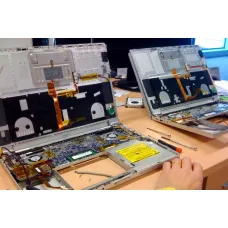


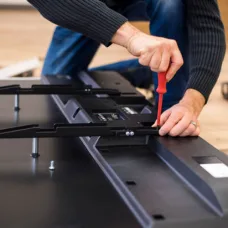


Find the Right Home Service for Your Budget and Needs
These are the latest in-stock Home Service at Unix Network, with the current price in Bangladesh. Open a model for specifications.
Latest Home Service Price List in BD 2026
| Home Service List | Price in BD |
|---|---|
| UPS Repair Service | ৳400 |
| TV Repair Service | ৳500 |
| Projector Repair Service | ৳500 |
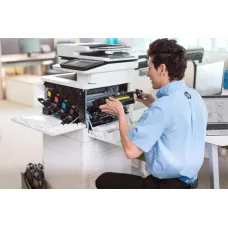
| Printer Repair Service | ৳500 |
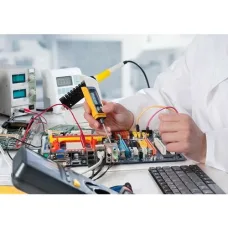
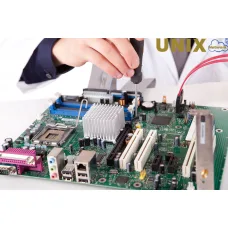
| Motherboard Repair Service | ৳500 |
| Monitor Repair Service | ৳500 |
| Laptop Repair Service | ৳500 |
| Graphics Card Repair Service | ৳2,500 |
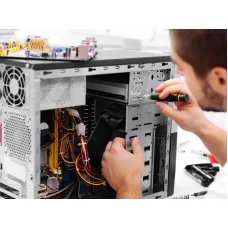
| Desktop Computer Repair Service | ৳500 |
| CC Camera Installation and Repair Service | ৳250 |
Home Service from Unix Network is designed for customers who need professional computer, laptop, printer, networking and related IT support at their home or workplace. Instead of carrying a complete computer setup to a shop for every issue, customers can request technical assistance at their location for suitable servicing, troubleshooting, installation, configuration and maintenance requirements. This makes the service particularly useful for homes, small offices, students, professionals, businesses and customers who need practical technical help without unnecessary disruption.
Modern computers and connected devices depend on several components working together. A slow computer may have a software, storage, memory, thermal or operating system issue. A printer that refuses to print may require configuration rather than hardware replacement. A Wi-Fi problem may come from router settings, signal coverage, device configuration or cabling. For this reason, effective home service should begin with proper diagnosis instead of immediately replacing parts.
Unix Network provides technical support with a practical approach, focusing on identifying the actual problem, explaining the available solution and helping customers choose an appropriate service. Whether the requirement involves a desktop PC, laptop, printer, router, Wi-Fi network, operating system, peripheral or general computer setup, the service can be selected according to the customer's specific situation and technical needs.
For customers searching for Home Service in Bangladesh, the most important consideration is not simply the lowest service charge. The quality of diagnosis, technician experience, compatibility of replacement components, data safety, configuration accuracy and after-sales support can all affect the final result. Unix Network combines local technical assistance in Jessore with the experience of a computer store serving a wider range of IT requirements.
Home Service Price in Bangladesh
The Home Service price in Bangladesh can vary according to the type of technical assistance required, the device involved, the complexity of the problem, the location and whether additional parts or consumables are needed. A simple configuration task is naturally different from troubleshooting a hardware fault, setting up a complete computer, diagnosing a network problem or repairing a device that has multiple issues.
There is therefore no single service price that accurately represents every home visit. A reliable service provider should first understand the customer's requirement and identify whether the problem can be solved through configuration, maintenance, software troubleshooting, component replacement or hardware repair. This approach helps customers avoid paying for unnecessary parts or services.
When comparing Home Service options in Bangladesh, customers should consider the complete value of the service rather than the initial quoted charge alone. A technically correct diagnosis can save money by preventing unnecessary replacement of working components. Similarly, proper installation and configuration can reduce recurring problems and improve the reliability of a computer or home network.
Customers in Jessore and nearby areas can discuss their requirements with Unix Network before arranging suitable technical assistance. If a problem requires workshop-level repair, specialist equipment or detailed hardware work, the technician can also advise whether the device should instead be brought to the service centre. This distinction is important because not every repair is appropriate for an on-site visit.
Home Service Overview
Home Service is a convenient technical support solution for customers who require assistance with computers, laptops, printers, networking equipment and other compatible IT devices at their own location. The service is particularly useful when transporting a large desktop computer, complete office setup, printer or networking installation would be inconvenient.
An on-site service can cover a wide range of practical requirements, depending on the device and problem. These may include computer setup, laptop configuration, operating system-related assistance, printer installation, router configuration, Wi-Fi troubleshooting, peripheral installation, software setup, basic performance troubleshooting and general IT maintenance.
The main benefit of on-site assistance is context. When a technician works at the customer's location, it can be easier to understand how devices are actually being used. For example, a Wi-Fi problem may only occur in a particular room. A printer problem may be related to the office network rather than the printer itself. A computer may appear slow because of the software environment, storage condition or workload being used by the customer.
Home Service should therefore be viewed as a practical technical support category rather than a single type of repair. The exact work depends on the customer's equipment, symptoms and requirements.
Key Features of Home Service
- On-site technical assistance for suitable computer and IT-related requirements
- Computer and laptop setup support
- Basic hardware and software troubleshooting
- Printer installation and configuration assistance
- Router and Wi-Fi configuration support
- Peripheral and accessory setup
- Operating system and software configuration assistance
- Basic performance and maintenance guidance
- Practical diagnosis before recommending unnecessary replacement
- Technical support for home users and small business environments
- Local service availability in suitable areas around Jessore
- Professional after-sales support from an established computer retailer
Why Home Service Can Be Useful
The biggest advantage of Home Service is convenience. A customer does not always have the time, transport or technical knowledge required to disconnect and carry a complete computer system to a repair shop. This can be especially inconvenient when several devices are connected together or when the problem involves a home or office network.
On-site assistance can also make certain troubleshooting tasks more meaningful. A technician can inspect the physical environment, cable arrangement, router position, printer connection and other factors that may not be obvious when a device is tested separately in a workshop.
For customers with multiple computers, the service can be useful for identifying whether a problem affects one device or the wider setup. This is particularly relevant for small offices where computers, printers, routers, shared storage and internet connections may depend on one another.
Another benefit is education. A good technician should not simply perform a task without explanation when the customer needs to understand what has happened. Explaining the cause of a problem and the appropriate maintenance steps can help customers reduce the likelihood of repeating the same issue.
Computer Home Service
Desktop computers can experience a wide range of problems, including slow performance, startup issues, application errors, storage-related problems, overheating, peripheral failures and connectivity issues. Home Service can be useful for diagnosing problems that can reasonably be investigated without specialist workshop equipment.
Computer setup is another common requirement. A new desktop may need the monitor, keyboard, mouse, printer, network connection and other peripherals configured correctly. Users may also need assistance with software installation, account configuration and basic system settings.
Performance troubleshooting should focus on identifying the actual cause. Simply installing additional software or replacing a component without diagnosis may not solve the underlying problem. Storage health, available memory, background applications, operating system configuration, thermal conditions and hardware compatibility can all influence everyday performance.
Where a desktop requires component-level electronic repair, extensive motherboard work or specialised diagnostic equipment, an on-site visit may not be the appropriate solution. In such cases, the device may need to be taken to a professional service environment.
Laptop Home Service
Laptops are convenient to use but their compact construction can make physical repair more specialised than desktop maintenance. Home Service can be suitable for certain configuration, software, setup and troubleshooting requirements where the necessary work can be completed safely at the customer's location.
Common laptop-related support may involve system configuration, software troubleshooting, peripheral installation, network problems, printer connection, performance assessment and general maintenance guidance. Some issues may require physical inspection to determine whether the problem is caused by the battery, charger, display, keyboard, storage device, memory or another component.
Customers should avoid opening a laptop unnecessarily if they do not have suitable technical experience. Compact internal components, connectors and cooling systems can be sensitive to improper handling. When physical repair is required, professional diagnosis is preferable to trial-and-error replacement.
Printer Home Service
Printers are often integrated into home and office networks, which means a printing problem is not always caused by the printer itself. A device may be unable to print because of driver configuration, connection settings, network communication, incorrect default printer selection or software conflicts.
Home Service can be useful when a printer needs installation, configuration or connection with computers and compatible network equipment. This is especially convenient for offices where multiple computers need access to a shared printer.
For printers with mechanical faults, damaged components, ink or toner system problems or other hardware issues requiring workshop tools, the appropriate repair method may differ. The technician can help determine whether the problem is suitable for on-site assistance or requires further servicing.
Wi-Fi and Networking Home Service
A stable home or small-office network depends on more than internet speed. Router configuration, wireless coverage, device compatibility, channel conditions, cable quality and placement can all affect the user experience.
Home Service can help customers configure suitable networking equipment, connect devices and investigate common connectivity problems. This can be particularly valuable when the internet works correctly near the router but becomes unreliable in another room.
Network troubleshooting should consider the complete connection path. The issue may originate from the internet connection, router, Ethernet cable, wireless settings, device configuration or physical placement. Checking these factors systematically is more useful than repeatedly restarting equipment without identifying the underlying cause.
For larger homes, offices or installations requiring structured cabling and multiple networking devices, the required work may involve a more detailed network assessment. Customers should discuss the environment and expected coverage before selecting the appropriate service.
Software Troubleshooting
Software problems can appear in many forms. Applications may fail to open, Windows may become unstable, updates may cause compatibility issues, unwanted programs may affect performance, or incorrect settings may interfere with normal operation.
Professional troubleshooting should begin by understanding what changed before the problem appeared. Recent software installations, updates, driver changes, storage limitations and configuration changes can provide useful clues.
Where software can be repaired through configuration or reinstallation, replacing hardware may not be necessary. Conversely, if software symptoms are caused by failing storage or another hardware problem, software changes alone may only provide temporary improvement.
Customers should also consider data protection before major software work. Important documents, photographs, business files and other valuable information should be backed up whenever possible before operations that may affect the operating system or storage.
Hardware Troubleshooting
Hardware troubleshooting involves identifying whether a physical component is responsible for a problem. Depending on the device, this may include checking memory, storage, power connections, cooling, display output, peripherals and other components.
A useful diagnosis should distinguish between symptoms and causes. For example, a computer that suddenly shuts down may have a thermal issue, power-related problem, unstable component or software fault. Replacing a random component without testing can increase the customer's cost without resolving the problem.
For suitable on-site cases, a technician can inspect the system and recommend the next step. If specialist equipment is required, workshop servicing may be more appropriate.
Computer Setup and Installation
Customers buying a new computer often need more than physical assembly. A complete setup may involve connecting displays and peripherals, configuring internet access, installing required applications, setting up printers and checking that the system operates correctly.
Businesses may have additional requirements such as shared printers, multiple workstations, network access and user-specific software. A structured setup can reduce configuration mistakes and make the system easier to maintain later.
For customers buying computers from a Computer Shop in Jessore, professional setup support can be particularly convenient because the hardware selection and technical configuration can be discussed together.
Technical Highlights
| Service Area | Typical Support |
|---|---|
| Computer | Setup, configuration, troubleshooting and maintenance assistance |
| Laptop | Software, configuration, connectivity and suitable troubleshooting support |
| Printer | Installation, connection and configuration assistance |
| Networking | Router, Wi-Fi and device connectivity configuration |
| Software | Installation, configuration and troubleshooting |
| Peripherals | Setup and compatibility assistance for supported accessories |
| Performance | Basic diagnosis of common causes of slow or unstable operation |
| Maintenance | Practical guidance for keeping compatible systems reliable |
Real-World Usage
Home Service can be particularly valuable for customers who use computers as part of everyday work rather than as occasional entertainment devices. Students may require help setting up a laptop, printer or internet connection before an important assignment. Remote workers may need assistance restoring a stable workstation. Families may need help connecting several devices to a home network.
Small businesses can also benefit from on-site technical support. A workstation that cannot connect to a shared printer or network can interrupt business operations. Resolving the issue at the actual workplace can sometimes be more practical than removing the entire setup and taking it elsewhere.
Gamers may require assistance with gaming PC configuration, display connections, network setup, peripheral installation or performance-related troubleshooting. A Gaming PC Shop in Jessore can also help customers understand whether a performance issue is related to hardware capability, configuration or software.
Performance and Reliability
Good technical service should aim for stable and appropriate performance rather than simply making a device appear faster for a short period. Performance depends on the condition of the hardware, operating system, applications and the workload placed on the system.
For example, a computer used for office applications has different requirements from a workstation used for video editing or a gaming PC. A technician should consider how the customer actually uses the device before recommending an upgrade or configuration change.
Reliability is equally important. A system that performs well for a short period but repeatedly develops the same problem may not have received a proper diagnosis. Identifying recurring causes and explaining appropriate maintenance can provide greater long-term value.
Build Quality and Physical Environment
Although Home Service is primarily a technical service, the physical environment can influence device reliability. Dust, restricted airflow, unsuitable placement, unstable power and poor cable management can contribute to problems over time.
Desktop computers should have sufficient ventilation around their cooling system. Laptops should generally be used on surfaces that do not obstruct their cooling openings. Routers should be positioned where wireless coverage is practical rather than hidden inside enclosed furniture whenever possible.
Good cable management also improves troubleshooting. Clearly organised power, network and peripheral connections make it easier to identify loose or incorrectly connected cables.
Compatibility
Compatibility is an important consideration when installing hardware, software or networking equipment. A component may physically fit a computer but still require the correct interface, firmware, driver or operating system support.
Printers may require suitable drivers and connection methods. Wireless devices may support different networking standards. Storage upgrades can depend on the computer's supported interface and physical configuration. Memory upgrades also require compatibility with the system rather than simply matching capacity.
This is why customers should avoid purchasing replacement components solely based on appearance or a generic specification. Professional technical advice can help identify the correct type before money is spent.
Advantages of Home Service
- Convenient assistance at a suitable customer location
- Useful for setups that are difficult to transport
- Practical troubleshooting in the actual operating environment
- Helpful for home and small-office networking issues
- Suitable for many configuration and installation requirements
- Can reduce unnecessary equipment transportation
- Professional guidance before replacing components
- Support for computers, laptops, printers and networking equipment
- Local technical assistance available in suitable areas
Things to Consider Before Booking Home Service
Before arranging an on-site visit, customers should describe the problem as clearly as possible. Information such as when the problem started, what happens when the device is switched on, whether the issue occurs consistently and whether anything was changed recently can help with initial assessment.
Customers should also consider whether the device is accessible and whether there is a suitable workspace. A technician may need safe access to the computer, printer, router or other equipment.
If the issue involves important data, customers should communicate this before service begins. Data protection should be treated seriously, especially when troubleshooting storage devices, operating systems or hardware faults.
Customers should also ask whether parts, consumables or additional workshop work are included in the service charge. Service labour and replacement components are not necessarily the same thing, and separating these costs can make the final expense easier to understand.
Who Should Choose Home Service
Home Service is suitable for customers who prefer technical assistance at their home, office or another suitable location and whose requirements can reasonably be completed on-site.
- Home computer users who need setup or troubleshooting assistance
- Students who require help configuring laptops and peripherals
- Remote workers who depend on a stable computer and internet connection
- Families managing several connected devices
- Small offices requiring workstation or printer support
- Customers needing Wi-Fi or router configuration
- Businesses that cannot easily transport computer equipment
- Users who need professional advice before purchasing replacement hardware
Home Service for Students
Students often depend on laptops, desktop computers, printers and internet connectivity for assignments, online classes and research. A small configuration problem can become disruptive when the device is needed for an important deadline.
Home Service can assist with suitable setup and troubleshooting requirements, helping students understand what is causing a problem and what solution is appropriate. Where an upgrade is recommended, the decision should be based on actual workload and compatibility rather than simply choosing the most expensive component.
Home Service for Offices
Small offices frequently rely on several interconnected devices. Computers may share a printer, access common network resources and use the same internet connection. A fault in one part of the setup can affect productivity.
On-site technical assistance can be useful because the technician can inspect the working environment rather than diagnosing each device in isolation. Network connectivity, printer access and workstation configuration can be considered together where appropriate.
For more complex business environments, customers may require structured IT maintenance or a dedicated support arrangement rather than a single home service visit. Unix Network can help customers understand which approach is more appropriate for their requirements.
Home Service for Gaming PCs
Gaming computers can involve powerful processors, graphics cards, high-speed storage, specialised cooling and multiple peripherals. Correct configuration matters because performance depends on how the complete system works together.
Suitable Home Service requirements may include peripheral setup, display connection, networking configuration and basic troubleshooting. If a gaming PC shows unusual temperatures, instability, crashes or performance problems, the cause should be investigated before replacing expensive components.
Customers purchasing or maintaining a gaming system can also benefit from professional advice regarding component compatibility, airflow, power requirements and software configuration.
Why Buy Home Service from Unix Network
Unix Network is a local technology retailer serving customers in Jessore and the wider Bangladesh market. Its business environment covers computers, laptops, gaming PCs, printers, networking equipment and IT accessories, giving customers access to technical knowledge across several related product categories.
Choosing a service provider with practical understanding of computer hardware can be useful when a problem crosses the boundary between hardware, software and configuration. A customer may initially believe that a particular component has failed when the actual problem is related to software or connectivity.
Unix Network focuses on practical technical support, transparent guidance and suitable solutions rather than recommending replacement hardware automatically. When a problem requires a different type of repair, customers can be advised accordingly.
For customers searching for a Computer Shop in Jessore, Laptop Shop in Jessore or Jessore Computer Store, having access to both products and technical support can make future maintenance and upgrade decisions easier.
Buying Guide for Home Service
Before choosing Home Service, start by identifying the device and the problem. Note whether the issue affects a computer, laptop, printer, router, Wi-Fi network or another IT device.
Next, consider whether the problem is hardware-related, software-related, network-related or simply a setup issue. Customers do not need to diagnose the fault themselves, but providing useful symptoms can help the technician prepare for the visit.
Consider the importance of the device as well. A computer used for business may require faster resolution than a secondary household device. If important data is involved, mention this before any repair or system-related work.
Finally, confirm what the service covers. Ask whether the quoted service relates only to labour or whether additional parts, consumables, transportation or workshop repair may involve separate charges.
When Home Service Is Not the Best Option
Not every technical problem should be repaired at home. Motherboard-level faults, advanced electronic repair, liquid damage, certain display repairs, complex power faults and other specialist work may require workshop equipment.
A professional service provider should be willing to explain when an on-site visit is unsuitable. Moving a device to a proper repair environment can sometimes be safer and more economical than attempting complicated work at the customer's location.
The same principle applies to extensive computer cleaning or component replacement. If the system needs disassembly beyond safe on-site servicing, workshop maintenance may provide better access to tools and testing equipment.
Warranty Information
Warranty conditions depend on the specific service, replacement component and applicable manufacturer or supplier policy. Customers should distinguish between a service warranty and the manufacturer's warranty of a replacement product.
Where a genuine replacement component is supplied with applicable official warranty coverage, the relevant warranty terms should be retained for future reference. Warranty coverage can vary according to product category and supplier conditions.
Warranty does not normally mean that every future problem is automatically covered. Physical damage, misuse, accidental damage and unrelated faults may be treated differently according to the applicable terms. Customers should review the specific warranty conditions provided with the relevant product or service.
Delivery and Service Coverage Across Bangladesh
Unix Network serves customers in Jessore as well as online customers throughout Bangladesh. Product delivery and on-site Home Service are separate considerations because a physical visit depends on service-area availability, technician scheduling and the nature of the work.
Customers outside the immediate Jessore service area can still contact Unix Network regarding technical requirements and available support options. Where an on-site visit is not practical, a device may be eligible for workshop servicing or customers may be able to receive technical guidance before arranging delivery.
For product purchases, nationwide delivery provides customers across Bangladesh with access to computers, laptops, printers, networking equipment and IT accessories through Unix Network.
After-Sales Support
Technical support does not always end when a device starts working again. Customers may need help understanding a configuration, connecting another device or determining whether a recurring problem requires additional attention.
Unix Network provides after-sales support with a practical focus on helping customers use and maintain their technology appropriately. If a problem returns, customers should describe exactly what happened rather than repeatedly changing settings or installing unrelated software.
Keeping purchase information, warranty documents and relevant service details can also make future support easier. This is especially useful when replacement components are involved.
Genuine and Appropriate Components
When a repair requires a replacement component, customers should consider authenticity and compatibility rather than selecting a part only because it is inexpensive. The correct component should match the device and its technical requirements.
Using suitable genuine products where available can help maintain compatibility and reliability. However, customers should also understand that genuine does not mean every component is appropriate for every device. Model compatibility, connector type, capacity, firmware and other technical requirements remain important.
Unix Network can provide technical guidance when customers need help identifying a suitable component for their computer or laptop. This can be particularly useful before purchasing memory, storage, power-related components, peripherals or networking equipment.
Home Service and Preventive Maintenance
Preventive maintenance can reduce the likelihood of avoidable problems. Keeping software reasonably updated, maintaining sufficient storage space, using reliable power connections and ensuring appropriate ventilation can all contribute to dependable operation.
Computers should also be kept reasonably clean, especially in environments where dust accumulation is common. Excessive dust can restrict airflow and contribute to higher operating temperatures.
Users should avoid installing unnecessary or unknown software simply because it promises dramatic performance improvements. Untrusted applications can create additional security, stability and performance problems.
Regularly backing up important files is one of the most valuable maintenance practices. A computer can be repaired or replaced, but personal and business data may be difficult or impossible to recover after a serious storage failure.
Home Service and Power Efficiency
Power consumption and thermal behaviour are related to the hardware being used and the workload placed on it. A computer that is constantly running demanding applications can naturally consume more power than a system performing light office tasks.
Correct configuration and maintenance can help a system operate appropriately. Poor cooling, unnecessary background processes and unsuitable power settings may affect efficiency and performance.
When recommending an upgrade or replacement, customers should consider the actual workload instead of focusing only on headline specifications. A balanced system that matches the user's requirements can provide better practical value.
Home Service for Networking Equipment
Routers, switches, access points and related networking devices require correct configuration to provide dependable connectivity. Incorrect settings can result in weak coverage, connection drops or devices failing to communicate correctly.
For a basic home network, correct router placement and configuration can make a significant difference. For larger environments, the network may require multiple access points or more structured planning.
Customers should also consider security when configuring a wireless network. Strong access credentials, appropriate security settings and sensible device management are important parts of maintaining a reliable network.
Home Service and Data Safety
Data safety should always be considered before computer servicing. Customers should identify important files and maintain a backup whenever possible. This is especially important before operating system reinstallation, storage replacement or other work that may modify data.
Customers should not assume that a technician can recover every file from a damaged storage device. Data recovery is a specialised field, and the success of recovery depends on the type and severity of the failure.
If sensitive or business-critical information is stored on a computer, customers should communicate the importance of the data before service begins. Professional handling and appropriate precautions can reduce unnecessary risk.
Frequently Asked Questions
What does Home Service include?
Home Service can include suitable on-site computer, laptop, printer, networking, configuration, installation and troubleshooting assistance. The exact work depends on the customer's equipment and problem. Some advanced repairs may need to be completed at a workshop instead.
What is the Home Service price in Bangladesh?
The price varies according to the service required, location, complexity of the problem and whether additional parts or specialist work are needed. Customers should confirm the expected service scope before arranging a visit.
Can I request Home Service in Jessore?
Customers in suitable areas of Jessore and Jashore can contact Unix Network to discuss their requirement and confirm service availability. Coverage can depend on the location and type of technical work required.
Can Home Service fix a slow laptop?
A technician can investigate common causes of slow laptop performance, including software configuration, storage limitations, background processes, thermal conditions and hardware-related issues. If the laptop requires specialised physical repair, it may need workshop servicing.
Can Home Service install a printer?
Yes, suitable printer installation and configuration requirements can be handled as part of on-site technical assistance. The exact process depends on the printer, computer, operating system and connection method.
Can Home Service solve Wi-Fi problems?
Many common Wi-Fi and router configuration problems can be investigated on-site. A technician can assess the network environment, router settings, device connectivity and other relevant factors. Problems originating from the internet provider may require communication with the provider as well.
Should I repair or replace my computer?
The answer depends on the age and condition of the system, the cost of repair, the performance required and the availability of compatible replacement components. A proper diagnosis helps determine whether repair, upgrade or replacement offers better value.
Can I buy replacement parts from Unix Network?
Unix Network supplies computers, laptops, networking equipment, printers and IT accessories, and customers can discuss suitable replacement components where available. Compatibility should be checked before purchasing a component for a specific device.
Is Home Service suitable for business computers?
It can be suitable for many small-office setup, configuration, networking, printer and troubleshooting requirements. More complex business environments may benefit from a dedicated maintenance or IT support arrangement.
Can a motherboard be repaired through Home Service?
Basic diagnosis may be possible on-site, but motherboard-level electronic repair generally requires specialised tools and a controlled repair environment. If advanced repair is necessary, the device may need to be taken to a service centre.
Does Home Service include replacement parts?
Not necessarily. Service labour and replacement components are normally separate considerations. If a part is required, customers should confirm its price, compatibility and applicable warranty before replacement.
How should I prepare my computer before a service visit?
Keep the device accessible, note the symptoms and recent changes, and back up important data whenever possible. If the issue involves a network, keep the router and related equipment accessible so the complete connection can be assessed.
Conclusion
Home Service is a practical solution for customers who need professional technical assistance without unnecessarily transporting their computer equipment. From computer and laptop setup to printer installation, Wi-Fi configuration, software troubleshooting and suitable maintenance, on-site support can make everyday technology easier to manage.
The right service should begin with diagnosis rather than assumptions. A slow computer does not automatically need a new processor, a printing problem does not always mean the printer is defective, and a Wi-Fi issue may be caused by configuration or coverage rather than the internet connection itself. Understanding the actual problem helps customers spend money more effectively.
For customers in Jessore and surrounding areas, Unix Network offers the advantage of local technical support backed by a broader computer and IT retail business. Customers can discuss their requirements, receive practical advice and determine whether an on-site service, workshop repair, upgrade or replacement is the most appropriate option.
If you are looking for Home Service in Bangladesh, professional technical support can provide more value when it combines accurate diagnosis, compatible solutions, careful handling, clear communication and dependable after-sales assistance. Unix Network aims to provide that practical approach for customers in Jessore, Jashore and across Bangladesh.