
Laptop Service Center in Jashore
Showing 1 to 1 of 1 (1 Pages)
Yes. Unix Network has a physical showroom in Jessore/Jashore and offers laptop repair services through its service operation. Customers in the area can contact the business to discuss their laptop problem and determine the appropriate repair process. If you are travelling to the showroom for a specific repair, it is advisable to contact Unix Network beforehand and confirm that the required service or technician is available. The company also promotes nationwide delivery and support for customers outside Jashore.
Before handing over a laptop for repair, back up important documents, photos and other personal files whenever possible. Note down the symptoms you are experiencing and provide the exact laptop model so the technician can understand the problem more quickly. If the laptop contains sensitive information, consider protecting or removing private data where practical. You should also ask about the estimated repair cost, expected completion time, replacement parts and any applicable service warranty before approving the repair. A clear description of the problem can make the diagnosis process more efficient.
Yes. Physical damage can require a different type of diagnosis from a software problem. Issues involving charging ports, connectivity ports, damaged components or other physical faults should be inspected to determine whether repair or component replacement is practical. Unix Network lists physical-damage repair and damaged-component replacement among its laptop service areas. Customers should provide the exact laptop model and describe the damage when requesting a repair assessment.
The repair time depends on the nature of the problem and whether replacement parts are required. A straightforward software or maintenance issue may require less time than a hardware repair involving component replacement or more extensive diagnosis. Parts availability can also affect the completion time. Unix Network states that repair duration depends on the complexity of the issue and that its technicians aim to provide timely service. It is therefore best to ask for an estimated completion time after the laptop has been assessed.
Software and compatibility problems can be investigated as part of laptop troubleshooting. Issues involving drivers, peripherals, software compatibility or operating-system behaviour can sometimes prevent otherwise functional hardware from working correctly. Unix Network identifies software and peripheral compatibility, as well as driver-related problems, among the areas covered by its laptop service. The exact solution will depend on the operating system, hardware and software involved.
Yes. Battery-related problems can be investigated as part of laptop repair and maintenance. If a laptop suddenly shuts down, loses charge quickly, refuses to charge or behaves unusually when connected to power, the battery and charging system may need to be checked. Depending on the diagnosis, the solution could involve troubleshooting, maintenance or replacement of a faulty component. Because battery compatibility varies between laptop models, the exact model should be confirmed before purchasing a replacement battery.
Unix Network provides laptop repair and maintenance services for a range of common hardware and software problems. Depending on the condition of the device, the service may involve troubleshooting performance issues, resolving software or driver problems, addressing connectivity faults, checking battery-related issues, upgrading compatible hardware, or repairing damaged components. The exact service required depends on the laptop model and the problem being experienced. Customers can discuss the issue with the technicians before proceeding so that the appropriate repair or maintenance solution can be identified.
Yes. Hardware upgrades are included among the laptop services offered by Unix Network. An upgrade can be useful when an older laptop needs additional performance or storage capacity for everyday work. However, not every laptop supports the same upgrade options, so compatibility should be checked before purchasing a component. The appropriate upgrade depends on the laptop's model, existing hardware, available slots and the user's performance requirements
Yes, performance-related problems can be investigated as part of laptop maintenance and repair. Slow operation or frequent freezing can have several possible causes, including software problems, storage issues, insufficient resources, overheating, driver problems or other hardware faults. Rather than replacing components immediately, the laptop should first be diagnosed to determine the underlying cause. Unix Network's laptop service specifically includes performance optimisation and hardware upgrade-related support where appropriate.
There is no single fixed price for every laptop repair because the final cost depends on the type and complexity of the problem. Factors such as the laptop model, damaged component, required spare parts, labour involved and availability of replacement parts can affect the total repair cost. Unix Network currently lists its laptop repair service separately, and customers should confirm the actual service charge after the device has been assessed.
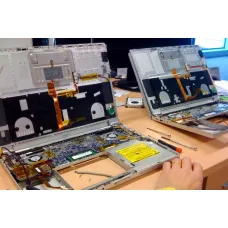
Laptop repair is an important service for students, professionals, businesses, gamers and home users who depend on their laptops for everyday work. A laptop that becomes slow, overheats, fails to charge, shows a blank display, shuts down unexpectedly, produces unusual sounds or refuses to start may have a hardware, software or configuration problem. Identifying the actual cause before replacing components can prevent unnecessary expense and help restore the device more effectively. Unix Network (ইউনিক্স নেটওয়ার্ক) provides laptop repair and servicing support in Jessore (Jashore), Bangladesh, with assistance for common hardware, software, performance, power, display, storage, memory, cooling and connectivity problems. The service is intended for customers who want practical technical guidance rather than a one-size-fits-all repair approach.
Whether you are looking for the laptop repair price in Bangladesh, searching for a laptop repair shop in Jessore, or planning to buy replacement components for an existing laptop, understanding the problem and the available solution is important. Laptop repair costs depend on the device model, fault type, diagnostic requirements, parts availability and whether a component needs replacement. Some issues can be resolved through maintenance or software troubleshooting, while others require component-level diagnosis or replacement. Unix Network serves customers in Jessore and surrounding areas while also supporting online buyers throughout Bangladesh through its computer store and technology retail operation. Customers can contact the business for current service information, product availability and technical assistance before proceeding with a repair.
Laptop Repair Price in Bangladesh
The laptop repair price in Bangladesh does not have a single fixed rate because laptop problems vary considerably. A basic software troubleshooting task is fundamentally different from a damaged display, faulty charging circuit, motherboard problem or storage failure. The final service cost may depend on the time required for diagnosis, the complexity of the work, the laptop model, replacement parts, labour requirements and the availability of compatible components.
For example, a laptop that is running slowly may only require software optimisation, storage maintenance or an appropriate memory or SSD upgrade. A laptop that switches off during demanding workloads may require investigation of its cooling system, thermal condition, power delivery or battery. Similarly, a device that does not turn on may have an issue involving the charger, charging port, battery, motherboard, memory or another internal component. Because similar symptoms can have different causes, proper diagnosis should normally come before approving a major repair.
When comparing laptop repair prices, customers should consider the complete solution rather than choosing solely on the lowest quoted amount. A suitable repair should address the underlying fault while taking into account compatibility, reliability and the expected remaining useful life of the laptop. If an older device requires several expensive components, it may sometimes be more economical to consider an upgrade or replacement instead. Unix Network can help customers evaluate these practical considerations before purchasing replacement hardware or proceeding with service.
Understanding Laptop Repair and Servicing
Laptop repair covers a wide range of technical services. Some repairs involve physical components, while others concern the operating system, drivers, applications, configuration or security. There are also maintenance services designed to prevent performance problems, such as internal cleaning and cooling-system inspection.
Unlike desktop computers, laptops are compact systems in which many components are designed specifically for a particular chassis or model family. This makes compatibility especially important. A replacement part that appears similar may not necessarily work correctly with the laptop. Before purchasing a display, battery, keyboard, storage device, memory module, charger or other component, the exact laptop model and relevant specifications should be checked.
Professional troubleshooting is also useful when the cause of a problem is unclear. A symptom such as a black screen, slow performance or unexpected shutdown does not identify a specific failed component by itself. Testing can help narrow down the likely cause and prevent unnecessary replacements.
Common Laptop Repair Services
Laptop repair can involve both hardware and software services. The appropriate service depends on the condition of the device and the customer's requirements.
- General laptop inspection and diagnosis.
- Internal cleaning and maintenance.
- Overheating and cooling troubleshooting.
- Thermal management maintenance.
- Operating system troubleshooting.
- Windows installation and configuration.
- Driver and software troubleshooting.
- SSD and storage upgrades.
- RAM upgrade and memory troubleshooting.
- Battery and charging diagnosis.
- Display and screen troubleshooting.
- Keyboard and touchpad troubleshooting.
- Power-related troubleshooting.
- Motherboard diagnosis.
- Wi-Fi and network troubleshooting.
- Bluetooth and peripheral connectivity troubleshooting.
- Performance optimisation.
- Malware and unwanted-software checks.
Laptop Hardware Repair
Hardware repair deals with the physical components inside or connected to the laptop. Depending on the model, these may include the motherboard, processor, memory, storage, cooling system, battery, charging circuitry, display assembly, keyboard, touchpad, speakers, wireless adapter and other components.
A hardware problem should ideally be diagnosed before replacing a part. For instance, a laptop that does not charge could have a defective charger, damaged charging connector, battery problem or internal power-circuit issue. Replacing the battery without checking the charging system may not solve the problem. Likewise, a laptop with intermittent display problems could have an issue with the panel, display cable, graphics system or motherboard.
Accurate hardware troubleshooting involves observing symptoms, checking connections and testing relevant components. The exact diagnostic process varies according to the laptop manufacturer, model and reported fault.
Laptop Software Troubleshooting
Software problems are common and can sometimes produce symptoms that appear to be hardware-related. Operating system errors, corrupted system files, incompatible drivers, background applications, malware, incorrect settings and problematic updates can affect startup, performance and stability.
Software troubleshooting aims to identify the source of the problem while avoiding unnecessary changes to the customer's data or configuration. Depending on the issue, the solution may involve driver correction, system repair, application troubleshooting, configuration changes, malware removal or operating system reinstallation.
Customers should back up important data before major software work whenever possible. An operating system installation or storage replacement can involve data loss if the correct procedures are not followed.
Laptop Overheating Repair and Maintenance
Overheating is one of the most common concerns with laptops that have been used for extended periods. Dust accumulation, restricted ventilation, fan problems, degraded thermal interface material, high ambient temperature and demanding workloads can all contribute to higher operating temperatures.
A laptop that becomes hot is not necessarily defective. Modern processors and graphics hardware can generate significant heat during demanding workloads, and temperature management is part of their normal operation. The important question is whether the device is operating within an appropriate thermal range for its design and whether excessive temperatures are causing throttling, instability or shutdowns.
Maintenance may include inspecting the cooling system, cleaning appropriate areas and assessing airflow. Thermal interface material may also require attention depending on the device and its condition. However, replacing thermal paste alone is not a universal solution for every overheating problem. Fan condition, heatsink contact, airflow and workload should also be considered.
Laptop Cleaning Service
Regular cleaning can be useful for laptops exposed to dust and other environmental contaminants. Dust can accumulate around ventilation openings and cooling components, reducing airflow. A laptop used in a dusty environment may require more frequent attention than one operating in a relatively clean office or home.
Internal laptop cleaning should be performed carefully because compact systems contain delicate cables, connectors and components. Excessive force or unsuitable cleaning methods can cause additional damage. Maintenance should therefore be appropriate for the laptop's construction.
Cleaning is particularly relevant for users who operate laptops for long hours, including office workers, students, programmers, content creators and gamers. Good ventilation and a suitable operating surface can also contribute to better thermal management.
Laptop SSD Upgrade and Storage Repair
Storage is an important part of laptop performance and usability. A traditional hard disk drive may be suitable for certain older systems, while a compatible SSD can provide significantly faster system responsiveness in supported configurations. Storage upgrades can be particularly useful for older laptops that are otherwise suitable for the customer's workload.
However, storage upgrades require compatibility checks. The laptop may support a particular M.2 form factor, SATA interface or another storage standard. Physical size and interface support must be confirmed before purchasing an SSD.
Storage troubleshooting is also important when a laptop becomes unusually slow, fails to boot or reports disk-related errors. Customers should take data protection seriously when a storage device shows signs of failure. Important files should be backed up regularly rather than relying on a single internal drive.
Laptop RAM Upgrade and Memory Troubleshooting
Insufficient memory can affect multitasking and application performance. A laptop with limited RAM may become less responsive when many browser tabs, office applications, development tools or creative applications are open simultaneously.
RAM upgrades are not universally possible because some laptops have memory soldered directly to the motherboard. Others may provide one or more upgradeable memory slots. Before buying memory, customers should verify the exact laptop model, supported memory type, maximum capacity and configuration.
Memory faults can also cause crashes, boot problems and unpredictable system behaviour. If a laptop experiences these symptoms, testing the installed memory can help determine whether RAM is involved.
Laptop Screen and Display Repair
A laptop display problem can range from a cracked panel to flickering, lines, incorrect colours, backlight problems or no image. Diagnosis is important because the display panel is not always the source of the problem.
A display issue may involve the screen panel, display cable, connector, graphics system or motherboard. Connecting an external display can sometimes provide useful diagnostic information, although a complete diagnosis depends on the symptoms and laptop design.
When replacing a laptop screen, customers should verify panel size, resolution, connector type, mounting arrangement and other model-specific characteristics. Two displays with the same physical dimensions may not necessarily be electrically or mechanically compatible.
Laptop Keyboard and Touchpad Repair
Keyboard problems can include individual keys failing, multiple keys becoming unresponsive, accidental key presses or complete keyboard failure. Touchpad problems may involve intermittent response, incorrect gestures, physical damage or driver-related behaviour.
Some keyboard issues can result from software or driver configuration, while others require physical component replacement. Liquid exposure is a particularly important concern because it can affect the keyboard as well as internal electronics. If liquid enters a laptop, continued operation can increase the risk of further damage.
Laptop Battery and Charging Repair
Battery performance naturally changes as a rechargeable battery ages. A laptop that once operated for many hours may gradually provide less runtime. Other battery symptoms can include unexpected shutdowns, failure to charge or inaccurate battery-level reporting.
Charging problems should be diagnosed carefully. The charger, cable, charging connector, battery, motherboard power circuitry and software power-management system can all be relevant. Using a charger with unsuitable electrical specifications can create safety and reliability concerns.
Customers considering a replacement battery should verify the exact laptop model and battery specifications. Compatibility is more important than simply finding a battery that physically fits.
Laptop Power and No-Power Troubleshooting
A laptop that does not turn on requires systematic troubleshooting. The issue could involve the power adapter, battery, charging port, internal power circuitry, motherboard, memory or another component. In some cases, a device may actually be powered on but fail to display an image, which requires a different diagnostic path.
Before approving a major repair, it is useful to establish what the laptop does when the power button is pressed. Indicator lights, fan activity, charging behaviour, sounds and display response can provide useful information. Customers should communicate these symptoms clearly to the technician.
Laptop Motherboard Troubleshooting
The motherboard is one of the most complex parts of a laptop and connects many of its essential systems. Motherboard-related faults can produce a wide variety of symptoms, including power failure, charging problems, display issues, USB failures and instability.
Motherboard troubleshooting should therefore be approached carefully. A symptom does not automatically mean the motherboard needs replacement. Other components should be considered and tested where appropriate.
For older laptops, customers should also compare the estimated repair cost with the device's remaining value and expected future use. In some cases, a major motherboard repair may not be economically attractive compared with replacing the laptop.
Laptop Wi-Fi, Bluetooth and Network Troubleshooting
Wireless connectivity is essential for modern laptop users. Problems with Wi-Fi or Bluetooth can result from drivers, operating system settings, wireless adapters, antennas, router configuration or broader network conditions.
A laptop that cannot connect to one Wi-Fi network may not have a hardware fault. Testing other networks and devices can help determine whether the problem originates from the laptop or the network environment. Driver updates and configuration checks may resolve some software-related connectivity issues.
Laptop Performance Troubleshooting
Slow laptop performance is a broad symptom rather than a specific fault. The cause may be insufficient RAM, an aging storage device, excessive background applications, malware, overheating, outdated software or hardware that is no longer adequate for the customer's workload.
A useful troubleshooting process looks at the system as a whole. Storage capacity, memory usage, processor workload, temperatures, startup applications and software behaviour can all provide information about the underlying problem.
Customers should be cautious about software that promises to dramatically improve every computer with a single click. Genuine performance improvements generally come from addressing the actual bottleneck, whether that means maintenance, software configuration or a hardware upgrade.
Performance and Laptop Repair
Performance is closely connected to the laptop's hardware configuration, software environment and thermal condition. A laptop designed for basic office work should not be expected to perform the same way as a workstation or gaming laptop under intensive workloads.
When assessing performance, customers should consider what applications they use and how the laptop behaves during those workloads. A device that performs well for browsing but becomes slow during video editing may simply have workload-specific limitations rather than a fault.
For suitable laptops, upgrading RAM or storage can improve responsiveness. However, not every laptop supports the same upgrades. Some components may be soldered or limited by the manufacturer's design.
Compatibility When Repairing a Laptop
Compatibility is one of the most important considerations when selecting laptop replacement parts. Laptop manufacturers frequently use model-specific components, and even laptops within the same series can have different internal configurations.
Before purchasing a replacement part, customers should check the exact model and, where necessary, the part number. This applies to batteries, displays, keyboards, chargers, memory, storage and other components.
Operating system and driver compatibility should also be considered. A hardware upgrade can work physically but still require appropriate firmware, drivers or operating system support.
Build Quality and Laptop Reliability
Build quality affects how a laptop handles everyday use, transportation and long-term operation. Chassis construction, hinge design, keyboard quality, cooling arrangement and connector durability can all influence the ownership experience.
Repair decisions should take the existing condition of the laptop into account. If a laptop has suffered multiple physical failures, has damaged hinges or has significant chassis damage, replacing one internal component may not restore the device to a reliable overall condition.
For customers considering a replacement laptop rather than repairing an older model, build quality should be evaluated alongside processor performance, memory, storage, display and warranty.
Connectivity Considerations
Laptops are often connected to monitors, printers, storage devices, smartphones, networks and other peripherals. USB, USB-C, HDMI, DisplayPort, Ethernet, Wi-Fi and Bluetooth capabilities can therefore influence how useful a laptop is within a customer's existing setup.
When replacing a laptop or purchasing an accessory, customers should check the ports they actually need. An adapter may provide a practical solution when a newer laptop has fewer physical ports, but compatibility and supported standards should be verified.
Warranty and Laptop Repair
Warranty status should be checked before opening or modifying a laptop that is still covered by an applicable manufacturer or distributor warranty. Some repairs or upgrades may have specific procedures or conditions, depending on the product and warranty terms.
When a replacement component is purchased, customers should also check the warranty provided for that component. Warranty duration and service procedures can differ between manufacturers and distributors.
Unix Network provides warranty support according to applicable manufacturer, distributor and supplier policies. Customers should retain their purchase invoice and relevant documentation because these records may be needed when requesting warranty assistance.
Power Efficiency and Laptop Maintenance
Power efficiency is particularly relevant to laptop users because battery runtime is directly affected by system workload and power consumption. Processor activity, display brightness, wireless connectivity, background applications and workload intensity can influence battery usage.
Efficient hardware can help reduce unnecessary power consumption, but actual battery life depends on the complete laptop configuration and usage pattern. A laptop performing intensive rendering or gaming will naturally consume more power than one used for document editing.
Good maintenance can also support efficient operation by addressing unnecessary background processes, cooling problems and software configuration issues where appropriate.
Brand Reputation and Laptop Repair
Unix Network works with laptops and computer products from major manufacturers, subject to product availability and service requirements. Common laptop brands in Bangladesh include ASUS, Acer, HP, Dell, Lenovo, MSI, Apple, Huawei, Microsoft Surface and others.
Brand reputation can be useful when buying a new laptop, but the exact model remains important. Different models from the same manufacturer can have substantially different construction, cooling, upgradeability, display quality and warranty arrangements.
For repair work, the availability of compatible replacement parts and appropriate technical information can also affect the practicality of servicing a particular model. Customers should therefore provide the exact laptop model when requesting technical assistance.
Things to Consider Before Repairing a Laptop
Before approving a repair, customers should consider the age of the laptop, the nature of the fault, the expected repair cost and how well the device meets current requirements. A small repair can make excellent sense on a relatively modern laptop, while an extensive repair on an very old device may not provide the same value.
- Identify the exact laptop model.
- Describe the symptoms clearly.
- Back up important data when possible.
- Ask whether diagnosis is required before repair.
- Confirm whether replacement parts are needed.
- Check replacement-part compatibility.
- Consider applicable warranty coverage.
- Compare repair cost with the laptop's remaining value.
- Consider whether an upgrade would be more practical.
- Ask about expected service requirements before approving major work.
When Repair Is Better Than Replacement
Repair can be a sensible choice when the laptop is otherwise in good condition and the fault is limited to one or a small number of components. For example, replacing a failed SSD, compatible RAM module, battery or cooling component may extend the useful life of a laptop at a reasonable cost.
Repair can also make sense when the laptop contains important software configurations or when the customer's existing workflow is already well suited to the device. Businesses may prefer repair when replacing multiple machines would cause additional setup or migration work.
However, customers should evaluate major repairs carefully. If a laptop has extensive motherboard damage, severe physical deterioration and multiple failing components, replacement may offer better long-term value.
When a Laptop Upgrade Makes More Sense
Some performance complaints do not require a complete repair. An upgrade may provide a more effective solution. Storage and memory are common upgrade areas, although the available options depend on the laptop model.
An SSD upgrade can be particularly useful for suitable older laptops still using slower storage. Additional compatible RAM may help systems that regularly run out of available memory during multitasking.
Upgrades should be selected according to the laptop's supported specifications. More capacity is not automatically better if the device cannot use it or if another hardware limitation remains.
Who Should Use Professional Laptop Repair Services?
Professional laptop repair is suitable for customers who experience hardware faults, software problems or performance issues that they cannot safely diagnose themselves. It can also be useful when internal components need to be accessed or when compatibility must be checked before purchasing a replacement.
- Students experiencing slow or unstable laptops.
- Office workers facing startup or software problems.
- Businesses requiring maintenance and troubleshooting.
- Gamers dealing with overheating or performance issues.
- Professionals using laptops for demanding applications.
- Users experiencing charging or battery problems.
- Customers requiring SSD or RAM upgrades.
- Users facing display, keyboard or connectivity problems.
Laptop Repair for Students
Students often rely on laptops for online classes, assignments, research, presentations, programming and communication. A laptop that suddenly becomes slow or unreliable can interfere with academic work.
For students, repair decisions should consider budget and expected remaining usage. A modest maintenance service or targeted upgrade may be enough to keep a suitable laptop productive without requiring a complete replacement.
Students should also maintain backups of important assignments and academic files. Cloud storage, external storage or another appropriate backup method can reduce the consequences of hardware failure.
Laptop Repair for Office Users
Office laptops often handle documents, spreadsheets, email, web applications, video meetings and business software. Reliability and quick recovery can therefore be more important than maximum performance.
Common office issues include slow startup, application errors, storage limitations, network problems, charging issues and operating system errors. Preventive maintenance can help businesses identify problems before they cause significant disruption.
Laptop Repair for Gamers
Gaming laptops place greater demands on processors, graphics hardware, cooling systems and power delivery. Thermal management is therefore particularly important for users who regularly play demanding games.
Performance problems should be evaluated in relation to the game's requirements and the laptop's hardware. High temperatures, driver problems, insufficient memory, storage limitations and graphics settings can all influence gaming performance.
Customers should avoid assuming that every frame-rate problem is caused by a faulty component. Configuration and game settings can have a major effect on performance.
Laptop Repair for Professionals
Professionals using laptops for programming, engineering, design, video editing, business analysis or content creation may require dependable performance and sufficient system resources. Downtime can have a direct impact on productivity.
For professional users, repair decisions should consider both immediate cost and the business value of the device. A reliable repair may be worthwhile if it restores an otherwise suitable workstation, while a major repair on an obsolete system may not be financially practical.
Data Safety During Laptop Repair
Important files should be backed up before repair whenever possible. Hardware repairs and operating system work can sometimes involve changes that create a risk to stored data, particularly when the storage device itself is involved.
Customers should tell the service provider if important files are stored on the laptop and explain any data-related requirements before service begins. Regular backups should remain part of normal computer use rather than something performed only after a problem occurs.
Original Laptop Repair Parts and Genuine Products
When replacement components are required, customers should pay attention to compatibility and product quality. An appropriate original or manufacturer-approved component may be preferable in situations where exact fit, electrical specifications or reliability are important. In other cases, a suitable compatible component from a reputable manufacturer may be an appropriate option.
The correct choice depends on the laptop model, component type, availability, warranty and customer's budget. Customers should ask about the exact replacement part before approving a repair rather than assuming that every visually similar component is interchangeable.
Buying Replacement Components in Bangladesh
Customers sometimes need to purchase replacement hardware after a laptop diagnosis. Unix Network operates as a computer store and technology retailer in Bangladesh, providing access to computer products and accessories subject to current availability.
When buying a replacement SSD, RAM, charger, peripheral or other component, customers should provide the exact laptop model and existing specifications. This helps reduce the risk of buying an incompatible product.
Buy Laptop Repair Solutions in Bangladesh
Customers searching for Buy laptop repair in Bangladesh are often looking for either a professional service or the replacement products required to restore an existing device. The correct approach depends on whether the laptop has a repairable fault, needs maintenance, requires an upgrade or has reached a point where replacement is more practical.
Unix Network can support customers by providing computer products, compatible hardware and technical guidance related to laptop servicing and repair. Customers can contact the business before visiting to discuss the nature of the problem and current service availability.
Laptop Repair in Jessore
Customers searching for laptop repair in Jessore or a laptop shop in Jessore can visit Unix Network in Jashore, Bangladesh, for computer-related product enquiries and technical support. A local showroom can be useful for customers who prefer to discuss their requirements directly and receive guidance about available solutions.
Customers from nearby districts such as Jhenaidah, Magura, Narail, Satkhira, Khulna, Kushtia and Chuadanga may also contact Unix Network for product and service-related enquiries. Availability of specific repair services or replacement components can depend on the laptop model and the nature of the problem.
Unix Network as a Computer Shop in Jessore
Unix Network serves customers as a computer store, laptop shop, gaming PC shop, printer shop, networking equipment supplier and IT accessories store in Bangladesh. The business provides customers with access to computer products and technical guidance for different requirements.
For laptop-related purchases and repair requirements, customers can benefit from discussing the intended use, existing hardware, budget and technical problem before choosing a solution. This is particularly important when an upgrade or replacement component is involved.
Why Buy from Unix Network?
Choosing where to purchase computer products or seek technical support is an important part of the overall ownership experience. Unix Network focuses on providing practical assistance alongside computer products and accessories. Customers can seek guidance on compatibility, product selection, upgrades and relevant warranty arrangements.
- Genuine products from established technology brands, subject to availability.
- Competitive pricing for computer products and replacement components.
- Expert advice focused on the customer's actual requirements.
- Professional customer support for product and service enquiries.
- Warranty support according to applicable manufacturer or distributor terms.
- Local showroom availability in Jessore (Jashore).
- Nationwide delivery for eligible products across Bangladesh.
- Technical guidance for laptop upgrades and compatible hardware.
Warranty Information
Warranty coverage depends on the individual product and the applicable manufacturer, distributor or supplier policy. Customers should check the warranty conditions before purchasing replacement components or a new laptop.
Warranty terms may cover manufacturing defects but commonly exclude certain forms of accidental or physical damage. Liquid damage, unauthorised modifications, misuse and other exclusions may apply depending on the product. Customers should read the relevant warranty documentation and retain the original purchase invoice.
Unix Network provides assistance with applicable warranty procedures according to the terms associated with the purchased product. Customers should contact the business when a warranty issue occurs so that the appropriate process can be explained.
Delivery Across Bangladesh
Customers outside Jessore can purchase eligible computer products and accessories from Unix Network through its online retail channel and arrange nationwide delivery. This is useful for customers in Dhaka, Khulna, Jhenaidah, Magura, Narail, Satkhira, Kushtia, Chuadanga and other areas of Bangladesh who want access to computer products without visiting the physical showroom.
Before ordering a replacement component online, customers should verify the exact model and compatibility. If there is uncertainty about whether an SSD, RAM module, charger or other product will work with a particular laptop, contacting Unix Network before ordering can help reduce the possibility of selecting an unsuitable component.
After-Sales Support
After-sales support is an important part of purchasing technology products. Customers may need help understanding warranty procedures, product compatibility, installation requirements or suitable replacement options after a purchase.
Unix Network aims to provide practical customer support for computer products and related technology solutions. Customers can contact the business for assistance with product enquiries, applicable warranty procedures and technical questions.
How to Prepare Your Laptop Before Repair
Preparing a laptop before service can make the repair process easier. Customers should describe the problem clearly and mention when it started, whether it happens consistently and whether any changes were made immediately before the issue appeared.
- Back up important files whenever possible.
- Record the exact laptop model.
- Explain the symptoms clearly.
- Mention previous repair or upgrade work.
- Provide information about unusual sounds, overheating or shutdowns.
- Inform the technician about important data requirements.
- Keep purchase and warranty documentation where relevant.
How to Decide Between Repair, Upgrade and Replacement
The best solution depends on the laptop's age, condition, specifications and intended use. Repair is generally attractive when the problem is limited and the rest of the laptop remains suitable. An upgrade may be appropriate when performance is limited by storage or memory and the laptop supports a meaningful upgrade.
Replacement may be more sensible when the laptop is significantly outdated, has extensive physical damage or requires several expensive components. Customers should compare the total cost of repair with the cost and capabilities of a suitable replacement laptop.
This decision should also consider software compatibility, data migration, battery condition, display quality, keyboard condition and expected future requirements. A slightly older laptop in excellent condition may remain useful, while a newer device with extensive physical or motherboard damage may not be economical to repair.
Frequently Asked Questions
What is the laptop repair price in Bangladesh?
Laptop repair prices vary according to the fault, device model, diagnosis required, replacement components and service complexity. Software troubleshooting and basic maintenance generally involve different work from motherboard, display, charging or storage repairs. Contact Unix Network for current service information and applicable pricing.
Where can I find a laptop repair shop in Jessore?
Unix Network is a computer and technology retailer in Jessore (Jashore), Bangladesh. Customers can contact the business for laptop repair, servicing, troubleshooting, upgrade and replacement-component enquiries.
Can a slow laptop be repaired?
A slow laptop may be improved if the cause is related to software, storage, memory, overheating or other correctable limitations. Diagnosis should identify the bottleneck before deciding whether maintenance, software troubleshooting or a hardware upgrade is appropriate.
Can I upgrade the RAM of my laptop?
Some laptops support RAM upgrades while others use soldered memory or have limited upgrade options. The exact laptop model should be checked before purchasing RAM so that supported memory type, capacity and configuration can be confirmed.
Can an SSD make an old laptop faster?
A compatible SSD can significantly improve responsiveness in many older laptops that use slower storage. The actual improvement depends on the laptop's other hardware and software configuration. Compatibility should be confirmed before buying an SSD.
Why is my laptop overheating?
Overheating can result from dust accumulation, restricted airflow, cooling-system problems, fan issues, thermal interface material or demanding workloads. Proper diagnosis can help determine the actual cause rather than assuming that one maintenance procedure will solve every overheating problem.
Can a laptop that does not turn on be repaired?
It may be repairable, but the cause must first be identified. Power adapters, batteries, charging circuits, memory, motherboard components and other hardware can cause no-power symptoms. Diagnosis is necessary before determining the appropriate repair.
How can I protect my data before laptop repair?
Back up important files before service whenever possible. If the laptop has a storage problem, avoid unnecessary continued use and inform the service provider that important data is present. Regular backups are the best way to reduce the impact of unexpected hardware failure.
Does laptop repair include software problems?
Laptop servicing can include software troubleshooting depending on the service requirement. Operating system errors, driver problems, application issues, unwanted software and configuration problems can sometimes be diagnosed and corrected without replacing hardware.
Should I repair my old laptop or buy a new one?
The decision depends on repair cost, laptop age, hardware specifications, physical condition and future requirements. A targeted repair or upgrade may be worthwhile when the rest of the laptop remains suitable. Extensive repairs on an obsolete or heavily damaged device may make replacement more practical.
Does Unix Network sell genuine laptop replacement products?
Unix Network supplies computer products and accessories from established technology brands, subject to availability. Customers should confirm the exact product, model and applicable warranty before purchasing a replacement component.
Does Unix Network deliver laptop products across Bangladesh?
Unix Network supports nationwide delivery for eligible computer products and accessories. Customers outside Jessore can order suitable products online, while compatibility should be verified before ordering laptop-specific replacement components.
Conclusion
A reliable laptop is an important investment for education, business, professional work, entertainment and everyday computing. When problems occur, the right solution is not always a complete replacement. Proper diagnosis can determine whether the laptop needs maintenance, software troubleshooting, a targeted hardware repair, an SSD or RAM upgrade, cooling service, replacement components or, in some cases, a new device.
If you are searching for the laptop repair price in Bangladesh, looking for a laptop repair service in Jessore, or need genuine replacement computer products, Unix Network (ইউনিক্স নেটওয়ার্ক) provides a convenient local option in Jashore with support for customers throughout Bangladesh. The business combines computer retail, laptop products, gaming PC solutions, networking equipment, IT accessories and technical customer support, helping customers make decisions based on their actual requirements rather than unnecessary upgrades.
Customers in Jessore can visit the local showroom for product enquiries and technical assistance, while customers elsewhere in Bangladesh can use online purchasing and nationwide delivery for eligible products. Whether you need a laptop upgrade, compatible replacement component, computer accessory or guidance about an existing device, Unix Network can help you evaluate the available options.
Choose Unix Network when you want genuine products, competitive pricing, expert technical advice, professional customer support, applicable warranty assistance and convenient delivery across Bangladesh. For laptop repair and computer technology requirements in Jessore and beyond, Unix Network is committed to helping customers find practical solutions that provide genuine value for their budget and intended use.
Hourly Deals