
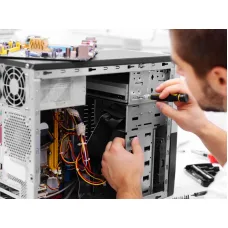
Desktop Computer Rapier Service Price in Bangladesh
Showing 1 to 1 of 1 (1 Pages)
Find the Right Desktop computer Rapier Service for Your Budget and Needs
These are the latest in-stock Desktop computer Rapier Service at Unix Network, with the current price in Bangladesh. Open a model for specifications.
Latest Desktop computer Rapier Service Price List in BD 2026
| Desktop computer Rapier Service List | Price in BD |
|---|---|
| Desktop Computer Repair Service | ৳500 |
Desktop Computer Repair Service from Unix Network provides professional technical assistance for diagnosing, maintaining, troubleshooting and repairing desktop computers used at home, in offices, businesses, educational environments and other workplaces. The service is intended for customers experiencing hardware faults, software problems, performance issues, overheating, startup failures, connectivity difficulties or other desktop computer-related problems.
A desktop computer is made up of multiple components that work together, including the processor, motherboard, memory, storage, power supply, graphics hardware, cooling system and connected peripherals. A problem with one component can sometimes appear as a completely different symptom. For example, unexpected shutdowns may be associated with power, temperature or hardware instability, while slow performance can result from storage, software, memory or system configuration issues. Proper diagnosis is therefore an important part of effective Desktop Computer Repair Service.
Unix Network approaches desktop computer repair with a practical focus on identifying the underlying problem before recommending a solution. Depending on the condition of the computer, the appropriate solution may involve cleaning, configuration, software troubleshooting, component replacement, hardware repair, an upgrade or further workshop-level diagnosis.
Desktop Computer Repair Service Price in Bangladesh
The Desktop Computer Repair Service price in Bangladesh depends on the type of problem, the amount of labour required, the computer's configuration, the complexity of diagnosis and whether replacement components are necessary. A simple software or configuration issue generally requires a different level of work from a motherboard fault, power supply problem or component replacement.
Customers should be cautious when choosing a repair service based only on the lowest advertised price. A proper diagnosis can be more valuable than an inexpensive repair that does not address the original fault. The final cost can also depend on whether the computer requires a new component and which compatible component is selected.
For customers in Jessore, Unix Network can help assess the computer's condition and explain the available repair or upgrade options. If the issue requires specialised tools or component-level repair, the computer may need to be handled in a suitable service environment rather than repaired at the customer's location.
Before approving a repair, customers should understand what work is being performed, whether replacement parts are required and whether the relevant parts carry applicable warranty coverage. This makes the repair process easier to understand and helps avoid unnecessary expenditure.
Desktop Computer Repair Service Overview
Desktop Computer Repair Service covers a broad range of technical requirements involving desktop PCs. It can include diagnosis of hardware faults, software troubleshooting, operating system problems, performance issues, overheating, storage problems, memory-related errors, power problems, display issues, peripheral connectivity and general maintenance.
The service is suitable for both newly purchased and older desktop computers. A newer PC may need configuration or troubleshooting, while an older computer may benefit from maintenance, component replacement or a carefully selected upgrade.
Repair should always be based on the actual condition of the computer. Not every slow PC needs a complete replacement, and not every hardware fault makes a computer uneconomical to repair. The age of the system, availability of compatible components, expected workload and repair cost should all be considered together.
Key Features of Desktop Computer Repair Service
- Desktop computer fault diagnosis
- Hardware troubleshooting
- Software and operating system troubleshooting
- Performance assessment
- Desktop PC cleaning and maintenance
- Overheating and cooling-related troubleshooting
- Storage-related diagnosis
- RAM and memory troubleshooting
- Power and startup problem diagnosis
- Display and graphics troubleshooting
- Motherboard-related diagnosis
- Peripheral and connectivity troubleshooting
- Network and internet configuration assistance
- Component replacement where appropriate
- Upgrade guidance for compatible systems
Hardware Diagnosis
Hardware diagnosis is one of the most important parts of Desktop Computer Repair Service. A desktop computer contains several individual components, and a failure in one area can produce symptoms elsewhere in the system.
For example, a computer that does not power on may have an issue involving the power connection, power supply, motherboard or another component. A system that powers on but does not display an image may require investigation of the display connection, graphics hardware, memory or motherboard.
Good diagnosis involves considering the symptoms together rather than replacing components randomly. This approach can reduce unnecessary expense and makes the repair process more reliable.
Software Troubleshooting
Desktop computers can experience software problems even when all major hardware components are functioning correctly. Applications may crash, Windows may become unstable, drivers may conflict, system files may become damaged or unwanted software may affect performance.
Software troubleshooting can involve checking system behaviour, configuration, drivers, applications and other relevant software factors. The correct solution depends on the cause of the problem.
Customers should avoid installing multiple third-party optimisation tools simply because a computer is slow. Some programs can introduce additional background processes or configuration changes that make troubleshooting more difficult.
Operating System Support
The operating system provides the software environment in which applications and hardware drivers operate. Problems with system files, updates, drivers or configuration can therefore affect the entire computer.
Desktop Computer Repair Service can help identify suitable solutions for common operating system-related problems. Depending on the condition of the system, the solution may involve configuration changes, software repair, driver troubleshooting or, where necessary, a clean installation.
Important files should be backed up before major operating system work. Customers should not assume that reinstalling an operating system will preserve every file or application automatically.
Desktop PC Cleaning and Maintenance
Dust accumulation is a common concern for desktop computers, particularly in environments where the PC operates for long periods. Dust can restrict airflow around cooling components and may contribute to higher operating temperatures.
Professional cleaning can help remove accumulated dust from suitable areas of the system and improve the physical condition of the computer. However, cleaning should be performed carefully because internal components, connectors and cooling assemblies can be damaged by improper handling.
Maintenance is especially useful for computers operating in dusty environments or systems that have not been cleaned for a long period. The appropriate maintenance interval depends on the environment, usage and computer design.
Overheating and Cooling Problems
High operating temperatures can affect computer stability and performance. A desktop PC may become unusually hot because of dust, restricted airflow, cooling system problems, unsuitable fan operation, thermal interface issues or sustained workloads.
Overheating symptoms can include unexpected shutdowns, reduced performance, system instability or unusually high fan activity. Diagnosis should determine whether the cause is environmental, software-related or associated with the physical cooling system.
Simply increasing fan speed is not always the correct solution. The condition of the cooling system, airflow through the case and physical cleanliness should also be considered.
Storage Troubleshooting
Storage devices have an important role in system responsiveness and data availability. Problems with an SSD or hard drive can cause slow boot times, application errors, file access problems or operating system instability.
If a desktop computer becomes unusually slow or begins displaying storage-related symptoms, the storage device should be considered as part of the diagnosis. Replacing a drive without checking the condition of the existing device can also create unnecessary data migration complications.
Customers should maintain backups of important documents before storage-related servicing. If a drive is showing signs of physical failure, continued use can potentially increase the risk of data loss.
RAM and Memory Problems
System memory affects how a desktop computer handles applications and multitasking. Memory-related problems can result in instability, application crashes, startup issues or unexpected system behaviour.
When a computer requires a memory upgrade, compatibility matters. The appropriate memory type depends on the motherboard and processor platform. Capacity, generation, supported speeds and system limitations should be considered before purchasing additional RAM.
For troubleshooting, symptoms should be assessed before assuming that the memory module itself is defective. A proper diagnosis can help distinguish memory problems from motherboard, storage or software issues.
Power Supply and Startup Problems
A desktop computer that suddenly turns off, repeatedly restarts or refuses to start can have a power-related problem. Possible causes may involve the power supply, power connection, motherboard, connected hardware or another component.
The power supply is particularly important because it provides electrical power to the rest of the system. Using an unsuitable or poor-quality replacement can create reliability problems and may affect other components.
Customers should avoid opening or attempting electrical repairs on a power supply themselves. Internal power components can remain hazardous even when the unit is disconnected from mains power.
Motherboard Troubleshooting
The motherboard connects many of the computer's major components and provides the platform through which they communicate. Problems involving the motherboard can therefore produce a wide variety of symptoms.
Motherboard troubleshooting may involve checking power behaviour, connected components, ports, memory, storage and other hardware relationships. Some faults can be resolved through configuration or component replacement, while advanced electronic faults may require specialised repair equipment.
Where component-level motherboard repair is required, the computer may need to be transferred to a suitable workshop environment. Customers should be informed when an on-site or basic repair is not sufficient.
Display and Graphics Problems
Display problems can originate from the monitor, cable, graphics hardware, motherboard, driver or configuration. A blank screen does not automatically mean that the graphics card has failed.
A systematic diagnosis should consider whether the computer is actually starting, whether the monitor is receiving a signal and whether the selected display connection is appropriate. For systems with dedicated graphics cards, correct installation and power connections should also be considered.
Customers using gaming PCs or graphics-intensive workstations should be especially careful when troubleshooting display and graphics problems because several components may contribute to the final output.
Connectivity and Peripheral Support
Desktop computers are commonly connected to keyboards, mice, printers, monitors, speakers, storage devices, networking equipment and other peripherals. Problems can occur because of hardware faults, cables, drivers, ports or software configuration.
A peripheral that works on one computer but not another may indicate a configuration or compatibility issue rather than a failed device. Testing the connection systematically can help identify the actual cause.
Unix Network can also provide guidance when customers need compatible computer accessories or replacement peripherals.
Networking and Internet Troubleshooting
Desktop computers may connect to the internet through Ethernet or Wi-Fi. Connectivity problems can originate from the computer, network adapter, router, cable, driver, configuration or internet connection.
For wired networks, checking the Ethernet cable, network port and adapter configuration can help identify common problems. For wireless connections, signal quality and router configuration may also need consideration.
When multiple devices experience the same connectivity problem, the issue may be located elsewhere in the network rather than inside the desktop computer.
Technical Highlights
| Service Area | Technical Support |
|---|---|
| Hardware | Diagnosis of suitable desktop computer component faults |
| Software | Operating system, application and configuration troubleshooting |
| Performance | Investigation of common causes of slow or unstable operation |
| Cooling | Overheating assessment and suitable maintenance |
| Storage | Storage-related troubleshooting and upgrade guidance |
| Memory | RAM diagnosis and compatibility guidance |
| Power | Startup and power-related troubleshooting |
| Graphics | Display and graphics connectivity troubleshooting |
| Networking | Ethernet, Wi-Fi and network configuration assistance |
| Maintenance | Cleaning, inspection and general desktop PC maintenance |
Real-World Desktop Computer Repair
Desktop computers are used for many different workloads, so repair decisions should reflect the customer's actual usage. An office computer primarily used for documents and web applications may need a different solution from a workstation used for design, programming, video editing or gaming.
For office users, reliability and responsive everyday performance may be more important than maximum processing power. For content creators, storage performance, memory capacity and processor capability can have greater importance. Gaming users may need to consider graphics performance, cooling and power requirements.
This is why a useful repair service should not recommend upgrades based solely on generic performance advice. The customer's workload should be considered alongside the condition and compatibility of the existing computer.
Performance Improvement Through Repair and Upgrades
A desktop computer that feels slow may sometimes be improved through maintenance or an appropriate upgrade. However, the best upgrade depends on the actual limitation of the system.
For some older computers, replacing a mechanical hard drive with a compatible SSD can significantly improve everyday responsiveness. In other cases, insufficient memory may be the limiting factor. A processor or graphics upgrade may be appropriate for certain workloads, but only when the motherboard, power supply, cooling system and other components can support the change.
Customers should therefore avoid buying an individual upgrade without considering the complete system. Compatibility and balance are important when improving an existing desktop computer.
Build Quality and Physical Condition
The physical condition of a desktop computer can influence its reliability. Poor airflow, excessive dust, loose connections, damaged cables or unsuitable component installation can create recurring problems.
Good internal organisation also makes future maintenance easier. Proper cable routing can improve airflow and make individual components easier to inspect. Cooling fans should have sufficient clearance, and ventilation openings should not be unnecessarily blocked.
When upgrading a desktop PC, component quality and installation practices should be considered alongside specifications. A computer is a complete system, and reliability depends on how its components work together.
Compatibility Considerations
Compatibility is essential when replacing or upgrading desktop computer components. A processor must be supported by the motherboard and its firmware. Memory must match the supported platform. Storage devices require the appropriate interface and physical installation space. Graphics cards may require sufficient power and case clearance.
Power supply capacity and connector availability also matter when installing demanding components. A graphics card may have specific power requirements, while additional drives and accessories can increase the overall system load.
Customers looking to Buy Desktop Computer components in Bangladesh should therefore check compatibility before purchasing. Professional advice can be useful when the exact motherboard model, power supply or existing configuration is unclear.
Advantages of Professional Desktop Computer Repair
- Proper diagnosis before unnecessary component replacement
- Practical troubleshooting of hardware and software issues
- Support for older and newer desktop computers
- Guidance on repair versus replacement
- Compatibility advice for upgrades
- Professional cleaning and maintenance for suitable systems
- Assistance with storage and memory upgrades
- Power, display and connectivity troubleshooting
- Technical support for home and office computers
- Access to related computer products and accessories
Things to Consider Before Choosing Desktop Computer Repair
Before approving a repair, customers should consider the computer's age, current performance, intended workload and overall condition. Repairing an older system may make sense when the fault is inexpensive and the computer still meets the customer's needs.
However, if several major components are approaching the end of their useful service life, repeated repairs may become less economical. In that situation, an upgrade or replacement may offer better long-term value.
Customers should also consider data. If the computer contains important files, request appropriate backup or data-preservation precautions before major work begins.
Finally, ask about replacement components and warranty conditions. A repair involving a replacement part should be clearly explained so that the customer understands what has been changed and what support applies afterwards.
Repair or Replace: Which Is Better?
Repair is often sensible when the computer is otherwise suitable for the customer's needs and the fault can be resolved at a reasonable cost. A relatively new computer with a single faulty component may not need to be replaced entirely.
Replacement can make more sense when the computer is significantly outdated, has multiple major faults, lacks support for required software or cannot provide the performance needed for the customer's workload.
The decision should be based on total cost and practical usefulness rather than age alone. A well-maintained older computer may still be suitable for basic tasks, while a newer entry-level system may not meet demanding workloads.
Who Should Use Desktop Computer Repair Service
- Home users with desktop computer problems
- Students using desktop PCs for study and projects
- Office workers experiencing performance or software issues
- Small businesses relying on desktop workstations
- Gamers troubleshooting gaming PCs
- Content creators using desktop workstations
- Customers considering desktop upgrades
- Users experiencing repeated startup, shutdown or overheating problems
- Customers requiring professional desktop PC maintenance
Desktop Repair for Office Users
Office computers often need reliability more than extreme performance. Problems involving operating systems, printers, network connections, storage and applications can interrupt daily work.
Professional troubleshooting can help identify whether the issue is isolated to a particular workstation or affects shared equipment. This can be particularly useful in small offices where several computers depend on the same printer or network.
Preventive maintenance can also help businesses avoid avoidable interruptions. Regularly checking storage, cooling, software configuration and backups can contribute to more dependable operation.
Desktop Repair for Gaming PCs
Gaming PCs place greater demands on processors, graphics cards, cooling systems, storage and power supplies. Performance problems should therefore be investigated across the complete system.
A gaming PC that crashes during demanding games may have several possible causes, including graphics drivers, temperature, power delivery, unstable settings or hardware faults. Replacing the graphics card immediately may not resolve the actual problem.
Unix Network's experience as a Gaming PC Shop in Jessore can also help customers evaluate whether a gaming system should be repaired, upgraded or replaced according to the games and performance level they require.
Desktop Repair for Students
Students may use desktop computers for browsing, office applications, programming, coursework, creative projects and entertainment. When a computer becomes unreliable, identifying the cause quickly can help minimise disruption.
Students should consider the applications they actually use before investing in an upgrade. A system used mainly for documents and browsing does not necessarily require the same hardware as a computer used for programming workloads, video editing or gaming.
Why Choose Unix Network
Unix Network is a local technology retailer in Jessore, Jashore, Bangladesh, serving customers looking for computers, laptops, gaming PCs, printers, networking equipment and IT accessories. This broad product experience is useful when a repair involves component selection or an upgrade decision.
Customers can discuss a desktop computer problem and receive practical guidance about whether repair, maintenance, upgrade or replacement is the more sensible approach. The goal should be to solve the customer's actual problem rather than recommend unnecessary spending.
For people searching for a Computer Shop in Jessore, a local retailer that understands both computer hardware and related accessories can provide useful support beyond the initial purchase.
Unix Network also supports customers beyond Jessore through product sales and nationwide delivery. Where a particular technical problem cannot reasonably be handled on-site, customers can discuss suitable service arrangements.
Buying Guide for Desktop Computer Repair
Start by recording the symptoms. Note whether the computer turns on, whether it displays an image, whether Windows loads and whether the problem appears during particular applications or workloads.
Consider anything that happened shortly before the fault. A new component, software installation, Windows update, power event, physical movement or unusual noise can provide useful diagnostic information.
Do not repeatedly switch on a computer that shows signs of serious electrical failure, burning smell, unusual smoke or abnormal power behaviour. Disconnect it from power and seek professional assistance.
If you are considering an upgrade instead of repair, provide the existing computer's configuration where possible. The processor, motherboard, RAM, storage, graphics card and power supply information can help determine compatibility.
Choosing Replacement Components
When replacement components are required, customers should prioritise compatibility, quality and suitability for the intended workload. The cheapest available part is not necessarily the best choice for a reliable computer.
For example, a power supply should be selected according to the system's requirements and supported connections. Storage should match the available interface. Memory should be compatible with the motherboard. A graphics card should fit the case and be adequately powered.
Customers searching for Original Desktop Computer components or Genuine Desktop Computer parts should also check the exact product and warranty terms rather than relying only on generic descriptions.
Warranty Information
Warranty coverage depends on the specific replacement product, supplier and applicable manufacturer terms. Repair labour and replacement component warranties may have different conditions.
Where an applicable official warranty is provided with a replacement product, customers should retain the relevant documentation and follow the stated terms. Warranty conditions may exclude physical damage, misuse, accidental damage or faults unrelated to the supplied component.
Customers should ask about the applicable warranty before approving a replacement component so that expectations remain clear.
Delivery Across Bangladesh
Unix Network serves local customers in Jessore and also provides product access to customers across Bangladesh through nationwide delivery. Customers outside Jessore can contact the business regarding desktop computers, components, accessories and other IT requirements.
On-site technical service availability can depend on location and service type. Customers outside the local service area may require a different arrangement, such as sending the computer or component for workshop servicing.
For customers looking to Buy Desktop Computer products in Bangladesh, nationwide delivery provides an option to purchase suitable hardware and accessories even when visiting the Jessore showroom is not convenient.
After-Sales Support
Good technical support should continue after the repair or purchase. Customers may need clarification about the repaired computer, replacement component, configuration or future upgrade options.
Unix Network provides professional customer support for its range of computer-related products and services. Keeping invoices, warranty information and service details can make future support easier.
If a repaired computer develops another problem, customers should report the new symptoms clearly rather than assuming that the previous repair must be responsible. Proper information helps determine whether the issue is related or independent.
Data Protection During Desktop Repair
Important files should be backed up before significant repair work whenever possible. Documents, photographs, business records, project files and other valuable data should not exist in only one location.
Storage replacement and operating system reinstallation can involve data migration or deletion risks. Customers should clearly identify important data before major work is started.
If a storage device is physically failing, professional data recovery may be necessary. Standard computer repair does not guarantee recovery of data from a severely damaged drive.
Preventive Desktop Computer Maintenance
Regular maintenance can help keep a desktop computer operating reliably. Keeping the internal environment reasonably clean, ensuring adequate airflow and avoiding blocked ventilation can support the cooling system.
Software should also be maintained sensibly. Keeping important applications and operating system components appropriately updated can help maintain compatibility and security, while unnecessary programs should be removed when they are no longer needed.
Users should also monitor unusual behaviour. New noises, repeated crashes, unexpected shutdowns, unusually high temperatures or sudden performance changes can be early signs that a computer needs attention.
Frequently Asked Questions
What does Desktop Computer Repair Service include?
It can include diagnosis and troubleshooting of suitable desktop hardware, software, storage, memory, power, display, cooling, networking and peripheral-related problems. The exact service depends on the fault and the condition of the computer.
What is the Desktop Computer Repair Service price in Bangladesh?
The price depends on the type and complexity of the repair, labour involved and whether replacement components are required. Customers should confirm the service scope and any additional component cost before approving the work.
Can Unix Network repair desktop computers in Jessore?
Customers in Jessore and Jashore can contact Unix Network regarding desktop computer repair and servicing requirements. The appropriate service method depends on the fault and whether the work can be safely completed on-site or requires workshop equipment.
Can a slow desktop computer be repaired?
In many cases, yes. Slow performance can result from storage limitations, insufficient memory, software configuration, background applications, thermal problems or ageing hardware. Proper diagnosis helps determine the most suitable solution.
Should I upgrade my old desktop or buy a new computer?
This depends on the existing hardware, repair or upgrade cost, compatibility and intended workload. If the current platform can support a useful upgrade at reasonable cost, upgrading may be worthwhile. If several major components are outdated, replacement may provide better value.
Can Desktop Computer Repair Service fix overheating?
Suitable overheating problems can be investigated by checking dust accumulation, airflow, cooling components and system behaviour. The correct solution depends on the actual cause rather than simply increasing fan speed.
Can a desktop PC power supply be repaired?
Power supply problems require careful handling because the unit contains electrical components that can remain hazardous. Depending on the fault, replacement with a suitable quality power supply may be safer and more practical than internal repair.
Can you help with desktop RAM or SSD upgrades?
Customers can receive guidance on suitable memory and storage upgrades where compatible products are available. The existing motherboard and system configuration should be checked before purchasing an upgrade.
Can a desktop computer repair service recover my files?
Basic repair may preserve existing data when the storage device is healthy, but data recovery from a physically damaged or failing drive is a specialised process. Customers should maintain backups and clearly communicate the importance of their data before servicing.
Can gaming PC problems be diagnosed?
Gaming PC problems can involve graphics hardware, processor performance, cooling, power delivery, drivers, software or other components. A complete diagnosis is preferable to replacing an expensive gaming component based only on symptoms.
Is professional desktop cleaning necessary?
Cleaning can be useful when dust has accumulated around fans, filters and other cooling areas. The appropriate maintenance frequency depends on the environment and usage. Internal cleaning should be performed carefully to avoid damaging components.
What should I do if my desktop computer suddenly stops working?
Note what happened immediately before the failure and avoid repeated power cycling if there are signs of electrical problems, burning smells or unusual noises. Professional diagnosis can determine whether the issue involves power, hardware, software or another part of the system.
Conclusion
Desktop Computer Repair Service is about more than replacing faulty components. A dependable repair process begins with understanding the symptoms, diagnosing the actual cause and selecting a solution that makes sense for the customer's computer and workload.
Whether the problem involves slow performance, overheating, startup failure, storage, RAM, display, networking, software, power or general maintenance, the right approach can help extend the useful life of a suitable desktop computer. When repair is no longer economical, professional advice can also help customers decide whether an upgrade or replacement would provide better value.
For customers in Jessore and Jashore, Unix Network provides access to computer products, components, gaming hardware, printers, networking equipment and IT accessories alongside technical support. This makes it easier to discuss both the immediate repair requirement and any future upgrade or replacement needs.
If you are looking for Desktop Computer Repair Service in Bangladesh, choose a solution based on accurate diagnosis, suitable components, compatibility, careful handling, transparent guidance and dependable after-sales support. Unix Network aims to help customers make practical technology decisions while providing professional service for home users, students, offices, businesses and gaming PC owners.