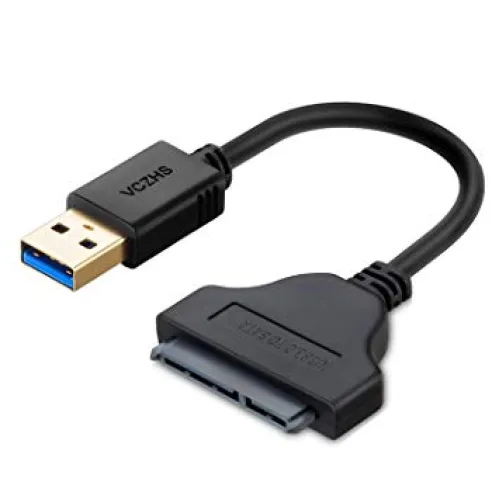
USB 3.0 to SATA Converter for 2.5-inch HDD and SSD
This USB 3.0 to SATA converter lets you connect a 2.5-inch SATA hard disk (HDD) or SSD directly to the USB port of a laptop or desktop. It is a simple, cable-style adapter - no casing, screws or tools are needed - so it is handy for backups, copying files from an old laptop drive or using a spare SSD as portable storage.
Key Features
- USB 3.0 interface with transfer rates of up to 5 Gbps (real speed depends on the drive and the USB port you use).
- Works with 2.5-inch SATA drives - laptop hard disks and 2.5-inch SATA SSDs.
- Plug and play on Windows, macOS and Linux; no driver installation is normally required.
- Portable cable design in black that fits easily in a laptop bag.
What You Can Use It For
- Data recovery: take the drive out of an old or dead laptop and copy your files to a working computer.
- SSD upgrade: connect the new SSD over USB to clone your old drive before installing it.
- Extra storage: use a spare 2.5-inch drive as a portable backup disk.
Frequently Asked Questions
Does it work with a 3.5-inch desktop hard disk?
This adapter is made for 2.5-inch drives, which take their power from the USB port. 3.5-inch desktop hard disks need a separate 12V power supply, so use a converter or docking station with its own power adapter for those drives.
Will it work on a USB 2.0 port?
Yes, USB 3.0 devices also work on USB 2.0 ports, but the transfer speed will be limited to USB 2.0 speed.
Do I need to format the drive?
No, an existing drive with data shows up like a normal external disk. A brand-new SSD or HDD must be initialised and formatted in Disk Management (Windows) or Disk Utility (macOS) before first use.
Looking for an enclosure for an M.2 SATA SSD instead? See the UGREEN CM400 USB-C to M.2 SATA SSD Enclosure.