


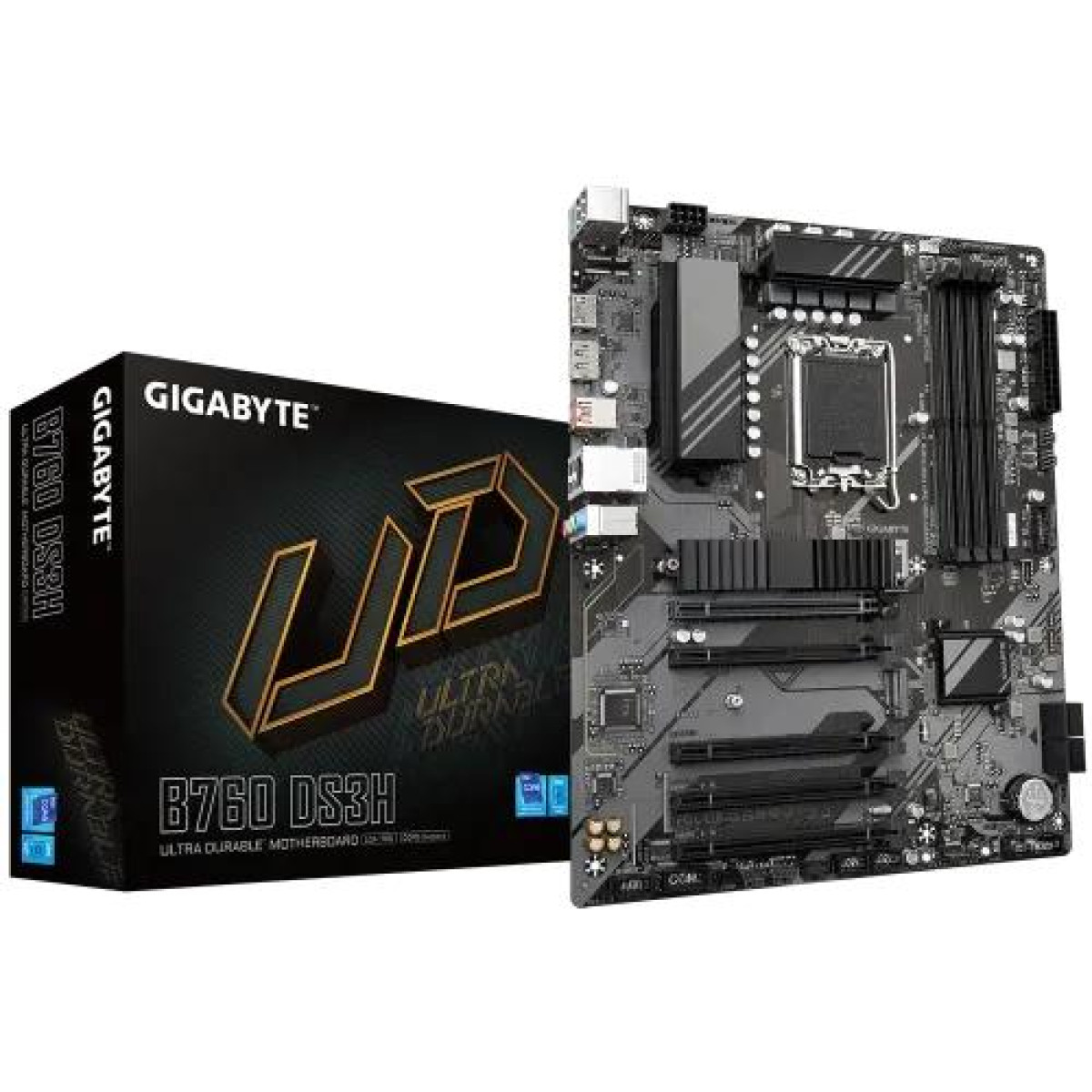
GIGABYTE B760 DS3H ATX Motherboard
Key highlights
- Form Factor: ATX Form Factor; 30.5cm x 24.4cm
- Supported CPU: LGA1700 socket: Support for the 14th 13th and 12th Generation Intel Core, Pentium Gold and Celeron Processors L3 cache varies with the CPU
- Chipset: Intel B760 Express Chipset
- Slots: 4
- Audio: 3 x audio jacks
Description
The GIGABYTE B760 DS3H ATX Motherboard is a practical Intel desktop motherboard for users who want a modern full-size platform for a home computer, office workstation, gaming PC or productivity-focused build. Based on the Intel B760 chipset and designed around compatible Intel processors, it offers a useful combination of expansion capability, modern memory support, storage connectivity and everyday desktop functionality without positioning itself as an unnecessarily premium enthusiast board.
For customers searching for a GIGABYTE B760 DS3H ATX Motherboard in Bangladesh, the most important point is choosing the correct version for the intended processor and memory configuration. The B760 DS3H family has appeared in different revisions and DDR4 or DDR5-oriented variants, so buyers should verify the exact model suffix, revision and memory type available before ordering. This is particularly important because DDR4 and DDR5 memory modules are not interchangeable.
The motherboard is aimed at users who want a dependable foundation for an Intel-based PC. It can be considered for gaming, office applications, study, content creation, software development, general productivity and home computing, with the final performance depending on the processor, graphics card, memory, storage and other installed components.
GIGABYTE B760 DS3H ATX Motherboard Price in Bangladesh
The GIGABYTE B760 DS3H belongs to the mainstream B760 motherboard category in Bangladesh. Its appeal comes from offering modern Intel platform support and a broad selection of connectivity without requiring buyers to move directly into a high-end chipset or premium motherboard series.
When comparing motherboard prices, buyers should look beyond the chipset name. Memory generation, processor compatibility, expansion slots, storage interfaces, rear I/O, networking, wireless connectivity, BIOS support and warranty all influence whether a particular board represents good value for an individual PC build.
Unix Network serves customers searching for computer components in Jessore and Jashore while also supporting online buyers throughout Bangladesh. Customers can confirm the current price, stock status, exact revision, memory version and warranty terms before purchasing.
GIGABYTE B760 DS3H for Intel Gaming PC Builds
A B760 motherboard can be a strong choice for a gaming PC when the buyer wants an Intel platform without paying for features that are mainly useful to specialised overclocking or enthusiast systems. The B760 chipset provides a mainstream foundation for compatible Intel processors and can be paired with a dedicated graphics card for gaming.
Gaming performance is not determined by the motherboard alone. The processor and graphics card normally have a much larger influence on frame rates, while memory capacity, storage performance, cooling and software settings also affect the overall experience.
The B760 DS3H can therefore be viewed as the platform connecting these components rather than the component responsible for rendering game graphics. A sensible build should balance the motherboard with the CPU, GPU and memory instead of allocating too much of the budget to one component.
Intel B760 Chipset Platform
The Intel B760 chipset is designed for mainstream desktop systems using compatible Intel processors. It provides a modern platform for users who need contemporary connectivity and expansion while maintaining a practical approach to system building.
One advantage of selecting a B760 motherboard is that the buyer can build around a modern Intel processor without necessarily stepping into the feature set or pricing of a higher-end enthusiast chipset. This makes the platform relevant to gaming computers, productivity systems and mixed-use desktops.
Processor compatibility should always be checked against the exact motherboard model and BIOS revision before installation. Intel platform compatibility can vary according to CPU generation and board revision, so buyers should confirm the supported processor list for their exact product.
LGA1700 Processor Compatibility
The B760 DS3H platform is associated with Intel's LGA1700 desktop socket family. This socket platform covers compatible Intel desktop processors from supported generations, making the board relevant to a wide range of mainstream Intel PC configurations.
However, buyers should not select a processor solely because it uses an LGA1700 socket. Socket compatibility is only one part of the equation. The motherboard's BIOS version, processor support list and exact board revision should also be considered.
If you are upgrading an existing computer, check the current motherboard model printed on the PCB or product box. This helps distinguish between closely named GIGABYTE B760 DS3H variants that may use different memory technologies or feature sets.
ATX Form Factor for Full-Size PC Builds
The GIGABYTE B760 DS3H uses the ATX motherboard form factor. ATX provides a generous amount of PCB space for memory slots, expansion cards, storage connections and motherboard headers.
This makes an ATX board particularly useful for users who want room to expand their computer later. A larger motherboard can be convenient when installing multiple components because the layout generally provides more physical space around key connections than smaller form factors.
Before buying, check that your computer case supports ATX motherboards. A Micro-ATX-compatible case is not automatically suitable for every full-size ATX board, so case compatibility should be confirmed before ordering.
DDR4 and DDR5 Version Consideration
One of the most important purchasing considerations for the B760 DS3H family is memory type. GIGABYTE has produced B760 motherboards with different memory technologies, including DDR4 and DDR5 variants. These versions should not be treated as interchangeable.
DDR4 memory cannot simply be installed into a DDR5 motherboard, and DDR5 modules cannot be installed into a DDR4 motherboard. The physical keying and electrical characteristics are different.
For this reason, customers should confirm the exact memory version before purchasing the motherboard. If you already own DDR4 RAM, a DDR4-compatible version may be relevant. If you are building a new system and want DDR5, select the appropriate DDR5 model instead.
Why Memory Compatibility Matters
RAM is one of the easiest components to overlook when selecting a motherboard because several boards can have almost identical names. Yet the memory generation directly affects which modules can be installed.
For a new build, decide whether you want to reuse existing RAM or move to a newer memory generation. Reusing compatible DDR4 memory can reduce upgrade costs, while DDR5 provides access to a newer memory standard for supported platforms.
Do not purchase memory based only on capacity. Confirm the memory generation, supported speed range, module configuration and motherboard compatibility as well.
PCI Express Expansion for Graphics and Add-In Cards
A full-size ATX motherboard provides useful expansion possibilities for users who want to install a dedicated graphics card or additional PCI Express hardware. A dedicated GPU is particularly important for gaming systems and graphics-intensive applications.
The graphics card should be installed in the motherboard's appropriate primary PCI Express slot. Physical clearance should also be considered because modern GPUs can occupy two, three or more expansion slots depending on their cooler design.
Additional expansion hardware may include compatible network adapters, sound cards, capture devices or other PCI Express accessories. The actual number of usable expansion slots depends on the exact B760 DS3H version and installed hardware.
PCI Express 4.0 Storage and Expansion
Modern B760 platforms provide support for fast PCI Express connectivity, making them suitable for NVMe solid-state storage and contemporary expansion hardware. PCI Express generation support should be checked against the exact motherboard specification when selecting a particular SSD.
An NVMe SSD can provide significantly faster sequential transfer capability than many older SATA-based storage solutions, although everyday application responsiveness depends on the complete system. For gaming, faster storage can improve loading behaviour, while processor and graphics hardware remain much more important for rendering performance.
When installing an M.2 drive, users should follow the motherboard's recommended slot arrangement and confirm whether installing certain devices affects other connectors or expansion resources.
M.2 NVMe Storage Support
M.2 storage is one of the most useful features for modern PC builders because it allows a compact solid-state drive to be installed directly onto the motherboard. This removes the need for a separate SATA data cable and can produce a cleaner internal build.
For a gaming computer, an NVMe SSD can be used for the operating system, applications and game library. For office systems, it can provide fast booting and responsive application loading without requiring the physical space occupied by a traditional hard drive.
Storage selection should still consider capacity. A fast 500GB drive may feel responsive but become restrictive if the computer contains a large game library or extensive media collection. Many users benefit from selecting storage capacity based on their actual workload rather than speed alone.
Connectivity for Modern Desktop Systems
The B760 DS3H is designed around the connectivity requirements of modern desktop computers. Depending on the exact version, users can expect a mixture of USB connections, display outputs, audio connections, networking and internal headers.
Connectivity is particularly important when planning a workstation with multiple peripherals. Consider the number of USB devices you use regularly, such as a keyboard, mouse, printer, external storage, webcam, headset and other accessories.
Internal motherboard headers also matter when building a new computer. Case front-panel USB connections, audio, fans and other chassis features need to be connected to the appropriate headers.
Wired Networking for Desktop Users
GIGABYTE's B760 DS3H family includes wired network connectivity on supported versions, making it practical for users who prefer a direct Ethernet connection to a router or network switch.
For gaming, wired Ethernet can be useful because a physical network connection avoids many of the environmental variables associated with wireless networking. However, actual internet latency depends on the network service, router, server location and broader network conditions rather than the motherboard alone.
For office computers and workstations, Ethernet is also useful for file sharing, internet access, printers and other network-based resources.
Audio for Everyday Entertainment
The motherboard's integrated audio functionality allows users to connect compatible speakers, headphones or other audio equipment without requiring a separate sound card for ordinary listening.
For general gaming, video playback, online meetings and everyday music, integrated motherboard audio can be sufficient for many users. Enthusiasts who require specialised recording equipment, studio monitoring or advanced audio processing may still prefer a dedicated audio interface or sound solution.
Cooling and Fan Management
A stable desktop computer depends on more than CPU and GPU specifications. Cooling fans must move air through the case, while the processor cooler must remove heat from the CPU.
The B760 DS3H provides motherboard fan-header functionality intended to help manage compatible cooling hardware. The exact number and configuration should be verified against the specific revision being purchased.
Good airflow should be planned from the beginning. A front-to-back airflow path can help remove warm air from the case, while excessive dust should be prevented from accumulating around fans and heatsinks.
VRM and Power Delivery Considerations
The motherboard's voltage-regulation section supplies controlled power to the processor. This area becomes particularly relevant when selecting a higher-performance CPU and when the computer will operate under sustained workloads.
For mainstream gaming and productivity systems, the B760 platform can provide a sensible foundation when paired with a processor appropriate for the board's intended class. Buyers selecting a high-end processor should consider the motherboard's power-delivery design, cooling and manufacturer support rather than assuming every B760 board is equally suitable for every CPU.
Processor choice should also take into account cooling. A capable CPU cooler and well-ventilated case are important when running demanding workloads for extended periods.
BIOS and System Configuration
The motherboard BIOS provides the low-level settings needed to initialise hardware and configure the computer. It can also provide options related to memory profiles, boot devices, fan behaviour and other system settings.
Users building a new PC should enter the BIOS after the first successful boot to confirm that the processor, memory and storage devices are detected correctly. Memory configuration may also require enabling an appropriate supported memory profile to achieve the expected operating speed.
BIOS updates should be approached carefully. Use the correct firmware for the exact motherboard model and revision, and follow GIGABYTE's official update procedure. Interrupting a firmware update can create serious problems.
Real-World Gaming Performance
The B760 DS3H can serve as the foundation of a gaming computer where the processor and graphics card are selected appropriately. In modern gaming builds, the GPU generally has the largest influence on graphical performance, especially at higher resolutions.
A sensible configuration might pair the board with a compatible Intel processor, suitable DDR4 or DDR5 memory depending on the exact motherboard variant, an NVMe SSD and a dedicated graphics card. The appropriate combination depends on the target resolution, refresh rate and games.
Competitive 1080p gaming can place more emphasis on CPU performance, while higher-resolution gaming often shifts more of the workload towards the GPU. The motherboard's role is to provide a stable platform with suitable connectivity for these components.
Productivity and Office Work
The B760 DS3H is equally relevant outside gaming. A compatible Intel processor with sufficient memory and fast SSD storage can create a responsive workstation for documents, spreadsheets, browsing, video meetings, programming and business applications.
Users working with accounting software, database applications or large spreadsheets may benefit from pairing the motherboard with a processor that provides enough processing capacity and adequate memory. The motherboard itself does not determine application performance; rather, it provides the platform through which these components operate.
For a business desktop, reliability, storage capacity, networking and warranty support may be more important than gaming-focused features. Buyers should therefore evaluate the board according to the actual purpose of the computer.
Content Creation and Professional Workloads
For photo editing, video production, software development and other demanding tasks, the B760 DS3H can be part of a capable workstation when paired with appropriate hardware. Processor core count, graphics acceleration, memory capacity and storage performance should be selected according to the software being used.
Content creators should pay special attention to RAM capacity and storage expansion. Video projects can consume considerable disk space, while large creative applications can benefit from additional system memory.
If your workload involves sustained heavy processing, also consider the CPU cooler, case airflow and power supply. A motherboard cannot compensate for an inadequate cooling or power solution.
Build Quality and Practical Design
GIGABYTE positions the B760 DS3H as a mainstream desktop motherboard rather than a specialist workstation board. Its ATX layout provides a familiar foundation for assembling a conventional desktop system.
Motherboard durability depends on the quality of components, electrical design, operating conditions and user handling. Proper case airflow, a suitable power supply and careful installation can help maintain stable operation over the system's service life.
During installation, avoid touching sensitive contacts unnecessarily and ensure that motherboard standoffs match the ATX mounting positions. Incorrectly positioned standoffs can cause electrical problems and should be avoided.
Key Features of GIGABYTE B760 DS3H ATX Motherboard
- Intel B760 chipset platform for compatible Intel desktop processors.
- ATX form factor for full-size desktop PC builds.
- LGA1700 processor platform on supported B760 DS3H variants.
- Modern PCI Express expansion capability.
- M.2 NVMe storage support on applicable versions.
- Multiple USB connectivity options.
- Integrated wired Ethernet networking.
- Integrated motherboard audio.
- Motherboard fan-header support for compatible cooling systems.
- Available in different memory-oriented versions, making exact DDR4 or DDR5 model verification important before purchase.
- Suitable for gaming PCs, office computers, home systems and productivity workstations.
Technical Specifications
| Specification | Details |
|---|---|
| Brand | GIGABYTE |
| Model Family | B760 DS3H |
| Chipset | Intel B760 |
| Form Factor | ATX |
| CPU Platform | Intel LGA1700 on supported versions |
| Memory | DDR4 or DDR5 depending on exact B760 DS3H variant |
| Expansion | PCI Express expansion support |
| Storage | M.2 and SATA storage support, depending on exact version |
| Networking | Integrated wired Ethernet |
| Audio | Integrated motherboard audio |
| Use Case | Gaming, productivity, office and general desktop computing |
Important Variant Check Before Purchase
The name “B760 DS3H” can refer to closely related motherboard variants. This is why customers should not rely on the product family name alone when buying memory or planning a processor upgrade.
In particular, verify whether the available board is designed for DDR4 or DDR5. Also check the exact revision and any suffix printed on the retail box or motherboard. This simple check can prevent purchasing incompatible RAM.
If you already have components, providing the exact CPU and RAM model to the retailer can make compatibility checking much easier. This is especially useful when upgrading an existing PC rather than assembling a completely new system.
Advantages of the GIGABYTE B760 DS3H
- Mainstream Intel B760 platform offers a practical foundation for modern desktop systems.
- ATX form factor provides useful physical space for expansion and connectivity.
- Suitable for a wide range of compatible Intel processor configurations.
- Supports modern PCI Express expansion technologies.
- M.2 storage support enables compact NVMe SSD installations on supported variants.
- Integrated networking reduces the need for a separate Ethernet adapter.
- Integrated audio is convenient for ordinary gaming and multimedia use.
- Suitable for both gaming and productivity-focused computers.
- Multiple related versions allow buyers to choose according to memory-generation requirements.
Things to Consider Before Buying
The first consideration is the exact motherboard version. Confirm whether the board uses DDR4 or DDR5 before buying memory.
Next, verify processor compatibility. Check the supported CPU list and BIOS requirements for the exact revision, particularly if you intend to use a processor from a different supported generation.
Case compatibility is another important point. The board uses the ATX form factor, so the computer chassis must provide appropriate ATX mounting support and enough physical clearance.
Users planning multiple NVMe drives, expansion cards or large graphics cards should inspect the motherboard layout carefully. Some PCI Express and storage resources can share bandwidth or physical space depending on the board design and installed devices.
Finally, consider the power supply. A motherboard does not determine the PSU capacity by itself. The processor, graphics card, storage devices and other components collectively determine the required power budget.
Who Should Buy the GIGABYTE B760 DS3H
The B760 DS3H is a good candidate for customers building a mainstream Intel desktop who want an ATX motherboard with modern connectivity and expansion potential. It can suit gaming PCs, family computers, office workstations, student systems and mixed-use desktops.
It is particularly relevant for buyers who want a motherboard that can accommodate a conventional full-size build without requiring the premium features of a flagship enthusiast board.
Customers should choose the exact version according to their memory requirements and processor plan. Someone reusing existing DDR4 RAM should not accidentally purchase a DDR5 variant, while a new build planned around DDR5 should use a compatible DDR5 board.
Who May Prefer a Different Motherboard
Users who require extensive enthusiast overclocking controls, specialised workstation connectivity, unusually large numbers of expansion devices or premium onboard features may need a higher-tier motherboard.
Likewise, buyers building a very compact PC should consider Micro-ATX or Mini-ITX alternatives instead of an ATX board. The full-size form factor is advantageous for expansion but requires a suitable chassis and sufficient desk or case space.
Choosing the Right Processor
When selecting a CPU for the B760 DS3H, match the processor to the computer's intended workload. A mainstream Core processor can be appropriate for general productivity and gaming, while higher-core-count options can be useful for demanding content creation or multitasking.
Processor selection should also consider the cooling solution. More powerful CPUs can generate more heat under sustained workloads, making a capable cooler and well-ventilated case important.
Do not assume that the most expensive compatible processor is automatically the best choice. The optimal CPU depends on the graphics card, software, resolution, workload and total system budget.
Choosing the Right RAM
RAM selection starts with the exact motherboard variant. Confirm DDR4 or DDR5 first, then select capacity and speed according to the board's supported specifications.
For ordinary office work and study, a moderate memory configuration can be sufficient. Gaming and multitasking workloads may benefit from additional capacity, while professional applications can require considerably more.
If installing two or more memory modules, follow the motherboard manual's recommended slot arrangement. Correct placement can help the system operate in the intended memory-channel configuration.
Choosing Storage
An NVMe SSD is an attractive choice for a modern desktop because it combines compact physical dimensions with high transfer capability. Installing the operating system and frequently used applications on an NVMe drive can create a responsive everyday experience.
Users with large data collections can combine fast solid-state storage with higher-capacity storage according to their requirements. Photographs, videos, project files and large game libraries can consume space quickly, so capacity planning is just as important as interface speed.
Choosing a Graphics Card
For gaming, the graphics card should be selected according to the desired resolution and refresh rate. A powerful GPU can be paired with a B760-based system, but the exact CPU, PSU, case and cooling combination must also be appropriate.
Check the physical dimensions of the graphics card before installing it. Large triple-fan models can occupy substantial space and may interfere with other expansion slots or case components.
The power supply should also have the required connectors and sufficient capacity for the chosen GPU. This is especially important for modern graphics cards with higher peak power requirements.
Why Buy from Unix Network
Unix Network is a computer store in Jessore serving customers who need motherboards, processors, memory, graphics cards, storage devices, laptops, printers, networking products and other IT accessories.
Choosing a motherboard often involves several compatibility decisions, so practical technical guidance can be valuable. Customers can discuss their intended CPU, RAM, graphics card, storage and case before finalising a build.
The local showroom in Jessore provides an option for customers who prefer direct assistance, while online buyers across Bangladesh can enquire about product availability and delivery arrangements. Unix Network focuses on authentic products where applicable, competitive pricing, professional customer support and after-sales assistance according to the relevant warranty policy.
GIGABYTE B760 DS3H for Customers in Jessore and Jashore
Customers searching for a motherboard in Jessore or Jashore can consider the B760 DS3H when planning an Intel-based desktop system. A local computer retailer can help verify whether the motherboard version matches the buyer's existing or planned memory and processor.
Customers from Jhenaidah, Magura, Narail, Satkhira, Khulna, Kushtia, Chuadanga and surrounding areas can enquire about availability and delivery options. Nationwide delivery also makes the motherboard accessible to PC builders elsewhere in Bangladesh.
For a complete gaming PC, customers can discuss the motherboard together with the processor, graphics card, RAM, SSD, power supply and cooling solution so the components are selected as a balanced configuration.
Buying Guide for GIGABYTE B760 DS3H
Start by deciding whether you are building a new PC or upgrading an existing one. If you already own memory, confirm its DDR generation before selecting the motherboard.
Next, choose the processor. Check the exact CPU support and BIOS requirements for the specific board revision.
Then select RAM capacity and speed based on your workload. Gaming, office work, programming, creative applications and professional software can have very different memory requirements.
After that, select storage and graphics hardware. Make sure the motherboard provides the required slots and connectors, while the case has enough physical clearance.
Finally, choose an appropriately rated power supply and suitable CPU cooler. A balanced configuration is more useful than spending heavily on the motherboard while compromising other essential components.
Warranty Information
Warranty terms for the GIGABYTE B760 DS3H depend on the product supplied, distributor and seller policy. Customers should confirm the current warranty duration and conditions with Unix Network before purchase.
Keep the original purchase invoice and product documentation because these may be required for warranty service. Warranty coverage generally applies according to the applicable terms rather than covering every type of physical or accidental damage.
Do not modify the motherboard unnecessarily when a warranty claim may be required. Unauthorised repairs or physical damage can affect warranty eligibility depending on the applicable policy.
Delivery Across Bangladesh
Unix Network serves customers in Jessore and Jashore while supporting online buyers throughout Bangladesh. Customers outside the local area can contact the store to confirm current stock, pricing, warranty information and delivery availability.
Delivery time can vary according to destination, courier service, stock position and order processing. Buyers who need the motherboard for a scheduled PC build should confirm availability before placing the order.
After-Sales Technical Support
Motherboard installation can involve several components, including CPU, memory, storage, graphics hardware, cooling fans and front-panel connections. If a newly assembled PC does not boot, the problem may not necessarily originate from the motherboard.
Common checks include confirming the CPU power connection, memory installation, graphics-card seating, monitor connection and motherboard power cables. If troubleshooting does not resolve the problem, professional technical assessment is preferable to repeatedly changing components without diagnosis.
Unix Network provides product guidance and after-sales assistance according to applicable service and warranty arrangements. Customers should provide their invoice, motherboard model and relevant system information when requesting support.
Frequently Asked Questions
What chipset does the GIGABYTE B760 DS3H use?
The motherboard family is based on Intel's B760 chipset. This places it in the mainstream Intel desktop motherboard category and makes it suitable for compatible Intel processor configurations.
Is the GIGABYTE B760 DS3H an ATX motherboard?
Yes. The B760 DS3H is available as an ATX motherboard, providing a full-size layout with room for memory, expansion cards, storage and internal headers. The exact case should support the ATX form factor before installation.
Does the B760 DS3H support DDR4 or DDR5 RAM?
The B760 DS3H family includes different versions designed around different memory generations. Some variants use DDR4 while others use DDR5. Buyers should check the exact model and revision before purchasing RAM because DDR4 and DDR5 modules are not interchangeable.
Which Intel processors can be used with the B760 DS3H?
The motherboard uses the Intel LGA1700 platform on supported versions and is designed for compatible Intel desktop processors. Exact CPU support can depend on the motherboard revision and BIOS version, so checking the official processor support information for the exact board is recommended.
Is the B760 DS3H suitable for a gaming PC?
Yes. It can provide a suitable foundation for a mainstream Intel gaming PC when paired with an appropriate processor, graphics card, RAM, storage and power supply. Gaming performance depends mainly on the complete hardware configuration rather than the motherboard alone.
Can I install an NVMe SSD on the B760 DS3H?
The B760 DS3H family supports M.2 storage on applicable variants. Buyers should check the exact board specification to confirm the number and supported PCI Express generation of the M.2 slots before purchasing a specific SSD.
Does the motherboard have built-in networking?
Supported B760 DS3H versions provide integrated wired Ethernet connectivity. This allows a compatible desktop PC to connect to a router or network switch without requiring a separate Ethernet adapter.
Can I use an existing DDR4 RAM kit?
You can use existing DDR4 memory only if you purchase the DDR4-compatible version of the motherboard. A DDR5 version cannot accept DDR4 modules. Always confirm the exact memory technology before buying.
Does the B760 DS3H need a graphics card?
Not necessarily. Whether a dedicated graphics card is required depends on the selected processor and intended workload. Processors with suitable integrated graphics can handle supported display and everyday tasks, while gaming and graphics-intensive applications may require a dedicated GPU.
Is an ATX case required for this motherboard?
The motherboard is designed in the ATX form factor, so the selected case must provide compatible ATX mounting support and adequate internal clearance. Checking the case specifications before purchase is recommended.
Where can I buy the GIGABYTE B760 DS3H in Bangladesh?
Customers can contact Unix Network for current availability, pricing, warranty information and delivery options. The store serves customers in Jessore and Jashore and also supports online buyers throughout Bangladesh.
Final Buying Recommendation
The GIGABYTE B760 DS3H ATX Motherboard is a practical mainstream platform for customers building an Intel desktop computer with modern expansion and connectivity requirements. Its B760 chipset, ATX layout, compatible LGA1700 processor platform, storage support and broad desktop functionality make it suitable for gaming, office work, study and general productivity.
The most important purchasing decision is selecting the correct variant. Because B760 DS3H models can differ in memory technology and feature configuration, buyers should verify the exact DDR4 or DDR5 version, board revision, processor support and connector requirements before placing an order.
For customers in Jessore and Jashore, Unix Network can provide practical buying guidance, competitive pricing, product availability information and after-sales assistance. Customers elsewhere in Bangladesh can enquire about nationwide delivery. A motherboard is the foundation of the entire PC, so matching it carefully with the CPU, RAM, graphics card, storage, power supply and case is the best way to build a balanced and reliable system.
Specification
| BASIC INFORMATION | |
|---|---|
| Form Factor | ATX Form Factor; 30.5cm x 24.4cm |
| Supported CPU | LGA1700 socket: Support for the 14th 13th and 12th Generation Intel Core, Pentium Gold and Celeron Processors L3 cache varies with the CPU |
| Chipset | Intel B760 Express Chipset |
| Slots | 4 |
| Audio | 3 x audio jacks |
| BIOS | 1 x 128 Mbit flash Use of licensed AMI UEFI BIOS PnP 1.0a, DMI 2.7, WfM 2.0, SM BIOS 2.7, ACPI 5.0 |
| Expansion Slots | |
| PCI | CPU: 1 x PCI Express x16 slot, supporting PCIe 4.0 and running at x16 (PCIEX16) * For optimum performance, if only one PCI Express graphics card is to be installed, be sure to install it in the PCIEX16 slot. Chipset: 4 x PCI Express x16 slots, supporting PCIe 3.0 and running at x1 (PCIEX1_1, PCIEX1_3~PCIEX1_5) |
| Graphics Specifications | |
| Graphics | Integrated Graphics Processor-Intel HD Graphics support: 1 x HDMI port, supporting a maximum resolution of 4096x2160@60 Hz * Support for HDMI 2.0 version and HDCP 2.3. 1 x DisplayPort, supporting a maximum resolution of 4096x2304@60 Hz * Support for DisplayPort 1.2 version and HDCP 2.3 |
| Memory Specifications | |
| Maximum Memory | up to 192 GB (48 GB single DIMM capacity) of system memory |
| Supported Memory | Support for DDR5 7600(O.C.) /7400(O.C.) /7200(O.C.) /7000(O.C.) /6800(O.C.) /6600(O.C.) / 6400(O.C.) / 6200(O.C.) / 6000(O.C.) / 5800(O.C.) / 5600(O.C.) / 5400(O.C.) / 5200(O.C.) / 4800 / 4000 MT/s memory modules Dual channel memory architecture Support for ECC Un-buffered DIMM 1Rx8/2Rx8 memory modules (operate in non-ECC mode) Support for non-ECC Un-buffered DIMM 1Rx8/2Rx8/1Rx16 memory modules Support for Extreme Memory Profile (XMP) memory modules |
| Type | DDR5 |
| PORTS, CONNECTORS & SLOTS | |
| Display Port (s) | 1x DisplayPort |
| HDMI | 1x HDMI |
| Internal I/O Ports | 1 x 24-pin ATX main power connector 1 x 8-pin ATX 12V power connector 1 x CPU fan header 1 x CPU fan/water cooling pump header 3 x system fan headers 1 x system fan/water cooling pump header 2 x addressable LED strip headers 2 x RGB LED strip headers 2 x M.2 Socket 3 connectors 4 x SATA 6Gb/s connectors 1 x front panel header 1 x front panel audio header 1 x S/PDIF Out header 1 x USB Type-C® header, with USB 3.2 Gen 1 support 1 x USB 3.2 Gen 1 header 2 x USB 2.0/1.1 headers 1 x serial port header 1 x Q-Flash Plus button 1 x reset button 1 x reset jumper 1 x Clear CMOS jumpe |
| LAN Port (s) | Realtek GbE LAN chip (1 Gbps/100 Mbps) |
| Supported Storage | CPU: 1 x M.2 connector (Socket 3, M key, type 22110/2280 PCIe 4.0 x4/x2 SSD support) (M2A_CPU) Chipset: 1 x M.2 connector (Socket 3, M key, type 2280 PCIe 4.0 x4/x2 SSD support) (M2P_SB) 4 x SATA 6Gb/s connectors |
| TPM (Trusted Platform Module ) | 1 x Trusted Platform Module header (For the GC-TPM2.0 SPI/GC-TPM2.0 SPI 2.0 module only) |
| USB (s) | Chipset: 1 x USB Type-C port on the back panel, with USB 3.2 Gen 2x2 support 1 x USB Type-C port with USB 3.2 Gen 1 support, available through the internal USB header 1 x USB 3.2 Gen 2 Type-A port (red) on the back panel 2 x USB 3.2 Gen 1 ports available through the internal USB header 4 x USB 2.0/1.1 ports on the back panel Chipset+2 USB 2.0 Hubs: 4 x USB 2.0/1.1 ports available through the internal USB headers |
| Special | |
| Bundled Software | Norton Internet Security (OEM version) LAN bandwidth management software |
| WARRANTY | |
| Manufacturing Warranty | 3 years |