
TOTOLINK Router Price in Bangladesh
Showing 1 to 13 of 13 (1 Pages)
-12%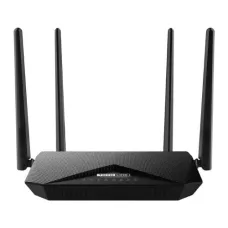
Totolink A302R Dual Band Gigabit Router
৳2,200৳2,500

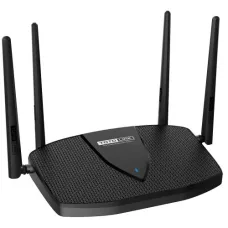

Find the Right TOTOLINK Router for Your Budget and Needs
These are the latest in-stock TOTOLINK Router at Unix Network, with the current price in Bangladesh. Open a model for specifications.
Latest TOTOLINK Router Price List in BD 2026
TOTOLINK Wi-Fi Router Price in Bangladesh
Looking for an affordable TOTOLINK Wi-Fi router in Bangladesh? TOTOLINK offers wireless networking solutions for homes, students, shared accommodation, small offices and businesses. Its product range includes budget-friendly 300Mbps routers, dual-band Wi-Fi 5 models, Gigabit routers and modern Wi-Fi 6 devices. Whether you need a basic internet connection for online classes or a faster wireless network for streaming, gaming and multiple connected devices, TOTOLINK provides options for different budgets. Explore TOTOLINK router prices in Bangladesh at Unix Network and choose a model that suits your broadband connection and coverage requirements.
Different Types of TOTOLINK Wi-Fi Routers
TOTOLINK manufactures routers for a variety of home and office networking requirements. Entry-level Wireless N models provide practical 2.4GHz connectivity for browsing, social media and everyday internet use. Dual-band Wi-Fi 5 routers add a 5GHz network for compatible devices that need higher wireless capacity. TOTOLINK Wi-Fi 6 routers offer improved wireless efficiency and support for modern multi-device environments. Selected products also provide Gigabit Ethernet connectivity, multiple operating modes and additional network management features. Specifications vary by model, so buyers should compare the available options before purchasing.
Affordable TOTOLINK 300Mbps Wi-Fi Routers
For basic home internet access, TOTOLINK 300Mbps routers are worth considering. Models such as the TOTOLINK N300RT and N200RE are designed for everyday networking requirements, including browsing websites, using social media, attending online classes and watching videos. These routers generally operate on the 2.4GHz frequency, making them suitable for older smartphones, laptops and other compatible wireless devices. They are particularly useful for students and households with modest broadband packages. However, entry-level models may have more limited wireless capacity and Ethernet port speeds than newer dual-band routers.
TOTOLINK Dual-Band Wi-Fi Routers for Home and Office
TOTOLINK dual-band routers provide separate 2.4GHz and 5GHz wireless connections, giving users greater flexibility when connecting multiple devices. The 2.4GHz band is useful for everyday browsing and devices located farther from the router, while 5GHz generally offers higher wireless capacity for compatible laptops, smartphones and smart televisions. Models such as the TOTOLINK A3002RU are worth exploring for households that want to move beyond basic single-band networking. Actual wireless speeds and features depend on the selected model and connected devices.
TOTOLINK Wi-Fi 6 Routers for Modern Broadband Connections
TOTOLINK Wi-Fi 6 routers use IEEE 802.11ax technology to improve wireless efficiency and capacity. Models such as the TOTOLINK X5000R and X6000R target users who need faster wireless networking for multiple devices, online gaming, streaming and remote work. Depending on the model, Wi-Fi 6 features may include OFDMA, MU-MIMO and Beamforming. These technologies help make better use of available wireless resources, especially when several compatible devices are connected simultaneously. The actual benefits depend on the router's specifications, broadband speed and wireless environment.
TOTOLINK Router Speed: N300, AC1200, AC1200+ and AX Series
TOTOLINK routers are available in different wireless speed classes, including N300, AC1200, higher-speed Wi-Fi 5 models and Wi-Fi 6 AX-series devices. These speed ratings generally describe maximum theoretical wireless link rates rather than guaranteed internet download speeds. For example, an AC1200 router typically combines up to 867Mbps on the 5GHz band with up to 300Mbps on the 2.4GHz band. Actual performance depends on the broadband package, device compatibility, wireless interference and Ethernet port capabilities. Choosing a router based on real networking requirements is more useful than comparing advertised Mbps figures alone.
High-Gain Antennas for Practical Indoor Wi-Fi Coverage
Many TOTOLINK routers feature external antennas designed to distribute wireless signals around homes and offices. Depending on the model, high-gain antennas can help improve connectivity across suitable indoor spaces. Some routers also include Beamforming technology, which helps direct wireless transmission towards compatible connected devices. However, not every TOTOLINK router offers the same antenna configuration or Beamforming support. Actual Wi-Fi coverage depends on wall thickness, building materials, interference and router placement. A centrally positioned router generally provides better coverage than one hidden inside a cabinet.
MU-MIMO and OFDMA for Multiple Connected Devices
Selected TOTOLINK routers support MU-MIMO technology, which helps improve communication with multiple compatible wireless devices. Newer Wi-Fi 6 models may also include OFDMA, allowing wireless channel resources to be shared more efficiently. These technologies can be useful in households where several people attend video meetings, browse websites, stream videos and use cloud applications simultaneously. Their benefits depend on compatible devices and network conditions. Basic TOTOLINK Wireless N routers should not be assumed to support MU-MIMO or OFDMA.
TOTOLINK Gigabit Routers for High-Speed Broadband
For customers using faster broadband packages, a TOTOLINK router with Gigabit Ethernet ports can be a worthwhile upgrade. Gigabit WAN and LAN interfaces support nominal wired link rates of up to 1Gbps, avoiding the 100Mbps Ethernet limitation of many older budget routers. This is useful for connecting desktop computers, smart televisions, gaming consoles and network switches. However, not every TOTOLINK router includes Gigabit ports. Buyers should check the WAN and LAN specifications of the individual model, particularly when choosing equipment for broadband connections above 100Mbps.
TOTOLINK Router for Online Gaming and Video Streaming
TOTOLINK offers routers suitable for different entertainment requirements, from everyday HD streaming to more demanding online gaming and high-resolution video playback. Dual-band and Wi-Fi 6 models can provide greater wireless capacity than basic single-band routers, particularly when several devices share one connection. For gaming PCs and consoles, a wired Gigabit Ethernet connection may offer more predictable latency than Wi-Fi. Actual gaming responsiveness and streaming quality depend on the internet provider, connected devices, network congestion and the selected router.
Router, Access Point, Repeater and WISP Operating Modes
Selected TOTOLINK routers support multiple operating modes, allowing them to serve different networking requirements. Router Mode is used for managing a broadband connection and distributing internet access to connected devices. Access Point Mode provides Wi-Fi connectivity from an existing wired network, while Repeater Mode can extend a compatible wireless network. Some models also support WISP Mode for receiving an upstream wireless connection and sharing it locally. Available operating modes vary by model and firmware, so confirm the required feature before purchasing.
Easy TOTOLINK Router Setup and Network Management
TOTOLINK routers generally provide web-based management interfaces for configuring internet connections, wireless network names, passwords and supported networking features. Depending on the model, additional mobile management options may be available. This makes it possible to configure many everyday settings using a smartphone or computer. Users can also review supported access controls and network options through the management interface. Setup procedures and available features differ between hardware versions, so the instructions supplied with the router should be followed.
TOTOLINK Router Security and Guest Wi-Fi Features
TOTOLINK routers offer wireless security features designed to help protect home and office networks. Depending on the model, supported encryption standards may include WPA2 and WPA3, while additional options can include guest Wi-Fi, access restrictions and parental controls. Guest network functionality allows visitors to use a separate wireless connection without sharing the primary network password. For better security, choose a strong Wi-Fi password, change default administrator credentials and install official firmware updates when available. Advanced security features are model-dependent and should not be assumed to be present on every router.
TOTOLINK Router Compatibility with ISPs in Bangladesh
Many TOTOLINK Ethernet WAN routers support common broadband connection methods such as PPPoE, Dynamic IP and Static IP. These options make them suitable for various home and office internet services in Bangladesh, depending on the ISP's configuration. Customers using fibre-optic broadband may still need an ISP-approved optical network terminal between the incoming fibre connection and a conventional TOTOLINK router. Standard Ethernet WAN routers cannot connect directly to a GPON fibre cable. Confirm the required connection method and authentication settings with your ISP before installation.
Best TOTOLINK Router for Students and Shared Accommodation
Students and residents of shared accommodation often need affordable routers that can handle online classes, social media, video calls and everyday browsing. A basic TOTOLINK N300 router may be sufficient for a small number of users with modest internet requirements. For shared flats or student accommodation where several people connect simultaneously, a dual-band Gigabit router may be a better option. Wi-Fi 6 models are worth considering when the network includes many compatible devices or when users regularly perform bandwidth-intensive activities.
TOTOLINK Wi-Fi Router for Small Offices and Businesses
Small offices need networking equipment that can support routine business applications, cloud services, video meetings and shared devices. TOTOLINK dual-band and Wi-Fi 6 routers offer options for workplaces with different user counts and broadband requirements. Gigabit Ethernet ports are useful for connecting desktop computers, printers and other wired equipment, while supported access controls can help manage shared internet usage. For larger offices or demanding commercial networks, buyers should also consider device capacity, coverage requirements and whether business-grade networking equipment is more appropriate.
Popular TOTOLINK Wi-Fi Router Models in Bangladesh
Customers searching for TOTOLINK routers in Bangladesh can explore models such as the TOTOLINK N300RT, N200RE, A3002RU, X5000R and X6000R. These products cover different networking requirements, from affordable single-band internet access to higher-capacity dual-band and Wi-Fi 6 connectivity. Before choosing a model, compare its wireless standard, advertised speed, WAN and LAN port specifications, antenna design and available operating modes. Product specifications, hardware revisions and stock availability may vary.
How to Choose the Best TOTOLINK Wi-Fi Router in Bangladesh
The best TOTOLINK router depends on your broadband package, number of connected devices, home size and budget. For basic internet access, an entry-level N300 model may be sufficient. A dual-band Gigabit router is often a better choice for households with faster broadband and multiple active users. Wi-Fi 6 models offer improved efficiency for compatible devices and busier networks. If wireless coverage is the main concern, consider the building layout and whether an additional access point or compatible mesh system would provide better results than a single router.
TOTOLINK Wi-Fi Router Price in Bangladesh
TOTOLINK router prices in Bangladesh vary according to wireless speed, Wi-Fi generation, Ethernet port configuration, antenna design and additional features. Entry-level 300Mbps routers are generally more affordable, while dual-band Gigabit and Wi-Fi 6 models are available at higher price points. Comparing the features of each model can help you avoid paying for capabilities that your devices or broadband package cannot use. Visit Unix Network to check the latest TOTOLINK Wi-Fi router prices, product availability and applicable warranty terms.
Why Choose a TOTOLINK Wi-Fi Router?
TOTOLINK offers a variety of wireless routers for customers seeking practical networking features at competitive prices. Its range includes affordable single-band models, dual-band routers and modern Wi-Fi 6 products. Depending on the model, users can benefit from Gigabit Ethernet connectivity, MU-MIMO, OFDMA, Beamforming and flexible operating modes. This variety makes TOTOLINK worth considering for students, families, home offices and small businesses that want to match their networking equipment to their actual internet requirements.
Buy TOTOLINK Wi-Fi Router from Unix Network in Jashore
Explore TOTOLINK Wi-Fi routers at Unix Network in Jashore, Bangladesh. Whether you need an affordable 300Mbps router for online classes, a dual-band Gigabit router for home entertainment or a Wi-Fi 6 model for multiple connected devices, Unix Network can help you compare suitable networking products. Customers in Jashore, Khulna, Jhenaidah, Magura, Narail, Satkhira and other parts of Bangladesh can enquire about ordering and delivery. Visit our shop or browse unixnetworkbd.com to compare TOTOLINK router specifications, check current prices and confirm applicable warranty details before purchasing.