
Mercusys
Showing 1 to 24 of 34 (2 Pages)
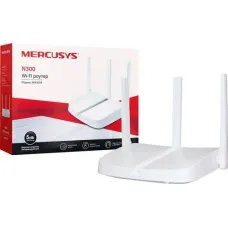


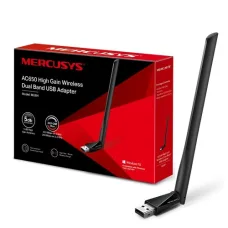
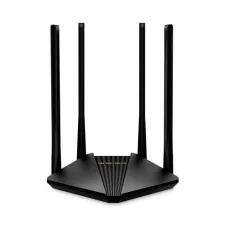


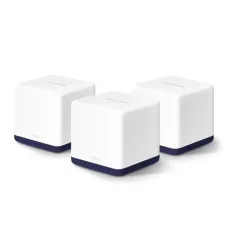


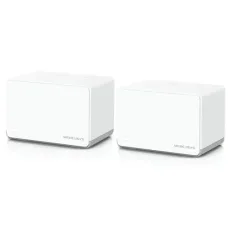
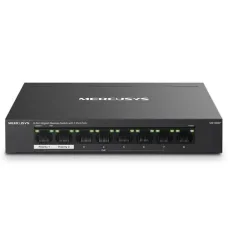
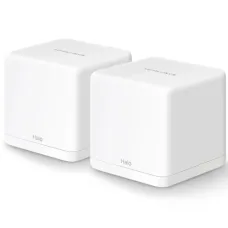


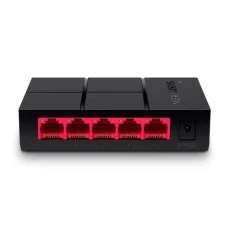
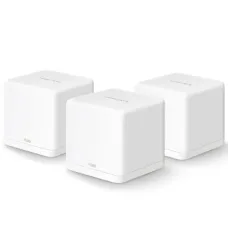
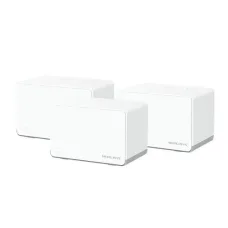
Mercusys is a well-known networking brand focused on making reliable connectivity more accessible for homes, small offices, students, gamers, and growing businesses. Its product portfolio covers Wi-Fi routers, Halo Mesh Wi-Fi systems, range extenders, wireless adapters, switches, 4G and 5G networking devices, mobile Wi-Fi products, powerline adapters, DSL modem routers, travel routers, smart cameras, video doorbells, xPON equipment and related networking solutions. The brand offers products across entry-level Wi-Fi, Wi-Fi 5, Wi-Fi 6 and the newer Wi-Fi 7 generation, allowing customers to select networking hardware according to their internet package, coverage requirements, connected devices and budget.
For customers looking for Mercusys products in Bangladesh, the brand provides practical choices ranging from affordable home routers to higher-performance Wi-Fi 6 and Wi-Fi 7 networking equipment. Mercusys devices are particularly suitable for customers who want straightforward installation, dependable wireless coverage and useful networking features without unnecessarily complicated configuration. At Unix Network, customers in Jessore and throughout Bangladesh can explore Mercusys networking solutions for home internet, office connectivity, gaming, CCTV, IP devices, smart homes and small business networks.
Mercusys Networking Products in Bangladesh
Mercusys has developed a broad networking portfolio rather than concentrating on a single type of device. Depending on the model, customers can choose from conventional wireless routers, dual-band routers, Wi-Fi 6 routers, Wi-Fi 7 routers, whole-home mesh systems, range extenders, USB Wi-Fi adapters, PCIe wireless adapters, Ethernet switches, PoE switches, 4G LTE routers, mobile Wi-Fi devices and other connectivity products.
This variety makes Mercusys useful for different networking requirements. A student living in a small apartment may only need a basic wireless router, while a larger family may benefit from dual-band Wi-Fi or a Halo Mesh system. A gaming enthusiast may prefer a newer Wi-Fi 6 or Wi-Fi 7 router with faster Ethernet ports, while a small CCTV installation may require a PoE switch. Selecting the correct product is therefore more important than simply choosing the highest advertised wireless speed.
Mercusys Wi-Fi Routers
Mercusys Wi-Fi routers are designed to provide wireless internet connectivity for homes, apartments, small offices and other everyday environments. The range includes affordable Wi-Fi 4 and Wi-Fi 5 products as well as modern Wi-Fi 6 and Wi-Fi 7 models. Customers can therefore select a router based on their internet connection, number of users, network traffic and expected lifespan.
Entry-level Mercusys routers are useful for basic web browsing, social media, online classes, email, streaming and everyday internet access. More advanced models provide improved wireless capacity, faster Ethernet connectivity, stronger traffic management and support for newer Wi-Fi technologies.
Modern Mercusys routers may include features such as dual-band wireless networking, WPA3 security, EasyMesh compatibility, VPN functionality, app-based management and intelligent traffic management. Newer Wi-Fi 7 models introduce technologies such as Multi-Link Operation, 4096-QAM and wider channel support, depending on the particular model.
Mercusys Wi-Fi 7 Routers
Mercusys has expanded its router portfolio into Wi-Fi 7, giving customers access to a newer generation of wireless networking. Wi-Fi 7 is designed to improve throughput, latency, efficiency and network responsiveness when compatible devices are used.
Models such as the Mercusys MR27BE demonstrate the direction of the brand's newer networking products. The router combines Wi-Fi 7 connectivity with multi-gigabit Ethernet ports, WPA3 security, EasyMesh compatibility and smart traffic management features. Wi-Fi 7 technology can be particularly useful for households with high-speed broadband, multiple demanding devices, high-resolution streaming, modern gaming systems and newer laptops or smartphones.
However, purchasing a Wi-Fi 7 router does not automatically make every connected device operate at Wi-Fi 7 performance. The client device must also support the relevant wireless technology. Customers should therefore consider the devices they currently own and their planned upgrades before paying extra for a newer Wi-Fi generation.
Mercusys Wi-Fi 6 Routers
Mercusys Wi-Fi 6 routers provide an attractive middle ground between basic wireless networking and the newest Wi-Fi 7 hardware. Wi-Fi 6 is designed to handle multiple connected devices more efficiently and can be useful in busy home environments where smartphones, laptops, televisions, cameras, gaming consoles and smart devices share the same network.
Models from the Mercusys Wi-Fi 6 range can provide a significant improvement over older single-band or basic wireless routers when the surrounding devices are also compatible. Features such as OFDMA, improved wireless efficiency, WPA3 security and higher-capacity wireless operation can make Wi-Fi 6 a sensible choice for modern homes and small offices.
Mercusys Halo Mesh Wi-Fi
Mercusys Halo Mesh Wi-Fi systems are designed for homes and buildings where a single router cannot provide satisfactory coverage. Instead of relying on one central wireless access point, a mesh system uses multiple coordinated units to create a unified wireless network across different areas.
A Halo Mesh system can be useful in larger houses, multi-room apartments, duplex properties, offices, guest houses and other locations where walls, floors or distance weaken wireless signals. Instead of manually changing between separate Wi-Fi network names as users move around, compatible Halo systems are designed to provide seamless roaming across the coverage area.
Mercusys currently offers Halo systems based on Wi-Fi 5, Wi-Fi 6 and Wi-Fi 7 technologies. Newer models can provide multi-gigabit ports and higher wireless capacity, while more affordable Halo systems can provide an economical solution for extending coverage across ordinary homes.
Mercusys Range Extenders
Mercusys range extenders are useful when the existing router works adequately in one part of a property but wireless coverage becomes weak in another area. A range extender can receive the existing wireless signal and rebroadcast it to improve coverage in suitable locations.
For a small dead zone, a range extender can be a practical alternative to replacing the entire router. Placement is important, however. The extender should normally be positioned where it can still receive a reasonable signal from the main router rather than being placed inside the area where the signal is already extremely weak.
Customers should also distinguish between a traditional range extender and a complete mesh system. An extender can solve a specific coverage problem, while a mesh system is generally more appropriate when seamless coverage across several rooms or floors is the primary objective.
Mercusys Wireless Adapters
Mercusys wireless adapters are useful for desktop computers, laptops and other compatible devices that require Wi-Fi connectivity. USB adapters are particularly convenient because they can be installed without opening a desktop computer, while PCIe adapters can provide a more integrated solution for compatible desktop systems.
Depending on the model, Mercusys adapters support different generations of Wi-Fi and may provide single-band, dual-band or Wi-Fi 7 connectivity. Newer adapters can be suitable for users upgrading an older desktop computer or adding modern wireless connectivity to a system that does not have built-in Wi-Fi.
Before purchasing a wireless adapter, customers should check operating-system compatibility, available USB or PCIe interfaces, supported wireless standards and the expected internet speed. A high-speed adapter can be beneficial only when the router, broadband connection and client hardware can take advantage of its capabilities.
Mercusys Network Switches
Mercusys switches provide additional wired Ethernet connections for computers, printers, access points, IP cameras, network storage devices and other Ethernet-enabled equipment. They are useful when the number of wired devices exceeds the available LAN ports on a router.
Basic desktop switches are suitable for home offices, small businesses and simple wired networks. Larger models can provide more ports for growing installations. Mercusys also offers PoE switches designed to supply both network connectivity and electrical power to compatible devices through Ethernet cabling.
Mercusys PoE Switches for Networking and CCTV
Power over Ethernet can simplify installations involving IP cameras, wireless access points, VoIP equipment and other compatible network devices. Instead of running separate network and power cables to every device, a compatible PoE switch can deliver power and data through the Ethernet connection.
Mercusys PoE switches are therefore useful for CCTV installations, small offices, retail shops, wireless networks and other environments where multiple powered Ethernet devices are required. Some models provide dedicated PoE ports together with uplink connectivity, allowing the network to be expanded while keeping installation relatively straightforward.
When selecting a PoE switch, customers should check the total PoE power budget, individual port capability, Ethernet speed, uplink configuration and the power requirements of the connected devices. These details are more important than simply counting the number of ports.
Mercusys 4G and 5G Wi-Fi Routers
Mercusys also provides cellular networking products that use mobile networks to provide internet access. These devices can be useful where fixed broadband is unavailable, unreliable or inconvenient to install.
4G LTE routers can be particularly useful in temporary offices, rural locations, backup internet setups, shops, construction sites and homes where cellular coverage is stronger than fixed broadband availability. Depending on the model, users can insert a compatible SIM card and share the cellular connection through Wi-Fi and wired Ethernet.
Customers considering a 4G or 5G Mercusys router should check local mobile network compatibility, SIM requirements, cellular coverage and expected network performance before purchasing. Mobile network speed varies significantly according to location, operator, signal strength, network congestion and supported cellular bands.
Mercusys Mobile Wi-Fi
Mercusys Mobile Wi-Fi devices are designed for users who need portable internet connectivity. These compact devices can be useful for students, travellers, field workers, temporary work locations and users who want to share a mobile data connection with multiple devices.
A portable Wi-Fi device can be more convenient than repeatedly using smartphone hotspot functionality, especially when several devices need internet access. Customers should consider battery life, supported cellular technology, SIM compatibility, maximum connected devices and charging requirements when selecting a mobile Wi-Fi product.
Mercusys Network Performance
Network performance depends on several components rather than one advertised speed number. The router's wireless standard, channel width, antenna configuration, Ethernet ports, client device capability, broadband package, distance, walls, interference and network traffic can all influence the actual experience.
For example, a high-speed Wi-Fi 7 router can provide excellent capacity when paired with compatible Wi-Fi 7 clients and a sufficiently fast internet connection. An older laptop using an earlier wireless standard will not suddenly achieve the same performance simply because it connects to a newer router.
For everyday home use, customers should prioritise stable coverage, suitable capacity and reliable connectivity. Gamers and professional users may place greater importance on latency, wired Ethernet, multi-gigabit connectivity and traffic management. Businesses may require VLAN support, PoE, additional switch capacity or more advanced network architecture.
Mercusys EasyMesh Compatibility
EasyMesh compatibility can be useful for customers planning to expand their wireless network over time. Compatible networking products can work together as part of a broader mesh-style system, depending on the specific model and supported firmware.
This can make future network expansion more flexible. Instead of replacing the complete network when coverage requirements change, customers may be able to add compatible equipment to improve coverage in another room, floor or section of a property.
Mercusys App and Network Management
Selected Mercusys networking products support app-based management, making common setup and administration tasks easier for home users. Depending on the model, users may be able to configure wireless settings, monitor connected devices, manage network access and adjust selected features through a mobile application.
App availability and supported functions vary by product, so customers should check the specific model before purchase. Users who prefer browser-based administration should also consider the router's web management interface and available configuration options.
Mercusys Security Features
Network security should be an important part of router selection. Mercusys products across different generations may support security features such as WPA2 or WPA3, depending on the model. Newer equipment can provide more modern security capabilities, while older products may have a simpler feature set.
Customers should always change the default administrator credentials, use a strong Wi-Fi password, keep firmware updated and avoid sharing the main wireless password unnecessarily. Guest networking can also be useful when visitors need internet access without receiving access to the primary local network.
Mercusys for Home Users
Mercusys is well suited to ordinary home networking requirements. A basic router can support smartphones, laptops, televisions and other everyday devices, while dual-band and newer Wi-Fi generations can provide greater capacity for households with many connected products.
For larger homes, a Halo Mesh system can be more appropriate when the main problem is wireless coverage rather than raw internet speed. For a smaller property with one weak area, a range extender may offer a more economical solution.
Mercusys for Students
Students can use Mercusys networking products for online classes, research, cloud applications, video calls, entertainment and general internet access. Entry-level routers are often sufficient for smaller rooms or shared apartments, while dual-band models can provide a better experience when multiple devices are active simultaneously.
A USB wireless adapter can also be useful when a desktop computer lacks built-in Wi-Fi. This can avoid the need for an Ethernet cable running across a room while providing a straightforward way to add wireless connectivity.
Mercusys for Gaming
Mercusys routers can support gaming PCs, consoles and mobile gaming devices, although the right model depends on the user's internet connection and network environment. Competitive gaming can benefit from stable connectivity and low latency, making wired Ethernet a strong option whenever practical.
For wireless gaming, a modern Wi-Fi 6 or Wi-Fi 7 router may provide better capacity and efficiency than an older wireless standard, particularly when several other devices are using the network at the same time. Customers should also consider whether the gaming device itself supports the selected Wi-Fi generation.
Mercusys for Small Offices
Small offices can use Mercusys routers, switches, wireless adapters and mesh systems to build practical networks for computers, printers, IP phones, access points and other connected equipment. A suitable combination of wireless and wired networking can provide flexibility while keeping installation manageable.
For offices using IP cameras or access points, PoE switches can reduce cabling complexity. For growing offices, customers should consider port count, uplink speed, wireless capacity and future expansion before choosing networking equipment.
Mercusys for CCTV and IP Surveillance
Mercusys networking hardware can also be part of an IP surveillance installation. Ethernet switches can connect cameras and recording equipment, while PoE-capable switches can provide power to compatible cameras through network cables.
For a CCTV installation, customers should calculate the number of cameras, power requirements, cable distances, uplink capacity and recording architecture before selecting a switch. A networking product should be chosen according to the complete surveillance system rather than the camera count alone.
Mercusys Build Quality and Everyday Reliability
Mercusys products are generally designed around practical consumer and small-business networking requirements. The physical design differs according to product class, so customers should not expect every model to have the same enclosure, antenna arrangement or cooling system.
For long-term reliability, proper ventilation, suitable power delivery, stable firmware and correct installation are important. Routers and switches should not be placed in enclosed spaces where heat cannot escape. Networking equipment should also be protected from unstable electrical conditions where necessary.
Choosing the Right Mercusys Router
- Choose an entry-level Mercusys router for basic internet use in a smaller environment.
- Choose dual-band Wi-Fi when multiple devices require simultaneous connectivity.
- Choose Wi-Fi 6 when you want improved efficiency and modern wireless capacity.
- Choose Wi-Fi 7 when you have compatible devices, high-speed internet and a longer-term upgrade plan.
- Choose a Halo Mesh system when whole-home coverage is more important than simply increasing router power.
- Choose a range extender when only a specific coverage area needs improvement.
- Choose a 4G or 5G router when mobile broadband is more practical than fixed internet.
- Choose a switch when you need additional wired Ethernet ports.
- Choose a PoE switch when compatible network devices need power through Ethernet.
- Choose a USB or PCIe wireless adapter when a computer needs upgraded Wi-Fi connectivity.
Things to Consider Before Buying Mercusys
Do not choose a router solely according to the highest Mbps figure printed on the box. First determine your internet package, property size, number of connected devices and type of online activity. A smaller home with a modest broadband connection may gain little from purchasing an expensive multi-gigabit router.
Customers should also check whether they require Gigabit or 2.5 Gigabit Ethernet, whether their devices support the chosen Wi-Fi standard, whether mesh expansion may be required later and whether the router provides the management features they actually need.
For switches, check port count, Ethernet speed, PoE capability and total power budget. For wireless adapters, check interface compatibility and operating-system support. For 4G or 5G products, check SIM and cellular network compatibility before making a purchase.
Mercusys Price in Bangladesh
Mercusys pricing in Bangladesh varies according to product category, wireless generation, speed class, port configuration and available features. Basic routers are generally positioned as affordable networking solutions, while Wi-Fi 6, Wi-Fi 7, mesh systems, multi-gigabit routers and PoE switches occupy higher price segments.
The most suitable product is not necessarily the most expensive one. A customer should compare the required coverage, connected devices, internet speed, Ethernet requirements and future upgrade plans before deciding how much to spend.
Mercusys Price in Jessore
Customers searching for Mercusys products in Jessore can purchase networking equipment from Unix Network according to their specific requirements. The available selection can include routers, Wi-Fi adapters, switches, range extenders and other networking products depending on current stock.
Customers can visit the Unix Network showroom in Jessore when they want practical assistance selecting suitable networking equipment. This is particularly useful when a buyer is uncertain about router coverage, Wi-Fi generation, switch requirements, PoE compatibility or the difference between a range extender and a mesh system.
Why Buy Mercusys from Unix Network
Unix Network serves customers looking for computers, laptops, networking equipment, printers, gaming products and IT accessories in Jessore and across Bangladesh. When purchasing a Mercusys product, customers can receive practical guidance based on their actual networking requirements rather than selecting equipment simply because it has a larger specification number.
Unix Network focuses on genuine technology products, competitive pricing, customer assistance and dependable after-sales support. Customers can discuss their internet package, property size, device count and intended usage before selecting a Mercusys router, mesh system, switch or wireless adapter.
Mercusys for Customers Across Bangladesh
Mercusys networking products are suitable for customers throughout Bangladesh, including home users, students, freelancers, gamers, offices, shops, educational institutions and small businesses. Customers outside Jessore can also order suitable products through Unix Network with nationwide delivery options subject to product availability and delivery service coverage.
For customers in areas where broadband infrastructure differs from major cities, choosing the correct networking technology is particularly important. A 4G router may be useful in one location, while a conventional fibre-connected router or mesh system may be more appropriate elsewhere.
After-Sales Support for Mercusys Products
Networking equipment can occasionally require configuration assistance even when the hardware itself is functioning correctly. Issues such as incorrect PPPoE settings, poor router placement, channel interference, incorrect cabling or unsuitable network modes can affect the user experience.
Unix Network can help customers understand basic product setup, compatibility and networking requirements. Warranty support depends on the specific product and applicable warranty terms, so customers should retain purchase documentation and follow the relevant warranty conditions.
Mercusys Buying Guide for Home Internet
- Start by checking the speed and technology of your internet connection.
- Estimate the number of smartphones, laptops, televisions, cameras and smart devices that will connect.
- Measure the approximate coverage area and identify weak-signal rooms.
- Decide whether you need basic Wi-Fi, dual-band, Wi-Fi 6 or Wi-Fi 7.
- Check whether wired Gigabit or multi-gigabit connections are required.
- Consider a Halo Mesh system for larger or multi-floor properties.
- Consider a range extender for a limited coverage problem.
- Consider a PoE switch for compatible IP cameras and access points.
- Check device compatibility before purchasing a new Wi-Fi adapter.
- Consider future internet-speed upgrades if you intend to keep the router for several years.
Mercusys for Home and Office Networking
A well-designed network should provide consistent coverage, appropriate capacity and easy management. Mercusys offers products across different levels of networking, making it possible to build a simple home network or expand into a more capable small-office environment.
For example, a basic router can serve a small household, a Wi-Fi 6 router can support a more demanding connected environment, a Halo Mesh system can improve coverage across multiple rooms and a PoE switch can support wired infrastructure for cameras or access points. The advantage of choosing from a broad product ecosystem is that customers can select hardware according to the actual problem they need to solve.
Frequently Asked Questions About Mercusys
What is Mercusys used for?
Mercusys is primarily used for networking and connectivity. Its products include Wi-Fi routers, mesh systems, range extenders, wireless adapters, switches, PoE switches, 4G and 5G routers, mobile Wi-Fi devices and other networking equipment.
Is Mercusys suitable for home internet?
Yes. Mercusys offers routers and mesh systems designed for home networking. The appropriate model depends on the property size, broadband speed, number of connected devices and required wireless performance.
Is Mercusys good for gaming?
Mercusys can be suitable for gaming when the selected router provides appropriate wireless capacity and the network is configured correctly. For demanding gaming, a modern Wi-Fi 6 or Wi-Fi 7 model can be considered, while wired Ethernet remains an excellent option where available.
What is the difference between a Mercusys router and Halo Mesh?
A conventional router normally provides wireless coverage from one primary unit. Halo Mesh uses multiple coordinated units to provide broader coverage across different areas of a property. Mesh is particularly useful for larger homes and locations with multiple coverage problems.
Can Mercusys routers support many devices?
The number of devices a Mercusys router can practically support depends on the model, wireless generation, traffic type and network environment. Higher-end models are generally more appropriate for households with many simultaneous users and connected devices.
Does Mercusys support Wi-Fi 6?
Yes. Mercusys offers Wi-Fi 6 routers and Halo Mesh systems. Wi-Fi 6 can provide improved wireless efficiency and capacity compared with older generations when compatible client devices are used.
Does Mercusys have Wi-Fi 7 products?
Yes. Mercusys currently offers Wi-Fi 7 routers and Halo Mesh systems, along with compatible Wi-Fi 7 wireless adapters. These products are designed for newer high-speed networking environments.
Can Mercusys be used for CCTV?
Yes. Suitable Mercusys switches and PoE switches can be used as part of IP CCTV networks. The correct product should be selected according to camera count, power requirements, Ethernet speed, cable distances and total PoE budget.
Can I use a Mercusys range extender with my existing router?
Many Mercusys range extenders are designed to extend an existing wireless network. Compatibility and available features depend on the specific router and extender models, so checking the supported modes before purchase is recommended.
Does Mercusys offer network switches?
Yes. Mercusys offers desktop and rack-oriented Ethernet switches as well as PoE models. These products can be used to add wired connections and support network equipment such as computers, cameras and wireless access points.
Where can I buy Mercusys products in Jessore?
Customers looking for Mercusys networking products in Jessore can contact or visit Unix Network for product availability, pricing, compatibility guidance and purchasing assistance.
Can I buy Mercusys products from Unix Network outside Jessore?
Yes. Unix Network serves customers throughout Bangladesh and can provide nationwide delivery options for available Mercusys products, subject to delivery coverage and current stock.
Mercusys Networking Solutions from Unix Network
Mercusys provides practical networking options for customers who want to connect homes, offices, shops, gaming setups, CCTV systems and other modern devices. Its portfolio ranges from affordable routers and wireless adapters to Wi-Fi 6 and Wi-Fi 7 hardware, Halo Mesh systems, range extenders, Ethernet switches, PoE equipment and cellular networking solutions.
For customers in Jessore, choosing the right Mercusys product becomes easier when the purchase is based on actual network requirements rather than advertised speed alone. Unix Network can help customers compare available options according to coverage, internet speed, connected devices, wired networking requirements and budget.
Whether you need an affordable home router, a modern Wi-Fi 6 solution, a Wi-Fi 7 upgrade, whole-home mesh coverage, a range extender, a wireless adapter or a PoE switch, Mercusys provides a broad selection for different networking environments. Unix Network supports customers in Jessore and delivers technology products across Bangladesh, making Mercusys a practical choice for upgrading everyday connectivity.