

GL Com Classic XPON ONU
৳1,400
Showing 1 to 21 of 21 (1 Pages)
These are the latest in-stock ONU Bangladesh at Unix Network, with the current price in Bangladesh. Open a model for specifications.
| ONU Bangladesh List | Price in BD |
|---|---|
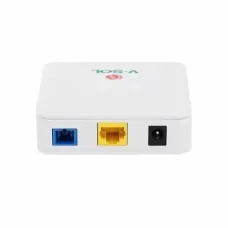
| Vsol V2801SG XPON (G/Epon) Single Port ONU | ৳1,400 |
| Vsol V2801SE 1GE Secure EPON ONU | ৳1,400 |
| VSOL V2801RE Single Port EPON ONU | ৳1,400 |
| VSOL V2801RD Single Port XPON ONU | ৳1,400 |
| TP-Link XZ000-G7 1 Port Gigabit XPON Terminal | ৳1,200 |
| PreSonus Eris E3.5 2-Way 25W Studio Sound Monitor | ৳1,300 |
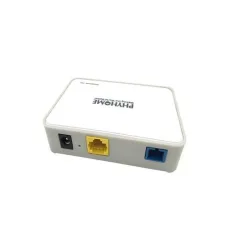
| Phyhome P3 Single Port Gigabit Xpon/Gpon Onu | ৳1,200 |
| Phyhome FHR1100GZB EPON 1G ONU | ৳1,050 |
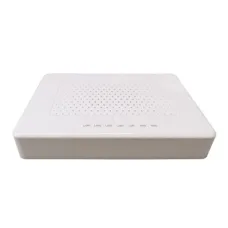
| GL Com Classic XPON ONU | ৳1,400 |
| Fiber-link JHHL-E801ZB Single Port EPON ONU | ৳1,150 |
| C-Data FD514GB-PFX-R410 4 Port POE XPON ONU | ৳5,900 |
| C-Data FD511G-G-F680 Single Port G-PON ONU | ৳1,350 |
ONU is an essential fiber-optic networking device used to connect a customer's home, office, business, or other premises to a fiber internet network. It converts the optical signal transmitted through a fiber-optic cable into an Ethernet or other compatible network connection that can be used by a router, computer, switch, or other networking equipment.
At Unix Network, the ONU category is designed for customers in Bangladesh looking for reliable fiber networking equipment for broadband internet, FTTH connections, home networks, offices, businesses, and ISP installations. Customers can choose an ONU according to the PON technology, port configuration, Wi-Fi requirements, ISP compatibility, fiber connector, and network speed.
ONU stands for Optical Network Unit. It is a device used at the customer end of a passive optical network to terminate a fiber-optic connection and provide network connectivity to the subscriber.
In a typical FTTH installation, the fiber cable from the ISP connects to the ONU. The ONU then provides an Ethernet connection to a router or directly to a compatible network device.
A basic fiber network can be arranged as:
ISP Fiber Network → Fiber Cable → ONU → Router → Computers and Wi-Fi Devices
The primary function of an ONU is to communicate with the optical line equipment used by the ISP and convert the optical network connection into a usable local network interface.
ONU and ONT are closely related terms and are often used interchangeably in consumer fiber networking. The exact terminology can depend on the PON architecture, manufacturer, and ISP.
| Feature | ONU | ONT |
|---|---|---|
| Full Form | Optical Network Unit | Optical Network Terminal |
| Primary Function | Terminates the optical subscriber connection | Terminates the optical subscriber connection |
| Common Use | Fiber access networks | Commonly used for customer-premises fiber equipment |
| Ethernet Output | Available on many models | Available on many models |
| Wi-Fi | Available on selected models | Available on selected models |
For most home broadband customers, the important consideration is whether the device is compatible with the ISP's optical network rather than whether it is labeled ONU or ONT.
GPON stands for Gigabit Passive Optical Network. GPON is widely used for FTTH broadband deployments and supports high-speed downstream and upstream communication over passive optical infrastructure.
A GPON ONU must be compatible with the ISP's GPON network and provisioning requirements. Compatibility is not guaranteed simply because both devices use GPON technology.
EPON stands for Ethernet Passive Optical Network. EPON uses Ethernet-based transport over passive optical fiber networks.
EPON ONU devices are designed for compatible EPON infrastructure. A GPON ONU and EPON ONU should not be assumed to be interchangeable.
XG-PON is a higher-speed passive optical networking technology designed for faster fiber access networks.
XG-PON equipment can support substantially higher network capacity than traditional GPON, but both the ISP's optical network and customer equipment must support the required technology.
XGS-PON is a 10 Gbps-class symmetric passive optical networking technology designed to provide high-speed downstream and upstream capacity.
XGS-PON ONU devices are suitable for compatible high-speed fiber networks. They are particularly relevant for ISPs and customers deploying multi-gigabit broadband services.
Combo PON equipment can support more than one PON technology through compatible optical interfaces. These devices can be useful in network environments where an ISP needs flexibility during migration between generations of PON technology.
Compatibility, optical parameters, and ISP provisioning requirements must be checked before purchasing a Combo PON ONU.
A basic single-port ONU generally provides one Ethernet network port for connecting the optical connection to a router or computer.
This type of ONU can be suitable when the customer already has a separate Wi-Fi router or networking gateway.
A Gigabit Ethernet ONU provides an Ethernet interface capable of up to 1 Gbps under suitable conditions. It can be appropriate for many modern FTTH connections.
However, the actual internet speed depends on the ISP package, optical network, router, Ethernet hardware, client devices, and network conditions.
Some modern fiber devices provide 2.5 Gigabit Ethernet ports. These can be useful for broadband services above 1 Gbps or local networks that require multi-gigabit connectivity.
To benefit from a 2.5 Gbps Ethernet port, the connected router, switch, computer, and cables must also support the required speed.
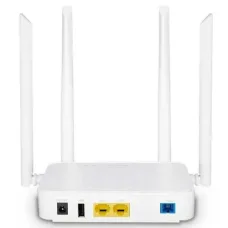
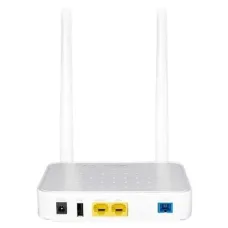
Some ONU devices combine optical termination with wireless networking. These are sometimes described as ONU routers, ONT routers, or XPON Wi-Fi ONU devices depending on the manufacturer.
An integrated Wi-Fi ONU can reduce the number of devices required in a home or small office because it can provide both fiber termination and wireless networking.
An ONU router combines fiber-optic termination and routing functions in one device. Depending on the model, it may provide Ethernet LAN ports, Wi-Fi, NAT, DHCP, firewall functions, and other network-management features.
This can simplify a home FTTH installation compared with using a separate ONU and Wi-Fi router.
FTTH stands for Fiber to the Home. In an FTTH installation, the fiber-optic connection is delivered directly to the customer's premises.
The ONU or ONT terminates the optical connection and provides network connectivity to the customer's local network.
A typical FTTH setup is:
Fiber Distribution Network → Drop Fiber → ONU/ONT → Router → Wi-Fi Devices
An ONU is commonly used to terminate a fiber internet connection. However, the device must match the ISP's PON technology and provisioning requirements.
Before replacing an ISP-provided ONU, confirm whether the ISP allows customer-owned optical equipment and whether they will register the new device on their network.
A suitable ONU can provide the fiber connection required for home internet. Customers using a separate Wi-Fi router can connect the router's WAN port to the ONU's Ethernet port.
This arrangement provides flexibility because the ONU handles the optical connection while the separate router manages Wi-Fi and local networking.
Businesses and offices can use an ONU to terminate their fiber internet connection before connecting to a firewall, router, gateway, or network switch.
For business networks, the ONU should be selected according to the ISP's fiber technology, bandwidth, service configuration, and required Ethernet speed.
A small business may use an ONU as the fiber termination device and connect it to a business router or firewall. This can provide a flexible network architecture for computers, printers, CCTV systems, VoIP equipment, access points, and other devices.
For high-speed fiber internet, the ONU must have sufficient optical and Ethernet capabilities to handle the subscribed service. A 1 Gbps Ethernet port can become a bottleneck for an internet service exceeding 1 Gbps.
For multi-gigabit broadband, consider an ONU with an appropriate multi-gigabit Ethernet interface when supported by the ISP.
A Gigabit Ethernet ONU can be suitable for many 1 Gbps-class internet packages. However, actual speed testing results can be affected by protocol overhead, Ethernet negotiation, router performance, client hardware, and ISP network conditions.
For a 2 Gbps internet service, a standard 1 Gbps Ethernet ONU cannot deliver the full service speed through a single Gigabit Ethernet port.
A suitable multi-gigabit ONU, router, switch, and client device are required to take advantage of speeds above 1 Gbps.
ONU compatibility is one of the most important considerations when purchasing fiber equipment. Optical networking equipment is not universally interchangeable.
Before purchasing an ONU, check:
OLT stands for Optical Line Terminal. It is generally located on the ISP or service-provider side of a passive optical network, while the ONU is located at the subscriber side.
A simplified PON architecture is:
Internet/Core Network → OLT → Passive Optical Splitter → Fiber → ONU → Customer Network
The OLT manages communication with multiple ONUs over the passive optical distribution network.
A passive optical splitter divides the optical signal from the OLT so that multiple subscribers can share the same passive optical distribution infrastructure.
The ONU at each customer premises communicates with the ISP's OLT through this optical network.
An ONU and router can be used as separate devices. This is a common arrangement because it allows customers to upgrade or replace the Wi-Fi router without replacing the optical termination equipment.
For example:
Fiber → ONU → Mercusys, TP-Link, Netis, or other compatible Router → Local Devices
| Device | Main Function |
|---|---|
| ONU | Terminates the optical fiber connection |
| Router | Manages the local network and routes traffic between networks |
| Switch | Expands wired Ethernet connectivity |
| Access Point | Provides wireless network access |
An all-in-one fiber gateway can combine several of these functions in one device.
In bridge mode, an ONU or ONT can pass the ISP connection through to a separate router, depending on the device and ISP configuration.
This configuration is useful when the customer wants a dedicated router or firewall to handle PPPoE authentication, NAT, DHCP, firewall rules, VPN, QoS, and other network functions.
In router mode, a compatible ONU gateway can perform routing and other local network functions itself.
This can simplify installation because a separate router may not be required for basic home networking.
Some ISPs use PPPoE authentication for fiber internet. Depending on the network design, the PPPoE credentials may be configured on the ONU router or on a separate downstream router.
Ask your ISP which configuration they require before changing the device from its existing configuration.
Some ISPs use VLAN tagging for internet, IPTV, VoIP, or other services. If VLAN configuration is required, the ONU, router, or gateway must support the necessary settings.
The exact VLAN ID and configuration should be obtained from the ISP rather than guessed.
Many PON networks require the ONU to be registered or authenticated by the ISP's OLT. The ISP may identify the device using information such as an optical serial number or other supported authentication mechanism.
Because of this, simply purchasing a physically compatible ONU does not necessarily mean that it will work immediately on an ISP's network.
Whether you can replace an ISP-provided ONU depends on the ISP's policy and network configuration.
Some providers allow customers to use compatible third-party equipment after registration, while others require the ISP's own ONU or ONT.
Always contact the ISP before replacing the optical device.
Professional installation is recommended when working with fiber-optic equipment because optical connectors and fiber cables require careful handling.
LOS generally means Loss of Signal. If the LOS indicator is red or continuously active, the ONU may not be receiving the expected optical signal.
Possible causes include:
Avoid bending or repeatedly disconnecting the fiber connector. Contact the ISP or a qualified fiber technician when an optical signal problem is suspected.
The PON indicator generally shows the status of the optical registration or link between the ONU and the provider's optical network. The exact LED behavior varies by manufacturer and model.
The Power indicator shows whether the ONU is receiving electrical power. If the power LED is off, check the power adapter, electrical outlet, and device connection.
The LAN indicator generally shows activity on the Ethernet port. If the LAN light is off, check the Ethernet cable and the connected router or computer.
If the ONU has power and optical synchronization but there is no internet access, the problem may be related to ISP authentication, WAN configuration, VLAN settings, router configuration, or an upstream service issue.
Check whether the router receives an IP address and whether other devices on the network experience the same problem.
Fiber-optic cables are more sensitive than ordinary Ethernet cables. Avoid sharp bends, excessive pulling, crushing, or unnecessary connector removal.
Keep optical connectors clean and protected when disconnected. Dust or contamination can affect optical performance.
The Ethernet cable connecting the ONU to a router should be appropriate for the required network speed. For Gigabit networking, use a suitable quality Ethernet cable and ensure that both devices support Gigabit Ethernet.
For multi-gigabit networking, the cable and connected equipment must support the required Ethernet standard.
If your ONU does not provide Wi-Fi, connect its Ethernet port to the WAN port of a wireless router.
This allows the router to provide Wi-Fi for smartphones, laptops, smart TVs, computers, CCTV systems, and other wireless devices.
An ONU can be connected to a compatible mesh router system. The ONU handles the optical fiber connection while the mesh system provides wireless coverage throughout the property.
This can be useful for large homes, multi-story buildings, offices, and other locations where one Wi-Fi router does not provide adequate coverage.
An ONU can provide the internet connection for a CCTV network when connected to a router, firewall, or network switch.
A typical arrangement is:
Fiber → ONU → Router/Firewall → PoE Switch → IP Cameras and NVR
The exact network architecture should be designed according to the number of cameras, recording requirements, remote viewing needs, bandwidth, and security requirements.
In an office, an ONU can terminate the ISP's fiber connection before connecting to a firewall or router. The router can then connect to switches, access points, computers, printers, CCTV equipment, and other network devices.
Businesses should choose optical equipment according to the ISP service, bandwidth, PON technology, Ethernet requirements, redundancy requirements, and security architecture.
For business-critical connectivity, the ONU should be installed and configured according to the ISP's technical specifications.
ONU prices in Bangladesh vary depending on the PON technology, Ethernet port speed, number of ports, Wi-Fi capability, chipset, brand, fiber compatibility, and other specifications.
Basic single-port GPON or EPON ONUs are generally positioned differently from XPON, Gigabit, 2.5G, Wi-Fi-enabled, XGS-PON, and advanced fiber gateway products.
Prices and stock can change without prior notice because of supplier availability, market conditions, exchange rates, product revisions, and other factors. Customers should check the current product listing for the latest price and availability.
If you are looking to buy an ONU in Bangladesh, first confirm the technology used by your ISP. Buying an ONU solely because it is inexpensive or has a similar connector can result in compatibility problems.
Before purchasing, confirm the PON technology, ISP compatibility, optical specifications, Ethernet speed, authentication requirements, and required configuration.
Unix Network is a computer, networking, CCTV, and IT products and services provider in Jashore, Bangladesh. Customers can explore ONU, ONT, routers, switches, access points, fiber networking products, Ethernet accessories, and other networking equipment through the Unix Network eCommerce website.
The best GPON ONU is one that is compatible with your ISP's OLT, authentication method, optical requirements, and service configuration.
Before purchasing, provide your ISP's network information to the seller or technician so that the appropriate model can be selected.
An EPON ONU should be selected for an EPON-based ISP network. Do not assume that a GPON device will operate on an EPON network.
Confirm the ISP's exact PON technology before purchasing.
XPON products are often designed to support multiple PON technologies depending on the model. They can be useful where the network technology may vary between GPON and EPON environments.
However, XPON compatibility should still be confirmed with the ISP because optical registration and provisioning requirements can vary.
For a 1 Gbps-class fiber connection, a Gigabit Ethernet ONU can be appropriate when supported by the ISP. The router and client equipment should also support Gigabit networking.
For internet services above 1 Gbps, consider an ONU with a 2.5 Gbps or faster Ethernet interface where supported by the ISP.
The router, switch, computer, and Ethernet cabling must also support the required multi-gigabit speed.
An ONU is sometimes casually described as a fiber modem because both devices terminate an access connection and provide a network interface. Technically, an ONU operates in a passive optical network and communicates with an OLT.
| Device | Connection Type | Main Function |
|---|---|---|
| ONU | Fiber | Terminates a PON fiber connection |
| Cable Modem | Coaxial cable | Terminates a cable broadband connection |
| DSL Modem | Telephone copper line | Terminates a DSL connection |
| Router | Ethernet/WAN | Routes traffic and manages the local network |
ONU stands for Optical Network Unit. It is a customer-side optical networking device that terminates a fiber access connection and provides a network interface.
An ONU is used to connect a customer's local network to an ISP's passive optical fiber network.
ONU and ONT are closely related terms and are often used interchangeably in consumer fiber networking. The exact terminology depends on the network architecture and manufacturer.
No. The ONU must be compatible with the ISP's PON technology, OLT, optical specifications, authentication, and provisioning requirements.
Only if your ISP allows customer-owned optical equipment and supports the replacement device. The ISP may need to register or provision the new ONU.
Some ONU devices include integrated Wi-Fi, while basic ONUs may only provide Ethernet connectivity. Check the exact model specifications.
An ONU can terminate the optical connection, but the overall internet service depends on the ISP configuration. A separate router may be required for Wi-Fi and local network management.
Yes. A separate router can normally be connected to the ONU's Ethernet port when the ISP configuration supports this arrangement.
LOS generally means Loss of Signal. It usually indicates that the ONU is not receiving the expected optical signal. Check the fiber connection and contact the ISP or fiber technician if the problem persists.
PON refers to Passive Optical Network. The PON indicator generally represents the optical registration or connection status, although LED behavior varies by model.
Yes, an ONU can become a performance limitation if its Ethernet interface or optical technology cannot support the subscribed service. However, internet speed also depends on the ISP, router, client hardware, and network conditions.
A standard ONU with only a 1 Gbps Ethernet port cannot deliver 2 Gbps through that single Ethernet interface. A suitable multi-gigabit interface is required to take advantage of speeds above 1 Gbps.
Choose an ONU based first on your ISP's PON technology and compatibility requirements. Then compare Ethernet speed, Wi-Fi features, number of ports, management functions, warranty, and price.
An ONU is a critical component of many modern fiber broadband networks. It provides the interface between the ISP's passive optical network and the customer's local network, allowing fiber internet to be delivered to a router, computer, switch, or integrated gateway.
GPON, EPON, XG-PON, XGS-PON, and other optical technologies have different technical requirements. Therefore, choosing an ONU based only on price, brand, or connector type is not recommended.
For the best result, confirm your ISP's PON technology, OLT compatibility, authentication method, optical specifications, VLAN requirements, Ethernet speed, and equipment policy before purchasing.
Unix Network is a computer, networking, CCTV, and IT solutions provider in Jashore, Bangladesh. The business offers networking products and accessories for home users, offices, shops, businesses, ISP-related installations, and professional network deployments.
Customers looking for ONU and other fiber networking equipment can explore available products through the Unix Network eCommerce website and compare models according to specifications, price, availability, and warranty.
Product prices and stock may change without prior notice. Customers should confirm the latest price, availability, exact model, specifications, compatibility, and warranty before placing an order.








-router-price-in-bd/Tenda-G103-Gpon-1-Port-Gigabit-Optical-Network-Terminal-ONU-228x228.webp "Tenda G103 Gpon 1 Port Gigabit Optical Network Terminal (ONU)")
