
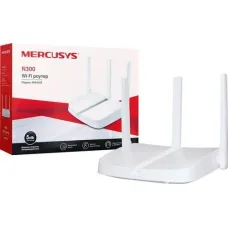
Mercusys Router Price in Bangladesh
Showing 1 to 24 of 25 (2 Pages)


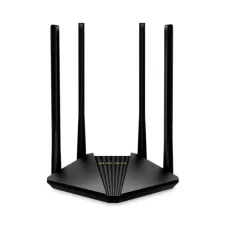

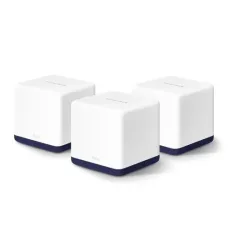


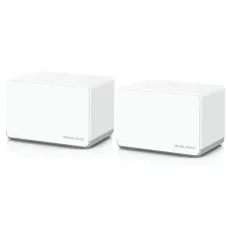
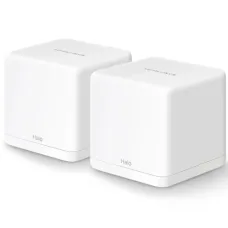

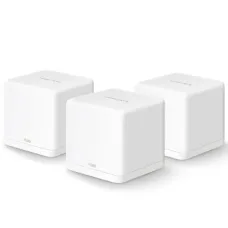
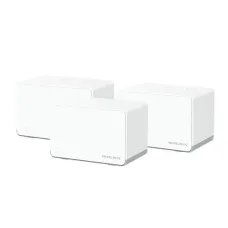
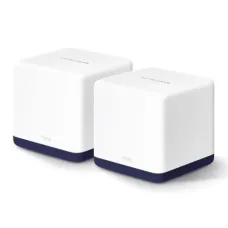

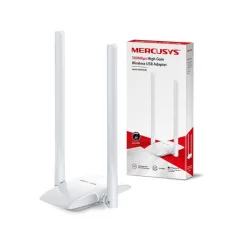
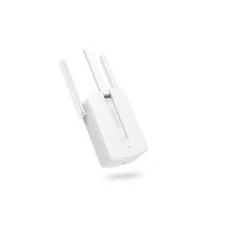
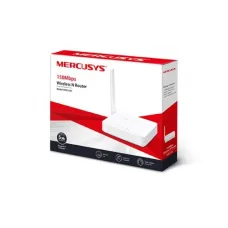
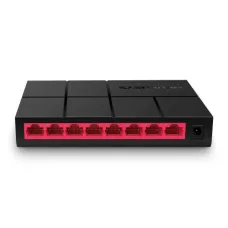
Find the Right Mercusys Router for Your Budget and Needs
These are the latest in-stock Mercusys Router at Unix Network, with the current price in Bangladesh. Open a model for specifications.
Latest Mercusys Router Price List in BD 2026
Mercusys routers are affordable and practical networking solutions for homes, offices, shops, small businesses, gaming setups, and everyday internet users. Mercusys offers a wide range of routers covering basic Wireless N models, dual-band Wi-Fi routers, Gigabit routers, Wi-Fi 6 and Wi-Fi 7 models, as well as 4G and 5G routers. The current Mercusys product range also includes routers with features such as EasyMesh compatibility, VPN, app-based management, AI QoS, and multi-gigabit Ethernet on selected models. :contentReference[oaicite:0]{index=0}
At Unix Network, the Mercusys Router category is designed for customers looking for reliable and budget-friendly networking products in Bangladesh. You can choose a Mercusys router according to your internet speed, Wi-Fi coverage, number of connected devices, Ethernet requirements, and budget.
What Is a Mercusys Router?
A Mercusys router is a networking device used to connect an internet connection to computers, smartphones, laptops, smart TVs, gaming consoles, CCTV systems, printers, and other network-enabled devices.
Depending on the model, a Mercusys router can provide wired Ethernet connectivity, wireless networking, internet sharing, parental controls, guest networking, VPN-related features, app management, and other network-management functions.
A typical home network can be arranged as:
Internet Connection → Mercusys Router → Wi-Fi and Wired Devices
Why Choose a Mercusys Router?
- Available in different price and performance categories.
- Suitable for home and small-office networking.
- Available with Wireless N, Wi-Fi 5, Wi-Fi 6, and Wi-Fi 7 technologies on selected models.
- Gigabit and 2.5 Gbps Ethernet options are available on selected models.
- Dual-band and other wireless configurations are available.
- Selected models support EasyMesh.
- Selected models support VPN functionality.
- Mercusys app management is available on supported products.
- 4G and 5G router options are available.
- Different models are available for different internet speeds and networking requirements.
Types of Mercusys Routers
Mercusys offers several categories of routers for different networking requirements. Its official product range includes standard Wi-Fi routers, 5G and 4G Wi-Fi routers, and other networking products. :contentReference[oaicite:1]{index=1}
- Wireless N routers.
- Dual-band Wi-Fi routers.
- Gigabit Wi-Fi routers.
- Wi-Fi 6 routers.
- Wi-Fi 7 routers.
- 4G LTE routers.
- 5G routers.
- Mesh-compatible routers.
- High-performance routers with advanced networking features.
Mercusys Wireless Router
A Mercusys wireless router provides Wi-Fi connectivity for smartphones, laptops, tablets, smart TVs, printers, gaming consoles, CCTV systems, and other compatible devices.
Actual Wi-Fi performance depends on the router model, connected device, wireless standard, distance, building structure, interference, channel conditions, and other environmental factors.
Mercusys Wi-Fi Router
Mercusys Wi-Fi routers are available across several wireless generations. The official Mercusys router range currently includes Wi-Fi 4, Wi-Fi 5, Wi-Fi 6, and Wi-Fi 7 products. :contentReference[oaicite:2]{index=2}
For basic internet browsing, an entry-level router may be sufficient. Users with high-speed broadband, many connected devices, gaming requirements, or demanding wireless applications can consider newer Wi-Fi technologies.
Mercusys Dual-Band Router
Dual-band Mercusys routers can operate on the 2.4 GHz and 5 GHz wireless bands, depending on the model.
| Wireless Band | General Characteristics |
|---|---|
| 2.4 GHz | Generally provides greater coverage and better penetration through obstacles |
| 5 GHz | Can provide higher wireless performance over suitable distances |
Dual-band networking is useful for homes and offices where multiple devices need wireless connectivity.
Mercusys Wi-Fi 5 Router
Wi-Fi 5 routers use the 802.11ac standard and can provide considerably higher wireless performance than older Wireless N equipment. A Wi-Fi 5 dual-band router can be a practical choice for general home internet, streaming, browsing, and multiple connected devices.
Mercusys models such as AC-series routers are available in its product range, with specifications varying by model. :contentReference[oaicite:3]{index=3}
Mercusys Wi-Fi 6 Router
Wi-Fi 6 routers use the IEEE 802.11ax standard and are designed to improve wireless efficiency and capacity, particularly in environments with many connected devices.
A Mercusys Wi-Fi 6 router can be a suitable choice for modern homes and offices with compatible smartphones, laptops, tablets, smart TVs, and other Wi-Fi 6 devices.
Wi-Fi 6 does not mean every connected device will automatically operate at the router's maximum advertised speed. Client-device capabilities and network conditions also matter.
Mercusys Wi-Fi 7 Router
Mercusys also offers Wi-Fi 7 routers. For example, the MR27BE is listed as a BE3600 dual-band Wi-Fi 7 router with a 2.5 Gbps WAN port, a 2.5 Gbps LAN port, three Gigabit LAN ports, WPA3, 4096-QAM, OFDMA, and MLO. :contentReference[oaicite:4]{index=4}
Wi-Fi 7 can be considered by users who have compatible client devices and require advanced wireless performance. For basic internet browsing, a quality Wi-Fi 5 or Wi-Fi 6 router may already be sufficient.
Mercusys Gigabit Router
A Gigabit Mercusys router can provide Ethernet connectivity at up to 1 Gbps per compatible port under suitable network conditions.
Gigabit Ethernet is useful for high-speed broadband, gaming PCs, network storage, desktop computers, smart TVs, and other devices that benefit from faster wired networking.
Mercusys 2.5G Router
Some newer Mercusys routers provide 2.5 Gbps Ethernet connectivity. These routers are useful for high-speed fiber internet services and local networks where Gigabit Ethernet could become a bottleneck.
When choosing a 2.5G router, check both the WAN and LAN ports if you need to distribute multi-gigabit speeds to wired devices.
Mercusys Router for Fiber Internet
Many Mercusys Ethernet WAN routers can be used with fiber internet when the ISP provides an Ethernet connection through an ONT or ONU.
A common installation is:
Fiber Internet → ONT/ONU → Mercusys Router → Wired and Wireless Devices
Not every Mercusys router accepts a fiber cable directly. Standard Ethernet WAN models normally require an ONT or ONU between the optical fiber connection and the router.
Mercusys Router for PPPoE
Some fiber and broadband providers use PPPoE authentication. If your ISP uses PPPoE, the router may require a username and password supplied by the provider.
Check the exact Mercusys model and ISP requirements before configuring the connection.
Mercusys Router for Fiber with VLAN
Some internet service providers require VLAN tagging or other special WAN settings. If your ISP requires VLAN configuration, make sure the selected router supports the necessary configuration.
Do not apply VLAN settings without the correct information from your ISP because incorrect configuration can prevent the router from connecting to the internet.
Mercusys 4G Router
Mercusys offers 4G LTE routers that use a SIM card to provide internet connectivity through a mobile network. These products can be useful in homes, temporary offices, remote locations, shops, backup internet setups, and locations where fixed broadband is unavailable.
Mercusys' current 4G range includes models such as MB110-4G, MB112-4G, MB113-4G, MB115-4G, MB130-4G, MB135-4G, MB230-4G, and MB260-4G, with specifications varying by model. :contentReference[oaicite:5]{index=5}
Mercusys 4G LTE Router
4G LTE Mercusys routers can convert a cellular connection into Wi-Fi and wired network connectivity. Many models support a Nano SIM card and provide plug-and-play mobile internet functionality.
For example, the MB110-4G supports up to 150 Mbps 4G download speeds and up to 300 Mbps Wi-Fi, while supporting connections for up to 32 Wi-Fi devices. :contentReference[oaicite:6]{index=6}
Mercusys 4G+ Router
Mercusys also offers 4G+ Cat 6 routers. The MB230-4G, for example, supports 4G+ Cat 6 speeds up to 300 Mbps, dual-band Wi-Fi up to 1200 Mbps, connections for up to 64 devices, and a LAN/WAN connection mode. :contentReference[oaicite:7]{index=7}
Mercusys Wi-Fi 6 4G Router
The Mercusys MB260-4G combines 4G+ Cat 6 cellular connectivity with Wi-Fi 6. The official specifications list up to 300 Mbps 4G download speed, Wi-Fi 6 speeds up to 1500 Mbps, support for up to 64 devices, WPA3 security, and EasyMesh compatibility on supported versions. :contentReference[oaicite:8]{index=8}
Mercusys 5G Router
Mercusys also offers 5G routers for users who want internet access through a 5G mobile network. The current range includes models such as the MB510-5G, MB520-5G, MB521-5G, and MB525-5G. :contentReference[oaicite:9]{index=9}
5G router performance depends on cellular coverage, signal strength, network congestion, supported bands, carrier configuration, location, and the subscribed mobile data plan.
Mercusys 5G Wi-Fi 6 Router
Selected Mercusys 5G routers combine 5G cellular connectivity with Wi-Fi 6. This can be useful for users who need high-speed wireless internet without relying on a fixed broadband connection.
For example, the MB510-5G is listed as a 5G AX1500 dual-band Gigabit router with Wi-Fi 6, full Gigabit ports, EasyMesh compatibility, and app control. :contentReference[oaicite:10]{index=10}
Mercusys Router for Home
A Mercusys home router can provide internet access for smartphones, laptops, desktop computers, smart TVs, gaming consoles, printers, CCTV cameras, and smart home devices.
For a small apartment, an entry-level router may be enough. Larger homes or homes with many connected devices may benefit from a dual-band, Wi-Fi 6, Wi-Fi 7, or mesh-compatible model.
Mercusys Router for Office
Mercusys routers can be used in small offices for internet connectivity, Wi-Fi access, desktop computers, printers, CCTV systems, and other network devices.
For larger offices, consider a dedicated firewall or business gateway combined with managed switches and professional access points where appropriate.
Mercusys Router for Small Business
Small businesses need reliable connectivity for cloud applications, email, browsing, video conferencing, payment systems, printers, CCTV, and other online services.
When choosing a router for a business, consider the number of users, internet bandwidth, number of devices, Ethernet speeds, wireless coverage, security features, and future expansion.
Mercusys Router for Gaming
A suitable Mercusys router can provide wired or wireless connectivity for gaming PCs and consoles. For competitive gaming, a wired Ethernet connection can provide a stable local connection when practical.
Actual gaming latency depends on the ISP, routing path, game server, distance, congestion, and local network conditions. A router alone cannot guarantee a specific ping.
Mercusys Router for Streaming
A suitable Mercusys Wi-Fi router can support video streaming on smart TVs, smartphones, tablets, laptops, and other streaming devices.
For multiple simultaneous streams, choose a router with sufficient wireless capacity and make sure your internet package provides adequate bandwidth.
Mercusys Router for CCTV
A Mercusys router can provide local network and internet connectivity for IP CCTV cameras and recording systems.
For larger CCTV installations, network design should also consider PoE switches, camera bandwidth, recording equipment, VLAN segmentation, firewall rules, and secure remote-access methods.
Mercusys Router for Multiple Devices
Modern homes can have dozens of connected devices, including smartphones, laptops, smart TVs, cameras, printers, gaming consoles, smart appliances, and IoT products.
For networks with many devices, consider a router with adequate wireless capacity, modern Wi-Fi technology, sufficient processing performance, and appropriate Ethernet connectivity.
Mercusys EasyMesh Router
EasyMesh-compatible Mercusys routers can be used with compatible devices to create a broader whole-home wireless network. EasyMesh compatibility varies by model and firmware, so check the specifications of the exact products before purchasing.
Mesh networking can be useful for larger homes, multi-story buildings, offices, and other locations where one router cannot provide consistent coverage.
Mercusys Router with VPN
Selected Mercusys routers offer VPN-related functionality. VPN features vary by model and may include VPN client or server capabilities.
Before purchasing a router for VPN use, check the exact supported VPN protocols and whether the required VPN mode is available.
Mercusys Router with AI QoS
Some newer Mercusys routers include AI QoS features. The official Mercusys router range lists AI QoS among the advanced features available on selected products. :contentReference[oaicite:11]{index=11}
Quality of Service features can help prioritize or manage network traffic when multiple devices compete for available bandwidth.
How to Choose a Mercusys Router
- Check your internet connection type.
- Check your subscribed internet speed.
- Determine the required Wi-Fi coverage.
- Count the number of connected devices.
- Choose the appropriate Wi-Fi generation.
- Decide whether dual-band Wi-Fi is required.
- Check WAN and LAN port speeds.
- Consider Gigabit or 2.5 Gbps Ethernet.
- Check ISP compatibility.
- Consider EasyMesh if wider coverage is required.
- Check VPN requirements.
- Consider 4G or 5G connectivity if cellular internet is required.
- Review security features.
- Compare warranty and current price.
Mercusys Router Features to Compare
| Feature | Why It Matters |
|---|---|
| Wi-Fi Standard | Determines supported wireless technology and performance |
| Wireless Speed | Indicates theoretical wireless capability |
| Frequency Bands | Determines available wireless bands |
| WAN Port | Connects the router to the internet or upstream network |
| LAN Ports | Connects wired computers and other devices |
| Gigabit Ethernet | Useful for high-speed wired networking |
| 2.5 Gbps Ethernet | Useful for multi-gigabit internet and local networks |
| EasyMesh | Can help extend Wi-Fi coverage with compatible equipment |
| VPN | Provides supported VPN client or server functionality |
| QoS | Helps manage network traffic on supported models |
| App Control | Allows management through a supported mobile application |
Mercusys Router Setup
Setting up a Mercusys router normally involves connecting the internet source to the WAN port, connecting a computer or smartphone, and following the router's setup process.
- Connect the ONT, modem, or upstream Ethernet connection to the WAN port.
- Power on the router.
- Connect a smartphone or computer to the router.
- Open the supported Mercusys setup interface or app.
- Select the appropriate internet connection type.
- Enter ISP credentials if required.
- Configure the Wi-Fi network name.
- Create a strong Wi-Fi password.
- Configure security settings.
- Save the settings.
- Test the internet connection.
Mercusys Router Login
The exact login method can vary by model and firmware. Mercusys provides web-based management and app-based management on supported products.
Use the management address, credentials, or mobile application specified for your exact router model. Avoid relying on an address from a different Mercusys model because default settings can vary.
Mercusys Router Default Login
If the router is new or has been reset, use the setup information supplied with the specific model. If the router has already been configured, its management settings may have been changed.
For security, change default administrative credentials when the router's setup procedure allows it.
How to Change Mercusys Wi-Fi Password
Log in to the router's management interface or supported Mercusys app and open the wireless settings. Select the relevant Wi-Fi network and change the wireless password.
Use a strong password that is difficult to guess. Devices previously connected to the network may need to reconnect after the password is changed.
How to Change Mercusys Wi-Fi Name
The Wi-Fi network name, also called SSID, can generally be changed from the wireless settings of the router or supported mobile application.
Choose an SSID that does not unnecessarily reveal personal information such as your full name, phone number, or address.
Mercusys Router Security
Router security is important because the device manages access to your local network and connects that network to the internet.
- Use a strong administrator password.
- Use modern Wi-Fi security where supported.
- Use a strong wireless password.
- Keep firmware updated when appropriate.
- Disable unnecessary remote administration.
- Use guest Wi-Fi for visitors where appropriate.
- Review connected devices regularly.
- Use firewall and access-control features where available.
Mercusys Guest Network
Selected Mercusys routers provide guest networking. A guest network can provide internet access to visitors while separating them from important devices on the primary network, depending on the router's implementation.
Guest Wi-Fi can be useful in homes, offices, shops, hotels, and other environments where visitors need internet access.
Mercusys Router and Network Switch
If you need more wired Ethernet ports than the router provides, connect a network switch to one of the router's LAN ports.
A typical network can be arranged as:
Internet → Mercusys Router → Network Switch → Computers, Printers, CCTV and Access Points
A Gigabit switch is appropriate when the router and connected devices support Gigabit Ethernet.
Mercusys Router and Access Point
Additional access points can be connected to a Mercusys router to extend wireless coverage. This can be useful in larger homes, offices, shops, and multi-story buildings.
Where practical, wired Ethernet backhaul can provide a stable connection between the main network and additional access points.
Mercusys Router and Mesh Wi-Fi
For whole-home wireless coverage, compatible Mercusys EasyMesh products can be used to build a broader Wi-Fi network. Compatibility should be checked for the exact models and firmware versions.
Mesh networking can reduce Wi-Fi dead zones and provide better coverage than relying on a single router in larger properties.
Mercusys Router for Fiber Broadband
When using a Mercusys router with fiber broadband, the WAN configuration must match the ISP's requirements.
Common configurations may include:
- PPPoE.
- Dynamic IP or DHCP.
- Static IP.
- VLAN-based configuration on supported models.
Ask your ISP for the correct connection details before replacing or reconfiguring existing equipment.
Mercusys Router for High-Speed Fiber
For fiber connections up to 1 Gbps, a router with a Gigabit WAN port can be suitable when the rest of the network is also capable of supporting the connection.
For internet packages above 1 Gbps, consider a Mercusys router with an appropriate 2.5 Gbps or faster WAN interface.
Mercusys Router Troubleshooting
If a Mercusys router is not working correctly, first determine whether the problem is related to the internet connection, Wi-Fi, Ethernet, router configuration, or a particular client device.
- Check the router power supply.
- Check the WAN cable.
- Check the ONT or modem.
- Check the ISP connection.
- Restart the network equipment.
- Check WAN configuration.
- Check Wi-Fi settings.
- Test another device.
- Check Ethernet cables.
- Check the router status page.
- Check firmware when appropriate.
Mercusys Router No Internet
If there is no internet connection, check the connection between the ONT, modem, or upstream network and the router's WAN port.
If your ISP uses PPPoE, verify the username and password. If VLAN tagging or another special configuration is required, confirm the settings with your ISP.
Mercusys Router Slow Internet
Slow internet can be caused by the ISP connection, router limitations, wireless interference, weak signal, outdated client hardware, network congestion, or incorrect configuration.
For a more reliable speed test, connect a capable computer to the router using Ethernet where possible. This helps determine whether the problem is caused by Wi-Fi or the internet connection.
Mercusys Wi-Fi Slow
If Wi-Fi performance is poor, check the distance from the router, physical obstacles, wireless interference, channel utilization, and the Wi-Fi capabilities of the connected device.
Placing the router in a central, elevated, and unobstructed location can improve coverage.
Mercusys Wi-Fi Disconnecting
Frequent Wi-Fi disconnections can be caused by interference, weak signal, firmware problems, power instability, excessive network load, or client compatibility issues.
Test several devices to determine whether the issue affects the complete wireless network or only one particular device.
Mercusys Router Range
Wi-Fi range depends on the router model, antenna design, building construction, walls, interference, placement, client devices, and local radio conditions.
There is no universal coverage distance for every Mercusys router. Larger homes and offices may require additional access points or a compatible mesh system.
Mercusys Router for Smart Home
A Mercusys router can provide network connectivity for smart TVs, cameras, smart speakers, smartphones, computers, appliances, and other IoT devices.
Where supported, guest or isolated networks can be useful for separating less-trusted smart devices from important computers and other systems.
Mercusys Router for Office Networking
A small office can use a Mercusys router as the main internet gateway, while a network switch expands wired connectivity and additional access points provide broader Wi-Fi coverage.
A typical office network can be arranged as:
Internet → Mercusys Router → Switch → Computers + Printers + CCTV + Access Points
Mercusys Router Price in Bangladesh
Mercusys router prices in Bangladesh depend on the model, Wi-Fi generation, wireless speed, number of frequency bands, Ethernet port speed, antenna configuration, security features, and other specifications.
Entry-level Wireless N models are generally positioned differently from dual-band, Gigabit, Wi-Fi 6, Wi-Fi 7, 4G LTE, and 5G routers.
Prices and stock may change without prior notice because of supplier availability, market conditions, exchange rates, product revisions, and other factors. Customers should check the current product listing for the latest price and availability.
Buy Mercusys Router in Bangladesh
If you are looking to buy a Mercusys router in Bangladesh, compare the available models according to your internet speed, Wi-Fi coverage, number of devices, Ethernet requirements, ISP compatibility, and budget.
Unix Network is a computer, networking, CCTV, and IT products and services provider in Jashore, Bangladesh. Customers can explore available Mercusys routers, network switches, access points, Ethernet accessories, CCTV networking products, and other IT equipment through the Unix Network eCommerce website.
Before placing an order, check the exact model number, specifications, current price, stock status, warranty, and compatibility with your internet service.
Best Mercusys Router for Home
The best Mercusys router for home use depends on your internet package, number of connected devices, required coverage, wireless generation, and budget.
An entry-level router may be sufficient for light internet use, while a dual-band Gigabit, Wi-Fi 6, or Wi-Fi 7 router can be more appropriate for faster internet and multiple connected devices.
Best Mercusys Router for Office
For a small office, choose a router with sufficient WAN and LAN performance, wireless capacity, coverage, and security features for the number of users and devices.
For larger businesses, consider a dedicated firewall or business gateway combined with managed switches and professional access points.
Best Mercusys Router for Fiber Internet
For fiber internet, choose a Mercusys router with a WAN port capable of handling your subscribed internet speed. Also verify whether the ISP requires PPPoE, VLAN tagging, DHCP, static IP, MAC registration, or another configuration.
For connections above 1 Gbps, consider a router with a 2.5 Gbps or faster WAN port where available.
Best Mercusys Router for Gaming
For gaming, prioritize stable connectivity, sufficient bandwidth, appropriate Ethernet or Wi-Fi performance, and traffic-management features where required.
A wired Ethernet connection can be preferable for stationary gaming devices because it avoids many of the interference and signal issues associated with wireless networking.
Mercusys Router vs Netis Router
| Consideration | Mercusys Router | Netis Router |
|---|---|---|
| Home networking | Wide range of entry-level and advanced models | Models available for basic and everyday networking |
| Wi-Fi 6 | Available on selected models | Depends on the model and current product range |
| Wi-Fi 7 | Available on selected current models | Depends on the model and current product range |
| 4G/5G routers | Wide range of 4G and 5G models | Depends on available models |
| Mesh | EasyMesh available on selected models | Depends on model |
| Price range | Varies by model | Varies by model |
The best choice should be based on the exact model's specifications, ISP compatibility, warranty, current price, and your networking requirements rather than the brand name alone.
Frequently Asked Questions About Mercusys Routers
What is a Mercusys router used for?
A Mercusys router is used to connect devices to an internet connection and provide wired and wireless networking depending on the model.
Is Mercusys a good router brand?
Mercusys offers networking products across different price and performance categories. Whether a particular model is suitable depends on its specifications and your networking requirements.
Which Mercusys router is best?
The best model depends on your internet speed, coverage area, number of connected devices, Wi-Fi requirements, Ethernet requirements, and budget.
Can I use a Mercusys router with fiber internet?
Yes. Many Mercusys Ethernet WAN routers can be used with fiber internet through an ISP-provided ONT or ONU. The router must support the ISP's required WAN configuration.
Can I connect fiber directly to a Mercusys router?
Only a Mercusys product with a compatible optical interface can accept a fiber connection directly. Standard Ethernet WAN routers generally require an ONT or ONU.
Does Mercusys support PPPoE?
Many Mercusys broadband routers support common WAN connection types such as PPPoE, but the exact capabilities depend on the model and firmware.
Does Mercusys have Wi-Fi 6 routers?
Yes. Mercusys offers Wi-Fi 6 routers in its product range. The available models and specifications vary by market and product version. :contentReference[oaicite:12]{index=12}
Does Mercusys have Wi-Fi 7 routers?
Yes. Mercusys currently lists Wi-Fi 7 routers, including the MR27BE BE3600 dual-band Wi-Fi 7 router. :contentReference[oaicite:13]{index=13}
Does Mercusys make 4G routers?
Yes. Mercusys offers multiple 4G LTE router models, including Wireless N, dual-band, 4G+ Cat 6, and Wi-Fi 6 options. :contentReference[oaicite:14]{index=14}
Does Mercusys make 5G routers?
Yes. Mercusys currently lists several 5G Wi-Fi routers, including AX3000 and AX1500 models. :contentReference[oaicite:15]{index=15}
Can I use a Mercusys router for gaming?
Yes. A suitable Mercusys router can provide wired or wireless connectivity for gaming PCs and consoles. For demanding gaming networks, consider Ethernet speed, Wi-Fi generation, wireless capacity, and available traffic-management features.
Can I use a Mercusys router for CCTV?
Yes. A Mercusys router can provide network connectivity for compatible IP CCTV systems. Larger installations may require PoE switches, VLANs, additional access points, and appropriate security controls.
Can I connect a switch to a Mercusys router?
Yes. A network switch can be connected to a LAN port on a Mercusys router to expand the number of wired Ethernet connections.
Can Mercusys routers provide mesh Wi-Fi?
Selected Mercusys routers support EasyMesh. Check the exact router and compatible expansion devices before purchasing. :contentReference[oaicite:16]{index=16}
How can I improve Mercusys Wi-Fi coverage?
- Place the router in a central location.
- Keep it elevated and unobstructed.
- Reduce unnecessary wireless interference.
- Use the appropriate wireless band.
- Update firmware when appropriate.
- Add compatible mesh devices or access points for larger areas.
Does a Mercusys router increase internet speed?
A router cannot increase the bandwidth supplied by your ISP. However, replacing outdated networking hardware with a router capable of handling your internet connection can remove a local network bottleneck.
How do I secure a Mercusys router?
Use a strong administrator password, secure Wi-Fi encryption, a strong wireless password, updated firmware, and appropriate firewall or access-control settings. Disable unnecessary remote administration where possible.
Final Thoughts on Mercusys Routers
Mercusys routers provide a broad range of networking solutions for home users, offices, shops, gamers, small businesses, and users who need 4G or 5G connectivity. The current range includes basic Wireless N routers as well as dual-band, Wi-Fi 6, Wi-Fi 7, Gigabit, 2.5 Gbps, 4G LTE, and 5G models. :contentReference[oaicite:17]{index=17}
For basic internet use, an entry-level Mercusys router can be sufficient. For faster broadband, multiple connected devices, gaming, streaming, or high-performance wireless networking, consider a suitable dual-band, Gigabit, Wi-Fi 6, or Wi-Fi 7 model.
Users who need mobile internet can choose from Mercusys 4G and 5G routers, while users with large homes or offices can consider models with EasyMesh compatibility. The exact features vary by model, so always check the product specifications before purchasing.
Before buying a Mercusys router, check the exact model number, WAN and LAN port speeds, Wi-Fi standard, ISP compatibility, security features, coverage requirements, warranty, current price, and stock availability.
Why Buy Mercusys Routers from Unix Network?
Unix Network is a computer, networking, CCTV, and IT solutions provider in Jashore, Bangladesh. The business offers networking products for home users, offices, shops, businesses, and professional installations.
Customers looking for Mercusys routers can explore the Unix Network eCommerce website for available networking products, specifications, pricing, warranty information, and related accessories.
Product prices and stock may change without prior notice. Customers should confirm the latest price, availability, warranty, exact model, and specifications before placing an order.