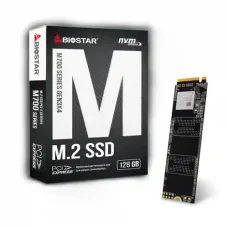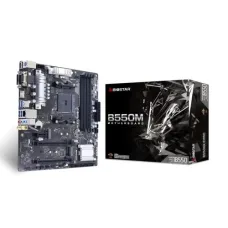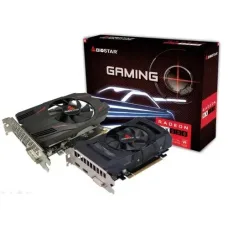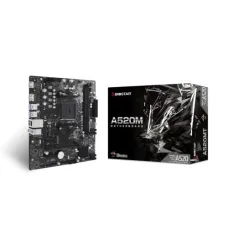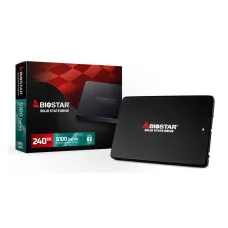
BIOSTAR S100-240GB SSD
৳2,900
Showing 1 to 24 of 36 (2 Pages)
৳2,900

৳1,900
Biostar is a well-known computer hardware brand offering products for desktop computers, business systems, gaming PCs, home users, and professional applications. Biostar is particularly recognised for its motherboards, graphics cards, SSDs, memory, industrial computing solutions, and other PC components. For customers building or upgrading a computer, choosing the correct Biostar component depends on processor compatibility, platform generation, expansion requirements, storage needs, power supply capacity, and intended workload.
Biostar product prices in Bangladesh vary according to the model, chipset, specifications, generation, availability, warranty, and market conditions. Motherboards and other computer components can also experience frequent price changes because technology hardware pricing and stock levels change over time.
| Biostar Product Category | Common Use | Best For | Price Information |
|---|---|---|---|
| Biostar Motherboard | Desktop PC building and upgrading | Home, office and gaming PCs | Depends on model |
| Biostar Graphics Card | Graphics processing | Gaming and creative workloads | Depends on GPU model |
| Biostar SSD | Fast data storage | Windows, applications and games | Depends on capacity and interface |
| Biostar Memory | System RAM expansion | Desktop and performance PCs | Depends on capacity and generation |
| Biostar Industrial Hardware | Specialised computing | Industrial and embedded applications | Depends on configuration |
Biostar can be a practical option for customers who want established PC hardware for building, upgrading, or maintaining desktop systems. Its motherboard range covers different processor platforms and use cases, allowing customers to select a board based on their required CPU, memory, storage, expansion slots, and connectivity.
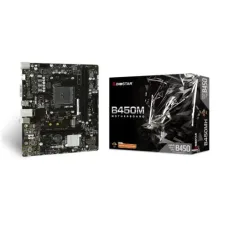
Biostar motherboards are among the brand's most relevant products for PC builders. A motherboard connects the processor, RAM, storage, graphics hardware, cooling system, and other components, so selecting the correct model is one of the most important steps when building a computer.
The correct Biostar motherboard should be selected according to the processor generation and socket, chipset features, supported RAM type, maximum memory capacity, M.2 support, PCIe requirements, USB connectivity, networking features, and physical motherboard size.
A Biostar motherboard can be suitable for home users, office workers, students, small businesses, PC builders, budget-conscious customers, and gamers depending on the particular model. Entry-level boards can be appropriate for everyday computing, while higher-feature models can be considered for more demanding desktop configurations.
The important point is to select the motherboard based on the complete PC configuration rather than choosing a model simply because it has a lower price or a newer-looking specification.
For an office computer, customers usually do not need an expensive gaming-oriented motherboard. A suitable office motherboard should provide dependable processor support, sufficient RAM capacity, appropriate storage connectivity, USB ports, display connectivity where required, and reliable everyday operation.
Customers building computers for accounting software, Microsoft Office applications, web browsing, business applications, POS systems, or general administrative work can often focus more on compatibility and reliability than on advanced gaming features.
Home computers often have mixed requirements. One user may need the system for browsing and study, while another may use it for entertainment, photo editing, programming, or light gaming. A motherboard with appropriate expansion and storage options can provide more flexibility for future upgrades.
Before buying, consider whether additional RAM, an NVMe SSD, dedicated graphics card, Wi-Fi adapter, or extra storage may be added later.
Gaming performance is determined by the complete system rather than the motherboard alone. A Biostar gaming-oriented motherboard should be matched with the correct processor, graphics card, RAM, power supply, cooling solution, and storage.
Gamers should pay particular attention to PCIe support, M.2 slots, memory compatibility, CPU power delivery, cooling, rear I/O connectivity, and the number of expansion devices they plan to install.
CPU socket compatibility is one of the first things customers should verify. A processor cannot simply be installed into any motherboard. The processor socket, chipset support, BIOS support, and motherboard specification must all be compatible.
For this reason, customers should provide the exact CPU model when asking for a motherboard recommendation. Saying only "Core i5" or "Ryzen 5" is not enough because different generations can use different platforms.
RAM compatibility should also be checked before purchasing a motherboard. Customers should verify the supported memory generation, maximum capacity, supported speeds, number of memory slots, and recommended configuration.
When upgrading an existing computer, it is useful to identify the current RAM specification before purchasing additional memory. Mixing incompatible generations is not a practical upgrade strategy.
Modern Biostar motherboards may provide M.2 storage support depending on the model. An M.2 slot can be particularly useful for installing an NVMe SSD, which can provide considerably faster storage performance than traditional mechanical hard drives.
Customers should not assume that every M.2 slot supports every type of M.2 drive. The motherboard specification should be checked for the supported interface and drive type before purchasing an SSD.
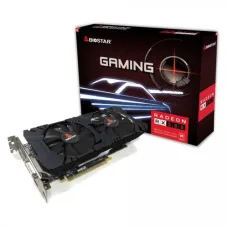
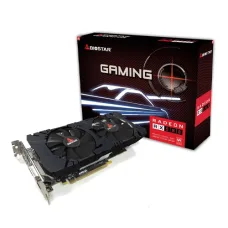
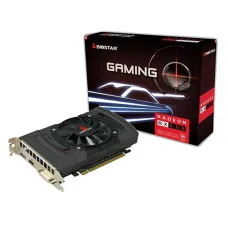
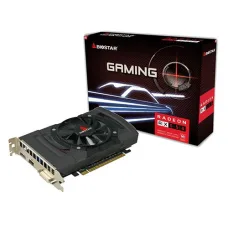
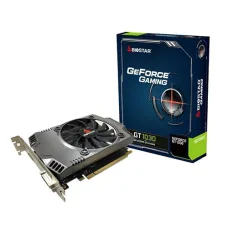
Biostar graphics products can be considered for systems requiring dedicated graphics processing. The correct graphics card depends on the games, applications, display resolution, refresh rate, and performance target.
Customers should also check the graphics card's physical dimensions, power requirements, power connectors, display outputs, and compatibility with the PC case and power supply.
A Biostar SSD can be used to upgrade a computer's storage system. Moving Windows and frequently used applications from a traditional hard drive to an SSD can make a computer feel substantially more responsive during booting, application loading, and general file access.
When selecting an SSD, customers should consider capacity, interface, physical format, motherboard compatibility, warranty, expected workload, and available storage requirements rather than focusing only on sequential speed figures.
Additional RAM can improve multitasking when a computer is regularly running many applications simultaneously. Customers should first determine how much memory their system currently has and whether the motherboard supports a larger capacity.
For a new PC, choosing the correct capacity and configuration from the beginning can be more useful than buying unnecessarily expensive memory with specifications that the motherboard or processor cannot fully utilise.
Students can consider Biostar components when building a computer for programming, office applications, online classes, research, web browsing, graphic work, and entertainment. The ideal configuration depends on the student's course requirements.
For programming and general academic work, a balanced CPU, sufficient RAM, and SSD storage may provide greater practical value than spending most of the budget on gaming hardware that will not be used.
Content creators should evaluate the entire platform rather than selecting hardware based only on brand. Video editing, 3D work, photo processing, animation, and audio production can place different demands on the processor, graphics card, RAM, storage, and cooling system.
For larger creative projects, customers should consider memory capacity and fast storage alongside CPU and GPU performance. Additional M.2 slots and expansion capability can also be valuable for maintaining a large media library.
Businesses often need computers that are easy to maintain and appropriate for their software. A suitable Biostar motherboard can be part of a cost-effective office configuration when its compatibility and required features match the business workload.
For business deployments, customers should also consider warranty support, replacement availability, storage reliability, power protection, and future upgrade requirements.
When building a PC with Biostar hardware, start with the processor and motherboard combination. After confirming compatibility, select RAM, storage, graphics, power supply, case, and cooling components that work together.
| Component | What to Check |
|---|---|
| Processor | Socket, generation and motherboard support |
| Motherboard | Chipset, socket, RAM, storage and expansion support |
| RAM | Generation, capacity, speed and motherboard compatibility |
| SSD | Interface, capacity and motherboard support |
| Graphics Card | PCIe support, dimensions and power requirements |
| Power Supply | Wattage, connectors and system power requirements |
| PC Case | Motherboard form factor and component clearance |
| CPU Cooler | Socket compatibility, dimensions and cooling capacity |
When comparing Biostar with other motherboard brands, customers should focus on the specific model rather than assuming that one brand is always better. Important comparison points include chipset, processor support, memory support, storage connectivity, expansion slots, BIOS features, networking, warranty, price, and local availability.
A lower-priced motherboard can be the better purchase for an office computer if it provides everything the system needs. Conversely, a more feature-rich board can make sense for a gaming or workstation PC where additional expansion and connectivity are genuinely required.
The useful life of a motherboard depends on component quality, operating temperature, power stability, usage conditions, maintenance, and the rest of the computer configuration. There is no fixed lifetime that applies to every Biostar motherboard.
A properly installed motherboard operating in a clean, adequately cooled system can remain useful for many years. However, technological changes can make an otherwise working motherboard less attractive when newer processors, memory standards, interfaces, or storage technologies become available.
Stable power is important for desktop computers. Customers in areas where voltage fluctuations or power interruptions are common should consider using an appropriate UPS or surge-protection solution.
A UPS can also provide time to shut down a computer safely during an outage. The correct UPS capacity depends on the total power consumption of the PC and other connected equipment.
Dust accumulation can restrict airflow and increase operating temperatures. Regular cleaning of the PC case, cooling fans, heatsinks, and ventilation areas can help maintain suitable operating conditions.
Customers should also make sure that the case has reasonable airflow and that cables are arranged without unnecessarily blocking important air paths.
Customers searching for Biostar products in Jessore may find different prices depending on the model, current stock, warranty, and supplier. Because computer hardware prices can change quickly, customers should confirm the latest price and availability before purchasing.
Unix Network can help customers in Jessore compare suitable computer components according to their intended use, existing hardware, and budget. Customers from other parts of Bangladesh can also check current availability and delivery options before ordering.
Customers throughout Bangladesh should consider more than the product price when buying computer hardware. Warranty coverage, product condition, model number, compatibility, availability of replacement parts, and seller support can all affect the long-term value of a purchase.
For expensive PC builds, it is particularly important to verify every component before ordering. A motherboard that looks inexpensive may become a poor purchase if it requires replacing other components because of compatibility limitations.
Customers often ask whether Biostar is suitable for gaming, office computers, home PCs, and upgrades. The answer depends on the exact product model and the rest of the system. Biostar offers hardware for different levels of computing, so customers should evaluate the individual model rather than the brand name alone.
Another common question concerns CPU compatibility. Customers should always provide the exact processor model when selecting a motherboard because processor family names alone do not establish compatibility.
Customers also ask whether a Biostar motherboard supports NVMe SSDs. Support depends on the particular motherboard model and its M.2 specifications. Always check the model's storage interface before purchasing an SSD.
Biostar can be considered for gaming PCs when the selected motherboard and other components meet the requirements of the intended games. Gaming performance depends primarily on the processor, graphics card, RAM, storage, cooling, and software configuration.
For a gaming build, customers should therefore choose the motherboard as part of a balanced system rather than expecting the motherboard itself to increase gaming performance significantly.
Yes, a suitable Biostar motherboard can be used in an office PC when it supports the selected processor, memory, storage, and required peripherals. Office systems generally benefit more from balanced hardware, reliability, adequate RAM, fast storage, and proper power protection than from expensive enthusiast features.
Biostar can be a practical choice for customers building or upgrading desktop computers, but the best model depends on the complete system requirement. Before purchasing, identify the processor, RAM requirement, storage type, graphics requirement, case size, power supply, and future upgrade plans.
If you are unsure which Biostar component is appropriate, provide the exact CPU model, current PC specifications, intended use, and budget when asking for advice. This makes it much easier to select compatible hardware without spending money on unnecessary features.
For customers in Jessore and throughout Bangladesh, Unix Network can be a useful place to compare Biostar computer components and related PC hardware based on practical requirements, compatibility, budget, warranty, and current availability.