


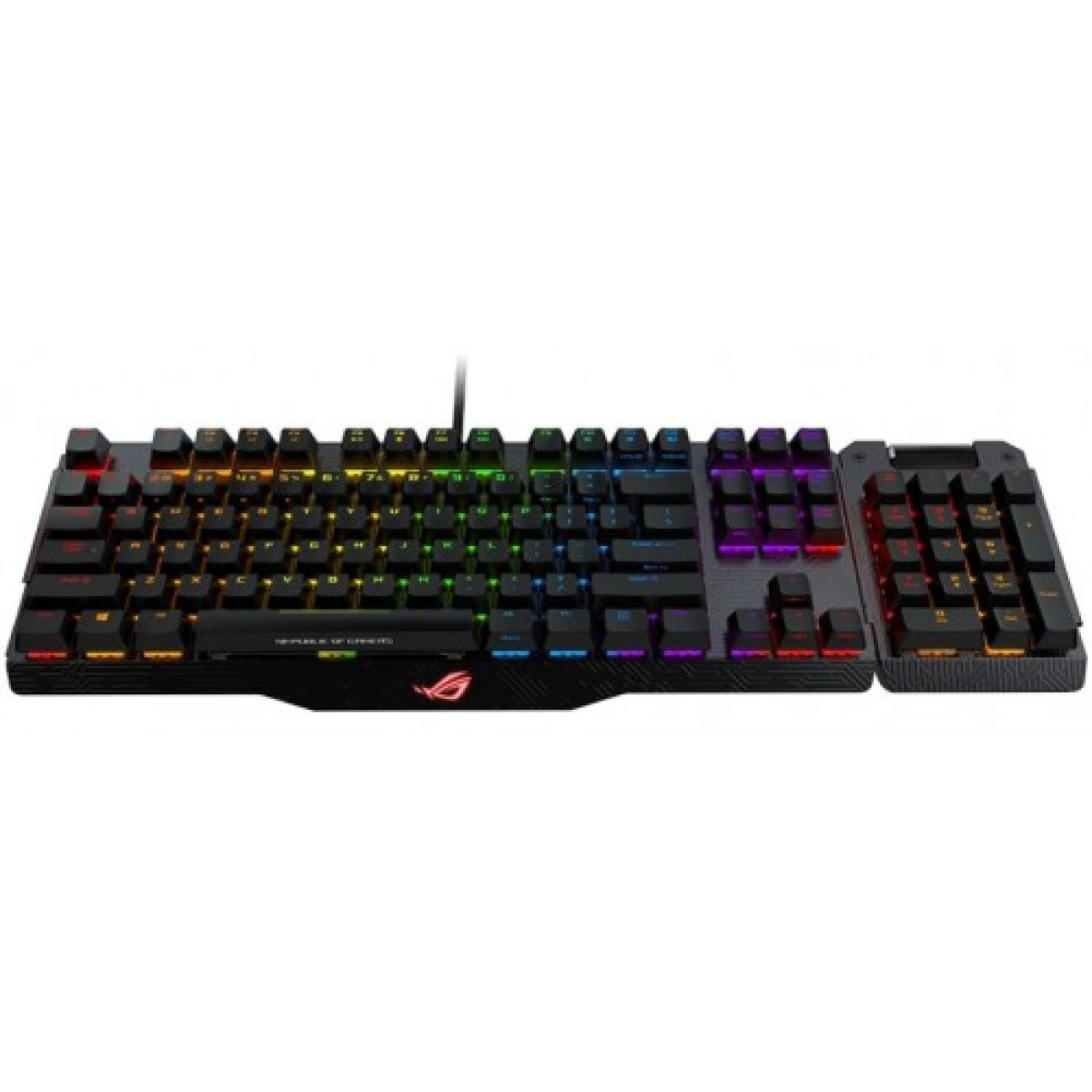
Asus ROG Claymore MA01 RGB Mechanical Gaming Keyboard
Key highlights
- Connectivity: Wired
- Type: Mechanical Gaming
- Cable Length: 1 X 1.8-meter braided USB cable
- Dimension(LxWxH): 450 x 140 x 45 mm
- Interface: Wired, USB 2.0
Description
Top Features of Asus ROG Claymore MA01 in Jashore
Experience Gaming Like Never Before with the Asus ROG Claymore MA01
The Asus ROG Claymore MA01 RGB Mechanical Gaming Keyboard is designed for serious gamers who demand performance and aesthetics. With its customizable RGB lighting, this keyboard not only enhances your gaming setup but also allows you to personalize your experience. The detachable numpad gives you flexibility in layout, providing the perfect solution for both gaming and productivity tasks.
Equipped with Cherry MX mechanical switches, the Claymore MA01 offers a tactile and responsive typing experience, ensuring that every keystroke is registered with precision. The ergonomic design, along with customizable wrist support, minimizes fatigue during long gaming sessions. Additionally, the keyboard features programmable macro keys, allowing you to execute complex commands with ease.
Durability is a key feature, as the keyboard is built to withstand intense gaming sessions. With dedicated media controls and USB pass-through, you can seamlessly manage your gaming environment. The Asus ROG Claymore MA01 is not just a keyboard; it’s a gateway to superior gaming performance.
Why Choose Asus ROG Claymore MA01 for Gaming
Specification
| BASIC INFORMATION | |
|---|---|
| Connectivity | Wired |
| Type | Mechanical Gaming |
| Keyboard | |
| Cable Length | 1 X 1.8-meter braided USB cable |
| Dimension(LxWxH) | 450 x 140 x 45 mm |
| Interface | Wired, USB 2.0 |
| Weight | 943 g with cable |
| Main Features | |
| Keys | Per-Key RGB LEDs N-Key Anti-Ghosting Rollover All keys programmable - except Fn / Num Lock / Caps Lock / Win Lock / Scroll Lock / Right Alt Profile Hot Keys Fn + 1/ 2 / 3/ 4/ 5/ 6: Profile 1 - 6 (6 is default profile) Lighting Effects Hot Keys Fn + Right or Fn + Left Brightness Setting Hot Keys Fn + Up: Brightness up (5 levels) Fn + Down: Brightness down (5 levels) Color Setting Hot Keys: Fn + Delete: Red increase (10 levels) Fn + End: Green increase (10 levels) Fn + PageDown: Blue increase (10 levels) Hold Fn + Esc for 15 seconds - Clear On-Board Memory Hot Keys Macro Hot Keys: Step 1: Fn + Right-ALT to start recording Step 2: Fn + Right-ALT to end recording Step 3: Assign Macro Key Macro Hot Keys Step 1: Fn + Right-ALT to start recording Step 2: Fn + Right-ALT to end recording Step 3: Assign Macro Key... Media Hot Keys: Play/Pause (F5), Stop (F6), Previous (F7), Next (F8), Mute (F10), Volume Down (F11), Volume Up (F12). |
| Switch Color | Cherry MX RGB: Red, Blue, brown |
| PHYSICAL SPECIFICATION | |
| Color(s) | Black |
| WARRANTY | |
| Manufacturing Warranty | 01 year warranty |