Router Price in Jashore, Bangladesh
Refine Search
Explore the Router category at Unix Network for reliable networking solutions for homes, offices, shops, businesses, gaming setups, and professional environments. Choose from wireless routers, Wi-Fi 6 routers, Wi-Fi 7 routers, 4G LTE routers, 5G routers, gaming routers, mesh-compatible routers, and other networking solutions from popular brands.
Router Price in Bangladesh
Router prices in Bangladesh vary depending on Wi-Fi generation, wireless speed, Ethernet port speed, coverage, number of antennas, frequency bands, security features, management options, and other specifications. At Unix Network, you can compare available router models and choose a solution according to your budget and networking requirements.
Prices and stock may change without prior notice due to market conditions, supplier availability, exchange rates, and product updates. Please check the current product listing for the latest price and availability before placing an order.
Best Router for Home
A home router provides internet connectivity for smartphones, laptops, desktop computers, smart TVs, gaming consoles, printers, CCTV cameras, smart home devices, and other network-enabled equipment.
For a small apartment, an entry-level dual-band router may be sufficient. Larger homes or multi-story properties may require a higher-performance router, additional access points, or a compatible mesh Wi-Fi system.
Wi-Fi Router
Wi-Fi routers combine internet routing and wireless networking in a single device. They allow compatible devices to connect to the network without Ethernet cables.
When choosing a Wi-Fi router, consider wireless standard, coverage area, number of connected devices, internet speed, Ethernet port capabilities, and the wireless requirements of your devices.
Dual-Band Router
Dual-band routers generally operate on the 2.4 GHz and 5 GHz Wi-Fi bands. The 2.4 GHz band typically provides greater range, while the 5 GHz band can provide higher wireless performance over suitable distances.
Actual Wi-Fi performance depends on the router, connected devices, building structure, interference, distance, and network conditions.
Tri-Band Router
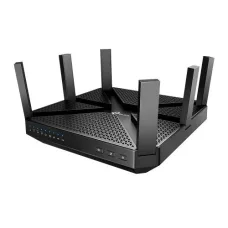
Tri-band routers provide three wireless bands and can be useful in networks with many connected devices or heavy wireless traffic. They can also be beneficial in some mesh Wi-Fi deployments.
A tri-band router may be suitable for large homes, busy offices, gaming environments, and users who require additional wireless capacity.
Wi-Fi 6 Router
Wi-Fi 6 routers use the IEEE 802.11ax wireless standard and are designed to improve wireless efficiency, capacity, and performance, especially in environments with many connected devices.
A Wi-Fi 6 router can be a good choice for modern homes and offices with compatible smartphones, laptops, tablets, smart TVs, and other Wi-Fi 6 devices.
Wi-Fi 7 Router
Wi-Fi 7 is a newer wireless generation designed to provide higher performance, greater capacity, and improved efficiency compared with previous Wi-Fi generations. Compatible client devices are required to take advantage of advanced Wi-Fi 7 features.
4G LTE Router
A 4G LTE router uses a compatible cellular network and SIM card to provide internet connectivity. It can be useful in locations where fixed broadband is unavailable, as a primary internet connection, or as a backup connection.
Before purchasing a 4G router, check cellular band compatibility with your mobile operator.
5G Router
A 5G router provides internet connectivity through a compatible 5G mobile network. It can be a suitable option where reliable 5G coverage is available.
Actual performance depends on network coverage, signal strength, carrier configuration, congestion, spectrum, location, and the subscribed data plan.
Gaming Router
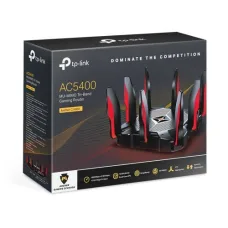
Gaming routers are designed for users who need high-performance networking for gaming, streaming, downloads, and multiple connected devices. Depending on the model, features can include Quality of Service, traffic prioritization, high-speed Ethernet, advanced Wi-Fi, and gaming-related network management.
For competitive gaming, wired Ethernet can provide a stable connection when available. Internet latency is also affected by the ISP, game server, routing path, distance, and network congestion.
Mesh Wi-Fi Router
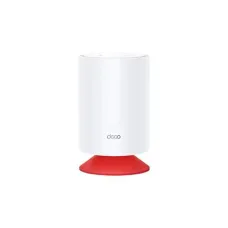
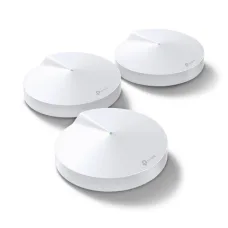
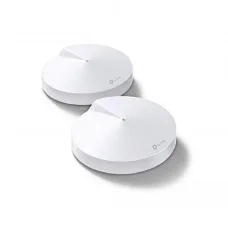
Mesh-compatible routers can work with additional compatible nodes to extend wireless coverage across larger homes and offices. Mesh networking can be useful for multi-story buildings and locations where one router cannot provide consistent Wi-Fi coverage.
Business Router
Business routers are designed for environments that require more network management and security features. Depending on the model, features may include VPN support, VLAN-related functions, multi-WAN, traffic management, advanced firewall controls, and centralized management.
Router for Office
An office router can provide internet connectivity for computers, laptops, printers, IP phones, access points, CCTV systems, servers, and other business devices.
When selecting an office router, consider the number of employees, internet bandwidth, number of connected devices, wireless coverage, security requirements, and future expansion.
Router for CCTV
A router can provide network connectivity for IP CCTV cameras and recording equipment. For larger CCTV systems, the overall network should be designed with appropriate switches, PoE equipment, bandwidth, storage, and security controls.
Router for Gaming and Streaming
A suitable high-performance router can support multiple devices simultaneously using gaming, video streaming, video conferencing, browsing, and file transfers.
Features such as QoS can help manage network traffic on compatible routers when multiple applications compete for bandwidth.
How to Choose the Best Router
- Check your internet connection type.
- Check your subscribed internet speed.
- Determine the required Wi-Fi coverage.
- Count the number of connected devices.
- Choose an appropriate Wi-Fi generation.
- Decide between dual-band and tri-band.
- Check WAN and LAN port speeds.
- Consider Gigabit or Multi-Gigabit Ethernet.
- Check mesh compatibility if wider coverage is required.
- Consider 4G or 5G connectivity if cellular internet is needed.
- Review security and parental-control features.
- Consider VPN and advanced networking requirements.
- Choose a model that allows future expansion.
Router Features to Compare
| Feature | Why It Matters |
|---|---|
| Wi-Fi Standard | Determines supported wireless technologies and potential performance |
| Frequency Bands | Determines available wireless capacity and coverage characteristics |
| WAN Speed | Important for high-speed internet connections |
| LAN Speed | Important for wired computers, NAS, switches and other devices |
| Antennas | Can influence wireless design but do not alone determine coverage |
| Mesh Support | Useful for expanding Wi-Fi coverage |
| QoS | Helps manage network traffic on supported models |
| Parental Controls | Can help manage internet access for selected devices |
| Guest Network | Provides separate Wi-Fi access for visitors |
| VPN Features | Useful for supported remote-access or VPN configurations |
Router Brands Available at Unix Network
Unix Network provides networking products from recognized technology brands. Available brands and models can change according to current stock and supplier availability.
Popular router brands may include TP-Link and other networking manufacturers. Customers should check the current category and product listings for available models.
TP-Link Router
TP-Link offers routers for different types of users, including basic home users, gamers, businesses, and customers looking for modern Wi-Fi technologies. Depending on the model, TP-Link routers may include dual-band, tri-band, Wi-Fi 6, Wi-Fi 7, mesh, gaming, 4G LTE, or 5G capabilities.
Router Installation
Router installation normally involves connecting the internet source to the router's WAN or Internet port, powering the device, connecting a computer or smartphone, and configuring the internet and wireless settings.
- Connect the ISP or upstream network to the WAN port.
- Power on the router.
- Connect a computer or mobile device.
- Open the supported router setup interface.
- Select the correct internet connection type.
- Configure the Wi-Fi network name.
- Create a strong Wi-Fi password.
- Configure security settings.
- Update firmware when appropriate.
- Test internet connectivity.
Router Security
Router security is important because the router controls access to the local network and internet connection.
- Use a strong administrator password.
- Use secure Wi-Fi encryption.
- Keep firmware updated.
- Disable unnecessary remote administration.
- Use guest Wi-Fi when appropriate.
- Review connected devices regularly.
- Use firewall and access-control features where appropriate.
Router for Home and Office in Bangladesh
A suitable router can provide reliable internet connectivity for homes, offices, shops, educational institutions, and businesses throughout Bangladesh.
Customers should consider their ISP, internet speed, number of users, number of devices, building size, Wi-Fi requirements, and budget when choosing a router.
Buy Router in Bangladesh
If you are looking to buy a router in Bangladesh, Unix Network offers networking products for home users, offices, businesses, gamers, and professional installations.
You can compare router models according to Wi-Fi generation, wireless speed, Ethernet ports, coverage, security features, mesh support, and other specifications.
Before purchasing, check the exact product model, current price, stock status, warranty, specifications, and compatibility with your internet service.
Router Price in Jashore
Customers in Jashore can choose from different types of routers according to their networking requirements and budget. Unix Network serves customers looking for computer, networking, CCTV, and IT products in the local market.
Router prices and availability can change without prior notice. Please confirm the current price and stock before placing an order.
Frequently Asked Questions About Routers
What is a router?
A router connects different networks and directs network traffic between them. Home routers commonly provide internet sharing, Wi-Fi, Ethernet connectivity, DHCP, NAT, and security features.
Which router is best for home use?
The best router depends on your internet speed, home size, number of connected devices, required Wi-Fi generation, coverage requirements, and budget.
Which router is best for 100 Mbps internet?
A suitable dual-band router can generally handle a 100 Mbps internet connection, provided its WAN and wireless capabilities are appropriate. A Gigabit router can also provide additional capacity for local networking and future internet upgrades.
Which router is best for 1 Gbps internet?
For a 1 Gbps internet connection, choose a router with a Gigabit WAN port and appropriate LAN and Wi-Fi capabilities. For faster-than-Gigabit internet, consider a router with compatible Multi-Gigabit ports.
Is Wi-Fi 6 better than Wi-Fi 5?
Wi-Fi 6 introduces improvements in wireless efficiency and capacity compared with Wi-Fi 5. The benefits are most noticeable when compatible devices and suitable network conditions are present.
Do I need a Wi-Fi 7 router?
Wi-Fi 7 is most useful for users with compatible devices and demanding wireless networking requirements. For basic internet browsing, a quality Wi-Fi 5 or Wi-Fi 6 router may already provide sufficient performance.
What is the difference between a router and a switch?
A router connects different networks and commonly provides internet-sharing functions, while a network switch primarily connects multiple devices within the same local network.
Can a router be used for CCTV?
Yes. A router can provide network connectivity for compatible IP CCTV systems. Larger installations may require dedicated switches and PoE equipment.
Can I use a router with fiber internet?
In many cases, yes. The exact setup depends on the ISP and whether an ONT or other upstream device provides an Ethernet connection. ISP-specific requirements such as PPPoE or VLAN configuration may apply.
Can a router improve Wi-Fi coverage?
A newer or better-positioned router can improve wireless coverage and performance, but coverage depends on many factors. For larger properties, a mesh Wi-Fi system or additional access point may be more effective.
Does a router increase internet speed?
A router cannot increase the bandwidth supplied by your ISP. However, replacing an outdated router can remove a local network bottleneck and allow compatible devices to make better use of an existing high-speed connection.
Final Thoughts
Choosing the right router is important for creating a fast, stable, and secure network. Whether you need a basic home Wi-Fi router, a high-performance Wi-Fi 6 or Wi-Fi 7 router, a gaming router, a mesh solution, a 4G LTE router, a 5G router, or a business networking solution, the correct choice depends on your specific requirements.
At Unix Network, customers can explore available networking products and compare routers according to performance, connectivity, features, and budget. Check the current product listings for the latest router price in Bangladesh, stock availability, specifications, and warranty information.