


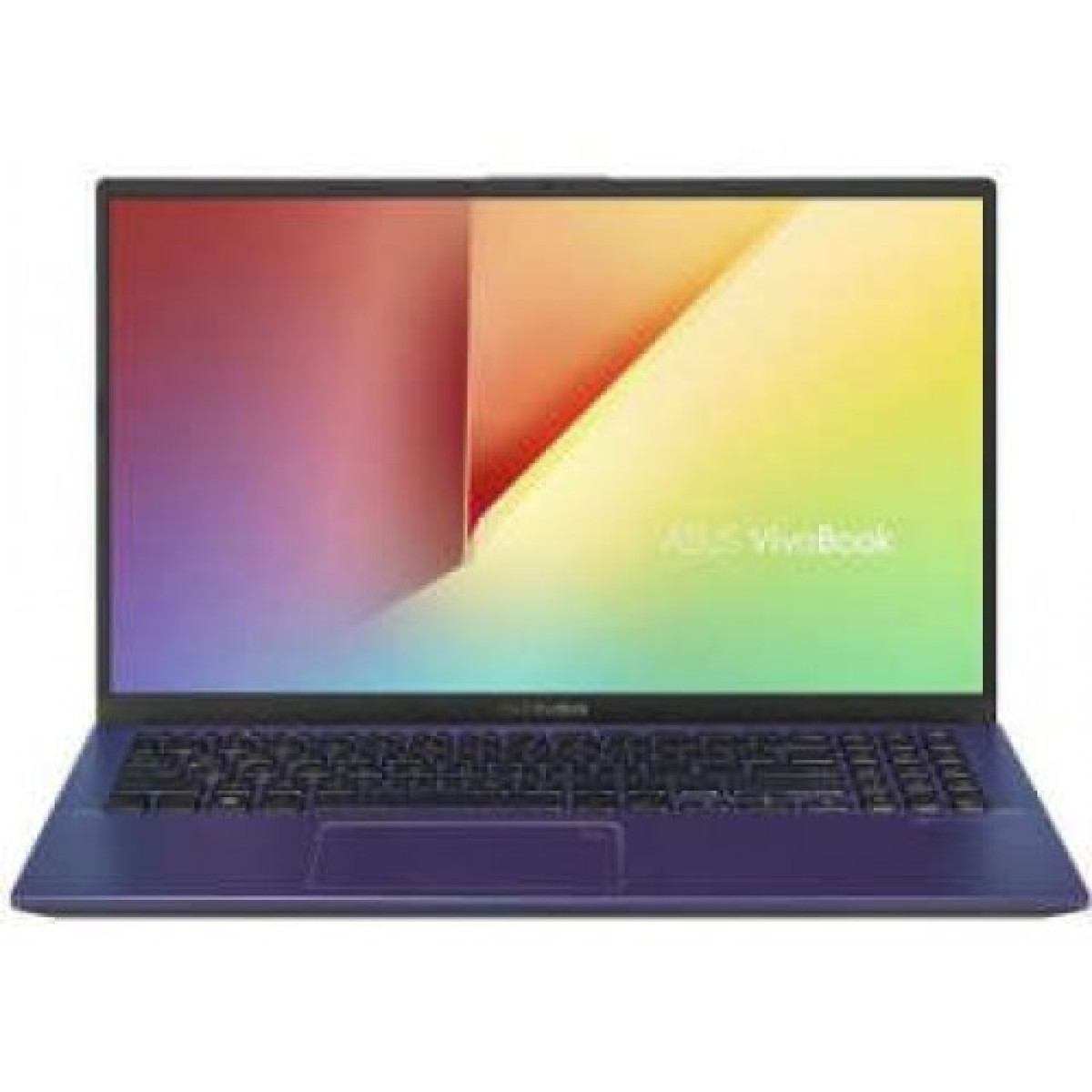
ASUS VivoBook X515EP Core i5 11th Gen MX330 2GB Graphics 15.6 IPS FHD Laptop
Key highlights
- Battery: 37WHrs, 2S1P, 2-cell Li-ion
- Operating System: Windows 10 64-bit
- Processor: Intel Core i5-1135G7 Processor (8M Cache, 2.40 GHz up to 4.20 GHz)
- Display: 15.6-inch, FHD (1920 x 1080) 16:9, Anti-glare display, LED Backlit, 250nits, NTSC: 45%, Screen-to-body ratio: 84 % IPS Display
- Memory: 8GB DDR4 3200MHz SDRAM (Onboard)
Description
The ASUS VivoBook X515EP Core i5 11th Gen MX330 2GB Graphics 15.6-inch IPS FHD Laptop is a versatile everyday notebook designed for students, professionals, office users, creators and users who want dedicated graphics performance in a practical 15.6-inch form factor. Powered by the 11th Gen Intel Core i5-1135G7 processor and NVIDIA GeForce MX330 2GB GDDR5 graphics, the X515EP offers a useful balance between productivity performance, multimedia capability and portability.
The X515EP combines a 15.6-inch Full HD display with an anti-glare surface, fast NVMe SSD storage, DDR4 memory and a dedicated NVIDIA graphics processor. ASUS officially lists the X515EP with the Core i5-1135G7 processor, GeForce MX330 2GB GDDR5 graphics and 15.6-inch FHD display options. Exact RAM, storage, operating system and display brightness can vary by regional configuration, so buyers should verify the specific configuration before purchase.
ASUS VivoBook X515EP Core i5 11th Gen Laptop in Bangladesh
The ASUS VivoBook X515EP is aimed at users who need more capability than a basic office laptop without moving into the size, weight and cost of a high-performance gaming notebook. Its Intel Core i5-1135G7 processor provides four CPU cores and eight threads, while the dedicated NVIDIA GeForce MX330 graphics processor adds 2GB of GDDR5 video memory for graphics-intensive applications and lighter gaming.
The 15.6-inch Full HD display provides a spacious workspace for documents, spreadsheets, presentations, web browsing, programming and entertainment. Depending on the exact regional configuration, the X515EP can feature an IPS-level or IPS display specification, anti-glare coating and either 200-nit or 250-nit brightness.
ASUS VivoBook X515EP Key Features
- ASUS VivoBook X515EP laptop
- 11th Gen Intel Core i5-1135G7 processor
- 4 cores and 8 threads
- Up to 4.20GHz Turbo frequency
- 8MB Intel Smart Cache
- NVIDIA GeForce MX330 dedicated graphics
- 2GB GDDR5 dedicated graphics memory
- 15.6-inch Full HD display
- 1920 × 1080 resolution
- 16:9 widescreen aspect ratio
- Anti-glare LED-backlit display
- Up to 45% NTSC colour gamut depending on configuration
- DDR4 system memory
- NVMe PCIe 3.0 SSD storage
- Additional 2.5-inch SATA storage expansion support
- USB Type-C connectivity
- USB 3.2 Gen 1 Type-A connectivity
- USB 2.0 Type-A ports
- HDMI output
- MicroSD card reader
- Wi-Fi 5 connectivity
- Bluetooth 4.1
- Built-in webcam and microphone
- SonicMaster audio
- Chiclet keyboard with numeric keypad
- Compact 19.9mm-thick chassis
- Approximately 1.80kg weight depending on configuration
ASUS VivoBook X515EP Specifications
| Specification | Details |
|---|---|
| Brand | ASUS |
| Series | VivoBook |
| Model | X515EP |
| Processor | Intel Core i5-1135G7 |
| Processor Generation | 11th Gen Intel Core |
| CPU Cores | 4 |
| CPU Threads | 8 |
| Base Frequency | 2.40GHz |
| Maximum Turbo Frequency | Up to 4.20GHz |
| CPU Cache | 8MB |
| Dedicated Graphics | NVIDIA GeForce MX330 |
| Graphics Memory | 2GB GDDR5 |
| Display Size | 15.6 inches |
| Display Resolution | 1920 × 1080 Full HD |
| Aspect Ratio | 16:9 |
| Panel | IPS / IPS-level depending on configuration |
| Refresh Rate | 60Hz |
| Display Coating | Anti-glare |
| Memory | DDR4 |
| Maximum Memory | Up to 16GB on supported configurations |
| Storage | NVMe PCIe 3.0 SSD |
| Additional Storage | 2.5-inch SATA HDD/SSD slot on supported configurations |
| Wireless | Wi-Fi 5 802.11ac |
| Bluetooth | Bluetooth 4.1 |
| USB Type-C | 1 × USB 3.2 Gen 1 |
| USB Type-A | 1 × USB 3.2 Gen 1 + 2 × USB 2.0 |
| HDMI | 1 × HDMI 1.4 |
| Audio | 3.5mm combo audio jack |
| Card Reader | MicroSD |
| Battery | 37Wh, 2-cell Li-ion |
| Adapter | 45W AC adapter on listed configurations |
| Weight | Approximately 1.80kg |
| Dimensions | 360 × 235 × 19.9mm |
11th Gen Intel Core i5-1135G7 Performance
At the heart of the ASUS VivoBook X515EP is the Intel Core i5-1135G7, an 11th Gen mobile processor built for everyday productivity and multitasking. It features four CPU cores and eight threads with a maximum Turbo frequency of up to 4.20GHz and 8MB cache.
This processor is well suited to common workloads such as Microsoft Office applications, web browsing, accounting software, programming, online classes, video meetings, document preparation and general business applications.
The four-core, eight-thread architecture also provides useful multitasking capability. Users can work with multiple browser tabs, spreadsheets, communication applications and productivity tools without needing to rely on an entry-level processor.
NVIDIA GeForce MX330 2GB Dedicated Graphics
One of the main attractions of the X515EP is its dedicated NVIDIA GeForce MX330 graphics processor with 2GB of GDDR5 VRAM. ASUS officially lists the X515EP with the MX330 2GB configuration.
Dedicated graphics provide additional GPU resources compared with relying exclusively on integrated graphics. The MX330 is suitable for everyday graphics acceleration, photo editing, multimedia applications, GPU-assisted workloads and older or less demanding PC games.
It should not, however, be considered a modern high-performance gaming GPU. Newer demanding games may require reduced graphical settings and resolution, while professional 3D workloads can exceed the capabilities of this class of mobile graphics processor.
15.6 Inch Full HD Display
The 15.6-inch Full HD display provides a 1920 × 1080 resolution with a 16:9 aspect ratio. This resolution offers considerably more workspace than a basic HD 1366 × 768 panel and is particularly useful for productivity applications where users need to see more information at once.
The large screen is suitable for working with spreadsheets, presentations, documents, programming environments and browser windows. It also provides a comfortable viewing area for movies, YouTube videos and other multimedia content.
ASUS specifications for the X515EP list a 60Hz refresh rate, anti-glare coating and 45% NTSC colour coverage, with brightness varying by regional configuration.
IPS and Anti-Glare Viewing Experience
Many X515EP configurations are listed with an IPS-level or IPS display. The technology is useful for everyday viewing because it provides a more consistent image across wider viewing angles than basic TN panels.
The anti-glare coating helps reduce distracting reflections from overhead lighting and windows. This can be especially useful in offices, classrooms and study environments where the laptop is used for several hours at a time.
Because X515EP configurations can differ by market, buyers should verify the exact panel specification, brightness and colour gamut of the particular unit being purchased.
Fast NVMe SSD Storage
The X515EP is available with PCIe 3.0 NVMe SSD storage. ASUS lists 512GB M.2 NVMe PCIe 3.0 SSD configurations, while other official and retail configurations have been offered with 256GB storage.
NVMe SSD storage provides fast system responsiveness, quick application launches and shorter file-loading times compared with traditional mechanical hard drives. It also operates silently because it has no spinning mechanical components.
For users handling documents, software projects, photographs and general media, a 512GB configuration provides considerably more working space than a 256GB model. Storage requirements should therefore be considered when selecting a specific X515EP variant.
DDR4 Memory and Upgrade Potential
The X515EP has been sold in multiple memory configurations, including 4GB and 8GB DDR4 versions. ASUS documentation identifies configurations with onboard DDR4 memory and a SO-DIMM expansion slot, with supported systems offering up to 16GB total memory.
For basic office work, 8GB RAM is a more comfortable starting point than 4GB, particularly when multiple browser tabs and applications are used simultaneously. Users purchasing a 4GB configuration should consider a memory upgrade where supported.
Increasing RAM can improve multitasking capability and reduce reliance on slower storage-based virtual memory during demanding workloads.
Additional Storage Expansion
Selected X515EP configurations provide an additional 2.5-inch SATA drive bay, allowing users to expand storage beyond the installed NVMe SSD. Retail specifications for the model list support for an additional HDD slot, although the exact included bracket, cable and configuration should be verified before installation.
This expansion option can be useful for users who need large amounts of storage for photographs, videos, project files, documents or other data without replacing the primary NVMe SSD.
Connectivity for Everyday Productivity
The ASUS VivoBook X515EP provides a useful collection of wired connectivity options. Depending on the specific configuration, the port selection includes USB 3.2 Gen 1 Type-C, USB 3.2 Gen 1 Type-A, two USB 2.0 Type-A ports, HDMI and a 3.5mm audio combo jack.
This allows users to connect external storage, USB accessories, smartphones, mice, keyboards, projectors and external displays without requiring a large collection of adapters.
USB Type-C Connectivity
The USB Type-C port provides a modern compact connector for compatible peripherals and data transfer. ASUS lists the Type-C connection as USB 3.2 Gen 1 with data transfer speeds up to 5Gbps on its X515 specifications.
Users should note that the Type-C port's capabilities depend on the specific configuration. It should not automatically be assumed to support every USB Type-C feature such as Thunderbolt, USB Power Delivery charging or DisplayPort output unless the particular specification confirms it.
HDMI Output for External Displays
The X515EP includes an HDMI output, allowing users to connect an external monitor, television or compatible projector. This is useful for office presentations, classroom teaching, home entertainment and multi-display productivity.
For professionals, connecting an external monitor can provide additional workspace for spreadsheets, coding environments, design applications or reference material.
Wi-Fi 5 and Bluetooth Connectivity
The X515EP supports Wi-Fi 5 based on the 802.11ac standard and Bluetooth 4.1 on listed configurations.
Wi-Fi 5 provides suitable wireless connectivity for browsing, cloud applications, video calls, online classes and everyday internet usage when paired with a compatible router.
Bluetooth connectivity allows users to connect compatible wireless mice, keyboards, headphones, speakers and other accessories without occupying additional USB ports.
Chiclet Keyboard with Numeric Keypad
The VivoBook X515EP uses a chiclet-style keyboard and includes a numeric keypad on listed configurations. The dedicated number pad can be particularly useful for accountants, students, office employees and users who frequently enter numerical data.
For spreadsheet work, billing applications and accounting software, having a dedicated numeric section can make data entry more convenient compared with compact laptops that omit the number pad.
Built-In Webcam and Microphone
The X515EP includes an integrated webcam and microphone for video calls, online classes and virtual meetings. Some listed configurations use a VGA-resolution webcam, so users who require high-quality video for professional conferencing may prefer an external USB webcam.
The built-in camera remains convenient for everyday communication because it does not require additional hardware or setup.
SonicMaster Audio
ASUS equips the X515EP with SonicMaster audio technology and integrated speakers. This provides a practical audio solution for video playback, online classes, meetings, music and general entertainment.
For a more immersive experience, users can connect headphones, external speakers or Bluetooth audio devices through the available connectivity options.
Battery and Portable Design
The X515EP uses a 37Wh 2-cell lithium-ion battery on listed configurations. Its approximately 1.80kg weight and 19.9mm-thick chassis make it reasonably portable for a 15.6-inch laptop.
The larger 15.6-inch screen is useful for productivity, while the relatively slim chassis makes the laptop practical for carrying between home, office, university and other locations.
Actual battery runtime depends heavily on screen brightness, workload, wireless activity, graphics usage, power settings and battery condition.
Everyday Office Performance
For office users, the X515EP provides enough performance for common productivity applications. Microsoft Word, Excel, PowerPoint, web browsers, email, accounting applications and business software can all benefit from the combination of the Core i5 processor, SSD storage and DDR4 memory.
The 15.6-inch FHD screen is particularly useful for spreadsheets and documents because more information can fit on the display without requiring excessive scrolling.
ASUS VivoBook X515EP for Students
Students can use the X515EP for online classes, research, programming, presentations, assignments, document preparation and multimedia consumption. The Core i5 processor provides a good foundation for general academic software, while the dedicated MX330 GPU offers additional graphics capability for selected applications.
The numeric keypad can also be useful for students studying accounting, finance, mathematics, statistics and other subjects involving frequent numerical input.
ASUS X515EP for Programming
The Intel Core i5-1135G7 and NVMe SSD combination makes the X515EP suitable for programming and software development tasks. Code editors, IDEs, web development environments, database tools and local development servers can run effectively on appropriately configured systems.
For heavier development workloads involving multiple virtual machines, large software builds or demanding container environments, upgrading the system memory to the supported maximum can be beneficial.
ASUS X515EP for Photo Editing
The dedicated MX330 graphics processor can provide useful acceleration for supported photo-editing applications. The 15.6-inch Full HD display provides a comfortable workspace for image organisation and editing.
However, users performing professional colour-critical work should consider a laptop with a wider-gamut, higher-accuracy display. The X515EP's listed 45% NTSC colour coverage is more appropriate for general-purpose use than professional colour grading.
ASUS X515EP for Light Gaming
The NVIDIA GeForce MX330 2GB provides more graphics capability than basic integrated graphics solutions from the same generation, making the X515EP capable of running selected games.
It is best suited to esports titles, older games and less demanding releases at appropriate settings. Modern graphically intensive AAA games may require low graphical presets and reduced resolution, and the 2GB VRAM capacity can become a limitation in newer titles.
Therefore, the X515EP should be viewed as a productivity laptop with entry-level dedicated graphics rather than a dedicated gaming laptop.
ASUS X515EP for Accounting and Business
The laptop is well suited to accounting software, spreadsheet-heavy workflows, inventory systems, billing applications and general business operations. The Core i5 processor handles everyday business applications efficiently, while the numeric keypad improves numerical data entry.
For businesses in Jessore and across Bangladesh, the X515EP can serve as a practical workstation for office administration, retail operations, accounting, education and customer service.
ASUS VivoBook X515EP for Online Classes
The 15.6-inch Full HD screen provides a comfortable platform for online learning. Students can simultaneously work with browser-based educational resources, documents and video-conferencing applications.
The built-in webcam, microphone, Wi-Fi and speakers provide the essential hardware for joining online classes without needing additional accessories for basic communication.
Build and Practical Design
The VivoBook X515EP follows ASUS's practical everyday-laptop design philosophy. Its relatively slim 19.9mm profile and approximately 1.80kg weight make it easier to carry than many older 15.6-inch notebooks.
The large display, numeric keypad and extensive connectivity prioritise usability, making the laptop suitable for users who value productivity and flexibility over an ultra-compact form factor.
Advantages of ASUS VivoBook X515EP
- 11th Gen Intel Core i5 processor
- Four CPU cores and eight threads
- Up to 4.20GHz Turbo frequency
- Dedicated NVIDIA GeForce MX330 graphics
- 2GB GDDR5 dedicated VRAM
- 15.6-inch Full HD display
- Anti-glare screen surface
- Fast NVMe PCIe 3.0 SSD
- DDR4 memory with upgrade potential on supported variants
- Additional SATA storage expansion on supported configurations
- USB Type-C connectivity
- HDMI external display support
- Wi-Fi 5 and Bluetooth connectivity
- Dedicated numeric keypad
- SonicMaster audio
- Portable 1.80kg-class design
Things to Consider Before Buying
The ASUS X515EP was released in multiple configurations, so the exact RAM, SSD capacity, display brightness, operating system and even some feature details can differ according to the product code and market. ASUS's official documentation confirms several configurations for the X515EP, while Bangladesh retailers have listed both 4GB/256GB and 8GB/512GB variants.
For a new purchase, an 8GB RAM and 512GB SSD configuration is generally more comfortable for modern everyday multitasking than a 4GB/256GB configuration. If the available unit has 4GB RAM, check whether the additional SO-DIMM slot is available and whether an upgrade is practical.
The MX330 is also an older entry-level dedicated GPU. It is useful for light graphics workloads and selected games, but users looking for modern AAA gaming performance, advanced 3D rendering or demanding GPU computing should consider a newer graphics platform.
Who Should Buy ASUS VivoBook X515EP?
- Students
- University users
- Office professionals
- Accountants and finance students
- Business owners
- Programmers and web developers
- Teachers and educators
- Remote workers
- Home users
- Users needing a 15.6-inch Full HD laptop
- Users wanting dedicated graphics for light workloads
- Users who prefer a laptop with a numeric keypad
Who May Need a Different Laptop?
Users who require high-end gaming performance, professional 3D modelling, advanced video production, AI development or colour-critical content creation may need a newer laptop with a more powerful dedicated GPU, higher-gamut display and stronger cooling system.
Likewise, users who prioritise maximum battery life and ultra-light portability may prefer a newer thin-and-light platform with a smaller display and more efficient modern processor.
Why Buy ASUS VivoBook X515EP from Unix Network?
Unix Network is a computer, laptop, gaming PC, networking and IT accessories retailer serving customers in Jessore (Jashore), Khulna and throughout Bangladesh. The store can help customers select suitable laptop configurations based on their requirements for study, business, office work, programming, graphics and general computing.
For customers in Jessore looking for an ASUS VivoBook X515EP, Unix Network can provide assistance regarding the available configuration, RAM and storage specifications, warranty information and purchasing options. Customers outside Jashore can also contact the store regarding nationwide delivery availability.
Buying Guide for ASUS VivoBook X515EP
Before purchasing, check the exact product code and confirm the installed RAM, SSD capacity, display specification and operating system. This is particularly important with the X515EP because ASUS and regional retailers have sold multiple configurations under the same model family.
If the laptop is intended for office work, accounting, education or programming, prioritise adequate RAM and SSD capacity. If graphics performance is important, confirm that the unit includes the dedicated MX330 2GB GPU rather than an X515-series configuration using integrated graphics only.
For students and professionals who carry the laptop regularly, consider the 1.80kg-class weight alongside the 15.6-inch screen. The larger display provides excellent workspace, while a smaller laptop may be preferable if maximum portability is the priority.
Warranty and After-Sales Support
Warranty terms for the X515EP vary according to the specific seller, market and product configuration. Some Bangladesh listings have advertised two-year international warranty coverage with separate battery terms, while other listings may use different warranty arrangements.
Customers should confirm the warranty period and coverage applicable to the exact unit before purchasing. Keeping the invoice, serial information and warranty documentation is recommended for future service requirements.
Delivery Across Bangladesh
Unix Network serves customers in Jessore and supports technology buyers from different parts of Bangladesh. Customers can enquire about the current availability of the ASUS VivoBook X515EP, exact configuration, warranty and delivery arrangements before placing an order.
When receiving a laptop through delivery, inspect the packaging and product condition before accepting the shipment. Keep all original accessories, documentation and packaging where possible for warranty or service purposes.
Frequently Asked Questions About ASUS VivoBook X515EP
What processor does ASUS VivoBook X515EP use?
The X515EP is available with the 11th Gen Intel Core i5-1135G7 processor. It has four cores, eight threads, 8MB cache and a maximum Turbo frequency of up to 4.20GHz.
Does ASUS VivoBook X515EP have dedicated graphics?
Yes. X515EP configurations with the dedicated GPU use an NVIDIA GeForce MX330 with 2GB of GDDR5 graphics memory.
What is the display resolution of ASUS X515EP?
The X515EP is available with a 15.6-inch Full HD display offering 1920 × 1080 resolution and a 16:9 aspect ratio.
Does ASUS X515EP have an IPS display?
Many X515EP configurations are listed with an IPS-level or IPS display. However, display specifications can vary by region and product code, so buyers should confirm the exact panel specification before purchase.
How much RAM does ASUS VivoBook X515EP have?
Different X515EP variants have been sold with different RAM capacities, including 4GB and 8GB DDR4. Supported configurations can be upgraded to up to 16GB total memory using the available expansion slot.
What storage does ASUS X515EP use?
The laptop uses an M.2 NVMe PCIe 3.0 SSD. ASUS has listed both 256GB and 512GB configurations depending on the model and market. Some versions also provide an additional 2.5-inch SATA storage bay.
Does ASUS X515EP support Wi-Fi?
Yes. Listed configurations support Wi-Fi 5 using the 802.11ac standard. Bluetooth 4.1 is also listed for the model.
Does ASUS VivoBook X515EP have USB Type-C?
Yes. The X515EP includes a USB 3.2 Gen 1 Type-C port according to ASUS specifications.
Does ASUS X515EP have HDMI?
Yes. The X515EP includes an HDMI output for connecting compatible external displays, televisions and projectors. Listed configurations specify HDMI 1.4.
Does ASUS X515EP have a numeric keypad?
Yes. Listed X515EP configurations use a chiclet keyboard with a dedicated numeric keypad, making the laptop particularly practical for accounting, spreadsheet and numerical data-entry work.
Is ASUS VivoBook X515EP good for gaming?
The NVIDIA GeForce MX330 2GB allows the X515EP to handle light gaming and older or less demanding titles. It is not designed as a modern gaming laptop, so demanding games should be played using appropriately reduced graphics settings.
Is ASUS X515EP good for students?
Yes. The Core i5 processor, Full HD display, SSD storage, dedicated graphics, Wi-Fi connectivity and numeric keypad make the X515EP suitable for studying, online classes, programming, presentations, research and general academic work.
Is ASUS X515EP good for office work?
Yes. It is well suited to Microsoft Office applications, accounting software, web browsing, email, video meetings, billing systems and other common business workloads.
Can ASUS X515EP RAM be upgraded?
Supported X515EP configurations include an additional DDR4 SO-DIMM slot and can support up to 16GB total memory. The exact upgrade capability should be checked against the specific product configuration.
Can storage be upgraded on ASUS X515EP?
Many configurations provide an additional 2.5-inch SATA drive bay, while the primary M.2 NVMe SSD can also be replaced in supported configurations. The exact mounting hardware and included accessories should be confirmed before upgrading.
What is the weight of ASUS VivoBook X515EP?
Listed X515EP configurations weigh approximately 1.80kg, although the final weight can vary slightly depending on the exact configuration.
Final Verdict on ASUS VivoBook X515EP Core i5 11th Gen MX330 Laptop
The ASUS VivoBook X515EP Core i5 11th Gen MX330 2GB Graphics 15.6-inch IPS FHD Laptop remains a capable everyday computing platform for users who need a combination of productivity performance, dedicated graphics and a large Full HD display. The Intel Core i5-1135G7 provides a solid four-core, eight-thread foundation, while the NVIDIA GeForce MX330 adds dedicated 2GB GDDR5 graphics capability.
Its 15.6-inch Full HD display, NVMe SSD, DDR4 memory, USB Type-C connectivity, HDMI output, Wi-Fi 5, numeric keypad and relatively portable 1.80kg design make it suitable for students, office professionals, accountants, programmers, business users and general home computing.
For buyers in Jessore and across Bangladesh, the most important consideration is choosing the correct X515EP configuration. Since RAM, SSD capacity, display brightness and operating system can vary between product codes, confirm the exact specification before purchase. For everyday productivity and light graphics work, the ASUS VivoBook X515EP offers a practical combination of performance, screen size and dedicated GPU capability.
Specification
| BASIC INFORMATION | |
|---|---|
| Battery | 37WHrs, 2S1P, 2-cell Li-ion |
| Operating System | Windows 10 64-bit |
| Processor | Intel Core i5-1135G7 Processor (8M Cache, 2.40 GHz up to 4.20 GHz) |
| Display | 15.6-inch, FHD (1920 x 1080) 16:9, Anti-glare display, LED Backlit, 250nits, NTSC: 45%, Screen-to-body ratio: 84 % IPS Display |
| Memory | 8GB DDR4 3200MHz SDRAM (Onboard) |
| Storage | 512GB PCI-E G3 SSD |
| Audio | SonicMaster Audio by ICEpower Built-in speaker Built-in microphone with Cortana support |
| Graphics Specifications | |
| Graphics | NVIDIA GeForce MX330, 2GB GDDR5 VRAM and Integrated Intel Iris Xe Graphics |
| INPUT DEVICES | |
| Card Reader | Micro SD card reader |
| WebCam | VGA camera Without privacy shutter |
| Keyboard | Illuminated Chiclet Keyboard with Num-key 1.4mm Key-travel |
| NETWORK & WIRELESS CONNECTIVITY | |
| Bluetooth | Bluetooth 4.1 (Dual-band) |
| Wi-Fi | Wi-Fi 5(802.11ac) |
| PHYSICAL SPECIFICATION | |
| Color(s) | Peacock Blue |
| Dimensions (W x D x H) | 36.02 x 23.49 x 1.99 ~ 1.99 cm (14.18" x 9.25" x 0.78" ~ 0.78") |
| Weight | 1.80 kg (3.97 lbs) |
| PORTS, CONNECTORS & SLOTS | |
| Audio Jack Combo | 1x 3.5mm Combo Audio Jack |
| Extra HDD slot | 1x STD 2.5” SATA HDD |
| Extra M.2 Slot | 1x M.2 2280 |
| Extra RAM Slot | Yes (upgrade up to 16GB) |
| HDMI | 1x HDMI 1.4 |
| Supported SSD Type | PCIe 3.0x2 |
| USB (s) | 1x USB 3.2 Gen 1 Type-A 1x USB 3.2 Gen 1 Type-C 2x USB 2.0 Type-A |
| WARRANTY | |
| Manufacturing Warranty | 02 years International Limited Warranty (Battery 1 year) |