


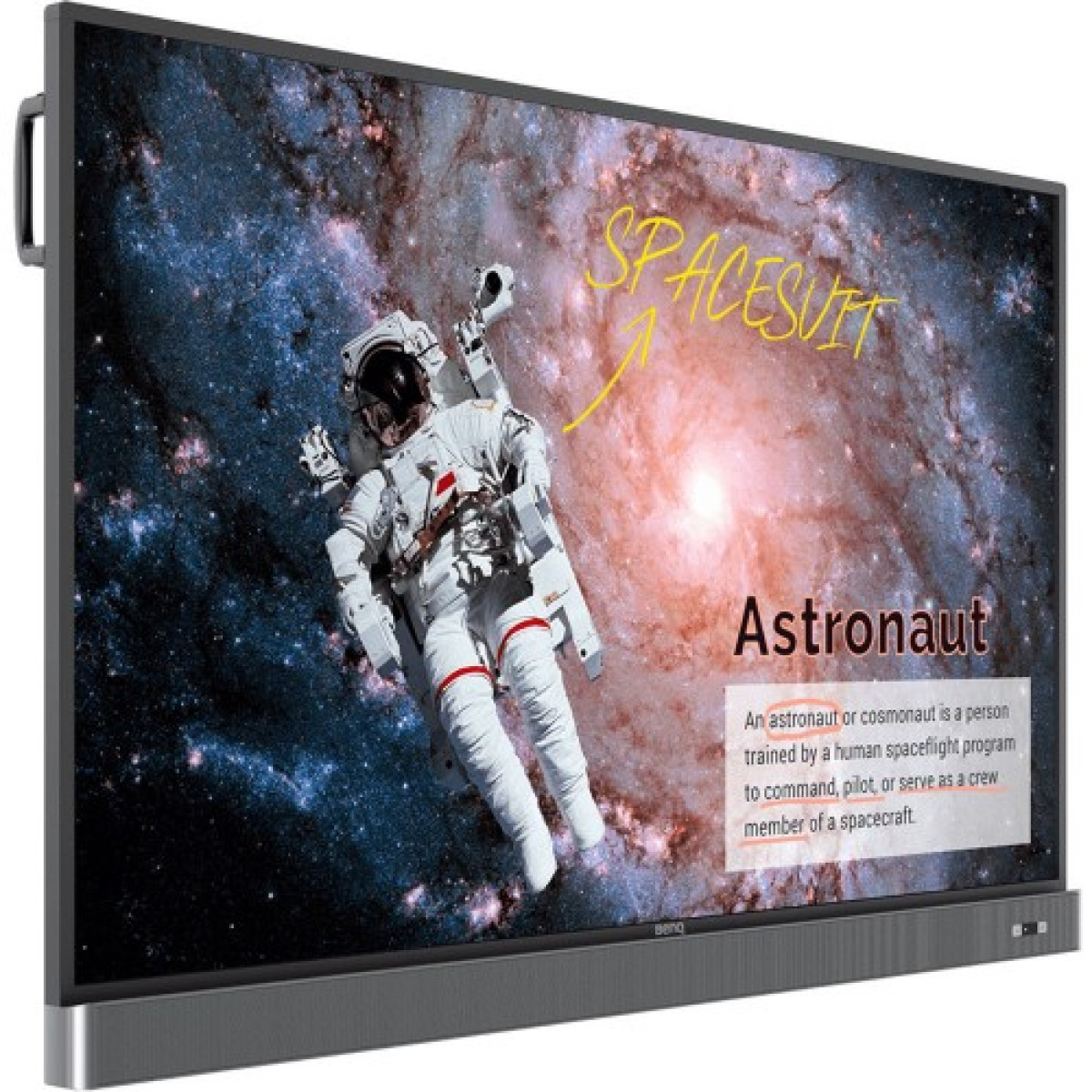
BenQ RM8602K 86 UHD Education Interactive Flat Panel Display
Now
৳569,000


Key highlights
- Contrast Ratio: Contrast Ratio (Typical): 1,200:1 Dynamic Contrast Ratio (Typical): 30,000:1
- Life Time: 50,000 hours
- power: Typical (watt): 355
- Viewing Angle: 178° / 178°
- Weight: 86.2kg±1.5Kg
Description
BenQ RM8602K 86 UHD Education Interactive Flat Panel Display is a large-format 4K interactive teaching solution designed for modern classrooms, training centres, universities, meeting environments and collaborative spaces. With an 86-inch IPS panel, UHD 3840 × 2160 resolution, 20-point infrared touch technology, integrated Android platform, cloud-enabled whiteboard features and BenQ Eye-Care technologies, the RM8602K is built to make teaching and group collaboration more engaging and productive.
The large 86-inch screen provides a spacious digital workspace where teachers can write, annotate, display presentations, demonstrate educational software, share multimedia content and collaborate directly with students. Its 16:9 UHD display produces detailed visuals, while the anti-glare 9H tempered glass helps maintain comfortable visibility during extended classroom use. BenQ specifies support for up to 18 hours of operation per day, 7 days per week, making the RM8602K suitable for demanding educational environments.
BenQ RM8602K 86 Inch Interactive Flat Panel Display in Bangladesh
The BenQ RM8602K is designed specifically around interactive education. Unlike a conventional television or large monitor, it combines a high-resolution display with touch interaction, digital whiteboarding, annotation tools, classroom collaboration features and multiple connectivity options.
For schools, colleges, universities and training institutions in Jessore, Khulna and other parts of Bangladesh, this type of interactive flat panel can replace several separate classroom tools. A teacher can display a lesson, write directly over the content, open educational applications, connect a laptop and share information with students from one large central screen.
The display also supports cloud-based collaboration through BenQ EZWrite 5, allowing notes and ideas to be shared between the interactive panel and compatible mobile devices. BenQ positions the RM8602K as an education-focused display designed to encourage participation and collaboration both inside and beyond the physical classroom.
BenQ RM8602K Key Features
- 86-inch UHD interactive flat panel display
- 3840 × 2160 4K UHD resolution
- IPS panel technology
- 16:9 widescreen aspect ratio
- 20-point infrared touch technology
- Touch response time below 8ms
- 10-bit colour depth
- 400-nit typical brightness according to current BenQ specifications
- 1200:1 typical contrast ratio
- 30,000:1 dynamic contrast ratio
- 68% NTSC colour gamut
- 9H tempered anti-glare glass
- Nano-ionic silver germ-resistant screen technology
- Built-in BenQ Eye-Care technologies
- Flicker-Free technology
- Low Blue Light technology
- BenQ EZWrite 5 interactive whiteboard platform
- Cloud whiteboard and collaboration functions
- BenQ Launcher for simplified classroom operation
- Built-in Android 8.0 operating system
- 4GB RAM and 32GB internal storage
- Built-in Mali-G51MP4 graphics processor
- A73 dual-core and A53 dual-core processor architecture
- 3 × HDMI 2.0 inputs
- 1 × HDMI 2.0 output
- USB-A connectivity
- USB-B touch interfaces
- VGA input
- 3.5mm audio input and output
- Built-in dual 16W front-facing speakers
- External microphone compatibility
- HDMI output for connecting an additional display
- RJ45 network connectivity
- RS232 control interface
- OPS support
- VESA 800 × 600mm wall mounting support
- Landscape orientation
- 18/7 operating capability
BenQ RM8602K Specifications
| Specification | Details |
|---|---|
| Brand | BenQ |
| Model | RM8602K |
| Display Type | Education Interactive Flat Panel |
| Screen Size | 86 inches |
| Panel Type | IPS |
| Active Area | 1895.0 × 1066.0mm |
| Aspect Ratio | 16:9 |
| Resolution | 3840 × 2160 UHD |
| Response Time | 8ms |
| Colour Depth | 10-bit |
| Brightness | 400 nits typical |
| Contrast Ratio | 1200:1 typical |
| Dynamic Contrast | 30,000:1 |
| Colour Gamut | 68% NTSC |
| Backlight Life | Up to 50,000 hours typical |
| Touch Technology | Infrared touch |
| Touch Points | 20 |
| Touch Response | Less than 8ms |
| Glass | 9H tempered anti-glare glass |
| Germ-Resistant Technology | Nano-ionic silver |
| Operating System | Android 8.0 |
| CPU | A73 × 2 + A53 × 2 |
| GPU | Mali-G51MP4 |
| Memory | 4GB |
| Storage | 32GB |
| HDMI Input | 3 × HDMI 2.0 |
| HDMI Output | 1 × HDMI 2.0 |
| VGA Input | 1 |
| USB-A | 2 × USB 2.0 + 3 × USB 3.0 |
| USB-B Touch | 2 × USB 2.0 |
| Audio Input | 3.5mm |
| Audio Output | 3.5mm |
| Speakers | 2 × 16W |
| Network | RJ45 |
| Control | RS232 |
| OPS Support | Yes |
| VESA Mount | 800 × 600mm |
| Orientation | Landscape |
| Operating Hours | 18 hours per day, 7 days per week |
86 Inch 4K UHD Display for Detailed Lessons
The RM8602K uses an 86-inch IPS panel with 3840 × 2160 UHD resolution. This provides four times the pixel count of Full HD, allowing text, diagrams, charts, photographs, educational videos and presentation material to appear with significantly greater detail.
The large screen is particularly beneficial in classrooms where students are seated several metres away from the display. Teachers can present detailed diagrams, maps, scientific illustrations, engineering drawings, spreadsheets and other visual material without relying on a small projector image.
The 16:9 aspect ratio is suitable for modern presentations, educational videos and computer content. With an active display area of approximately 1895 × 1066mm, the RM8602K provides an expansive workspace for teaching and group activities.
20 Point Infrared Touch Technology
Touch interaction is one of the most important differences between the RM8602K and a conventional large display. The panel uses infrared touch technology with support for up to 20 simultaneous touch points and a touch response time of less than 8ms according to BenQ's current specification.
This allows multiple students or teachers to interact with the screen at the same time. Several participants can write, move objects, annotate content or work together on an interactive exercise, making the display suitable for collaborative classroom activities.
The touch functionality also allows teachers to interact directly with presentations and applications instead of standing beside a separate computer and using a mouse for every action.
Interactive Digital Whiteboard
BenQ EZWrite 5 transforms the RM8602K into a digital whiteboard for classroom teaching. Teachers can write notes, annotate material, capture ideas and organise classroom discussions directly on the display.
Cloud Whiteboard features extend this concept by allowing notes and ideas to be collected, organised, edited and shared between the interactive flat panel and compatible mobile devices. This can make group exercises and remote collaboration more convenient.
For subjects such as mathematics, science, engineering and language studies, the ability to write directly over displayed material can make explanations more visual and easier to follow.
Cloud-Based Classroom Collaboration
The RM8602K is designed with connected learning in mind. BenQ's cloud whiteboard environment allows teachers and students to share ideas and notes beyond the physical boundaries of a traditional classroom.
This can be useful for collaborative exercises where students contribute ideas from different devices. Teachers can also use cloud-based teaching materials and compatible BenQ services to access resources during lessons.
For educational institutions that are gradually adopting digital teaching methods, these capabilities can provide a more flexible alternative to a conventional projector and whiteboard combination.
BenQ Eye-Care Technology
Teachers and students may spend several hours looking at classroom displays every day, so viewing comfort is an important consideration. The RM8602K incorporates BenQ's Eye-Care approach with Flicker-Free and Low Blue Light technologies.
BenQ explains that its smart Eye-Care solution can activate Flicker-Free and Low Blue Light functions to support a more comfortable viewing experience. The display also features anti-glare treatment to reduce distracting reflections.
These features make the RM8602K particularly appropriate for classrooms and training rooms where the display can remain in use for extended teaching sessions.
Anti-Glare 9H Tempered Glass
The front surface uses hardened tempered glass with 9H hardness according to BenQ's current specification. An anti-glare surface helps minimise distracting reflections from classroom lighting, windows and other light sources.
The combination of large-screen visibility, anti-glare treatment and touch functionality creates a surface designed for frequent interaction. Users should still handle the display carefully because tempered glass, while highly resistant to scratches and everyday contact, is not indestructible.
Germ-Resistant Screen Technology
The RM8602K incorporates nano-ionic silver germ-resistant technology in the display glass. This is particularly relevant to education because an interactive panel may be touched by many students and teachers throughout the day.
BenQ describes its germ-resistant approach as incorporating nano-ionic silver compounds with the display's glass and coating technologies. The company also identifies certification relating to germ resistance and material safety for its applicable education interactive displays.
BenQ Launcher for Classroom Convenience
BenQ Launcher provides a simplified starting point for classroom operation. Instead of navigating through several separate menus before beginning a lesson, teachers can access key functions and input sources from a central interface.
BenQ describes Launcher as a hub for accessing EZWrite and input sources while also providing functions such as recent-task switching through SwitchQ. This can help reduce unnecessary interruptions during lessons.
Built-In Android Platform
The RM8602K includes an Android 8.0 operating system, supported by a processor configuration consisting of dual A73 and dual A53 cores, Mali-G51MP4 graphics, 4GB memory and 32GB internal storage.
This built-in platform allows the interactive display to perform certain tasks without requiring a separate computer for every operation. Teachers can use the integrated environment for supported applications, whiteboarding and display-related functions while external computers can still be connected through the available inputs.
Because Android 8.0 is an older operating system generation, buyers should evaluate current application compatibility and institutional software requirements before deployment if they expect to install modern third-party Android applications.
Multiple HDMI Connections
The BenQ RM8602K provides three HDMI 2.0 inputs and one HDMI 2.0 output according to the current BenQ specification.
Multiple HDMI inputs allow an institution to connect different sources such as desktop computers, laptops, media players or other compatible devices. Teachers can switch between sources depending on the requirements of a lesson or presentation.
The HDMI output can also be used to extend or mirror content to another compatible display, which is useful for environments where a secondary screen is required. BenQ specifically highlights dual-display applications through HDMI output for improving teaching efficiency and student engagement.
VGA and USB Connectivity
Alongside modern HDMI connectivity, the RM8602K includes a VGA input, making it compatible with older computers and legacy presentation equipment. The panel also provides USB-A ports for compatible peripherals and USB-B interfaces associated with touch functionality.
The combination of HDMI, VGA and USB connectivity gives educational institutions greater flexibility when integrating the panel into existing classrooms. This can be particularly useful when replacing older projectors or displays without immediately replacing every connected computer.
Front-Facing 16W Stereo Speakers
The RM8602K features two front-facing 16W speakers for a combined 32W audio output. BenQ moved the speakers toward the front to improve sound transmission toward the classroom audience.
Built-in speakers can handle everyday educational content such as videos, presentations, lectures and multimedia lessons without necessarily requiring a separate speaker system. An external microphone can also be connected through the available microphone input when additional voice reinforcement is required.
External Microphone Support
Teaching large groups can require more than the built-in speakers alone. The RM8602K provides microphone connectivity, allowing teachers to use an external microphone where appropriate.
This can be helpful in large classrooms, training rooms and lecture environments where the teacher needs their voice to remain clear while multimedia content is being played through the display.
Multi-Platform Compatibility
The RM8602K can work with a wide range of external computing platforms through its wired connectivity. BenQ describes its interactive flat panels as supporting plug-and-play use with major desktop operating systems including Windows, macOS, Linux and Chrome.
This flexibility is useful for institutions where different teachers use different computers. A teacher can connect a compatible laptop and use the large interactive panel as the primary presentation and touch interface.
Ideal for Schools and Educational Institutions
The RM8602K is designed around education rather than ordinary home entertainment. Its large interactive surface allows teachers to combine traditional explanation methods with digital resources.
Schools can use the panel for classroom presentations, digital whiteboarding, educational videos, diagrams, interactive exercises and collaborative activities. Students can participate directly instead of only watching content displayed by the teacher.
Suitable for Universities and Training Centres
Universities, professional training centres and corporate learning environments can also benefit from an 86-inch interactive display. The large 4K canvas can present detailed technical material while touch interaction enables instructors to annotate diagrams and demonstrate software or processes.
Training rooms can use the display for presentations, group discussions, workshops and demonstrations. The large screen also makes it practical for audiences that would otherwise require a projector and projection screen.
Interactive Display for Meeting and Collaboration Rooms
Although the RM8602K is primarily positioned as an education interactive flat panel, its large touchscreen can also be useful in collaborative environments. Teams can use it for brainstorming, presentations, diagrams, planning sessions and interactive discussions.
The combination of touch input, cloud whiteboarding, multiple display inputs and HDMI output allows the panel to function as more than a conventional screen.
Long-Life Backlight
BenQ specifies a typical backlight life of up to 50,000 hours for the RM8602K. This is important for educational environments where the display may be used frequently throughout the week.
Long backlight life can reduce the need for frequent display replacement, although actual service life depends on operating conditions, usage patterns, environmental factors and maintenance.
18/7 Operating Capability
The RM8602K is designed for up to 18 hours of operation per day across seven days according to BenQ's specification. This makes it appropriate for institutions where the interactive panel may be used throughout a long school or training schedule.
For best long-term reliability, users should follow BenQ's recommended environmental, installation and operating guidelines rather than treating the panel as a continuously powered 24-hour commercial signage display.
Professional Installation and Mounting
An 86-inch interactive flat panel is a large and heavy piece of equipment, so installation should be planned carefully. The RM8602K supports VESA 800 × 600mm mounting according to BenQ documentation.
For classroom installation, the mounting wall must be structurally suitable for the display and appropriate mounting hardware. Professional installation is recommended where necessary, particularly when the panel will be mounted in a high-traffic classroom or public educational environment.
Why Choose an Interactive Flat Panel Instead of a Projector?
A traditional projector requires a separate projection surface and can be affected by ambient lighting, shadows and lamp maintenance. An interactive flat panel combines the display surface, touch interface and digital whiteboard into one device.
The RM8602K also provides a 4K display, direct touch interaction and integrated speakers. Teachers can write directly on the screen instead of relying on a separate whiteboard. For institutions planning a modern classroom upgrade, this integrated approach can simplify the teaching environment.
Benefits of 86 Inch Screen Size
- Large viewing area for classrooms and lecture rooms
- Improved visibility for students sitting farther from the display
- Suitable for detailed diagrams and presentations
- Large digital writing and annotation workspace
- Supports group interaction through 20-point touch
- Useful for video and multimedia lessons
- Suitable for training sessions and workshops
- Provides a more immersive collaborative experience
BenQ RM8602K for Digital Classroom Transformation
Moving from conventional teaching tools to an interactive flat panel can change how information is presented. Instead of writing on a traditional board and separately displaying digital material, teachers can combine both activities on one touchscreen.
A lesson can begin with a presentation, move into video content, continue with digital annotation and finish with a collaborative exercise. Students can interact with the displayed material rather than remaining passive viewers.
Real-World Classroom Applications
- Interactive mathematics problem solving
- Science diagrams and laboratory demonstrations
- Geography maps and visual lessons
- History presentations and documentary videos
- Language learning activities
- Engineering diagrams and technical drawings
- Computer science demonstrations
- University lectures
- Professional training sessions
- Corporate workshops
- Group brainstorming
- Digital presentations
- Remote collaboration activities
Advantages of BenQ RM8602K
- Large 86-inch 4K UHD interactive screen
- 20-point infrared touch capability
- Fast sub-8ms touch response
- IPS panel for wide viewing applications
- Anti-glare 9H tempered glass
- Eye-Care features for extended viewing environments
- Nano-ionic silver germ-resistant technology
- Integrated EZWrite 5 digital whiteboard
- Cloud collaboration capabilities
- Built-in Android platform
- Multiple HDMI inputs
- HDMI output for additional display connectivity
- VGA support for older computers
- USB connectivity for peripherals
- 32W front-facing stereo audio
- External microphone support
- OPS compatibility
- RJ45 and RS232 connectivity
- 18/7 operational design
Things to Consider Before Buying
The BenQ RM8602K is a professional 86-inch interactive display, so buyers should consider installation requirements, room size and intended usage before purchasing. Its large dimensions make it better suited to classrooms, lecture rooms and training spaces than ordinary home environments.
The Android 8.0 platform is also an older Android generation. If the institution plans to depend heavily on newer third-party Android applications, software compatibility should be checked before deployment. The panel can still serve as an external display and interactive touchscreen with compatible computers through its various input interfaces.
Buyers should also remember that the RM8602K is a large-format professional device rather than a conventional television. Wall mounting, transportation, installation and electrical planning should therefore be handled appropriately.
Who Should Buy BenQ RM8602K?
- Schools upgrading traditional classrooms
- Colleges and universities
- Private educational institutions
- Coaching and training centres
- Corporate training departments
- Conference and collaboration rooms
- Lecture halls and seminar spaces
- Institutions requiring interactive digital whiteboarding
- Organisations looking for an 86-inch 4K touchscreen display
Who May Need a Different Display?
The RM8602K may not be necessary for small meeting rooms or compact classrooms where a 55-inch or 65-inch interactive panel would provide sufficient viewing area. Likewise, organisations that only need a conventional display without touch functionality may find a standard large-format monitor or commercial display more appropriate.
For environments requiring the newest Android platform, advanced built-in computing performance or specialised modern conferencing features, buyers should compare current-generation interactive panels before making a final purchasing decision.
Why Buy BenQ RM8602K from Unix Network?
Unix Network is a trusted technology retailer serving customers in Jessore (Jashore), Khulna and across Bangladesh. The business provides computer, laptop, networking, IT hardware and professional technology solutions for individual customers, businesses and institutions.
For schools, colleges, offices and training centres looking for a large interactive display, Unix Network can help customers evaluate the RM8602K based on classroom size, connectivity requirements, mounting plans and intended teaching applications.
Customers in Jessore can discuss installation and usage requirements directly with the local technology retailer, while customers elsewhere in Bangladesh can contact Unix Network to confirm availability, delivery arrangements and current purchasing options.
Buying Guide for BenQ RM8602K
Before ordering the RM8602K, measure the installation location carefully. An 86-inch panel requires sufficient wall width, height and structural support. Leave appropriate clearance around the display for ventilation and cable access.
Consider how the panel will be connected to classroom computers. HDMI is the preferred modern connection, while VGA provides compatibility with older systems. If touch interaction is required from an external computer, make sure the appropriate USB touch connection is included in the installation plan.
For institutions with multiple classrooms, it is also useful to establish a standard connection layout, network configuration and maintenance procedure before installing several interactive panels.
Maintenance and Care
The RM8602K should be cleaned using procedures recommended by BenQ for interactive displays. Avoid applying unsuitable cleaning chemicals directly to the screen surface. Because the display uses a touch-sensitive glass surface, excessive pressure, sharp objects and inappropriate cleaning tools should be avoided.
Keep ventilation areas unobstructed and ensure that the panel is installed in an environment within the manufacturer's recommended operating conditions. Regularly check connected cables, wall mounting hardware and peripheral equipment as part of institutional maintenance.
BenQ RM8602K for Jessore and Bangladesh
Educational institutions in Jessore and throughout Bangladesh are increasingly adopting digital classroom technology for more engaging teaching experiences. A large interactive flat panel can be particularly useful in classrooms where multiple students need to see detailed digital content clearly.
The RM8602K's combination of 86-inch 4K resolution, touch interaction, digital whiteboarding, cloud collaboration, integrated audio and extensive connectivity makes it suitable for institutions seeking to modernise their teaching infrastructure.
For customers in Jashore looking for a professional interactive classroom display, the BenQ RM8602K provides a large-scale solution that combines display, whiteboard and collaborative functions in one device.
Frequently Asked Questions About BenQ RM8602K
What is the screen size of BenQ RM8602K?
The BenQ RM8602K features an 86-inch display designed for large classrooms, lecture rooms, training centres and collaborative environments.
What is the resolution of BenQ RM8602K?
The RM8602K provides 3840 × 2160 UHD resolution, commonly referred to as 4K UHD. This provides detailed visuals for presentations, educational content, diagrams and multimedia.
Does BenQ RM8602K support touch?
Yes. The RM8602K uses infrared touch technology and supports up to 20 simultaneous touch points. Its specified touch response time is less than 8ms.
Does the RM8602K have a built-in operating system?
Yes. The RM8602K includes Android 8.0 with 4GB memory and 32GB internal storage. It uses an A73 dual-core plus A53 dual-core processor configuration and Mali-G51MP4 graphics.
Does BenQ RM8602K support digital whiteboarding?
Yes. BenQ EZWrite 5 provides interactive whiteboard and annotation functionality designed for teaching and collaboration. The RM8602K also supports cloud whiteboard features for sharing and organising notes.
Does the BenQ RM8602K have speakers?
Yes. The display features two 16W front-facing speakers, providing a combined 32W built-in audio output.
Does the RM8602K support HDMI?
Yes. The current BenQ specification lists three HDMI 2.0 inputs and one HDMI 2.0 output.
Does BenQ RM8602K support VGA?
Yes. The RM8602K includes a VGA input, which can be useful for connecting older computers and presentation systems.
Can the RM8602K connect to a laptop?
Yes. A compatible laptop can be connected through the available video interfaces. HDMI is recommended for modern systems, while VGA provides compatibility with older computers.
Can multiple people write on the RM8602K?
Yes. Its 20-point infrared touch system is designed to support multiple simultaneous touch interactions, making it suitable for collaborative classroom exercises.
Does the RM8602K have anti-glare glass?
Yes. The RM8602K uses tempered anti-glare glass. BenQ's current specification lists 9H hardness, while older official documentation for the model identifies 4mm tempered glass with anti-glare treatment.
Does BenQ RM8602K have Eye-Care features?
Yes. BenQ's Eye-Care solution includes Flicker-Free and Low Blue Light technologies designed to support more comfortable viewing during extended classroom use.
Is the BenQ RM8602K suitable for schools?
Yes. The RM8602K was specifically designed as an education interactive flat panel, with features such as digital whiteboarding, cloud collaboration, touch interaction, Eye-Care technology and classroom-oriented software.
Is BenQ RM8602K suitable for universities?
Yes. Universities can use the 86-inch 4K interactive display for lectures, presentations, technical demonstrations, group activities and collaborative teaching.
Does the RM8602K support wall mounting?
Yes. BenQ documentation specifies VESA 800 × 600mm mounting support. Due to the size and weight of an 86-inch interactive panel, suitable professional mounting hardware and a structurally appropriate wall should be used.
What is the operating life of the RM8602K backlight?
BenQ's current specification lists a typical backlight life of up to 50,000 hours. Actual lifespan depends on usage conditions, brightness settings, environment and maintenance.
Final Verdict on BenQ RM8602K 86 UHD Education Interactive Flat Panel Display
The BenQ RM8602K 86 UHD Education Interactive Flat Panel Display is a comprehensive large-format teaching solution for institutions that want to move beyond traditional projectors and whiteboards. Its 86-inch 4K UHD IPS panel provides a spacious visual workspace, while 20-point infrared touch technology turns the display into an interactive teaching surface.
Features such as BenQ EZWrite 5, cloud whiteboarding, Eye-Care technology, anti-glare tempered glass, nano-ionic silver germ-resistant technology, integrated Android functionality, multiple HDMI connections, VGA support, USB interfaces, front-facing 32W audio and external microphone compatibility make it well suited to modern educational environments.
For schools, colleges, universities, coaching centres, training institutions and collaborative spaces in Jessore and across Bangladesh, the BenQ RM8602K is a strong choice when a very large interactive 4K touchscreen is required for teaching, presentations and group collaboration. Its professional construction and education-focused feature set make it considerably more versatile than a conventional large television or projector-based classroom setup.
Specification
| Display Features | |
|---|---|
| Contrast Ratio | Contrast Ratio (Typical): 1,200:1 Dynamic Contrast Ratio (Typical): 30,000:1 |
| Life Time | 50,000 hours |
| BASIC INFORMATION | |
| power | Typical (watt): 355 |
| Viewing Angle | 178° / 178° |
| Weight | 86.2kg±1.5Kg |
| Brightness | 350nits |
| Connectivity | |
| Audio out | 2 x 16W Internal Speaker 1 x SPDIF |
| HDMI | 4 x HDMI 2.0 Input (MHLx1) 1 x HDMI Output |
| VGA | 1 x VGA Input PC Audio In 1 x Audio In |
| Display Option | |
| Display Format Native Resolution | UHD 3840x2160 |
| External Features | |
| Active Screen Size | 86" |
| NETWORK & WIRELESS CONNECTIVITY | |
| LAN | 1 x RJ45 Port |
| PHYSICAL SPECIFICATION | |
| Dimensions (W x D x H) | 1990 x 1231 x 140.9mm |
| Touch System | |
| Touch Point | Up to 20 Point Multi-touch Resolution (Point Area Function): 32,767x32,767 |
| WARRANTY | |
| Manufacturing Warranty | 3 Years |