
Intel supply jessore
Intel is one of the world's most recognised semiconductor and computing technology manufacturers, with a long-standing role in processors, integrated graphics, chipsets, networking technologies, data-centre platforms, and other computing solutions. Intel products are widely associated with desktop computers, laptops, workstations, business systems, servers, and professional computing environments.
For customers in Bangladesh, Intel remains an important choice when building or upgrading a computer because processor selection affects overall system performance, application compatibility, power consumption, platform features, and upgrade possibilities. From everyday office computers to gaming PCs, content-creation workstations, business systems, and enterprise platforms, the correct Intel product depends on the user's workload and complete system configuration.
Unix Network serves customers in Jessore and across Bangladesh with computers, laptops, gaming PCs, networking equipment, printers, accessories, and other technology products. Customers looking for Intel products can enquire about current models, availability, pricing, compatible components, and suitable configurations before purchasing.
Intel Processor Price in Bangladesh
The price of an Intel processor in Bangladesh depends on the exact generation, model, performance class, core configuration, cache, integrated graphics capability, platform compatibility, retail availability, and market conditions. Processor prices can also differ between boxed and tray versions depending on the product and supply channel.
Customers should compare the exact Intel model rather than searching only for a general Intel processor price. A higher-priced processor is not automatically the best choice for every user. The appropriate CPU should match the motherboard, memory, graphics card, cooling system, power supply, and intended workload.
For current Intel processor availability and pricing in Jessore, customers can contact Unix Network and confirm the exact model before placing an order.
About Intel
Intel has played a major role in the development of modern personal computing and continues to produce technologies for consumer, business, professional, and enterprise environments. Its processor families have evolved through multiple generations, introducing changes in architecture, performance, efficiency, connectivity, graphics capabilities, and platform features.
Intel products are used in many different types of systems. A compact office computer may require very different processing capability from a gaming PC or professional workstation. Understanding the workload is therefore more useful than selecting a processor simply because it belongs to a particular performance tier.
Intel's ecosystem also extends beyond CPUs. Depending on the application, Intel technologies can be found in graphics solutions, networking hardware, server platforms, storage-related technologies, wireless connectivity, and other computing components.
Intel Core Processors
Intel Core processors have traditionally represented an important part of Intel's consumer and mainstream PC portfolio. Different generations and model families are designed for different levels of performance, from everyday computing to demanding gaming and professional workloads.
When comparing Core processors, customers should examine the exact generation and model rather than relying only on the Core branding. Processor architecture, core and thread configuration, clock behaviour, cache, integrated graphics, power characteristics, and supported platform features can vary significantly.
This makes generation-specific comparison particularly important when buying a processor for a new PC or upgrading an existing system.
Intel Core Ultra Processors
Intel's newer Core Ultra processor family represents a more modern approach to personal computing, combining CPU processing with additional platform capabilities. Depending on the particular model and generation, these processors can incorporate technologies designed for graphics processing, power efficiency, and artificial intelligence-related workloads.
Core Ultra models are particularly relevant for modern laptops and newer PC platforms where users may want a combination of computing performance, mobility, efficiency, graphics capability, and AI-focused processing features.
Customers should check the exact Core Ultra model before purchase because capabilities differ across generations, laptop platforms, and desktop-oriented products.
Intel Desktop Processors
Intel desktop processors are used in a wide variety of systems, including home computers, office PCs, gaming machines, workstations, and custom-built computers. Desktop CPU selection should consider the entire configuration rather than the processor in isolation.
- Everyday office computing
- Web browsing and communication
- Programming and development
- Gaming PCs
- Photo editing
- Video editing
- 3D applications
- Business workstations
- Multitasking
- Professional software
Users building a desktop PC should also verify motherboard socket compatibility, chipset support, BIOS requirements, memory compatibility, cooler compatibility, and power requirements before purchasing an Intel CPU.
Intel Laptop Processors
Intel processors are widely used in laptops ranging from entry-level systems to premium business notebooks and high-performance mobile workstations. Laptop processors are designed with different balances between performance, power consumption, battery life, and thermal requirements.
For students and office users, efficient processing can be more valuable than maximum performance. Professional users may require additional processing resources for development, creative applications, engineering software, data analysis, or multitasking.
When choosing an Intel-powered laptop, customers should evaluate the complete machine rather than judging performance solely from the processor name. RAM, SSD storage, cooling design, display quality, battery capacity, graphics hardware, and software requirements all contribute to the user experience.
Intel for Gaming PCs
Intel processors are commonly used in gaming computers because CPU performance can influence game frame rates, responsiveness, simulation workloads, background tasks, and overall system behaviour. However, gaming performance depends on the complete system.
A powerful Intel processor paired with an unsuitable graphics card may not provide the expected gaming experience. Similarly, insufficient RAM, slow storage, poor cooling, or an inadequate power supply can limit a system.
For a gaming PC, customers should therefore balance processor capability with GPU performance, memory capacity, storage speed, cooling, motherboard features, and monitor resolution.
Intel for Office Computers
Office users often need dependable performance for applications such as word processing, spreadsheets, web-based systems, accounting software, communication platforms, document management, and general multitasking.
For these workloads, an efficient Intel processor combined with sufficient RAM and fast SSD storage can provide a responsive everyday computing experience. Spending significantly more on CPU performance may provide limited practical benefit if the workload is primarily browser-based or productivity-focused.
Businesses should also consider system manageability, warranty support, upgrade possibilities, power efficiency, and long-term maintenance when purchasing multiple computers.
Intel for Students
Students can use Intel-powered computers for education, research, programming, online classes, presentations, office applications, browsing, multimedia, and entertainment.
The ideal processor depends on the student's course and software requirements. General academic work does not necessarily require a high-end desktop CPU, while engineering, architecture, computer science, multimedia, and other specialised studies may benefit from additional processing and graphics capability.
Students should balance processor performance with RAM, SSD capacity, display quality, portability, battery life, and overall system cost.
Intel for Content Creation
Content creators working with photographs, video, audio, animation, design, and other creative applications can benefit from a capable Intel processor. However, the ideal configuration depends heavily on the software being used.
Video editing may benefit from a combination of CPU performance, GPU acceleration, fast storage, and sufficient memory. Photo editing can place different demands on the system, while 3D rendering and professional production workloads may require substantially more computing resources.
Before purchasing an Intel processor for creative work, users should check the recommended and minimum requirements of their primary applications.
Intel Integrated Graphics
Some Intel processors include integrated graphics, allowing a compatible computer to operate without a separate graphics card for suitable workloads. Integrated graphics can be useful for office applications, browsing, media playback, everyday productivity, and other tasks that do not require a dedicated high-performance GPU.
However, integrated graphics performance varies between processor models and generations. Users who plan to play demanding games, perform intensive 3D work, or use GPU-heavy professional applications may require a dedicated graphics card.
Customers should therefore confirm whether the exact Intel processor includes integrated graphics before building a computer without a separate GPU.
Intel CPU Cores and Threads
Core and thread counts are useful indicators when comparing processors, but they should not be considered in isolation. Modern software uses processor resources differently, and real-world performance depends on architecture, clock behaviour, workload characteristics, memory, software optimisation, and thermal conditions.
Additional cores can be particularly useful for multitasking, content creation, rendering, compilation, virtual machines, and other workloads capable of using multiple processing resources.
For basic office tasks, purchasing a processor with substantially more cores than required may provide limited practical improvement. Matching processor capability to workload is usually the better approach.
Intel Clock Speed and Real-World Performance
Clock speed is one part of processor performance, but it should not be used as the only comparison metric. Different Intel generations can deliver different performance at similar frequencies because architectural improvements affect how much work can be completed per cycle.
Real-world performance also depends on workload, cooling, power limits, software optimisation, memory configuration, and sustained operating conditions.
When comparing Intel processors, customers should therefore consider independent performance results or application-specific requirements where available rather than choosing solely by GHz figures.
Intel Cache and System Responsiveness
Processor cache is high-speed memory integrated into or closely associated with the CPU architecture. It helps reduce the need to access slower system memory for frequently used data.
Cache configuration varies between Intel processor families and generations. While it can influence performance, customers should evaluate the complete processor design rather than treating cache size as a standalone indicator of overall capability.
Intel Motherboard Compatibility
One of the most important considerations when buying an Intel desktop processor is motherboard compatibility. Intel processors use specific socket and platform combinations, and a motherboard that physically resembles the required socket may still require appropriate chipset support or BIOS compatibility.
Before buying a CPU, verify:
- Processor socket
- Compatible chipset
- Motherboard BIOS support
- Supported memory type
- Maximum supported memory configuration
- PCIe platform capabilities
- Power delivery capability
- CPU cooler compatibility
For an existing computer upgrade, customers should provide the motherboard model so compatibility can be checked before purchasing the processor.
Intel and DDR Memory Compatibility
Memory compatibility depends on the processor generation and motherboard platform. Newer Intel platforms may support newer memory standards, while older systems may use previous generations.
Users upgrading an existing PC should not purchase RAM based only on capacity. Memory generation, motherboard support, speed compatibility, module configuration, and platform limitations should also be considered.
For a new computer, selecting the processor and motherboard together makes memory planning easier.
Intel PCI Express Support
Modern Intel platforms can provide PCI Express connectivity for components such as graphics cards and high-speed storage. The available PCIe generation and lane configuration depend on the specific processor and motherboard platform.
This can matter for gaming PCs, workstations, NVMe storage systems, and other computers using high-speed expansion devices.
Customers should examine both processor and motherboard specifications because the motherboard determines how available platform connectivity is implemented.
Intel for Workstations
Professional workstations require predictable performance for demanding applications. Intel processors can be considered for workloads such as software development, engineering applications, content creation, data processing, virtualisation, and other professional tasks.
Workstation design should be based on the application's requirements. CPU performance, memory capacity, graphics hardware, storage, cooling, motherboard features, and power delivery should all be selected as part of one balanced system.
A workstation intended for long-duration heavy workloads may also require more robust cooling and component selection than an ordinary home PC.
Intel Server and Enterprise Technologies
Intel also has a significant presence in enterprise and data-centre computing. Server processors and platform technologies are designed for workloads that can involve virtualisation, databases, cloud infrastructure, storage systems, networking, analytics, and business-critical applications.
Server hardware should not be selected in the same way as a consumer desktop computer. Businesses need to consider workload type, memory requirements, storage architecture, redundancy, networking, operating system, virtualisation, management features, rack or tower configuration, and long-term support.
Intel Networking and Connectivity Technologies
Intel technologies extend beyond processors. The company has also been associated with networking and connectivity products used in computers, servers, workstations, and enterprise environments.
Networking hardware selection should consider interface speed, network standard, connector type, driver support, operating-system compatibility, PCIe requirements, and existing network infrastructure.
For businesses upgrading network infrastructure, matching the adapter to the switch, cabling, server platform, and required bandwidth is important.
Intel Performance and Efficiency
Modern processor design involves balancing performance and power consumption. High-performance systems may require greater power and cooling capacity, while mobile computers generally place greater emphasis on efficiency and battery life.
Intel's different processor families address different computing environments. A desktop processor designed for sustained performance should not be compared directly with a low-power mobile chip without considering their intended platforms.
For customers, the best choice is usually the processor that delivers the required performance within the system's power, thermal, and budget limits.
Intel Cooling Requirements
Processor cooling is essential for maintaining stable operation. The appropriate cooler depends on the exact CPU, platform, case airflow, workload, ambient temperature, and expected operating conditions.
High-performance processors can generate substantial heat during demanding workloads, making adequate cooling particularly important. Poor airflow, an undersized cooler, or improper installation can affect sustained performance.
When building an Intel PC, customers should verify whether a suitable cooler is included and whether the selected cooling solution is compatible with the processor socket and chassis.
Intel Power Supply Considerations
The power supply should be selected according to the complete PC configuration rather than the processor alone. A gaming computer with a powerful graphics card can require considerably more power than an office PC using integrated graphics.
Customers should consider processor power requirements, graphics card consumption, storage devices, cooling fans, motherboard components, future upgrades, and PSU quality when designing a system.
Intel Build Quality and Reliability
Processor reliability depends on the complete computer platform. Appropriate motherboard design, stable power delivery, sufficient cooling, correct BIOS configuration, proper installation, and suitable operating conditions all contribute to long-term system stability.
Users should handle CPUs carefully during installation because processor contacts and motherboard sockets can be sensitive to physical damage. Proper installation and cooling are particularly important for a newly built computer.
Intel for Business Computers in Bangladesh
Businesses often need computers that can handle accounting, inventory management, office applications, browsing, communication, data entry, customer management, and specialised business software.
Intel-powered systems can be configured for these requirements at different performance levels. A small office may prioritise affordability and efficiency, while a professional workstation environment may require additional processing resources.
For businesses purchasing multiple PCs, standardising configurations can simplify maintenance, spare-parts management, troubleshooting, and future replacement.
Intel for Gaming and Esports
Gaming systems require balanced hardware. An Intel processor can provide the CPU performance required by many modern games, but the final experience depends heavily on the graphics card, monitor resolution, refresh rate, RAM, storage, cooling, and game settings.
Competitive gaming may place greater emphasis on high frame rates and low system latency, while visually demanding games at high resolutions can shift more of the workload toward the graphics card.
Customers should therefore select an Intel processor according to the target gaming resolution, GPU, game library, and desired frame-rate range.
Intel for Programming and Software Development
Developers can benefit from capable processors when compiling large projects, running development environments, using containers, operating virtual machines, testing software, or multitasking across multiple applications.
For simple programming and web development, a mid-range system can often provide sufficient performance. More demanding development environments may benefit from additional cores, memory, and fast SSD storage.
Developers should consider their actual tools and workflows before paying for unnecessary processing power.
Intel for AI and Modern Applications
Modern computing increasingly involves artificial intelligence workloads. Some newer Intel platforms include dedicated or specialised processing capabilities intended to support AI-related tasks.
However, AI performance depends on the exact processor architecture, available acceleration hardware, software support, model size, memory, and workload type. Customers should identify whether their intended AI application benefits from CPU processing, integrated graphics, dedicated GPU acceleration, or specialised AI hardware.
For professional AI workloads, the complete platform should be evaluated rather than selecting a processor solely because it carries an AI-related feature.
Intel Advantages
- Broad presence across personal and professional computing
- Extensive processor selection across different performance levels
- Strong compatibility with a wide range of PC platforms
- Integrated graphics available on applicable processor models
- Options for desktops, laptops, workstations, and enterprise systems
- Modern platforms with advanced connectivity features
- Suitable options for office, gaming, education, and professional workloads
- Long-standing presence in the global computing industry
Things to Consider Before Buying an Intel Processor
- Confirm the exact processor generation and model.
- Check motherboard socket compatibility.
- Verify chipset and BIOS support.
- Check whether integrated graphics are required.
- Consider the number of cores and threads needed for the workload.
- Review supported memory technology.
- Consider cooling requirements.
- Check the complete system power requirement.
- Balance CPU performance with graphics card capability.
- Consider future upgrade requirements.
- Confirm warranty and product condition before purchase.
Who Should Buy Intel?
- Home computer users
- Students
- Office professionals
- Business owners
- Gamers
- Content creators
- Software developers
- Engineers
- Professional workstation users
- System builders
- IT administrators
- Server and enterprise customers
Why Buy Intel from Unix Network?
Unix Network is a computer and technology retailer based in Jessore, Bangladesh. We serve customers looking for processors, desktop computers, laptops, gaming PCs, networking equipment, printers, accessories, and other technology products.
Customers searching for Intel processors can enquire about current models, pricing, motherboard compatibility, RAM requirements, cooling solutions, and complete PC configurations. This can be particularly useful when building a new system because processor compatibility affects several other component choices.
- Local showroom support in Jessore
- Intel processor availability enquiries
- PC component compatibility guidance
- Gaming PC configuration assistance
- Competitive technology product pricing
- Nationwide delivery options
- After-sales assistance according to applicable product terms
Intel Products in Jessore
Customers looking for Intel processors and compatible PC components in Jessore or Jashore can contact Unix Network for product availability and pricing. Local customers can discuss their computer requirements and compare suitable configurations before purchasing.
Customers upgrading an existing computer should provide the motherboard model, current processor, RAM type, and intended upgrade goal whenever possible. This information can help identify compatible Intel options.
Intel Delivery Across Bangladesh
Unix Network serves customers throughout Bangladesh, allowing buyers outside Jessore to enquire about Intel processors and computer components. Delivery arrangements depend on product availability, destination, packaging requirements, and applicable courier conditions.
Customers receiving computer components should inspect packaging and product condition carefully and retain the invoice and purchase documentation for future warranty or service requirements.
Intel Warranty and After-Sales Support
Warranty terms depend on the exact Intel product, product condition, supplier channel, distributor policy, and purchase arrangement. Customers should confirm the applicable warranty before completing an order.
Processor warranty conditions can also differ between boxed, tray, OEM, and other supply configurations. Customers should therefore verify the specific warranty terms associated with the product they are purchasing.
Keeping the invoice, model number, serial information where applicable, and purchase records is recommended for future support.
Frequently Asked Questions About Intel
What is Intel?
Intel is a major semiconductor and computing technology manufacturer known for processors and a broad range of computing, networking, and platform technologies used in consumer, business, professional, and enterprise systems.
Is Intel good for gaming?
Intel offers processors suitable for gaming systems across different performance levels. Gaming results depend on the complete configuration, particularly the graphics card, processor, memory, storage, cooling, monitor resolution, and game settings.
Which Intel processor is best for me?
The right Intel processor depends on your workload, budget, motherboard platform, graphics hardware, and upgrade plans. Office users, gamers, developers, and professional creators can have very different requirements.
Can I upgrade my existing PC with an Intel processor?
Possibly. The motherboard socket, chipset, BIOS support, memory platform, cooling solution, and power requirements must be checked before choosing an Intel CPU upgrade.
Do all Intel processors have integrated graphics?
No. Integrated graphics availability depends on the exact processor model. Customers should verify the graphics specification before building a computer without a dedicated graphics card.
Is Intel suitable for office computers?
Yes. Intel provides processors across performance levels that can be used for office applications, business software, browsing, communication, accounting, and general productivity.
Is Intel suitable for programming?
Yes. Intel processors can be used for programming, software development, compilation, virtual machines, containers, and development environments. The required performance depends on the complexity of the developer's workload.
Where can I buy Intel processors in Jessore?
Customers in Jessore can contact Unix Network to check current Intel processor availability, pricing, and compatible computer components.
Does Unix Network deliver Intel processors outside Jessore?
Yes. Unix Network serves customers across Bangladesh and provides delivery options according to product availability, destination, packaging, and applicable delivery terms.
Intel Buying Guide for Bangladesh Customers
Start by identifying the purpose of the computer. Office work, education, gaming, programming, content creation, engineering, and professional workloads can require different levels of CPU performance.
If you are building a new PC, choose the processor and motherboard as a pair. Confirm socket, chipset, BIOS, memory, cooling, expansion, and power compatibility before purchasing the remaining components.
If you are upgrading an existing computer, identify the current motherboard and processor first. A processor upgrade that requires a new motherboard, memory, or cooler may make a complete platform upgrade more practical.
Finally, consider the graphics card. For gaming and graphics-intensive workloads, CPU and GPU should be balanced. Spending most of the budget on a processor while using an unsuitable graphics card can result in an unbalanced system.
Intel for Computer Buyers in Bangladesh
Bangladesh has a broad market for desktop PCs, gaming systems, laptops, business computers, and professional workstations. Intel processors remain relevant across these categories, but product selection should be based on current platform requirements rather than processor branding alone.
For customers in Jessore, local purchasing can make it easier to discuss component compatibility and complete PC configurations before ordering. Customers elsewhere in Bangladesh can also enquire about available Intel products and delivery options.
Conclusion
Intel remains an important name in the computing industry, offering processor and platform technologies for desktops, laptops, gaming computers, workstations, business systems, servers, and other computing environments. Its product range allows users to select solutions according to different performance, efficiency, mobility, and professional requirements.
The best Intel product depends on the complete system and intended workload. Processor generation, motherboard compatibility, memory, graphics, storage, cooling, power supply, software requirements, and future upgrades should all be considered before purchasing.
For customers looking for Intel products in Jessore or elsewhere in Bangladesh, Unix Network can assist with availability checks, pricing information, compatible component selection, complete PC configuration guidance, local showroom support, and nationwide delivery options.
Showing 136 to 150 of 186 (13 Pages)


Intel Core i5-6400 6th Gen 2.80GHz Processor
৳1,900 ৳8,400

Intel Core i5-7640X X-series Kaby Lake Processor
৳25,400 ৳27,500
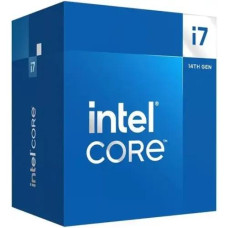
Intel Core i7 14700 14th Gen Raptor Lake Processor
৳45,500 ৳47,500


Intel Core i7 14700K 14th Gen Raptor Lake Processor
৳43,900 ৳46,000

Intel Core i7 14700KF 14th Gen Raptor Lake Processor
৳41,300 ৳45,500


Intel Core i9 14900K 14th Gen Raptor Lake Processor
৳55,800 ৳56,500