


UPS Solutions and Services
Refine Search


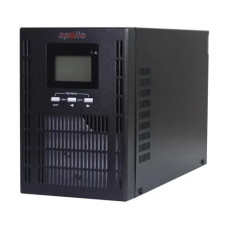


UPS Solutions and Services
UPS
UPS Price in Bangladesh
A UPS, or Uninterruptible Power Supply, is a power protection device that provides backup power to computers, networking equipment, CCTV systems, servers, office equipment, and other electronic devices when the main electricity supply fails. A UPS can also help protect connected equipment from certain power-related problems such as voltage fluctuations, surges, and sudden power interruptions.
The UPS price in Bangladesh depends on capacity, battery type, backup time, output waveform, technology, number of outlets, charging performance, and brand. Before buying a UPS, it is important to match its capacity with the actual power consumption of the devices you want to protect.
Buy UPS in Bangladesh
If you are planning to buy a UPS in Bangladesh, first determine which devices need backup power and how much electricity they consume. A small UPS may be suitable for a single desktop computer, router, or networking device, while offices, servers, gaming PCs, and other high-power equipment may require a higher-capacity UPS.
Unix Network provides UPS options for home users, gamers, offices, businesses, networking setups, CCTV systems, and professional IT environments. Compare capacity, battery backup, features, warranty, and price before choosing a suitable model.
What is a UPS?
A UPS works as an intermediary between an electrical supply and connected equipment. Under normal conditions, it supplies power to the connected devices while charging its internal battery. When the electricity fails, the UPS switches to battery power so compatible equipment can continue operating for a limited period.
The available backup time depends on the UPS capacity, battery condition, connected load, and battery size. A UPS is generally intended to provide temporary power and protection rather than replace a generator for long-duration outages.
Why Do You Need a UPS?
Backup Power
The primary purpose of a UPS is to keep connected equipment running temporarily during a power outage. This gives users time to save their work, shut down computers safely, or maintain critical equipment until normal power returns.
Protection from Power Problems
Depending on the UPS design, a UPS can help protect connected devices against certain power disturbances, including voltage fluctuations, surges, and brief interruptions.
Prevents Sudden Shutdown
A sudden power failure can cause unsaved work to be lost and may interrupt operating systems, applications, downloads, and other processes. A UPS provides temporary power to reduce the impact of unexpected outages.
Protects Networking Equipment
A UPS can keep routers, switches, modems, access points, and other networking equipment operating during short power interruptions. This can be particularly useful for home offices and businesses that depend on continuous network connectivity.
Supports Safe Computer Shutdown
When connected to a compatible UPS management system, a computer can detect a power failure and automatically shut down before the battery is fully depleted.
Types of UPS
Offline UPS
An offline UPS, also called a standby UPS, normally supplies power directly from the main electricity source. When a power failure occurs, it switches to battery operation.
Offline UPS models are commonly used for home computers, basic office systems, and other equipment where a simple backup-power solution is sufficient.
Line Interactive UPS
Line-interactive UPS systems provide battery backup and can regulate certain voltage variations without constantly switching to battery power. They are commonly used for desktop computers, networking equipment, small servers, office devices, and gaming PCs.
Online UPS
Online UPS systems use double-conversion technology in many designs, continuously conditioning the power supplied to connected equipment. They are commonly used for servers, data centers, networking infrastructure, medical equipment, and other applications where high power quality and continuous protection are important.
Standby UPS
Standby UPS is another common name for offline UPS technology. It provides backup power when the main electrical supply fails and is generally designed for less demanding applications.
Rack Mount UPS
Rack mount UPS systems are designed for installation inside or alongside standard server racks. They are useful for data centers, server rooms, networking cabinets, and professional IT infrastructure.
Tower UPS
Tower UPS models are designed to stand vertically on a desk or floor. They are commonly used in homes, offices, small businesses, and standalone computer setups.
Mini UPS
A mini UPS is a compact backup-power device designed for low-power networking and electronic equipment. Depending on the model, it can be used for routers, optical network terminals, CCTV devices, and other compatible low-voltage equipment.
DC UPS
DC UPS systems provide backup power directly to compatible DC-powered devices. They are commonly used for routers, ONU devices, access points, and other networking equipment.
UPS for Server
Servers require reliable power because an unexpected shutdown can interrupt services and potentially cause data or system problems. A suitable server UPS can provide temporary backup power and power conditioning according to the UPS design.
UPS Capacity
VA Rating
UPS capacity is commonly specified in VA, or Volt-Amperes. The VA rating indicates the apparent power that the UPS can handle.
Watt Rating
The watt rating indicates the real power the UPS can supply to connected equipment. When selecting a UPS, both VA and watt capacity should be considered.
How Much UPS Capacity Do You Need?
Calculate the approximate power consumption of all equipment that will be connected to the UPS. Choose a UPS with sufficient capacity and reasonable headroom rather than operating continuously at its maximum rated load.
For example, a UPS intended for a desktop computer should account for the computer, monitor, speakers, and other equipment that may be connected to it.
UPS Battery
Lead Acid UPS Battery
Many conventional UPS systems use sealed lead-acid batteries. These batteries are widely used because they are relatively practical for UPS applications and are available in many capacities.
Lithium UPS Battery
Some modern UPS systems use lithium batteries. Depending on the design, lithium-based UPS systems can offer advantages such as lower weight, longer battery life, and compact construction.
UPS Battery Backup Time
Backup time depends on battery capacity, UPS efficiency, connected load, battery age, and operating conditions. A UPS with a larger battery capacity can generally provide longer backup time for an equivalent load.
UPS Battery Replacement
UPS batteries have a limited service life and eventually require replacement. Battery condition should be checked when backup time becomes noticeably shorter or when the UPS reports a battery-related warning.
UPS Output Waveform
Pure Sine Wave UPS
Pure sine wave UPS systems provide an output waveform that closely resembles utility AC power. They are often preferred for sensitive equipment and systems using active power-factor correction or equipment with specific power-quality requirements.
Simulated Sine Wave UPS
Simulated or stepped sine wave UPS systems can be suitable for many conventional computers and electronic devices. Compatibility should be checked when using equipment with demanding power-supply requirements.
UPS for PC
A UPS for a PC can provide temporary power during outages and help prevent unexpected shutdowns. When choosing a UPS for a desktop computer, consider the PC's power consumption, graphics card, monitor, peripherals, VA rating, watt capacity, and desired backup time.
UPS for Gaming PC
Gaming PCs can have significantly higher power requirements than standard office computers, particularly when equipped with powerful graphics cards and processors.
For a gaming PC, choose a UPS based on the actual maximum power requirements of the computer and monitor. Pure sine wave output may be preferable for certain modern PC power supplies.
UPS for Office
Office UPS systems can protect desktop computers, monitors, networking equipment, and other essential devices from short power interruptions. A UPS can also give employees enough time to save documents and shut down systems properly.
UPS for Home
A home UPS can be used for computers, routers, CCTV systems, networking equipment, and other essential electronics. Select the capacity based on the equipment that needs backup rather than choosing a UPS only by price.
UPS for Router
A router UPS or mini UPS can provide backup power to compatible routers and networking equipment during electricity interruptions. This can help maintain internet connectivity when the ISP and networking equipment remain operational.
UPS for CCTV
CCTV cameras, DVRs, NVRs, switches, and other surveillance equipment can benefit from backup power. A properly sized UPS can keep surveillance equipment operating during short outages.
UPS for Server
Servers should generally use a UPS selected according to their total power consumption and operational requirements. For critical infrastructure, online UPS systems may be considered because of their power-conditioning and continuous protection characteristics.
UPS for Networking Equipment
Routers, switches, access points, modems, firewalls, and other networking devices can be connected to a suitable UPS. For low-power DC devices, a compatible mini or DC UPS may be more practical than a conventional AC UPS.
UPS for NAS
A UPS can protect NAS devices from sudden power loss and provide time for a safe shutdown. Check whether the NAS supports USB or network-based UPS communication for automatic shutdown functionality.
UPS for Data Center
Data centers require highly reliable power infrastructure. Online UPS systems, rack-mounted UPS units, redundant power configurations, battery systems, monitoring, and proper electrical planning may be used depending on the size and criticality of the facility.
UPS Features to Consider
Automatic Voltage Regulation
Automatic Voltage Regulation, commonly known as AVR, can correct certain voltage fluctuations without relying entirely on battery power. This can help extend battery life in environments with unstable voltage.
Overload Protection
Overload protection helps protect the UPS when connected equipment exceeds its rated capacity. Avoid intentionally operating a UPS above its recommended load.
Short Circuit Protection
Many UPS systems include protection against certain short-circuit conditions. The exact protection mechanism depends on the UPS design.
Surge Protection
Surge protection can help protect connected devices from certain transient voltage events. UPS protection features vary by model.
LCD Display
Some UPS models include LCD displays showing information such as input voltage, output voltage, battery status, load level, and operating mode.
USB Connectivity
USB connectivity can allow a UPS to communicate with a computer or server. Compatible software can provide battery information, power-status notifications, and automatic shutdown features.
Network Management
Professional UPS systems may support network management through dedicated interfaces or management cards. This allows administrators to monitor UPS status remotely.
Cold Start
Cold-start capability allows some UPS models to power connected equipment directly from the battery when utility power is unavailable.
Automatic Restart
Some UPS systems can automatically restart when utility power returns after a battery shutdown. This feature depends on the specific model.
How to Calculate UPS Requirements
List Your Devices
Write down all equipment that needs backup power, such as the PC, monitor, router, modem, NAS, CCTV recorder, or networking switch.
Calculate Power Consumption
Determine the approximate wattage of each device and calculate the combined load.
Choose Sufficient VA Capacity
Use the combined load to select a UPS with adequate VA and watt capacity. Leave additional capacity for safe operation and possible future upgrades.
Determine Required Backup Time
Decide how long the equipment needs to remain operational during an outage. A short backup period may be sufficient for safe shutdown, while critical systems may require longer runtime and additional battery capacity.
Things to Consider Before Buying a UPS
Power Consumption
Check the actual power requirements of the equipment you intend to connect. Do not select a UPS only according to the number of devices.
UPS Capacity
Compare both VA and watt ratings. The UPS must be capable of handling the total connected load.
Backup Time
Determine whether you need enough backup time for a safe shutdown or longer continuous operation.
Battery Type
Compare lead-acid and lithium battery technologies based on budget, expected lifespan, weight, maintenance, and application.
Output Waveform
Check whether your computer, server, or other equipment requires pure sine wave output.
UPS Type
Choose between offline, line-interactive, and online UPS technology according to the importance of the equipment and required level of power conditioning.
Number of Outlets
Make sure the UPS has enough appropriate outlets for all devices that require backup power.
Warranty and Service
Check warranty coverage, battery replacement options, and local service support before purchasing.
UPS Maintenance
Proper maintenance can help extend UPS reliability. Keep the UPS in a well-ventilated area, avoid excessive heat, do not overload the unit, and follow the manufacturer's operating instructions.
Battery condition should be monitored regularly. If backup time decreases significantly, the battery may require replacement.
UPS Installation
Place the UPS in a dry and properly ventilated location. Ensure that the cooling vents are not blocked and that the connected load remains within the UPS's rated capacity.
For large online UPS systems, server UPS systems, or commercial installations, professional electrical installation may be appropriate.
UPS Price in BD
The UPS price in BD varies according to capacity, technology, battery type, output waveform, features, brand, and warranty. Small UPS units for routers and basic computers are generally more affordable, while high-capacity online UPS systems for servers and businesses can cost considerably more.
Instead of choosing the cheapest UPS, compare its VA rating, watt capacity, backup time, battery quality, protection features, warranty, and service availability.
UPS Price in Jessore
If you are searching for UPS price in Jessore, consider your equipment's power requirements before selecting a model. Unix Network offers UPS solutions for home users, offices, gaming PCs, networking equipment, CCTV systems, and business applications.
Buy UPS from Unix Network
Unix Network provides UPS solutions for different power-backup requirements in Bangladesh. Customers can compare UPS capacity, technology, battery type, output waveform, backup requirements, features, warranty, and price before purchasing.
Whether you need a UPS for a desktop computer, gaming PC, router, CCTV system, office, server, NAS, or networking setup, select a model that provides sufficient capacity for your actual load.
Frequently Asked Questions About UPS
What is a UPS used for?
A UPS provides temporary backup power and can help protect connected electronic equipment from certain power interruptions and disturbances.
How long can a UPS provide backup power?
Backup time depends on the UPS battery capacity, connected load, efficiency, and battery condition. Higher loads generally reduce runtime.
Which UPS is best for a gaming PC?
A gaming PC should use a UPS with sufficient VA and watt capacity for the PC and monitor. Pure sine wave output can be a good choice for compatible modern gaming power supplies.
Which UPS is best for a router?
A compatible mini or DC UPS can be suitable for a router, modem, or ONU. Check the device's voltage, current, connector, and power requirements before purchasing.
Is a UPS the same as an IPS?
UPS and IPS are different terms and product categories, although both can be associated with backup power. Their operating technology, transfer characteristics, battery configuration, and intended applications can differ.
Can a UPS protect a computer from voltage fluctuations?
Many UPS systems provide some level of voltage regulation or power protection, but the exact protection capabilities depend on the model and UPS technology.
How often should a UPS battery be replaced?
Battery lifespan varies according to battery technology, temperature, usage, charging conditions, and manufacturer specifications. Replace the battery when its performance has significantly degraded or the UPS indicates a battery fault.
Can I connect a monitor to a UPS?
Yes, if the UPS has sufficient capacity. Include the monitor's power consumption when calculating the total UPS load.
Can I use a UPS for a server?
Yes. Servers can be connected to appropriately sized UPS systems. Critical servers may benefit from online UPS technology and management features such as automatic shutdown and remote monitoring.
Final UPS Buying Guide
Choosing the right UPS starts with understanding your power requirements. Calculate the total load, determine the required backup time, select sufficient VA and watt capacity, and choose the appropriate UPS technology.
For basic home and office computers, an offline or line-interactive UPS may be sufficient. Gaming PCs may require higher capacity and, depending on the power supply, pure sine wave output. Servers and critical business equipment may require online UPS systems with advanced monitoring and power-management features.
If you are searching for UPS price in Bangladesh, UPS price in BD, UPS price in Jessore, or a reliable UPS for PC, gaming, router, CCTV, office, or server use, compare the available options at Unix Network according to your power requirements, backup needs, features, warranty, and budget.
Unix Network offers a wide selection of UPS (Uninterruptible Power Supply) products in Bangladesh to ensure your computer systems stay powered in case of electrical outages. As a member of the Bangladesh Computer Samity (BCS) and based in Jessore (Jashore), we are committed to providing genuine products, competitive prices, expert advice, fast delivery, and excellent warranty support to our customers.
When considering UPS price in Bangladesh, several factors come into play. From the performance and compatibility of the UPS to its build quality, connectivity options, warranty coverage, power efficiency, and brand reputation, it's essential to make an informed decision.
Types of UPS Available:
At Unix Network, we offer a variety of UPS types to cater to different needs. Here are some of the main types:
- Standby UPS
- Line-interactive UPS
- Online UPS
Performance:
UPS devices differ in their performance capabilities. While standby UPS units are ideal for basic protection, line-interactive and online UPS provide more advanced features for critical systems.
Compatibility:
Ensure that the UPS you choose is compatible with your devices and can meet the power requirements of your equipment.
Build Quality:
A UPS with robust build quality ensures reliability and longevity, offering peace of mind during power outages.
Connectivity:
Look for UPS devices with multiple connectivity options such as USB, Ethernet, or serial ports for seamless integration with your systems.
Warranty:
Consider the warranty coverage provided by the manufacturer to protect your investment in case of any issues.
Power Efficiency:
Opt for energy-efficient UPS devices that help reduce electricity costs and environmental impact.
Brand Reputation:
Choose UPS products from reputable brands known for their quality and reliability in the industry.
- Genuine Products
- Competitive Prices
- Expert Advice
- Fast Delivery
- Warranty Support
- BCS Member
- Jessore Showroom
- Nationwide Delivery
Frequently Asked Questions:
1. What factors should I consider when buying a UPS?
When purchasing a UPS, consider the power requirements of your devices, the type of UPS that fits your needs, and the warranty coverage provided.
2. Can I use a UPS for servers?
Yes, UPS devices are essential for protecting servers and critical IT equipment from power outages and surges.
3. How long can a UPS provide backup power?
The backup time of a UPS depends on the power load connected to it. It is recommended to calculate the power consumption of your devices to determine the backup time needed.
4. Do UPS devices require regular maintenance?
While UPS units do not require frequent maintenance, it is advisable to perform periodic checks to ensure proper functionality.
5. Can I connect multiple devices to a UPS?
Yes, UPS devices come with multiple outlets to connect several devices, ensuring they remain powered during outages.
6. Are UPS devices noisy?
Most modern UPS units operate quietly, ensuring a peaceful working environment for users.
7. How do I know which type of UPS is suitable for my home office?
For home offices, a standby or line-interactive UPS may suffice, providing basic protection for your computer and peripherals.
8. What sets Unix Network's UPS products apart?
Unix Network offers high-quality UPS products from reputable brands, competitive pricing, expert advice, and nationwide delivery, ensuring customer satisfaction.
For top-quality UPS products, competitive prices, and exceptional service, choose Unix Network as your go-to destination for all your computer product needs in Bangladesh. Experience the difference with our genuine products, expert guidance, and fast delivery nationwide. Shop with confidence at Unix Network!