


Laptop Accessories: Enhance Your Device with the Best Accessories for Peak Performance
Unix Network offers a broad selection of laptop accessories for different types of users and laptop models. Depending on your requirements, you can find laptop bags, chargers, batteries, keyboards, cooling solutions, stands, sleeves and other useful accessories. The category also includes model-specific items, so compatibility should be checked before purchasing. Whether you need an accessory for office work, study, travel, gaming or everyday laptop use, choosing the right product can make your setup more convenient and help protect your device. Unix Network serves customers throughout Bangladesh and also has a showroom in Jashore.
The most important factor when choosing a laptop accessory is compatibility. Check your laptop's exact brand and model before purchasing items such as batteries, chargers, keyboards, displays and other model-specific components. For general accessories such as bags, stands and cooling pads, consider the laptop's physical size, weight and how you intend to use it. If you are unsure about compatibility, compare the product information carefully or contact the seller for assistance before placing your order. Choosing a compatible accessory can help avoid unnecessary returns and ensure a better fit.
Laptop accessory prices in Bangladesh vary according to the product type, brand, compatibility, build quality and features. Unix Network maintains a wide laptop accessories category covering products at different price points, allowing customers to compare suitable options for their requirements and budget. Instead of choosing only by the lowest price, it is worth checking compatibility, product quality, warranty and availability as well. Customers can order online for delivery across Bangladesh or visit the Unix Network showroom in Jashore when they want to enquire about available products in person.
Yes. Unix Network's laptop accessories category is designed for online shopping, with products available for customers outside Jashore as well. The store states that it provides nationwide delivery, allowing customers in different parts of Bangladesh to order suitable laptop accessories without visiting the physical showroom. Before ordering, check the individual product page for its current price, availability, delivery information and any applicable warranty or seller terms. This is particularly important for model-specific accessories such as batteries, chargers, keyboards and replacement displays
Students and office users can benefit from several practical laptop accessories depending on their daily routine. A suitable laptop bag or sleeve can make carrying the device easier, while a laptop stand can provide a more comfortable working position. A compatible charger or replacement battery can be useful when the original power accessory is damaged or unavailable. External keyboards, cooling solutions and other accessories may also improve the overall workstation experience. The best choice depends on how often you travel, how many hours you use the laptop and what type of work you normally perform.
The right accessories can make a laptop setup more convenient, organised and comfortable. For example, a laptop stand can help position the screen at a more suitable height, while a bag or protective sleeve can make transportation safer and easier. A compatible charger provides a convenient power solution, and a cooling pad may be useful for certain laptops during extended workloads. Other accessories can add connectivity or improve usability. However, an accessory should be selected according to the laptop model and the user's actual needs rather than purchasing unnecessary products simply because they are available.
Yes. Unix Network identifies its Jashore showroom as one of the ways customers can access its products. Visiting the showroom can be particularly useful if you want assistance choosing an accessory, checking product availability or discussing compatibility before purchasing. However, stock can change, so it is sensible to confirm that the specific accessory you need is currently available before making a trip. Customers outside Jashore can use the online store and nationwide delivery service instead.
Yes. The Unix Network laptop accessories category includes batteries and other accessories for various laptop brands and models. The current catalogue, for example, contains multiple Acer and HP battery products as well as other laptop-related accessories. Because batteries and chargers can have model-specific electrical and physical requirements, customers should always verify the exact laptop model and accessory compatibility before ordering. Using an incompatible power accessory can cause problems, so checking the product details or asking the seller for confirmation is recommended
Buying from a specialised computer retailer can make it easier to find accessories for different laptop brands and models in one place. Unix Network's laptop accessories category includes a wide range of products, from batteries and keyboards to bags and other laptop-related items. The store also highlights competitive pricing, product support and nationwide delivery, while customers in Jashore can visit its showroom. When choosing a retailer, it is still important to compare the product's compatibility, current price, warranty, availability and seller policies before completing your purchase
Before buying a model-specific laptop accessory, check the exact laptop brand and model number and compare it with the accessory's compatibility information. For chargers, pay attention to the required power specifications and connector type. For batteries, check the compatible model series and relevant battery information. For replacement keyboards or displays, physical dimensions and model compatibility are especially important. You should also check whether the product is new, original, compatible or an alternative replacement, along with warranty and return conditions where applicable. Taking these steps can help you choose the correct accessory and avoid compatibility issues.
Refine Search
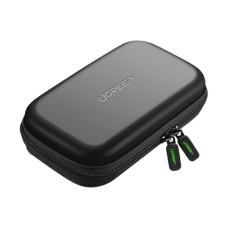
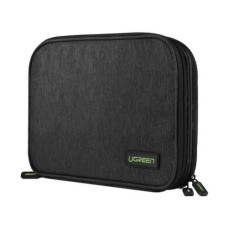
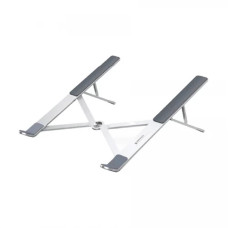



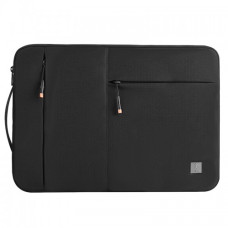


Laptop accessories are essential for improving the usability, protection, connectivity, productivity, storage, and overall performance of a laptop. From laptop bags and cooling pads to chargers, docking stations, external keyboards, mice, USB hubs, webcams, headphones, laptop stands, and storage devices, the right accessories can make everyday laptop use more comfortable and convenient.
Laptop Accessories
Unix Network offers laptop accessories for home users, students, professionals, gamers, business users, and organizations. Whether you need to protect your laptop, replace a damaged charger, connect additional devices, improve ergonomics, expand storage, or create a more productive workstation, choosing compatible laptop accessories is important.
Laptop Accessories Categories
- Laptop Bag
- Laptop Backpack
- Laptop Sleeve
- Laptop Charger
- Laptop Adapter
- USB Type-C Charger
- Laptop Cooling Pad
- Laptop Stand
- Laptop Docking Station
- USB Hub
- Laptop Mouse
- Wireless Mouse
- Laptop Keyboard
- Wireless Keyboard
- External Webcam
- Laptop Headset
- External Speaker
- External SSD
- External Hard Drive
- USB Flash Drive
- Memory Card
- Card Reader
- HDMI Adapter
- USB Type-C Adapter
- Display Adapter
- Network Adapter
- Wi-Fi Adapter
- Bluetooth Adapter
- Ethernet Adapter
- Laptop Privacy Filter
- Laptop Screen Protector
- Laptop Keyboard Protector
- Laptop Cleaning Kit
Laptop Bag
A laptop bag provides protection and convenient transportation for laptops. Laptop bags are available in different sizes and designs for students, office users, business professionals, and travelers.
When choosing a laptop bag, check the compatible laptop size, internal padding, compartment design, material quality, carrying options, water resistance, and space for accessories.
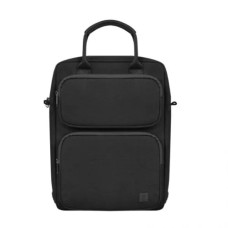
Laptop Backpack
Laptop backpacks are useful for users who carry a laptop along with chargers, documents, accessories, and personal belongings. A good laptop backpack should provide sufficient padding and a dedicated laptop compartment.
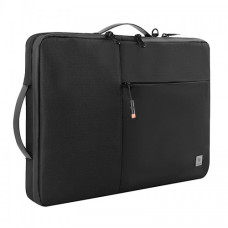
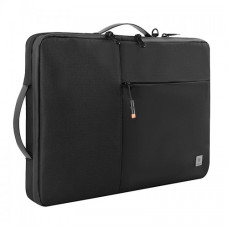
Laptop Sleeve
A laptop sleeve provides lightweight protection against scratches, dust, and minor impacts during transportation or storage. Sleeves are available in different sizes, so users should select one that matches the laptop dimensions.
Laptop Charger
A laptop charger supplies electrical power to the laptop and charges its battery. Chargers are highly model-dependent, and users should verify voltage, current, wattage, connector type, and manufacturer compatibility before purchasing a replacement.
Laptop Adapter
A laptop power adapter converts electrical power into the appropriate output required by a compatible laptop. Using the correct adapter is essential for safe and reliable operation.
USB Type-C Laptop Charger
Many modern laptops support USB Type-C charging using compatible USB Power Delivery technology. However, not every USB Type-C port supports charging, and not every USB Type-C charger provides sufficient power for every laptop.
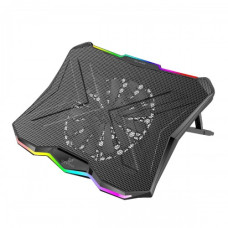
Laptop Cooling Pad
A laptop cooling pad can improve airflow around a laptop during demanding workloads. Cooling pads are particularly popular among gamers and users who regularly perform intensive tasks such as video editing, rendering, or long-duration processing.
A cooling pad cannot replace a properly functioning internal cooling system, but it can provide additional airflow depending on the laptop and pad design.
Gaming Laptop Cooling Pad
Gaming laptops can generate substantial heat during intensive gaming sessions. A suitable cooling pad can provide additional airflow and improve the laptop's operating environment. Compatibility with laptop size and ventilation placement should be considered before purchase.
Laptop Stand
A laptop stand elevates the screen and can help create a more comfortable workstation. Using a stand with an external keyboard and mouse can also encourage a more ergonomic desk setup.
Adjustable Laptop Stand
Adjustable laptop stands allow users to change the viewing height and angle. They are useful for office work, study, video conferencing, programming, and extended laptop use.
Laptop Docking Station
A docking station expands the connectivity options of compatible laptops. Depending on the model, a dock can provide USB ports, HDMI, DisplayPort, Ethernet, audio, memory card connectivity, and power delivery through a single connection.
USB-C Docking Station
USB-C docking stations are popular with modern laptops that use USB Type-C connectivity. A compatible dock can turn a laptop into a desktop-style workstation by connecting external displays, keyboards, mice, storage devices, Ethernet, and other peripherals.
Laptop USB Hub
A USB hub expands the number of available USB ports. It is useful when a laptop has limited USB connectivity and the user needs to connect multiple peripherals such as flash drives, keyboards, mice, external storage, or card readers.
USB Type-C Hub
A USB Type-C hub can add multiple ports to a compatible laptop. Depending on the model, it may include USB-A, USB-C, HDMI, Ethernet, SD card, microSD card, and other interfaces.
Laptop Mouse
An external mouse can provide greater comfort and precision than a laptop touchpad, particularly for office work, graphic design, gaming, and extended computer use.
Wireless Mouse for Laptop
Wireless mice reduce cable clutter and provide convenient portable use. Depending on the model, connectivity may use a USB receiver or Bluetooth.
Bluetooth Mouse
Bluetooth mice connect directly to compatible laptops without requiring a dedicated USB receiver. They can be particularly convenient for thin laptops with limited USB ports.
Gaming Mouse for Laptop
Gaming mice provide features such as adjustable sensitivity, programmable buttons, improved tracking, and gaming-oriented ergonomics. They can be used with gaming laptops for competitive and casual gaming.
Laptop Keyboard
An external keyboard can improve typing comfort and productivity. It is particularly useful when a laptop is placed on a stand or connected to an external monitor.
Wireless Keyboard for Laptop
Wireless keyboards provide a clean and flexible workstation setup. They are useful for home offices, classrooms, meeting rooms, media systems, and portable workstations.
Laptop Webcam
An external webcam can improve video quality for online meetings, classes, interviews, streaming, and content creation. Webcam specifications can include resolution, frame rate, microphone quality, field of view, autofocus, and low-light performance.
Full HD Webcam
Full HD webcams can provide higher video detail than basic HD webcams and are suitable for professional meetings, online classes, video calls, and streaming.
Laptop Headset
A laptop headset combines headphones and a microphone for communication, gaming, online meetings, classes, and entertainment. Wired and wireless options are available with different connectivity methods.
Wireless Headset for Laptop
Wireless laptop headsets can provide greater freedom of movement and reduce cable clutter. Bluetooth and dedicated wireless technologies are available depending on the model.
Laptop Speaker
External speakers can improve audio output for music, movies, presentations, gaming, and video calls. USB, Bluetooth, and other connection types are available.
External SSD for Laptop
An external SSD provides portable high-speed storage for laptops. It can be used for backups, large files, video projects, games, software libraries, and transferring data between computers.
External Hard Drive for Laptop
External hard drives provide large-capacity storage for backups, documents, photos, videos, and other files. They can be a practical option when large storage capacity is more important than maximum portability and speed.
USB Flash Drive
USB flash drives are compact storage devices used for transferring and storing files. They are convenient for documents, installers, presentations, photos, and other portable data.
Memory Card
Memory cards are commonly used with cameras, smartphones, drones, portable devices, and other compatible equipment. A suitable card reader or laptop slot may be required to transfer data to a laptop.
Card Reader
An external card reader allows a laptop to read compatible memory cards. USB card readers are useful for photographers, videographers, content creators, and users who frequently transfer files from removable storage.
HDMI Adapter for Laptop
HDMI adapters can connect laptops to compatible external monitors, televisions, projectors, and other displays. Users should check the laptop's available port and the adapter's supported resolution and refresh rate.
USB-C to HDMI Adapter
A USB-C to HDMI adapter can connect a compatible laptop with a USB Type-C display-capable port to an HDMI display. Not every USB-C port supports video output, so compatibility should be confirmed before purchase.
Display Adapter
Display adapters help connect laptops to external monitors and projectors when the laptop and display use different connector types. Common interfaces include HDMI, DisplayPort, USB Type-C, Mini DisplayPort, and VGA.
Laptop Ethernet Adapter
A USB-to-Ethernet adapter can provide wired network connectivity for laptops without a built-in Ethernet port. Wired networking can be useful for offices, gaming, file transfers, and situations where stable network connectivity is important.
Wi-Fi Adapter for Laptop
A USB Wi-Fi adapter can add or replace wireless networking functionality on compatible laptops. Users should compare wireless standards, supported frequency bands, antenna design, USB interface, and driver compatibility.
Bluetooth Adapter for Laptop
A Bluetooth adapter can add Bluetooth connectivity to compatible computers. It can be used to connect wireless mice, keyboards, headphones, speakers, controllers, and other Bluetooth devices.
Laptop Privacy Filter
A laptop privacy filter reduces the visibility of the screen from side angles. It can be useful for users who work with sensitive information in public places, offices, airports, classrooms, and shared environments.
Laptop Screen Protector
A screen protector can help reduce scratches and protect the laptop display surface. Compatibility with screen size and bezel design should be checked before purchase.
Laptop Keyboard Protector
A keyboard protector can help protect the keyboard from dust, dirt, and minor spills. It should be designed for the specific laptop keyboard layout for proper fit.
Laptop Cleaning Kit
A laptop cleaning kit can help users maintain the keyboard, display, ports, and exterior surfaces. Cleaning products should be used according to the manufacturer's recommendations to avoid damaging sensitive components.
Laptop Accessories for Students
Students can benefit from practical accessories such as laptop backpacks, sleeves, wireless mice, USB hubs, external storage, headphones, webcams, and laptop stands. The right combination can improve portability, study productivity, online learning, and data management.
Laptop Accessories for Office
Office users may benefit from laptop docking stations, external keyboards, mice, webcams, headsets, external monitors, USB hubs, Ethernet adapters, and laptop stands. These accessories can transform a portable laptop into a more comfortable desktop-style workstation.
Laptop Accessories for Gaming
Gaming laptop users can enhance their setup with gaming mice, mechanical keyboards, headsets, cooling pads, external monitors, mouse pads, USB hubs, and external storage. Accessory selection should match the laptop's performance and available ports.
Laptop Accessories for Business
Business users often need portable and reliable accessories for travel, presentations, meetings, and remote work. Laptop bags, docking stations, USB-C hubs, wireless mice, webcams, headsets, external SSDs, and display adapters can be useful additions.
Laptop Accessories for Work From Home
A work-from-home laptop setup can be improved with an external monitor, laptop stand, keyboard, mouse, webcam, headset, docking station, and appropriate lighting or workspace accessories. The exact configuration depends on the user's work requirements.
Laptop Accessories for Travel
Travel accessories should prioritize portability and protection. A padded laptop backpack or sleeve, compact charger, USB-C hub, wireless mouse, power-compatible accessories, and external storage can make mobile computing more convenient.
USB-C Laptop Accessories
USB Type-C has become an important connectivity standard for modern laptops. USB-C accessories can include chargers, hubs, docking stations, display adapters, Ethernet adapters, card readers, external SSDs, and other peripherals.
USB-C does not automatically indicate identical functionality across all devices. Supported power delivery, data transfer speeds, display output, and other capabilities depend on the specific laptop port and accessory.
Laptop Accessories for MacBook
MacBook users can choose compatible USB-C hubs, docking stations, external SSDs, mice, keyboards, webcams, sleeves, stands, chargers, and display adapters. Compatibility should be checked carefully because port configurations vary between MacBook models.
Laptop Accessories for Windows Laptop
Windows laptops support a wide range of accessories, including USB hubs, docking stations, external storage, wireless peripherals, webcams, headsets, display adapters, and network adapters. Compatibility depends on the laptop's operating system, ports, drivers, and hardware.
Laptop Accessories Compatibility
Compatibility is one of the most important considerations when buying laptop accessories. Customers should check laptop model, port type, charging requirements, screen size, operating system, connector type, power requirements, and supported standards before purchasing an accessory.
Laptop Charger Compatibility
For replacement chargers, verify output voltage, current, wattage, connector dimensions, polarity where applicable, and manufacturer compatibility. For USB-C chargers, also check the supported USB Power Delivery profile and whether the charger provides enough wattage for the laptop.
Laptop Dock Compatibility
Docking station compatibility depends on the laptop's ports and supported technologies. Some USB-C ports support only data, while others support charging and external display output. Thunderbolt and USB4 capabilities can also vary by device.
Laptop Accessories Buying Guide
- Identify the laptop model before purchasing model-specific accessories.
- Check the laptop's available ports.
- Verify charger voltage, wattage, and connector compatibility.
- Check USB-C Power Delivery requirements when applicable.
- Choose a laptop bag according to screen size and laptop dimensions.
- Consider an external mouse and keyboard for extended desk use.
- Choose a docking station if multiple peripherals need to be connected.
- Consider an external SSD for fast portable storage.
- Check display adapter resolution and refresh-rate support.
- Choose a suitable cooling pad for gaming or intensive workloads.
- Consider a laptop stand for improved desk ergonomics.
- Check warranty and product support.
Best Laptop Accessories
The best laptop accessories depend on how the laptop is used. A student may prioritize a backpack, wireless mouse, USB hub, and external storage, while an office professional may need a docking station, monitor, keyboard, mouse, webcam, and headset. Gamers may prioritize a gaming mouse, keyboard, headset, cooling pad, and external monitor.
Laptop Accessories Price in Bangladesh
Laptop accessories prices in Bangladesh vary according to brand, specifications, compatibility, build quality, technology, capacity, and features. Basic accessories such as mouse, keyboard, sleeves, and USB hubs are available at different price levels, while docking stations, external SSDs, premium chargers, and specialized accessories can cost more.
Customers should compare specifications and compatibility rather than choosing accessories based solely on price. For chargers, adapters, docking stations, and other electrical accessories, compatibility and safety should receive particular attention.
Buy Laptop Accessories in Bangladesh
Customers looking to buy laptop accessories in Bangladesh can find products for laptop protection, charging, connectivity, storage, cooling, productivity, gaming, audio, video conferencing, and networking.
Unix Network offers laptop accessories, computer peripherals, networking products, storage devices, office equipment, gaming products, and IT accessories for home and professional users.
Laptop Accessories in Jashore
Unix Network provides laptop accessories and computer products for customers in Jashore and across Bangladesh. Customers can choose accessories according to their laptop model, usage requirements, budget, and preferred features.
Frequently Asked Questions About Laptop Accessories
What are laptop accessories?
Laptop accessories are additional products that improve laptop functionality, protection, connectivity, comfort, storage, or productivity. Examples include laptop bags, chargers, mice, keyboards, docking stations, USB hubs, cooling pads, external storage, webcams, and headsets.
What accessories should I buy with a new laptop?
Useful accessories can include a laptop bag or sleeve, wireless mouse, suitable charger, USB hub, external storage, and laptop stand. The best combination depends on how the laptop will be used.
Do all USB-C accessories work with every laptop?
No. USB-C describes the connector shape, but supported features can vary. A laptop's USB-C port may support different combinations of data transfer, charging, video output, and high-speed protocols.
Can I use a USB-C charger with my laptop?
Only if the laptop supports USB-C charging and the charger provides a compatible USB Power Delivery profile and sufficient power. Always verify the laptop manufacturer's requirements.
Do I need a laptop cooling pad?
A cooling pad is optional for many users but can be useful for gaming laptops and systems that regularly perform demanding workloads. Its effectiveness depends on the laptop's cooling design and ventilation.
Is an external SSD useful for a laptop?
Yes. An external SSD can provide fast portable storage for backups, large files, games, media, and professional projects.
Should I buy a laptop stand?
A laptop stand can be useful if you spend long periods working at a desk. It can raise the screen to a more comfortable viewing height and can be paired with an external keyboard and mouse.
Why Buy Laptop Accessories from Unix Network?
Unix Network provides laptop accessories and computer peripherals for students, home users, professionals, gamers, offices, and businesses. Customers can find accessories for laptop charging, protection, storage, cooling, connectivity, networking, audio, video conferencing, and productivity.
Before purchasing any laptop accessory, check the exact laptop model and technical requirements. Correct compatibility is especially important for chargers, docking stations, USB-C products, display adapters, and other accessories that depend on specific hardware capabilities.
