


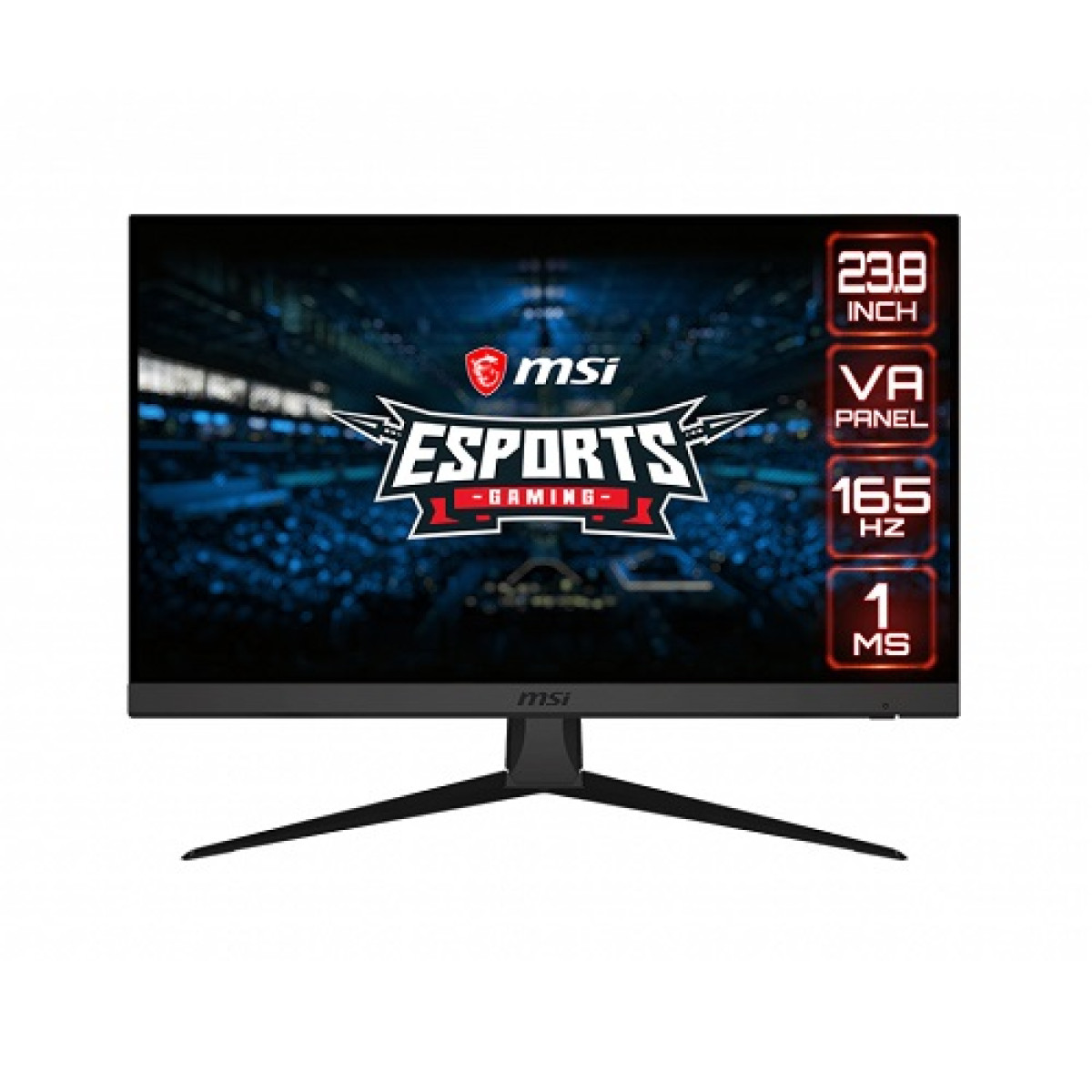
MSI Optix G243 23.8 165Hz FHD Gaming Monitor
Key highlights
- Aspect Ratio: 16:9
- color gamut: 91.1% DCI-P3, 115.2% SRGB
- Contrast Ratio: 3000:1
- Display size: 23.8 Inch
- Display surface: Anti-glare
Description
MSI Optix G243 23.8 Inch 165Hz FHD Gaming Monitor Price in Bangladesh
The MSI Optix G243 is a 23.8-inch Full HD gaming monitor built for players who want a fast 165Hz refresh rate in a practical desktop-friendly screen size. It is particularly relevant for competitive and fast-paced gaming, where smoother motion and responsive visual performance can matter more than simply choosing the highest available resolution. Before buying, however, customers should consider the exact panel specifications, connectivity options and adaptive synchronisation features of the available product version.
Product Overview
The MSI Optix G243 is designed for gamers who want a fast, responsive display without requiring a large monitor or a high-resolution GPU setup. Its 23.8-inch screen uses a Full HD resolution of 1920 x 1080 and a VA panel with a 165Hz refresh rate. The monitor also supports a 1ms MPRT response time and FreeSync Premium dynamic refresh technology. The combination makes it particularly suitable for competitive games, action titles, racing games, sports games and other fast-moving content.
One of the practical advantages of Full HD at a 23.8-inch screen size is that it does not place the same graphics performance demands on a PC as higher-resolution gaming monitors. Gamers can focus their budget on achieving higher frame rates, which is important when taking advantage of a 165Hz display. This can make the MSI Optix G243 a sensible option for both dedicated gaming PCs and balanced mid-range desktop configurations.
The monitor should not be selected based on refresh rate alone. The graphics card, processor and the games being played all influence whether a system can produce sufficiently high frame rates. A 165Hz monitor can display up to 165 refreshes per second when used with a compatible connection and system configuration, but the actual frame rate generated by the PC remains dependent on the hardware and software.
Key Features of MSI Optix G243 Gaming Monitor
- 23.8-inch flat gaming display
- 1920 x 1080 Full HD resolution
- VA panel technology
- 165Hz refresh rate
- 1ms MPRT response time
- AMD FreeSync Premium dynamic refresh technology
- 350 nits typical brightness
- 3000:1 contrast ratio
- 178-degree horizontal and vertical viewing angles
- Anti-glare display surface
- Wide colour gamut support
- Night Vision feature for improved visibility in darker game scenes
- Frameless design with narrow bezels
- 2 x HDMI 1.4b ports
- 1 x DisplayPort 1.2a
- 1 x headphone output
- VESA 100 x 100 mm mounting support
- Tilt adjustment from -5 to 20 degrees
- 5-way OSD navigation joystick
MSI Optix G243 Technical Specifications
| Specification | Details |
|---|---|
| Model | MSI Optix G243 |
| Screen Size | 23.8 Inch |
| Panel Type | VA |
| Screen Type | Flat |
| Resolution | 1920 x 1080 Full HD |
| Aspect Ratio | 16:9 |
| Refresh Rate | 165Hz |
| Response Time | 1ms MPRT |
| Dynamic Refresh Technology | FreeSync Premium |
| Activated Refresh Range | 48Hz to 165Hz |
| Brightness | 350 nits |
| Contrast Ratio | 3000:1 |
| Viewing Angle | 178 degrees horizontal / 178 degrees vertical |
| Display Colours | 16.7 million |
| Colour Gamut | 91.1% DCI-P3 / 115.2% sRGB |
| Display Surface | Anti-glare |
| HDMI | 2 x HDMI 1.4b |
| DisplayPort | 1 x DisplayPort 1.2a |
| Audio | 1 x Headphone Out |
| VESA Mount | 100 x 100 mm |
| Tilt Adjustment | -5 degrees to 20 degrees |
| Dimensions | 540.24 x 412.67 x 228.24 mm |
| Net Weight | 3.5 kg |
The listed specifications are based on MSI product documentation for the Optix G243. DisplayPort supports Full HD operation up to 165Hz, while the product specification lists Full HD operation up to 144Hz through HDMI.
165Hz Refresh Rate for Smoother Gaming
The 165Hz refresh rate is one of the main reasons to choose the MSI Optix G243. Compared with a conventional 60Hz display, a high-refresh-rate monitor updates the image more frequently. This can result in smoother perceived motion when the PC is capable of delivering sufficiently high frame rates.
This benefit can be especially noticeable in competitive and fast-moving games. First-person shooters, racing games, sports titles, fighting games and esports-focused games often involve rapid camera movement and quick visual changes. A higher refresh rate can make motion appear more fluid and can provide a more responsive overall gaming experience.
To make full use of the 165Hz capability, users should consider the graphics output of their gaming PC. The connection method is also important. According to MSI's specifications, the DisplayPort connection supports 1920 x 1080 at up to 165Hz, while HDMI supports Full HD at up to 144Hz for this model.
This distinction matters when selecting cables and configuring a gaming setup. Customers purchasing the monitor specifically for 165Hz operation should ensure that their graphics hardware and chosen display connection support the intended refresh rate.
1ms MPRT Response Time and Motion Clarity
The MSI Optix G243 specifies a 1ms MPRT response time. MPRT, or Moving Picture Response Time, is a motion-related measurement and should not automatically be treated as identical to every other response-time measurement used by monitor manufacturers.
For practical gaming, the purpose of a fast response specification is to improve the handling of fast-moving images. Lower motion persistence and faster pixel behaviour can help reduce the perception of blur during rapid movement.
Different response-time measurements are not always directly comparable between monitors. Buyers comparing the G243 with another display should therefore look at the complete monitor performance rather than comparing a single number without considering the measurement method, panel technology, refresh rate and intended use.
VA Panel Technology and Contrast Performance
The MSI Optix G243 uses a VA panel. VA technology is often valued for its stronger contrast characteristics compared with many conventional IPS displays, and MSI specifies a 3000:1 contrast ratio for this model.
Higher native contrast can be useful when displaying darker scenes because it can provide greater separation between dark and bright areas. This can contribute to a more immersive appearance in atmospheric games, films and other content with substantial dark imagery.
Panel technology should still be selected according to personal preference. Some users prioritise contrast, while others may prioritise viewing characteristics, colour behaviour or specific motion performance. The VA panel of the G243 is particularly relevant to users who want a combination of high refresh rate, Full HD resolution and strong contrast in a gaming-oriented monitor.
FreeSync Premium for More Consistent Gameplay
The Optix G243 supports FreeSync Premium with an activated range listed from 48Hz to 165Hz. Dynamic refresh technology can synchronise the monitor's refresh behaviour with compatible graphics output to help reduce visual issues such as tearing during gameplay.
This is useful because game frame rates do not always remain perfectly fixed. Performance can rise or fall depending on the game scene, graphics settings and computer hardware. Variable refresh technology is intended to improve visual consistency when supported by the gaming system.
Customers should still verify compatibility with their particular graphics card, driver and gaming setup. Adaptive synchronisation features can depend on the complete hardware and software environment.
Full HD Resolution for Competitive and Everyday Gaming
The 1920 x 1080 resolution remains a practical choice for gaming, particularly when the goal is to achieve high frame rates. Compared with higher-resolution displays, Full HD requires fewer pixels to be rendered for each frame.
This can help a gaming PC reach higher frame rates in supported games, depending on the graphics card and selected settings. For competitive players, the ability to maintain a high frame rate can be more valuable than increasing the display resolution.
The 23.8-inch screen size also creates a compact desktop setup. It is large enough for immersive gaming and general productivity while remaining suitable for desks where space is limited.
For users moving from a smaller monitor or an older 60Hz display, the combination of a 23.8-inch screen and 165Hz refresh rate can represent a substantial change in everyday visual responsiveness.
Wide Colour Gamut and Visual Experience
MSI lists 91.1% DCI-P3 and 115.2% sRGB colour gamut figures for the Optix G243 using the CIE1976 standard. The monitor is also specified to display 16.7 million colours.
A wider colour gamut can contribute to richer and more vivid visual output when the content and colour management environment support it. This can be beneficial for gaming, entertainment and general multimedia use.
Gamers who also use their monitor for casual photo editing, video viewing or content creation may appreciate the monitor's broader colour capabilities. Users requiring colour-critical professional work should still evaluate calibration requirements and workflow compatibility rather than assuming that wide gamut alone guarantees professional colour accuracy.
Night Vision for Dark Gaming Environments
The MSI Optix G243 includes Night Vision, a feature intended to improve visibility in darker areas of a game. Dark scenes can sometimes make environmental details, pathways or opponents more difficult to distinguish.
For games with shadow-heavy environments, this feature can provide an additional adjustment option. The usefulness of such image features depends on the game, lighting design and personal preference.
Users should experiment with display settings rather than automatically using maximum enhancement. Excessive image adjustment can change the intended appearance of a game, so balanced settings may provide the best overall experience.
Frameless Design and Multi-Monitor Use
The narrow-bezel design gives the MSI Optix G243 a cleaner appearance and can be useful for users planning a multi-monitor setup. Smaller visible borders between displays can make multiple screens feel less visually separated.
For streamers, traders, programmers, office users and gamers who use additional displays for chat, monitoring tools or other applications, a compact 23.8-inch monitor can be easier to position than a significantly larger display.
The monitor also supports 100 x 100 mm VESA mounting, allowing compatible monitor arms or wall mounts to be considered where appropriate.
Connectivity and Device Compatibility
The MSI Optix G243 includes two HDMI 1.4b ports and one DisplayPort 1.2a connection, giving users flexibility when connecting a gaming PC, laptop, console or other compatible device. A headphone output is also included.
The product documentation lists compatibility with PC, Mac, PS5, PS4, Xbox, mobile devices and notebooks, although practical compatibility depends on the available video output and adapter support of the connected device
Gamers using a desktop PC should pay particular attention to the graphics card output. DisplayPort is the connection listed for Full HD operation at up to 165Hz. HDMI is listed for Full HD operation at up to 144Hz on this model.
This means the choice of cable and output port can affect the maximum available refresh rate.
Console Gaming with the MSI Optix G243
The Optix G243 includes console-oriented functionality and MSI lists 2K resolution PS5 optimisation as part of its specification. Actual output modes and behaviour can depend on the connected console, system software and selected settings.
The monitor's Full HD native resolution remains its primary display resolution. Console users should therefore consider how their particular console handles output scaling and supported refresh modes before purchasing.
For customers using both a gaming PC and a console, the multiple display inputs can make it easier to connect more than one device without constantly changing cables.
Build Design and Ergonomics
The MSI Optix G243 has a flat 23.8-inch design with tilt adjustment from -5 degrees to 20 degrees. This allows the screen angle to be adjusted according to desk height and seating position.
The standard stand does not provide the same range of ergonomic adjustments as a monitor with height, swivel and pivot controls. Users who require more flexible positioning may wish to consider a compatible VESA monitor arm.
This is an important buying consideration. A monitor can have excellent gaming specifications, but comfortable screen positioning also matters during long sessions. The VESA 100 x 100 mm mounting support gives users an option to improve desk ergonomics with a suitable mounting solution.
Anti-Glare Surface for Everyday Use
The anti-glare surface helps reduce distracting reflections from surrounding light sources. This can be useful in rooms with windows, ceiling lights or other sources of reflected light.
Gaming monitors are often used for more than gaming. The Optix G243 can also serve as a display for browsing, documents, streaming, online communication and other everyday tasks. The combination of a manageable 23.8-inch size and Full HD resolution makes it suitable for a mixed-use desktop setup.
Real-World Gaming Use Cases
Competitive FPS players can benefit from the monitor's 165Hz refresh rate when their gaming PC can deliver high frame rates. Smooth motion can be especially valuable in games where rapid camera movement and quick reactions are common.
Racing games can also benefit from a high-refresh-rate display because fast scenery movement can appear more fluid when the game and hardware are producing sufficient frames.
Sports and fighting games involve rapid animation and movement, making a responsive display useful for players who value smooth presentation.
Story-driven and action games can benefit from the monitor's VA contrast characteristics, wide colour gamut and Night Vision functionality. These features can contribute to a visually engaging experience, particularly in darker game environments.
MSI Optix G243 for Work and Entertainment
Although the Optix G243 is primarily marketed as a gaming monitor, it can also be used for standard desktop work. The 23.8-inch screen provides enough space for documents, web browsing and everyday productivity without occupying as much desk area as larger displays.
The Full HD resolution is widely supported by desktop computers, laptops and many other devices. This can simplify compatibility for customers using different systems.
For entertainment, the monitor's contrast performance and colour capabilities can be useful for video playback and streaming. The 178-degree viewing angles also provide flexibility when viewing the screen from slightly different positions.
Advantages of the MSI Optix G243 165Hz Gaming Monitor
- Fast 165Hz refresh rate for smoother gaming
- 1ms MPRT response specification for fast-moving content
- 23.8-inch size suitable for compact gaming setups
- Full HD resolution is easier to drive at high frame rates than many higher-resolution displays
- VA panel with 3000:1 specified contrast ratio
- FreeSync Premium support
- Wide colour gamut for vivid gaming and multimedia
- Night Vision feature for darker game scenes
- Anti-glare screen surface
- Multiple HDMI and DisplayPort connectivity options
- VESA mounting support
- Narrow-bezel design suitable for multi-monitor environments
Things to Consider Before Buying
The first consideration is whether Full HD resolution is right for your setup. At 23.8 inches, Full HD remains practical for gaming and everyday use, especially for players prioritising high frame rates. Users seeking significantly more desktop workspace or sharper high-resolution output may prefer a larger QHD or 4K display.
The second consideration is graphics performance. A 165Hz monitor does not automatically make a game run at 165 frames per second. Your CPU, graphics card, game engine and graphics settings determine the actual frame rate.
Connection choice is also important. MSI's specification lists DisplayPort for 1920 x 1080 at up to 165Hz, while HDMI is listed for up to 144Hz at the same resolution. Buyers who specifically want the maximum advertised refresh rate should plan their connectivity accordingly.
The monitor uses a VA panel, which may appeal to users who value strong contrast. Buyers with very specific requirements for professional colour-critical work or particular motion characteristics should compare the panel technology with other available options before purchasing.
The included stand provides tilt adjustment but does not offer height, swivel or pivot adjustment according to the MSI manual. A compatible VESA mount can be considered if more ergonomic flexibility is required.
Who Should Buy the MSI Optix G243?
The MSI Optix G243 can be a strong choice for competitive gamers building a Full HD gaming setup around high frame rates. It is particularly suitable for users who play esports titles and fast-paced games and want to move beyond a standard 60Hz or 75Hz monitor.
It can also suit gamers building a mid-range gaming PC. Full HD resolution can make it more achievable for a balanced graphics card to produce high frame rates than a higher-resolution display.
Students and general users who want one monitor for gaming, entertainment and everyday computer work may also find the 23.8-inch size practical for a standard desk.
It may be less suitable for customers whose primary requirement is 1440p or 4K resolution, extensive professional colour work or a built-in stand with advanced ergonomic adjustment.
Why Buy from Unix Network?
Choosing a gaming monitor should involve more than comparing refresh-rate numbers. Unix Network can help customers match a monitor with their existing PC, graphics card, gaming requirements and available desk space.
Customers searching for a computer shop in Jessore, laptop shop in Jessore or a trusted technology retailer can enquire about product availability and local showroom options from Unix Network. The team can also help customers planning a complete desktop setup, including a gaming PC, monitor, peripherals and other compatible accessories.
For buyers building or upgrading a gaming system, practical compatibility matters. A 165Hz monitor provides the greatest benefit when the rest of the system is capable of delivering suitable frame rates. Expert technical support can help customers choose a balanced configuration rather than overspending on one component while neglecting another.
Unix Network also serves online customers throughout Bangladesh. Buyers outside Jessore or Jashore can enquire about nationwide delivery, product availability and applicable purchase terms.
Customers from nearby areas including Jhenaidah, Magura, Narail, Satkhira, Khulna, Kushtia and Chuadanga can also consider Unix Network when looking for computer hardware and technology products, subject to stock availability and delivery arrangements.
Buying Guide for a 165Hz Gaming Monitor
Start by checking the graphics card in your PC. Determine which display outputs are available and whether the graphics card can produce high frame rates in the games you play.
Next, consider the resolution. Full HD is a practical choice when the objective is competitive gaming and high frame rates. Higher resolutions provide more pixels but also require more graphics performance.
Check the monitor connection carefully. For the Optix G243, DisplayPort is the listed option for reaching 1920 x 1080 at up to 165Hz, while HDMI is listed for up to 144Hz.
Think about screen size and desk space. A 23.8-inch display can provide a focused gaming experience while fitting comfortably into many desk environments.
Finally, consider ergonomics. If your desk setup requires height adjustment, rotation or more flexible positioning, check whether a VESA-compatible monitor arm would be useful.
Warranty Information
Warranty terms can vary depending on the product source, distributor and current sales policy. Customers should confirm the exact warranty coverage applicable to the MSI Optix G243 available from Unix Network before completing a purchase.
Where an official manufacturer or authorised distributor warranty applies, the specific coverage period and terms should be verified at the time of purchase. Warranty policies can differ by region and product channel, so customers should rely on the warranty information provided for the actual unit being sold rather than assuming that every international version has identical coverage.
Delivery Across Bangladesh
Customers outside Jessore can enquire about nationwide delivery for the MSI Optix G243 23.8-inch 165Hz FHD Gaming Monitor. Delivery availability, charges and estimated delivery arrangements should be confirmed when placing an order.
For customers ordering online, confirming product availability before payment can help ensure that the selected monitor is ready for dispatch. Buyers may also wish to discuss compatible cables, monitor arms or other accessories needed for their gaming setup.
Unix Network provides a convenient option for customers in Jessore and surrounding areas while also serving technology buyers across Bangladesh through available nationwide delivery arrangements.
After-Sales Support and Technical Assistance
A monitor is only one part of a gaming setup. Unix Network can provide practical guidance when customers need to connect a new monitor to an existing PC, choose the appropriate cable or understand display settings.
For users upgrading from a lower-refresh-rate display, the monitor may need to be configured correctly in the operating system and graphics settings to use the available refresh rate. The connected device and cable must also support the selected display mode.
Professional customer support can be particularly useful for customers building a new gaming PC. Matching the processor, graphics card, memory and monitor helps create a more balanced system.
Frequently Asked Questions
What is the screen size of the MSI Optix G243?
The MSI Optix G243 has a 23.8-inch flat display with a 16:9 aspect ratio.
Does the MSI Optix G243 support 165Hz?
Yes. The monitor has a maximum specified refresh rate of 165Hz. MSI's specifications list DisplayPort as supporting 1920 x 1080 at up to 165Hz.
What is the resolution of the MSI Optix G243?
The monitor has a native resolution of 1920 x 1080, commonly known as Full HD.
What type of panel does the MSI Optix G243 use?
The Optix G243 uses a VA panel with a specified 3000:1 contrast ratio.
Does the MSI Optix G243 support FreeSync?
Yes. The monitor supports FreeSync Premium, with MSI listing an activated dynamic refresh range from 48Hz to 165Hz.
What response time does the MSI Optix G243 have?
The monitor is specified with a 1ms MPRT response time. MSI documentation also distinguishes MPRT from other response-time measurement methods, so comparisons with other monitors should consider the measurement type.
Can I get 165Hz using HDMI?
According to the MSI specifications for this model, DisplayPort supports Full HD at up to 165Hz, while HDMI supports Full HD at up to 144Hz.
Can the MSI Optix G243 be wall-mounted?
Yes. The monitor supports a 100 x 100 mm VESA mounting pattern, allowing it to be used with a compatible monitor arm or wall mount.
Is the MSI Optix G243 suitable for PS5 and Xbox?
MSI lists compatibility with PS5, PS4 and Xbox, and the monitor includes console-oriented functionality. The actual resolution and refresh modes available depend on the console, connection and supported output settings.
Is the MSI Optix G243 good for competitive gaming?
The 165Hz refresh rate, 1ms MPRT specification and FreeSync Premium support make it well suited to users who prioritise smooth motion and responsive gameplay. The greatest benefit will depend on whether the connected gaming PC can produce sufficiently high frame rates.
Final Thoughts
The MSI Optix G243 23.8-inch 165Hz FHD Gaming Monitor offers a balanced specification for gamers who prioritise smooth gameplay, strong contrast and Full HD performance. Its VA panel, 165Hz refresh rate, 1ms MPRT response specification, FreeSync Premium support and multiple display inputs make it a practical option for a modern gaming setup.
The monitor is particularly worth considering for competitive gamers and users building a Full HD gaming PC where achieving higher frame rates is a priority. Its 23.8-inch size also makes it suitable for compact desks, dual-monitor setups and mixed gaming and productivity use.
Customers looking for an MSI Optix G243 gaming monitor from a computer shop in Jessore or a trusted tech store in Bangladesh can contact Unix Network for current availability, competitive pricing, applicable warranty information, expert technical advice, professional customer support, after-sales service and nationwide delivery options. For buyers in Jashore, the local showroom provides an additional option for discussing gaming monitor and gaming PC requirements before making a purchase.
Specification
| Display Features | |
|---|---|
| Aspect Ratio | 16:9 |
| color gamut | 91.1% DCI-P3, 115.2% SRGB |
| Contrast Ratio | 3000:1 |
| Display size | 23.8 Inch |
| Display surface | Anti-glare |
| Others Features | ACTIVE DISPLAY AREA (MM): 525.89 (H) x 295.81 (V) |
| Panel Type | VA |
| Pixel pitch(MM) | 0.2739(H) x 0.2739(V) |
| Resolution | FHD (1920 x 1080) |
| Audio/Video Features | |
| Free Sync Support | Yes |
| BASIC INFORMATION | |
| color | Black |
| security locker | KENSINGTON LOCK |
| vesa wall mount | 100 X 100 mm |
| Viewing Angle | 178° (H)/178° (V) |
| Type | External Adaptor 20V 2.25A |
| Brightness | 350 nits |
| Connectivity | |
| HDMI | 2x HDMI (1.4b) |
| Interface | |
| Display Port | 1x Display Port (1.2a) |
| Main Features | |
| Response time | 1ms(MPRT) |
| PHYSICAL SPECIFICATION | |
| Dimensions (W x D x H) | DIMENSION (W X H X D): 540.24 x 412.67 x 228.24 mm / 21.27 x 16.25 x 8.99 inch CARTON DIMENSION (W X H X D): 606 x 409 x 172 mm / 23.86 x 16.10 x 6.77 inch |
| Tilt | -5° ~ 20° |
| WARRANTY | |
| Manufacturing Warranty | 03-Years Warranty |