


Best Laptops for Autodesk 3ds Max in bangladesh

-core-i7-15.6-narrow-bezel-144hz-full-hd-gaming-laptop/Asus-GL504GM-Scar-Edition-Core-i7-15-6inch-Narrow-Bezel-144hz-Full-Hd-Gaming-Laptop-228x228.jpg "Asus GL504GM (Scar Edition) Core i7 15.6 Narrow Bezel 144hz Full Hd Gaming Laptop")


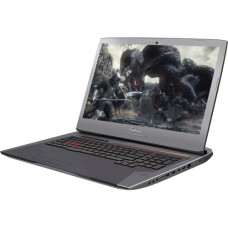

Best Laptops for Autodesk 3ds Max in bangladesh
Best Laptops for Autodesk 3ds Max
Best Laptop for Autodesk 3ds Max
Choosing the best laptop for Autodesk 3ds Max depends on the type and complexity of your 3D modeling, animation, rendering, architectural visualization, and design work. A laptop suitable for basic 3D modeling does not necessarily need the same hardware as a professional workstation used for complex scenes and high-resolution rendering.
Autodesk 3ds Max 2027 requires a 64-bit Intel or AMD multi-core processor with SSE4.2 support, while Autodesk lists 4GB RAM as the minimum and 8GB or more as recommended. Autodesk also directs users to its certified hardware list for supported graphics hardware. :contentReference[oaicite:0]{index=0}
For a better real-world experience, users working with large models, complex scenes, high-resolution textures, animation, or GPU rendering should consider a considerably more powerful configuration than the official minimum requirements.
Laptop Requirements for 3ds Max
Processor
The processor is important for 3ds Max modeling, scene management, simulation, and CPU-based rendering. A modern Intel Core or AMD Ryzen processor with strong single-core performance and multiple cores is a good starting point.
For professional 3D work, look for a laptop with a modern high-performance processor rather than an entry-level low-power CPU. A higher-performance CPU can also reduce waiting times during CPU-based rendering and other demanding workloads.
Graphics Card
A dedicated graphics card is strongly recommended for serious 3ds Max work. GPU performance is particularly important for viewport performance and GPU-accelerated rendering workflows.
NVIDIA GeForce RTX and professional NVIDIA RTX graphics solutions are common choices for demanding 3D workflows. AMD Radeon graphics can also be suitable depending on the software and rendering engine being used.
Autodesk maintains a certified hardware list for 3ds Max, so users purchasing a laptop for professional work should check the current certified hardware information when compatibility and reliability are critical. :contentReference[oaicite:1]{index=1}
RAM
RAM becomes increasingly important as 3D scenes become larger and more complicated. While Autodesk lists 8GB or more as recommended for 3ds Max 2027, a laptop with 16GB RAM is a much more practical starting point for regular 3D modeling. :contentReference[oaicite:2]{index=2}
For professional 3ds Max work, 32GB RAM is preferable, while 64GB or more can be beneficial for very large scenes, high-resolution textures, multitasking, and complex projects.
SSD Storage
An NVMe SSD is recommended for a 3ds Max laptop because it provides faster application loading, project loading, file transfers, and general system responsiveness compared with traditional hard drives.
A 512GB SSD can work for smaller projects, but 1TB or more is a better choice for users who store large 3D projects, textures, reference images, rendered videos, and asset libraries locally.
Display
A good display makes detailed 3D modeling and material work easier. A 15.6-inch or 16-inch laptop with a Full HD or higher-resolution display can provide a practical workspace.
For professional design and visualization, also consider color accuracy, brightness, viewing angles, resolution, and panel quality rather than focusing only on refresh rate.
Best Laptop Specifications for 3ds Max
Entry-Level 3ds Max Laptop
For students and beginners learning 3ds Max, a practical configuration can include a modern Core i5 or Ryzen 5 processor, 16GB RAM, an SSD, and a dedicated graphics card with sufficient VRAM for the intended projects.
This type of laptop can be suitable for learning 3D modeling, basic architectural visualization, small projects, and moderate viewport workloads.
Mid-Range 3ds Max Laptop
For regular 3D modeling, animation, architectural visualization, and more demanding projects, consider a Core i7 or Ryzen 7-class processor, 32GB RAM, a capable RTX-class dedicated GPU, and a 1TB NVMe SSD.
Professional 3ds Max Laptop
Professional users working with large models, complex scenes, advanced rendering, animation, and professional visualization should consider a high-performance processor, 32GB or 64GB RAM, a powerful dedicated GPU, and at least a 1TB SSD.
High-End 3ds Max Workstation Laptop
For demanding professional workloads, a workstation-class laptop with a high-performance CPU, large RAM capacity, powerful GPU, excellent cooling, and a high-quality display can provide the performance and reliability required for intensive 3D production.
Best Graphics Card for 3ds Max Laptop
NVIDIA GeForce RTX
NVIDIA GeForce RTX graphics cards are popular for gaming and 3D applications because they provide dedicated GPU processing capabilities and support modern rendering technologies.
NVIDIA Professional Graphics
Professional NVIDIA RTX graphics solutions can be considered when workstation-class drivers, certified applications, reliability, and professional workflows are more important than gaming performance.
AMD Radeon
AMD Radeon GPUs can also be suitable for 3D applications. The best choice depends on the rendering engine, plugins, drivers, and applications used in your workflow.
How Much RAM Does 3ds Max Need?
16GB RAM
16GB RAM is a practical starting point for students, beginners, and users working with relatively moderate 3D scenes.
32GB RAM
32GB RAM is a strong choice for regular professional 3D modeling, architectural visualization, animation, multitasking, and more complex scenes.
64GB RAM
64GB RAM can be useful for large scenes, high-resolution textures, complex projects, heavy multitasking, and demanding professional workflows.
128GB RAM
Very large professional projects may benefit from 128GB RAM, although the requirement depends heavily on scene complexity and the applications being used alongside 3ds Max.
Best Laptop for 3ds Max Rendering
Rendering requirements depend on the rendering engine. CPU-based rendering benefits from a powerful multi-core processor, while GPU-based rendering benefits from a capable dedicated graphics card and sufficient VRAM.
If you regularly render complex scenes, do not choose a laptop based only on its CPU. Check whether your preferred rendering engine supports GPU acceleration and select the hardware accordingly.
Best Laptop for 3ds Max and V-Ray
Users working with 3ds Max and V-Ray should consider a laptop with a powerful modern CPU, dedicated GPU, 32GB or more RAM, and fast NVMe storage. The ideal configuration depends on whether the workflow relies primarily on CPU rendering, GPU rendering, or a combination of both.
Best Laptop for 3ds Max and Corona Renderer
Corona Renderer workflows can place significant demands on the processor during rendering. A laptop with a strong multi-core CPU and adequate cooling can therefore be especially useful for users who frequently perform CPU-based rendering.
Best Laptop for 3ds Max and Lumion
If 3ds Max is being used together with Lumion or another real-time visualization application, GPU performance becomes particularly important. A dedicated RTX-class graphics card with sufficient VRAM can provide a better experience for complex real-time scenes.
Best Laptop for 3ds Max and AutoCAD
Users who work with both 3ds Max and AutoCAD should consider a balanced system with a strong CPU, dedicated GPU, 16GB or 32GB RAM, and an NVMe SSD.
For large CAD datasets and advanced 3D workflows, Autodesk's current AutoCAD guidance recommends 32GB RAM for demanding datasets and 12GB or more VRAM for certain large-data scenarios. :contentReference[oaicite:3]{index=3}
Best Laptop for 3ds Max and Revit
Architects and students who use 3ds Max with Revit should prioritize CPU performance, RAM capacity, dedicated graphics, and SSD storage. A 32GB laptop can be a strong option when working with larger architectural models and multiple applications simultaneously.
Best Laptop for 3ds Max Students
Students learning 3ds Max do not necessarily need an expensive workstation laptop. A laptop with a modern Core i5 or Ryzen 5 processor, 16GB RAM, dedicated graphics, and an SSD can provide a suitable starting point for learning modeling, materials, lighting, and basic rendering.
If the student plans to work professionally with 3D animation, architectural visualization, V-Ray, Corona, or other demanding software, investing in a more powerful laptop can provide greater longevity.
Best Laptop for Architecture Students
Architecture students often use several applications together, such as AutoCAD, Revit, SketchUp, 3ds Max, rendering software, and Adobe applications. For this type of workload, 16GB RAM is a reasonable starting point, while 32GB is preferable for heavier multitasking and large projects.
Best Laptop for 3D Modeling
For 3D modeling, prioritize strong CPU performance, a dedicated GPU, adequate VRAM, sufficient RAM, and a high-quality display. A laptop with good cooling is also important because modeling and rendering can place sustained loads on the CPU and GPU.
Best Laptop for 3D Animation
3D animation can require significant CPU, GPU, and RAM resources. Animators working with complex scenes should consider at least 32GB RAM, a powerful dedicated GPU, and a high-performance processor.
Best Laptop for Architectural Visualization
Architectural visualization often involves large models, detailed textures, realistic lighting, rendering, and real-time visualization. A laptop with a powerful dedicated GPU, 32GB or more RAM, fast SSD storage, and a high-performance CPU is recommended for demanding professional workloads.
Gaming Laptop vs Workstation Laptop for 3ds Max
Gaming Laptop
A gaming laptop can provide excellent 3ds Max performance because many models include powerful CPUs, dedicated GPUs, high-speed RAM, and effective cooling. Gaming laptops can also provide strong performance for GPU rendering and visualization at a comparatively competitive price.
Workstation Laptop
A workstation laptop is designed for professional workloads and may offer professional graphics hardware, certified drivers, business support, and other features targeted at professional applications.
For students and independent designers, a powerful gaming laptop can often provide excellent value. For businesses where certified hardware, professional support, and application certification are important, a workstation laptop may be preferable.
Important Features to Check Before Buying a 3ds Max Laptop
GPU VRAM
Check the VRAM capacity of the dedicated graphics card, particularly if you work with large textures, complex scenes, GPU rendering, or high-resolution visualization.
CPU Performance
Do not compare processors based only on the Core i7 or Ryzen 7 name. Different generations and power classes can have substantially different performance.
Cooling System
3ds Max rendering can keep a laptop under heavy load for long periods. A strong cooling system can help maintain performance during sustained workloads.
Upgradeable RAM
If possible, choose a laptop that allows RAM upgrades. This can extend the useful life of the laptop as project requirements increase.
SSD Capacity
Large 3D assets and rendered files can quickly consume storage. A 1TB SSD is often more practical than a small-capacity drive for professional users.
Display Quality
Look for a display with good resolution and color accuracy if you use 3ds Max for architectural visualization, product design, animation, or other visually demanding work.
Ports and Connectivity
External monitors, storage devices, drawing tablets, mice, and other peripherals can be important for professional 3D workflows. Check the laptop's USB, video-output, networking, and other connectivity options.
Can a Normal Laptop Run 3ds Max?
Yes, a compatible laptop can run 3ds Max, but the experience depends heavily on its hardware. Autodesk's official requirements are relatively modest, but minimum requirements should not be confused with specifications suitable for professional 3D production. :contentReference[oaicite:4]{index=4}
A laptop with 16GB RAM, SSD storage, and dedicated graphics is a much more practical choice for students and regular users than a basic laptop designed primarily for web browsing and office work.
Can 3ds Max Run on a Laptop Without a Dedicated GPU?
3ds Max can run on systems that meet its basic requirements, but integrated graphics may not provide the experience expected for demanding 3D scenes and rendering. For serious 3D work, a dedicated graphics card is recommended.
Does 3ds Max Need a Powerful GPU?
It depends on the workflow. Viewport performance and GPU-based rendering can benefit significantly from a powerful GPU, while CPU-based rendering places more emphasis on processor performance. Autodesk recommends using supported graphics hardware and provides a certified hardware list for 3ds Max. :contentReference[oaicite:5]{index=5}
Does 3ds Max Need 32GB RAM?
32GB is not the official minimum requirement, but it is a sensible target for many professional 3D workflows. Autodesk lists 8GB or more as recommended for 3ds Max 2027, while larger and more complex projects can require considerably more memory. :contentReference[oaicite:6]{index=6}
Best Laptop Configuration for 3ds Max
For users looking for a balanced 3ds Max laptop, a strong target configuration is a modern Intel Core i7 or AMD Ryzen 7-class processor, 32GB RAM, a dedicated RTX-class GPU, 1TB NVMe SSD, and a high-quality 15.6-inch or 16-inch display.
For more demanding professional workloads, consider a higher-performance CPU, 64GB RAM, a more powerful GPU with additional VRAM, larger SSD capacity, and a laptop with robust thermal management.
Final Buying Guide for 3ds Max Laptops
The best laptop for Autodesk 3ds Max is not necessarily the most expensive laptop. The right choice depends on whether you are a student, designer, architect, animator, 3D artist, or professional renderer and on the complexity of your projects.
For basic learning, 16GB RAM and a dedicated GPU can be a practical starting point. For regular professional work, 32GB RAM and a capable RTX-class GPU are recommended. For demanding rendering and large scenes, 64GB RAM, a high-performance processor, powerful GPU, sufficient VRAM, fast SSD storage, and strong cooling can provide a better long-term experience.
When searching for the best laptops for Autodesk 3ds Max, 3ds Max laptop price in Bangladesh, best laptop for 3D modeling, best laptop for 3D rendering, best laptop for architecture, best laptop for V-Ray, best laptop for Corona Renderer, or best laptop for AutoCAD and 3ds Max, compare the complete configuration rather than focusing on one specification.
Best Laptops for Autodesk 3ds Max in Bangladesh
Looking for the best laptops to run Autodesk 3ds Max in Bangladesh? Look no further than Unix Network! With a wide range of laptops from top brands, competitive pricing, and expert advice, we are your one-stop shop for all your computing needs. Our genuine products, fast delivery, and excellent customer service make us the preferred choice for tech enthusiasts across Bangladesh.
Pricing Factors in Bangladesh
When it comes to pricing laptops for Autodesk 3ds Max in Bangladesh, several factors come into play. From the brand and specifications to the build quality and warranty, it's essential to consider every aspect before making a purchase. At Unix Network, we offer competitive prices on all our laptops, ensuring you get the best value for your money.
Laptop Types
Performance
- High-performance CPUs and GPUs
- Ample RAM for smooth multitasking
Compatibility
- Support for Autodesk 3ds Max software
- Compatibility with external devices
Build Quality
- Durable construction for longevity
- Sleek design for portability
Connectivity
- Multiple ports for easy connectivity
- Wireless options for flexibility
Warranty
- Extended warranty for peace of mind
- Quick and reliable support
Power Efficiency
- Energy-efficient models for cost savings
- Long battery life for on-the-go use
Brand Reputation
- Trusted brands with a proven track record
- Positive reviews and ratings
Why Choose Unix Network?
- Genuine Products
- Competitive Prices
- Expert Advice
- Fast Delivery
- Warranty Support
- BCS Member
- Jessore Showroom
- Nationwide Delivery
Frequently Asked Questions
Q: What are the key factors to consider when buying a laptop for Autodesk 3ds Max?
A: When purchasing a laptop for Autodesk 3ds Max, it's essential to consider the performance, compatibility, build quality, and brand reputation to ensure smooth operation.
Q: Do you offer warranty support on laptops?
A: Yes, we provide extended warranty support on all our laptops to give you peace of mind and hassle-free assistance.
Conclusion
Don't settle for anything less than the best when it comes to laptops for Autodesk 3ds Max in Bangladesh. Shop with Unix Network for genuine products, competitive prices, expert advice, and fast delivery nationwide. Trust the experts and elevate your computing experience with us today!